MCP Server By TestMu AI
官方透過自然語言在TestMu AI雲端上執行、除錯及分類測試,涵蓋HyperExecute、Automation、SmartUI和Accessibility。
文件
Test how your agents actually behave across workflows, tools, and actions | Try Agent Assurance now!

TestMu AI MCP Server For Agentic Testing
Run, debug, and triage tests with TestMu AI's MCP server that powers HyperExecute, Automation, SmartUI, Accessibility, and Test Manager tools, directly from your IDE using natural language in Cursor, Claude, Copilot, & other MCP clients.
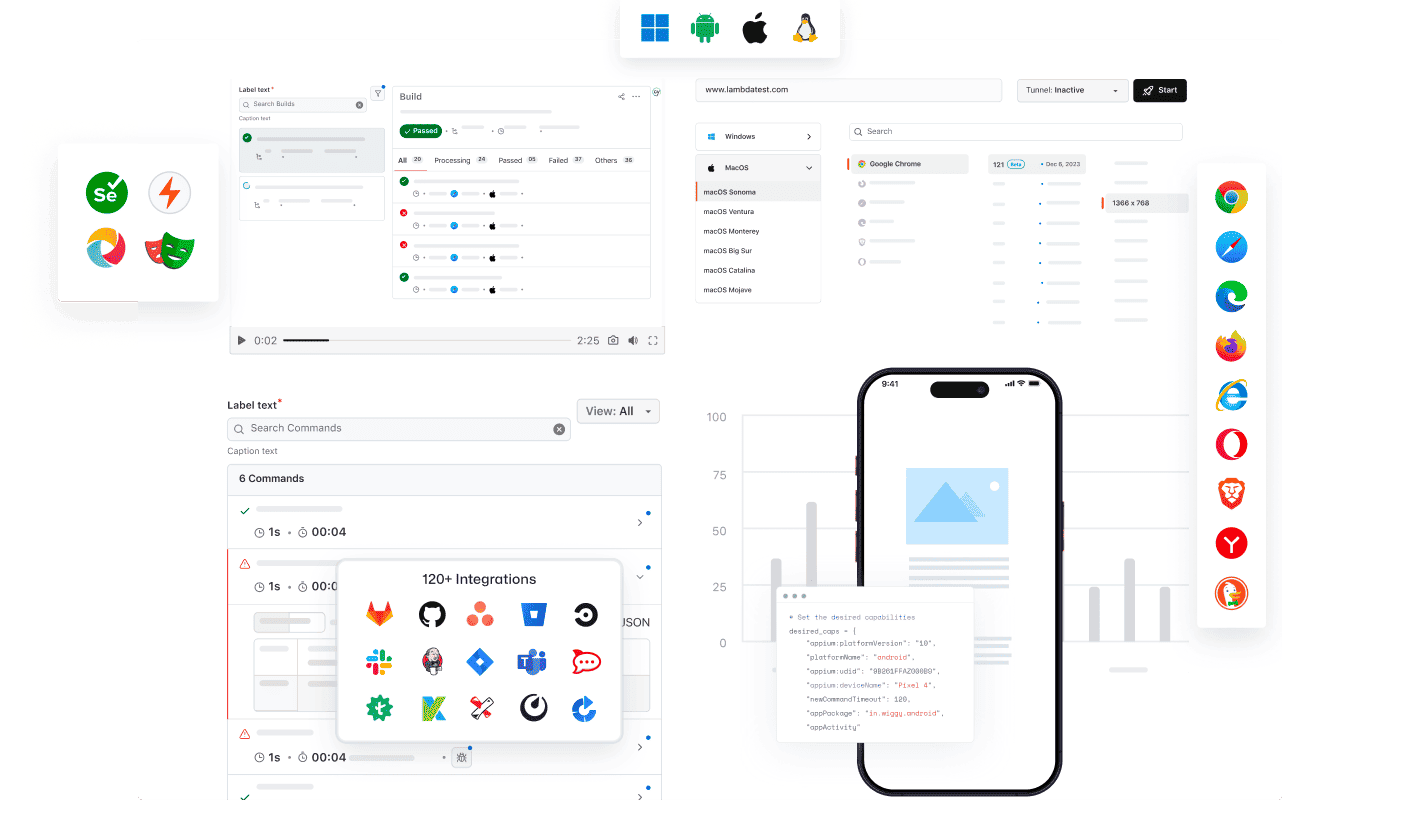
Any AI client can use TestMu AI 's MCP
Run, debug, and triage tests using the TestMu AI MCP Server with any AI assistant.
Pick your AI client to set it up in minutes.

Cursor
Generate configs, run suites, debug failures, and triage results in plain English, inside your editor.

Claude Code
Generate configs, run suites, debug failures, and triage results in plain English, inside your terminal.

GitHub Copilot
Generate configs, run suites, debug failures, and triage results in plain English, inside VS Code chat.

OpenAI Codex
Generate configs, run suites, debug failures, and triage results in plain English, from the command line.

Antigravity
Generate configs, run suites, debug failures, and triage results in plain English, from the agent panel.
Built-in MCP Server by TestMu AI
Run, debug, and triage tests from your IDE with HyperExecute, Automation, Accessibility, and SmartUI MCP tools using natural language.
HyperExecute MCP ToolAutomation MCP ToolAccessibility MCP ToolSmartUI MCP Tool
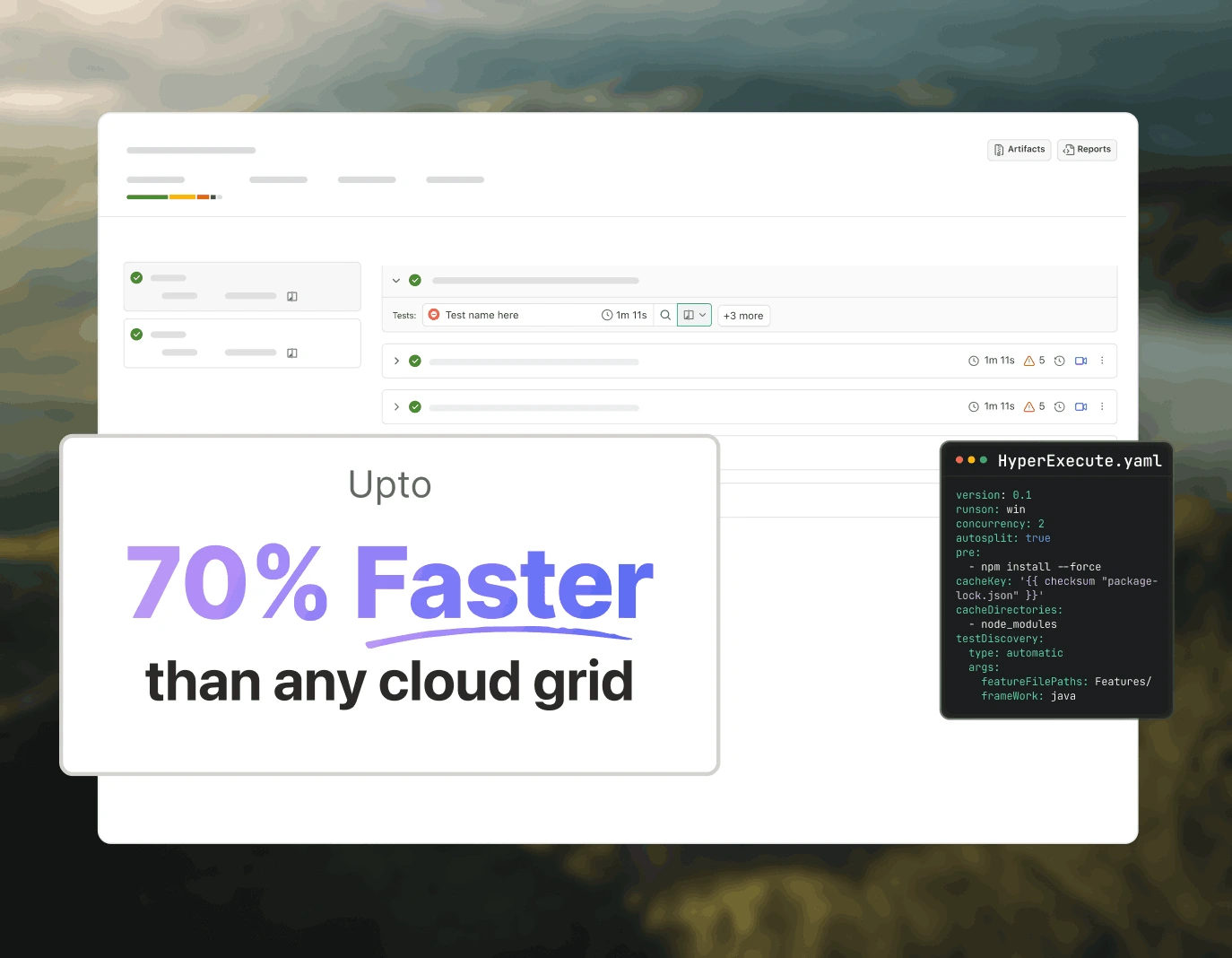
Test orchestration with HyperExecute MCP
TestMu AI's HyperExecute MCP removes manual YAML writing and dashboard switching. Generate YAML configs, runner commands, and monitor jobs from your IDE via natural language.
generateHyperExecuteYAML: Generate YAML configs for test project execution.
answerHyperExecuteQuery: Get instant answers from HyperExecute documentation.
getHyperExecuteJobInfo: Retrieve detailed job-level information for a given test run.
getHyperExecuteJobSessions: Fetch all session details linked to a HyperExecute job.
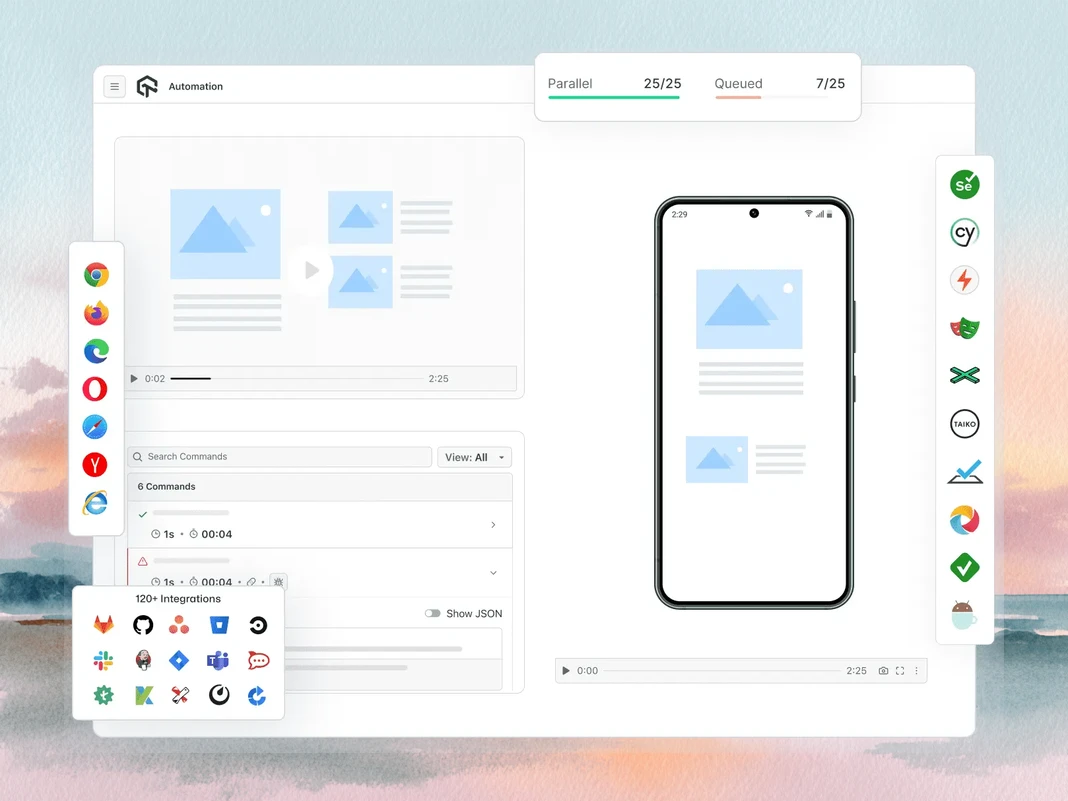
Test failure triaging with Automation MCP
TestMu AI's Automation MCP accelerates test failure triage by pulling TestID details, command logs, network logs, and console errors into one chat for instant root cause analysis.
Automation Test Details: Retrieve comprehensive information about specific tests.
Automation Command Logs: Access execution logs for all Selenium commands.
Automation Network Logs: Analyze browser traffic and network behavior during tests.
Automation Console Logs: Review browser console outputs, including errors and warnings.
upload_app Tool: Upload mobile applications for testing.
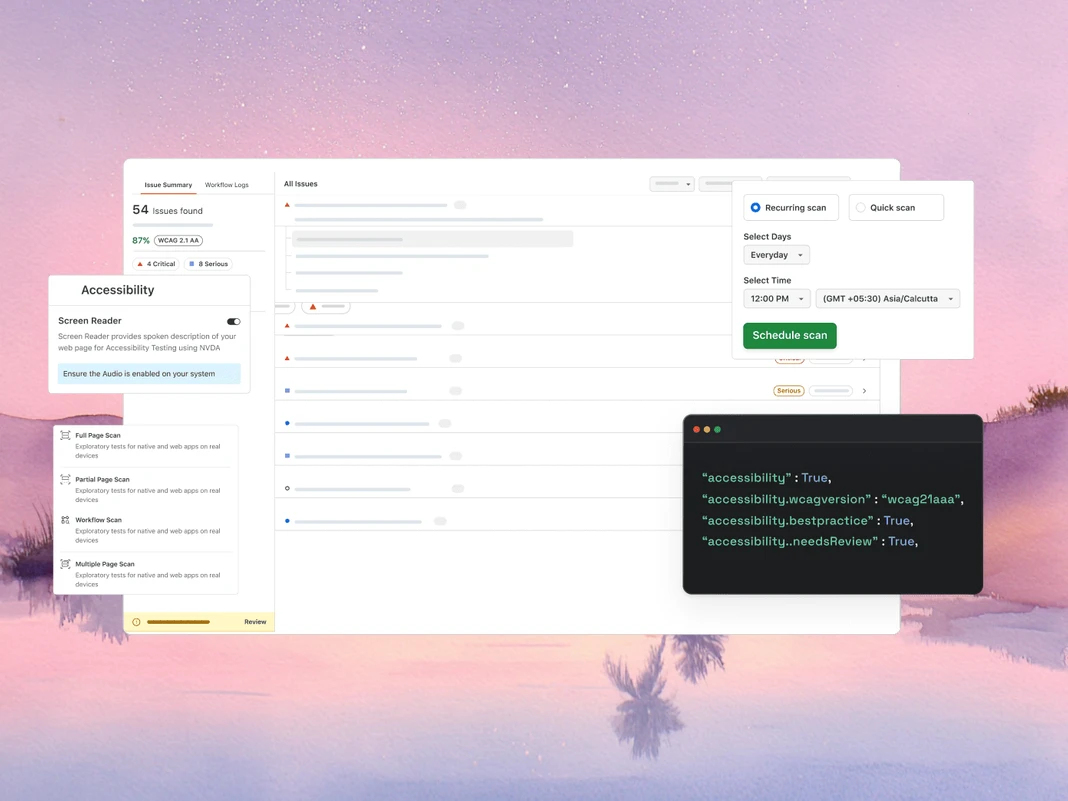
WCAG and a11y audits with Accessibility MCP
TestMu AI's Accessibility MCP catches WCAG and a11y violations before they reach production by returning detailed audit reports with ready-to-apply remediation guidance.
getAccessibilityReport: Fetches an accessibility report for any public URL.
buildLocalAppForAnalysis: Builds and serves a local React app to detect accessibility issues.
analyseAppViaTunnel: Analyzes local app tests for accessibility failures via TestMu AI tunnel.
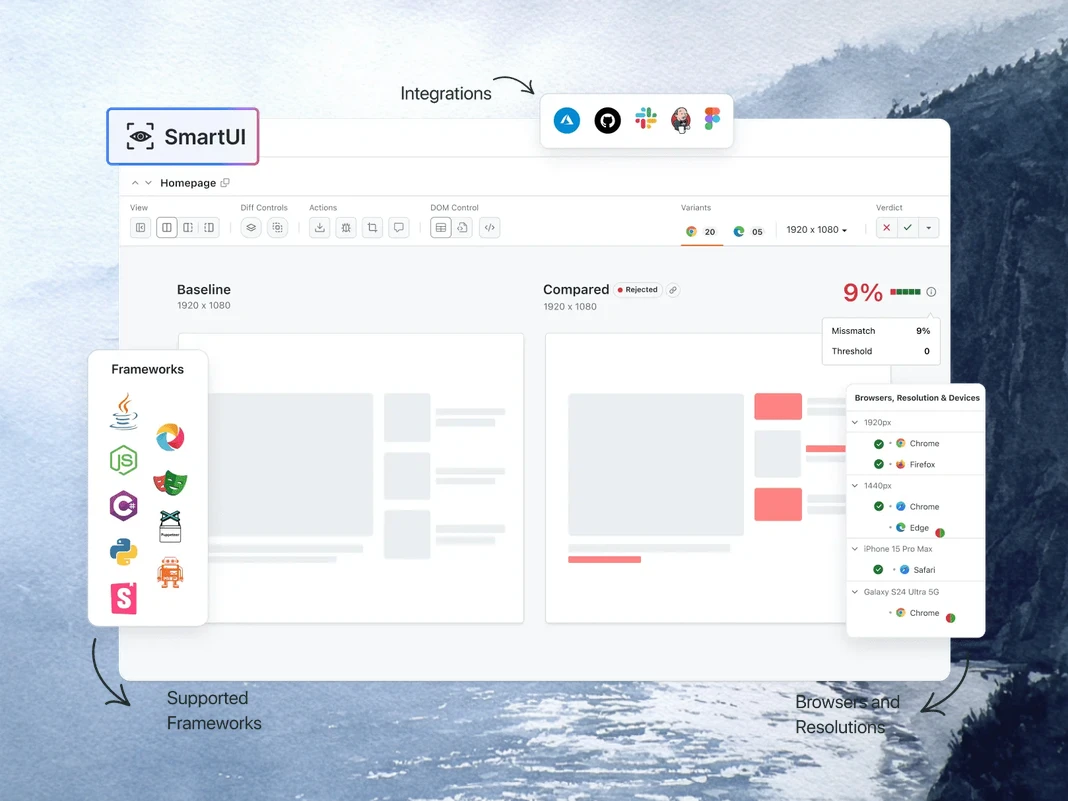
Visual regression debugging with SmartUI MCP
TestMu AI's SmartUI MCP cuts manual diff investigation from visual regression debugging by explaining pixel, layout, DOM, and perceptual changes in plain English directly in your IDE.
getSmartUIResources: Fetches all visual assets for a comparison run.
summarizeSmartUIPixelDiff: Identifies and explains raw pixel differences between screenshots.
summarizeSmartUILayoutDiff: Detects spacing, alignment, and size-related layout issues.
summarizeSmartUIDomDiff: Describes changes in DOM structure and attributes.
analyzeSmartUIHumanDiff: Simulates how a human would perceive the visual changes.
analyzeSmartUIRun: Provides a full debugging summary across all analysis layers.
getSmartUIScreenshotInfo: Retrieve metadata and details about SmartUI screenshots.
downloadSmartUIDomFiles: Download DOM structure files for deeper analysis.
AI-Agentic Quality Engineering
AI-native agents that plan, author, run, and triage tests across browsers, 50,000+ real devices, and your CI pipeline from the IDE.
Agent Testing
KaneAI
Browser Testing
Real Device Cloud
App Automation
HyperExecute
Visual UI Testing
Accessibility Testing
Agent Testing
Test AI agents such as chatbots, voice assistants and more.
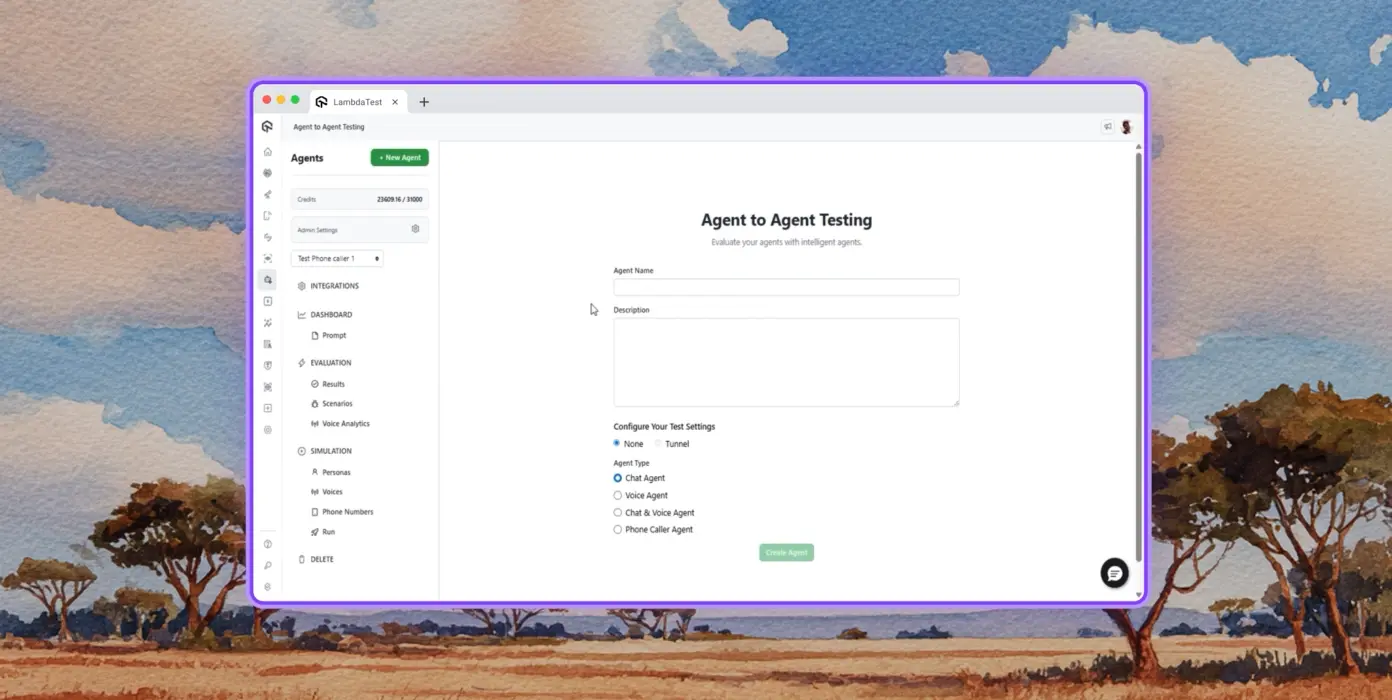
Autonomous Testing
Detailed analysis of the agent under test, from the perspective of a synthetic end-user.
Multi-Persona Simulation
Diverse user personas like International Caller, Digital Novice and more.
Risk Scoring & Regression
End-to-end regression testing for the agent under test with insights.
KaneAI by TestMu AI
Plan, author, and evolve end-to-end tests using natural language.
Natural Language
Author tests by simply describing, no scripts, no code, just plain English.
Test Scenario Generation
Generate structured test cases from text, Jira tickets, PRDs, images, and spreadsheets.
Test Authoring
Author browser tests for your websites and web apps across desktops and mobile devices with KaneAI.
Browser Testing
Quickly validate your website on 3000+ browser-OS-device combinations.
Responsive Testing
Check how your website renders across viewports on desktops, tablets, and mobile devices.
DevTools Debugging
Debug cross-browser issues with pre-installed Chrome and Safari DevTools.
Geolocation Testing
Test from different geo IPs to ensure the right experience for users everywhere.
Real Device Cloud
Test web and mobile applications on 50,000+ real devices.
Gesture Testing
Test natural gestures like tapping, scrolling, zooming, swiping, and more.
Real World Scenarios
Leverage 40+ features for testing every edge case on the real hardware device.
Advanced Debugging
Debug with device logs, network logs, and UI inspector directly from your test session.
App Automation
Automated mobile app tests on 50,000+ real mobile devices and tablets.
Parallel Execution
Run automated tests simultaneously across hundreds of real Android and iOS devices.
Frameworks Support
Appium, XCUITest, Espresso, and Detox, all options for mobile automation.
Local Testing
Test locally and privately hosted apps across various real Android and iOS devices.
HyperExecute
Up to 70% faster AI-native test orchestration cloud.
Self-Healing Tests
Auto-heals test scripts, reducing flakiness and manual maintenance.
Smart Orchestration
Auto-reorder test runs based on past data to surface failures faster and cut feedback time.
Root Cause Analysis
Classify errors and get AI-driven corrective insights with real-time logs.
Visual UI Testing
AI-native visual testing that catches UI regressions across browsers and devices.
Pixel Comparison
Detect visual deviations in layout, color, font, and element position.
Design-to-Dev
Compare Figma designs with live web pages and app screens to ensure accuracy.
Smart Ignore
Filter out irrelevant layout shifts with AI-native detection to reduce false positives.
Accessibility Testing
Web and mobile app accessibility testing for an inclusive user experience.
WCAG Compliance
Scan web and mobile apps against WCAG, ADA, and Section 508 standards.
Scheduled Scans
Automate recurring accessibility audits daily, weekly, or monthly.
Screen Reader
Test compatibility with screen readers and assistive tools on real devices.
 PLAY
PLAY
Success Stories of TestMu AI (Formerly LambdaTest)

50%
reduction in test execution time
“HyperExecute is a highly reliable test execution platform and has excellent customer support.”
Sagar Uday Kumar
Sr. Engineering Manager

Dashlane Lereta Dunelm Trepp Transavia
Book a Demo
More Reasons to Love TestMu AI (formerly LambdaTest)
TestMu AI is a leading agentic AI quality engineering platform, trusted globally, that assures your AI deployments work as intended, safely and securely, across enterprise and real-world conditions.
Users
3M+
Tests
1.5B+
Enterprises
18K+
Countries
132
TestMu AI positioned as a Leader in the 2026 Gartner® Magic Quadrant™
TestMu AI recognized in The Forrester Wave™: Autonomous Testing Platforms, Q4 2025
Wall of Fame
TestMu AI is the #1 choice for SMBs and enterprises across the globe.

Enterprise-Grade Security
We safeguard your data and AI systems with global security, privacy, responsible AI, and ESG standards.

Integrations
Works where you work, 120+ integrations with the tools your team relies on.

 4.6/ 5 540+ reviews
  4.6/ 5 410+ reviews
  4.6/ 5 540+ reviews
As Seen On
Frequently asked questions
What is an MCP server?
An MCP server is a program that exposes tools, resources, and prompts to AI agents through the Model Context Protocol, an open standard introduced by Anthropic in November 2024. The server advertises its capabilities to any MCP-compatible client, and the client (an AI agent) calls those tools at runtime to fetch data or perform actions outside the model's training data.
What is MCP used for in software testing?
In software testing, MCP lets AI agents drive the test workflow through natural language: generating configs, executing suites, pulling logs, summarizing failures, and running visual or accessibility checks. Instead of switching between an IDE, a dashboard, and a terminal, the agent calls the right MCP tool inline and returns results in chat, which compresses orchestration and debugging time.
How does an MCP server work with AI agents?
The client (an AI agent like Claude Code or Cursor) connects to the server over stdio or Streamable HTTP and asks for its capabilities. The server returns a list of tools with JSON Schema definitions. When the user prompts the agent, it picks the relevant tool, sends a structured call, and the server executes it against the underlying system, then returns a typed response the model can reason over.
Which AI clients support MCP servers?
Claude Code, Claude Desktop, Cursor, Windsurf, GitHub Copilot Chat, Cline, Continue, Zed AI, and JetBrains AI Assistant all support MCP servers today. Any client that implements the Model Context Protocol spec (stdio or Streamable HTTP transport) can connect, which means new MCP-aware tools work without rewriting the server integration.
How do you set up an MCP server in Cursor or Claude Code?
In Cursor, open Settings → MCP → Add new MCP Server and point it at the server's command or HTTP endpoint. In Claude Code, run "claude mcp add <name> <command>" or edit ~/.claude.json directly. Once registered, the agent discovers the available tools automatically and you can invoke them in chat. Most enterprise MCP servers add an OAuth step before tools become callable.
What is the difference between MCP and an API?
An API is a fixed endpoint contract built for code-to-code calls; clients need custom integration for every endpoint and version change. MCP is built for AI-to-tool calls: it standardizes how an agent discovers capabilities at runtime, maintains session state across calls, and parses typed responses. When a new tool is added to an MCP server, every connected agent picks it up without redeployment.
Can MCP servers run Selenium, Playwright, Cypress, or Appium tests?
Yes. MCP servers don't replace your test framework; they wrap it. The TestMu AI MCP Server detects Selenium, Playwright, Cypress, Appium, TestNG, JUnit, PyTest, WebdriverIO, and similar frameworks during project analysis, then generates the right config and runner command for your AI agent to execute. Test execution still happens on the underlying cloud grid.
How does MCP help debug failed tests?
An MCP server can pull test metadata, Selenium command logs, browser network activity, and console errors for any failed run, then hand the data back to the AI agent in chat. The agent reasons over the logs, correlates events, and suggests a root cause, turning what used to be a multi-tab dashboard hunt into a single prompt.
Is the Model Context Protocol secure?
The MCP spec defines an optional OAuth 2.1-based authorization framework for HTTP transports, but overall security still depends on the server implementation. Production servers typically use OAuth 2.1, scoped tokens, and TLS-encrypted transport. Enterprise deployments add role-based permissions, audit logging, and data-residency controls, which become important when MCP traffic carries production logs or customer data.
Are MCP servers free to use?
The protocol is open source and free. Server pricing varies: many community servers are free, while vendor-hosted servers bill against the underlying platform (usage, seats, or compute) rather than the MCP layer itself. The TestMu AI MCP Server is included with every TestMu AI account and only consumes the test execution minutes a team already pays for.
What tools are inside the TestMu AI MCP Server?
Five MCP tools ship in the server. HyperExecute MCP handles project analysis, YAML generation, runner commands, job info, and session details. Automation MCP fetches test details, Selenium command logs, network logs, and console logs. SmartUI MCP summarizes pixel, layout, DOM, and human-perceived visual diffs. Accessibility MCP runs WCAG audits on public URLs, local React builds, and tunneled apps. Test Manager MCP generates test cases with AI, builds configured test runs, records results in bulk, and tracks milestones and coverage.
What AI assistants does the TestMu AI MCP Server support?
The TestMu AI MCP Server has documented setup paths for Cursor, Claude Code, Claude Desktop, Claude.ai (Web), GitHub Copilot in VS Code, Antigravity, OpenAI Codex CLI, Cline, and Continue. Any other MCP-compatible client can connect through the universal STDIO configuration using mcp-remote, so newer assistants that adopt the protocol work without changes on the server side.
What transport methods does the TestMu AI MCP Server use?
The server supports two transports. Streamable HTTP is the recommended option for most clients and uses the https://mcp.lambdatest.com/mcp endpoint with OAuth authentication. STDIO is available through mcp-remote for clients that don't yet support Streamable HTTP, and uses the same OAuth-authenticated endpoint behind the scenes.
Why aren't MCP tools showing up in my AI client after configuration?
Three things usually cause this. First, fully quit and relaunch the client (a soft reload often isn't enough). Second, validate the JSON, TOML, or YAML config for syntax errors, especially trailing commas and unescaped paths. Third, for clients like Continue, confirm you are in Agent Mode rather than Chat Mode. If OAuth completed but tools still don't appear, re-authenticate from the client's MCP settings.
View more questions
TestMu AI (Formerly LambdaTest)/MCP Server
[{"@context":"https://schema.org","@type":"BreadcrumbList","itemListElement":[{"@type":"ListItem","position":1,"name":"Home","item":"https://www.testmuai.com"},{"@type":"ListItem","position":2,"name":"TestMu AI MCP Server","item":"https://www.testmuai.com/mcp/"}]}]
{"@context":"https://schema.org","@type":"WebPage","name":"TestMu AI (Formerly LambdaTest) MCP Server For Agentic Testing","description":"TestMu AI (Formerly LambdaTest) MCP Server with five tools: HyperExecute, Automation, SmartUI, Accessibility, & Test Manager. Run, debug, and triage tests from your IDE using natural language.","url":"https://www.testmuai.com/mcp/","inLanguage":"en","isPartOf":{"@type":"WebSite","name":"TestMu AI (Formerly LambdaTest)","url":"https://www.testmuai.com"},"datePublished":"2025-01-01","dateModified":"2026-05-14","about":{"@type":"Organization","name":"TestMu AI (Formerly LambdaTest)","alternateName":["LambdaTest","LambdaTesting","lamda test","lambatest","Lambda Test"]}}
{"@context":"https://schema.org","@type":"FAQPage","mainEntity":[{"@type":"Question","name":"What is an MCP server?","acceptedAnswer":{"@type":"Answer","text":"An MCP server is a program that exposes tools, resources, and prompts to AI agents through the Model Context Protocol, an open standard introduced by Anthropic in November 2024. The server advertises its capabilities to any MCP-compatible client, and the client (an AI agent) calls those tools at runtime to fetch data or perform actions outside the model's training data."}},{"@type":"Question","name":"What is MCP used for in software testing?","acceptedAnswer":{"@type":"Answer","text":"In software testing, MCP lets AI agents drive the test workflow through natural language: generating configs, executing suites, pulling logs, summarizing failures, and running visual or accessibility checks. Instead of switching between an IDE, a dashboard, and a terminal, the agent calls the right MCP tool inline and returns results in chat, which compresses orchestration and debugging time."}},{"@type":"Question","name":"How does an MCP server work with AI agents?","acceptedAnswer":{"@type":"Answer","text":"The client (an AI agent like Claude Code or Cursor) connects to the server over stdio or Streamable HTTP and asks for its capabilities. The server returns a list of tools with JSON Schema definitions. When the user prompts the agent, it picks the relevant tool, sends a structured call, and the server executes it against the underlying system, then returns a typed response the model can reason over."}},{"@type":"Question","name":"Which AI clients support MCP servers?","acceptedAnswer":{"@type":"Answer","text":"Claude Code, Claude Desktop, Cursor, Windsurf, GitHub Copilot Chat, Cline, Continue, Zed AI, and JetBrains AI Assistant all support MCP servers today. Any client that implements the Model Context Protocol spec (stdio or Streamable HTTP transport) can connect, which means new MCP-aware tools work without rewriting the server integration."}},{"@type":"Question","name":"How do you set up an MCP server in Cursor or Claude Code?","acceptedAnswer":{"@type":"Answer","text":"In Cursor, open Settings → MCP → Add new MCP Server and point it at the server's command or HTTP endpoint. In Claude Code, run \"claude mcp add <name> <command>\" or edit ~/.claude.json directly. Once registered, the agent discovers the available tools automatically and you can invoke them in chat. Most enterprise MCP servers add an OAuth step before tools become callable."}},{"@type":"Question","name":"What is the difference between MCP and an API?","acceptedAnswer":{"@type":"Answer","text":"An API is a fixed endpoint contract built for code-to-code calls; clients need custom integration for every endpoint and version change. MCP is built for AI-to-tool calls: it standardizes how an agent discovers capabilities at runtime, maintains session state across calls, and parses typed responses. When a new tool is added to an MCP server, every connected agent picks it up without redeployment."}},{"@type":"Question","name":"Can MCP servers run Selenium, Playwright, Cypress, or Appium tests?","acceptedAnswer":{"@type":"Answer","text":"Yes. MCP servers don't replace your test framework; they wrap it. The TestMu AI MCP Server detects Selenium, Playwright, Cypress, Appium, TestNG, JUnit, PyTest, WebdriverIO, and similar frameworks during project analysis, then generates the right config and runner command for your AI agent to execute. Test execution still happens on the underlying cloud grid."}},{"@type":"Question","name":"How does MCP help debug failed tests?","acceptedAnswer":{"@type":"Answer","text":"An MCP server can pull test metadata, Selenium command logs, browser network activity, and console errors for any failed run, then hand the data back to the AI agent in chat. The agent reasons over the logs, correlates events, and suggests a root cause, turning what used to be a multi-tab dashboard hunt into a single prompt."}},{"@type":"Question","name":"Is the Model Context Protocol secure?","acceptedAnswer":{"@type":"Answer","text":"The MCP spec defines an optional OAuth 2.1-based authorization framework for HTTP transports, but overall security still depends on the server implementation. Production servers typically use OAuth 2.1, scoped tokens, and TLS-encrypted transport. Enterprise deployments add role-based permissions, audit logging, and data-residency controls, which become important when MCP traffic carries production logs or customer data."}},{"@type":"Question","name":"Are MCP servers free to use?","acceptedAnswer":{"@type":"Answer","text":"The protocol is open source and free. Server pricing varies: many community servers are free, while vendor-hosted servers bill against the underlying platform (usage, seats, or compute) rather than the MCP layer itself. The TestMu AI MCP Server is included with every TestMu AI account and only consumes the test execution minutes a team already pays for."}},{"@type":"Question","name":"What tools are inside the TestMu AI MCP Server?","acceptedAnswer":{"@type":"Answer","text":"Five MCP tools ship in the server. HyperExecute MCP handles project analysis, YAML generation, runner commands, job info, and session details. Automation MCP fetches test details, Selenium command logs, network logs, and console logs. SmartUI MCP summarizes pixel, layout, DOM, and human-perceived visual diffs. Accessibility MCP runs WCAG audits on public URLs, local React builds, and tunneled apps. Test Manager MCP generates test cases with AI, builds configured test runs, records results in bulk, and tracks milestones and coverage."}},{"@type":"Question","name":"What AI assistants does the TestMu AI MCP Server support?","acceptedAnswer":{"@type":"Answer","text":"The TestMu AI MCP Server has documented setup paths for Cursor, Claude Code, Claude Desktop, Claude.ai (Web), GitHub Copilot in VS Code, Antigravity, OpenAI Codex CLI, Cline, and Continue. Any other MCP-compatible client can connect through the universal STDIO configuration using mcp-remote, so newer assistants that adopt the protocol work without changes on the server side."}},{"@type":"Question","name":"What transport methods does the TestMu AI MCP Server use?","acceptedAnswer":{"@type":"Answer","text":"The server supports two transports. Streamable HTTP is the recommended option for most clients and uses the https://mcp.lambdatest.com/mcp endpoint with OAuth authentication. STDIO is available through mcp-remote for clients that don't yet support Streamable HTTP, and uses the same OAuth-authenticated endpoint behind the scenes."}},{"@type":"Question","name":"Why aren't MCP tools showing up in my AI client after configuration?","acceptedAnswer":{"@type":"Answer","text":"Three things usually cause this. First, fully quit and relaunch the client (a soft reload often isn't enough). Second, validate the JSON, TOML, or YAML config for syntax errors, especially trailing commas and unescaped paths. Third, for clients like Continue, confirm you are in Agent Mode rather than Chat Mode. If OAuth completed but tools still don't appear, re-authenticate from the client's MCP settings."}}]}
{"@context":"https://schema.org","@type":"Organization","name":"TestMu AI (Formerly LambdaTest)","legalName":"LambdaTest, Inc.","alternateName":["LambdaTest","LambdaTesting","Lambda Test","TestMu AI"],"url":"https://www.testmuai.com","logo":"https://www.testmuai.com/logo.png","description":"TestMu AI (formerly LambdaTest) is an AI-native, agentic testing cloud for end-to-end software quality engineering across web, mobile, and AI applications. LambdaTest rebranded to TestMu AI on January 12, 2026.","foundingDate":"2017","founder":[{"@type":"Person","name":"Asad Khan","jobTitle":"Co-Founder & CEO"},{"@type":"Person","name":"Jay Singh","jobTitle":"Co-Founder & Chief Customer Officer"},{"@type":"Person","name":"Mayank Bhola","jobTitle":"Co-Founder & Head of Product"},{"@type":"Person","name":"Mudit Singh","jobTitle":"Co-Founder & Head of Growth"}],"address":[{"@type":"PostalAddress","addressLocality":"San Francisco","postalCode":"94104","streetAddress":"1 Sutter Street, Suite 500","addressCountry":"USA"},{"@type":"PostalAddress","streetAddress":"Noida One, Tower A, 2nd Floor, KLJ, Sector 62","addressLocality":"Noida","postalCode":"201309","addressCountry":"India"}],"sameAs":["https://www.lambdatest.com","https://www.linkedin.com/company/testmu-ai/","https://www.linkedin.com/company/lambdatest/","https://www.instagram.com/testmuai/","https://www.facebook.com/testmuai/","https://x.com/testmuai","https://x.com/lambdatesting","https://medium.com/lambdatest","https://testmuai.medium.com/","https://www.youtube.com/@TestMuAI","https://www.pinterest.com/testmuai/","https://github.com/lambdaTest","https://www.netlify.com/integrations/lambdatest/","https://newrelic.com/instant-observability/lambdatest"]}
{"@context":"https://schema.org","@type":"ItemList","name":"TestMu AI (Formerly LambdaTest) MCP Server Tools","description":"The five MCP tools included with the TestMu AI (Formerly LambdaTest) MCP Server: HyperExecute MCP, Automation MCP, SmartUI MCP, Accessibility MCP, and Test Manager MCP.","url":"https://www.testmuai.com/mcp/","numberOfItems":5,"itemListOrder":"https://schema.org/ItemListOrderAscending","itemListElement":[{"@type":"ListItem","position":1,"item":{"@type":"SoftwareApplication","name":"HyperExecute MCP Tool","applicationCategory":"DeveloperApplication","operatingSystem":"Windows, macOS, Linux","url":"https://www.testmuai.com/support/docs/hyperexecute-mcp-server/","description":"An MCP tool that analyzes your test project, auto-detects the framework, and generates HyperExecute YAML configs and runner commands. Also fetches job and session details and answers documentation queries inline.","offers":{"@type":"Offer","price":"0","priceCurrency":"USD"},"aggregateRating":{"@type":"AggregateRating","ratingValue":"4.8","ratingCount":"451","bestRating":"5","worstRating":"1"},"provider":{"@type":"Organization","name":"TestMu AI (Formerly LambdaTest)","url":"https://www.testmuai.com"}}},{"@type":"ListItem","position":2,"item":{"@type":"SoftwareApplication","name":"Automation MCP Tool","applicationCategory":"DeveloperApplication","operatingSystem":"Windows, macOS, Linux","url":"https://www.testmuai.com/support/docs/automation-mcp-server/","description":"An MCP tool that retrieves test details, Selenium command logs, network logs, and browser console logs for any TestID, enabling AI agents to root-cause failed tests from the IDE.","offers":{"@type":"Offer","price":"0","priceCurrency":"USD"},"aggregateRating":{"@type":"AggregateRating","ratingValue":"4.8","ratingCount":"451","bestRating":"5","worstRating":"1"},"provider":{"@type":"Organization","name":"TestMu AI (Formerly LambdaTest)","url":"https://www.testmuai.com"}}},{"@type":"ListItem","position":3,"item":{"@type":"SoftwareApplication","name":"Accessibility MCP Tool","applicationCategory":"DeveloperApplication","operatingSystem":"Windows, macOS, Linux","url":"https://www.testmuai.com/support/docs/accessibility-mcp-server/","description":"An MCP tool that runs WCAG, ADA, and Section 508 accessibility audits on public URLs, locally-built React apps, or apps tunneled through TestMu AI.","offers":{"@type":"Offer","price":"0","priceCurrency":"USD"},"aggregateRating":{"@type":"AggregateRating","ratingValue":"4.8","ratingCount":"451","bestRating":"5","worstRating":"1"},"provider":{"@type":"Organization","name":"TestMu AI (Formerly LambdaTest)","url":"https://www.testmuai.com"}}},{"@type":"ListItem","position":4,"item":{"@type":"SoftwareApplication","name":"SmartUI MCP Tool","applicationCategory":"DeveloperApplication","operatingSystem":"Windows, macOS, Linux","url":"https://www.testmuai.com/support/docs/smartui-mcp-server/","description":"An MCP tool that turns raw visual diffs into natural-language summaries across pixel, layout, DOM, and human-perceived layers, with access to screenshots, DOM snapshots, and metadata.","offers":{"@type":"Offer","price":"0","priceCurrency":"USD"},"aggregateRating":{"@type":"AggregateRating","ratingValue":"4.8","ratingCount":"451","bestRating":"5","worstRating":"1"},"provider":{"@type":"Organization","name":"TestMu AI (Formerly LambdaTest)","url":"https://www.testmuai.com"}}},{"@type":"ListItem","position":5,"item":{"@type":"SoftwareApplication","name":"Test Manager MCP Tool","applicationCategory":"DeveloperApplication","operatingSystem":"Windows, macOS, Linux","url":"https://www.testmuai.com/support/docs/test-manager-mcp-server/","description":"An MCP tool that runs the complete test management lifecycle from your AI client: generates test cases from requirements with AI, organizes them into folders, builds test runs with configurations applied, records results in bulk, and tracks milestones and coverage.","offers":{"@type":"Offer","price":"0","priceCurrency":"USD"},"aggregateRating":{"@type":"AggregateRating","ratingValue":"4.8","ratingCount":"451","bestRating":"5","worstRating":"1"},"provider":{"@type":"Organization","name":"TestMu AI (Formerly LambdaTest)","url":"https://www.testmuai.com"}}}]}