MCP Server By TestMu AI
ทางการรัน ดีบัก และจัดกลุ่มการทดสอบด้วยภาษาธรรมชาติ ครอบคลุม HyperExecute, Automation, SmartUI และ Accessibility บนคลาวด์ TestMu AI
คุณทำอะไรได้บ้างด้วย By TestMu AI MCP?
- สร้าง HyperExecute YAML configs — ขอให้ผู้ช่วยของคุณสร้าง YAML configs สำหรับการรันโปรเจกต์ทดสอบผ่าน
generateHyperExecuteYAML - ดึงข้อมูลงานและรายละเอียดเซสชัน — ดึงข้อมูลระดับงานโดยละเอียดและรายละเอียดเซสชันทั้งหมดที่เชื่อมโยงกับการรัน HyperExecute
- จัดเรียงความล้มเหลวของการทดสอบด้วยล็อก — ดึงรายละเอียดการทดสอบ ล็อกคำสั่ง Selenium ล็อกเครือข่าย และล็อกคอนโซลเพื่อการวิเคราะห์หาสาเหตุต้นตอ
- รันการตรวจสอบการเข้าถึง — รับรายงานการปฏิบัติตาม WCAG สำหรับ URL สาธารณะใดๆ หรือวิเคราะห์แอปภายในผ่าน tunnel
- สรุปความแตกต่างทางภาพ — อธิบายความแตกต่างของพิกเซล เลย์เอาต์ DOM และการรับรู้ของมนุษย์ระหว่างภาพหน้าจอ SmartUI
เอกสาร
ใหม่: Agent Assurance. ทดสอบสิ่งที่ agent ของคุณทำ ไม่ใช่สิ่งที่มันพูด เข้าร่วมรายการรอ

TestMu AI MCP Server สำหรับการทดสอบแบบ Agentic
รัน ดีบัก และจัดลำดับการทดสอบด้วย MCP server ของ TestMu AI ที่ขับเคลื่อนเครื่องมือ HyperExecute, Automation, SmartUI, Accessibility และ Test Manager โดยตรงจาก IDE ของคุณด้วยภาษาธรรมชาติใน Cursor, Claude, Copilot และ MCP clients อื่นๆ
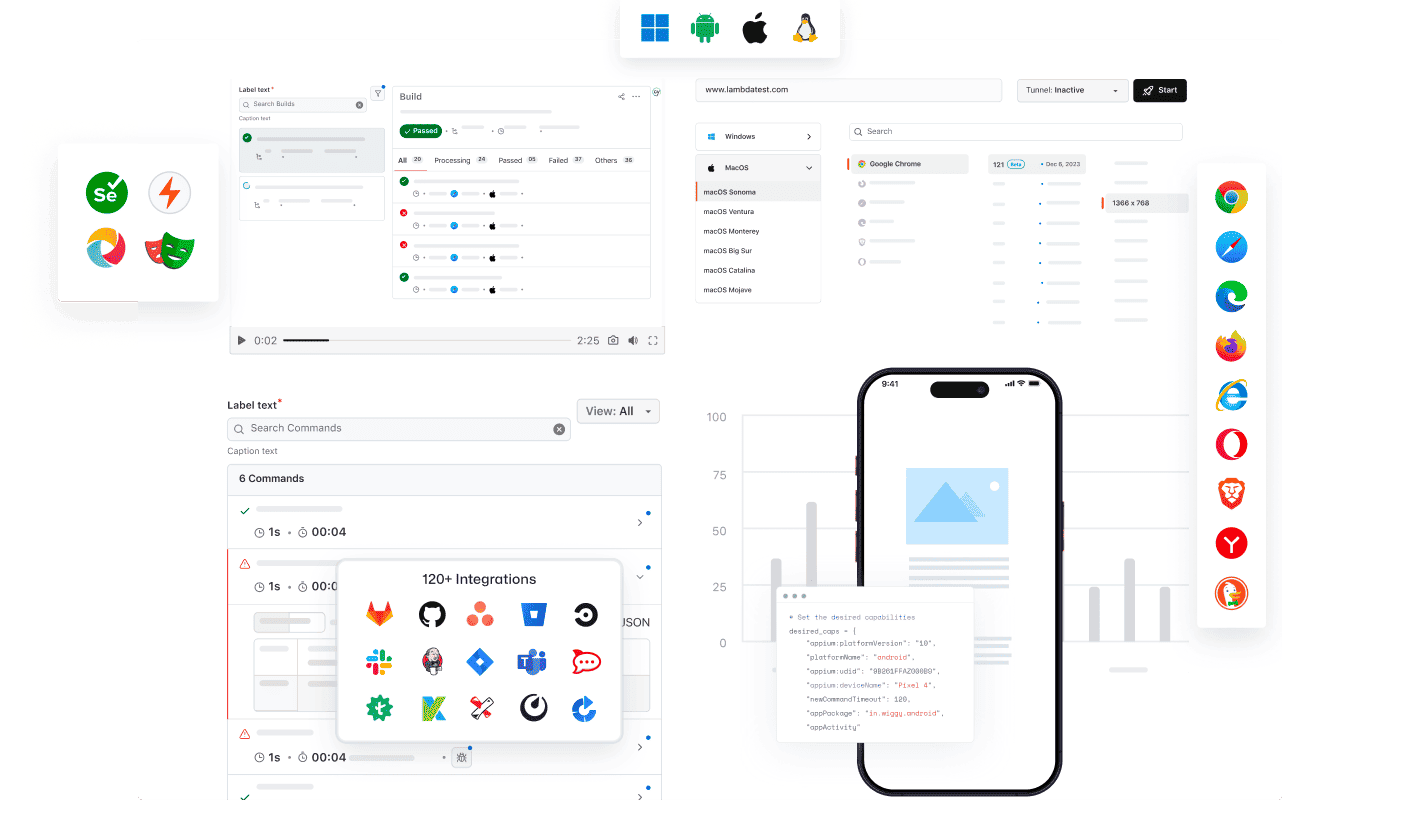
AI client ใดก็ได้สามารถใช้ MCP ของ TestMu AI ได้
รัน ดีบัก และจัดลำดับการทดสอบโดยใช้ TestMu AI MCP Server กับผู้ช่วย AI ใดก็ได้
เลือก AI client ของคุณเพื่อตั้งค่าได้ภายในไม่กี่นาที

Cursor
สร้าง configs รันชุดทดสอบ ดีบักข้อผิดพลาด และจัดลำดับผลลัพธ์เป็นภาษาอังกฤษธรรมดา ภายใน editor ของคุณ

Claude Code
สร้าง configs รันชุดทดสอบ ดีบักข้อผิดพลาด และจัดลำดับผลลัพธ์เป็นภาษาอังกฤษธรรมดา ภายใน terminal ของคุณ

GitHub Copilot
สร้าง configs รันชุดทดสอบ ดีบักข้อผิดพลาด และจัดลำดับผลลัพธ์เป็นภาษาอังกฤษธรรมดา ภายในแชทของ VS Code

OpenAI Codex
สร้าง configs รันชุดทดสอบ ดีบักข้อผิดพลาด และจัดลำดับผลลัพธ์เป็นภาษาอังกฤษธรรมดา จาก command line

Antigravity
สร้าง configs รันชุดทดสอบ ดีบักข้อผิดพลาด และจัดลำดับผลลัพธ์เป็นภาษาอังกฤษธรรมดา จากแผง agent
MCP Server ในตัวโดย TestMu AI (เดิมคือ LambdaTest)
รัน ดีบัก และจัดลำดับการทดสอบจาก IDE ของคุณด้วยเครื่องมือ MCP ของ HyperExecute, Automation, Accessibility และ SmartUI โดยใช้ภาษาธรรมชาติ
HyperExecute MCP ToolAutomation MCP ToolAccessibility MCP ToolSmartUI MCP Tool
การจัดลำดับการทดสอบด้วย HyperExecute MCP
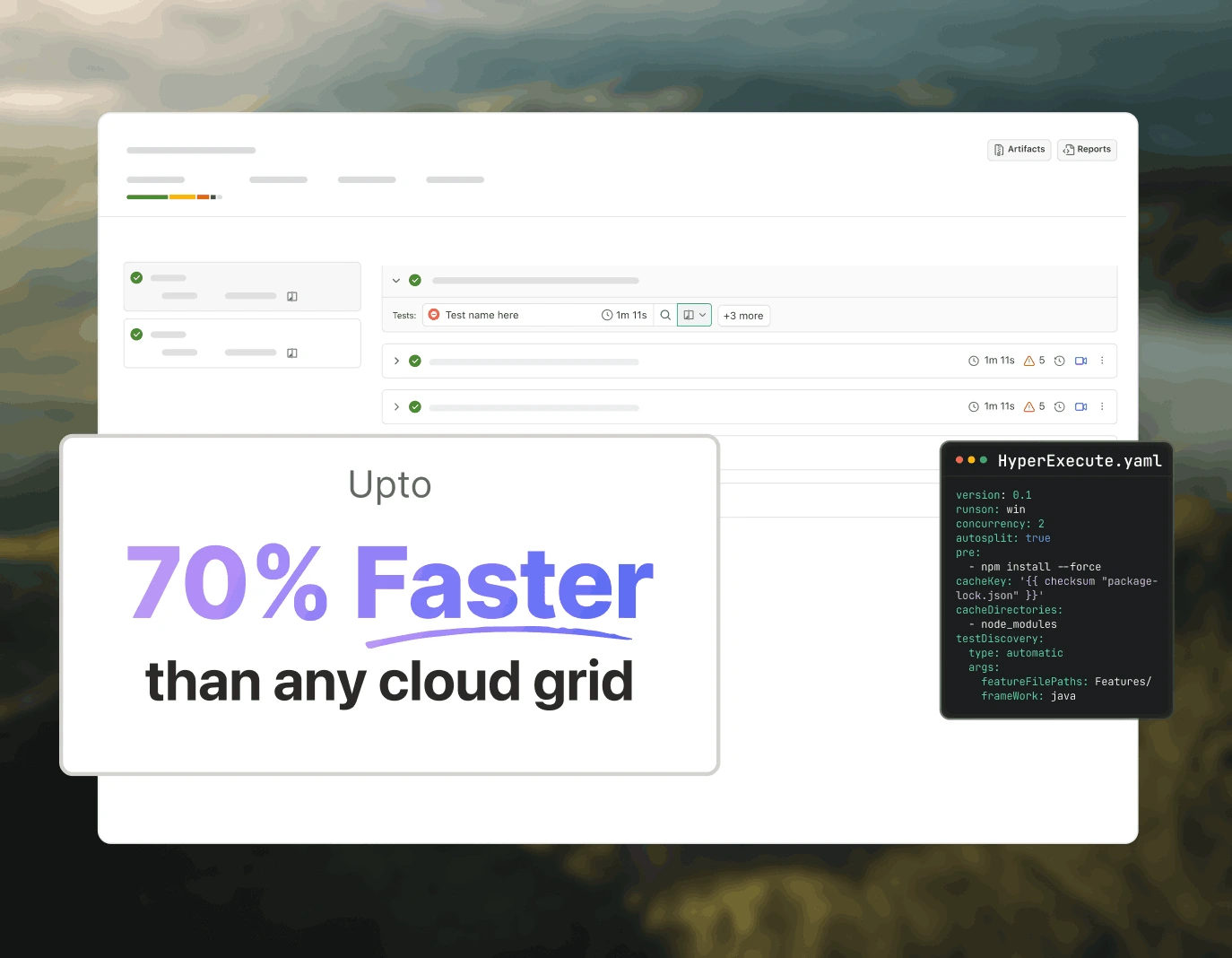
HyperExecute MCP ของ TestMu AI ช่วยลดการเขียน YAML ด้วยตนเองและการสลับไปมาระหว่าง dashboards สร้าง YAML configs คำสั่ง runner และติดตาม jobs จาก IDE ของคุณผ่านภาษาธรรมชาติ
generateHyperExecuteYAML: สร้าง YAML configs สำหรับการรันโปรเจกต์ทดสอบ
answerHyperExecuteQuery: รับคำตอบทันทีจากเอกสาร HyperExecute
getHyperExecuteJobInfo: ดึงข้อมูลระดับ job โดยละเอียดสำหรับการทดสอบที่กำหนด
getHyperExecuteJobSessions: ดึงรายละเอียด session ทั้งหมดที่เชื่อมโยงกับ HyperExecute job
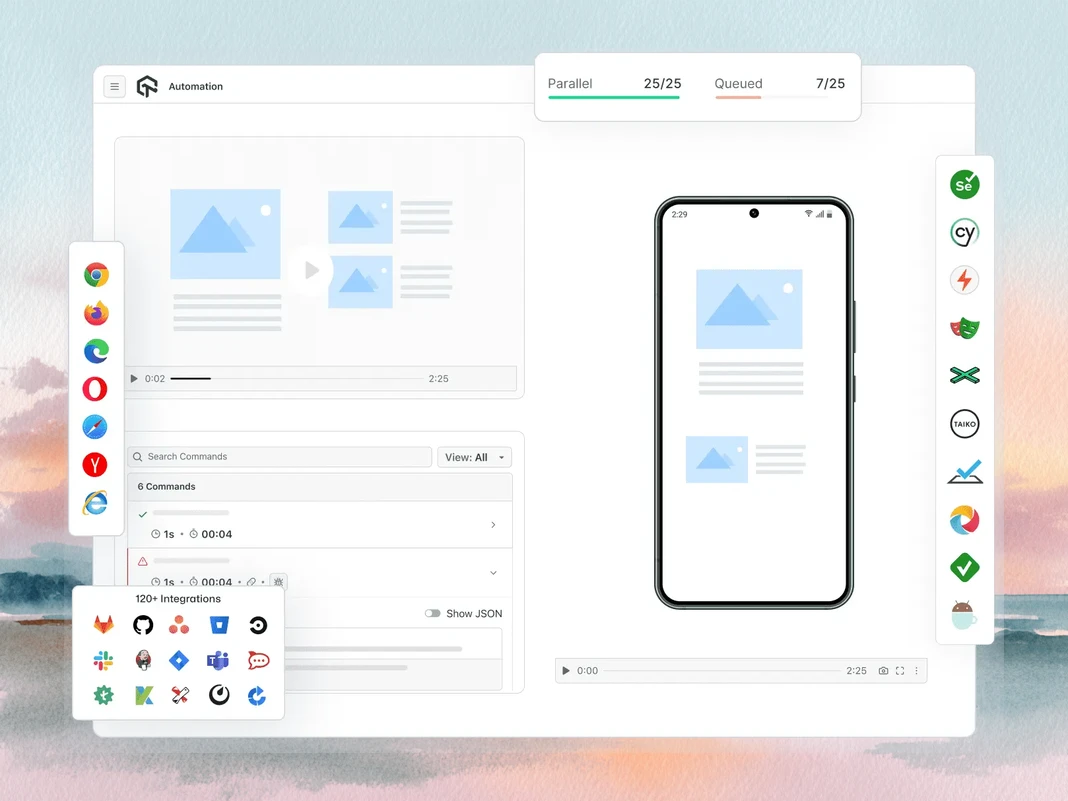
การจัดลำดับข้อผิดพลาดการทดสอบด้วย Automation MCP
Automation MCP ของ TestMu AI เร่งการจัดลำดับข้อผิดพลาดการทดสอบโดยดึงรายละเอียด TestID, command logs, network logs และ console errors มารวมในแชทเดียวเพื่อการวิเคราะห์สาเหตุต้นตอทันที
Automation Test Details: ดึงข้อมูลครอบคลุมเกี่ยวกับการทดสอบเฉพาะ
Automation Command Logs: เข้าถึง execution logs สำหรับคำสั่ง Selenium ทั้งหมด
Automation Network Logs: วิเคราะห์ traffic ของเบราว์เซอร์และพฤติกรรมเครือข่ายระหว่างการทดสอบ
Automation Console Logs: ตรวจสอบ console outputs ของเบราว์เซอร์ รวมถึง errors และ warnings
upload_app Tool: อัปโหลดแอปพลิเคชันมือถือสำหรับการทดสอบ
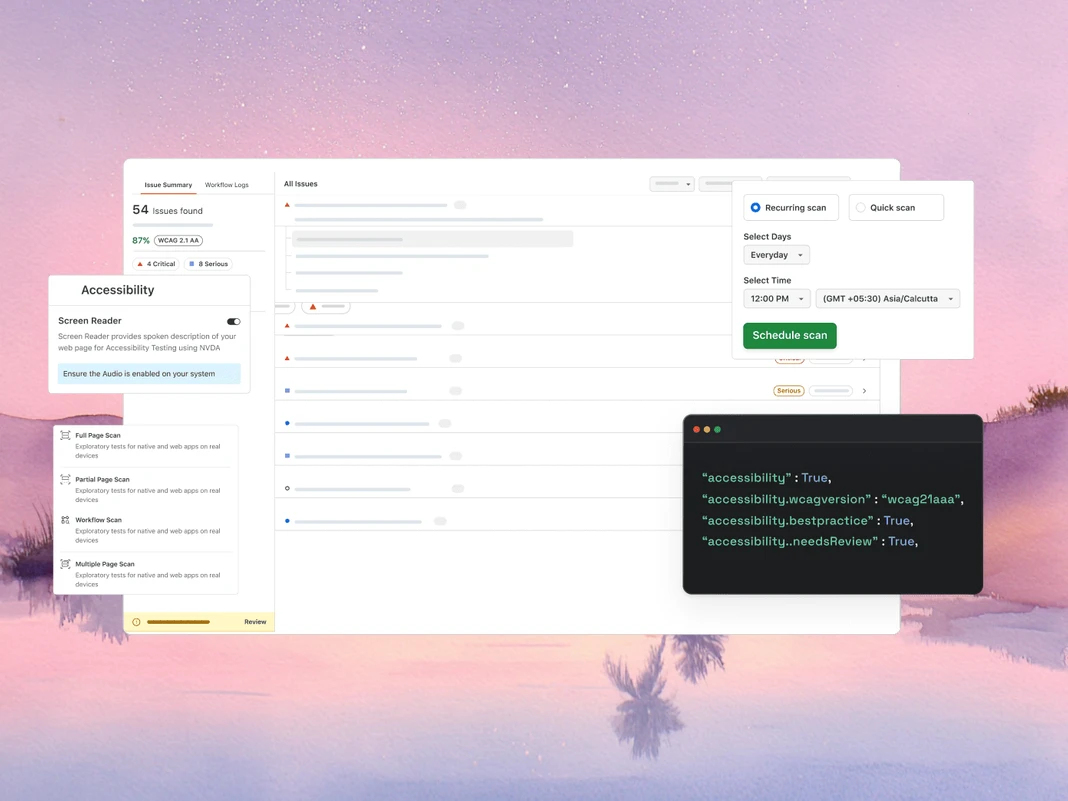
การตรวจสอบ WCAG และ a11y ด้วย Accessibility MCP
Accessibility MCP ของ TestMu AI จับการละเมิด WCAG และ a11y ก่อนถึง production โดยส่งคืนรายงานการตรวจสอบโดยละเอียดพร้อมคำแนะนำการแก้ไขที่พร้อมนำไปใช้
getAccessibilityReport: ดึงรายงานการเข้าถึงสำหรับ URL สาธารณะใดๆ
buildLocalAppForAnalysis: สร้างและให้บริการแอป React ในเครื่องเพื่อตรวจจับปัญหาการเข้าถึง
analyseAppViaTunnel: วิเคราะห์การทดสอบแอปในเครื่องสำหรับความล้มเหลวด้านการเข้าถึงผ่าน tunnel ของ TestMu AI
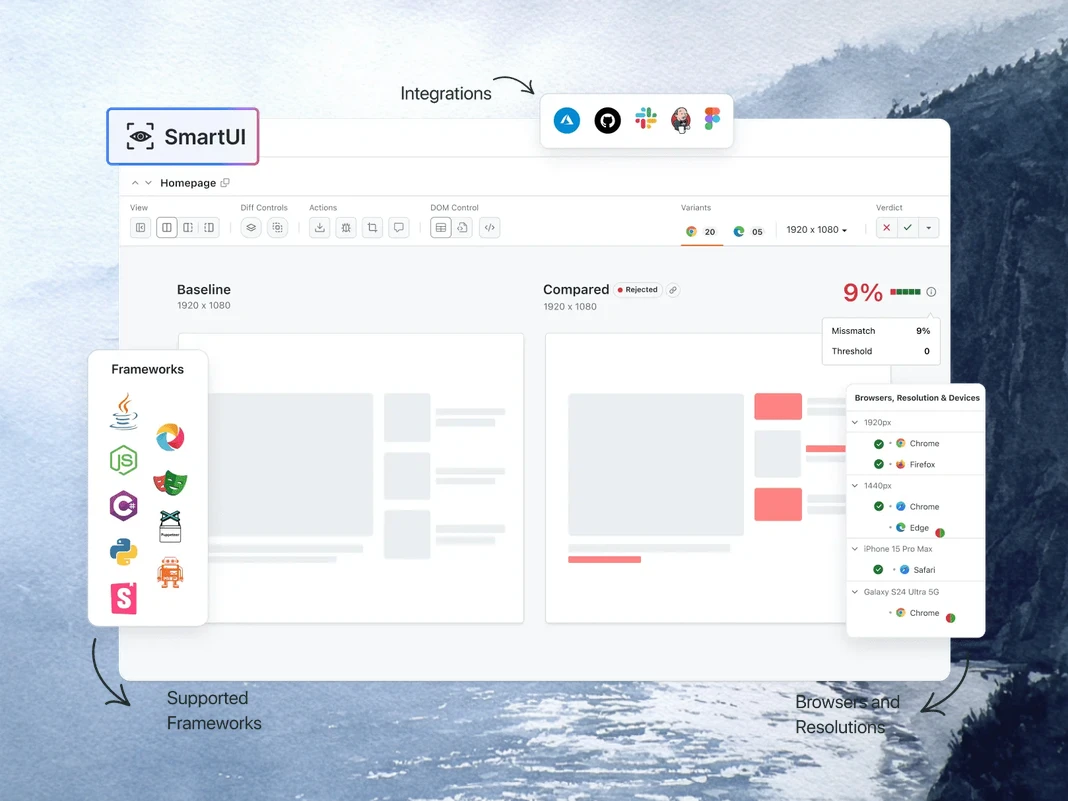
การดีบักการถดถอยทางภาพด้วย SmartUI MCP
SmartUI MCP ของ TestMu AI ลดการตรวจสอบ diff ด้วยตนเองจากการดีบักการถดถอยทางภาพโดยอธิบายการเปลี่ยนแปลง pixel, layout, DOM และ perceptual เป็นภาษาอังกฤษธรรมดาโดยตรงใน IDE ของคุณ
getSmartUIResources: ดึง assets ทางภาพทั้งหมดสำหรับการรันเปรียบเทียบ
summarizeSmartUIPixelDiff: ระบุและอธิบายความแตกต่างของ pixel ดิบระหว่าง screenshots
summarizeSmartUILayoutDiff: ตรวจจับปัญหาพื้นที่ การจัดตำแหน่ง และขนาดที่เกี่ยวข้องกับ layout
summarizeSmartUIDomDiff: อธิบายการเปลี่ยนแปลงในโครงสร้างและ attributes ของ DOM
analyzeSmartUIHumanDiff: จำลองว่ามนุษย์จะรับรู้การเปลี่ยนแปลงทางภาพอย่างไร
analyzeSmartUIRun: ให้สรุปการดีบักเต็มรูปแบบในทุกชั้นการวิเคราะห์
getSmartUIScreenshotInfo: ดึง metadata และรายละเอียดเกี่ยวกับ SmartUI screenshots
downloadSmartUIDomFiles: ดาวน์โหลดไฟล์โครงสร้าง DOM สำหรับการวิเคราะห์เชิงลึก
วิศวกรรมคุณภาพแบบ AI-Agentic
Agents ที่เป็น AI-native ซึ่งวางแผน เขียน รัน และจัดลำดับการทดสอบบนเบราว์เซอร์ อุปกรณ์จริงมากกว่า 10,000 รายการ และ CI pipeline ของคุณจาก IDE
Agent Testing
KaneAI
Browser Testing
Real Device Cloud
App Automation
HyperExecute
Visual UI Testing
Accessibility Testing
Agent Testing
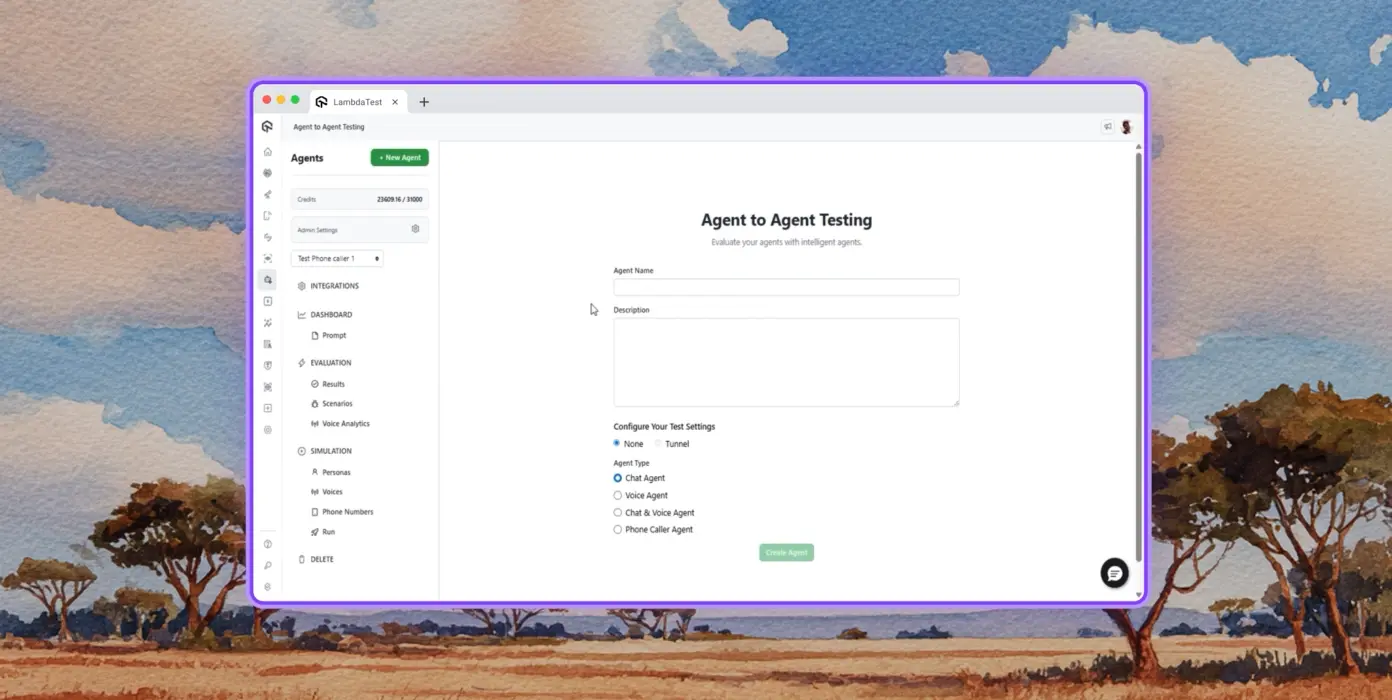
ทดสอบ AI agents เช่น chatbots, voice assistants และอื่นๆ
เพิ่มเติมเกี่ยวกับ Agent Testing
การทดสอบอัตโนมัติ
การวิเคราะห์โดยละเอียดของ agent ภายใต้การทดสอบ จากมุมมองของผู้ใช้ปลายทางสังเคราะห์
การจำลองหลายบุคลิก
บุคลิกผู้ใช้ที่หลากหลาย เช่น International Caller, Digital Novice และอื่นๆ
การให้คะแนนความเสี่ยงและการถดถอย
การทดสอบการถดถอยแบบ end-to-end สำหรับ agent ภายใต้การทดสอบพร้อมข้อมูลเชิงลึก
KaneAI โดย TestMu AI
วางแผน เขียน และพัฒนาการทดสอบ end-to-end โดยใช้ภาษาธรรมชาติ
ภาษาธรรมชาติ
เขียนการทดสอบโดยเพียงแค่อธิบาย ไม่ต้องมีสคริปต์ ไม่ต้องมีโค้ด แค่ภาษาอังกฤษธรรมดา
การสร้างสถานการณ์ทดสอบ
สร้างกรณีทดสอบที่มีโครงสร้างจากข้อความ, Jira tickets, PRDs, รูปภาพ และสเปรดชีต
การเขียนการทดสอบ
เขียนการทดสอบเบราว์เซอร์สำหรับเว็บไซต์และเว็บแอปของคุณบนเดสก์ท็อปและอุปกรณ์มือถือด้วย KaneAI
Browser Testing
ตรวจสอบเว็บไซต์ของคุณอย่างรวดเร็วบนชุดค่าผสมเบราว์เซอร์-OS-อุปกรณ์มากกว่า 3000 รายการ
การทดสอบแบบ Responsive
ตรวจสอบว่าเว็บไซต์ของคุณแสดงผลอย่างไรบน viewports ต่างๆ บนเดสก์ท็อป แท็บเล็ต และอุปกรณ์มือถือ
การดีบักด้วย DevTools
ดีบักปัญหาข้ามเบราว์เซอร์ด้วย Chrome และ Safari DevTools ที่ติดตั้งไว้ล่วงหน้า
การทดสอบ Geolocation
ทดสอบจาก geo IPs ที่แตกต่างกันเพื่อให้แน่ใจว่าผู้ใช้ทุกที่ได้รับประสบการณ์ที่ถูกต้อง
Real Device Cloud
ทดสอบเว็บและแอปพลิเคชันมือถือบนอุปกรณ์จริงมากกว่า 10,000 รายการ
การทดสอบท่าทาง
ทดสอบท่าทางธรรมชาติ เช่น การแตะ การเลื่อน การซูม การปัด และอื่นๆ
สถานการณ์โลกจริง
ใช้ประโยชน์จากฟีเจอร์มากกว่า 40 รายการเพื่อทดสอบทุกกรณีขอบบนฮาร์ดแวร์จริง
การดีบักขั้นสูง
ดีบักด้วย device logs, network logs และ UI inspector โดยตรงจากเซสชันการทดสอบของคุณ
App Automation
การทดสอบแอปมือถืออัตโนมัติบนอุปกรณ์จริงและแท็บเล็ตมากกว่า 10,000 รายการ
การรันแบบขนาน
รันการทดสอบอัตโนมัติพร้อมกันบนอุปกรณ์ Android และ iOS จริงหลายร้อยรายการ
การรองรับ Frameworks
Appium, XCUITest, Espresso และ Detox ตัวเลือกทั้งหมดสำหรับการทำงานอัตโนมัติบนมือถือ
การทดสอบในเครื่อง
ทดสอบแอปที่โฮสต์ในเครื่องและแบบส่วนตัวบนอุปกรณ์ Android และ iOS จริงต่างๆ
HyperExecute
คลาวด์การจัดลำดับการทดสอบแบบ AI-native ที่เร็วขึ้นสูงสุด 70%
การทดสอบที่ซ่อมแซมตัวเอง
ซ่อมแซมสคริปต์ทดสอบอัตโนมัติ ลดความไม่เสถียรและการบำรุงรักษาด้วยตนเอง
การจัดลำดับอัจฉริยะ
จัดลำดับการรันทดสอบใหม่โดยอัตโนมัติตามข้อมูลในอดีตเพื่อเผยข้อผิดพลาดเร็วขึ้นและลดเวลาตอบกลับ
การวิเคราะห์สาเหตุต้นตอ
จำแนกข้อผิดพลาดและรับข้อมูลเชิงลึกการแก้ไขที่ขับเคลื่อนด้วย AI พร้อม logs แบบเรียลไทม์
Visual UI Testing
การทดสอบทางภาพแบบ AI-native ที่จับการถดถอยของ UI บนเบราว์เซอร์และอุปกรณ์
การเปรียบเทียบ Pixel
ตรวจจับความเบี่ยงเบนทางภาพใน layout สี ฟอนต์ และตำแหน่งองค์ประกอบ
Design-to-Dev
เปรียบเทียบการออกแบบ Figma กับหน้าเว็บสดและหน้าจอแอปเพื่อความแม่นยำ
Smart Ignore
กรองการเลื่อน layout ที่ไม่เกี่ยวข้องด้วยการตรวจจับแบบ AI-native เพื่อลดผลบวกลวง
Accessibility Testing
การทดสอบการเข้าถึงเว็บและแอปมือถือเพื่อประสบการณ์ผู้ใช้ที่ครอบคลุม
การปฏิบัติตาม WCAG
สแกนเว็บและแอปมือถือตามมาตรฐาน WCAG, ADA และ Section 508
การสแกนตามกำหนดการ
ทำงานอัตโนมัติในการตรวจสอบการเข้าถึงซ้ำทุกวัน รายสัปดาห์ หรือรายเดือน
Screen Reader
ทดสอบความเข้ากันได้กับ screen readers และเครื่องมือช่วยเหลือบนอุปกรณ์จริง
 PLAY
PLAY
เรื่องราวความสำเร็จของ TestMu AI (เดิมคือ LambdaTest)

50%
การลดลงของเวลารันการทดสอบ
“HyperExecute เป็นแพลตฟอร์มรันการทดสอบที่เชื่อถือได้สูงและมีการสนับสนุนลูกค้าที่ยอดเยี่ยม”
Sagar Uday Kumar
Sr. Engineering Manager

Dashlane
Lereta
Dunelm
Trepp
Transavia
จองการสาธิต
เหตุผลเพิ่มเติมที่ควรชื่นชอบ TestMu AI (เดิมคือ LambdaTest)
ดูว่า TestMu AI ปรับปรุงการทดสอบของคุณด้วยการผสานรวมที่ราบรื่น ผลลัพธ์ที่เร็วขึ้น และความแม่นยำที่ไม่มีใครเทียบ
ผู้ใช้
3M+
การทดสอบ
1.5B+
องค์กร
18K+
ประเทศ
132
TestMu AI ได้รับการเสนอชื่อเป็น Challenger ใน Gartner® Magic Quadrant™ ปี 2025
TestMu AI ได้รับการยอมรับใน The Forrester Wave™: Autonomous Testing Platforms, Q4 2025
Wall of Fame
TestMu AI เป็นตัวเลือกอันดับ 1 สำหรับ SMBs และองค์กรทั่วโลก

ความปลอดภัยระดับองค์กร
เราปกป้องข้อมูลและระบบ AI ของคุณด้วยมาตรฐานความปลอดภัย ความเป็นส่วนตัว AI ที่รับผิดชอบ และ ESG ทั่วโลก

การผสานรวม
ทำงานในที่ที่คุณทำงาน ด้วยการผสานรวมมากกว่า 120 รายการกับเครื่องมือที่ทีมของคุณพึ่งพา

 4.6/ 5540+ รีวิว
 4.6/ 5410+ รีวิว
 4.6/ 5540+ รีวิว
ตามที่เห็นใน
คำถามที่พบบ่อย
MCP server คืออะไร?
MCP server คือโปรแกรมที่เปิดเผย tools, resources และ prompts ให้กับ AI agents ผ่าน Model Context Protocol ซึ่งเป็นมาตรฐานเปิดที่แนะนำโดย Anthropic ในเดือนพฤศจิกายน 2024 เซิร์ฟเวอร์ประกาศความสามารถของตนให้กับ MCP-compatible client ใดๆ และ client (AI agent) จะเรียกใช้ tools เหล่านั้นในขณะรันไทม์เพื่อดึงข้อมูลหรือดำเนินการนอกข้อมูลการฝึกของโมเดล
MCP ใช้ทำอะไรในการทดสอบซอฟต์แวร์?
ในการทดสอบซอฟต์แวร์ MCP ให้ AI agents ขับเคลื่อนขั้นตอนการทดสอบผ่านภาษาธรรมชาติ: การสร้าง configs การรันชุดทดสอบ การดึง logs การสรุปข้อผิดพลาด และการรันการตรวจสอบทางภาพหรือการเข้าถึง แทนที่จะสลับระหว่าง IDE, dashboard และ terminal agent จะเรียกใช้ MCP tool ที่ถูกต้องแบบอินไลน์และส่งคืนผลลัพธ์ในแชท ซึ่งช่วยลดเวลาในการจัดลำดับและการดีบัก
MCP server ทำงานกับ AI agents อย่างไร?
Client (AI agent เช่น Claude Code หรือ Cursor) เชื่อมต่อกับเซิร์ฟเวอร์ผ่าน stdio หรือ Streamable HTTP และขอความสามารถของเซิร์ฟเวอร์ เซิร์ฟเวอร์ส่งคืนรายการ tools พร้อมคำจำกัดความ JSON Schema เมื่อผู้ใช้แจ้ง prompt ให้ agent มันจะเลือก tool ที่เกี่ยวข้อง ส่งการเรียกที่มีโครงสร้าง และเซิร์ฟเวอร์ดำเนินการกับระบบพื้นฐาน จากนั้นส่งคืนการตอบสนองแบบ typed ที่โมเดลสามารถใช้เหตุผลได้
AI clients ใดบ้างที่รองรับ MCP servers?
Claude Code, Claude Desktop, Cursor, Windsurf, GitHub Copilot Chat, Cline, Continue, Zed AI และ JetBrains AI Assistant ทั้งหมดรองรับ MCP servers ในปัจจุบัน Client ใดๆ ที่ใช้ข้อกำหนด Model Context Protocol (stdio หรือ Streamable HTTP transport) สามารถเชื่อมต่อได้ ซึ่งหมายความว่าเครื่องมือที่รองรับ MCP ใหม่ทำงานได้โดยไม่ต้องเขียนการผสานรวมเซิร์ฟเวอร์ใหม่
คุณตั้งค่า MCP server ใน Cursor หรือ Claude Code อย่างไร?
ใน Cursor ให้เปิด Settings → MCP → Add new MCP Server แล้วชี้ไปที่คำสั่งหรือ HTTP endpoint ของเซิร์ฟเวอร์ ใน Claude Code ให้รัน "claude mcp add " หรือแก้ไข ~/.claude.json โดยตรง เมื่อลงทะเบียนแล้ว เอเจนต์จะค้นพบเครื่องมือที่มีอยู่โดยอัตโนมัติ และคุณสามารถเรียกใช้ได้ในแชท เซิร์ฟเวอร์ MCP ระดับองค์กรส่วนใหญ่จะเพิ่มขั้นตอน OAuth ก่อนที่เครื่องมือจะถูกเรียกใช้ได้
ความแตกต่างระหว่าง MCP และ API คืออะไร?
API คือสัญญา endpoint แบบตายตัวที่สร้างขึ้นสำหรับการเรียกระหว่างโค้ดกับโค้ด ไคลเอนต์ต้องมีการผสานรวมแบบกำหนดเองสำหรับทุก endpoint และการเปลี่ยนแปลงเวอร์ชัน MCP สร้างขึ้นสำหรับการเรียกระหว่าง AI กับเครื่องมือ โดยทำให้การค้นพบความสามารถของเอเจนต์ในขณะรันไทม์เป็นมาตรฐาน รักษาสถานะเซสชันระหว่างการเรียก และแยกวิเคราะห์การตอบสนองแบบมีชนิดข้อมูล เมื่อเพิ่มเครื่องมือใหม่ลงในเซิร์ฟเวอร์ MCP เอเจนต์ที่เชื่อมต่อทุกตัวจะรับเครื่องมือนั้นได้โดยไม่ต้องปรับใช้ใหม่
เซิร์ฟเวอร์ MCP สามารถรันการทดสอบ Selenium, Playwright, Cypress หรือ Appium ได้หรือไม่?
ได้ เซิร์ฟเวอร์ MCP ไม่ได้แทนที่เฟรมเวิร์กการทดสอบของคุณ แต่จะครอบมันไว้ TestMu AI MCP Server ตรวจจับ Selenium, Playwright, Cypress, Appium, TestNG, JUnit, PyTest, WebdriverIO และเฟรมเวิร์กที่คล้ายกันระหว่างการวิเคราะห์โปรเจกต์ จากนั้นสร้างการกำหนดค่าและคำสั่ง runner ที่ถูกต้องให้เอเจนต์ AI ของคุณดำเนินการ การดำเนินการทดสอบยังคงเกิดขึ้นบนคลาวด์กริดที่อยู่เบื้องหลัง
MCP ช่วยดีบักการทดสอบที่ล้มเหลวได้อย่างไร?
เซิร์ฟเวอร์ MCP สามารถดึงข้อมูลเมตาของการทดสอบ บันทึกคำสั่ง Selenium กิจกรรมเครือข่ายของเบราว์เซอร์ และข้อผิดพลาดคอนโซลสำหรับการรันที่ล้มเหลวใดๆ จากนั้นส่งข้อมูลกลับไปยังเอเจนต์ AI ในแชท เอเจนต์จะใช้เหตุผลกับบันทึก เชื่อมโยงเหตุการณ์ และแนะนำสาเหตุที่แท้จริง เปลี่ยนสิ่งที่เคยเป็นการค้นหาบนแดชบอร์ดหลายแท็บให้กลายเป็นพรอมต์เดียว
Model Context Protocol ปลอดภัยหรือไม่?
สเปก MCP กำหนดกรอบงานการอนุญาตตาม OAuth 2.1 แบบไม่บังคับสำหรับการขนส่ง HTTP แต่ความปลอดภัยโดยรวมยังคงขึ้นอยู่กับการนำไปใช้ของเซิร์ฟเวอร์ เซิร์ฟเวอร์ในระบบผลิตมักใช้ OAuth 2.1 โทเค็นแบบจำกัดขอบเขต และการขนส่งที่เข้ารหัสด้วย TLS การปรับใช้ในองค์กรเพิ่มการอนุญาตตามบทบาท การบันทึกการตรวจสอบ และการควบคุมการจัดเก็บข้อมูล ซึ่งมีความสำคัญเมื่อการรับส่งข้อมูล MCP มีบันทึกการผลิตหรือข้อมูลลูกค้า
เซิร์ฟเวอร์ MCP ใช้ฟรีหรือไม่?
โปรโตคอลเป็นโอเพนซอร์สและฟรี ราคาเซิร์ฟเวอร์แตกต่างกันไป: เซิร์ฟเวอร์ชุมชนหลายตัวฟรี ในขณะที่เซิร์ฟเวอร์ที่โฮสต์โดยผู้จำหน่ายจะคิดค่าใช้จ่ายตามแพลตฟอร์มพื้นฐาน (การใช้งาน ที่นั่ง หรือการคำนวณ) ไม่ใช่ชั้น MCP เอง TestMu AI MCP Server รวมอยู่ในบัญชี TestMu AI ทุกบัญชี และใช้เฉพาะนาทีการดำเนินการทดสอบที่ทีมจ่ายอยู่แล้วเท่านั้น
มีเครื่องมืออะไรบ้างภายใน TestMu AI MCP Server?
มีเครื่องมือ MCP ห้าตัวในเซิร์ฟเวอร์ HyperExecute MCP จัดการการวิเคราะห์โปรเจกต์ การสร้าง YAML คำสั่ง runner ข้อมูลงาน และรายละเอียดเซสชัน Automation MCP ดึงรายละเอียดการทดสอบ บันทึกคำสั่ง Selenium บันทึกเครือข่าย และบันทึกคอนโซล SmartUI MCP สรุปความแตกต่างของพิกเซล เลย์เอาต์ DOM และการรับรู้ของมนุษย์ต่อภาพ Accessibility MCP รันการตรวจสอบ WCAG บน URL สาธารณะ บิลด์ React ในเครื่อง และแอปที่เข้าผ่าน tunnel Test Manager MCP สร้างกรณีทดสอบด้วย AI สร้างการรันการทดสอบที่กำหนดค่าไว้ บันทึกผลลัพธ์เป็นกลุ่ม และติดตามไมล์สโตนและความครอบคลุม
AI assistant ใดบ้างที่ TestMu AI MCP Server รองรับ?
TestMu AI MCP Server มีเส้นทางการตั้งค่าที่จัดทำเป็นเอกสารสำหรับ Cursor, Claude Code, Claude Desktop, Claude.ai (Web), GitHub Copilot ใน VS Code, Antigravity, OpenAI Codex CLI, Cline และ Continue ไคลเอนต์อื่นๆ ที่เข้ากันได้กับ MCP สามารถเชื่อมต่อผ่านการกำหนดค่า STDIO สากลโดยใช้ mcp-remote ดังนั้น assistant ใหม่ที่นำโปรโตคอลมาใช้จะทำงานได้โดยไม่ต้องเปลี่ยนแปลงฝั่งเซิร์ฟเวอร์
วิธีการขนส่งใดที่ TestMu AI MCP Server ใช้?
เซิร์ฟเวอร์รองรับการขนส่งสองแบบ Streamable HTTP เป็นตัวเลือกที่แนะนำสำหรับไคลเอนต์ส่วนใหญ่ และใช้ endpoint https://mcp.lambdatest.com/mcp พร้อมการตรวจสอบสิทธิ์ OAuth STDIO มีให้ผ่าน mcp-remote สำหรับไคลเอนต์ที่ยังไม่รองรับ Streamable HTTP และใช้ endpoint ที่ตรวจสอบสิทธิ์ด้วย OAuth เดียวกันเบื้องหลัง
ทำไมเครื่องมือ MCP ถึงไม่แสดงในไคลเอนต์ AI ของฉันหลังการกำหนดค่า?
สามสิ่งมักทำให้เกิดปัญหานี้ ประการแรก ปิดและเปิดไคลเอนต์ใหม่ทั้งหมด (การรีโหลดแบบเบาๆ มักไม่เพียงพอ) ประการที่สอง ตรวจสอบการกำหนดค่า JSON, TOML หรือ YAML สำหรับข้อผิดพลาดไวยากรณ์ โดยเฉพาะเครื่องหมายจุลภาคท้ายและพาธที่ไม่มีการ escape ประการที่สาม สำหรับไคลเอนต์เช่น Continue ให้ยืนยันว่าคุณอยู่ในโหมด Agent ไม่ใช่โหมด Chat หาก OAuth เสร็จสมบูรณ์แต่เครื่องมือยังไม่แสดง ให้ตรวจสอบสิทธิ์ใหม่จากการตั้งค่า MCP ของไคลเอนต์
ดูคำถามเพิ่มเติม
TestMu AI (Formerly LambdaTest)/MCP Server
[{"@context":"https://schema.org","@type":"BreadcrumbList","itemListElement":[{"@type":"ListItem","position":1,"name":"Home","item":"https://www.testmuai.com"},{"@type":"ListItem","position":2,"name":"TestMu AI MCP Server","item":"https://www.testmuai.com/mcp/"}]}]
{"@context":"https://schema.org","@type":"WebPage","name":"TestMu AI (Formerly LambdaTest) MCP Server For Agentic Testing","description":"TestMu AI (Formerly LambdaTest) MCP Server with five tools: HyperExecute, Automation, SmartUI, Accessibility, & Test Manager. Run, debug, and triage tests from your IDE using natural language.","url":"https://www.testmuai.com/mcp/","inLanguage":"en","isPartOf":{"@type":"WebSite","name":"TestMu AI (Formerly LambdaTest)","url":"https://www.testmuai.com"},"datePublished":"2025-01-01","dateModified":"2026-05-14","about":{"@type":"Organization","name":"TestMu AI (Formerly LambdaTest)","alternateName":["LambdaTest","LambdaTesting","lamda test","lambatest","Lambda Test"]}}
{"@context":"https://schema.org","@type":"FAQPage","mainEntity":[{"@type":"Question","name":"What is an MCP server?","acceptedAnswer":{"@type":"Answer","text":"An MCP server is a program that exposes tools, resources, and prompts to AI agents through the Model Context Protocol, an open standard introduced by Anthropic in November 2024. The server advertises its capabilities to any MCP-compatible client, and the client (an AI agent) calls those tools at runtime to fetch data or perform actions outside the model's training data."}},{"@type":"Question","name":"What is MCP used for in software testing?","acceptedAnswer":{"@type":"Answer","text":"In software testing, MCP lets AI agents drive the test workflow through natural language: generating configs, executing suites, pulling logs, summarizing failures, and running visual or accessibility checks. Instead of switching between an IDE, a dashboard, and a terminal, the agent calls the right MCP tool inline and returns results in chat, which compresses orchestration and debugging time."}},{"@type":"Question","name":"How does an MCP server work with AI agents?","acceptedAnswer":{"@type":"Answer","text":"The client (an AI agent like Claude Code or Cursor) connects to the server over stdio or Streamable HTTP and asks for its capabilities. The server returns a list of tools with JSON Schema definitions. When the user prompts the agent, it picks the relevant tool, sends a structured call, and the server executes it against the underlying system, then returns a typed response the model can reason over."}},{"@type":"Question","name":"Which AI clients support MCP servers?","acceptedAnswer":{"@type":"Answer","text":"Claude Code, Claude Desktop, Cursor, Windsurf, GitHub Copilot Chat, Cline, Continue, Zed AI, and JetBrains AI Assistant all support MCP servers today. Any client that implements the Model Context Protocol spec (stdio or Streamable HTTP transport) can connect, which means new MCP-aware tools work without rewriting the server integration."}},{"@type":"Question","name":"How do you set up an MCP server in Cursor or Claude Code?","acceptedAnswer":{"@type":"Answer","text":"In Cursor, open Settings → MCP → Add new MCP Server and point it at the server's command or HTTP endpoint. In Claude Code, run \"claude mcp add <name> <command>\" or edit ~/.claude.json directly. Once registered, the agent discovers the available tools automatically and you can invoke them in chat. Most enterprise MCP servers add an OAuth step before tools become callable."}},{"@type":"Question","name":"What is the difference between MCP and an API?","acceptedAnswer":{"@type":"Answer","text":"An API is a fixed endpoint contract built for code-to-code calls; clients need custom integration for every endpoint and version change. MCP is built for AI-to-tool calls: it standardizes how an agent discovers capabilities at runtime, maintains session state across calls, and parses typed responses. When a new tool is added to an MCP server, every connected agent picks it up without redeployment."}},{"@type":"Question","name":"Can MCP servers run Selenium, Playwright, Cypress, or Appium tests?","acceptedAnswer":{"@type":"Answer","text":"Yes. MCP servers don't replace your test framework; they wrap it. The TestMu AI MCP Server detects Selenium, Playwright, Cypress, Appium, TestNG, JUnit, PyTest, WebdriverIO, and similar frameworks during project analysis, then generates the right config and runner command for your AI agent to execute. Test execution still happens on the underlying cloud grid."}},{"@type":"Question","name":"How does MCP help debug failed tests?","acceptedAnswer":{"@type":"Answer","text":"An MCP server can pull test metadata, Selenium command logs, browser network activity, and console errors for any failed run, then hand the data back to the AI agent in chat. The agent reasons over the logs, correlates events, and suggests a root cause, turning what used to be a multi-tab dashboard hunt into a single prompt."}},{"@type":"Question","name":"Is the Model Context Protocol secure?","acceptedAnswer":{"@type":"Answer","text":"The MCP spec defines an optional OAuth 2.1-based authorization framework for HTTP transports, but overall security still depends on the server implementation. Production servers typically use OAuth 2.1, scoped tokens, and TLS-encrypted transport. Enterprise deployments add role-based permissions, audit logging, and data-residency controls, which become important when MCP traffic carries production logs or customer data."}},{"@type":"Question","name":"Are MCP servers free to use?","acceptedAnswer":{"@type":"Answer","text":"The protocol is open source and free. Server pricing varies: many community servers are free, while vendor-hosted servers bill against the underlying platform (usage, seats, or compute) rather than the MCP layer itself. The TestMu AI MCP Server is included with every TestMu AI account and only consumes the test execution minutes a team already pays for."}},{"@type":"Question","name":"What tools are inside the TestMu AI MCP Server?","acceptedAnswer":{"@type":"Answer","text":"Five MCP tools ship in the server. HyperExecute MCP handles project analysis, YAML generation, runner commands, job info, and session details. Automation MCP fetches test details, Selenium command logs, network logs, and console logs. SmartUI MCP summarizes pixel, layout, DOM, and human-perceived visual diffs. Accessibility MCP runs WCAG audits on public URLs, local React builds, and tunneled apps. Test Manager MCP generates test cases with AI, builds configured test runs, records results in bulk, and tracks milestones and coverage."}},{"@type":"Question","name":"What AI assistants does the TestMu AI MCP Server support?","acceptedAnswer":{"@type":"Answer","text":"The TestMu AI MCP Server has documented setup paths for Cursor, Claude Code, Claude Desktop, Claude.ai (Web), GitHub Copilot in VS Code, Antigravity, OpenAI Codex CLI, Cline, and Continue. Any other MCP-compatible client can connect through the universal STDIO configuration using mcp-remote, so newer assistants that adopt the protocol work without changes on the server side."}},{"@type":"Question","name":"What transport methods does the TestMu AI MCP Server use?","acceptedAnswer":{"@type":"Answer","text":"The server supports two transports. Streamable HTTP is the recommended option for most clients and uses the https://mcp.lambdatest.com/mcp endpoint with OAuth authentication. STDIO is available through mcp-remote for clients that don't yet support Streamable HTTP, and uses the same OAuth-authenticated endpoint behind the scenes."}},{"@type":"Question","name":"Why aren't MCP tools showing up in my AI client after configuration?","acceptedAnswer":{"@type":"Answer","text":"Three things usually cause this. First, fully quit and relaunch the client (a soft reload often isn't enough). Second, validate the JSON, TOML, or YAML config for syntax errors, especially trailing commas and unescaped paths. Third, for clients like Continue, confirm you are in Agent Mode rather than Chat Mode. If OAuth completed but tools still don't appear, re-authenticate from the client's MCP settings."}}]}
{"@context":"https://schema.org","@type":"Organization","name":"TestMu AI (Formerly LambdaTest)","legalName":"LambdaTest, Inc.","alternateName":["LambdaTest","LambdaTesting","Lambda Test","TestMu AI"],"url":"https://www.testmuai.com","logo":"https://www.testmuai.com/logo.png","description":"TestMu AI (formerly LambdaTest) is an AI-native, agentic testing cloud for end-to-end software quality engineering across web, mobile, and AI applications. LambdaTest rebranded to TestMu AI on January 12, 2026.","foundingDate":"2017","founder":[{"@type":"Person","name":"Asad Khan","jobTitle":"Co-Founder & CEO"},{"@type":"Person","name":"Jay Singh","jobTitle":"Co-Founder & Chief Customer Officer"},{"@type":"Person","name":"Mayank Bhola","jobTitle":"Co-Founder & Head of Product"},{"@type":"Person","name":"Mudit Singh","jobTitle":"Co-Founder & Head of Growth"}],"address":[{"@type":"PostalAddress","addressLocality":"San Francisco","postalCode":"94104","streetAddress":"1 Sutter Street, Suite 500","addressCountry":"USA"},{"@type":"PostalAddress","streetAddress":"Noida One, Tower A, 2nd Floor, KLJ, Sector 62","addressLocality":"Noida","postalCode":"201309","addressCountry":"India"}],"sameAs":["https://www.lambdatest.com","https://www.linkedin.com/company/testmu-ai/","https://www.linkedin.com/company/lambdatest/","https://www.instagram.com/testmuai/","https://www.facebook.com/testmuai/","https://x.com/testmuai","https://x.com/lambdatesting","https://medium.com/lambdatest","https://testmuai.medium.com/","https://www.youtube.com/@TestMuAI","https://www.pinterest.com/testmuai/","https://github.com/lambdaTest","https://www.netlify.com/integrations/lambdatest/","https://newrelic.com/instant-observability/lambdatest"]}
{"@context":"https://schema.org","@type":"ItemList","name":"TestMu AI (Formerly LambdaTest) MCP Server Tools","description":"The five MCP tools included with the TestMu AI (Formerly LambdaTest) MCP Server: HyperExecute MCP, Automation MCP, SmartUI MCP, Accessibility MCP, and Test Manager MCP.","url":"https://www.testmuai.com/mcp/","numberOfItems":5,"itemListOrder":"https://schema.org/ItemListOrderAscending","itemListElement":[{"@type":"ListItem","position":1,"item":{"@type":"SoftwareApplication","name":"HyperExecute MCP Tool","applicationCategory":"DeveloperApplication","operatingSystem":"Windows, macOS, Linux","url":"https://www.testmuai.com/support/docs/hyperexecute-mcp-server/","description":"An MCP tool that analyzes your test project, auto-detects the framework, and generates HyperExecute YAML configs and runner commands. Also fetches job and session details and answers documentation queries inline.","offers":{"@type":"Offer","price":"0","priceCurrency":"USD"},"aggregateRating":{"@type":"AggregateRating","ratingValue":"4.8","ratingCount":"451","bestRating":"5","worstRating":"1"},"provider":{"@type":"Organization","name":"TestMu AI (Formerly LambdaTest)","url":"https://www.testmuai.com"}}},{"@type":"ListItem","position":2,"item":{"@type":"SoftwareApplication","name":"Automation MCP Tool","applicationCategory":"DeveloperApplication","operatingSystem":"Windows, macOS, Linux","url":"https://www.testmuai.com/support/docs/automation-mcp-server/","description":"An MCP tool that retrieves test details, Selenium command logs, network logs, and browser console logs for any TestID, enabling AI agents to root-cause failed tests from the IDE.","offers":{"@type":"Offer","price":"0","priceCurrency":"USD"},"aggregateRating":{"@type":"AggregateRating","ratingValue":"4.8","ratingCount":"451","bestRating":"5","worstRating":"1"},"provider":{"@type":"Organization","name":"TestMu AI (Formerly LambdaTest)","url":"https://www.testmuai.com"}}},{"@type":"ListItem","position":3,"item":{"@type":"SoftwareApplication","name":"Accessibility MCP Tool","applicationCategory":"DeveloperApplication","operatingSystem":"Windows, macOS, Linux","url":"https://www.testmuai.com/support/docs/accessibility-mcp-server/","description":"An MCP tool that runs WCAG, ADA, and Section 508 accessibility audits on public URLs, locally-built React apps, or apps tunneled through TestMu AI.","offers":{"@type":"Offer","price":"0","priceCurrency":"USD"},"aggregateRating":{"@type":"AggregateRating","ratingValue":"4.8","ratingCount":"451","bestRating":"5","worstRating":"1"},"provider":{"@type":"Organization","name":"TestMu AI (Formerly LambdaTest)","url":"https://www.testmuai.com"}}},{"@type":"ListItem","position":4,"item":{"@type":"SoftwareApplication","name":"SmartUI MCP Tool","applicationCategory":"DeveloperApplication","operatingSystem":"Windows, macOS, Linux","url":"https://www.testmuai.com/support/docs/smartui-mcp-server/","description":"An MCP tool that turns raw visual diffs into natural-language summaries across pixel, layout, DOM, and human-perceived layers, with access to screenshots, DOM snapshots, and metadata.","offers":{"@type":"Offer","price":"0","priceCurrency":"USD"},"aggregateRating":{"@type":"AggregateRating","ratingValue":"4.8","ratingCount":"451","bestRating":"5","worstRating":"1"},"provider":{"@type":"Organization","name":"TestMu AI (Formerly LambdaTest)","url":"https://www.testmuai.com"}}},{"@type":"ListItem","position":5,"item":{"@type":"SoftwareApplication","name":"Test Manager MCP Tool","applicationCategory":"DeveloperApplication","operatingSystem":"Windows, macOS, Linux","url":"https://www.testmuai.com/support/docs/test-manager-mcp-server/","description":"An MCP tool that runs the complete test management lifecycle from your AI client: generates test cases from requirements with AI, organizes them into folders, builds test runs with configurations applied, records results in bulk, and tracks milestones and coverage.","offers":{"@type":"Offer","price":"0","priceCurrency":"USD"},"aggregateRating":{"@type":"AggregateRating","ratingValue":"4.8","ratingCount":"451","bestRating":"5","worstRating":"1"},"provider":{"@type":"Organization","name":"TestMu AI (Formerly LambdaTest)","url":"https://www.testmuai.com"}}}]}