MCP Server By TestMu AI
공식HyperExecute, Automation, SmartUI 및 Accessibility 전반에 걸쳐 TestMu AI 클라우드에서 자연어로 테스트를 실행, 디버그 및 분류합니다.
By TestMu AI MCP(으)로 무엇을 할 수 있나요?
- HyperExecute YAML 구성 생성 — 어시스턴트에게
generateHyperExecuteYAML을 통해 테스트 프로젝트 실행을 위한 YAML 구성을 생성하도록 요청하세요. - 작업 및 세션 세부 정보 가져오기 — HyperExecute 실행과 연결된 상세 작업 수준 정보와 모든 세션 세부 정보를 검색하세요.
- 로그로 테스트 실패 분류 — 근본 원인 분석을 위해 테스트 세부 정보, Selenium 명령 로그, 네트워크 로그 및 콘솔 로그를 가져오세요.
- 접근성 감사 실행 — 공개 URL에 대한 WCAG 준수 보고서를 받거나 터널을 통해 로컬 앱을 분석하세요.
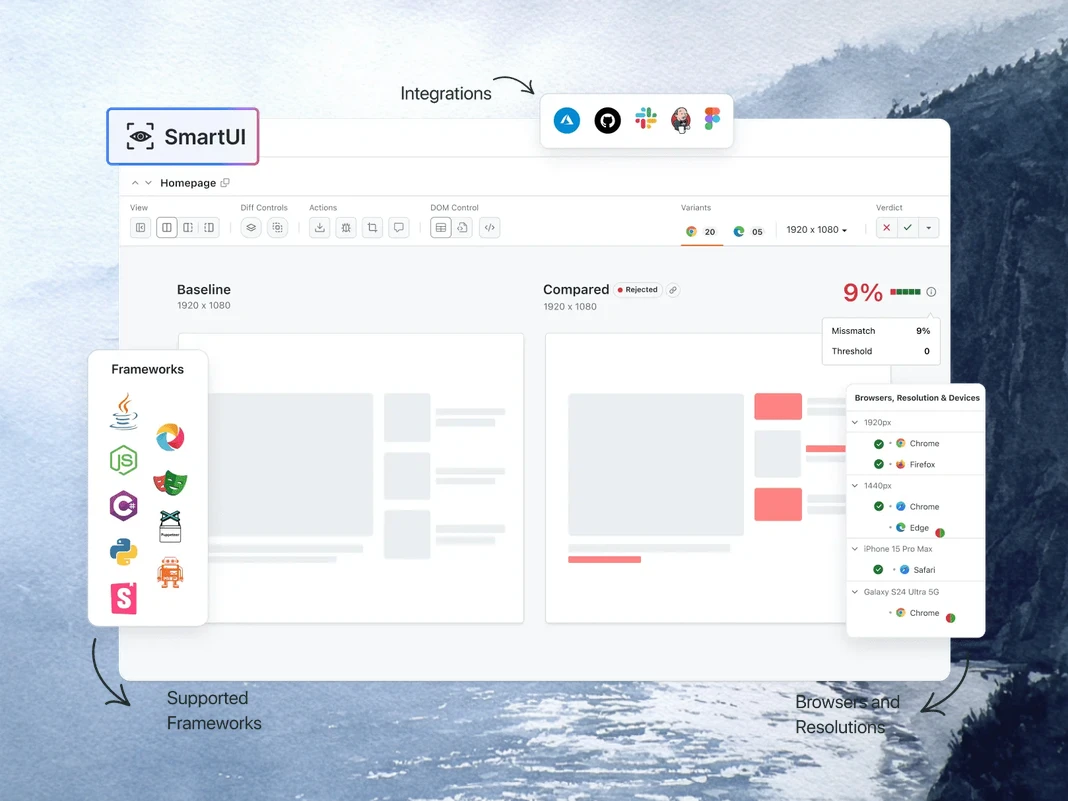
- 시각적 회귀 요약 — SmartUI 스크린샷 간의 픽셀, 레이아웃, DOM 및 인간 인지 차이를 설명하세요.
문서
New: Agent Assurance. Test what your agent did, not what it said. Join the waitlist

TestMu AI MCP Server For Agentic Testing
TestMu AI의 MCP 서버로 테스트를 실행, 디버그, 분류하세요. HyperExecute, Automation, SmartUI, Accessibility, Test Manager 도구를 지원하며, Cursor, Claude, Copilot 및 기타 MCP 클라이언트에서 자연어로 IDE에서 직접 사용할 수 있습니다.
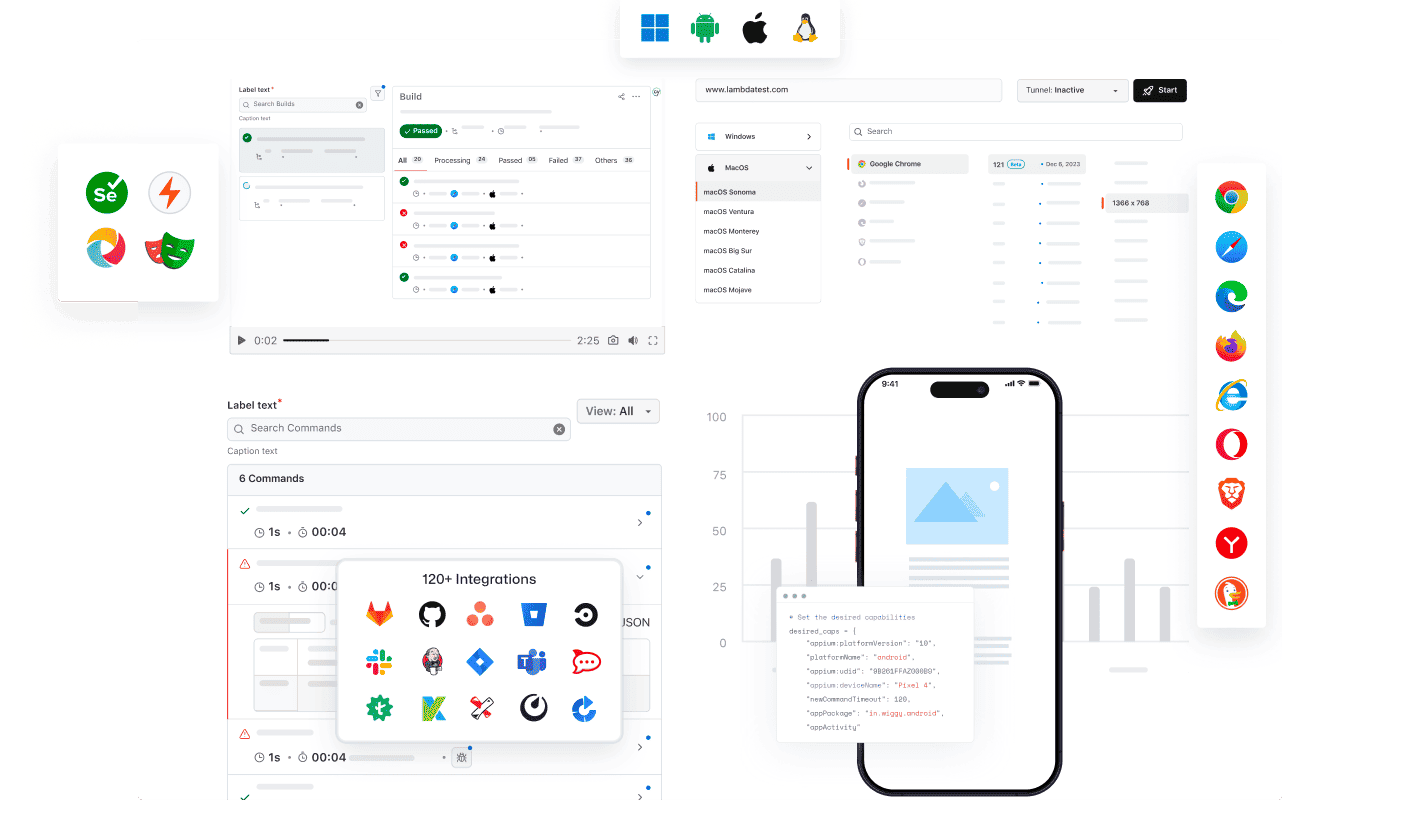
모든 AI 클라이언트에서 TestMu AI의 MCP 사용 가능
TestMu AI MCP Server를 모든 AI 어시스턴트와 함께 사용하여 테스트를 실행, 디버그, 분류하세요.
AI 클라이언트를 선택하고 몇 분 안에 설정하세요.

Cursor
에디터 안에서 일반 영어로 설정 파일 생성, 스위트 실행, 실패 디버그, 결과 분류를 수행하세요.

Claude Code
터미널 안에서 일반 영어로 설정 파일 생성, 스위트 실행, 실패 디버그, 결과 분류를 수행하세요.

GitHub Copilot
VS Code 채팅 안에서 일반 영어로 설정 파일 생성, 스위트 실행, 실패 디버그, 결과 분류를 수행하세요.

OpenAI Codex
명령줄에서 일반 영어로 설정 파일 생성, 스위트 실행, 실패 디버그, 결과 분류를 수행하세요.

Antigravity
에이전트 패널에서 일반 영어로 설정 파일 생성, 스위트 실행, 실패 디버그, 결과 분류를 수행하세요.
TestMu AI(구 LambdaTest) 기본 제공 MCP Server
HyperExecute, Automation, Accessibility, SmartUI MCP 도구를 자연어로 사용하여 IDE에서 테스트를 실행, 디버그, 분류하세요.
HyperExecute MCP ToolAutomation MCP ToolAccessibility MCP ToolSmartUI MCP Tool
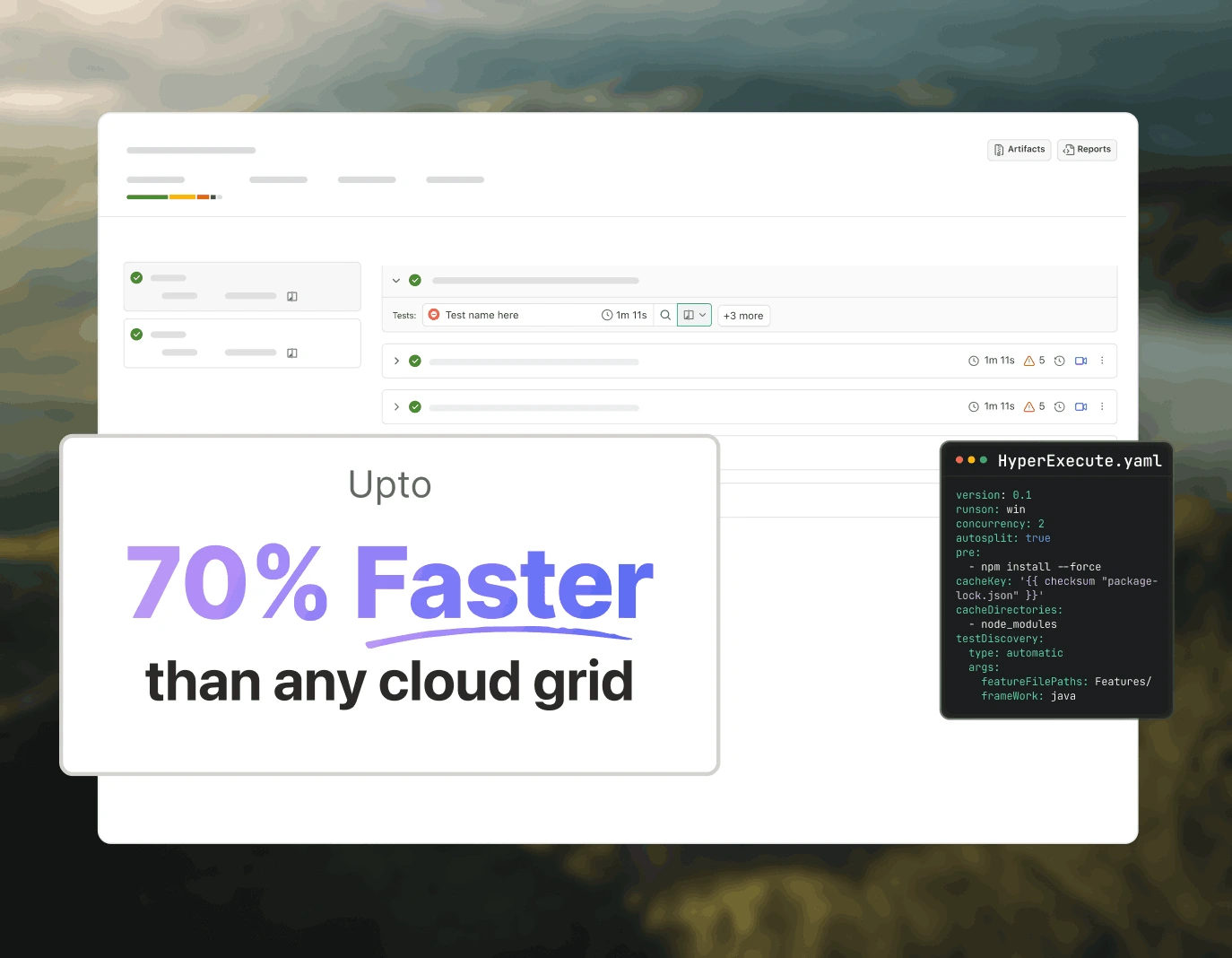
HyperExecute MCP로 테스트 오케스트레이션
TestMu AI의 HyperExecute MCP는 수동 YAML 작성과 대시보드 전환을 제거합니다. IDE에서 자연어로 YAML 설정, 러너 명령을 생성하고 작업을 모니터링하세요.
generateHyperExecuteYAML: 테스트 프로젝트 실행을 위한 YAML 설정을 생성합니다.
answerHyperExecuteQuery: HyperExecute 문서에서 즉시 답변을 얻습니다.
getHyperExecuteJobInfo: 특정 테스트 실행에 대한 상세 작업 수준 정보를 검색합니다.
getHyperExecuteJobSessions: HyperExecute 작업에 연결된 모든 세션 세부 정보를 가져옵니다.
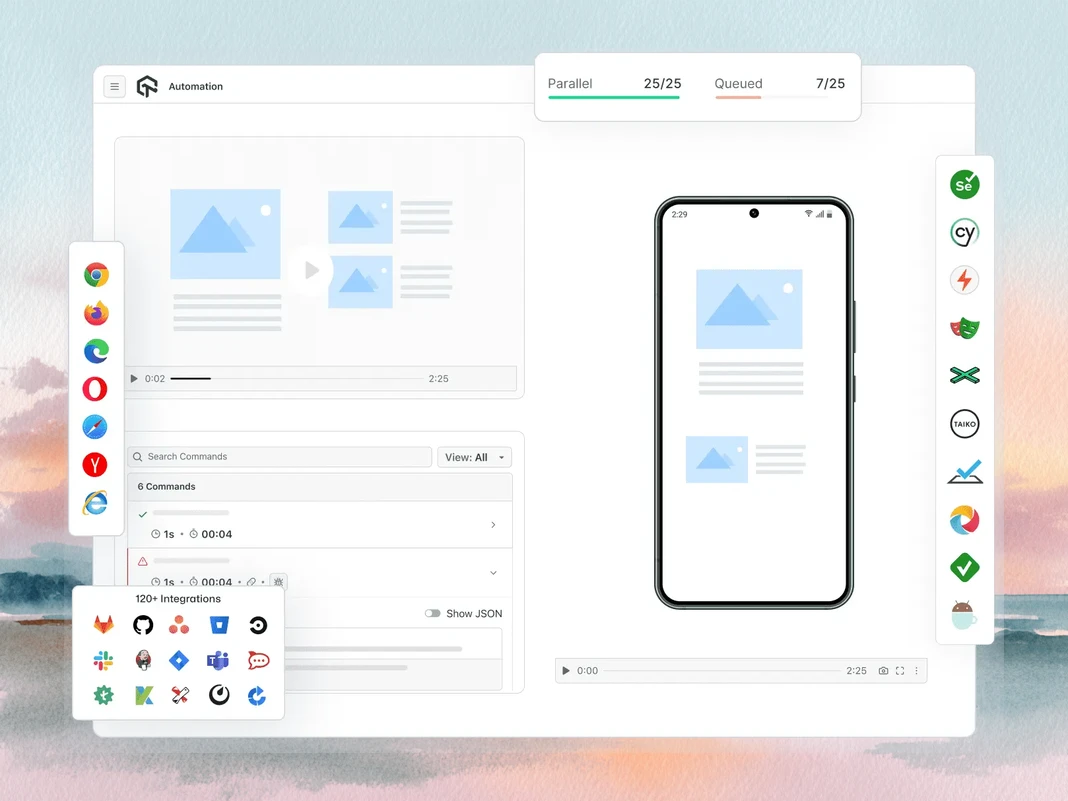
Automation MCP로 테스트 실패 분류
TestMu AI의 Automation MCP는 TestID 세부 정보, 명령 로그, 네트워크 로그, 콘솔 오류를 하나의 채팅으로 모아 즉각적인 근본 원인 분석을 제공하여 테스트 실패 분류를 가속화합니다.
Automation Test Details: 특정 테스트에 대한 포괄적인 정보를 검색합니다.
Automation Command Logs: 모든 Selenium 명령의 실행 로그에 접근합니다.
Automation Network Logs: 테스트 중 브라우저 트래픽과 네트워크 동작을 분석합니다.
Automation Console Logs: 오류 및 경고를 포함한 브라우저 콘솔 출력을 검토합니다.
upload_app Tool: 테스트용 모바일 애플리케이션을 업로드합니다.
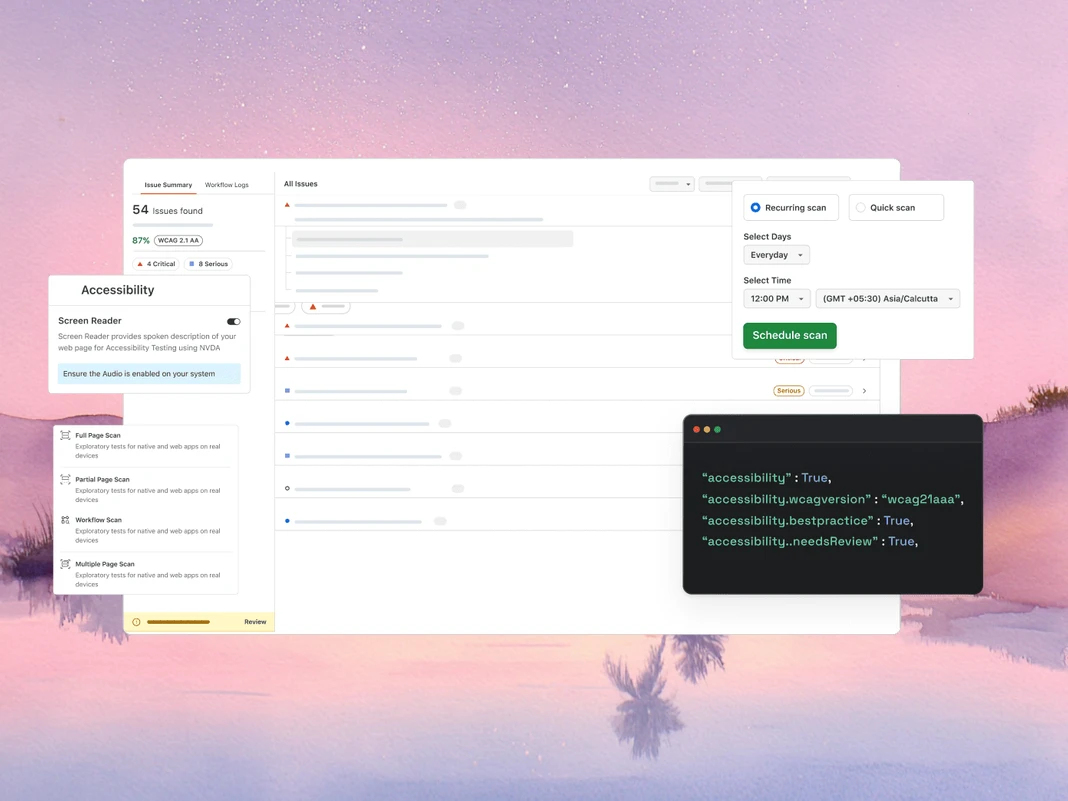
Accessibility MCP로 WCAG 및 a11y 감사
TestMu AI의 Accessibility MCP는 상세 감사 보고서와 즉시 적용 가능한 수정 지침을 반환하여 WCAG 및 a11y 위반이 프로덕션에 도달하기 전에 포착합니다.
getAccessibilityReport: 모든 공개 URL에 대한 접근성 보고서를 가져옵니다.
buildLocalAppForAnalysis: 접근성 문제를 감지하기 위해 로컬 React 앱을 빌드하고 제공합니다.
analyseAppViaTunnel: TestMu AI 터널을 통해 로컬 앱 테스트의 접근성 실패를 분석합니다.
SmartUI MCP로 시각적 회귀 디버깅
TestMu AI의 SmartUI MCP는 픽셀, 레이아웃, DOM, 지각 변화를 IDE에서 직접 일반 영어로 설명하여 시각적 회귀 디버깅에서 수동 diff 조사를 줄입니다.
getSmartUIResources: 비교 실행을 위한 모든 시각적 자산을 가져옵니다.
summarizeSmartUIPixelDiff: 스크린샷 간 원시 픽셀 차이를 식별하고 설명합니다.
summarizeSmartUILayoutDiff: 간격, 정렬, 크기 관련 레이아웃 문제를 감지합니다.
summarizeSmartUIDomDiff: DOM 구조와 속성의 변경 사항을 설명합니다.
analyzeSmartUIHumanDiff: 인간이 시각적 변화를 어떻게 인지할지 시뮬레이션합니다.
analyzeSmartUIRun: 모든 분석 레이어에 걸친 전체 디버깅 요약을 제공합니다.
getSmartUIScreenshotInfo: SmartUI 스크린샷에 대한 메타데이터와 세부 정보를 검색합니다.
downloadSmartUIDomFiles: 심층 분석을 위해 DOM 구조 파일을 다운로드합니다.
AI-에이전틱 품질 엔지니어링
브라우저, 10,000개 이상의 실제 디바이스, CI 파이프라인에서 IDE로 테스트를 계획, 작성, 실행, 분류하는 AI 네이티브 에이전트입니다.
Agent Testing
KaneAI
Browser Testing
Real Device Cloud
App Automation
HyperExecute
Visual UI Testing
Accessibility Testing
Agent Testing
챗봇, 음성 어시스턴트 등 AI 에이전트를 테스트합니다.
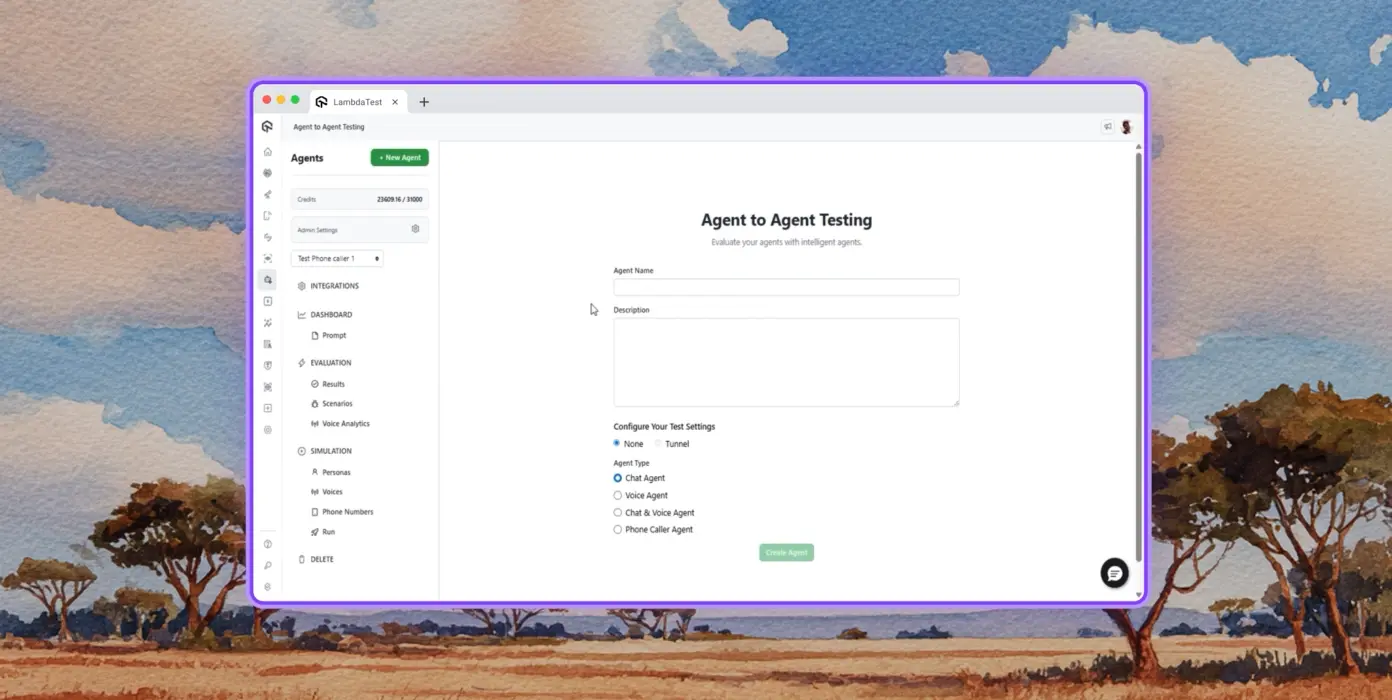
Autonomous Testing
합성 최종 사용자 관점에서 테스트 대상 에이전트에 대한 상세 분석.
Multi-Persona Simulation
International Caller, Digital Novice 등 다양한 사용자 페르소나.
Risk Scoring & Regression
테스트 대상 에이전트에 대한 인사이트를 포함한 종단 간 회귀 테스트.
TestMu AI의 KaneAI
자연어를 사용하여 종단 간 테스트를 계획, 작성, 발전시킵니다.
Natural Language
스크립트나 코드 없이 일반 영어로만 테스트를 작성합니다.
Test Scenario Generation
텍스트, Jira 티켓, PRD, 이미지, 스프레드시트에서 구조화된 테스트 케이스를 생성합니다.
Test Authoring
KaneAI로 데스크톱 및 모바일 디바이스의 웹사이트와 웹 앱에 대한 브라우저 테스트를 작성합니다.
Browser Testing
3000개 이상의 브라우저-OS-디바이스 조합에서 웹사이트를 빠르게 검증합니다.
Responsive Testing
데스크톱, 태블릿, 모바일 디바이스의 다양한 뷰포트에서 웹사이트 렌더링을 확인합니다.
DevTools Debugging
사전 설치된 Chrome 및 Safari DevTools로 크로스 브라우저 문제를 디버그합니다.
Geolocation Testing
다양한 지리적 IP에서 테스트하여 모든 사용자에게 올바른 경험을 보장합니다.
Real Device Cloud
10000개 이상의 실제 디바이스에서 웹 및 모바일 애플리케이션을 테스트합니다.
Gesture Testing
탭, 스크롤, 줌, 스와이프 등 자연스러운 제스처를 테스트합니다.
Real World Scenarios
실제 하드웨어 디바이스에서 모든 엣지 케이스를 테스트하는 40개 이상의 기능 활용.
Advanced Debugging
테스트 세션에서 디바이스 로그, 네트워크 로그, UI 인스펙터로 직접 디버그합니다.
App Automation
10,000개 이상의 실제 모바일 디바이스와 태블릿에서 자동화된 모바일 앱 테스트.
Parallel Execution
수백 대의 실제 Android 및 iOS 디바이스에서 자동화된 테스트를 동시에 실행합니다.
Frameworks Support
Appium, XCUITest, Espresso, Detox 등 모바일 자동화의 모든 옵션.
Local Testing
다양한 실제 Android 및 iOS 디바이스에서 로컬 및 비공개 호스팅 앱을 테스트합니다.
HyperExecute
최대 70% 더 빠른 AI 네이티브 테스트 오케스트레이션 클라우드.
Self-Healing Tests
테스트 스크립트를 자동 복구하여 플레이크와 수동 유지보수를 줄입니다.
Smart Orchestration
과거 데이터를 기반으로 테스트 실행 순서를 자동 재조정하여 실패를 더 빨리 표면화하고 피드백 시간을 단축합니다.
Root Cause Analysis
오류를 분류하고 실시간 로그로 AI 기반 교정 인사이트를 얻습니다.
Visual UI Testing
브라우저와 디바이스에서 UI 회귀를 포착하는 AI 네이티브 시각적 테스트.
Pixel Comparison
레이아웃, 색상, 글꼴, 요소 위치의 시각적 편차를 감지합니다.
Design-to-Dev
Figma 디자인을 라이브 웹 페이지 및 앱 화면과 비교하여 정확성을 보장합니다.
Smart Ignore
AI 네이티브 감지로 관련 없는 레이아웃 변경을 필터링하여 오탐을 줄입니다.
Accessibility Testing
포용적인 사용자 경험을 위한 웹 및 모바일 앱 접근성 테스트.
WCAG Compliance
WCAG, ADA, Section 508 표준에 대해 웹 및 모바일 앱을 스캔합니다.
Scheduled Scans
일별, 주별, 월별로 반복 접근성 감사를 자동화합니다.
Screen Reader
실제 디바이스에서 화면 리더 및 보조 도구와의 호환성을 테스트합니다.
 PLAY
PLAY
TestMu AI(구 LambdaTest) 성공 사례

50%
테스트 실행 시간 단축
"HyperExecute는 매우 신뢰할 수 있는 테스트 실행 플랫폼이며 훌륭한 고객 지원을 제공합니다."
Sagar Uday Kumar
수석 엔지니어링 매니저

Dashlane
Lereta
Dunelm
Trepp
Transavia
Book a Demo
TestMu AI(구 LambdaTest)를 사랑해야 하는 더 많은 이유
TestMu AI가 원활한 통합, 빠른 결과, 탁월한 정확도로 테스트를 개선하는 방법을 확인하세요.
Users
3M+
Tests
1.5B+
Enterprises
18K+
Countries
132
TestMu AI, 2025 Gartner® Magic Quadrant™ 챌린저로 선정
TestMu AI, The Forrester Wave™: Autonomous Testing Platforms, Q4 2025에서 인정받음
Wall of Fame
TestMu AI는 전 세계 중소기업과 대기업의 1순위 선택입니다.

엔터프라이즈급 보안
글로벌 보안, 개인정보 보호, 책임 있는 AI, ESG 표준으로 데이터와 AI 시스템을 보호합니다.

통합
팀이 의존하는 도구와 120개 이상의 통합으로 어디서나 작동합니다.

 4.6/ 5540+ reviews
 4.6/ 5410+ reviews
 4.6/ 5540+ reviews
As Seen On
자주 묻는 질문
MCP 서버란 무엇인가요?
MCP 서버는 Anthropic이 2024년 11월에 도입한 오픈 표준인 Model Context Protocol을 통해 AI 에이전트에 도구, 리소스, 프롬프트를 노출하는 프로그램입니다. 서버는 모든 MCP 호환 클라이언트에 기능을 광고하고, 클라이언트(AI 에이전트)는 런타임에 해당 도구를 호출하여 모델 학습 데이터 외부의 데이터를 가져오거나 작업을 수행합니다.
소프트웨어 테스트에서 MCP는 무엇에 사용되나요?
소프트웨어 테스트에서 MCP는 AI 에이전트가 자연어로 테스트 워크플로를 구동할 수 있게 합니다: 설정 생성, 스위트 실행, 로그 가져오기, 실패 요약, 시각적 또는 접근성 검사 실행. IDE, 대시보드, 터미널을 전환하는 대신 에이전트가 적절한 MCP 도구를 인라인으로 호출하고 채팅에서 결과를 반환하여 오케스트레이션 및 디버깅 시간을 단축합니다.
MCP 서버는 AI 에이전트와 어떻게 작동하나요?
클라이언트(Claude Code 또는 Cursor 같은 AI 에이전트)는 stdio 또는 Streamable HTTP를 통해 서버에 연결하고 기능을 요청합니다. 서버는 JSON Schema 정의가 포함된 도구 목록을 반환합니다. 사용자가 에이전트에 프롬프트하면 에이전트는 관련 도구를 선택하고 구조화된 호출을 보내며, 서버는 기본 시스템에 대해 실행한 후 모델이 추론할 수 있는 타입 응답을 반환합니다.
어떤 AI 클라이언트가 MCP 서버를 지원하나요?
Claude Code, Claude Desktop, Cursor, Windsurf, GitHub Copilot Chat, Cline, Continue, Zed AI, JetBrains AI Assistant는 모두 현재 MCP 서버를 지원합니다. Model Context Protocol 사양(stdio 또는 Streamable HTTP 전송)을 구현하는 모든 클라이언트는 연결할 수 있으며, 이는 서버 통합을 다시 작성하지 않고도 새로운 MCP 인식 도구가 작동함을 의미합니다.
Cursor 또는 Claude Code에서 MCP 서버를 어떻게 설정하나요?
In Cursor, open Settings → MCP → Add new MCP Server and point it at the server's command or HTTP endpoint. In Claude Code, run "claude mcp add " or edit ~/.claude.json directly. Once registered, the agent discovers the available tools automatically and you can invoke them in chat. Most enterprise MCP servers add an OAuth step before tools become callable.
MCP와 API의 차이점은 무엇인가요?
API는 코드 간 호출을 위해 만들어진 고정 엔드포인트 계약으로, 클라이언트는 모든 엔드포인트와 버전 변경에 대해 맞춤형 통합이 필요합니다. MCP는 AI-도구 호출을 위해 설계되었습니다: 에이전트가 런타임에서 기능을 발견하고, 호출 간 세션 상태를 유지하며, 타입이 지정된 응답을 파싱하는 방식을 표준화합니다. MCP 서버에 새 도구가 추가되면, 연결된 모든 에이전트는 재배포 없이 이를 자동으로 인식합니다.
MCP 서버가 Selenium, Playwright, Cypress 또는 Appium 테스트를 실행할 수 있나요?
네. MCP 서버는 테스트 프레임워크를 대체하지 않고 래핑합니다. TestMu AI MCP Server는 프로젝트 분석 중 Selenium, Playwright, Cypress, Appium, TestNG, JUnit, PyTest, WebdriverIO 및 유사한 프레임워크를 감지한 후, AI 에이전트가 실행할 올바른 구성과 러너 명령을 생성합니다. 테스트 실행은 여전히 기본 클라우드 그리드에서 이루어집니다.
MCP는 실패한 테스트 디버깅에 어떻게 도움이 되나요?
MCP 서버는 실패한 실행에 대한 테스트 메타데이터, Selenium 명령 로그, 브라우저 네트워크 활동 및 콘솔 오류를 가져와 채팅에서 AI 에이전트에 데이터를 전달할 수 있습니다. 에이전트는 로그를 분석하고, 이벤트를 연관시키며, 근본 원인을 제안하여 여러 탭의 대시보드 탐색을 단일 프롬프트로 전환합니다.
Model Context Protocol은 안전한가요?
MCP 사양은 HTTP 전송에 대한 선택적 OAuth 2.1 기반 인증 프레임워크를 정의하지만, 전반적인 보안은 여전히 서버 구현에 달려 있습니다. 프로덕션 서버는 일반적으로 OAuth 2.1, 범위가 지정된 토큰 및 TLS 암호화 전송을 사용합니다. 엔터프라이즈 배포는 역할 기반 권한, 감사 로깅 및 데이터 상주 제어를 추가하며, 이는 MCP 트래픽이 프로덕션 로그나 고객 데이터를 전달할 때 중요해집니다.
MCP 서버는 무료로 사용할 수 있나요?
프로토콜은 오픈 소스이며 무료입니다. 서버 가격은 다양합니다: 많은 커뮤니티 서버는 무료인 반면, 공급업체 호스팅 서버는 MCP 계층 자체가 아닌 기본 플랫폼(사용량, 좌석 또는 컴퓨팅)에 대해 청구합니다. TestMu AI MCP Server는 모든 TestMu AI 계정에 포함되어 있으며 팀이 이미 지불하는 테스트 실행 시간만 소비합니다.
TestMu AI MCP Server 내부에는 어떤 도구가 있나요?
서버에는 5개의 MCP 도구가 포함되어 있습니다. HyperExecute MCP는 프로젝트 분석, YAML 생성, 러너 명령, 작업 정보 및 세션 세부 정보를 처리합니다. Automation MCP는 테스트 세부 정보, Selenium 명령 로그, 네트워크 로그 및 콘솔 로그를 가져옵니다. SmartUI MCP는 픽셀, 레이아웃, DOM 및 인간이 인지하는 시각적 차이를 요약합니다. Accessibility MCP는 공개 URL, 로컬 React 빌드 및 터널링된 앱에서 WCAG 감사를 실행합니다. Test Manager MCP는 AI로 테스트 케이스를 생성하고, 구성된 테스트 실행을 구축하며, 결과를 대량으로 기록하고, 마일스톤과 커버리지를 추적합니다.
TestMu AI MCP Server는 어떤 AI 어시스턴트를 지원하나요?
TestMu AI MCP Server는 Cursor, Claude Code, Claude Desktop, Claude.ai (Web), VS Code의 GitHub Copilot, Antigravity, OpenAI Codex CLI, Cline 및 Continue에 대한 문서화된 설정 경로를 제공합니다. 다른 MCP 호환 클라이언트는 mcp-remote를 사용하는 범용 STDIO 구성을 통해 연결할 수 있으므로, 프로토콜을 채택하는 최신 어시스턴트는 서버 측 변경 없이 작동합니다.
TestMu AI MCP Server는 어떤 전송 방법을 사용하나요?
서버는 두 가지 전송을 지원합니다. Streamable HTTP는 대부분의 클라이언트에 권장되는 옵션으로, OAuth 인증과 함께 https://mcp.lambdatest.com/mcp 엔드포인트를 사용합니다. STDIO는 Streamable HTTP를 아직 지원하지 않는 클라이언트를 위해 mcp-remote를 통해 사용할 수 있으며, 내부적으로 동일한 OAuth 인증 엔드포인트를 사용합니다.
구성 후 MCP 도구가 AI 클라이언트에 표시되지 않는 이유는 무엇인가요?
일반적으로 세 가지 원인이 있습니다. 첫째, 클라이언트를 완전히 종료하고 다시 시작하세요(소프트 리로드는 종종 충분하지 않습니다). 둘째, JSON, TOML 또는 YAML 구성의 구문 오류(특히 후행 쉼표와 이스케이프되지 않은 경로)를 검증하세요. 셋째, Continue와 같은 클라이언트의 경우 채팅 모드가 아닌 에이전트 모드에 있는지 확인하세요. OAuth가 완료되었지만 도구가 여전히 표시되지 않으면 클라이언트의 MCP 설정에서 다시 인증하세요.
더 많은 질문 보기
TestMu AI (Formerly LambdaTest)/MCP Server
[{"@context":"https://schema.org","@type":"BreadcrumbList","itemListElement":[{"@type":"ListItem","position":1,"name":"Home","item":"https://www.testmuai.com"},{"@type":"ListItem","position":2,"name":"TestMu AI MCP Server","item":"https://www.testmuai.com/mcp/"}]}]
{"@context":"https://schema.org","@type":"WebPage","name":"TestMu AI (Formerly LambdaTest) MCP Server For Agentic Testing","description":"TestMu AI (Formerly LambdaTest) MCP Server with five tools: HyperExecute, Automation, SmartUI, Accessibility, & Test Manager. Run, debug, and triage tests from your IDE using natural language.","url":"https://www.testmuai.com/mcp/","inLanguage":"en","isPartOf":{"@type":"WebSite","name":"TestMu AI (Formerly LambdaTest)","url":"https://www.testmuai.com"},"datePublished":"2025-01-01","dateModified":"2026-05-14","about":{"@type":"Organization","name":"TestMu AI (Formerly LambdaTest)","alternateName":["LambdaTest","LambdaTesting","lamda test","lambatest","Lambda Test"]}}
{"@context":"https://schema.org","@type":"FAQPage","mainEntity":[{"@type":"Question","name":"What is an MCP server?","acceptedAnswer":{"@type":"Answer","text":"An MCP server is a program that exposes tools, resources, and prompts to AI agents through the Model Context Protocol, an open standard introduced by Anthropic in November 2024. The server advertises its capabilities to any MCP-compatible client, and the client (an AI agent) calls those tools at runtime to fetch data or perform actions outside the model's training data."}},{"@type":"Question","name":"What is MCP used for in software testing?","acceptedAnswer":{"@type":"Answer","text":"In software testing, MCP lets AI agents drive the test workflow through natural language: generating configs, executing suites, pulling logs, summarizing failures, and running visual or accessibility checks. Instead of switching between an IDE, a dashboard, and a terminal, the agent calls the right MCP tool inline and returns results in chat, which compresses orchestration and debugging time."}},{"@type":"Question","name":"How does an MCP server work with AI agents?","acceptedAnswer":{"@type":"Answer","text":"The client (an AI agent like Claude Code or Cursor) connects to the server over stdio or Streamable HTTP and asks for its capabilities. The server returns a list of tools with JSON Schema definitions. When the user prompts the agent, it picks the relevant tool, sends a structured call, and the server executes it against the underlying system, then returns a typed response the model can reason over."}},{"@type":"Question","name":"Which AI clients support MCP servers?","acceptedAnswer":{"@type":"Answer","text":"Claude Code, Claude Desktop, Cursor, Windsurf, GitHub Copilot Chat, Cline, Continue, Zed AI, and JetBrains AI Assistant all support MCP servers today. Any client that implements the Model Context Protocol spec (stdio or Streamable HTTP transport) can connect, which means new MCP-aware tools work without rewriting the server integration."}},{"@type":"Question","name":"How do you set up an MCP server in Cursor or Claude Code?","acceptedAnswer":{"@type":"Answer","text":"In Cursor, open Settings → MCP → Add new MCP Server and point it at the server's command or HTTP endpoint. In Claude Code, run \"claude mcp add <name> <command>\" or edit ~/.claude.json directly. Once registered, the agent discovers the available tools automatically and you can invoke them in chat. Most enterprise MCP servers add an OAuth step before tools become callable."}},{"@type":"Question","name":"What is the difference between MCP and an API?","acceptedAnswer":{"@type":"Answer","text":"An API is a fixed endpoint contract built for code-to-code calls; clients need custom integration for every endpoint and version change. MCP is built for AI-to-tool calls: it standardizes how an agent discovers capabilities at runtime, maintains session state across calls, and parses typed responses. When a new tool is added to an MCP server, every connected agent picks it up without redeployment."}},{"@type":"Question","name":"Can MCP servers run Selenium, Playwright, Cypress, or Appium tests?","acceptedAnswer":{"@type":"Answer","text":"Yes. MCP servers don't replace your test framework; they wrap it. The TestMu AI MCP Server detects Selenium, Playwright, Cypress, Appium, TestNG, JUnit, PyTest, WebdriverIO, and similar frameworks during project analysis, then generates the right config and runner command for your AI agent to execute. Test execution still happens on the underlying cloud grid."}},{"@type":"Question","name":"How does MCP help debug failed tests?","acceptedAnswer":{"@type":"Answer","text":"An MCP server can pull test metadata, Selenium command logs, browser network activity, and console errors for any failed run, then hand the data back to the AI agent in chat. The agent reasons over the logs, correlates events, and suggests a root cause, turning what used to be a multi-tab dashboard hunt into a single prompt."}},{"@type":"Question","name":"Is the Model Context Protocol secure?","acceptedAnswer":{"@type":"Answer","text":"The MCP spec defines an optional OAuth 2.1-based authorization framework for HTTP transports, but overall security still depends on the server implementation. Production servers typically use OAuth 2.1, scoped tokens, and TLS-encrypted transport. Enterprise deployments add role-based permissions, audit logging, and data-residency controls, which become important when MCP traffic carries production logs or customer data."}},{"@type":"Question","name":"Are MCP servers free to use?","acceptedAnswer":{"@type":"Answer","text":"The protocol is open source and free. Server pricing varies: many community servers are free, while vendor-hosted servers bill against the underlying platform (usage, seats, or compute) rather than the MCP layer itself. The TestMu AI MCP Server is included with every TestMu AI account and only consumes the test execution minutes a team already pays for."}},{"@type":"Question","name":"What tools are inside the TestMu AI MCP Server?","acceptedAnswer":{"@type":"Answer","text":"Five MCP tools ship in the server. HyperExecute MCP handles project analysis, YAML generation, runner commands, job info, and session details. Automation MCP fetches test details, Selenium command logs, network logs, and console logs. SmartUI MCP summarizes pixel, layout, DOM, and human-perceived visual diffs. Accessibility MCP runs WCAG audits on public URLs, local React builds, and tunneled apps. Test Manager MCP generates test cases with AI, builds configured test runs, records results in bulk, and tracks milestones and coverage."}},{"@type":"Question","name":"What AI assistants does the TestMu AI MCP Server support?","acceptedAnswer":{"@type":"Answer","text":"The TestMu AI MCP Server has documented setup paths for Cursor, Claude Code, Claude Desktop, Claude.ai (Web), GitHub Copilot in VS Code, Antigravity, OpenAI Codex CLI, Cline, and Continue. Any other MCP-compatible client can connect through the universal STDIO configuration using mcp-remote, so newer assistants that adopt the protocol work without changes on the server side."}},{"@type":"Question","name":"What transport methods does the TestMu AI MCP Server use?","acceptedAnswer":{"@type":"Answer","text":"The server supports two transports. Streamable HTTP is the recommended option for most clients and uses the https://mcp.lambdatest.com/mcp endpoint with OAuth authentication. STDIO is available through mcp-remote for clients that don't yet support Streamable HTTP, and uses the same OAuth-authenticated endpoint behind the scenes."}},{"@type":"Question","name":"Why aren't MCP tools showing up in my AI client after configuration?","acceptedAnswer":{"@type":"Answer","text":"Three things usually cause this. First, fully quit and relaunch the client (a soft reload often isn't enough). Second, validate the JSON, TOML, or YAML config for syntax errors, especially trailing commas and unescaped paths. Third, for clients like Continue, confirm you are in Agent Mode rather than Chat Mode. If OAuth completed but tools still don't appear, re-authenticate from the client's MCP settings."}}]}
{"@context":"https://schema.org","@type":"Organization","name":"TestMu AI (Formerly LambdaTest)","legalName":"LambdaTest, Inc.","alternateName":["LambdaTest","LambdaTesting","Lambda Test","TestMu AI"],"url":"https://www.testmuai.com","logo":"https://www.testmuai.com/logo.png","description":"TestMu AI (formerly LambdaTest) is an AI-native, agentic testing cloud for end-to-end software quality engineering across web, mobile, and AI applications. LambdaTest rebranded to TestMu AI on January 12, 2026.","foundingDate":"2017","founder":[{"@type":"Person","name":"Asad Khan","jobTitle":"Co-Founder & CEO"},{"@type":"Person","name":"Jay Singh","jobTitle":"Co-Founder & Chief Customer Officer"},{"@type":"Person","name":"Mayank Bhola","jobTitle":"Co-Founder & Head of Product"},{"@type":"Person","name":"Mudit Singh","jobTitle":"Co-Founder & Head of Growth"}],"address":[{"@type":"PostalAddress","addressLocality":"San Francisco","postalCode":"94104","streetAddress":"1 Sutter Street, Suite 500","addressCountry":"USA"},{"@type":"PostalAddress","streetAddress":"Noida One, Tower A, 2nd Floor, KLJ, Sector 62","addressLocality":"Noida","postalCode":"201309","addressCountry":"India"}],"sameAs":["https://www.lambdatest.com","https://www.linkedin.com/company/testmu-ai/","https://www.linkedin.com/company/lambdatest/","https://www.instagram.com/testmuai/","https://www.facebook.com/testmuai/","https://x.com/testmuai","https://x.com/lambdatesting","https://medium.com/lambdatest","https://testmuai.medium.com/","https://www.youtube.com/@TestMuAI","https://www.pinterest.com/testmuai/","https://github.com/lambdaTest","https://www.netlify.com/integrations/lambdatest/","https://newrelic.com/instant-observability/lambdatest"]}
{"@context":"https://schema.org","@type":"ItemList","name":"TestMu AI (Formerly LambdaTest) MCP Server Tools","description":"The five MCP tools included with the TestMu AI (Formerly LambdaTest) MCP Server: HyperExecute MCP, Automation MCP, SmartUI MCP, Accessibility MCP, and Test Manager MCP.","url":"https://www.testmuai.com/mcp/","numberOfItems":5,"itemListOrder":"https://schema.org/ItemListOrderAscending","itemListElement":[{"@type":"ListItem","position":1,"item":{"@type":"SoftwareApplication","name":"HyperExecute MCP Tool","applicationCategory":"DeveloperApplication","operatingSystem":"Windows, macOS, Linux","url":"https://www.testmuai.com/support/docs/hyperexecute-mcp-server/","description":"An MCP tool that analyzes your test project, auto-detects the framework, and generates HyperExecute YAML configs and runner commands. Also fetches job and session details and answers documentation queries inline.","offers":{"@type":"Offer","price":"0","priceCurrency":"USD"},"aggregateRating":{"@type":"AggregateRating","ratingValue":"4.8","ratingCount":"451","bestRating":"5","worstRating":"1"},"provider":{"@type":"Organization","name":"TestMu AI (Formerly LambdaTest)","url":"https://www.testmuai.com"}}},{"@type":"ListItem","position":2,"item":{"@type":"SoftwareApplication","name":"Automation MCP Tool","applicationCategory":"DeveloperApplication","operatingSystem":"Windows, macOS, Linux","url":"https://www.testmuai.com/support/docs/automation-mcp-server/","description":"An MCP tool that retrieves test details, Selenium command logs, network logs, and browser console logs for any TestID, enabling AI agents to root-cause failed tests from the IDE.","offers":{"@type":"Offer","price":"0","priceCurrency":"USD"},"aggregateRating":{"@type":"AggregateRating","ratingValue":"4.8","ratingCount":"451","bestRating":"5","worstRating":"1"},"provider":{"@type":"Organization","name":"TestMu AI (Formerly LambdaTest)","url":"https://www.testmuai.com"}}},{"@type":"ListItem","position":3,"item":{"@type":"SoftwareApplication","name":"Accessibility MCP Tool","applicationCategory":"DeveloperApplication","operatingSystem":"Windows, macOS, Linux","url":"https://www.testmuai.com/support/docs/accessibility-mcp-server/","description":"An MCP tool that runs WCAG, ADA, and Section 508 accessibility audits on public URLs, locally-built React apps, or apps tunneled through TestMu AI.","offers":{"@type":"Offer","price":"0","priceCurrency":"USD"},"aggregateRating":{"@type":"AggregateRating","ratingValue":"4.8","ratingCount":"451","bestRating":"5","worstRating":"1"},"provider":{"@type":"Organization","name":"TestMu AI (Formerly LambdaTest)","url":"https://www.testmuai.com"}}},{"@type":"ListItem","position":4,"item":{"@type":"SoftwareApplication","name":"SmartUI MCP Tool","applicationCategory":"DeveloperApplication","operatingSystem":"Windows, macOS, Linux","url":"https://www.testmuai.com/support/docs/smartui-mcp-server/","description":"An MCP tool that turns raw visual diffs into natural-language summaries across pixel, layout, DOM, and human-perceived layers, with access to screenshots, DOM snapshots, and metadata.","offers":{"@type":"Offer","price":"0","priceCurrency":"USD"},"aggregateRating":{"@type":"AggregateRating","ratingValue":"4.8","ratingCount":"451","bestRating":"5","worstRating":"1"},"provider":{"@type":"Organization","name":"TestMu AI (Formerly LambdaTest)","url":"https://www.testmuai.com"}}},{"@type":"ListItem","position":5,"item":{"@type":"SoftwareApplication","name":"Test Manager MCP Tool","applicationCategory":"DeveloperApplication","operatingSystem":"Windows, macOS, Linux","url":"https://www.testmuai.com/support/docs/test-manager-mcp-server/","description":"An MCP tool that runs the complete test management lifecycle from your AI client: generates test cases from requirements with AI, organizes them into folders, builds test runs with configurations applied, records results in bulk, and tracks milestones and coverage.","offers":{"@type":"Offer","price":"0","priceCurrency":"USD"},"aggregateRating":{"@type":"AggregateRating","ratingValue":"4.8","ratingCount":"451","bestRating":"5","worstRating":"1"},"provider":{"@type":"Organization","name":"TestMu AI (Formerly LambdaTest)","url":"https://www.testmuai.com"}}}]}