MCP Sharepoint (aisuru)
Un servidor del Protocolo de Contexto de Modelo (MCP) que expone funcionalidades principales de la API de Microsoft SharePoint / Microsoft Graph como herramientas utilizables por agentes LLM (por ejemplo, Claude Desktop).
Documentación
mcp-sharepoint
Un servidor de Model Context Protocol (MCP) que expone funcionalidades principales de Microsoft SharePoint / Microsoft Graph API como herramientas utilizables por agentes LLM (por ejemplo, Claude Desktop).
Este servidor está diseñado con un enfoque orientado al agente:
- sin acceso directo al sistema de archivos local
- entradas y salidas deterministas
✨ Características
El servidor permite al agente:
📁 Gestión de carpetas
Se puede/debe pasar una ruta como argumento
Para usuarios de Windows, use siempre barras diagonales /
- Listar carpetas
- Crear nueva carpeta
- Eliminar carpeta (solo si está vacía)
- Recuperar la estructura de árbol de carpetas
📄 Gestión de documentos
Se puede/debe pasar una ruta como argumento
Para usuarios de Windows, use siempre barras diagonales /
- Listar documentos
- Leer contenido del documento (PDF, Word, Excel, PowerPoint)
- Subir nuevo documento (texto o binario)
- Actualizar un documento existente (reemplaza el contenido completo)
- Eliminar documento
🔐 Requisitos previos
- Node.js
- Un inquilino de Microsoft 365
- Una aplicación registrada en Microsoft Entra ID con permisos de Graph y/o usuarios activos con permisos configurados
Permisos de Graph recomendados para la aplicación
Sites.Read.All
Sites.ReadWrite.All
Files.Read.All
Files.ReadWrite.All
⚠️ Se admiten tanto permisos de aplicación como permisos delegados
- El agente debe enviar la variable authMode para indicar al servidor MCP si debe usar permisos de aplicación o permisos delegados
- Todas las operaciones se realizan mediante Microsoft Graph
🧭 Guía paso a paso para registrar una aplicación
si ya tiene una aplicación registrada, puede omitir esta parte
- Vaya a su sitio web de Microsoft Entra
https://entra.microsoft.com/... - Haga clic en el menú izquierdo en "registro de aplicaciones"
- Haga clic en "Nuevo registro"
- Inserte un nombre de su preferencia y haga clic en "Registrar"
🧭 Guía paso a paso para las autorizaciones
si ya tiene las autorizaciones configuradas, puede omitir esta parte
- Vaya a su sitio web de Microsoft Entra
https://entra.microsoft.com/... - En el menú izquierdo, haga clic en "registro de aplicaciones"
- Haga clic en su aplicación registrada en la tabla
- En el segundo menú izquierdo, haga clic en "Autorizaciones de API"
- Haga clic en "Agregar autorización"
- Haga clic en "Microsoft Graph"
- Haga clic en "Autorización de aplicación" o "Autorización delegada"
- Si es la primera vez, o no está familiarizado con las autorizaciones, escriba en la barra de búsqueda "sites"
- Seleccione "Sites.FullControl.All" y seleccione "Agregar autorizaciones"
⚠️Esta autorización otorga control total a la aplicación, se recomienda usar la autorización de menor privilegio necesaria
- Haga clic en "Conceder consentimiento de administrador para nombre", y luego haga clic en sí
🧭 Guía paso a paso para obtener los parámetros de SharePoint
si ya conoce client_id, client_secret, tenant_id, site_id, drive_id, list_id, puede omitir esta parte
client_id, client_secret, tenant_id solo se necesitan para los permisos de aplicación
- En el sitio web de Microsoft Entra
https://entra.microsoft.com/, en el menú izquierdo haga clic en "registro de aplicaciones" - Haga clic en su aplicación registrada en la tabla
- En la información superior puede ver el client id y el tenant id como ID de aplicación (cliente) e ID de directorio (inquilino)
- Haga clic en "Credenciales de cliente: 0 certificados, 0 secretos"
- Haga clic en "Nuevo secreto de cliente"
- Inserte la descripción deseada y el tiempo de expiración, y haga clic en "Agregar"
- En la tabla aparecerá el nuevo secreto de cliente, copie el campo "Valor".
⚠️Solo puede copiarlo una vez, después no podrá volver a ver el "Valor"
- El "Valor" copiado es el secreto de cliente
- Realice esta solicitud para obtener un access_token necesario para las solicitudes sucesivas:
curl --request POST \
  --url "https://login.microsoftonline.com/<TENANT_ID>/oauth2/v2.0/token" \
  --header "Content-Type: application/x-www-form-urlencoded" \
  --data-urlencode "client_id=<CLIENT_ID>" \
  --data-urlencode "client_secret=<CLIENT_SECRET>" \
  --data-urlencode "scope=https://graph.microsoft.com/.default" \
  --data-urlencode "grant_type=client_credentials"
La respuesta es un json, solo necesita el atributo "access_token"
10. Realice esta solicitud para obtener el site id, el nombre de dominio y el nombre del sitio se pueden ver en la URL de su sitio de SharePoint: https://<DOMAIN_NAME>.sharepoint.com/sites/<SITE_NAME>/...
curl -X GET "https://graph.microsoft.com/v1.0/sites/<DOMAIN_NAME>.sharepoint.com:/sites/<SITE_NAME>?select=id" \
  -H "Authorization: Bearer <ACCESS_TOKEN>" \
  -H "Accept: application/json"
La respuesta es un json, solo necesita el atributo "id"
11. Realice esta solicitud para obtener el drive id
curl -X GET "https://graph.microsoft.com/v1.0/sites/<SITE_ID>/drives?select=id,name" \
  -H "Authorization: Bearer <ACCESS_TOKEN>" \
  -H "Accept: application/json"
La respuesta es un json, el atributo "value" es un arreglo de json, cada json es un drive diferente, solo necesita el atributo "id"
12. Realice esta solicitud para obtener el list id
curl -s -X GET "https://graph.microsoft.com/v1.0/sites/<SITE_ID>/lists?select=id,displayName" \
  -H "Authorization: Bearer <ACCESS_TOKEN>" \
  -H "Accept: application/json"
La respuesta es un json, el atributo "value" es un arreglo de json, cada json es una lista diferente, solo necesita el atributo "id"
🧭 Guía paso a paso para agregar atributos/columnas personalizados a SharePoint
Esto es opcional, puede buscar en los atributos/columnas predeterminados
- Vaya a su sitio web de SharePoint
https://<DOMAIN_NAME>.sharepoint.com/sites/<SITE_NAME>/... - En el menú izquierdo, haga clic en "Documentos"
- A la derecha, después de las columnas, haga clic en "+ Agregar columna"
- Seleccione el tipo deseado para la nueva columna, una opción segura es "Varias líneas de texto"
- Ingrese el nombre de la nueva columna, otros campos son opcionales y no son necesarios
- Haga clic en "Guardar"
⚙️ Configuración
La autorización se obtiene utilizando variables de aplicación para el permiso de aplicación, o token de acceso para el permiso delegado.
Los permisos de aplicación manejan cada solicitud de la misma manera, refiriéndose a los permisos establecidos en Microsoft Entra ID.
Los permisos delegados se refieren a los permisos asociados con el usuario que solicita al agente realizar la solicitud, identificado mediante un inicio de sesión.
Estas variables deben proporcionarse en cada solicitud.
Variable de modo de autenticación (opcional, compatible con versiones anteriores)
| Variable | Descripción |
|---|---|
authMode | "application" o "delegated". Opcional: el valor predeterminado es "application" si se omite, por lo que las instalaciones existentes siguen funcionando sin cambios. |
Variables de aplicación requeridas si authMode=application
| Variable | Descripción |
|---|---|
tenantId | ID de inquilino del directorio de Microsoft Entra |
clientId | ID de cliente de la aplicación de Microsoft Entra |
clientSecret | Secreto de cliente de Microsoft Entra |
Variable delegada requerida si authMode=delegated
| Variable | Descripción |
|---|---|
accessToken | Token de usuario después del inicio de sesión |
Otras variables comunes necesarias. Estas dependen del SharePoint que esté utilizando.
| Variable | Descripción |
|---|---|
siteId | ID de sitio completo de SharePoint |
driveId | ID de drive de SharePoint |
listId | ID de lista de SharePoint |
🧰 Herramientas MCP disponibles
📁 Carpetas
getFolders
Listar carpetas en una ruta dada.
Entrada:
{
  "name": "authMode",
  "type": "string",
  "required": "true",
  "description": "auth mode to use",
  "example": "application" || "delegated"
},
{
  "name": "accessToken",
  "type": "string",
  "required": "false (true if authMode=delegated)",
  "description": "access token of user login",
  "example": "eyJ0eXAiOiJKV1Q..."
},
{
  "name": "clientId",
  "type": "string",
  "required": "false (true if authMode=application)",
  "description": "The application (client) ID",
  "example": "ab12cd34-e5f6-g7h8-i9j9-ab12cd34e5f6"
},
{
  "name": "clientSecret",
  "type": "string",
  "required": "false (true if authMode=application)",
  "description": "The client secret",
  "example": "1~A1B~aB12Cd34E5f6aB12cd34E5f6ab~d37cD37"
},
{
  "name": "tenantId",
  "type": "string",
  "required": "false (true if authMode=application)",
  "description": "The directory (tenant) ID",
  "example": "ab12cd34-e5f6-g7h8-i9j9-ab12cd34e5f6"
},
{
  "name": "siteId",
  "type": "string",
  "required": "true",
  "description": "The ID of the SharePoint site",
  "example": "namexyz.sharepoint.com,ab12cd34-e5f6-g7h8-i9j9-ab12cd34e5f6,fb12cd34-e5f6-g7h8-i9j9-ab12cd34e5f9"
},
{
  "name": "driveId",
  "type": "string",
  "required": "true",
  "description":" The ID of the drive within the SharePoint site",
  "example": "f!aB12Cd34E5f6aB12cd34E5f6abd37cD37aB12Cd34E5f6aB12cd34E5f6abd3712"
},
{
  "name": "path",
  "type": "string",
  "required": "true",
  "description": "The path in SharePoint to retrieve folders from",
  "example": "cartella_1/cartella_2"
}
createFolder
Crear una nueva carpeta.
Entrada:
{
  "name": "authMode",
  "type": "string",
  "required": "true",
  "description": "auth mode to use",
  "example": "application" || "delegated"
},
{
  "name": "accessToken",
  "type": "string",
  "required": "false (true if authMode=delegated)",
  "description": "access token of user login",
  "example": "eyJ0eXAiOiJKV1Q..."
},
{
  "name": "clientId",
  "type": "string",
  "required": "false (true if authMode=application)",
  "description": "The application (client) ID",
  "example": "ab12cd34-e5f6-g7h8-i9j9-ab12cd34e5f6"
},
{
  "name": "clientSecret",
  "type": "string",
  "required": "false (true if authMode=application)",
  "description": "The client secret",
  "example": "1~A1B~aB12Cd34E5f6aB12cd34E5f6ab~d37cD37"
},
{
  "name": "tenantId",
  "type": "string",
  "required": "false (true if authMode=application)",
  "description": "The directory (tenant) ID",
  "example": "ab12cd34-e5f6-g7h8-i9j9-ab12cd34e5f6"
},
{
  "name": "siteId",
  "type": "string",
  "required": "true",
  "description": "The ID of the SharePoint site",
  "example": "namexyz.sharepoint.com,ab12cd34-e5f6-g7h8-i9j9-ab12cd34e5f6,fb12cd34-e5f6-g7h8-i9j9-ab12cd34e5f9"
},
{
  "name": "driveId",
  "type": "string",
  "required": "true",
  "description":" The ID of the drive within the SharePoint site",
  "example": "f!aB12Cd34E5f6aB12cd34E5f6abd37cD37aB12Cd34E5f6aB12cd34E5f6abd3712"
},
{
  "name": "path",
  "type": "string",
  "required": "true",
  "description": "The parent path where the folder will be created",
  "example": "cartella_1/cartella_2"
},
{
  "name": "folderName",
  "type": "string",
  "required": "true",
  "description": "The name of the new folder to create",
  "example": "cartella_3"
}
deleteFolder
Eliminar una carpeta solo si está vacía.
Entrada:
{
  "name": "authMode",
  "type": "string",
  "required": "true",
  "description": "auth mode to use",
  "example": "application" || "delegated"
},
{
  "name": "accessToken",
  "type": "string",
  "required": "false (true if authMode=delegated)",
  "description": "access token of user login",
  "example": "eyJ0eXAiOiJKV1Q..."
},
{
  "name": "clientId",
  "type": "string",
  "required": "false (true if authMode=application)",
  "description": "The application (client) ID",
  "example": "ab12cd34-e5f6-g7h8-i9j9-ab12cd34e5f6"
},
{
  "name": "clientSecret",
  "type": "string",
  "required": "false (true if authMode=application)",
  "description": "The client secret",
  "example": "1~A1B~aB12Cd34E5f6aB12cd34E5f6ab~d37cD37"
},
{
  "name": "tenantId",
  "type": "string",
  "required": "false (true if authMode=application)",
  "description": "The directory (tenant) ID",
  "example": "ab12cd34-e5f6-g7h8-i9j9-ab12cd34e5f6"
},
{
  "name": "siteId",
  "type": "string",
  "required": "true",
  "description": "The ID of the SharePoint site",
  "example": "namexyz.sharepoint.com,ab12cd34-e5f6-g7h8-i9j9-ab12cd34e5f6,fb12cd34-e5f6-g7h8-i9j9-ab12cd34e5f9"
},
{
  "name": "driveId",
  "type": "string",
  "required": "true",
  "description":" The ID of the drive within the SharePoint site",
  "example": "f!aB12Cd34E5f6aB12cd34E5f6abd37cD37aB12Cd34E5f6aB12cd34E5f6abd3712"
},
{
  "name": "path",
  "type": "string",
  "required": "true",
  "description": "The path to the folder to delete",
  "example": "cartella_1/cartella_2/cartella_3"
}
getFolderTree
Recuperar la estructura de árbol de carpetas.
Entrada:
{
  "name": "authMode",
  "type": "string",
  "required": "true",
  "description": "auth mode to use",
  "example": "application" || "delegated"
},
{
  "name": "accessToken",
  "type": "string",
  "required": "false (true if authMode=delegated)",
  "description": "access token of user login",
  "example": "eyJ0eXAiOiJKV1Q..."
},
{
  "name": "clientId",
  "type": "string",
  "required": "false (true if authMode=application)",
  "description": "The application (client) ID",
  "example": "ab12cd34-e5f6-g7h8-i9j9-ab12cd34e5f6"
},
{
  "name": "clientSecret",
  "type": "string",
  "required": "false (true if authMode=application)",
  "description": "The client secret",
  "example": "1~A1B~aB12Cd34E5f6aB12cd34E5f6ab~d37cD37"
},
{
  "name": "tenantId",
  "type": "string",
  "required": "false (true if authMode=application)",
  "description": "The directory (tenant) ID",
  "example": "ab12cd34-e5f6-g7h8-i9j9-ab12cd34e5f6"
},
{
  "name": "siteId",
  "type": "string",
  "required": "true",
  "description": "The ID of the SharePoint site",
  "example": "namexyz.sharepoint.com,ab12cd34-e5f6-g7h8-i9j9-ab12cd34e5f6,fb12cd34-e5f6-g7h8-i9j9-ab12cd34e5f9"
},
{
  "name": "driveId",
  "type": "string",
  "required": "true",
  "description":" The ID of the drive within the SharePoint site",
  "example": "f!aB12Cd34E5f6aB12cd34E5f6abd37cD37aB12Cd34E5f6aB12cd34E5f6abd3712"
},
{
  "name": "path",
  "type": "string",
  "required": "false",
  "description": "The starting path (default: 'root')",
  "example": "cartella_1/cartella_2"
},
{
  "name": "maxDepth",
  "type": "number",
  "required": "false",
  "description": "Maximum depth to traverse (default: 3)",
  "example": 5
}
📄 Documentos
getDocuments
Listar documentos en una carpeta.
Entrada:
{
  "name": "authMode",
  "type": "string",
  "required": "true",
  "description": "auth mode to use",
  "example": "application" || "delegated"
},
{
  "name": "accessToken",
  "type": "string",
  "required": "false (true if authMode=delegated)",
  "description": "access token of user login",
  "example": "eyJ0eXAiOiJKV1Q..."
},
{
  "name": "clientId",
  "type": "string",
  "required": "false (true if authMode=application)",
  "description": "The application (client) ID",
  "example": "ab12cd34-e5f6-g7h8-i9j9-ab12cd34e5f6"
},
{
  "name": "clientSecret",
  "type": "string",
  "required": "false (true if authMode=application)",
  "description": "The client secret",
  "example": "1~A1B~aB12Cd34E5f6aB12cd34E5f6ab~d37cD37"
},
{
  "name": "tenantId",
  "type": "string",
  "required": "false (true if authMode=application)",
  "description": "The directory (tenant) ID",
  "example": "ab12cd34-e5f6-g7h8-i9j9-ab12cd34e5f6"
},
{
  "name": "siteId",
  "type": "string",
  "required": "true",
  "description": "The ID of the SharePoint site",
  "example": "namexyz.sharepoint.com,ab12cd34-e5f6-g7h8-i9j9-ab12cd34e5f6,fb12cd34-e5f6-g7h8-i9j9-ab12cd34e5f9"
},
{
  "name": "driveId",
  "type": "string",
  "required": "true",
  "description":" The ID of the drive within the SharePoint site",
  "example": "f!aB12Cd34E5f6aB12cd34E5f6abd37cD37aB12Cd34E5f6aB12cd34E5f6abd3712"
},
{
  "name": "path",
  "type": "string",
  "required": "true",
  "description": "The path in SharePoint to retrieve documents from",
  "example": "cartella_1/cartella_2"
}
getDocumentContent
Recuperar y extraer el contenido textual de un documento.
Formatos admitidos:
- PDF nativos
- Word / Excel / PowerPoint (convertidos a PDF mediante Graph)
Entrada:
{
  "name": "authMode",
  "type": "string",
  "required": "true",
  "description": "auth mode to use",
  "example": "application" || "delegated"
},
{
  "name": "accessToken",
  "type": "string",
  "required": "false (true if authMode=delegated)",
  "description": "access token of user login",
  "example": "eyJ0eXAiOiJKV1Q..."
},
{
  "name": "clientId",
  "type": "string",
  "required": "false (true if authMode=application)",
  "description": "The application (client) ID",
  "example": "ab12cd34-e5f6-g7h8-i9j9-ab12cd34e5f6"
},
{
  "name": "clientSecret",
  "type": "string",
  "required": "false (true if authMode=application)",
  "description": "The client secret",
  "example": "1~A1B~aB12Cd34E5f6aB12cd34E5f6ab~d37cD37"
},
{
  "name": "tenantId",
  "type": "string",
  "required": "false (true if authMode=application)",
  "description": "The directory (tenant) ID",
  "example": "ab12cd34-e5f6-g7h8-i9j9-ab12cd34e5f6"
},
{
  "name": "siteId",
  "type": "string",
  "required": "true",
  "description": "The ID of the SharePoint site",
  "example": "namexyz.sharepoint.com,ab12cd34-e5f6-g7h8-i9j9-ab12cd34e5f6,fb12cd34-e5f6-g7h8-i9j9-ab12cd34e5f9"
},
{
  "name": "driveId",
  "type": "string",
  "required": "true",
  "description":" The ID of the drive within the SharePoint site",
  "example": "f!aB12Cd34E5f6aB12cd34E5f6abd37cD37aB12Cd34E5f6aB12cd34E5f6abd3712"
},
{
  "name": "filePath",
  "type": "string",
  "required": "true",
  "description": "The path to the file",
  "example": "cartella_1/cartella_2/file.txt"
}
uploadDocument
Subir un nuevo documento.
Entrada:
{
  "name": "authMode",
  "type": "string",
  "required": "true",
  "description": "auth mode to use",
  "example": "application" || "delegated"
},
{
  "name": "accessToken",
  "type": "string",
  "required": "false (true if authMode=delegated)",
  "description": "access token of user login",
  "example": "eyJ0eXAiOiJKV1Q..."
},
{
  "name": "clientId",
  "type": "string",
  "required": "false (true if authMode=application)",
  "description": "The application (client) ID",
  "example": "ab12cd34-e5f6-g7h8-i9j9-ab12cd34e5f6"
},
{
  "name": "clientSecret",
  "type": "string",
  "required": "false (true if authMode=application)",
  "description": "The client secret",
  "example": "1~A1B~aB12Cd34E5f6aB12cd34E5f6ab~d37cD37"
},
{
  "name": "tenantId",
  "type": "string",
  "required": "false (true if authMode=application)",
  "description": "The directory (tenant) ID",
  "example": "ab12cd34-e5f6-g7h8-i9j9-ab12cd34e5f6"
},
{
  "name": "siteId",
  "type": "string",
  "required": "true",
  "description": "The ID of the SharePoint site",
  "example": "namexyz.sharepoint.com,ab12cd34-e5f6-g7h8-i9j9-ab12cd34e5f6,fb12cd34-e5f6-g7h8-i9j9-ab12cd34e5f9"
},
{
  "name": "driveId",
  "type": "string",
  "required": "true",
  "description":" The ID of the drive within the SharePoint site",
  "example": "f!aB12Cd34E5f6aB12cd34E5f6abd37cD37aB12Cd34E5f6aB12cd34E5f6abd3712"
},
{
  "name": "filePath",
  "type": "string",
  "required": "true",
  "description": "The path where the file will be uploaded",
  "example": "cartella_1/cartella_2"
},
{
  "name": "content",
  "type": "string",
  "required": "true",
  "description": "The string or base64-encoded content of the file to upload",
  "example": "Questo è il testo del doc .txt"
},
{
  "name": "contentType",
  "type": "string",
  "required": "false",
  "description": "The MIME type of the content (default: 'application/octet-stream')",
  "example": "application/octet-stream"
},
{
  "name": "overwrite",
  "type": "boolean",
  "required": "false",
  "description": "Whether to overwrite existing files (default: false)",
  "example": true
}
updateDocumentContent
Actualizar completamente un documento existente.
⚠️ La operación reemplaza el contenido completo del archivo.
⚠️ La operación falla si el archivo no existe.
Entrada:
{
  "name": "authMode",
  "type": "string",
  "required": "true",
  "description": "auth mode to use",
  "example": "application" || "delegated"
},
{
  "name": "accessToken",
  "type": "string",
  "required": "false (true if authMode=delegated)",
  "description": "access token of user login",
  "example": "eyJ0eXAiOiJKV1Q..."
},
{
  "name": "clientId",
  "type": "string",
  "required": "false (true if authMode=application)",
  "description": "The application (client) ID",
  "example": "ab12cd34-e5f6-g7h8-i9j9-ab12cd34e5f6"
},
{
  "name": "clientSecret",
  "type": "string",
  "required": "false (true if authMode=application)",
  "description": "The client secret",
  "example": "1~A1B~aB12Cd34E5f6aB12cd34E5f6ab~d37cD37"
},
{
  "name": "tenantId",
  "type": "string",
  "required": "false (true if authMode=application)",
  "description": "The directory (tenant) ID",
  "example": "ab12cd34-e5f6-g7h8-i9j9-ab12cd34e5f6"
},
{
  "name": "siteId",
  "type": "string",
  "required": "true",
  "description": "The ID of the SharePoint site",
  "example": "namexyz.sharepoint.com,ab12cd34-e5f6-g7h8-i9j9-ab12cd34e5f6,fb12cd34-e5f6-g7h8-i9j9-ab12cd34e5f9"
},
{
  "name": "driveId",
  "type": "string",
  "required": "true",
  "description":" The ID of the drive within the SharePoint site",
  "example": "f!aB12Cd34E5f6aB12cd34E5f6abd37cD37aB12Cd34E5f6aB12cd34E5f6abd3712"
},
{
  "name": "filePath",
  "type": "string",
  "required": "true",
  "description": "The path to the existing file to update",
  "example": "cartella_1/cartella_2"
},
{
  "name": "content",
  "type": "string",
  "required": "true",
  "description": "The new string or base64-encoded content of the file",
  "example": "Questo è il nuovo testo del doc .txt"
},
{
  "name": "contentType",
  "type": "string",
  "required": "false",
  "description": "The MIME type of the content (default: 'application/octet-stream')",
  "example": "application/pdf"
}
deleteDocument
Eliminar un documento (movido a la papelera de reciclaje de SharePoint).
Entrada:
{
  "name": "authMode",
  "type": "string",
  "required": "true",
  "description": "auth mode to use",
  "example": "application" || "delegated"
},
{
  "name": "accessToken",
  "type": "string",
  "required": "false (true if authMode=delegated)",
  "description": "access token of user login",
  "example": "eyJ0eXAiOiJKV1Q..."
},
{
  "name": "clientId",
  "type": "string",
  "required": "false (true if authMode=application)",
  "description": "The application (client) ID",
  "example": "ab12cd34-e5f6-g7h8-i9j9-ab12cd34e5f6"
},
{
  "name": "clientSecret",
  "type": "string",
  "required": "false (true if authMode=application)",
  "description": "The client secret",
  "example": "1~A1B~aB12Cd34E5f6aB12cd34E5f6ab~d37cD37"
},
{
  "name": "tenantId",
  "type": "string",
  "required": "false (true if authMode=application)",
  "description": "The directory (tenant) ID",
  "example": "ab12cd34-e5f6-g7h8-i9j9-ab12cd34e5f6"
},
{
  "name": "siteId",
  "type": "string",
  "required": "true",
  "description": "The ID of the SharePoint site",
  "example": "namexyz.sharepoint.com,ab12cd34-e5f6-g7h8-i9j9-ab12cd34e5f6,fb12cd34-e5f6-g7h8-i9j9-ab12cd34e5f9"
},
{
  "name": "driveId",
  "type": "string",
  "required": "true",
  "description":" The ID of the drive within the SharePoint site",
  "example": "f!aB12Cd34E5f6aB12cd34E5f6abd37cD37aB12Cd34E5f6aB12cd34E5f6abd3712"
},
{
  "name": "filePath",
  "type": "string",
  "required": "true",
  "description": "The path to the file to delete",
  "example": "cartella_1/cartella_2/file.docx"
},
searchDocumentsByKeywords
Buscar documentos que contengan al menos una de las palabras clave en el atributo dado.
Entrada:
{
  "name": "authMode",
  "type": "string",
  "required": "true",
  "description": "auth mode to use",
  "example": "application" || "delegated"
},
{
  "name": "accessToken",
  "type": "string",
  "required": "false (true if authMode=delegated)",
  "description": "access token of user login",
  "example": "eyJ0eXAiOiJKV1Q..."
},
{
  "name": "clientId",
  "type": "string",
  "required": "false (true if authMode=application)",
  "description": "The application (client) ID",
  "example": "ab12cd34-e5f6-g7h8-i9j9-ab12cd34e5f6"
},
{
  "name": "clientSecret",
  "type": "string",
  "required": "false (true if authMode=application)",
  "description": "The client secret",
  "example": "1~A1B~aB12Cd34E5f6aB12cd34E5f6ab~d37cD37"
},
{
  "name": "tenantId",
  "type": "string",
  "required": "false (true if authMode=application)",
  "description": "The directory (tenant) ID",
  "example": "ab12cd34-e5f6-g7h8-i9j9-ab12cd34e5f6"
},
{
  "name": "siteId",
  "type": "string",
  "required": "true",
  "description": "The ID of the SharePoint site",
  "example": "namexyz.sharepoint.com,ab12cd34-e5f6-g7h8-i9j9-ab12cd34e5f6,fb12cd34-e5f6-g7h8-i9j9-ab12cd34e5f9"
},
{
  "name": "listId",
  "type": "string",
  "required": "true",
  "description": "The ID of the SharePoint list to search in",
  "example": "ab12cd34-e5f6-g7h8-i9j9-ab12cd34e5f6"
},
{
  "name": "keywords",
  "type": "Array<string>",
  "required": "true",
  "description": "Array of keywords to search for",
  "example": ["word_1", "word_2", "word_3"]
},
{
  "name": "attributeName",
  "type": "string",
  "required": "true",
  "description": "The document attribute/column to search in",
  "example": "name"
},
🚀 ¡Pruébelo en Aisuru!
Este servidor MCP está fácilmente integrado en aisuru, nuestra plataforma de agentes de IA donde puede crear, probar e implementar agentes inteligentes con acceso a herramientas potentes como este servidor mcp-sharepoint.
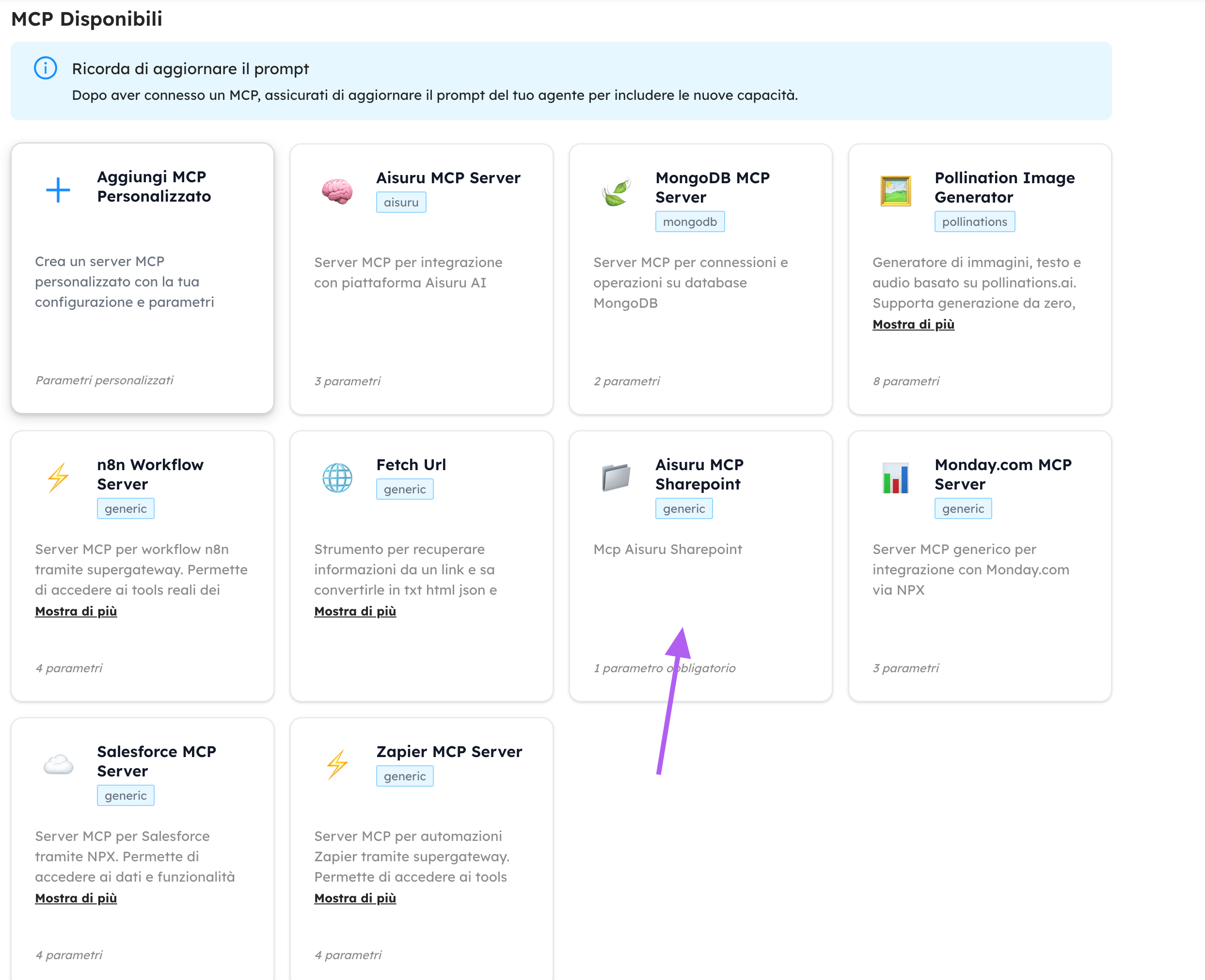
Visite Aisuru.com para comenzar a construir con sus agentes hoy mismo!
⚠️ Limitaciones conocidas
- Las actualizaciones parciales de documentos no son compatibles
- Los archivos grandes (>4MB) requieren sesiones de carga (aún no implementadas)
- La extracción de texto de archivos PDF/Excel complejos puede perder estructura
🔒 Seguridad
- Nunca exponga
client secret,access tokeny otras variables sensibles públicamente - Rote los secretos regularmente
- Otorgue los permisos mínimos requeridos de Graph