Knit MCP
oficialConéctate con más de 10,000 herramientas en RRHH, ATS, CRM, Contabilidad, Calendario, Reuniones, Ticketing y más categorías.
¿Qué puedes hacer con Knit MCP?
- Crea un servidor MCP personalizado — Pídele a tu asistente que te guíe para seleccionar herramientas de aplicaciones SaaS compatibles y empaquetarlas en un nuevo servidor.
- Despliega para tu cliente preferido — Obtén instrucciones de configuración paso a paso para Claude, Cursor, Windsurf o un cliente personalizado que estés desarrollando.
- Recupera las credenciales del servidor — Pídele a tu asistente que te explique cómo obtener la URL del servidor y el token MCP necesarios para conectar tus herramientas de IA.
- Gestiona el acceso a la cuenta — Pregunta cómo iniciar sesión o crear una cuenta usando Google, Microsoft o correo electrónico para comenzar a usar la plataforma.
Documentación
Cómo Empezar con Knit MCP Hub para Agentes de IA
Este documento proporciona una visión general completa sobre cómo configurar y operar servidores MCP SaaS gestionados por Knit. El proceso implica iniciar sesión en la plataforma, crear un servidor y seleccionar las herramientas y aplicaciones necesarias para facilitar tu flujo de trabajo.
Paso 1
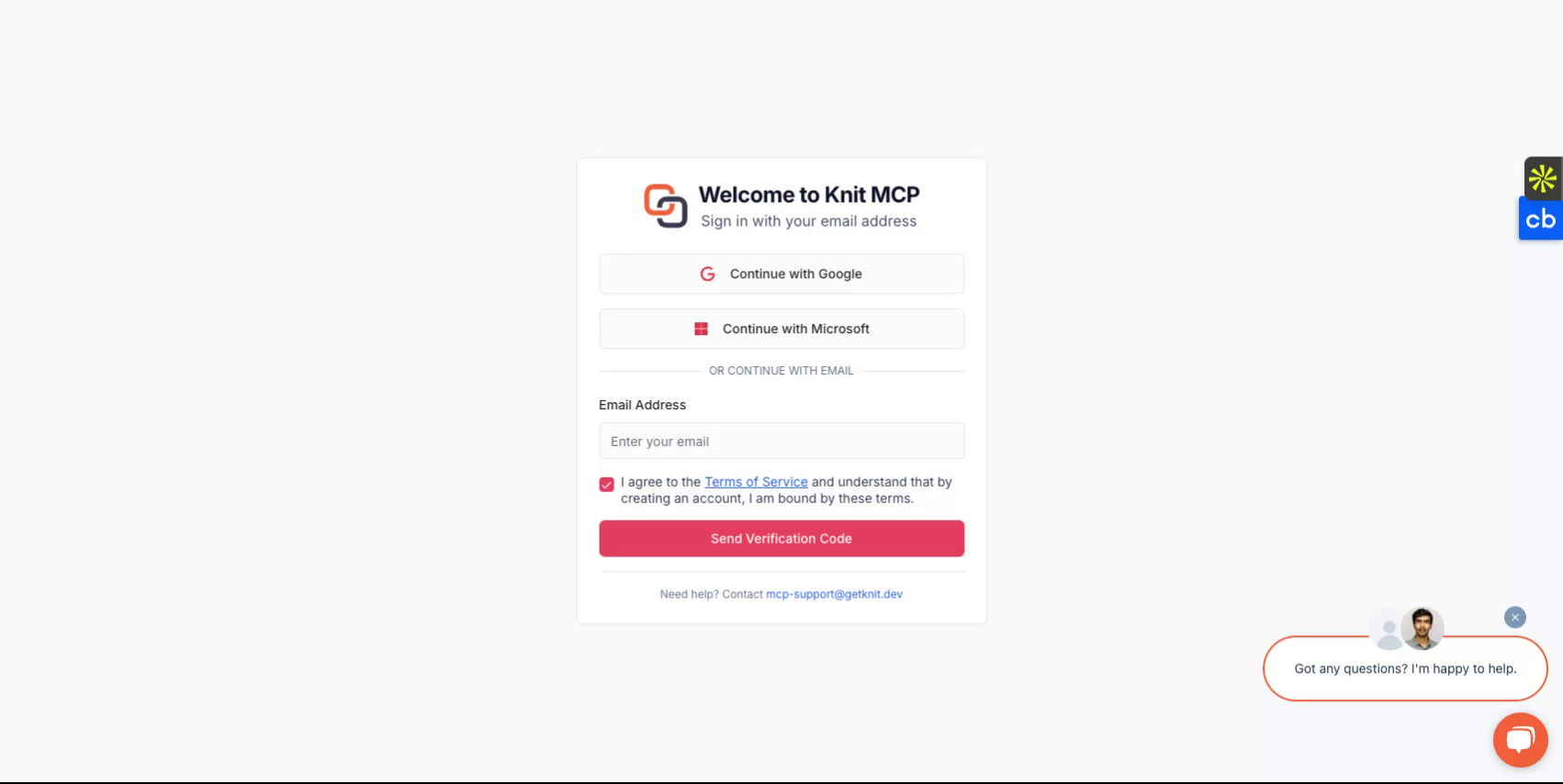
Comienza visitando https://mcphub.getknit.dev. Inicia sesión usando tu cuenta de Google o Microsoft, o crea una cuenta con tu dirección de correo electrónico. Esto te permitirá acceder a las funciones de la plataforma.
Paso 2
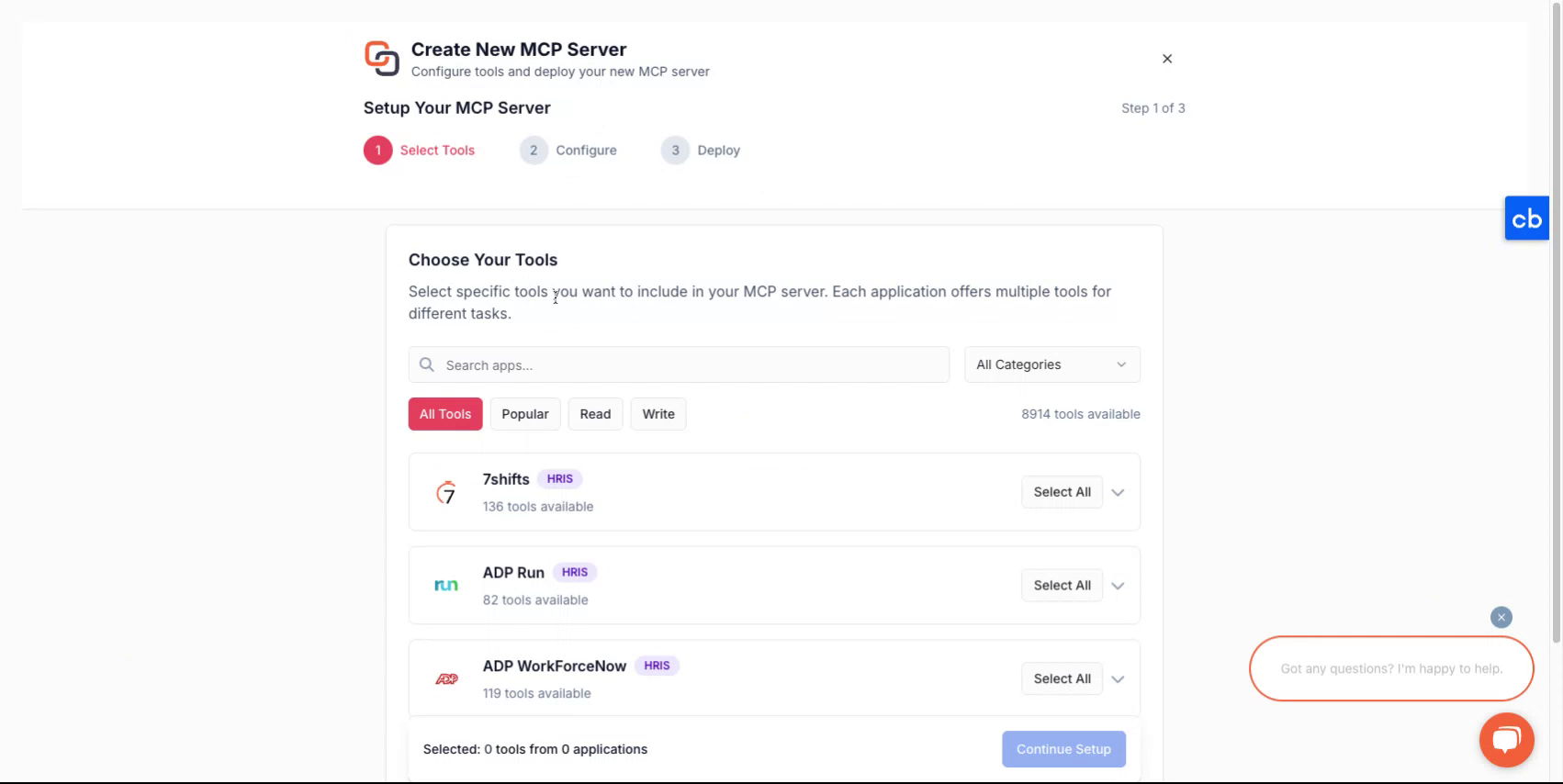
Después de iniciar sesión en tu cuenta, se te guiará a través del proceso de creación de un nuevo servidor.
Paso 3
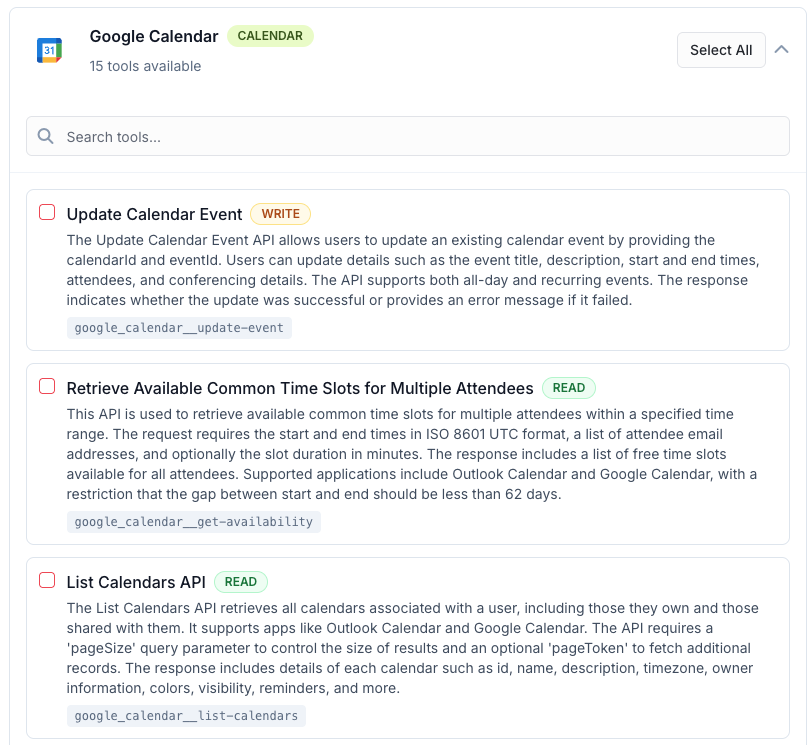
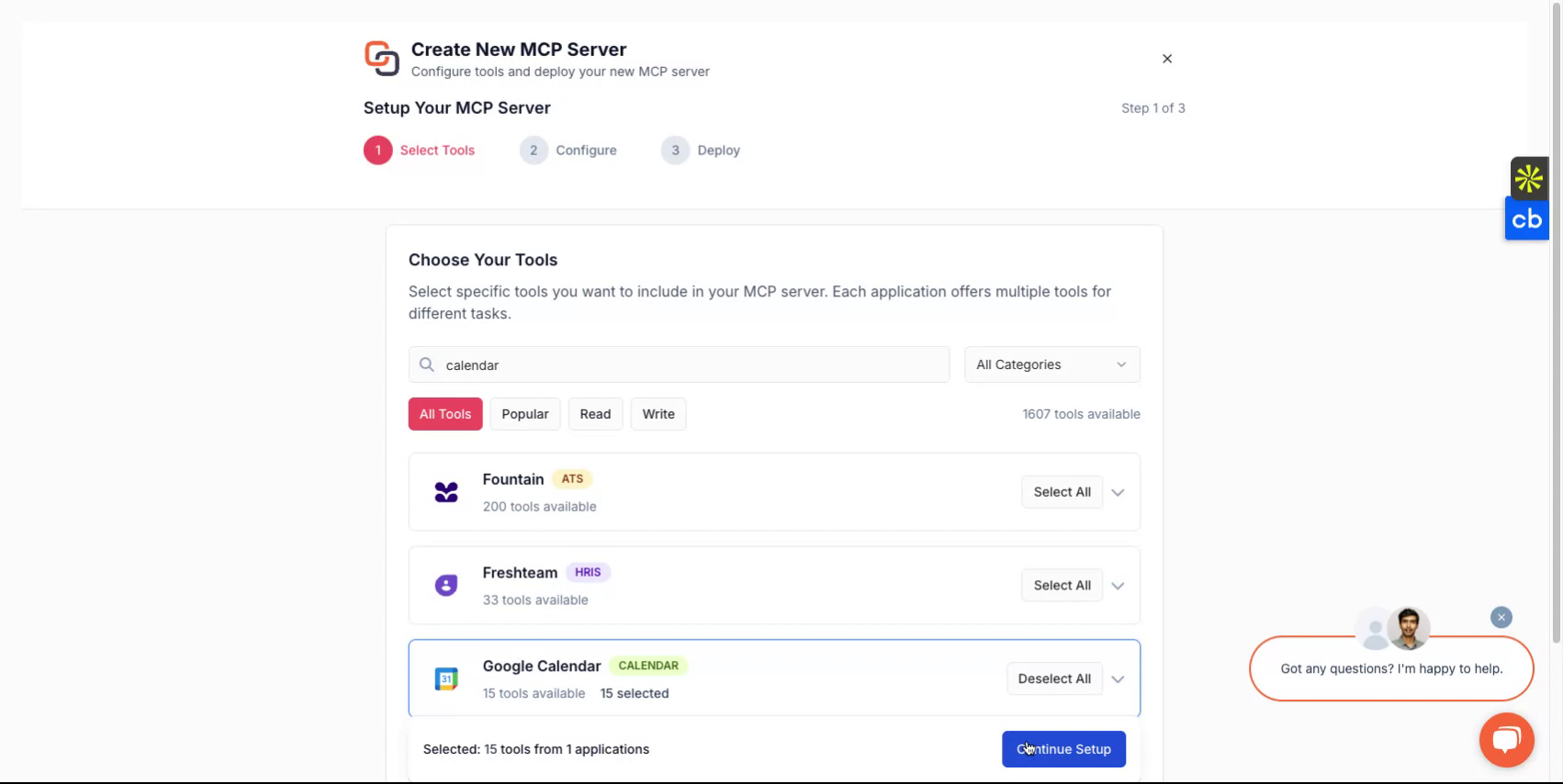
Para crear un nuevo servidor MCP, primero selecciona las herramientas que deseas incluir en el servidor MCP. Estas pueden ser de una o más aplicaciones. Puedes encontrar la lista de todas las aplicaciones compatibles aquí - Todos los Servidores MCP
Paso 4
Después de hacer una selección, asigna un nombre a tu servidor, dale una descripción y luego continúa para seleccionar cómo deseas implementarlo.
Paso 5
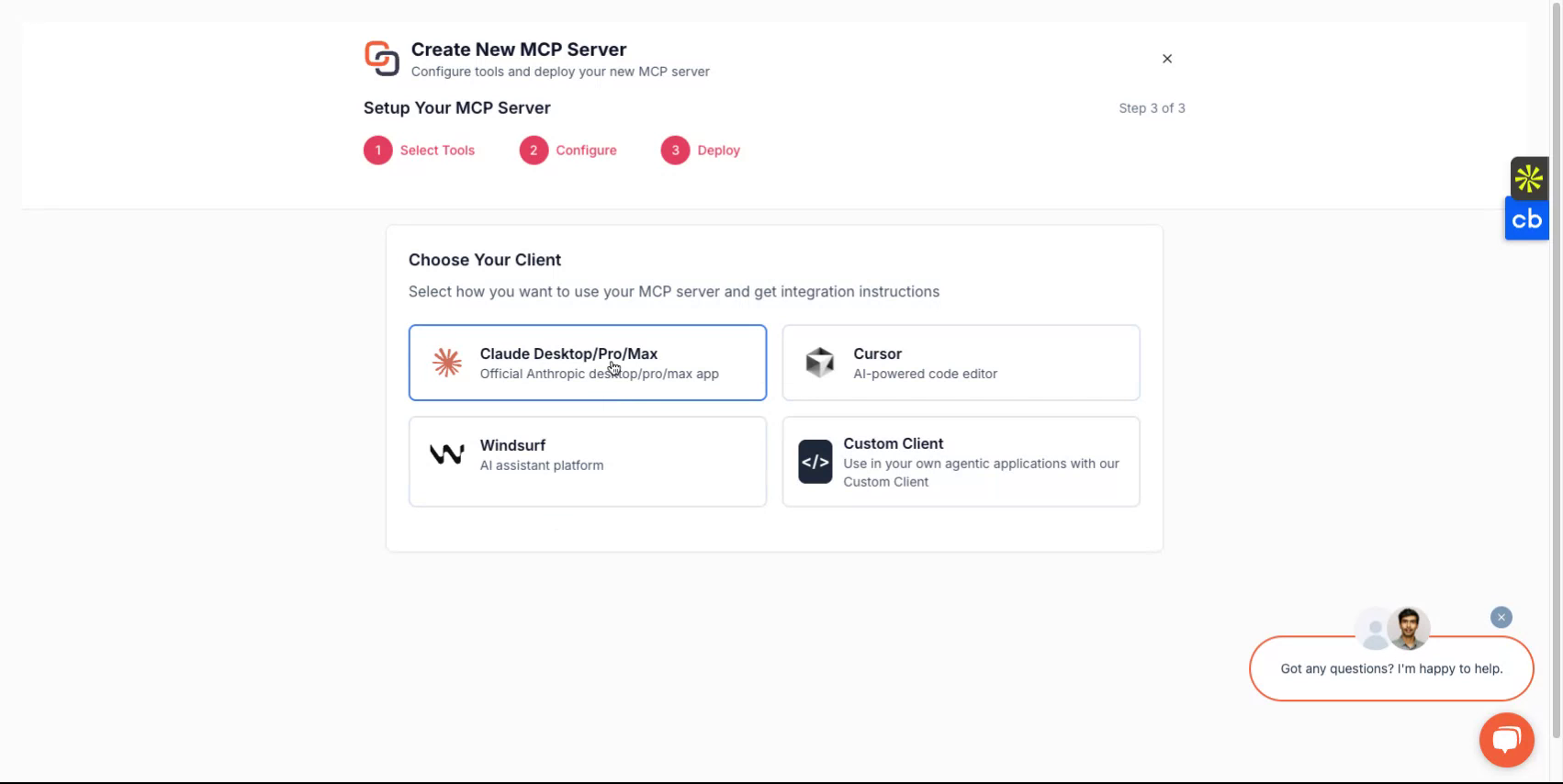
Dependiendo del cliente que desees usar, puedes elegir entre opciones como Claude, Cursor, Windsurf o optar por implementarlo con un cliente personalizado que estés desarrollando. La plataforma te guiará a través del flujo de configuración.
Paso 6
Al completar, recibirás una URL del servidor y un token del servidor MCP. Estas credenciales son esenciales para acceder a tu servidor.
Si planeas desarrollar clientes personalizados, selecciona la opción de cliente personalizado y sigue las instrucciones correspondientes.
Todo Listo
Ahora has configurado exitosamente tu servidor Knit-MCP. Para cualquier pregunta, contáctanos en mcp-support@getknit.dev