Tomba MCP
官方Tomba,您獨特的B2B電子郵件查找與驗證工具,提供獨特的潛在客戶資料庫,讓您輕鬆有效地擴大業務拓展規模。
你可以用 Tomba MCP 做什麼?
- 查找某個域名的電子郵件地址 — 透過
domain_search查詢一家公司的所有聯絡人,並可依部門或國家等條件篩選。 - 產生某人的電子郵件 — 使用
email_finder根據姓名和域名建構可能的地址,再進行驗證。 - 驗證電子郵件可送達性 — 使用
email_verifier檢查地址是否有效且安全寄送。 - 豐富聯絡人資料 — 透過
email_enrichment取得電子郵件對應的職稱、公司和社群連結。 - 探索公司的技術棧 — 使用
technology_finder識別網站所使用的工具和平台。 - 尋找相似公司 — 使用
similar_finder找出相似的域名,以利開發潛在客戶或進行分析。
文件
 Tomba.io MCP 伺服器
一個用於整合 Tomba.io API 的模型上下文協定(MCP)伺服器。此伺服器透過標準化的 MCP 介面提供全面的電子郵件探索、驗證和豐富化功能。
功能特色
工具(共 28 個)
電子郵件探索
- 網域搜尋:尋找與某個網域關聯的所有電子郵件地址
- 電子郵件尋找器:根據姓名和網域產生可能的電子郵件地址
- 作者尋找器:探索文章作者的電子郵件地址
- LinkedIn 尋找器:從 LinkedIn 個人檔案 URL 尋找電子郵件
- 電子郵件計數:取得網域的電子郵件總數
- 電子郵件來源:尋找電子郵件地址在網路上被發現的位置
- 電子郵件格式:取得某個網域使用的電子郵件格式模式
驗證
- 電子郵件驗證器:驗證電子郵件的可送達性並檢查資料庫存在性
豐富化
- 電子郵件豐富化:使用額外的聯絡人資料豐富化電子郵件
- 個人豐富化:透過電子郵件尋找個人資料(姓名、職位、社交檔案)
- 公司豐富化:透過網域尋找公司資料(產業、規模、地點)
- 綜合豐富化:透過電子郵件進行個人 + 公司綜合豐富化
電話
網域情報
- 網域狀態:檢查網域是否為網路郵件或一次性網域
- 自動完成:提供包含標誌和網域資訊的公司名稱建議
- 相似尋找器:根據目標網域尋找相似網域
- 技術尋找器:探索網站使用的技術堆疊
- 地理位置:取得按國家劃分的員工地理位置數量
公司搜尋
- 公司搜尋:使用自然語言查詢和進階篩選條件搜尋公司
帳戶與管理
- 帳戶資訊:取得目前帳戶資訊、方案和額度
- 使用量資訊:取得所有端點的 API 使用統計
- 列出標記:列出已提交的資料標記及其狀態和額度退款
- 建立標記:回報不正確的資料(硬退信、無效電子郵件)以進行額度恢復
- 列出潛在客戶:列出潛在客戶並可選擇網域篩選
- 建立潛在客戶:將新的潛在客戶加入清單
- 列出金鑰:列出 API 金鑰
- 取得日誌:取得最近的 API 請求日誌
資源(共 7 個)
tomba://api/status- API 狀態和帳戶資訊tomba://domain/{domain}- 網域資訊tomba://email/{email}- 電子郵件資訊tomba://similar/{domain}- 相似網域分析tomba://technology/{domain}- 技術堆疊資訊tomba://docs/api- API 文件tomba://docs/tools- 工具文件
提示詞(16 個預建工作流程)
- find_contact - 尋找個人的完整聯絡資訊
- verify_email_list - 批次驗證電子郵件地址
- research_company - 研究公司聯絡人和組織結構
- enrich_lead - 使用所有可用資料豐富化潛在客戶
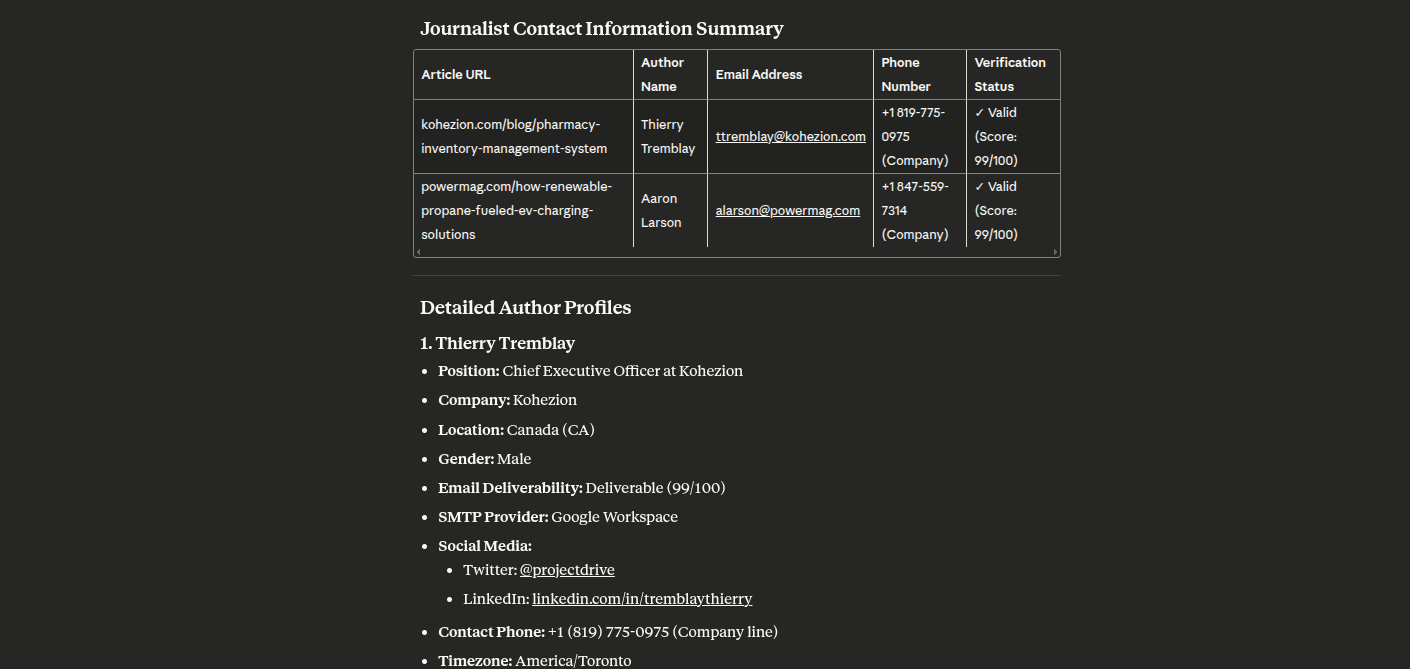
- find_journalists - 從文章中尋找記者聯絡人
- phone_finder - 尋找聯絡人的電話號碼
- validate_phone - 驗證電話號碼
- competitor_analysis - 使用相似網域和技術分析競爭對手
- technology_audit - 網站的全面技術稽核
- domain_insights - 取得網域的全面洞察,包括電子郵件數量和技術
- bulk_domain_research - 研究多個網域的電子郵件數量和基本資訊
- find_target_companies - 使用進階篩選條件(規模、類型、收入、產業)尋找公司
- market_research - 使用全面篩選條件研究市場區隔中的公司
- lead_generation - 透過尋找公司及其聯絡人來產生潛在客戶
- prospect_enrichment - 使用全面資料豐富化公司潛在客戶
- industry_analysis - 分析某個產業內的公司並進行詳細分層
公司搜尋提示詞的篩選選項
| 篩選條件 | 可用值 |
|---|---|
| 規模 | 1-10(微型)、11-50(小型)、51-250(中型)、251-1K(中大型)、1K-5K(大型)、5K-10K(超大型)、10K-50K(企業級)、50K-100K(巨型)、100K+(全球級) |
| 類型 | education、government、nonprofit、private、public、personal |
| 收入 | $0-$1M、$1M-$10M、$10M-$50M、$50M-$100M、$100M-$250M、$250M-$500M、$500M-$1B、$1B-$10B、$10B+ |
| 產業 | 基於 LinkedIn 產業代碼 V2(140+ 個產業,包括電腦軟體、金融服務、醫院與醫療保健等) |
效能與可靠性
逾時
所有 API 呼叫都有 120 秒逾時。Tomba 搜尋會即時針對實際基礎設施執行 — 回應時間會因目標公司的 SMTP 伺服器速度、網站回應性以及 catch-all 偵測的深度而有所不同。
指數退避重試
所有 API 呼叫在以下情況會自動重試最多 3 次,並採用指數退避:
429 Too Many Requests(超出速率限制)5xx伺服器錯誤
重試延遲:1 秒 → 2 秒 → 4 秒。
速率限制
速率限制按端點和方案執行:
| 方案 | 每秒 | 每分鐘 | 每天 |
|---|---|---|---|
| 免費 | 1 | 2 | 5 |
| 基本 | 3 | 50 | 500 |
| 成長 | 5 | 80 | 1,000 |
| 專業 | 8 | 150 | 4,000 |
| 50,000+ 方案 | 無限制 | 無限制 | 無限制 |
當 Tomba 無法提供結果時,不會收取任何額度。30 天內的重複請求不會再次計費。
傳輸選項
- stdio - 標準輸入/輸出(預設,適用於 Claude Desktop)
- http - 具有 REST 端點的 HTTP 伺服器
安裝
先決條件
- Node.js 18 或更高版本
- npm 或 yarn
- Tomba API 帳戶(在此註冊)
螢幕截圖
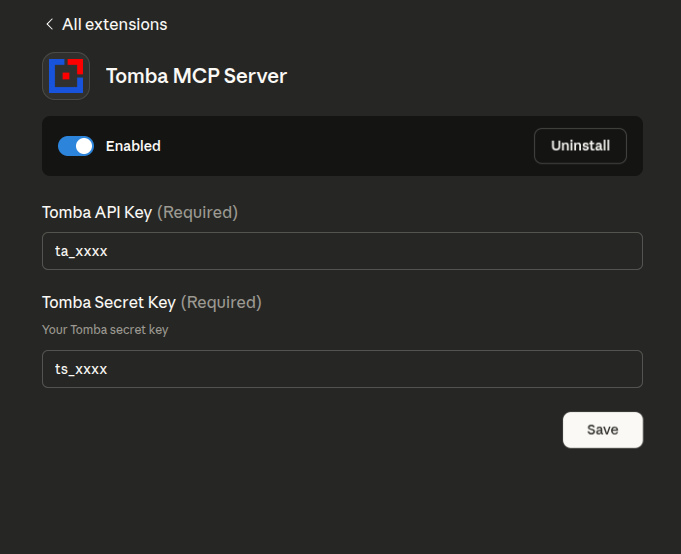
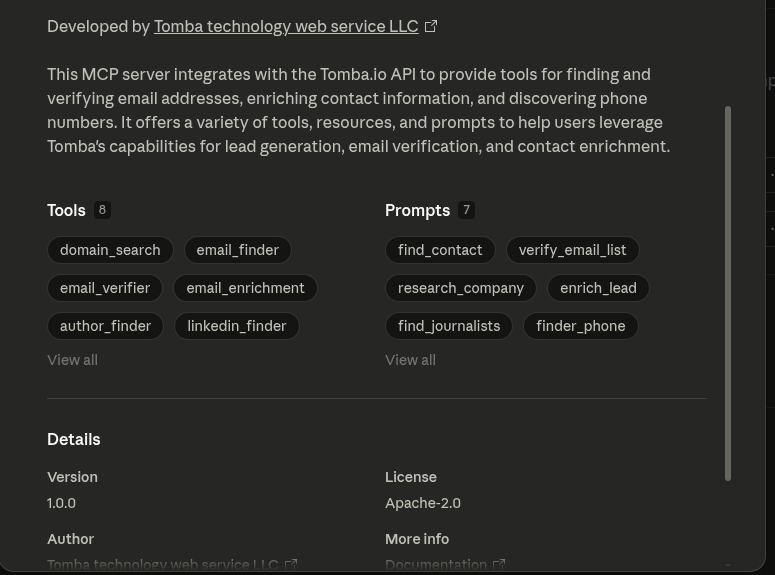
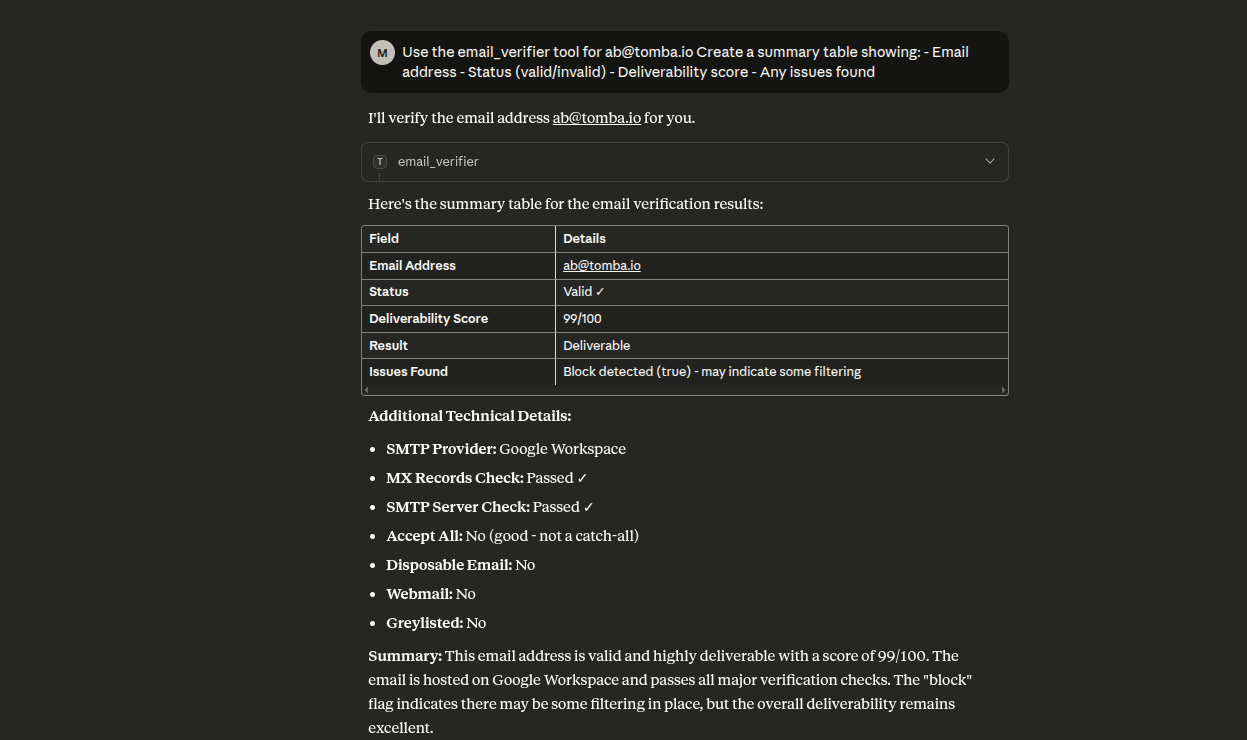
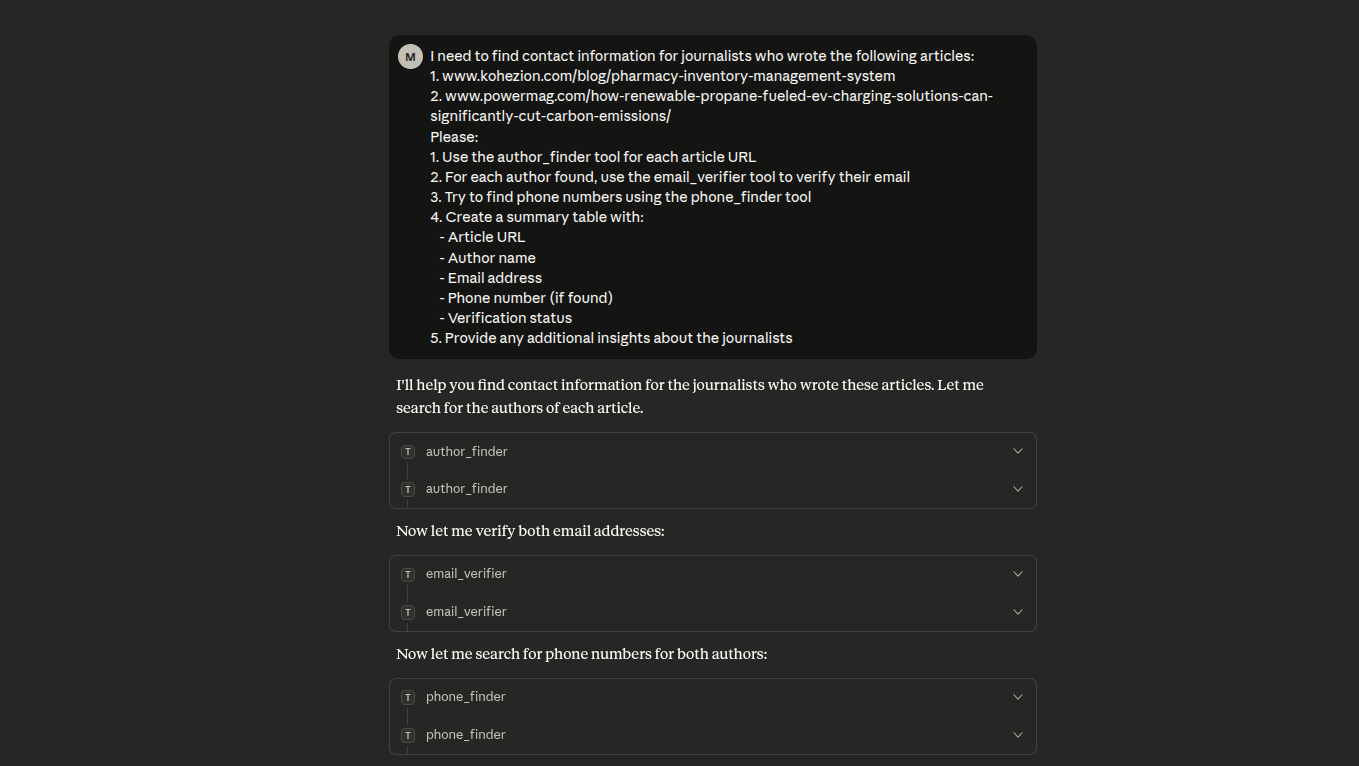
注意: npm 套件已從
tomba-mcp-server重新命名為@tomba-io/tomba-mcp-server。請相應地更新您的設定。
選項 1:透過 NPX 安裝(建議)
使用 Tomba MCP 伺服器最簡單的方式是透過 npx,這不需要複製儲存庫:
macOS/Linux
新增至您的 claude_desktop_config.json(~/Library/Application Support/Claude/claude_desktop_config.json):
{
    "mcpServers": {
        "tomba": {
            "command": "npx",
            "args": ["-y", "@tomba-io/tomba-mcp-server"],
            "env": {
                "TOMBA_API_KEY": "your-api-key-here",
                "TOMBA_SECRET_KEY": "your-secret-key-here"
            }
        }
    }
}
Windows
新增至您的 claude_desktop_config.json(%APPDATA%\Claude\claude_desktop_config.json):
{
    "mcpServers": {
        "tomba": {
            "command": "npx",
            "args": ["-y", "@tomba-io/tomba-mcp-server"],
            "env": {
                "TOMBA_API_KEY": "your-api-key-here",
                "TOMBA_SECRET_KEY": "your-secret-key-here"
            }
        }
    }
}
注意: -y 旗標會自動接受安裝提示,且 npx 將始終取得最新版本。
選項 2:從原始碼安裝
如果您想要修改伺服器或貢獻開發:
# Clone the repository
git clone https://github.com/tomba-io/tomba-mcp-server.git
cd tomba-mcp-server

# Install dependencies
yarn install

# Build the project
yarn build
設定
OpenClaw 技能
此儲存庫現在包含位於 skills/tomba-contact-intelligence/SKILL.md 的工作區本地 OpenClaw 技能。
此技能旨在幫助 OpenClaw 為聯絡人探索、公司研究、電子郵件驗證、電話查詢和潛在客戶豐富化工作流程選擇正確的 Tomba MCP 工具。
使用方法:
- 將此儲存庫開啟為您的 OpenClaw 工作區,或將
skills/tomba-contact-intelligence目錄複製到您的 OpenClaw 技能目錄中。 - 確保 Tomba MCP 伺服器已設定並可供 OpenClaw 使用。
- 啟動新的 OpenClaw 工作階段,以便載入技能。
範例提示詞:
- "在 stripe.com 尋找合作夥伴的最佳聯絡人,並在回傳前驗證電子郵件。"
- "研究德國的金融科技公司,然後為最匹配的公司識別可能的銷售聯絡人。"
- "使用電子郵件、電話、公司技術和相似競爭對手豐富化此潛在客戶:jane@acme.com"
Claude Desktop 設定
若要將此伺服器與 Claude Desktop 搭配使用,請將設定新增至您的 claude_desktop_config.json 檔案。
使用 NPX(建議)
此方法會自動使用最新發布的版本:
macOS/Linux(~/Library/Application Support/Claude/claude_desktop_config.json):
{
    "mcpServers": {
        "tomba": {
            "command": "npx",
            "args": ["-y", "@tomba-io/tomba-mcp-server"],
            "env": {
                "TOMBA_API_KEY": "your-api-key-here",
                "TOMBA_SECRET_KEY": "your-secret-key-here"
            }
        }
    }
}
Windows(%APPDATA%\Claude\claude_desktop_config.json):
{
    "mcpServers": {
        "tomba": {
            "command": "npx",
            "args": ["-y", "@tomba-io/tomba-mcp-server"],
            "env": {
                "TOMBA_API_KEY": "your-api-key-here",
                "TOMBA_SECRET_KEY": "your-secret-key-here"
            }
        }
    }
}
使用本地安裝
如果您已從原始碼建置,請使用安裝的絕對路徑:
macOS/Linux:
{
    "mcpServers": {
        "tomba": {
            "command": "node",
            "args": ["/ABSOLUTE/PATH/TO/tomba-mcp-server/server/index.js"],
            "env": {
                "TOMBA_API_KEY": "your-api-key-here",
                "TOMBA_SECRET_KEY": "your-secret-key-here"
            }
        }
    }
}
Windows:
{
    "mcpServers": {
        "tomba": {
            "command": "node",
            "args": [
                "C:\\ABSOLUTE\\PATH\\TO\\tomba-mcp-server\\server\\index.js"
            ],
            "env": {
                "TOMBA_API_KEY": "your-api-key-here",
                "TOMBA_SECRET_KEY": "your-secret-key-here"
            }
        }
    }
}
重要注意事項:
- 將
your-api-key-here和your-secret-key-here替換為您實際的 Tomba API 憑證 - 對於本地安裝,請將
/ABSOLUTE/PATH/TO/tomba-mcp-server替換為您安裝目錄的完整路徑 - 更新設定後重新啟動 Claude Desktop
取得 Tomba API 憑證
- 造訪 https://tomba.io
- 註冊帳戶或登入
- 導覽至您的儀表板
- 前往 API 設定
- 複製您的 API 金鑰和密鑰
替代方案:使用 HTTP 傳輸
使用 npx 進行 HTTP 傳輸:
{
    "mcpServers": {
        "tomba": {
            "command": "npx",
            "args": [
                "-y",
                "@tomba-io/tomba-mcp-server",
                "--transport",
                "http",
                "--port",
                "3000"
            ],
            "env": {
                "TOMBA_API_KEY": "your-api-key-here",
                "TOMBA_SECRET_KEY": "your-secret-key-here"
            }
        }
    }
}
使用本地安裝進行 HTTP 傳輸:
{
    "mcpServers": {
        "tomba": {
            "command": "node",
            "args": [
                "/ABSOLUTE/PATH/TO/tomba-mcp-server/server/index.js",
                "--transport",
                "http",
                "--port",
                "3000"
            ],
            "env": {
                "TOMBA_API_KEY": "your-api-key-here",
                "TOMBA_SECRET_KEY": "your-secret-key-here"
            }
        }
    }
}
使用方式
命令列選項
Usage: tomba-mcp-server [options]

Options:
  --transport <type>    Transport type: 'stdio' or 'http' (default: stdio)
  --port <number>       Port number for HTTP transport (default: 3000)
  --help                Show help message

Environment Variables:
  TOMBA_API_KEY         Your Tomba API key (required)
  TOMBA_SECRET_KEY      Your Tomba secret key (required)

Examples:
  # Run with stdio transport (default)
  node server/index.js

  # Run with HTTP transport on default port (3000)
  node server/index.js --transport http

  # Run with HTTP transport on custom port
  node server/index.js --transport http --port 8080
獨立 HTTP 伺服器
您也可以將伺服器作為獨立的 HTTP 服務執行:
export TOMBA_API_KEY="your-api-key"
export TOMBA_SECRET_KEY="your-secret-key"
node server/index.js --transport http --port 3000
HTTP API 端點
- POST /mcp - 傳送 JSON-RPC 請求
- GET /mcp - 用於通知的伺服器傳送事件(需要 X-Session-Id 標頭)
- DELETE /mcp - 終止工作階段(需要 X-Session-Id 標頭)
- GET /health - 健康檢查端點
- GET /sessions - 列出作用中的工作階段(需要驗證)
HTTP 請求範例
curl -X POST http://localhost:3000/mcp \
  -H "Content-Type: application/json" \
  -d '{
    "jsonrpc": "2.0",
    "method": "tools/call",
    "params": {
      "name": "email_finder",
      "arguments": {
        "domain": "stripe.com",
        "firstName": "Patrick",
        "lastName": "Collison"
      }
    },
    "id": 1
  }'
🔧 開發
開發命令
# Run in development mode
yarn dev

# Build the project
yarn build

# Run tests
yarn test

# Run tests in watch mode
yarn test:watch

# Run tests with coverage
yarn test:coverage

# Lint code
yarn lint

# Fix linting errors
yarn lint:fix
🔍 除錯與測試
MCP Inspector(建議)
測試和除錯 MCP 伺服器最簡單的方式:
# Build and launch MCP Inspector
yarn debug
這會開啟一個網頁介面,您可以在其中:
- 📋 檢視所有可用的工具
- 🧪 互動式測試工具
- 📊 檢查請求/回應
- 🐛 即時除錯
替代除錯方法
# Debug TypeScript directly
yarn debug:dev

# Run integration tests
yarn test:integration

# Manual testing
yarn build
echo '{"jsonrpc":"2.0","id":1,"method":"tools/list"}' | node server/index.js
VS Code 除錯
如果您使用 VS Code,請使用隨附的除錯設定:
- Debug MCP Server:除錯已編譯的 JavaScript
- Debug TypeScript:直接除錯 TypeScript 原始碼
- Debug with Inspector:使用 MCP Inspector 除錯
- Run Tests:除錯 Jest 測試
請參閱 DEBUG_GUIDE.md 以取得全面的除錯說明。
🧪 測試個別工具
1. 網域搜尋
搜尋與某個網域名稱關聯的電子郵件地址。
{
    "name": "domain_search",
    "arguments": {
        "domain": "tomba.io",
        "limit": 10,
        "page": 1
    }
}
回應:
{
  "data": {
    "organization": {
      "website_url": "tomba.io",
      "organization": "Tomba technology web service LLC",
      "location": {
        "country": "US",
        "city": "Claymont",
        "state": "Delaware",
        "street_address": "1228 claymont",
        "postal_code": "19703"
      },
      "social_links": {
        "twitter_url": "https://twitter.com/tombaplatforum",
        "facebook_url": "https://www.facebook.com/tombaplatforum",
        "linkedin_url": "https://www.linkedin.com/company/tomba-io"
      },
      "disposable": false,
      "webmail": false,
      "phone_number": "(850) 790-5575",
      "industries": "Information Technology and Services",
      "founded": "2021",
      "company_size": "1-10",
      "company_type": "privately held",
      "revenue": "$0-$1M",
      "accept_all": false,
      "description": "the most powerful email-finding tool which is able to list all the email addresses of people who are working in a particular company.",
      "pattern": "{l}.{first}",
      "total_similar": 35,
      "keywords": [
        "lead generation software"
      ],
      "ranking": 661495,
      "whois": {
        "registrar_name": "namecheap, inc.",
        "created_date": "2020-07-07T20:54:07+02:00",
        "referral_url": "https://www.namecheap.com/"
      },
      "last_updated": "2025-09-06T00:22:01+02:00"
    },
    "emails": [
      {
        "email": "b.mohamed@tomba.io",
        "first_name": "Mohamed",
        "last_name": "Ben rebia",
        "full_name": "Mohamed Ben rebia",
        "gender": "male",
        "phone_number": false,
        "type": "personal",
        "country": "DZ",
        "position": "CEO",
        "department": "executive",
        "seniority": "senior",
        "twitter": null,
        "linkedin": "https://www.linkedin.com/in/mohamed-ben-rebia",
        "score": 100,
        "verification": {
          "date": "2025-09-22T00:00:00+02:00",
          "status": "valid"
        },
        "sources": [
          {
            "uri": "https://github.com/tomba-io/generic-emails/blob/084fc1a63d3cdaf9a34f255bedc2baea49a8e8b9/src/lib/validation/hash.ts",
            "website_url": "github.com",
            "extracted_on": "2021-02-08T20:09:54+01:00",
            "last_seen_on": "2021-02-08T22:43:40+01:00",
            "still_on_page": true
          },
          ....
        ]
      },
      ...
      ...
      ...
      ...
      ...
    ]
  },
  "meta": {
    "total": 21,
    "pageSize": 10,
    "current": 1,
    "total_pages": 3,
    "params": {
      "domain": "tomba.io",
      "page": 1,
      "limit": 10,
      "department": null,
      "country": null,
      "type": "all",
      "live": false
    }
  }
}
2. 電子郵件尋找器
從網域、名字和姓氏產生可能的電子郵件地址。
{
    "name": "email_finder",
    "arguments": {
        "domain": "example.com",
        "firstName": "John",
        "lastName": "Doe"
    }
}
回應:
{
    "data": {
        "email": "b.mohamed@tomba.io",
        "first_name": "Mohamed",
        "last_name": "Ben rebia",
        "full_name": "Mohamed Ben rebia",
        "website_url": "tomba.io",
        "company": "Tomba technology web service LLC",
        "position": "CEO",
        "country": "DZ",
        "gender": "male",
        "twitter": null,
        "linkedin": "https://www.linkedin.com/in/mohamed-ben-rebia",
        "score": 100,
        "accept_all": null,
        "phone_number": false,
        "verification": {
            "date": "2025-09-22T00:00:00+02:00",
            "status": "valid"
        },
        "sources": [
            {
                "uri": "https://github.com/tomba-io/generic-emails/blob/084fc1a63d3cdaf9a34f255bedc2baea49a8e8b9/src/lib/validation/hash.ts",
                "website_url": "github.com",
                "extracted_on": "2021-02-08T20:09:54+01:00",
                "last_seen_on": "2021-02-08T22:43:40+01:00",
                "still_on_page": true
            }
        ]
    }
}
3. 電子郵件驗證器
驗證電子郵件地址的可送達性並檢查資料庫存在性。
{
    "name": "email_verifier",
    "arguments": {
        "email": "b.mohamed@tomba.io"
    }
}
回應:
{
    "data": {
        "email": {
            "email": "b.mohamed@tomba.io",
            "result": "deliverable",
            "status": "valid",
            "score": 99,
            "smtp_provider": "Google Workspace",
            "mx": {
                "records": [
                    "aspmx.l.google.com",
                    "alt2.aspmx.l.google.com",
                    "alt1.aspmx.l.google.com",
                    "alt4.aspmx.l.google.com",
                    "alt3.aspmx.l.google.com"
                ]
            },
            "mx_check": true,
            "smtp_server": true,
            "smtp_check": true,
            "accept_all": false,
            "greylisted": false,
            "block": true,
            "gibberish": false,
            "disposable": false,
            "webmail": false,
            "regex": true,
            "whois": {
                "registrar_name": "namecheap, inc.",
                "referral_url": "https://www.namecheap.com/",
                "created_date": "2020-07-07T20:54:07+02:00"
            }
        },
        "sources": [
            {
                "uri": "https://github.com/tomba-io/generic-emails/blob/084fc1a63d3cdaf9a34f255bedc2baea49a8e8b9/src/lib/validation/hash.ts",
                "website_url": "github.com",
                "extracted_on": "2021-02-08T20:09:54+01:00",
                "last_seen_on": "2021-02-08T22:43:40+01:00",
                "still_on_page": true
            }
        ]
    }
}
4. 電子郵件豐富化
使用額外的聯絡人資訊豐富化電子郵件地址。
{
    "name": "email_enrichment",
    "arguments": {
        "email": "b.mohamed@tomba.io"
    }
}
回應:
{
    "data": {
        "email": "b.mohamed@tomba.io",
        "first_name": "Mohamed",
        "last_name": "Ben rebia",
        "full_name": "Mohamed Ben rebia",
        "website_url": "tomba.io",
        "company": "Tomba technology web service LLC",
        "position": "CEO",
        "country": "DZ",
        "gender": "male",
        "twitter": null,
        "linkedin": "https://www.linkedin.com/in/mohamed-ben-rebia",
        "score": 100,
        "accept_all": null,
        "phone_number": false,
        "verification": {
            "date": "2025-09-22T00:00:00+02:00",
            "status": "valid"
        },
        "sources": [
            {
                "uri": "https://github.com/tomba-io/generic-emails/blob/084fc1a63d3cdaf9a34f255bedc2baea49a8e8b9/src/lib/validation/hash.ts",
                "website_url": "github.com",
                "extracted_on": "2021-02-08T20:09:54+01:00",
                "last_seen_on": "2021-02-08T22:43:40+01:00",
                "still_on_page": true
            }
        ]
    }
}
5. 作者尋找器
從 URL 尋找文章作者的電子郵件地址。
{
    "name": "author_finder",
    "arguments": {
        "url": "https://example.com/article"
    }
}
回應:
{
    "data": {
        "email": "b.mohamed@tomba.io",
        "first_name": "Mohamed",
        "last_name": "Ben rebia",
        "full_name": "Mohamed Ben rebia",
        "website_url": "tomba.io",
        "company": "Tomba technology web service LLC",
        "position": "CEO",
        "country": "DZ",
        "gender": "male",
        "twitter": null,
        "linkedin": "https://www.linkedin.com/in/mohamed-ben-rebia",
        "score": 100,
        "accept_all": null,
        "phone_number": false,
        "verification": {
            "date": "2025-09-22T00:00:00+02:00",
            "status": "valid"
        },
        "sources": [
            {
                "uri": "https://github.com/tomba-io/generic-emails/blob/084fc1a63d3cdaf9a34f255bedc2baea49a8e8b9/src/lib/validation/hash.ts",
                "website_url": "github.com",
                "extracted_on": "2021-02-08T20:09:54+01:00",
                "last_seen_on": "2021-02-08T22:43:40+01:00",
                "still_on_page": true
            }
        ]
    }
}
6. LinkedIn 尋找器
從 LinkedIn 個人檔案 URL 尋找電子郵件地址。
{
    "name": "linkedin_finder",
    "arguments": {
        "url": "https://linkedin.com/in/johndoe"
    }
}
回應:
{
    "data": {
        "email": "b.mohamed@tomba.io",
        "first_name": "Mohamed",
        "last_name": "Ben rebia",
        "full_name": "Mohamed Ben rebia",
        "website_url": "tomba.io",
        "company": "Tomba technology web service LLC",
        "position": "CEO",
        "country": "DZ",
        "gender": "male",
        "twitter": null,
        "linkedin": "https://www.linkedin.com/in/mohamed-ben-rebia",
        "score": 100,
        "accept_all": null,
        "phone_number": false,
        "verification": {
            "date": "2025-09-22T00:00:00+02:00",
            "status": "valid"
        },
        "sources": [
            {
                "uri": "https://github.com/tomba-io/generic-emails/blob/084fc1a63d3cdaf9a34f255bedc2baea49a8e8b9/src/lib/validation/hash.ts",
                "website_url": "github.com",
                "extracted_on": "2021-02-08T20:09:54+01:00",
                "last_seen_on": "2021-02-08T22:43:40+01:00",
                "still_on_page": true
            }
        ]
    }
}
7. 電話尋找器
根據電子郵件、網域或 LinkedIn 個人檔案搜尋電話號碼。
{
    "name": "phone_finder",
    "arguments": {
        "domain": "tomba.io"
    }
}
回應:
{
    "data": {
        "domain": "tomba.io",
        "valid": true,
        "local_format": "(850) 790-5575",
        "intl_format": "+1 850-790-5575",
        "e164_format": "+18507905575",
        "rfc3966_format": "tel:+1-850-790-5575",
        "country_code": "US",
        "line_type": "FIXED_LINE_OR_MOBILE",
        "carrier": "",
        "timezones": ["America/New_York"]
    }
}
8. 電話驗證器
驗證電話號碼並檢查電信業者資訊。
{
    "name": "phone_validator",
    "arguments": {
        "phone": "+213667945402"
    }
}
回應:
{
    "data": {
        "valid": true,
        "local_format": "0667 94 54 02",
        "intl_format": "+213 667 94 54 02",
        "e164_format": "+213667945402",
        "rfc3966_format": "tel:+213-667-94-54-02",
        "country_code": "DZ",
        "line_type": "MOBILE",
        "carrier": "Mobilis",
        "timezones": ["Europe/Paris"]
    }
}
9. 電子郵件計數
取得某個網域的電子郵件地址總數。
{
    "name": "email_count",
    "arguments": {
        "domain": "tomba.io"
    }
}
回應:
{
    "domain": "tomba.io",
    "total": 245,
    "personalEmails": 198,
    "genericEmails": 47,
    "department": {
        "engineering": 45,
        "sales": 38,
        "marketing": 32,
        "hr": 15,
        "finance": 12,
        "legal": 8,
        "executive": 25,
        "support": 28,
        "other": 42
    },
    "seniority": {
        "junior": 89,
        "senior": 125,
        "executive": 31
    },
    "source": "tomba_email_count"
}
10. 相似網域搜尋器
根據特定網域尋找相似的網域。
{
    "name": "similar_finder",
    "arguments": {
        "domain": "tomba.io"
    }
}
回應:
{
    "data": [
        {
            "website_url": "summit.com",
            "name": "Summit",
            "industries": "Wholesale"
        },
        {
            "website_url": "hunter.io",
            "name": "Hunter",
            "industries": "Information Technology and Services"
        },
        {
            "website_url": "voilaNorbert.com",
            "name": "VoilaNorbert",
            "industries": "Information Technology and Services"
        }
    ]
}
11. 技術偵測器
即時揭露任何網站的技術棧。
{
    "name": "technology_finder",
    "arguments": {
        "domain": "tomba.io"
    }
}
回應:
{
    "domain": "tomba.io",
    "data": [
        {
            "slug": "intercom",
            "name": "Intercom",
            "icon": "Intercom.png",
            "website": "https://www.intercom.com",
            "categories": {
                "id": 10,
                "slug": "analytics",
                "name": "Analytics"
            }
        }
    ]
}
12. 公司搜尋
使用自然語言查詢搜尋公司,並搭配進階篩選條件,包括地點、產業、規模和營收。
{
    "name": "companies_search",
    "arguments": {
        "filters": {
            "location_city": {
                "include": ["san francisco"]
            },
            "industry": {
                "include": ["technology"]
            },
            "size": {
                "include": ["51-200", "201-500"]
            }
        },
        "page": 1,
        "limit": 10
    }
}
回應:
{
    "data": {
        "companies": [
            {
                "name": "Tech Company Inc",
                "domain": "techcompany.com",
                "industry": "Technology",
                "location": {
                    "city": "San Francisco",
                    "state": "California",
                    "country": "United States"
                },
                "size": "51-200",
                "revenue": "$10M-$50M"
            }
        ],
        "total": 150,
        "page": 1
    }
}
可用篩選條件:
location_city:依城市篩選,支援包含/排除陣列location_state:依州/省篩選,支援包含/排除陣列location_country:依國家篩選,支援包含/排除陣列industry:依產業篩選(基於 LinkedIn 產業代碼 V2 - 140+ 種產業)type:依公司類型篩選:education、government、nonprofit、private、public、personalsize:依公司規模篩選:1-10、11-50、51-250、251-1K、1K-5K、5K-10K、10K-50K、50K-100K、100K+revenue:依營收範圍篩選:$0-$1M、$1M-$10M、$10M-$50M、$50M-$100M、$100M-$250M、$250M-$500M、$500M-$1B、$1B-$10B、$10B+founded:依成立年份篩選,支援包含/排除陣列keywords:依關鍵字篩選,支援包含/排除陣列sic:依 SIC 代碼篩選,支援包含/排除陣列naics:依 NAICS 代碼篩選,支援包含/排除陣列similar:依相似網域篩選,支援包含/排除陣列
速率限制與使用方式
API 速率限制
Tomba.io 根據您的訂閱方案實施速率限制:
- 免費方案:每月 50 次請求
- 成長方案:每月 5,000 次請求 + 10,000 次驗證請求
- 專業方案:每月 10,000 次請求
- 企業方案:每月 50,000 次請求
- 自訂方案:自訂限制
了解更多關於 Tomba 定價方案。
速率限制標頭
每個 API 回應都包含速率限制資訊:
X-RateLimit-Limit: 1000
X-RateLimit-Remaining: 999
X-RateLimit-Reset: 1609459200
了解更多關於 Tomba API 速率限制。
處理速率限制
當您超過速率限制時,API 會回傳 429 Too Many Requests 狀態,並包含:
{
    "error": {
        "type": "rate_limit",
        "message": "Rate limit exceeded. Please try again in 60 seconds",
        "code": 429
    }
}
最佳實踐
- 監控使用量:在 tomba.io/dashboard 查看您的儀表板
- 實作退避機制:使用指數退避處理 429 回應
- 批次操作:使用網域搜尋取得同一網域的多個電子郵件
- 快取結果:將結果儲存在本機以避免重複請求
- 妥善規劃:根據使用模式升級您的方案
使用技巧
- 網域搜尋每次請求可回傳多個電子郵件(比單一查詢更有效率)
- 電子郵件驗證僅對有效的電子郵件格式消耗額度
- 電話搜尋器每次請求可能回傳多個號碼
- 資料豐富化可在單一請求中提供全面的資料
疑難排解
伺服器無法在 Claude Desktop 中啟動
-
檢查 Node.js 版本:確保您已安裝 Node.js 18 或更高版本
node --version -
使用 NPX:
- 確保首次執行時網路連線穩定
-y旗標應會自動接受安裝- NPX 會在首次使用後快取套件
-
使用本機安裝:
- 確認設定中的絕對路徑正確
- 確保
server/index.js存在:ls -la server/index.js - 確認您已成功執行
yarn build
-
驗證 API 憑證:確保您的 Tomba API 金鑰正確
-
檢查 Claude 日誌:
- macOS:
~/Library/Logs/Claude/mcp*.log - Windows:
%APPDATA%\Claude\logs\mcp*.log
- macOS:
NPX 特定問題
「找不到 npx 指令」:
- 確保已安裝 npm:
npm --version - NPX 隨附於 npm 5.2.0+,如有需要請更新:
npm install -g npm
找不到套件:
- 確認套件已發布:
npm view @tomba-io/tomba-mcp-server - 嘗試清除 npm 快取:
npm cache clean --force
持續下載套件:
- 這是使用
-y旗標時的正常行為 - NPX 會在首次下載後快取套件
- 如需永久安裝,請使用本機安裝方式
驗證錯誤
- 在 https://app.tomba.io/dashboard 驗證您的 API 金鑰
- 確保環境變數已在設定中正確設定
- 確認您的 API 訂閱仍為啟用狀態
工具無回應
- 檢查您的 Tomba API 速率限制
- 驗證網路連線
- 檢視伺服器日誌中的錯誤訊息
關於 Tomba
Tomba 成立於 2020 年,以提供最可靠、最準確、最深入的電子郵件地址資料來源為傲。我們處理 TB 等級的資料以產出我們的 Email finder API。

貢獻
- Fork 此專案(https://github.com/tomba-io/tomba-mcp-server/fork)
- 建立您的功能分支(
git checkout -b my-new-feature) - 提交您的變更(
git commit -am 'Add some feature') - 推送到分支(
git push origin my-new-feature) - 建立新的 Pull Request
授權
請參閱 授權 檔案以了解更多資訊。