MCP Server By TestMu AI
官方通过自然语言在TestMu AI云上的HyperExecute、Automation、SmartUI和Accessibility中运行、调试和分类测试。
你可以用 By TestMu AI MCP 做什么?
- 生成 HyperExecute YAML — 请助手为您的测试项目生成 YAML 配置和运行器命令。
- 检查 HyperExecute 作业 — 获取作业级详情,以及与指定 HyperExecute 运行关联的所有会话详情。
- 排查失败的测试 — 将测试详情、Selenium 命令日志、网络日志和控制台错误汇总到一个聊天中,以分析根本原因。
- 上传移动应用 — 通过助手上传移动应用以进行测试。
- 运行无障碍审计 — 获取公共 URL、本地 React 构建或通过隧道连接的应用的无障碍报告。
- 解释视觉差异 — 总结 SmartUI 对比运行中的像素、布局、DOM 和人类感知层面的变化。
文档
测试您的智能体在工作流、工具和操作中的实际表现 | 立即试用 Agent Assurance!

TestMu AI 智能体测试 MCP 服务器
通过 TestMu AI 的 MCP 服务器运行、调试和分类测试,该服务器为 HyperExecute、Automation、SmartUI、Accessibility 和 Test Manager 工具提供支持。您可以直接在 IDE 中使用自然语言,通过 Cursor、Claude、Copilot 和其他 MCP 客户端完成这些操作。
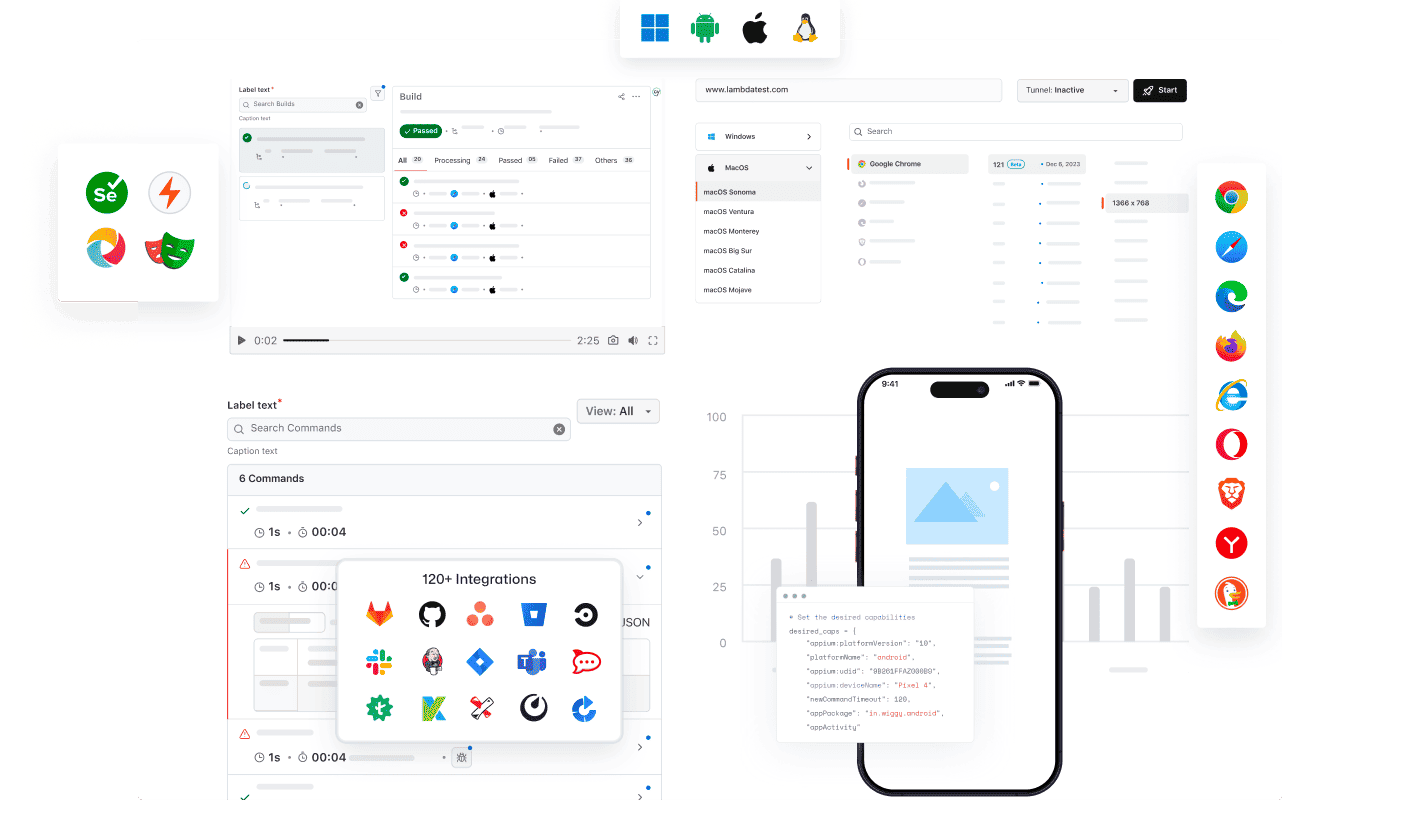
任何 AI 客户端都可以使用 TestMu AI 的 MCP
使用 TestMu AI MCP 服务器和任何 AI 助手运行、调试和分类测试。
选择您的 AI 客户端,只需几分钟即可完成设置。

Cursor
在编辑器中使用通俗英语生成配置、运行测试套件、调试故障并分类结果。

Claude Code
在终端中使用通俗英语生成配置、运行测试套件、调试故障并分类结果。

GitHub Copilot
在 VS Code 聊天中使用通俗英语生成配置、运行测试套件、调试故障并分类结果。

OpenAI Codex
在命令行中使用通俗英语生成配置、运行测试套件、调试故障并分类结果。

Antigravity
在智能体面板中使用通俗英语生成配置、运行测试套件、调试故障并分类结果。
TestMu AI 内置 MCP 服务器
使用 HyperExecute、Automation、Accessibility 和 SmartUI MCP 工具,通过自然语言直接在 IDE 中运行、调试和分类测试。
HyperExecute MCP 工具Automation MCP 工具Accessibility MCP 工具SmartUI MCP 工具
使用 HyperExecute MCP 编排测试
TestMu AI 的 HyperExecute MCP 无需手动编写 YAML 或切换仪表板。您可以通过自然语言直接在 IDE 中生成 YAML 配置和运行器命令,并监控任务。
generateHyperExecuteYAML: 为测试项目执行生成 YAML 配置。
answerHyperExecuteQuery: 即时获取 HyperExecute 文档中的答案。
getHyperExecuteJobInfo: 获取指定测试运行的详细任务级信息。
getHyperExecuteJobSessions: 获取与 HyperExecute 任务关联的所有会话详情。
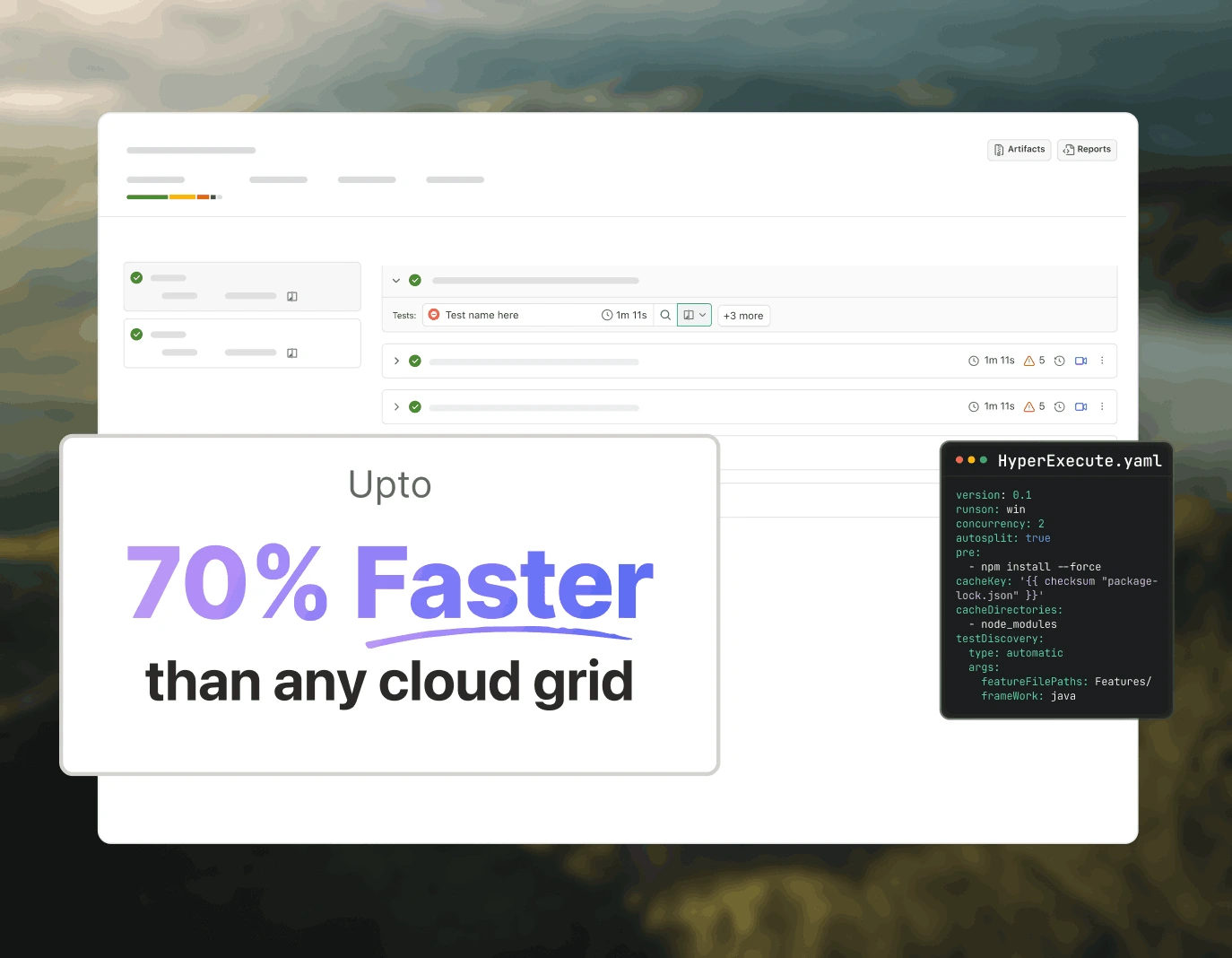
使用 Automation MCP 对测试故障进行分类
TestMu AI 的 Automation MCP 将 TestID 详情、命令日志、网络日志和控制台错误汇总到一个聊天中,加快测试故障分类,助您即时分析根本原因。
Automation Test Details: 获取特定测试的全面信息。
Automation Command Logs: 查看所有 Selenium 命令的执行日志。
Automation Network Logs: 分析测试期间的浏览器流量和网络行为。
Automation Console Logs: 查看浏览器控制台输出,包括错误和警告。
upload_app Tool: 上传移动应用以进行测试。
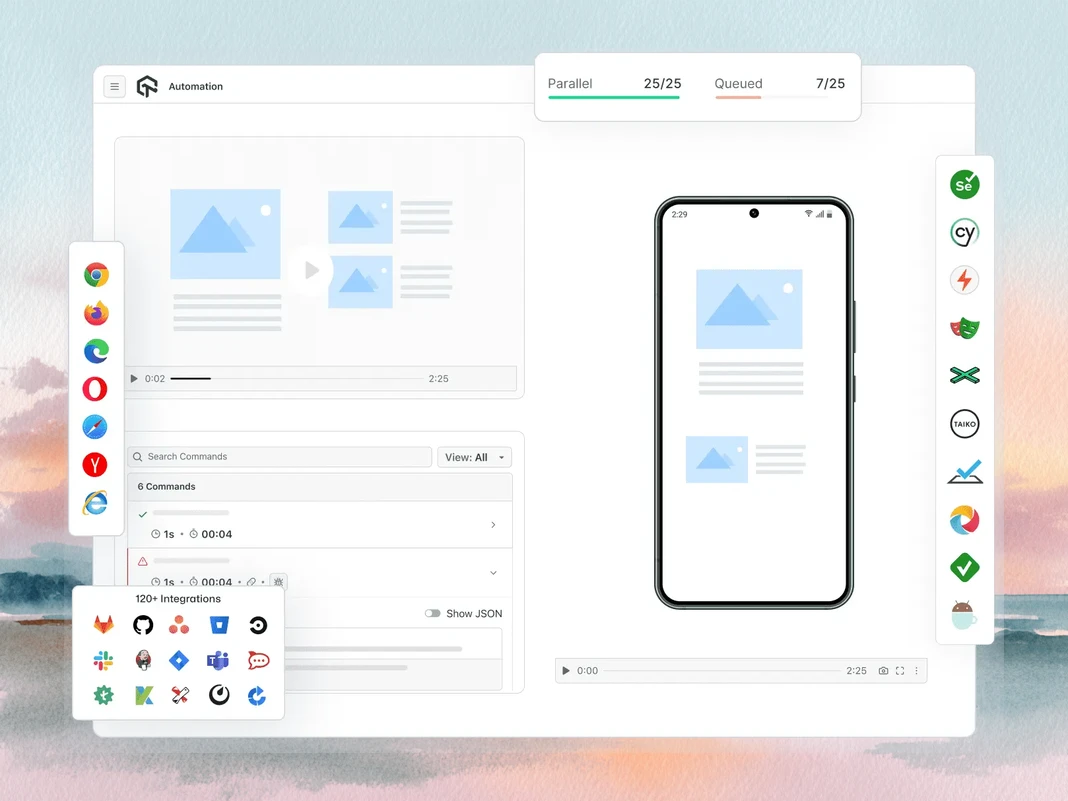
使用 Accessibility MCP 进行 WCAG 和 a11y 审计
TestMu AI 的 Accessibility MCP 可在 WCAG 和 a11y 违规问题进入生产环境之前将其发现,并提供详细的审计报告和可直接应用的修复指导。
getAccessibilityReport: 获取任意公开 URL 的无障碍报告。
buildLocalAppForAnalysis: 构建并提供本地 React 应用,以检测无障碍问题。
analyseAppViaTunnel: 通过 TestMu AI 隧道分析本地应用测试中的无障碍故障。
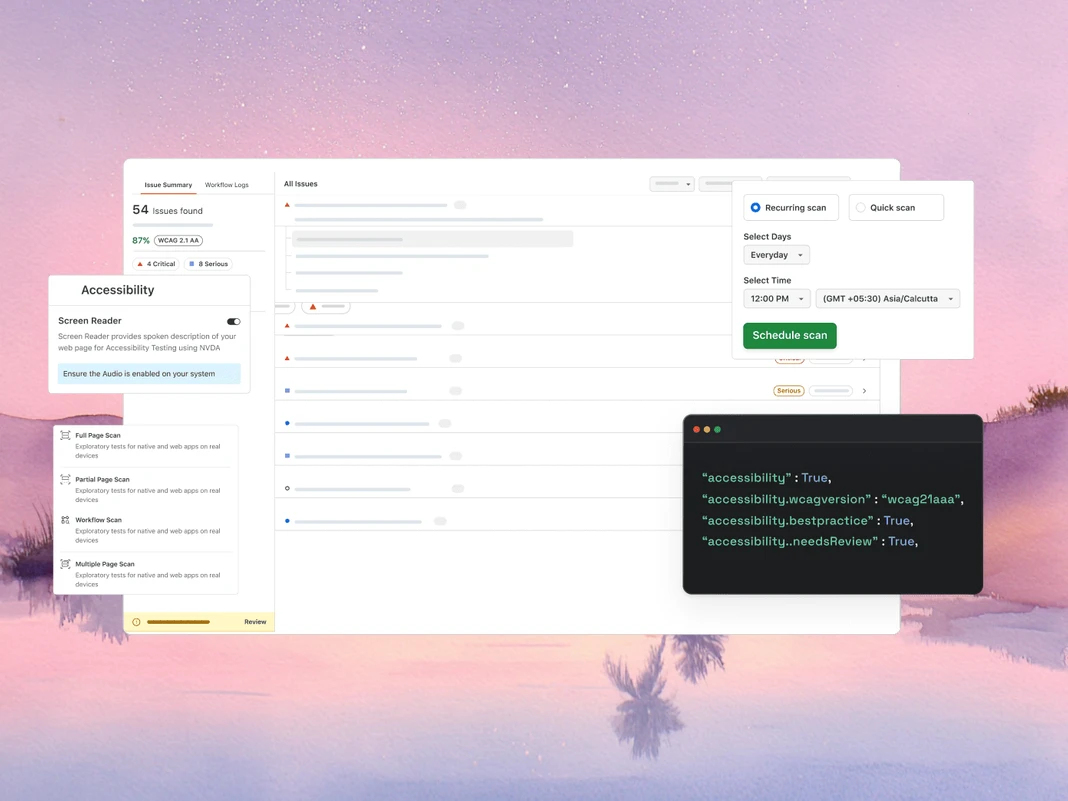
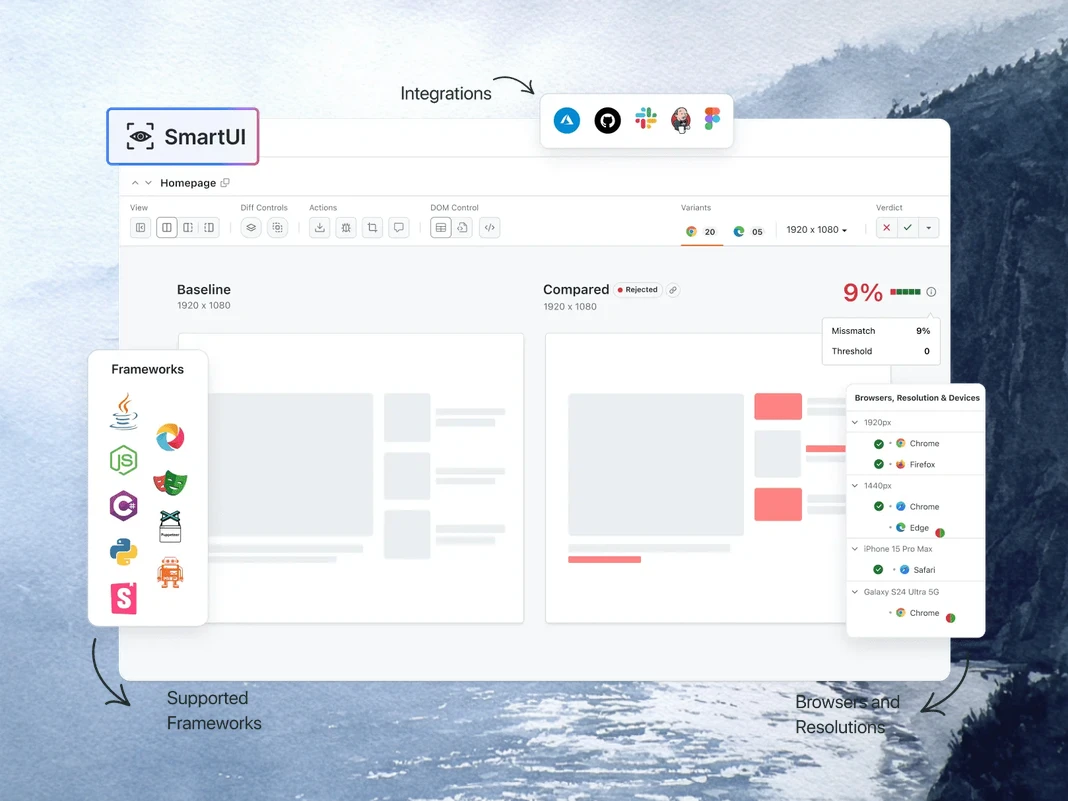
使用 SmartUI MCP 调试视觉回归
TestMu AI 的 SmartUI MCP 可通过直接在 IDE 中用通俗英语解释像素、布局、DOM 和感知层面的变化,减少视觉回归调试中的手动差异排查工作。
getSmartUIResources: 获取比较运行的所有视觉资源。
summarizeSmartUIPixelDiff: 识别并解释屏幕截图之间的原始像素差异。
summarizeSmartUILayoutDiff: 检测间距、对齐和尺寸相关的布局问题。
summarizeSmartUIDomDiff: 描述 DOM 结构和属性的变化。
analyzeSmartUIHumanDiff: 模拟人类对视觉变化的感知方式。
analyzeSmartUIRun: 提供涵盖所有分析层的完整调试摘要。
getSmartUIScreenshotInfo: 获取 SmartUI 屏幕截图的元数据和详情。
downloadSmartUIDomFiles: 下载 DOM 结构文件以进行深入分析。
AI 智能体质量工程
原生 AI 智能体可在 IDE 中规划、编写、运行和分类测试,覆盖浏览器、50,000+ 台真实设备以及 CI 流水线。
智能体测试
KaneAI
浏览器测试
真实设备云
应用自动化
HyperExecute
视觉 UI 测试
无障碍测试
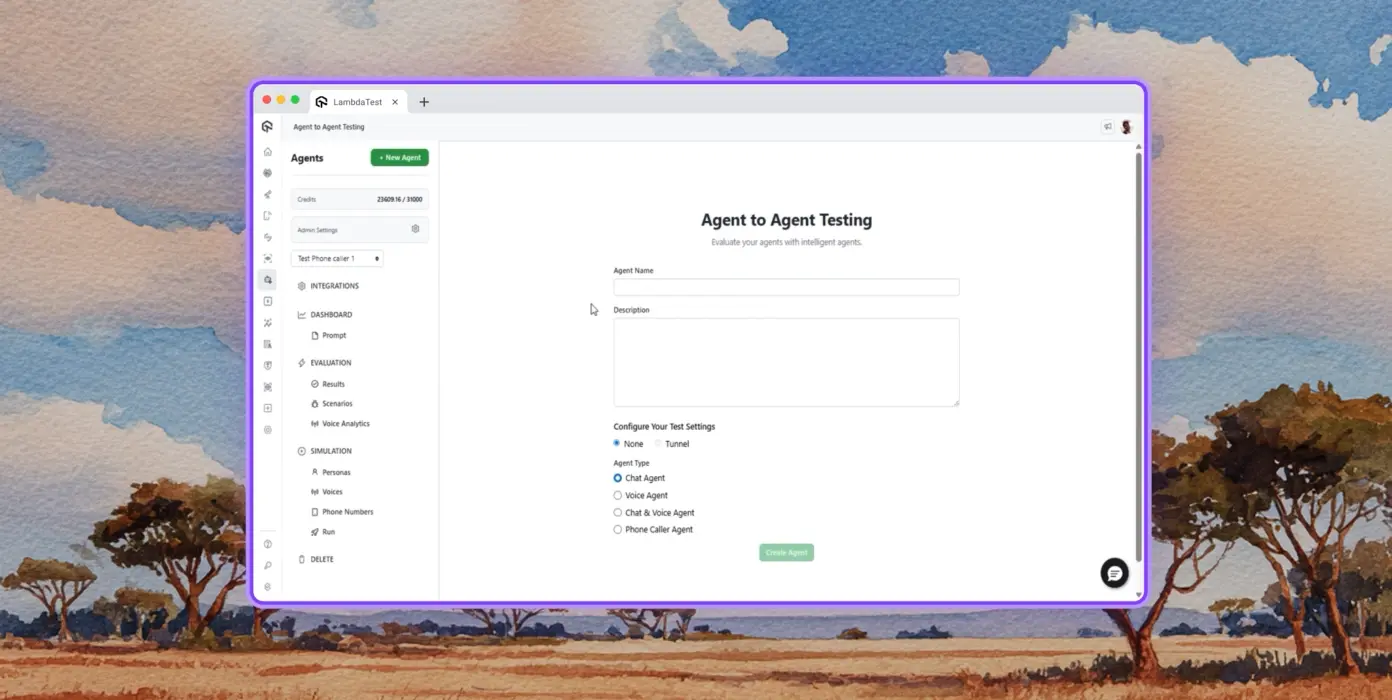
智能体测试
测试聊天机器人、语音助手等 AI 智能体。
自主测试
从模拟终端用户的角度,对被测智能体进行详细分析。
多角色模拟
模拟国际来电者、数字新手等多种用户角色。
风险评分与回归测试
对被测智能体进行端到端回归测试并提供洞察。
TestMu AI 的 KaneAI
使用自然语言规划、编写和迭代端到端测试。
自然语言
只需简单描述即可编写测试,无需脚本、无需代码,只需通俗英语。
测试场景生成
根据文本、Jira 工单、PRD、图片和电子表格生成结构化测试用例。
测试编写
使用 KaneAI 为网站和 Web 应用编写浏览器测试,覆盖桌面和移动设备。
浏览器测试
快速验证网站在 3000+ 种浏览器、操作系统和设备组合上的表现。
响应式测试
检查网站在桌面、平板和移动设备的不同视口下的呈现效果。
DevTools 调试
使用预装的 Chrome 和 Safari DevTools 调试跨浏览器问题。
地理位置测试
从不同的地理 IP 地址进行测试,确保全球各地的用户都能获得正确的体验。
真实设备云
在 50,000+ 台真实设备上测试 Web 和移动应用。
手势测试
测试点击、滚动、缩放、滑动等自然手势。
真实场景
利用 40+ 项功能,在真实硬件设备上测试各种边缘情况。
高级调试
直接在测试会话中使用设备日志、网络日志和 UI 检查器进行调试。
应用自动化
在 50,000+ 台真实移动设备和平板电脑上自动化测试移动应用。
并行执行
在数百台真实 Android 和 iOS 设备上同时运行自动化测试。
框架支持
Appium、XCUITest、Espresso 和 Detox,均可用于移动自动化。
本地测试
在各种真实 Android 和 iOS 设备上测试本地托管和私有托管的应用。
HyperExecute
原生 AI 测试编排云,速度最高可提升 70%。
自愈测试
自动修复测试脚本,减少不稳定性和手动维护。
智能编排
根据历史数据自动调整测试运行顺序,更快发现故障并缩短反馈时间。
根本原因分析
对错误进行分类,并结合实时日志获取 AI 驱动的修正建议。
视觉 UI 测试
原生 AI 视觉测试,可发现跨浏览器和设备的 UI 回归问题。
像素比较
检测布局、颜色、字体和元素位置的视觉偏差。
设计到开发
将 Figma 设计与实时网页和应用屏幕进行比较,确保准确还原。
智能忽略
通过原生 AI 检测过滤无关的布局偏移,减少误报。
无障碍测试
对 Web 和移动应用进行无障碍测试,打造包容性用户体验。
WCAG 合规性
根据 WCAG、ADA 和 Section 508 标准扫描 Web 和移动应用。
定期扫描
每天、每周或每月自动执行定期无障碍审计。
屏幕阅读器
在真实设备上测试与屏幕阅读器和辅助工具的兼容性。
 PLAY
PLAY
TestMu AI(前身为 LambdaTest)的成功案例

50%
测试执行时间缩短
“HyperExecute 是一个高度可靠的测试执行平台,并提供出色的客户支持。”
Sagar Uday Kumar
高级工程经理

Dashlane Lereta Dunelm Trepp Transavia
预约演示
更多理由让您爱上 TestMu AI(前身为 LambdaTest)
TestMu AI 是领先的智能体 AI 质量工程平台,深受全球用户信赖,确保您的 AI 部署在企业环境和真实场景中都能按预期安全可靠地运行。
用户
3M+
测试
1.5B+
企业
18K+
国家/地区
132
TestMu AI 获评 2026 年 Gartner® 魔力象限™领导者
TestMu AI 获评《The Forrester Wave™:自主测试平台,2025 年第四季度》认可
荣誉墙
TestMu AI 是全球中小企业和大型企业的首选。

企业级安全
我们遵循全球安全、隐私、负责任 AI 和 ESG 标准,保护您的数据和 AI 系统。

集成
可融入您的工作环境,提供 120+ 种与团队常用工具的集成。

 4.6/ 5 540+ 条评价
  4.6/ 5 410+ 条评价
  4.6/ 5 540+ 条评价
媒体报道
常见问题
什么是 MCP 服务器?
MCP 服务器是一种程序,可通过 Model Context Protocol 向 AI 智能体提供工具、资源和提示。Model Context Protocol 是 Anthropic 于 2024 年 11 月推出的开放标准。服务器会向任何兼容 MCP 的客户端公布其功能,客户端(AI 智能体)则在运行时调用这些工具,以获取数据或执行模型训练数据之外的操作。
MCP 在软件测试中有什么用途?
在软件测试中,MCP 让 AI 智能体能够通过自然语言驱动测试工作流:生成配置、执行测试套件、提取日志、总结故障,以及运行视觉或无障碍检查。无需在 IDE、仪表板和终端之间切换,智能体即可直接调用相应的 MCP 工具,并在聊天中返回结果,从而缩短编排和调试所需的时间。
MCP 服务器如何与 AI 智能体协同工作?
客户端(例如 Claude Code 或 Cursor 这样的 AI 智能体)通过 stdio 或 Streamable HTTP 连接到服务器,并请求获取其功能。服务器会返回包含 JSON Schema 定义的工具列表。用户向智能体发送提示后,智能体会选择相关工具,发送结构化调用;服务器针对底层系统执行操作,然后返回模型可以推理的类型化响应。
哪些 AI 客户端支持 MCP 服务器?
Claude Code、Claude Desktop、Cursor、Windsurf、GitHub Copilot Chat、Cline、Continue、Zed AI 和 JetBrains AI Assistant 目前都支持 MCP 服务器。任何实现 Model Context Protocol 规范(stdio 或 Streamable HTTP 传输)的客户端都可以连接,因此新的 MCP 感知工具无需重写服务器集成即可使用。
如何在 Cursor 或 Claude Code 中设置 MCP 服务器?
在 Cursor 中,打开 Settings → MCP → Add new MCP Server,并将其指向服务器的命令或 HTTP 端点。在 Claude Code 中,运行 "claude mcp add ",或直接编辑 ~/.claude.json。注册后,智能体会自动发现可用工具,你可以在聊天中调用这些工具。大多数企业级 MCP 服务器会在工具可调用前增加 OAuth 步骤。
MCP 与 API 有什么区别?
API 是为代码间调用构建的固定端点契约;客户端需要针对每个端点和版本变更进行自定义集成。MCP 则是为 AI 调用工具而构建:它标准化了智能体在运行时发现功能、在多次调用间维护会话状态以及解析类型化响应的方式。向 MCP 服务器添加新工具后,所有已连接的智能体都能使用它,无需重新部署。
MCP 服务器能运行 Selenium、Playwright、Cypress 或 Appium 测试吗?
可以。MCP 服务器不会取代你的测试框架,而是对其进行封装。TestMu AI MCP Server 会在项目分析期间检测 Selenium、Playwright、Cypress、Appium、TestNG、JUnit、PyTest、WebdriverIO 等框架,然后为 AI 智能体生成合适的配置和运行器命令。测试仍会在底层云端网格上执行。
MCP 如何帮助调试失败的测试?
MCP 服务器可以提取任何失败运行的测试元数据、Selenium 命令日志、浏览器网络活动和控制台错误,然后在聊天中将数据交给 AI 智能体。智能体会分析日志、关联事件并提出根本原因,从而将过去需要在多个标签页的仪表板中查找的问题,变成一个简单的提示词。
Model Context Protocol 安全吗?
MCP 规范为 HTTP 传输定义了一个可选的、基于 OAuth 2.1 的授权框架,但整体安全性仍取决于服务器实现。生产环境中的服务器通常使用 OAuth 2.1、限定范围的令牌和 TLS 加密传输。企业部署还会增加基于角色的权限、审计日志和数据驻留控制;当 MCP 流量包含生产日志或客户数据时,这些措施尤为重要。
MCP 服务器可以免费使用吗?
该协议是开源且免费的。服务器的定价各不相同:许多社区服务器免费,而供应商托管的服务器会根据底层平台(用量、席位或计算资源)收费,而不是针对 MCP 层本身收费。TestMu AI MCP Server 包含在每个 TestMu AI 账户中,只会消耗团队已经付费购买的测试执行时长。
TestMu AI MCP Server 中有哪些工具?
该服务器内置五种 MCP 工具。HyperExecute MCP 负责项目分析、YAML 生成、运行器命令、作业信息和会话详情。Automation MCP 用于获取测试详情、Selenium 命令日志、网络日志和控制台日志。SmartUI MCP 用于汇总像素、布局、DOM 和人类感知的视觉差异。Accessibility MCP 用于对公开 URL、本地 React 构建版本和隧道应用执行 WCAG 审计。Test Manager MCP 使用 AI 生成测试用例、构建已配置的测试运行、批量记录结果,并跟踪里程碑和覆盖率。
TestMu AI MCP Server 支持哪些 AI 助手?
TestMu AI MCP Server 提供针对 Cursor、Claude Code、Claude Desktop、Claude.ai (Web)、GitHub Copilot in VS Code、Antigravity、OpenAI Codex CLI、Cline 和 Continue 的文档化设置步骤。任何其他兼容 MCP 的客户端都可以通过使用 mcp-remote 的通用 STDIO 配置进行连接,因此采用该协议的新助手无需服务器端改动即可使用。
TestMu AI MCP Server 使用哪些传输方式?
该服务器支持两种传输方式。Streamable HTTP 是大多数客户端的推荐选项,使用 https://mcp.lambdatest.com/mcp 端点并通过 OAuth 进行身份验证。对于尚不支持 Streamable HTTP 的客户端,可以通过 mcp-remote 使用 STDIO;其底层仍使用同一个经过 OAuth 身份验证的端点。
配置后,为什么 AI 客户端中没有显示 MCP 工具?
通常有三个原因。首先,完全退出并重新启动客户端(仅软重载通常不够)。其次,检查 JSON、TOML 或 YAML 配置是否存在语法错误,尤其是多余的逗号和未转义的路径。第三,对于 Continue 等客户端,请确认你处于 Agent Mode,而不是 Chat Mode。如果 OAuth 已完成,但工具仍未显示,请在客户端的 MCP 设置中重新进行身份验证。
查看更多问题
TestMu AI (Formerly LambdaTest)/MCP Server
[{"@context":"https://schema.org","@type":"BreadcrumbList","itemListElement":[{"@type":"ListItem","position":1,"name":"Home","item":"https://www.testmuai.com"},{"@type":"ListItem","position":2,"name":"TestMu AI MCP Server","item":"https://www.testmuai.com/mcp/"}]}]
{"@context":"https://schema.org","@type":"WebPage","name":"TestMu AI (Formerly LambdaTest) MCP Server For Agentic Testing","description":"TestMu AI (Formerly LambdaTest) MCP Server with five tools: HyperExecute, Automation, SmartUI, Accessibility, & Test Manager. Run, debug, and triage tests from your IDE using natural language.","url":"https://www.testmuai.com/mcp/","inLanguage":"en","isPartOf":{"@type":"WebSite","name":"TestMu AI (Formerly LambdaTest)","url":"https://www.testmuai.com"},"datePublished":"2025-01-01","dateModified":"2026-05-14","about":{"@type":"Organization","name":"TestMu AI (Formerly LambdaTest)","alternateName":["LambdaTest","LambdaTesting","lamda test","lambatest","Lambda Test"]}}
{"@context":"https://schema.org","@type":"FAQPage","mainEntity":[{"@type":"Question","name":"What is an MCP server?","acceptedAnswer":{"@type":"Answer","text":"An MCP server is a program that exposes tools, resources, and prompts to AI agents through the Model Context Protocol, an open standard introduced by Anthropic in November 2024. The server advertises its capabilities to any MCP-compatible client, and the client (an AI agent) calls those tools at runtime to fetch data or perform actions outside the model's training data."}},{"@type":"Question","name":"What is MCP used for in software testing?","acceptedAnswer":{"@type":"Answer","text":"In software testing, MCP lets AI agents drive the test workflow through natural language: generating configs, executing suites, pulling logs, summarizing failures, and running visual or accessibility checks. Instead of switching between an IDE, a dashboard, and a terminal, the agent calls the right MCP tool inline and returns results in chat, which compresses orchestration and debugging time."}},{"@type":"Question","name":"How does an MCP server work with AI agents?","acceptedAnswer":{"@type":"Answer","text":"The client (an AI agent like Claude Code or Cursor) connects to the server over stdio or Streamable HTTP and asks for its capabilities. The server returns a list of tools with JSON Schema definitions. When the user prompts the agent, it picks the relevant tool, sends a structured call, and the server executes it against the underlying system, then returns a typed response the model can reason over."}},{"@type":"Question","name":"Which AI clients support MCP servers?","acceptedAnswer":{"@type":"Answer","text":"Claude Code, Claude Desktop, Cursor, Windsurf, GitHub Copilot Chat, Cline, Continue, Zed AI, and JetBrains AI Assistant all support MCP servers today. Any client that implements the Model Context Protocol spec (stdio or Streamable HTTP transport) can connect, which means new MCP-aware tools work without rewriting the server integration."}},{"@type":"Question","name":"How do you set up an MCP server in Cursor or Claude Code?","acceptedAnswer":{"@type":"Answer","text":"In Cursor, open Settings → MCP → Add new MCP Server and point it at the server's command or HTTP endpoint. In Claude Code, run \"claude mcp add <name> <command>\" or edit ~/.claude.json directly. Once registered, the agent discovers the available tools automatically and you can invoke them in chat. Most enterprise MCP servers add an OAuth step before tools become callable."}},{"@type":"Question","name":"What is the difference between MCP and an API?","acceptedAnswer":{"@type":"Answer","text":"An API is a fixed endpoint contract built for code-to-code calls; clients need custom integration for every endpoint and version change. MCP is built for AI-to-tool calls: it standardizes how an agent discovers capabilities at runtime, maintains session state across calls, and parses typed responses. When a new tool is added to an MCP server, every connected agent picks it up without redeployment."}},{"@type":"Question","name":"Can MCP servers run Selenium, Playwright, Cypress, or Appium tests?","acceptedAnswer":{"@type":"Answer","text":"Yes. MCP servers don't replace your test framework; they wrap it. The TestMu AI MCP Server detects Selenium, Playwright, Cypress, Appium, TestNG, JUnit, PyTest, WebdriverIO, and similar frameworks during project analysis, then generates the right config and runner command for your AI agent to execute. Test execution still happens on the underlying cloud grid."}},{"@type":"Question","name":"How does MCP help debug failed tests?","acceptedAnswer":{"@type":"Answer","text":"An MCP server can pull test metadata, Selenium command logs, browser network activity, and console errors for any failed run, then hand the data back to the AI agent in chat. The agent reasons over the logs, correlates events, and suggests a root cause, turning what used to be a multi-tab dashboard hunt into a single prompt."}},{"@type":"Question","name":"Is the Model Context Protocol secure?","acceptedAnswer":{"@type":"Answer","text":"The MCP spec defines an optional OAuth 2.1-based authorization framework for HTTP transports, but overall security still depends on the server implementation. Production servers typically use OAuth 2.1, scoped tokens, and TLS-encrypted transport. Enterprise deployments add role-based permissions, audit logging, and data-residency controls, which become important when MCP traffic carries production logs or customer data."}},{"@type":"Question","name":"Are MCP servers free to use?","acceptedAnswer":{"@type":"Answer","text":"The protocol is open source and free. Server pricing varies: many community servers are free, while vendor-hosted servers bill against the underlying platform (usage, seats, or compute) rather than the MCP layer itself. The TestMu AI MCP Server is included with every TestMu AI account and only consumes the test execution minutes a team already pays for."}},{"@type":"Question","name":"What tools are inside the TestMu AI MCP Server?","acceptedAnswer":{"@type":"Answer","text":"Five MCP tools ship in the server. HyperExecute MCP handles project analysis, YAML generation, runner commands, job info, and session details. Automation MCP fetches test details, Selenium command logs, network logs, and console logs. SmartUI MCP summarizes pixel, layout, DOM, and human-perceived visual diffs. Accessibility MCP runs WCAG audits on public URLs, local React builds, and tunneled apps. Test Manager MCP generates test cases with AI, builds configured test runs, records results in bulk, and tracks milestones and coverage."}},{"@type":"Question","name":"What AI assistants does the TestMu AI MCP Server support?","acceptedAnswer":{"@type":"Answer","text":"The TestMu AI MCP Server has documented setup paths for Cursor, Claude Code, Claude Desktop, Claude.ai (Web), GitHub Copilot in VS Code, Antigravity, OpenAI Codex CLI, Cline, and Continue. Any other MCP-compatible client can connect through the universal STDIO configuration using mcp-remote, so newer assistants that adopt the protocol work without changes on the server side."}},{"@type":"Question","name":"What transport methods does the TestMu AI MCP Server use?","acceptedAnswer":{"@type":"Answer","text":"The server supports two transports. Streamable HTTP is the recommended option for most clients and uses the https://mcp.lambdatest.com/mcp endpoint with OAuth authentication. STDIO is available through mcp-remote for clients that don't yet support Streamable HTTP, and uses the same OAuth-authenticated endpoint behind the scenes."}},{"@type":"Question","name":"Why aren't MCP tools showing up in my AI client after configuration?","acceptedAnswer":{"@type":"Answer","text":"Three things usually cause this. First, fully quit and relaunch the client (a soft reload often isn't enough). Second, validate the JSON, TOML, or YAML config for syntax errors, especially trailing commas and unescaped paths. Third, for clients like Continue, confirm you are in Agent Mode rather than Chat Mode. If OAuth completed but tools still don't appear, re-authenticate from the client's MCP settings."}}]}
{"@context":"https://schema.org","@type":"Organization","name":"TestMu AI (Formerly LambdaTest)","legalName":"LambdaTest, Inc.","alternateName":["LambdaTest","LambdaTesting","Lambda Test","TestMu AI"],"url":"https://www.testmuai.com","logo":"https://www.testmuai.com/logo.png","description":"TestMu AI (formerly LambdaTest) is an AI-native, agentic testing cloud for end-to-end software quality engineering across web, mobile, and AI applications. LambdaTest rebranded to TestMu AI on January 12, 2026.","foundingDate":"2017","founder":[{"@type":"Person","name":"Asad Khan","jobTitle":"Co-Founder & CEO"},{"@type":"Person","name":"Jay Singh","jobTitle":"Co-Founder & Chief Customer Officer"},{"@type":"Person","name":"Mayank Bhola","jobTitle":"Co-Founder & Head of Product"},{"@type":"Person","name":"Mudit Singh","jobTitle":"Co-Founder & Head of Growth"}],"address":[{"@type":"PostalAddress","addressLocality":"San Francisco","postalCode":"94104","streetAddress":"1 Sutter Street, Suite 500","addressCountry":"USA"},{"@type":"PostalAddress","streetAddress":"Noida One, Tower A, 2nd Floor, KLJ, Sector 62","addressLocality":"Noida","postalCode":"201309","addressCountry":"India"}],"sameAs":["https://www.lambdatest.com","https://www.linkedin.com/company/testmu-ai/","https://www.linkedin.com/company/lambdatest/","https://www.instagram.com/testmuai/","https://www.facebook.com/testmuai/","https://x.com/testmuai","https://x.com/lambdatesting","https://medium.com/lambdatest","https://testmuai.medium.com/","https://www.youtube.com/@TestMuAI","https://www.pinterest.com/testmuai/","https://github.com/lambdaTest","https://www.netlify.com/integrations/lambdatest/","https://newrelic.com/instant-observability/lambdatest"]}
{"@context":"https://schema.org","@type":"ItemList","name":"TestMu AI (Formerly LambdaTest) MCP Server Tools","description":"The five MCP tools included with the TestMu AI (Formerly LambdaTest) MCP Server: HyperExecute MCP, Automation MCP, SmartUI MCP, Accessibility MCP, and Test Manager MCP.","url":"https://www.testmuai.com/mcp/","numberOfItems":5,"itemListOrder":"https://schema.org/ItemListOrderAscending","itemListElement":[{"@type":"ListItem","position":1,"item":{"@type":"SoftwareApplication","name":"HyperExecute MCP Tool","applicationCategory":"DeveloperApplication","operatingSystem":"Windows, macOS, Linux","url":"https://www.testmuai.com/support/docs/hyperexecute-mcp-server/","description":"An MCP tool that analyzes your test project, auto-detects the framework, and generates HyperExecute YAML configs and runner commands. Also fetches job and session details and answers documentation queries inline.","offers":{"@type":"Offer","price":"0","priceCurrency":"USD"},"aggregateRating":{"@type":"AggregateRating","ratingValue":"4.8","ratingCount":"451","bestRating":"5","worstRating":"1"},"provider":{"@type":"Organization","name":"TestMu AI (Formerly LambdaTest)","url":"https://www.testmuai.com"}}},{"@type":"ListItem","position":2,"item":{"@type":"SoftwareApplication","name":"Automation MCP Tool","applicationCategory":"DeveloperApplication","operatingSystem":"Windows, macOS, Linux","url":"https://www.testmuai.com/support/docs/automation-mcp-server/","description":"An MCP tool that retrieves test details, Selenium command logs, network logs, and browser console logs for any TestID, enabling AI agents to root-cause failed tests from the IDE.","offers":{"@type":"Offer","price":"0","priceCurrency":"USD"},"aggregateRating":{"@type":"AggregateRating","ratingValue":"4.8","ratingCount":"451","bestRating":"5","worstRating":"1"},"provider":{"@type":"Organization","name":"TestMu AI (Formerly LambdaTest)","url":"https://www.testmuai.com"}}},{"@type":"ListItem","position":3,"item":{"@type":"SoftwareApplication","name":"Accessibility MCP Tool","applicationCategory":"DeveloperApplication","operatingSystem":"Windows, macOS, Linux","url":"https://www.testmuai.com/support/docs/accessibility-mcp-server/","description":"An MCP tool that runs WCAG, ADA, and Section 508 accessibility audits on public URLs, locally-built React apps, or apps tunneled through TestMu AI.","offers":{"@type":"Offer","price":"0","priceCurrency":"USD"},"aggregateRating":{"@type":"AggregateRating","ratingValue":"4.8","ratingCount":"451","bestRating":"5","worstRating":"1"},"provider":{"@type":"Organization","name":"TestMu AI (Formerly LambdaTest)","url":"https://www.testmuai.com"}}},{"@type":"ListItem","position":4,"item":{"@type":"SoftwareApplication","name":"SmartUI MCP Tool","applicationCategory":"DeveloperApplication","operatingSystem":"Windows, macOS, Linux","url":"https://www.testmuai.com/support/docs/smartui-mcp-server/","description":"An MCP tool that turns raw visual diffs into natural-language summaries across pixel, layout, DOM, and human-perceived layers, with access to screenshots, DOM snapshots, and metadata.","offers":{"@type":"Offer","price":"0","priceCurrency":"USD"},"aggregateRating":{"@type":"AggregateRating","ratingValue":"4.8","ratingCount":"451","bestRating":"5","worstRating":"1"},"provider":{"@type":"Organization","name":"TestMu AI (Formerly LambdaTest)","url":"https://www.testmuai.com"}}},{"@type":"ListItem","position":5,"item":{"@type":"SoftwareApplication","name":"Test Manager MCP Tool","applicationCategory":"DeveloperApplication","operatingSystem":"Windows, macOS, Linux","url":"https://www.testmuai.com/support/docs/test-manager-mcp-server/","description":"An MCP tool that runs the complete test management lifecycle from your AI client: generates test cases from requirements with AI, organizes them into folders, builds test runs with configurations applied, records results in bulk, and tracks milestones and coverage.","offers":{"@type":"Offer","price":"0","priceCurrency":"USD"},"aggregateRating":{"@type":"AggregateRating","ratingValue":"4.8","ratingCount":"451","bestRating":"5","worstRating":"1"},"provider":{"@type":"Organization","name":"TestMu AI (Formerly LambdaTest)","url":"https://www.testmuai.com"}}}]}