System Resource Monitor MCP Server
实时监控系统资源,包括CPU、内存、磁盘、网络、电池和网速。
文档
System Resource Monitor MCP Server
An MCP server that provides Claude with real-time system monitoring capabilities, including CPU, memory, disk, network, battery, and internet speed metrics using systeminformation and multi-source speed tests.
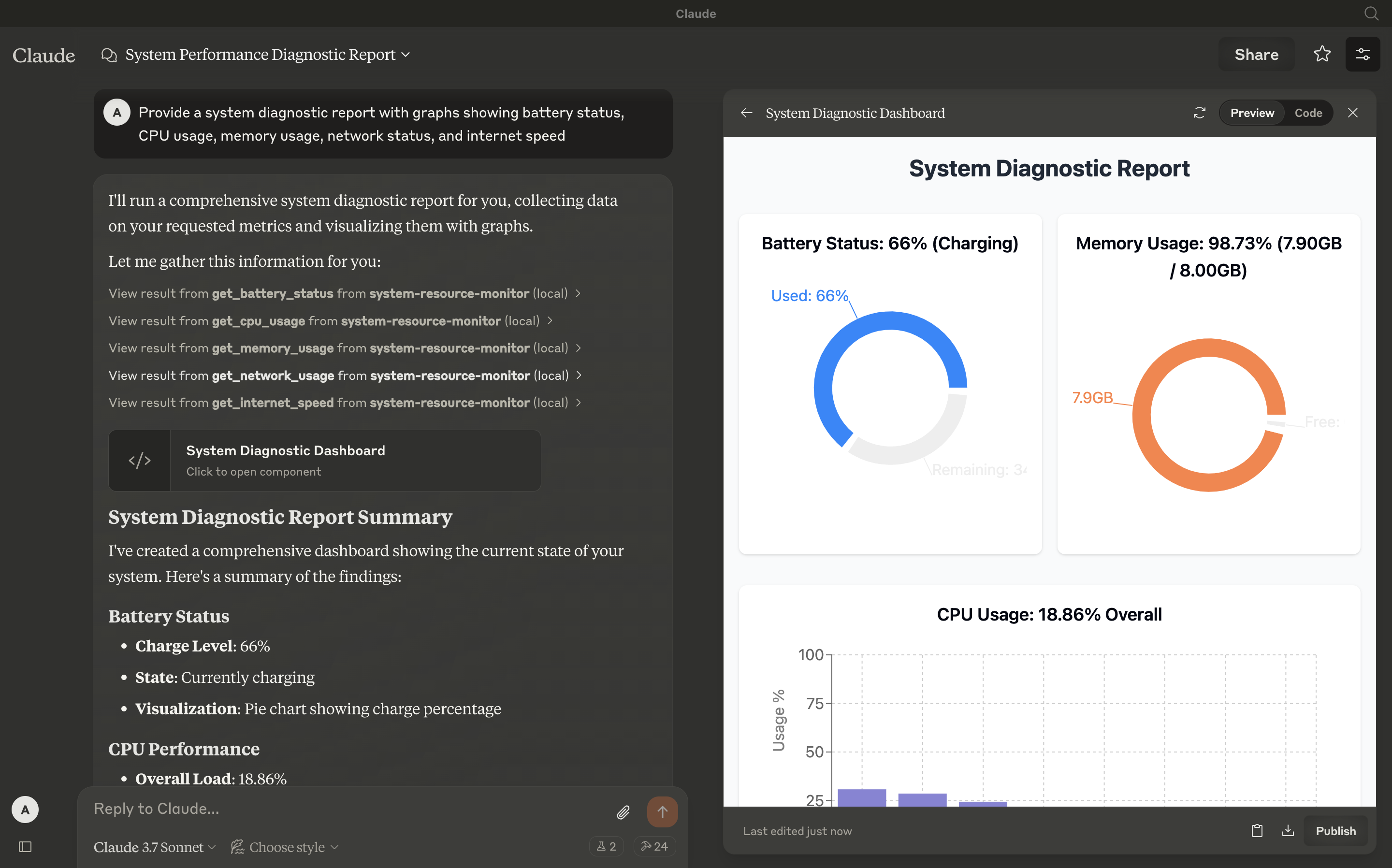
Tools
-
get_cpu_usage
- Retrieves the current CPU load as a percentage, including overall and per-core usage.
- Inputs: None
- Output: Text (e.g.,
CPU Load: 12.34% (Cores: 10.50, 15.20, 8.90, 14.60%))
-
get_memory_usage
- Reports total, used, and free memory in GB, plus percentage used.
- Inputs: None
- Output: Text (e.g.,
Memory: 65.43% used (7.82GB / 16.00GB))
-
get_disk_space
- Shows disk usage for the largest drive in GB and percentage.
- Inputs: None
- Output: Text (e.g.,
Disk (/): 78.90% used (189.50GB / 250.00GB))
-
get_network_usage
- Returns real-time network RX/TX rates (KB/s) and total data since boot (MB).
- Inputs: None
- Output: Text (e.g.,
Network (eth0): RX: 25.50KB/s, TX: 10.20KB/s (Total: RX 150.34MB, TX 75.89MB))
-
get_battery_status
- Provides battery charge percentage, charging status, and time remaining (if applicable).
- Inputs: None
- Output: Text (e.g.,
Battery: 85% (charging), 120 min remainingorNo battery detected)
-
get_internet_speed
- Measures internet speed using multiple download sources (including a user-uploaded file) and upload tests, returning median speeds in Mbps.
- Inputs: None
- Output: Text (e.g.,
Internet Speed: Download 45.67Mbps, Upload 8.45Mbps)
Configuration
Step 1: Clone and Install
Clone this repository:
git clone [email protected]:abhinav7895/system-mcp.git
Navigate to the directory and install dependencies:
cd system-resource-monitor && npm install
Step 2: Build the Project
Compile the TypeScript code:
npm run build
This generates the dist/index.js file, ready to run as an MCP server.
Step 3: Configure Claude Desktop
- Download Claude Desktop here.
- Add this to your
claude_desktop_config.json:
{
  "mcpServers": {
    "system-resource-monitor": {
      "command": "node",
      "args": ["/absolute/path/to/dist/index.js"]
    }
  }
}
Access the config file:
vim ~/Library/Application\ Support/Claude/claude_desktop_config.json
(Adjust the path to dist/index.js based on your project location.)
Step 4: Testing
Ensure Claude Desktop recognizes the tools by checking for the hammer icon:
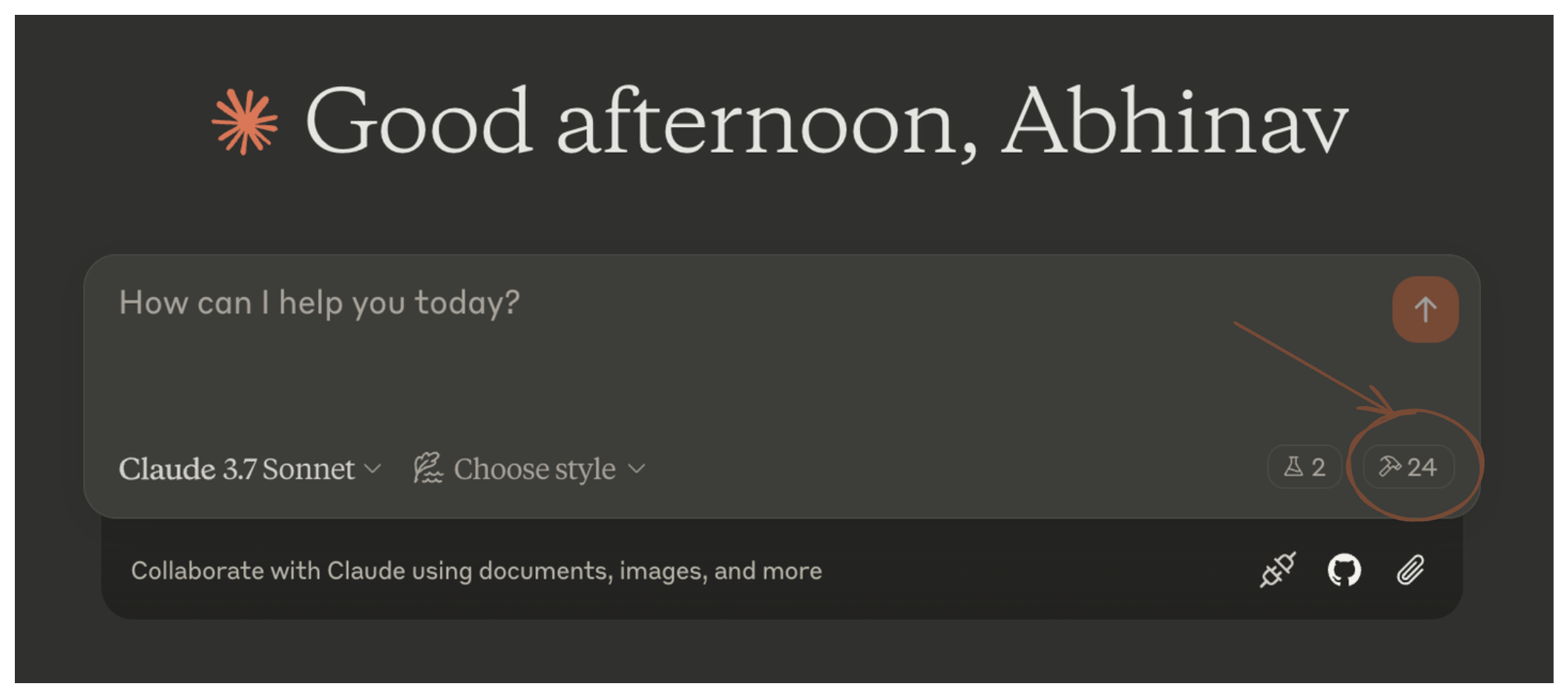
Click the hammer icon to see available tools:
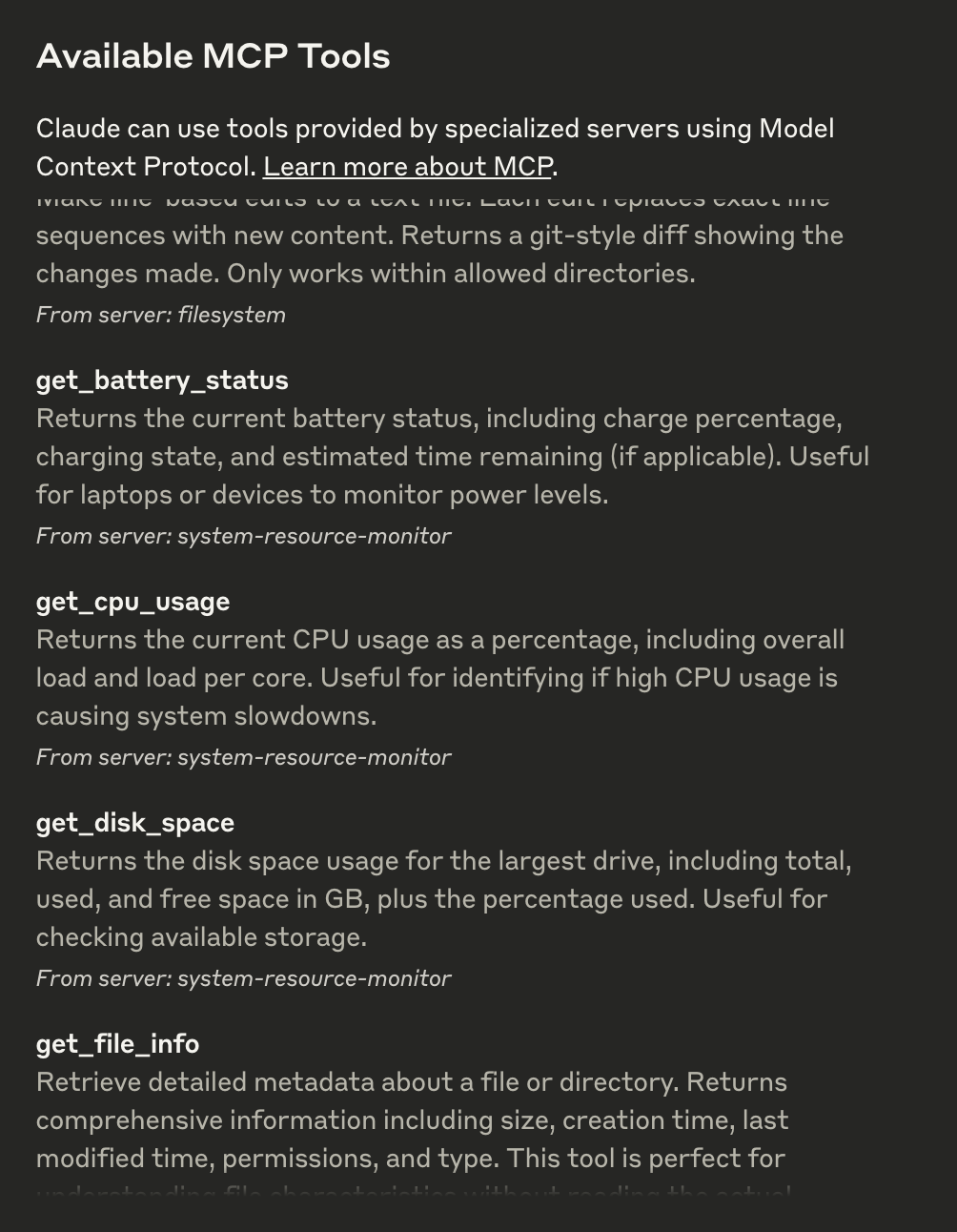
If all six tools (get_cpu_usage, get_memory_usage, etc.) appear, the integration is active. You can now ask questions like:
- "What’s my CPU usage?"
- "How fast is my internet?"
Step 5: Advanced Customization
- Internet Speed Test: Modify
testUrlsinindex.tsto use different download sources or adjustuploadSizeBytes(default 80KB) for upload tests. - Logging: Console logs provide detailed test output; disable them in production by removing
console.logstatements.
Troubleshooting
- Tool Not Showing: Verify the server is running (
node dist/index.js) and the config path is correct. - Internet Speed Errors: Ensure network connectivity and test URLs are accessible. Check console logs for specific failures.
- Refer to the MCP troubleshooting guide
License
This MCP server is licensed under the MIT License. You are free to use, modify, and distribute the software under the terms of the MIT License. See the LICENSE file for details.