Seminara MCP
Seminara üzerinden etkileşimli, yapay zeka destekli sunumlar oluşturun, yönetin ve analiz edin.
Dokümantasyon
Seminara Agentic Suite
Now your AI agents can autonomously host live presentations for you.




View Live Interactive Demo » · Interactive Sandbox » · API Reference » · Seminara Platform »
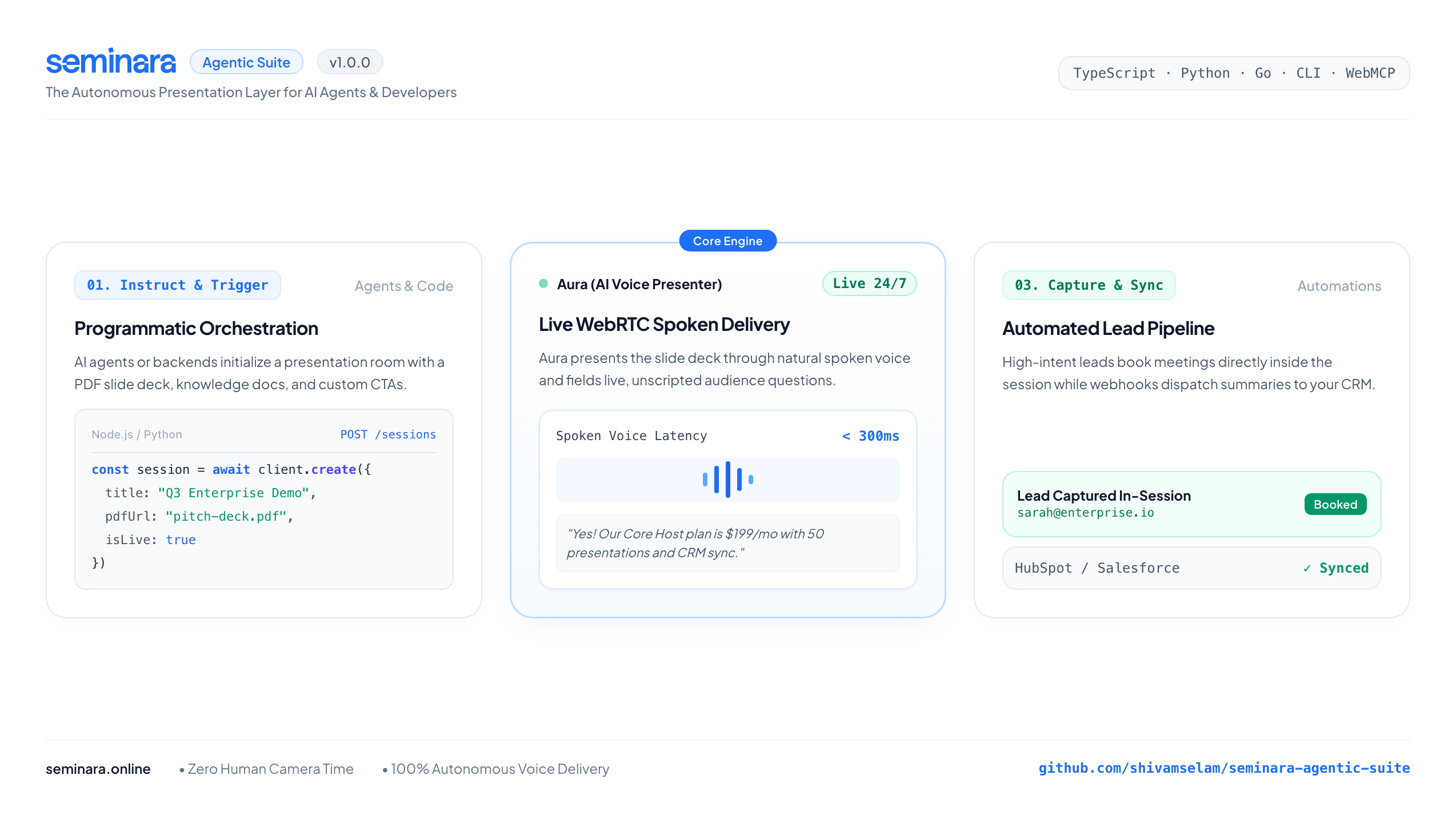
The Presentation Layer for AI Agents
Seminara is an autonomous, 24/7 WebRTC presentation host (Aura) that delivers interactive slide decks and fields live audience Q&A.
With the Seminara Agentic Suite, this core engine is now fully programmable. You or your autonomous agents can orchestrate live, voice-led presentations entirely through code using our WebMCP integration, CLI, or multi-language SDKs.
📦 Available Packages & Tools
| Package / Tool | Language | Directory | Installation |
|---|---|---|---|
seminara-sdk | TypeScript / JavaScript | sdk/ | npm install seminara-sdk |
seminara | Python 3.9+ | python/ | pip install seminara |
seminara-cli | Command Line CLI | cli/ | npm install -g seminara-cli |
go | Go 1.21+ | go/ | go get github.com/shivamselam/seminara-agentic-suite/go |
🚀 Quickstarts: Time to Hello World < 5 Minutes
1. Node.js / TypeScript
npm install seminara-sdk
import { Seminara } from 'seminara-sdk';

const client = new Seminara({ apiKey: process.env.SEMINARA_API_KEY });

// Instantly generate a live, AI-hosted presentation room
const session = await client.sessions.create({
  title: "Q3 Enterprise Demo & Discovery",
  pdfUrl: "https://example.com/pitch-deck.pdf",
  knowledgeBase: [
    { title: "Pricing", content: "Core Host plan is $199/mo for 50 presentations." }
  ],
  ctaText: "Book Architecture Review",
  ctaUrl: "https://seminara.online/book-meeting"
});

console.log(`Live Session URL: ${session.liveLink}`);
2. Python
pip install seminara
import os
from seminara import SeminaraClient

client = SeminaraClient(api_key=os.environ.get("SEMINARA_API_KEY"))

session = client.create_session(
    title="Q3 Enterprise Demo & Discovery",
    is_live=True,
    pdf_url="https://example.com/pitch-deck.pdf",
    knowledge_base=[
        {"title": "Pricing", "content": "Core Host plan is $199/mo for 50 presentations."}
    ],
    cta_text="Book Architecture Review",
    cta_url="https://seminara.online/book-meeting"
)

print(f"Live Session Created: {session['liveLink']}")
3. Command Line (CLI)
npm install -g seminara-cli

# Set your API key
export SEMINARA_API_KEY="sk_live_..."

# Create a presentation room straight from your terminal
seminara create --title "Q3 Product Launch"

# List active rooms
seminara list
🤖 Model Context Protocol (MCP) & AI Connectors
Seminara natively exposes its presentation engine across the entire agent ecosystem:
- Standard Well-Known Discovery:
https://seminara.online/.well-known/mcp - Core Product MCP Server:
https://seminara.online/api/v1/mcp - Documentation MCP Server:
https://seminara.online/api/docs/mcp - OpenAPI 3.1 Spec (ChatGPT / Custom GPTs):
https://seminara.online/openapi.json - Discovery Catalog:
https://seminara.online/.well-known/api-catalog.json - Interactive Sandbox & Zero-Cost Rehearsals:
https://seminara.online/sandbox
1-Click Install via Smithery CLI
Installs automatically into Claude Desktop, Cursor, Windsurf, Cline, Zed, and more:
npx -y @smithery/cli install @seminara/autonomous-host
(Or specify client directly: --client claude, --client cursor, --client windsurf, --client cline)
Quick Connect Configurations
Claude Desktop (claude_desktop_config.json)
{
  "mcpServers": {
    "seminara": {
      "type": "sse",
      "url": "https://seminara.online/api/v1/mcp",
      "headers": {
        "Authorization": "Bearer sk_live_your_key_here"
      }
    }
  }
}
Cursor & Windsurf (.cursor/mcp.json or mcp_config.json)
{
  "mcpServers": {
    "seminara": {
      "type": "sse",
      "url": "https://seminara.online/api/v1/mcp"
    }
  }
}
ChatGPT / OpenAI Custom GPTs (Actions)
- In your GPT configuration, go to Actions → Create new action.
- Click Import from URL and paste:
https://seminara.online/openapi.json - Under Authentication, select Bearer and provide your API key.
WebMCP (In-Browser Agents)
If you navigate to https://seminara.online using a WebMCP-enabled browser, your agent will automatically discover the exposed presentation tools on page load.
📖 Documentation & Resources
- Developer Documentation: https://seminara.online/docs
- Personal Agent Protocol (PAP Guide): docs/personal-agent-protocol.md
- Changelog & Releases: CHANGELOG.md
- API Reference: https://seminara.online/docs/api-overview
- OpenAPI 3.1 Spec Guide: https://seminara.online/docs/openapi
- Interactive Sandbox: https://seminara.online/sandbox
- Developer Index (llms.txt): https://seminara.online/llms.txt
📄 License
MIT License. Copyright (c) 2026 Shivam Selam / Omni AI Club Private Limited.