JFSecure (jfs mcp)
Lets AI agents use your API keys and passwords without seeing them: runs commands with secrets in the environment and returns masked output, renders .env files it never reads; every use approved in the JFSecure desktop app.
Documentation
jfs — secrets for AI agents that never see them
jfs is the command line and MCP server of JFSecure, an offline password and
snippet manager. It lets Claude Code, Cursor or any MCP agent use a secret without ever getting it — and you
approve every use in the app.
This repository is the source of jfs itself, so you can read exactly what an agent talks to. It is a thin client:
it sends one JSON request over a local pipe to the running, unlocked JFSecure app and prints the answer. It never
opens vault files, never sees the vault password and has no crypto. (The app is a separate download; jfs ships with it.)
MCP tools
| Tool | What it does | What the agent gets back |
|---|---|---|
list_secrets | Lists secret and key names, with the environment variable each key becomes | Names only |
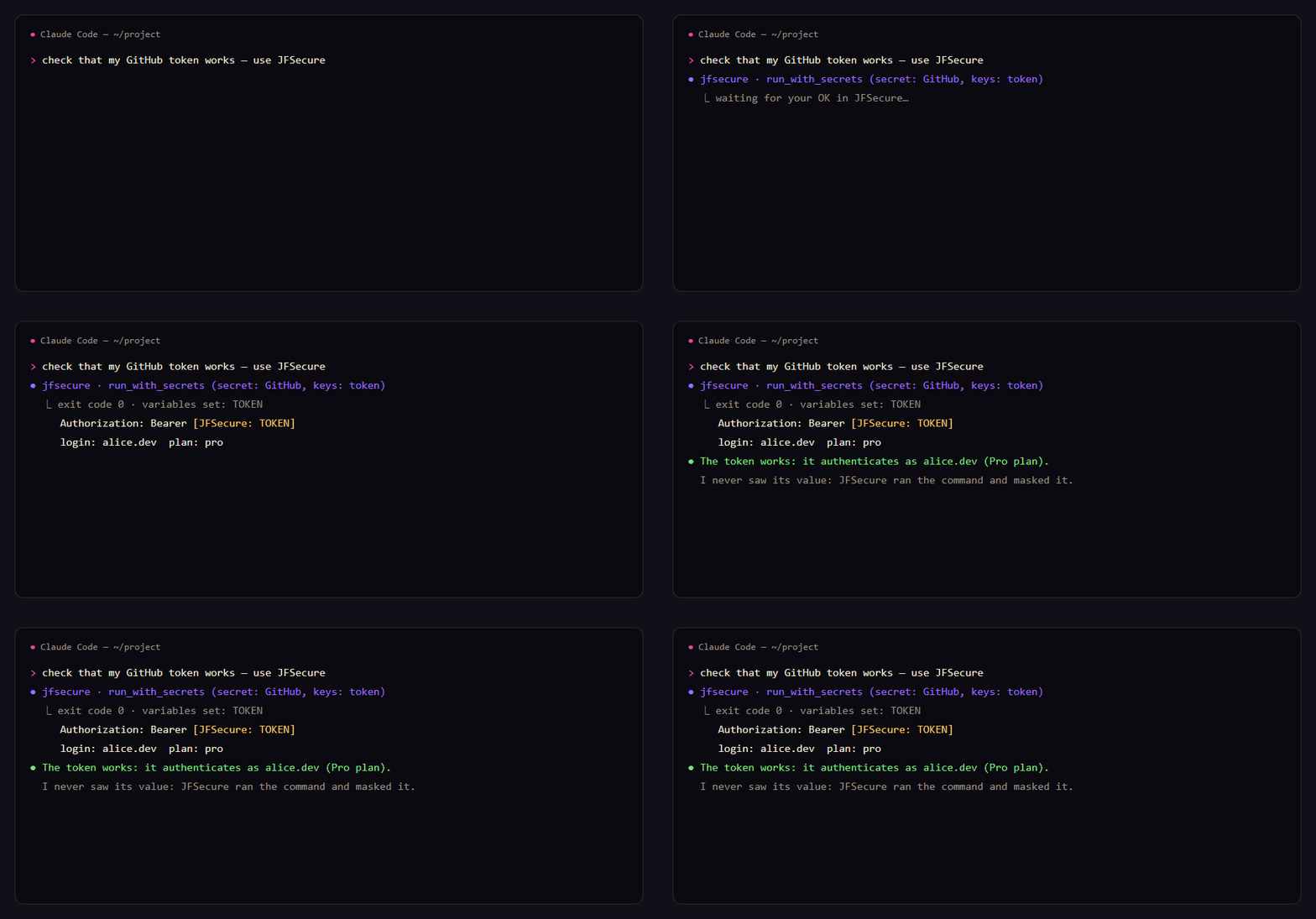
run_with_secrets | Runs a command with a secret's keys as environment variables (all, some, or one on stdin) | Exit code and output, every value masked as [JFSecure: NAME] |
render_template | Fills {{Secret:key}} in a template and writes the file (e.g. .env) | Which names were filled in |
There is no "get" tool, on purpose. Every use opens an approval window in JFSecure that shows the program, the exact command and the secret: allow once, allow 15 minutes, or deny. For Claude Code a 15-minute approval covers only that command and that secret.
# the agent called run_with_secrets(secret: "github", command: …)
exit code 0
variables set: TOKEN
--- stdout ---
token is [JFSecure: TOKEN]
{"login": "octocat", "plan": {"name": "pro"}}
Set up
- Install JFSecure and open your vault:
brew install theone55/jfsecure/jfsecure(macOS),scoop bucket add jfsecure https://github.com/theone55/scoop-jfsecure; scoop install jfsecure/jfsecure(Windows), or the installer (Windows, macOS, Linux).jfscomes with it: on Windows the app puts it on PATH at its first start (open a new terminal afterwards); on macOS (.dmg) and the Linux AppImage use Settings → Install the jfs command; Homebrew and the .deb install it for you. - Add the MCP server:
claude mcp add --scope user jfsecure -- jfs mcp
Cursor (~/.cursor/mcp.json), Claude Desktop, Windsurf, VS Code — any stdio MCP client:
{ "mcpServers": { "jfsecure": { "command": "jfs", "args": ["mcp"] } } }
More: https://secure.jfolio.org/agents
Also as an MCP bundle (.mcpb, Windows / macOS / Linux) on the releases page, and in the official MCP Registry as io.github.theone55/jfs.
Command line
jfs status                       is the app running and unlocked
jfs ls [secret|folder]           names only, no approval needed
jfs get github/token             print a value (approved in the app)
jfs copy github/token            to the clipboard, nothing printed
jfs run github -- gh api user    run with the secret's keys as env vars ($token → TOKEN); output masked when piped
jfs render .env.tpl -o .env      fill {{Secret:key}} into a file
git config --global credential.helper "!jfs git-credential"
Full guide: https://secure.jfolio.org/cli
What it protects — and what it doesn't
- The model never receives a value, so it can't end up in a transcript or a log.
- A prompt-injected agent can only ask; you see the exact command.
- The pipe is your OS user's only, and the app identifies the caller through the OS, not by what it says.
- Masking is a seatbelt, not a wall: a command you approve can still send a value away. Read the command.
Build
cargo build --release   # Rust stable; Windows, macOS, Linux
cargo test
The copy here follows each JFSecure release (version in Cargo.toml = the app's version it shipped with).
Issues and questions are welcome here.
MIT License.