Kali MCP Server
A Python MCP Server that connects Large Language Models natively to a comprehensive suite of offensive security tools.
Documentation
🐉 Kali Linux MCP Server
📖 Project Overview
The Kali Linux MCP Server is a specialized Model Context Protocol (MCP) implementation designed to connect Large Language Models natively to a comprehensive suite of offensive security, reconnaissance, and enumeration tools. Powered by the FastMCP Python SDK, this server translates natural language requests into safe, encapsulated command-line executions of standard Kali Linux utilities.
By exposing these tools as MCP resources, AI agents can autonomously perform WHOIS lookups, run Nmap scans, fuzz web directories, search exploit databases, and even interface with the Metasploit Framework, all while returning structured standard output and error logs back to the LLM's context window.
Key Features
- 🎯 Comprehensive Offensive Security Toolkit: Natively exposes distinct categories of penetration testing tools to your LLM. The server logically categorizes capabilities, including dedicated modules for Password Cracking & Brute Forcing, as well as Exploitation & Sniffing.
- 📦 Automated & Isolated Containerization: The included Docker configuration ensures a frictionless, reproducible setup. It utilizes the
DEBIAN_FRONTEND=noninteractiveenvironment variable to suppress manual prompts during Debian package installations, guaranteeing a fully automated build process. - Native MCP SDK Integration: Built robustly on top of the official
mcpPython SDK. The environment is flexible, allowing the SDK to be installed globally within the isolated container (--break-system-packages) or via a localized Python virtual environment. - ⚡ Standardized
stdioTransport: Utilizes direct standard input/output for JSON-RPC communication, bypassing complex network configurations and ensuring out-of-the-box compatibility with AI IDEs (like Cursor and VS Code) and desktop clients (like Claude Desktop).
Demo
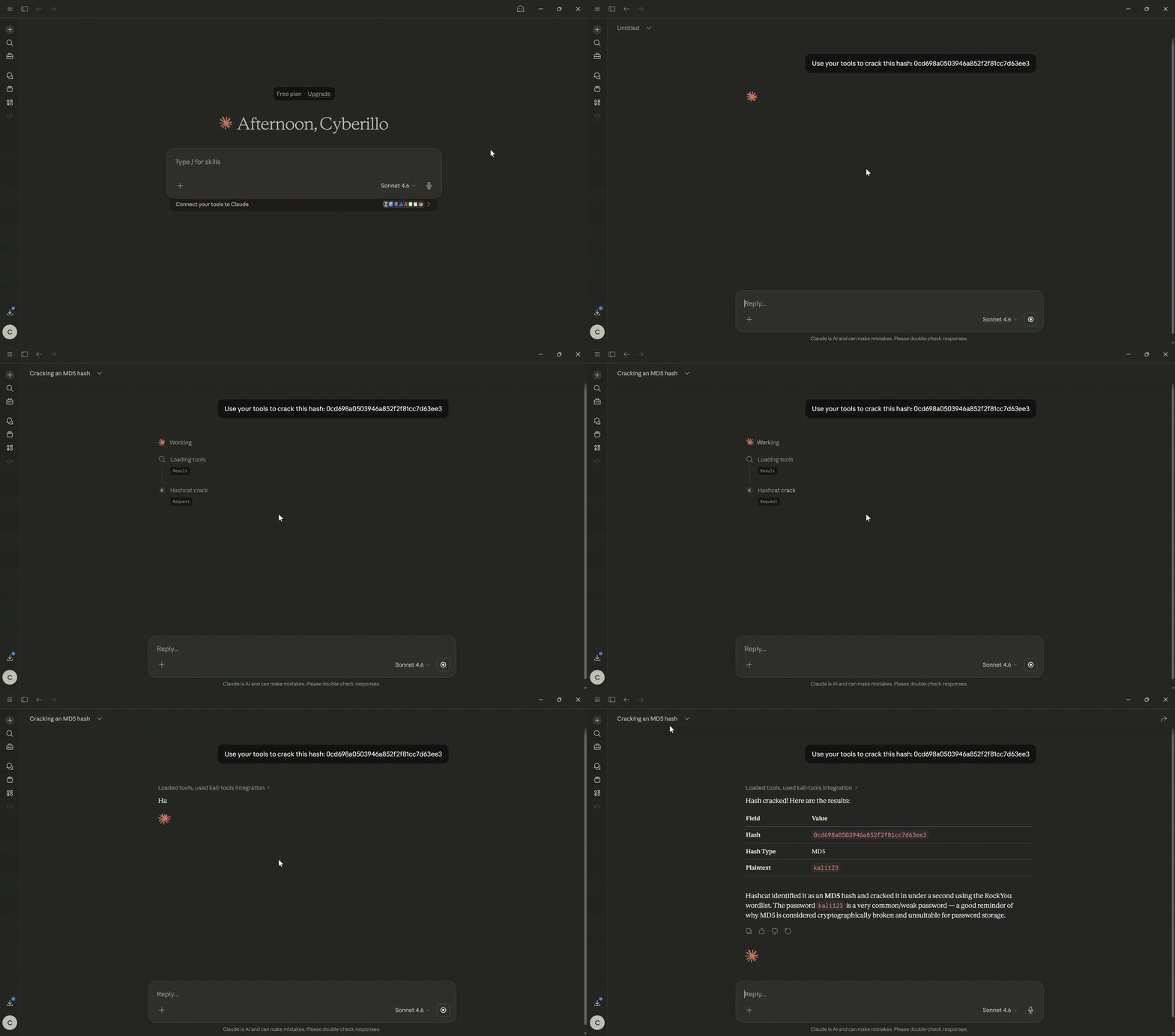
Hash Crack
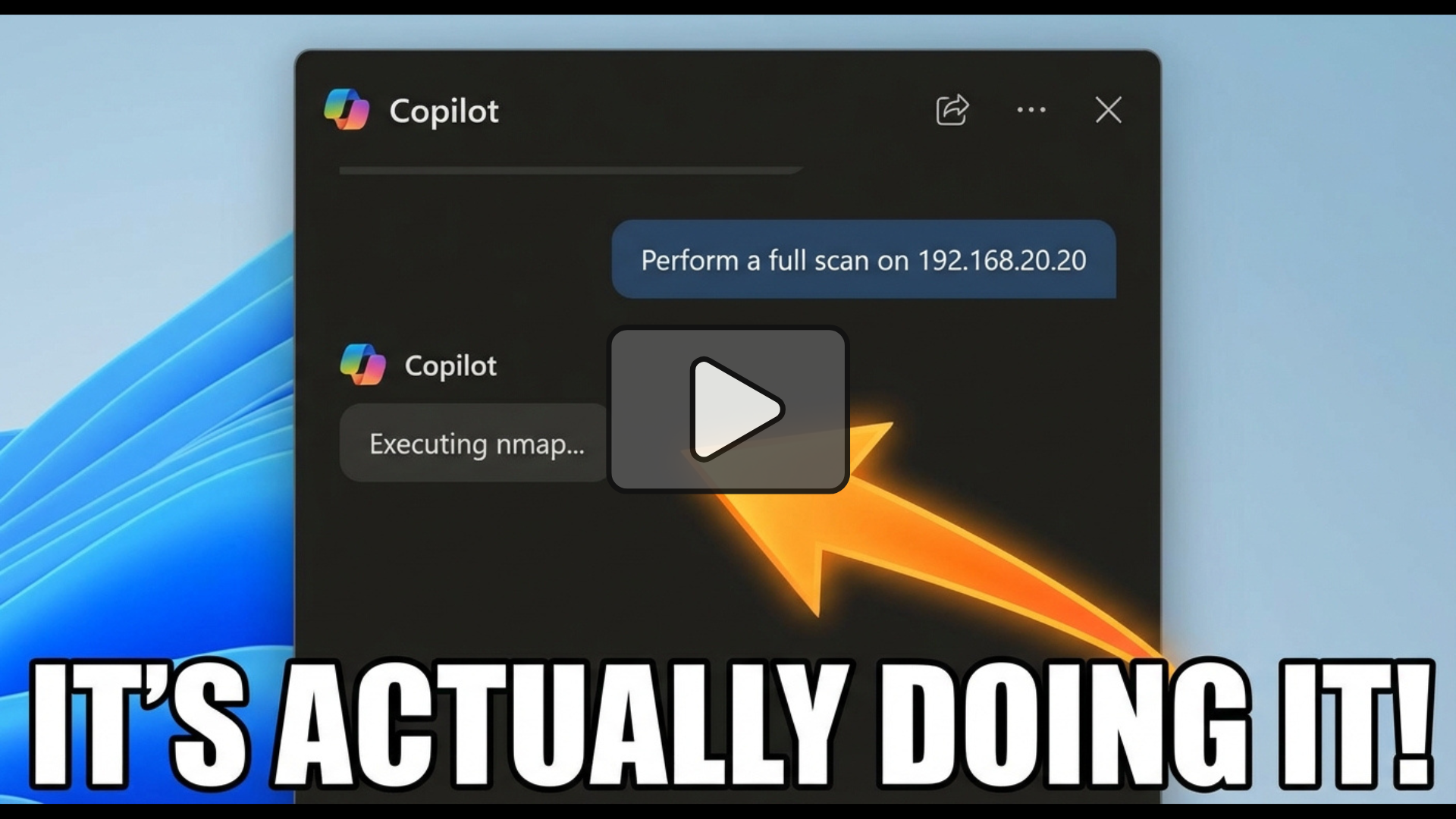
Vulnerability Scan
Prerequisites
The required dependencies vary entirely based on your chosen execution method.
Option A: 🐳 Docker Execution (Recommended)
By using Docker, the server runs in an isolated container that automatically provisions Python 3, pip, and an extensive suite of Kali Linux tools (including nmap, sqlmap, tcpdump, and metasploit-framework).
- Docker Engine: Must be installed and running. This method works perfectly on Windows, macOS, and Linux without requiring any local security tools.
Option B: 🐍 Local Python Execution
If you choose to run the script directly on your host machine instead of using Docker, your host must have the tools available natively.
- Operating System: Kali Linux (recommended) or another Linux distribution with the required penetration testing tools installed and in your system's
PATH. - Python: Python 3.10 or higher.
- Dependencies: The
mcpPython SDK (pip install mcp). - Permissions: Some exposed tools, such as
tcpdumpfor packet sniffing, explicitly require root privileges to execute natively.
How to Set Up
🐳 Option A: Docker Implementation
Because this server relies on dozens of specific binary tools, packaging it via Docker is the "Gold Standard" approach.
The fastest way to get started is to pull the official image from Docker Hub.
docker pull cyberillo/kali-mcp-server:latest
To run the container interactively using the stdio transport required by MCP clients:
docker run -i --rm kali-mcp-server
(Note: Some tools like tcpdump or netdiscover require elevated privileges. If you explicitly need these, you may need to append --privileged or specific --cap-add flags to your docker run command, though this is heavily discouraged for general use).
Alternatively, build the docker image yourself by following the below steps.
Dockerfile Breakdown
-
Base Image: The server is built on top of the official
kalilinux/kali-rollingbase image. -
Toolchain Installation: It updates the system and installs essential tools including
nmap,sqlmap,metasploit-framework,gobuster,hydra, andjohn. -
Wordlists: It automatically extracts the
rockyou.txtwordlist, as it is zipped by default, making it immediately available for password cracking and fuzzing tools. -
Python Environment: It utilizes the PEP 668
--break-system-packagesflag to install themcpPython SDK globally within the isolated container.
- Clone the repository and navigate to the directory.
git clone https://github.com/cyberillo/kali-mcp-server.git
cd kali-mcp-server
- 🏗️ Build the image
docker build -t kali-mcp-server .
- 🏃 Run the container
To run the container interactively using the stdio transport required by MCP clients:
docker run -i --rm kali-mcp-server
(Note: Some tools like tcpdump or netdiscover require elevated privileges. If you explicitly need these, you may need to append --privileged or specific --cap-add flags to your docker run command, though this is heavily discouraged for general use).
🛠️ Option B: Local Development Setup
While Docker is the recommended deployment method, you can run the server directly on a Kali Linux machine for development or debugging.
- Clone the repository and navigate to the directory.
git clone https://github.com/cyberillo/kali-mcp-server.git
cd kali-mcp-server
- 🐍 Set up a Python Virtual Environment:
python3 -m venv venv
source venv/bin/activate
- Install the MCP SDK:
pip install mcp
- Ensure all Kali tools are installed:
Ensure tools likenmap,gobuster,sqlmap, andmsfconsoleare available in your systemPATH. - Run the server in debug mode locally:
You can test the Python script directly using standard input/output.
python3 kali-mcp-server.py
🤖 How to Use
1. Claude Desktop Configuration
Add the following to your claude_desktop_config.json file (usually located at ~/Library/Application Support/Claude/claude_desktop_config.json on Mac or %APPDATA%\Claude\claude_desktop_config.json on Windows).
Go to File > Settings > Developer > Edit Config if you don't find it in the above paths.
Using Docker (Recommended):
{
  "mcpServers": {
    "kali-tools": {
      "command": "docker",
      "args": [
        "run",
        "-i",
        "--rm",
        "kali-mcp-server"
      ]
    }
  }
}
Using Local Python:
{
  "mcpServers": {
    "kali-tools": {
      "command": "/path/to/your/venv/bin/python3",
      "args": [
        "/path/to/kali-mcp-server.py"
      ]
    }
  }
}
2. GitHub Copilot (VS Code)
- If it does not exist, add a directory
.vscodein your workspace. - Add the MCP server by updating
.vscode/mcp.jsonas follows.
{
    "servers": {
        "kali-mcp-server": {
            "type": "stdio",
            "command": "docker",
            "args": [
                "run",
                "-i",
                "--rm",
                "kali-mcp-server"
            ]
        }
    },
    "inputs": []
}
3. Cursor / Other IDEs
For IDEs supporting the Model Context Protocol, configure a new MCP server utilizing the stdio transport type.
- Type:
stdio - Command:
docker - Arguments:
run -i --rm kali-mcp-server
MCP Tool Definitions
The server exposes 21 specialized tools categorized by their operational phase.
| Category | Tool Name | Description & Parameters |
|---|---|---|
| Recon | whois_lookup | Performs a WHOIS lookup. Params: domain (str). |
| Recon | dnsenum_scan | Enumerates DNS records. Params: domain (str). |
| Recon | whatweb_scan | Identifies CMS and headers. Params: target_url (str). |
| Recon | amass_enum | Passive subdomain enumeration. Params: domain (str). |
| Recon | netdiscover_scan | Finds active hosts. Params: ip_range (str). |
| Scanning | nmap_scan | Network discovery and port scanning. Params: target (str), flags (str, default: -sV -F). |
| Scanning | enum4linux_scan | Enumerates Windows/Samba systems. Params: target_ip (str). |
| Scanning | smbclient_list | Lists SMB shares. Params: target_ip (str), user (str), password (str). |
| Web Sec | nikto_scan | Web vulnerability scan. Params: target_url (str). |
| Web Sec | gobuster_dir | Directory brute-forcing. Params: target_url (str), wordlist (str). |
| Web Sec | dirb_scan | Web content scanning. Params: target_url (str), wordlist (str). |
| Web Sec | ffuf_scan | Fast web directory fuzzing. Params: target_url (str), wordlist (str). |
| Web Sec | wfuzz_scan | Web parameter/directory fuzzing. Params: target_url (str), wordlist (str). |
| Web Sec | sqlmap_scan | SQL injection detection/exploitation. Params: target_url (str), params (str). |
| Web Sec | wpscan_enum | WordPress vulnerability scanner. Params: target_url (str). |
| Cracking | hydra_bruteforce | Brute force login credentials. Params: target (str), service (str), user (str), wordlist (str). |
| Cracking | john_crack | Cracks password hashes. Params: hash_file (str), wordlist (str). |
| Cracking | hashcat_crack | Resource-intensive hash cracking. Params: hash_file (str), hash_type (str), wordlist (str). |
| Exploit | searchsploit_query | Searches Exploit Database. Params: query (str). |
| Exploit | tcpdump_sniff | Captures network packets. Params: interface (str), packet_count (str). |
| Exploit | metasploit_exploit | Executes an MSF module. Params: module (str), options (str). |
Pro-Tip for LLMs: When asking the LLM to run
metasploit_exploit, format options carefully as comma-separatedKEY=VALUEpairs (e.g.,RHOSTS=192.168.1.5, LHOST=10.0.0.2).
⚙️ Environment Variables
While the Python server script does not enforce custom application-level environment variables, the Docker environment relies on the following standard Linux variable:
DEBIAN_FRONTEND: Set to noninteractive in the Dockerfile to prevent the build process from hanging on interactive prompt requests during apt installations.
⚠️ Troubleshooting
- Command Timed Out: The server has safety timeouts built into the
run_cmdfunction (defaulting to 300 seconds, extended to 600+ for heavier tools like Nikto or Metasploit). If a target is completely unresponsive, the tool will cleanly return a timeout error rather than hanging the LLM indefinitely. - Permission Denied (Docker): Ensure your user has permissions to run Docker commands, or run the client IDE with appropriate user privileges. Tools like
netdiscoverortcpdumpinside the container may silently fail to capture external traffic unless Docker network host routing or privileged modes are enabled.