MCP Server
AIによるコマンド実行とプラグインベースのツールシステムのためのフレームワーク。スタンドアロンサービスとして実行するか、他のプロジェクトに組み込んで、ツールの呼び出しやタスク管理のための一貫したAPIを公開できます。
ドキュメント
MCP Server
The MCP Server provides a comprehensive framework for AI-powered command execution, plugin-based tools, and advanced features including synchronous script execution, secure Python evaluation, and knowledge management. It can be run as a standalone service or embedded in other projects to expose a consistent API for invoking tools and managing tasks.
Project Structure
- mcp_tools/ – Plugin framework and built-in tools with enhanced concurrency management
- server/ – Starlette server implementation with HTTP/SSE endpoints and DataFrame UI
- plugins/ – Extensible plugins (Azure DevOps, Git tools, knowledge indexing, Kusto, CircleCI)
- config/ – Environment manager and configuration helpers
- utils/ – Core utilities (async jobs, graph interface, memory management, vector store, PyEval)
- scripts/ – Installation, utility scripts, and automated submission workflows
- assets/ – Images and documentation resources
Installation
The project uses uv for dependency management. Install dependencies with:
uv sync
Or install in development mode using pip:
pip install -e .
Environment Setup
Configuration is controlled by .env files. Create one from the template and edit it with your settings:
cp config/env.template .env
Important variables include repository paths (GIT_ROOT), Azure Repo details (AZREPO_ORG, AZREPO_PROJECT, AZREPO_REPO), and optional PRIVATE_TOOL_ROOT for external tool configuration. The environment manager automatically loads .env files from the repository root, current directory, and your home directory.
Access settings in code via:
from config import env_manager
env_manager.load()
root = env_manager.get_git_root()
See docs/config_overview.md for more information.
Running the Server
After installing dependencies and configuring .env, start the server with:
uv run server/main.py
Connect to the SSE endpoint at http://0.0.0.0:8000/sse or use the additional routes in server/api.py.
Background job endpoints are documented in docs/background_jobs_api.md.
Docker
A Dockerfile is included for running the server in a container.
Build the image with:
docker build -t mcp-server .
Then start the container exposing port 8000:
docker run -p 8000:8000 mcp-server
See docs/docker.md for more details.
Configuration Files
The server loads prompts and tool definitions from YAML files:
server/prompts.yamlserver/tools.yaml
Private overrides can be placed in server/.private/ or in a folder pointed to by PRIVATE_TOOL_ROOT. Files are resolved in this order:
PRIVATE_TOOL_ROOTserver/.private/- Defaults in
server/
Tool System
Tools are modular plugins registered through mcp_tools. Built-in utilities include:
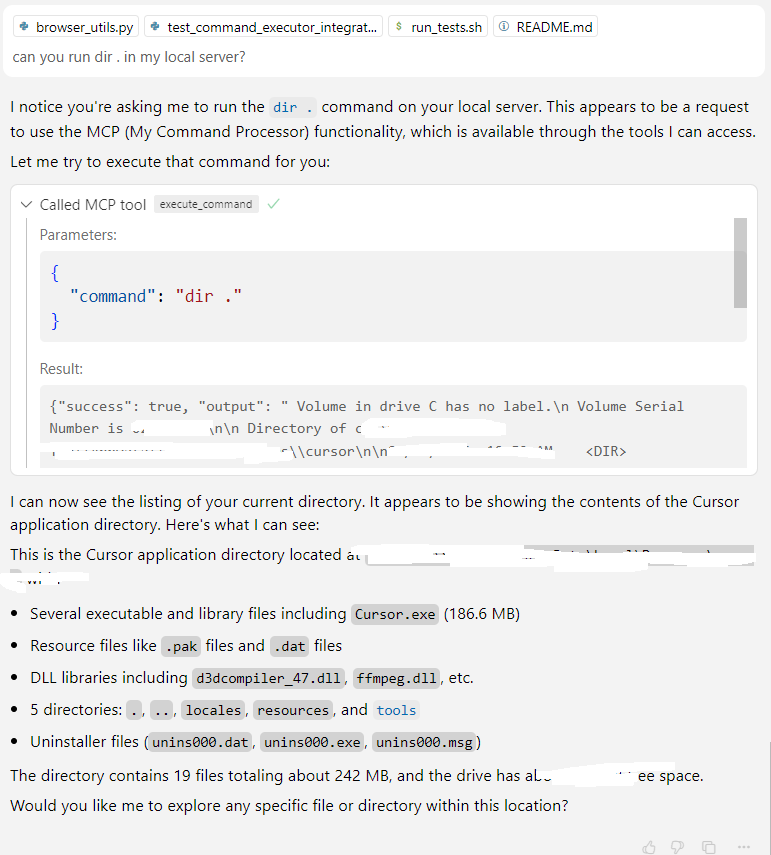
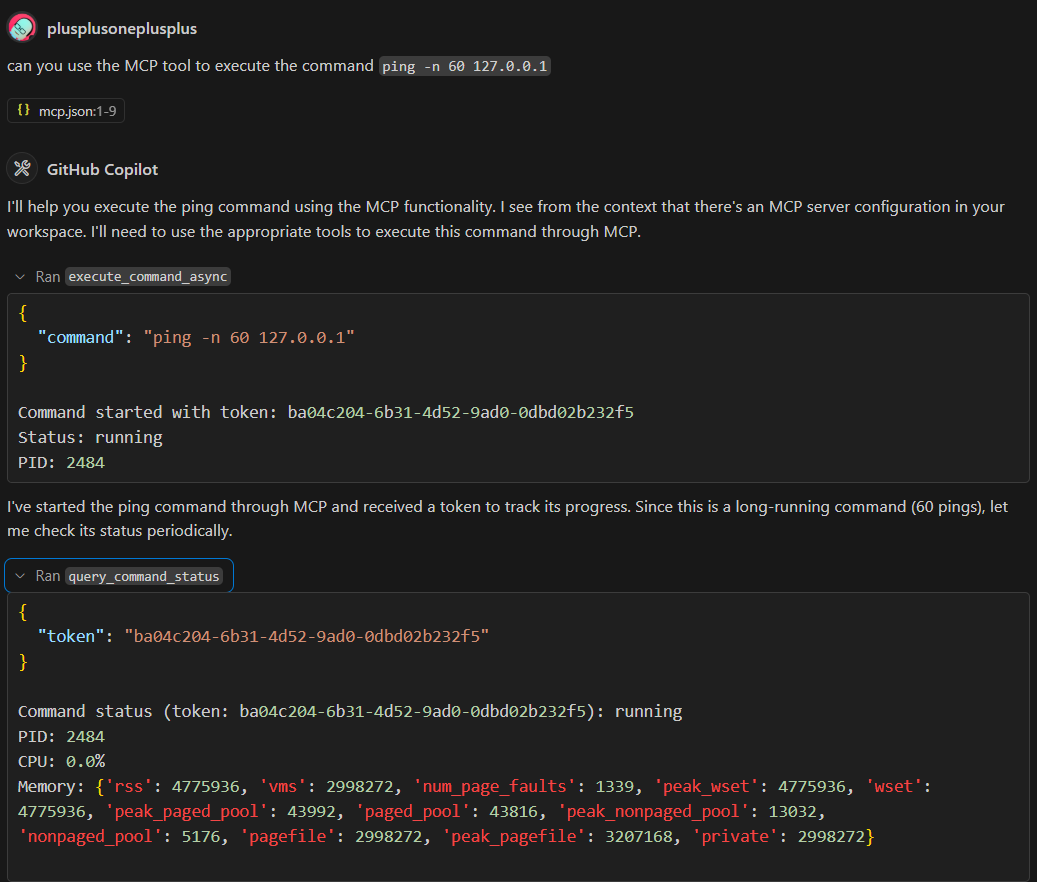
- Command Executor – Synchronous and asynchronous command execution with run-to-completion support
- Browser Automation – Playwright integration for web interaction
- PyEval – Secure Python expression evaluation using RestrictedPython
- DataFrame Service – Data analysis and visualization with web interface
- Time Helpers – Time-based utilities and scheduling
- YAML Tool Loader – Dynamic tool definitions from YAML files
Additional plugins in the plugins/ directory include Azure DevOps integration, Git operations, knowledge indexing, Kusto queries, and CircleCI workflows. See mcp_tools/docs/creating_tools.md for details on building custom tools.
The web interface offers comprehensive dashboards:
/tools– Browse all registered tools and view their details/dataframes– Interactive DataFrame management and visualization/knowledge– Knowledge graph exploration and management/pyeval– Secure Python evaluation interface
Plugin Management
External plugins can be installed by declaring them in plugin_config.yaml. Each
entry should specify a plugin_repo in the form owner/repository and an optional
sub_dir if the plugin lives in a subfolder. Example:
plugins:
   - plugin_repo: "github_owner/repo"
     sub_dir: "path/to/plugin"
     type: "python"
Run the mcp_admin tool with the refresh_plugins operation to clone or update
plugins based on this configuration. Pass force=true to remove all installed
plugins before reinstalling.
Running Tests
Execute all test suites with:
scripts/run_tests.sh
Or run pytest directly on mcp_tools/tests, plugins/*/tests, or server/tests.
Key Features (v0.2.0)
- Run-to-Completion Execution – Synchronous script execution with comprehensive output capture
- PyEval Security – Safe Python expression evaluation using RestrictedPython
- Enhanced DataFrame UI – Responsive web interface for data analysis and visualization
Where to Go Next
- Browse the documentation under
mcp_tools/docs/anddocs/to learn about tool creation, dependency injection, and advanced features. - Review the sample configuration files in
server/and try adding your own tools. - Explore plugins in the
plugins/directory for concrete implementations. - Check the
utils/directory for advanced utilities like vector stores, graph interfaces, and memory management. - See the
CHANGELOG.mdfor detailed release notes and recent updates.
Editor Integration
Editors like Cursor/VSCode can use the SSE endpoint by adding the following to your settings:
{
  "mcpServers": {
    "mymcp-sse": { "url": "http://0.0.0.0:8000/sse" }
  }
}
Demo Screenshots