pico-bay
透過 USB 使用 MicroPython 和 CircuitPython 管理 Raspberry Pi Pico 和 ESP32 開發板的應用程式與 MCP 伺服器:檔案、主控台、ZIP 備份、韌體安裝。
文件
Manage your boardsRight from the browser
An App and MCP Server for managing Raspberry Pi Pico and ESP32 boards with MicroPython or CircuitPython over USB.
Pico Bay in action
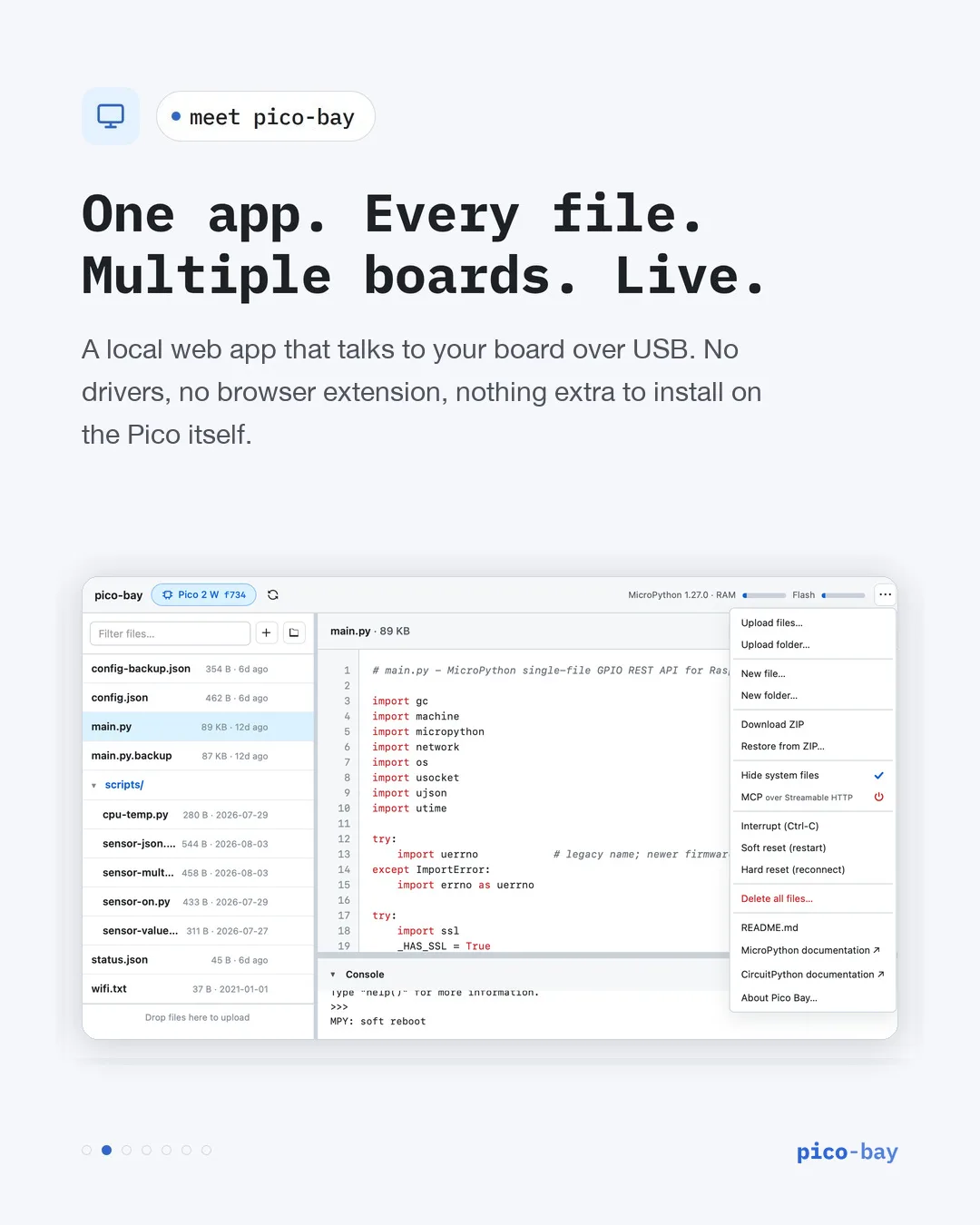
Every file, within reach. Browse and edit code, upload folders, and back up or restore your board from one menu.
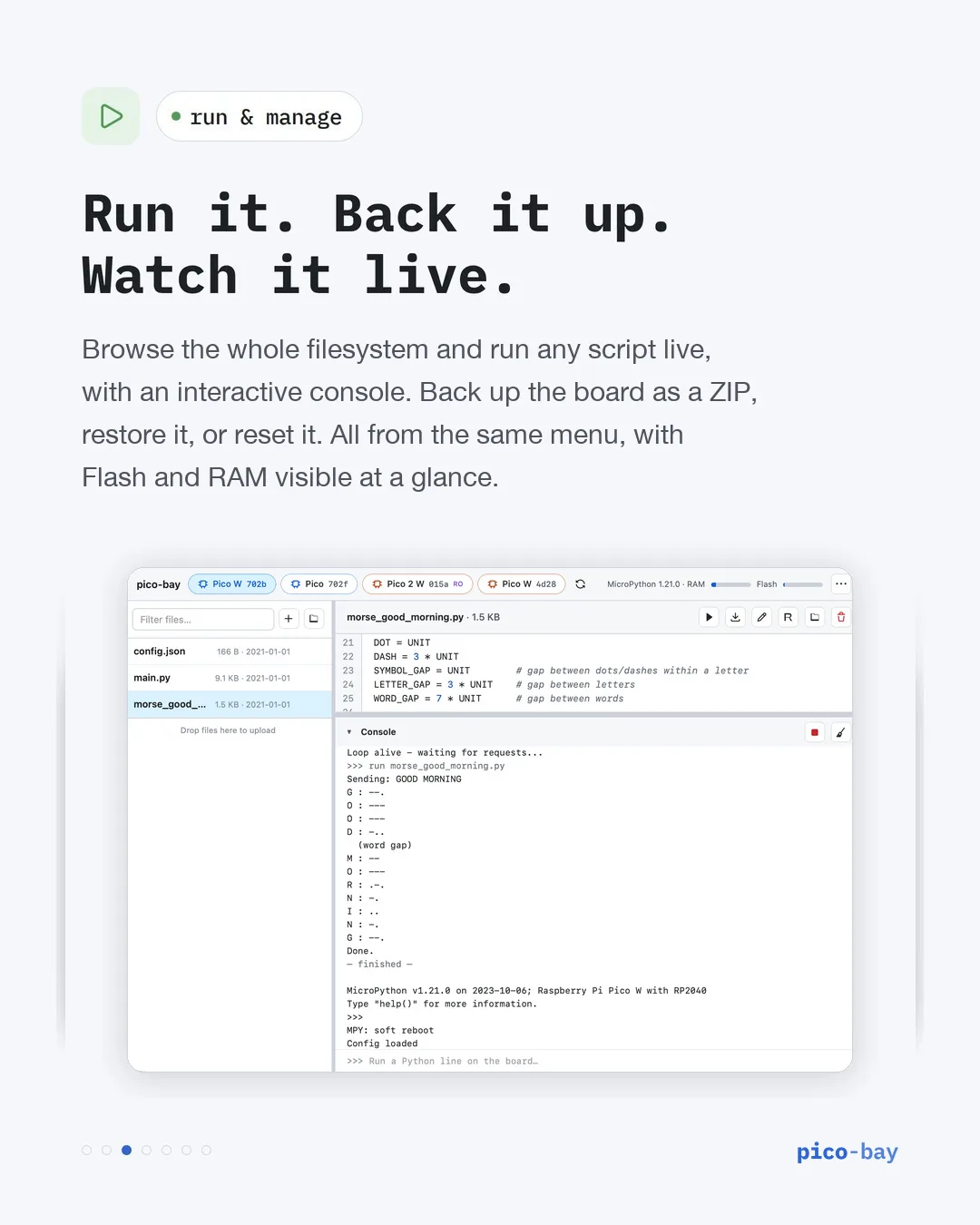
Multiple boards. Live output. Switch between connected boards, run Python, and watch the console beside your files.
One app. Every file.Multiple boards. Live.
Pico Bay brings the filesystem, the console, and AI integration into one dependency-free tool for Windows, macOS, Linux, and Raspberry Pi OS.
Devices & Files
Supports Pico, Pico W, Pico 2, Pico 2 W, ESP32, ESP32-C3, and ESP32-S3. Browse, create, upload, and download files across connected boards.
Run & Console
Run any Python file as __main__, stream program output to a live console, and interrupt programs safely with Ctrl-C.
MCP Server
Enable HTTP MCP in the app or launch an MCP client over stdio. AI agents can list boards, manage files, run Python, and install supported firmware.
Pico Bay Online
Nothing to install: open Pico Bay in Chrome, Edge or another Chromium-based browser and connect a board straight over USB. The same files, console and installs, without the MCP server.
From bootloader to MicroPython
Install official firmware directly from the app, with download, validation, installation, and reboot progress.
Raspberry Pi Pico: choose Reboot to BOOTSEL, or hold BOOTSEL while reconnecting USB. Select the red board pill and the matching Pico model.
ESP32: choose Enter download mode, scan, and select the red DOWNLOAD pill. Pico Bay identifies supported chips, checks flash security, and downloads and verifies the latest generic MicroPython build.
ESP32 installation selects Erase and initialize storage by default. Uncheck it to preserve existing files. Unsupported or protected chips cannot be installed.
From MicroPython to a network agent
Turn a connected board into a ctrlPi agent with one menu item.
Install ctrlPi API: in the top-right menu of a board running MicroPython, choose it, then enter your Wi-Fi details and, optionally, an API key and a name. Pico Bay downloads and checks the latest pico-gpio-api (Pico W, Pico 2 W) or esp32-gpio-api (any ESP32; the ESP32, ESP32-C3 and ESP32-S3 are supported), writes it to the board and resets it.
The board then answers on your network, so ctrlpi-cli, ctrlpi-lab, Apple Home through homebridge-ctrlpi and AI clients through mcp-bridge can drive its pins. On a board that already runs the agent, the form is pre-filled and its pins and sensors are kept.
Plug in. Open Pico Bay.
Start in the browser with nothing to install, or run the app on your computer.
Online: open Pico Bay Online in Chrome, Edge or another Chromium-based browser, connect a board with a USB data cable, click Connect and pick it.
On your computer: install Node.js 20 or newer on Windows, macOS, Linux, or Raspberry Pi OS, then run:
npx pico-bay
Connect a MicroPython or CircuitPython board with a USB data cable. Open http://localhost:7426 if the browser does not open automatically. On a Raspberry Pi host, open http://PI_ADDRESS:7426 from another device on your LAN.
On Windows, startup builds the serial helper using the.NET Framework v4 C# compiler (csc.exe). ESP32 boards may also require their USB serial driver. See the setup FAQ.
For MCP setup and the full command reference, see the package documentation. Subscribe for updates below.
"Claude, set a script to read the i2c temperature and turn on pin 7 if below 20 Celsius till it gets to 24 Celsius or past 10 pm"
Connect Claude directly to your physical USB boards.
Add to Claude Desktop
Point an MCP entry at npx pico-bay
{
  "mcpServers": {
    "pico-bay": {
      "command": "npx",
      "args": ["-y", "pico-bay", "--mcp-stdio"]
    }
  }
}
Then just ask
Manage your boards, files, and firmware right from the chat:
- "List all boards connected right now."
- "Read the main.py from the Pico."
- "Install MicroPython on the board."
- "Write a blink script to the ESP32."