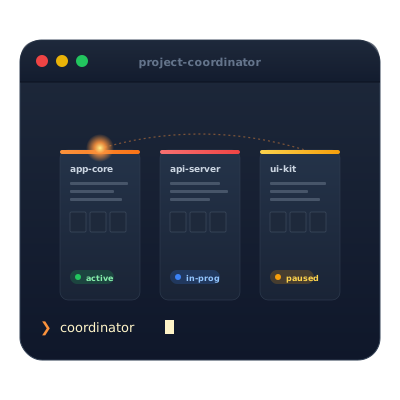
Claude Project Coordinator
Manage and coordinate multiple Xcode/Swift projects with features like project tracking, smart search, and analytics.
Claude Project Coordinator
🚨 Critical Update for v1.3.0+ Users
If you're experiencing incorrect project creation dates (all showing today's date), run:
./scripts/repair-analytics-dates.sh
This fixes a bug where analytics were re-migrated on every restart. Fixed in v1.3.2.
An MCP (Model Context Protocol) server for managing and coordinating multiple Xcode/Swift projects. This server provides tools for tracking project status, searching code patterns, and maintaining a knowledge base of development insights.
Features
- 🚀 Project Management: Track multiple Xcode projects with status, notes, and metadata
- 🔍 Smart Search: Search across projects and documentation for code patterns
- 📚 Knowledge Base: Maintain patterns, templates, and troubleshooting guides
- 🤖 Auto-Detection: Automatically detects SwiftUI, UIKit, SPM, and other technologies
- 💾 Persistent Storage: All data stored locally in structured JSON format
- 🔐 Security First: Comprehensive input validation and path traversal protection
- 📊 Project Analytics: Time tracking, activity heat maps, and health scoring (v1.3.0+)
- 📈 Technology Trends: Analyze framework usage and adoption patterns (v1.3.0+)
Security Features (v1.2.0+)
- 🛡️ Input Validation: Comprehensive validation of all user inputs
- 🚫 Path Traversal Protection: Blocks malicious paths like
../../../etc/passwd - 📁 Directory Access Control: Configurable allowed directories for projects
- 🚨 Injection Prevention: Validates search patterns to prevent command injection
- ⚖️ Reasonable Limits: Input length limits to prevent buffer overflow attacks
- 📝 Clear Error Messages: Helpful guidance when security validation fails
- ⚙️ Hardcoded Security: Security policies are compiled into the binary for reliability
Installation
Prerequisites
- macOS with Swift 5.9+
- Claude Desktop app
Build from Source
- Clone the repository:
git clone https://github.com/M-Pineapple/Claude-Project-Coordinator.git
cd Claude-Project-Coordinator
- Build the project:
swift build -c release
- Note the path to the built executable:
.build/release/project-coordinator
Configure Claude Desktop
- Open Claude Desktop
- Navigate to: Settings → Developer → Model Context Protocol
- Add the configuration:
{
"mcpServers": {
"project-coordinator": {
"command": "/path/to/Claude-Project-Coordinator/.build/release/project-coordinator",
"args": []
}
}
}
- Restart Claude Desktop
Usage
Once configured, you can interact with the Project Coordinator through Claude:
Basic Commands
- List projects: "Show me all my tracked projects"
- Add project: "Add my WeatherApp project at ~/Developer/WeatherApp"
- Update status: "Update WeatherApp status to 'Implementing API integration'"
- Search patterns: "Find all SwiftUI patterns"
- Get project details: "What's the status of my TodoApp?"
Analytics Commands (v1.3.0+)
- Time tracking: "How long has Ubermania been in development?"
- Activity heat map: "Show me my project activity this week"
- Technology trends: "What technologies am I using most?"
- Health check: "Which projects need my attention?"
📊 See ANALYTICS-EXAMPLES.md for detailed output examples and productive prompts!
Example Workflow
You: "Add my new SwiftUI project called FinanceTracker at ~/Developer/FinanceTracker"
Claude: "Successfully added project: FinanceTracker..."
You: "Update FinanceTracker status to 'Working on Core Data models'"
Claude: "Successfully updated FinanceTracker"
You: "Which of my projects use Core Data?"
Claude: [Shows all projects with Core Data in their tech stack or notes]
Analytics Output Example
You: "Show my project activity this week"
Claude:
## Project Activity Heat Map (Past 7 Days)
🔥🔥🔥 **TodoApp** (15 activity points - 6 events)
🔥🔥 **WeatherStation** (8 activity points - 3 events)
🔥 **PortfolioSite** (3 activity points - 2 events)
💤 **OldBlogEngine** (0 activity points)
### Daily Activity Breakdown:
- Monday: 4 events
- Tuesday: 8 events
- Wednesday: 3 events
Security Configuration
Security settings are hardcoded in the Swift source code for reliability and security. The default configuration includes:
Default Security Settings
Allowed Project Directories:
~/Developer~/Documents~/GitHub~/Projects~/Desktop/Development~/Xcode
Input Limits:
- Project names: 100 characters maximum
- Project paths: 500 characters maximum
- Descriptions: 2,000 characters maximum
- Notes: 10,000 characters maximum
- Search patterns: 300 characters maximum
Customizing Security Settings
To modify security settings:
-
Edit the source code: Open
Sources/ProjectCoordinator/SecurityValidator.swift -
Modify the configuration values:
// Add/remove allowed base paths static let allowedBasePaths = [ NSHomeDirectory() + "/Developer", NSHomeDirectory() + "/Documents", NSHomeDirectory() + "/GitHub", NSHomeDirectory() + "/Projects", NSHomeDirectory() + "/Desktop/Development", NSHomeDirectory() + "/Xcode" // Add your custom paths here ] // Adjust length limits static let maxProjectNameLength = 100 static let maxDescriptionLength = 2000 static let maxNotesLength = 10000 static let maxSearchPatternLength = 300 -
Rebuild the project:
swift build -c release -
Restart Claude Desktop to use the updated binary
Why Hardcoded Configuration?
- Security: Configuration cannot be tampered with at runtime
- Reliability: No risk of configuration file corruption or manipulation
- Simplicity: No additional file management or parsing complexity
- Performance: Settings are compiled in, no runtime parsing overhead
MCP Tools Available
list_projects
Lists all tracked projects with their metadata
add_project
Adds a new project to track
- Parameters:
name,path,description(optional) - Security: Validates project name, path, and description
get_project_status
Gets detailed information about a specific project
- Parameters:
projectName - Security: Validates project name
update_project_status
Updates project status and/or notes
- Parameters:
projectName,status(optional),notes(optional) - Security: Validates all text inputs
search_code_patterns
Searches through projects and knowledge base
- Parameters:
pattern - Security: Validates search pattern for injection attempts
Project Structure
Claude-Project-Coordinator/
├── Sources/
│ └── ProjectCoordinator/
│ ├── main.swift # Entry point
│ ├── MCPServer.swift # MCP protocol implementation
│ ├── ProjectManager.swift # Project management logic
│ └── SecurityValidator.swift # Input validation and security configuration
├── KnowledgeBase/
│ ├── projects/ # Project data storage
│ ├── patterns/ # Code patterns
│ ├── templates/ # Project templates
│ └── tools/ # Development tools/guides
├── scripts/
│ └── build.sh # Build script
├── Package.swift # Swift package manifest
├── CHANGELOG.md # Version history
└── README.md # This file
Knowledge Base
The Knowledge Base comes pre-populated with:
- SwiftUI patterns and best practices
- Xcode keyboard shortcuts
- Troubleshooting guides
- Project templates
You can add your own content by creating markdown files in the appropriate directories.
Project Analytics (v1.3.0+)
The analytics system runs automatically in the background, tracking:
Time Tracking
- Automatically tracks time spent in each project status
- No manual timers needed - just update status normally
- View complete timeline with:
get_project_timeline
Activity Monitoring
- Records all interactions: status changes, notes, searches
- Generates heat maps showing project activity levels
- Identify your most and least active projects
Technology Analysis
- Tracks framework and tool usage across all projects
- Identifies emerging technologies you're experimenting with
- Shows adoption trends over time
Health Scoring
- Multi-factor analysis of project health (0-100 score)
- Factors: activity level, staleness, documentation, task completion
- Provides actionable recommendations for improvement
Note: Analytics are presented as formatted text in Claude chat, optimized for readability and quick insights. See ANALYTICS-EXAMPLES.md for real output examples.
💖 Support This Project
If CPC has helped streamline your development workflow or saved you time managing projects, consider supporting its development:

Your support helps me:
- Maintain and improve CPC with new features
- Keep the project open-source and free for everyone
- Dedicate more time to addressing user requests and bug fixes
- Explore new tools that enhance developer productivity
Thank you for considering supporting my work! 🙏
How It Works
The Project Coordinator:
- Communicates with Claude Desktop using the MCP protocol over stdio
- Validates all inputs through the comprehensive security system
- Stores project data as JSON files in
KnowledgeBase/projects/ - Stores analytics data in
KnowledgeBase/analytics/ - Automatically detects technologies by scanning project directories
- Maintains an index for quick searching and retrieval
- Tracks all project interactions for analytics
Security Considerations
For Individual Developers:
- Default security settings are designed for personal development workflows
- Protects against common attack vectors while maintaining usability
- Security settings can be customized by modifying source code and rebuilding
For Organizations:
- Organizations should evaluate their own security requirements
- Additional security measures may be needed for production environments
- Consider implementing additional authentication and audit logging for shared use
- Hardcoded configuration prevents runtime tampering
Example Files & Documentation
- ANALYTICS-EXAMPLES.md - Real output examples and productive prompts
- CHANGELOG.md - Detailed version history
- Security Features - See the Security Configuration section above
Contributing
Contributions are welcome! Please feel free to:
- Report bugs
- Suggest new features
- Submit pull requests
- Improve documentation
- Share your patterns and templates
Technical Details
- Built with Swift using no external dependencies
- Uses JSON-RPC for MCP communication
- Async/await for modern Swift concurrency
- Actor-based architecture for thread safety
- Comprehensive input validation and security hardening
License
MIT License - feel free to use this in your own projects!
Changelog
See CHANGELOG.md for detailed version history and security improvements.
Acknowledgments
Built as part of exploring the Model Context Protocol (MCP) ecosystem for enhancing AI-assisted development workflows.
Made with ❤️ from 🍍 Pineapple
相关服务器
Alpha Vantage MCP Server
赞助Access financial market data: realtime & historical stock, ETF, options, forex, crypto, commodities, fundamentals, technical indicators, & more
Qase
Interact with the Qase API for test management. Requires a QASE_API_TOKEN for authentication.
MCP REST Server
A server for interacting with REST APIs, featuring authentication and Swagger documentation support.
Vibe Stack MCP
Helps developers choose the right tech stack for their projects with personalized recommendations.
Devcontainers
Integrates with the devcontainers CLI to manage development containers. Requires Docker.
Pickaxe AI Agent MCP
Manage your pickaxe.co AI agents, knowledge bases, users, and analytics directly through natural language.
BCMS MCP
Give me a one - two sentence description of the BCMS MCP # MCP The BCMS Model Context Protocol (MCP) integration enables AI assistants like Claude, Cursor, and other MCP-compatible tools to interact directly with your BCMS content. This allows you to create, read, and update content entries, manage media files, and explore your content structure—all through natural language conversations with AI. ## What is MCP? The [Model Context Protocol (MCP)](https://modelcontextprotocol.io/) is an open standard developed by Anthropic that allows AI applications to securely connect to external data sources and tools. With BCMS MCP support, you can leverage AI assistants to: - Query and explore your content structure - Create new content entries with AI-generated content - Update existing entries - Manage your media library - Get intelligent suggestions based on your content model --- ## Getting Started ### Prerequisites 1. A BCMS account with an active instance 2. An MCP key with appropriate permissions 3. An MCP-compatible client (Claude Desktop, Cursor, or any MCP client) ### Step 1: Create an MCP Key 1. Navigate to your BCMS dashboard 2. Go to Settings → MCP 3. Click Create MCP Key 4. Configure the permissions for templates you want the AI to access:GET: Read entries 5. POST: Create entries 6. PUT: Update entries 7. DELETE: Delete entries Note: Right now, MCP only supports creating, reading and updating content. ### Step 2: Configure Your MCP Client You can find full instructions for integrating BCMS with your AI tools right inside BCMS, on the MCP page. But in general, installing BCMS MCP works in a standard way: ``` { "mcpServers": { "bcms": { "url": "https://app.thebcms.com/api/v3/mcp?mcpKey=YOUR_MCP_KEY" } } } ``` ## Available Tools Once connected, your AI assistant will have access to the following tools based on your MCP key permissions: ### Content Discovery #### list_templates_and_entries Lists all templates and their entries that you have access to. This is typically the first tool to call when exploring your BCMS content. Returns: - Template IDs, names, and slugs - Entry IDs with titles and slugs for each language Example prompt: "Show me all the templates and entries in my BCMS" --- ### Entry Management #### list_entries_for_{templateId} Retrieves all entries for a specific template with full content data. A separate tool is generated for each template you have access to. Returns: - Complete entry data including all meta fields - Content in all configured languages - Entry statuses Example prompt: "List all blog posts from my Blog template" --- #### create_entry_for_{templateId} Creates a new entry for a specific template. The input schema is dynamically generated based on your template's field structure. Input: - statuses: Array of status assignments per language - meta: Array of metadata for each language (title, slug, custom fields) - content: Array of content nodes for each language Example prompt: "Create a new blog post titled 'Getting Started with BCMS' with a brief introduction paragraph" --- #### update_entry_for_{templateId} Updates an existing entry for a specific language. Input: - entryId: The ID of the entry to update - lng: Language code (e.g., "en") - status: Optional status ID - meta: Updated metadata - content: Updated content nodes Example prompt: "Update the introduction paragraph of my 'Getting Started' blog post" --- ### Media Management #### list_all_media Lists all media files in your media library. Returns: - Media IDs, names, and types - File metadata (size, dimensions for images) - Parent directory information Example prompt: "Show me all images in my media library" --- #### list_media_dirs Lists the directory structure of your media library. Returns: - Hierarchical directory structure - Directory IDs and names Example prompt: "Show me the folder structure of my media library" --- #### create-media-directory Creates a new directory in your media library. Input: - name: Name of the directory - parentId: Optional parent directory ID (root if not specified) Example prompt: "Create a new folder called 'Blog Images' in my media library" --- #### request-upload-media-url Returns a URL you use to upload a file (for example via POST with multipart form data), which avoids pushing large binaries through the MCP tool payload. You still need a valid file name and MIME type when uploading, as described in the tool response. Availability: Only when the MCP key has Can mutate media enabled. Example prompt: “Give me an upload URL for a new hero image, then tell me how to upload it.” Input: - fileName: Name of the file with extension - fileData: Base64-encoded file data (with data URI prefix) - parentId: Optional parent directory ID Example prompt: "Upload this image to my Blog Images folder" --- ### Linking Tools #### get_entry_pointer_link Generates an internal BCMS link to an entry for use in content. Input: - entryId: The ID of the entry to link to Returns: - Internal link format: entry:{entryId}@*_{templateId}:entry Example prompt: "Get me the internal link for the 'About Us' page entry" --- #### get_media_pointer_link Generates an internal BCMS link to a media item for use in content. Input: - mediaId: The ID of the media item Returns: - Internal link format: media:{mediaId}@*_@*_:entry Example prompt: "Get the link for the hero image so I can use it in my blog post" --- ## Content Structure ### Entry Content Nodes When creating or updating entries, content is structured as an array of nodes. Supported node types include: Type Description paragraph Standard text paragraph heading Heading (h1-h6) bulletList Unordered list orderedList Numbered list listItem List item codeBlock Code block with syntax highlighting blockquote Quote block image Image node widget Custom widget with props ### Example Content Structure ``` { "content": [ { "lng": "en", "nodes": [ { "type": "heading", "attrs": { "level": 1 }, "content": [ { "type": "text", "text": "Welcome to BCMS" } ] }, { "type": "paragraph", "content": [ { "type": "text", "text": "This is your first paragraph." } ] } ] } ] } ``` ## Security & Permissions ### MCP Key Scopes Your MCP key controls what the AI can access: - Template Access: Only templates explicitly granted in the MCP key are visible - Operation Permissions: Each template can have independent GET/POST/PUT/DELETE permissions - Media Access: Media operations are controlled separately ### Best Practices 1. Principle of Least Privilege: Only grant the permissions needed for your use case 2. Separate Keys: Create different MCP keys for different purposes or team members 3. Regular Rotation: Periodically rotate your MCP keys ## Use Cases ### Content Creation Workflows Blog Post Creation "Create a new blog post about the benefits of headless CMS. Include an introduction, three main benefits with explanations, and a conclusion. Use the Blog template." Product Updates "Update the price field for all products in the Electronics category to apply a 10% discount" ### Content Exploration Content Audit "List all blog posts that don't have a featured image set" Translation Status "Show me which entries are missing German translations" ### Media Organization Library Cleanup "Show me all unused images in the media library" Folder Setup "Create folder structure for: Products > Categories > Electronics, Clothing, Home" ## Troubleshooting ### Common Issues #### "MCP key not found" - Verify your MCP key format: keyId.keySecret.instanceId - Ensure the MCP key hasn't been deleted or deactivated - Check that you're using the correct instance #### "MCP key does not have access to template" - Review your MCP key permissions in the dashboard - Ensure the required operation (GET/POST/PUT/DELETE) is enabled for the template #### Session Expired - MCP sessions may timeout after periods of inactivity - Simply start a new conversation to establish a fresh session ### Getting Help - Documentation: [thebcms.com/docs](https://thebcms.com/docs) - Support: [[email protected]](mailto:[email protected]) - Community: [Join BCMS Discord](https://discord.com/invite/SYBY89ccaR) for community support ## Technical Reference ### Endpoint POST https://app.thebcms.com/api/v3/mcp?mcpKey={MCP_KEY} ### Transport BCMS MCP uses the Streamable HTTP transport with session management. Sessions are maintained via the mcp-session-id header. ### Response Format All tools return structured JSON responses conforming to the MCP specification with: - content: Array of content blocks - structuredContent: Typed response data ## Rate Limits MCP requests are subject to the same rate limits as API requests: - Requests are tracked per MCP key - Contact support if you need higher limits for production workloads
pilot-mcp
Fast browser automation MCP server — in-process Playwright, 58 tools, cookie import from Chrome/Arc/Brave, 41% faster than @playwright/mcp.
Underground Cultural District MCP Server
23 free and paid tools for AI agents — UUID, JSON, Base64, hashing, JWT, regex plus 218+ digital goods from 22 shops at substratesymposium.com
MCPOmni Connect
A universal command-line interface (CLI) gateway to the MCP ecosystem, integrating multiple MCP servers, AI models, and transport protocols.
DocsFetcher
Fetches package documentation from various language ecosystems without requiring API keys.