mdshare
Chia sẻ markdown miễn phí với tính năng cộng tác. Tải lên, nhận liên kết, chia sẻ. Không cần đăng nhập.
Tài liệu
mdshare
Share markdown instantly. Free. No login required.




mdshare.live | API Docs | VS Code | Obsidian
Quick Start
Paste markdown at mdshare.live, start from a blank page, or upload via curl:
curl -X POST https://mdshare.live/api/documents \
  -H "Content-Type: text/markdown" \
  --data-binary @your-file.md
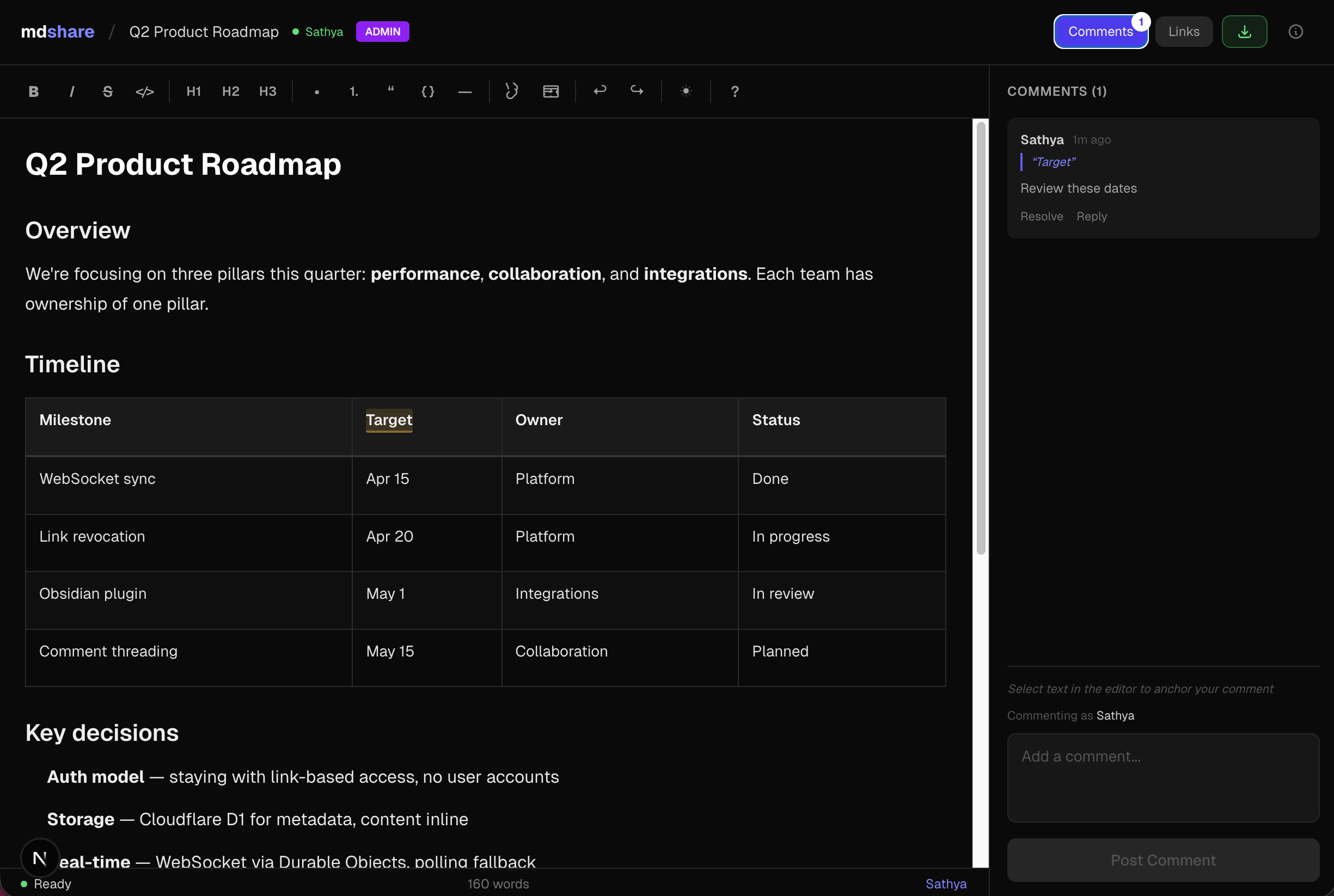
You get back an admin URL. Share it, or generate links with different permissions.
Features
- Four permission levels -- Admin, Edit, Comment, View -- each with its own shareable link
- WYSIWYG editor -- formatting toolbar, tables, code blocks, keyboard shortcuts
- Inline comments -- anchor comments to specific text, reply, and resolve
- Real-time sync -- WebSocket collaboration, live presence indicators
- Link management -- revoke links instantly, optional expiry, 50-link cap per document
- VS Code & Obsidian plugins -- share markdown directly from your editor
- API & MCP -- REST API + MCP server for Claude, ChatGPT, Gemini, Cursor, and Windsurf
MCP Server
npx mdshare-mcp
Say "upload my-notes.md to mdshare" in any MCP-compatible AI tool. The MCP server reads files directly from disk (no echoing through the conversation), so it's fast even for large markdown files. Setup guide
Claude Code Plugin
/plugin marketplace add urbanmorph/mdshare
/plugin install mdshare@urbanmorph
Wraps the MCP server above with a single skill — Claude reaches for it on phrases like "share this markdown". Setup guide · source
Cursor Plugin
Listed on Cursor Directory — click "Add to Cursor" on the listing page. Same MCP server, same skill as the Claude Code plugin. Source
Obsidian Plugin
Listed in the Obsidian Community Plugins directory — install via Settings → Community Plugins → Browse → search "mdshare". Right-click any .md file in your vault to share it; admin URL is copied to your clipboard. Source
Tech Stack
| Component | Technology |
|---|---|
| Framework | Astro 5 |
| UI | React (as Astro islands) |
| Hosting | Cloudflare Workers (native) |
| Database | Cloudflare D1 (SQLite) |
| Real-time | Cloudflare Durable Objects (WebSocket) |
| Editor | Tiptap + tiptap-markdown |
| Styling | Tailwind CSS v4 |
| CI/CD | GitHub Actions |
Local Development
git clone https://github.com/urbanmorph/mdshare.git
cd mdshare
npm install

# Create a .dev.vars file with your Cloudflare API token
echo "CLOUDFLARE_API_TOKEN=your_token" > .dev.vars

# Apply local D1 migrations
npx wrangler d1 migrations apply mdshare-db --local

# Start dev server
npm run dev -- -p 3737
Contributing
Issues and PRs welcome. Please open an issue first to discuss significant changes.
License
MIT