mdshare
Ücretsiz markdown paylaşımı ve işbirliği. Yükle, bağlantı al, paylaş. Giriş yapmanız gerekmez.
Dokümantasyon
mdshare
Share markdown instantly. Free. No login required.




mdshare.live | API Docs | VS Code | Obsidian
Quick Start
Paste markdown at mdshare.live, start from a blank page, or upload via curl:
curl -X POST https://mdshare.live/api/documents \
  -H "Content-Type: text/markdown" \
  --data-binary @your-file.md
You get back an admin URL. Share it, or generate links with different permissions.
Features
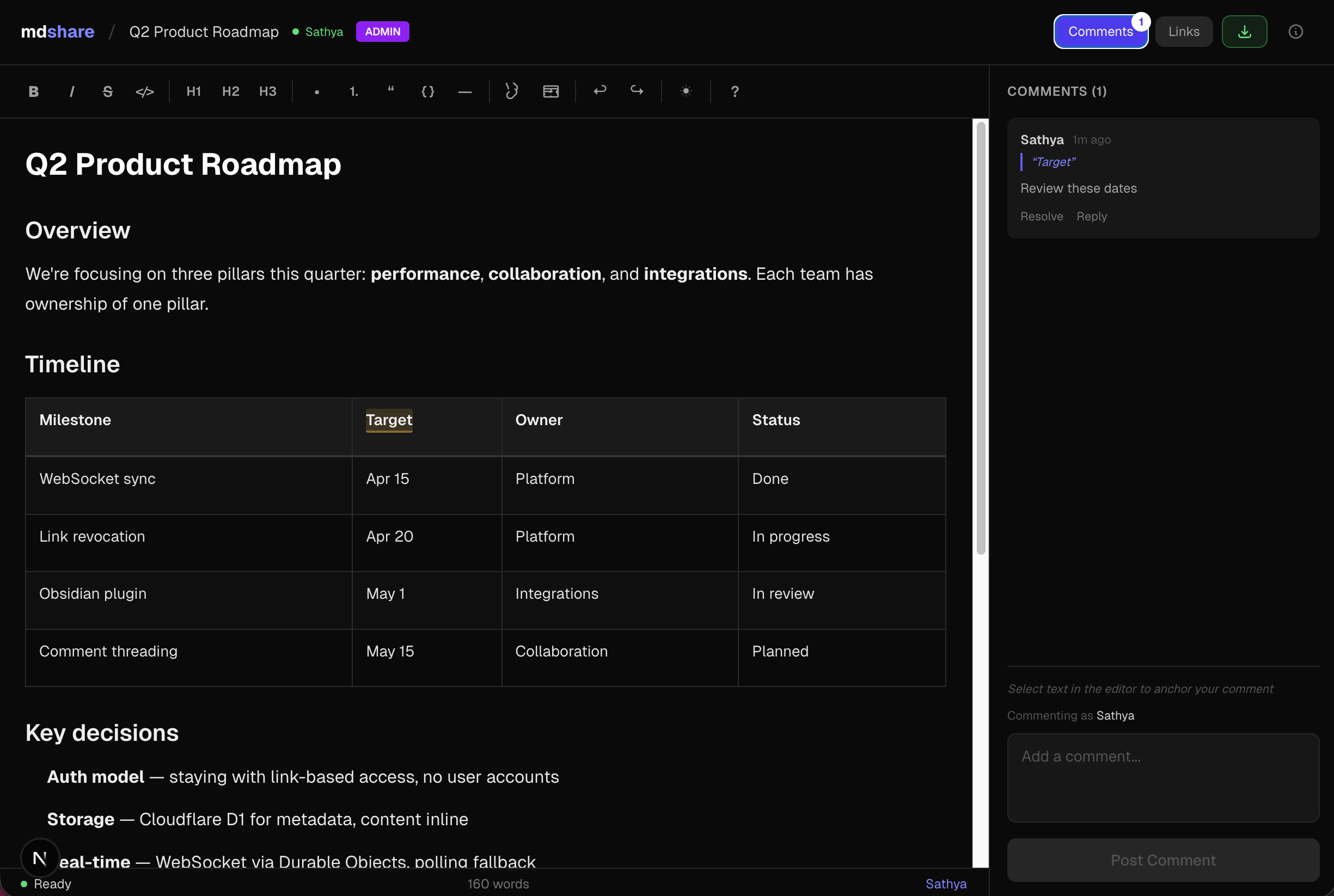
- Four permission levels -- Admin, Edit, Comment, View -- each with its own shareable link
- WYSIWYG editor -- formatting toolbar, tables, code blocks, keyboard shortcuts
- Inline comments -- anchor comments to specific text, reply, and resolve
- Real-time sync -- WebSocket collaboration, live presence indicators
- Link management -- revoke links instantly, optional expiry, 50-link cap per document
- VS Code & Obsidian plugins -- share markdown directly from your editor
- API & MCP -- REST API + MCP server for Claude, ChatGPT, Gemini, Cursor, and Windsurf
MCP Server
npx mdshare-mcp
Say "upload my-notes.md to mdshare" in any MCP-compatible AI tool. The MCP server reads files directly from disk (no echoing through the conversation), so it's fast even for large markdown files. Setup guide
Claude Code Plugin
/plugin marketplace add urbanmorph/mdshare
/plugin install mdshare@urbanmorph
Wraps the MCP server above with a single skill — Claude reaches for it on phrases like "share this markdown". Setup guide · source
Cursor Plugin
Listed on Cursor Directory — click "Add to Cursor" on the listing page. Same MCP server, same skill as the Claude Code plugin. Source
Obsidian Plugin
Listed in the Obsidian Community Plugins directory — install via Settings → Community Plugins → Browse → search "mdshare". Right-click any .md file in your vault to share it; admin URL is copied to your clipboard. Source
Tech Stack
| Component | Technology |
|---|---|
| Framework | Astro 5 |
| UI | React (as Astro islands) |
| Hosting | Cloudflare Workers (native) |
| Database | Cloudflare D1 (SQLite) |
| Real-time | Cloudflare Durable Objects (WebSocket) |
| Editor | Tiptap + tiptap-markdown |
| Styling | Tailwind CSS v4 |
| CI/CD | GitHub Actions |
Local Development
git clone https://github.com/urbanmorph/mdshare.git
cd mdshare
npm install

# Create a .dev.vars file with your Cloudflare API token
echo "CLOUDFLARE_API_TOKEN=your_token" > .dev.vars

# Apply local D1 migrations
npx wrangler d1 migrations apply mdshare-db --local

# Start dev server
npm run dev -- -p 3737
Contributing
Issues and PRs welcome. Please open an issue first to discuss significant changes.
License
MIT