Yonote
Yonote belgeleri ve koleksiyonlarıyla etkileşim kurmak için API araçları sağlar.
Dokümantasyon
Yonote MCP Server Prototype
This is an MVP project of an MCP server for the Yonote service, an alternative to Notion. The server provides API tools to interact with Yonote documents and collections.
Features
- List documents and collections from Yonote
- Get detailed information about a document
- Exposes tools via the FastMCP framework
Requirements
- Python 3.13+
- Yonote API credentials
- The following Python packages (see
pyproject.toml):fast-agent-mcp>=0.2.23requests>=2.32.3python-dotenv(for loading environment variables)
- uv for dependency management
Setup
Installing via Smithery
To install Yonote Document Interaction Server for Claude Desktop automatically via Smithery:
npx -y @smithery/cli install @cutalion/yonote-mcp --client claude
Manual Installation
-
Clone the repository:
git clone <your-repo-url> cd yonote-mcp -
Install dependencies using uv:
uv pip install -r requirements.txt # or, using pyproject.toml: uv pip install . -
Configure environment variables:
Create a
.envfile in the project root with the following content:API_TOKEN=your_yonote_api_token API_BASE_URL=https://app.yonote.ru/api # Optional, defaults to this value
Usage
Run the MCP server:
python main.py
The server exposes the following tools:
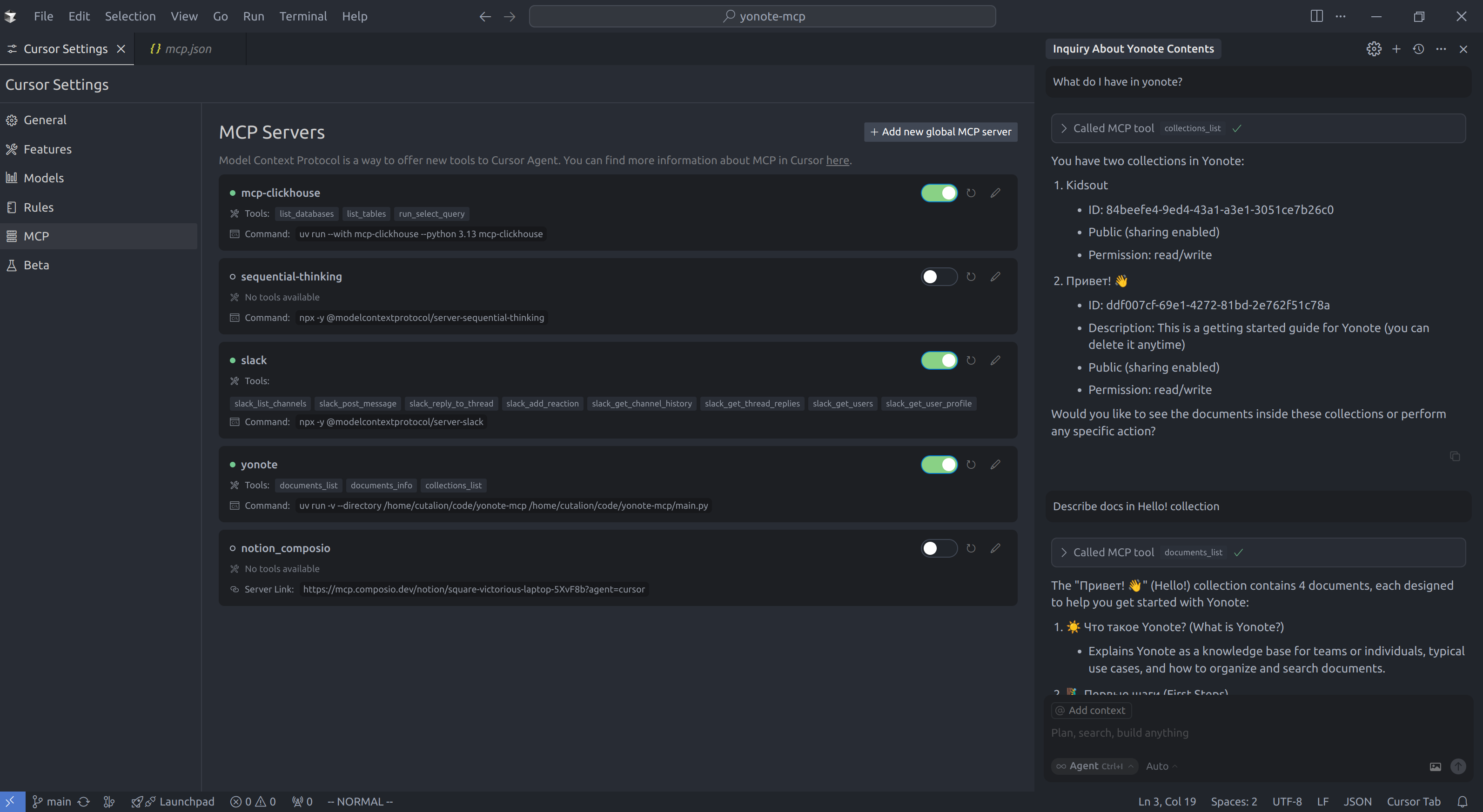
documents_list: Get a list of documents (with optional limit, offset, and collectionId)documents_info: Get info about a document by IDcollections_list: Get a list of collections (with optional limit and offset)
Project Structure
main.py— Main server code and tool definitionspyproject.toml— Project metadata and dependencies
License
MIT (or specify your license)
Cursor Configuration Example
To use this MCP server with Cursor, add the following to your ~/.cursor/mcp.json configuration file:
{
  "mcpServers": {
    "yonote": {
      "command": "uv",
      "args": [
        "run",
        "-v",
        "--directory",
        "/path/to/yonote-mcp",
        "/path/to/yonote-mcp/main.py"
      ]
    }
  }
}
Replace /path/to/yonote-mcp with the actual path to your project directory.