LambdaTest MCP Server
ทางการเซิร์ฟเวอร์ LambdaTest MCP ตั้งแต่ Accessibility, SmartUI, Automation และ HyperExecute ช่วยให้คุณเชื่อมต่อผู้ช่วย AI เข้ากับขั้นตอนการทดสอบของคุณ ลดความซับซ้อนในการตั้งค่า วิเคราะห์ข้อผิดพลาด และสร้างการแก้ไขเพื่อเร่งการทดสอบและเพิ่มประสิทธิภาพ
คุณทำอะไรได้บ้างด้วย LambdaTest MCP?
- สร้าง HyperExecute YAML configs — ให้ผู้ช่วยของคุณสร้าง config สำหรับการทดสอบผ่าน
generateHyperExecuteYAMLโดยไม่ต้องเขียน YAML ด้วยตนเอง - จัดเรียงความล้มเหลวของการทดสอบด้วย logs — ดึงรายละเอียดการทดสอบ, Selenium command logs, network logs และ console errors ผ่าน Automation MCP tools เพื่อวิเคราะห์หาสาเหตุที่แท้จริง
- รัน accessibility audits — รับรายงาน WCAG compliance สำหรับ public URLs ด้วย
getAccessibilityReportหรือวิเคราะห์แอปภายในผ่าน tunnel - สรุปความแตกต่างของ visual regression — ใช้ SmartUI MCP tools เช่น
summarizeSmartUIPixelDiffและanalyzeSmartUIRunเพื่ออธิบายการเปลี่ยนแปลงของ pixel, layout และ DOM - ดึงรายละเอียด HyperExecute job — ดึงข้อมูลระดับ job และรายละเอียด session ด้วย
getHyperExecuteJobInfoและgetHyperExecuteJobSessions
เอกสาร
อย่าพลาด TestMu Conf '26. เข้าร่วมการเปลี่ยนแปลงแบบเอเจนต์ ลงทะเบียนฟรี

TestMu AI MCP Server สำหรับการทดสอบแบบเอเจนต์
รัน ดีบัก และจัดลำดับการทดสอบด้วย MCP server ของ TestMu AI ที่ขับเคลื่อนเครื่องมือ HyperExecute, Automation, SmartUI และ Accessibility โดยตรงจาก IDE ของคุณด้วยภาษาธรรมชาติใน Cursor, Claude, Copilot และ MCP clients อื่นๆ
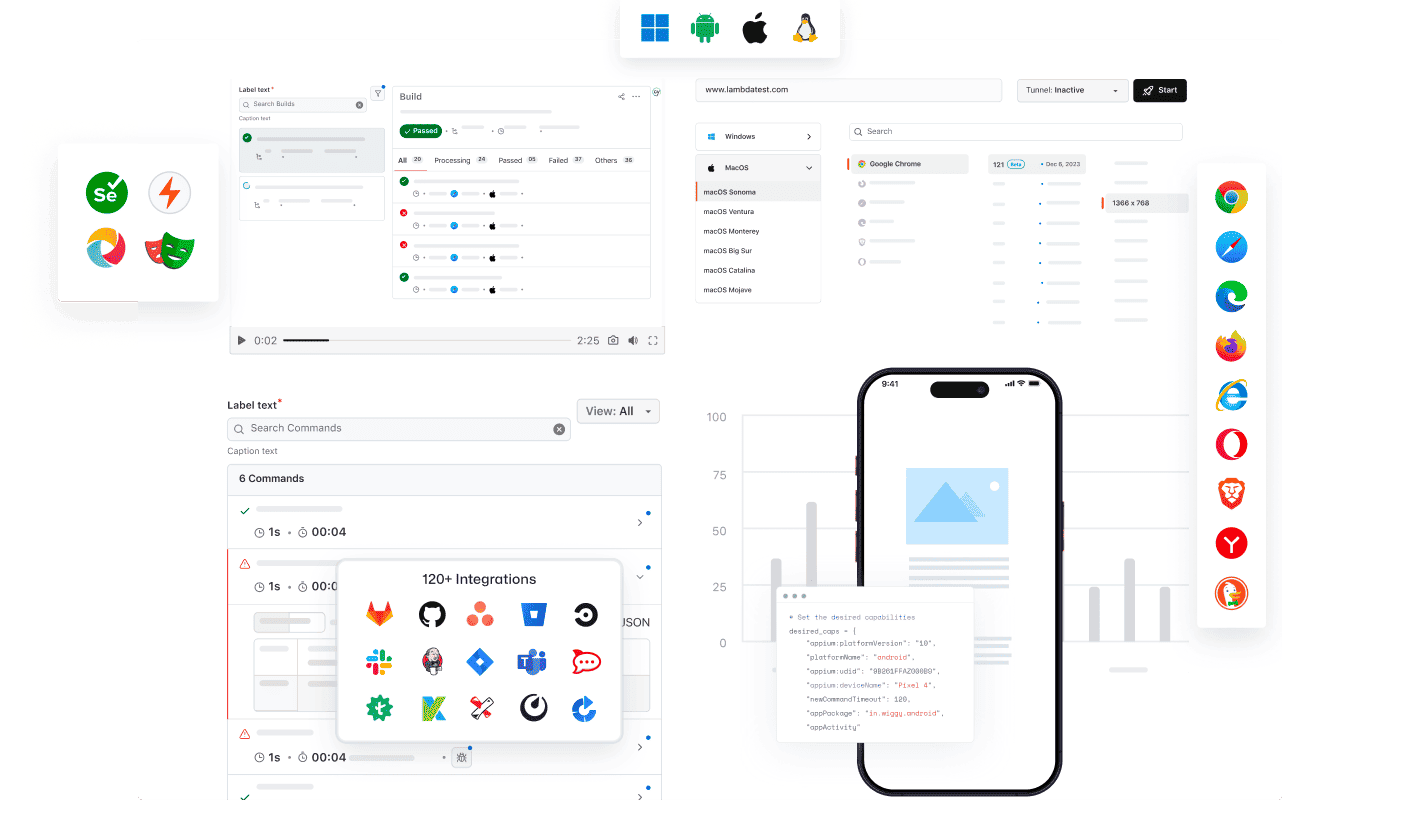
AI client ใดๆ ก็ใช้ MCP ของ TestMu AI ได้
รัน ดีบัก และจัดลำดับการทดสอบโดยใช้ TestMu AI MCP Server กับ AI assistant ใดๆ
เลือก AI client ของคุณเพื่อตั้งค่าได้ภายในไม่กี่นาที

Cursor
สร้าง configs รันชุดทดสอบ ดีบักข้อผิดพลาด และจัดลำดับผลลัพธ์ด้วยภาษาอังกฤษธรรมดา ภายใน editor ของคุณ

Claude Code
สร้าง configs รันชุดทดสอบ ดีบักข้อผิดพลาด และจัดลำดับผลลัพธ์ด้วยภาษาอังกฤษธรรมดา ภายใน terminal ของคุณ

GitHub Copilot
สร้าง configs รันชุดทดสอบ ดีบักข้อผิดพลาด และจัดลำดับผลลัพธ์ด้วยภาษาอังกฤษธรรมดา ภายใน VS Code chat

OpenAI Codex
สร้าง configs รันชุดทดสอบ ดีบักข้อผิดพลาด และจัดลำดับผลลัพธ์ด้วยภาษาอังกฤษธรรมดา จาก command line

Antigravity
สร้าง configs รันชุดทดสอบ ดีบักข้อผิดพลาด และจัดลำดับผลลัพธ์ด้วยภาษาอังกฤษธรรมดา จาก agent panel
MCP Server ในตัวโดย TestMu AI (เดิมคือ LambdaTest)
รัน ดีบัก และจัดลำดับการทดสอบจาก IDE ของคุณด้วยเครื่องมือ MCP ของ HyperExecute, Automation, Accessibility และ SmartUI โดยใช้ภาษาธรรมชาติ
HyperExecute MCP ToolAutomation MCP ToolAccessibility MCP ToolSmartUI MCP Tool
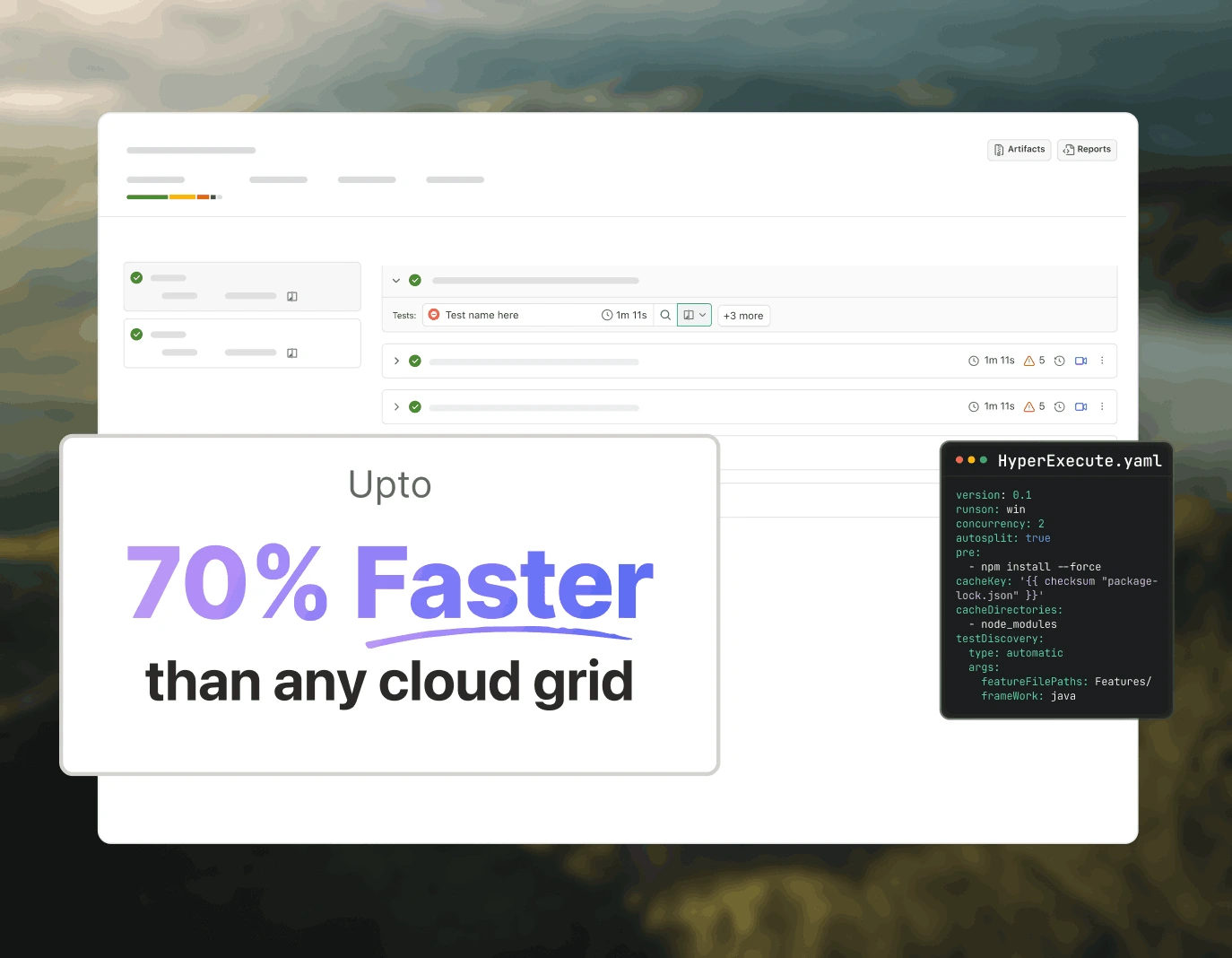
การจัดการทดสอบด้วย HyperExecute MCP
HyperExecute MCP ของ TestMu AI ช่วยลดการเขียน YAML ด้วยตนเองและการสลับแดชบอร์ด สร้าง YAML configs คำสั่ง runner และตรวจสอบ jobs จาก IDE ของคุณผ่านภาษาธรรมชาติ
generateHyperExecuteYAML: สร้าง YAML configs สำหรับการรันโปรเจกต์ทดสอบ
answerHyperExecuteQuery: รับคำตอบทันทีจากเอกสาร HyperExecute
getHyperExecuteJobInfo: ดึงข้อมูลระดับ job โดยละเอียดสำหรับการรันทดสอบที่กำหนด
getHyperExecuteJobSessions: ดึงรายละเอียด session ทั้งหมดที่เชื่อมโยงกับ HyperExecute job
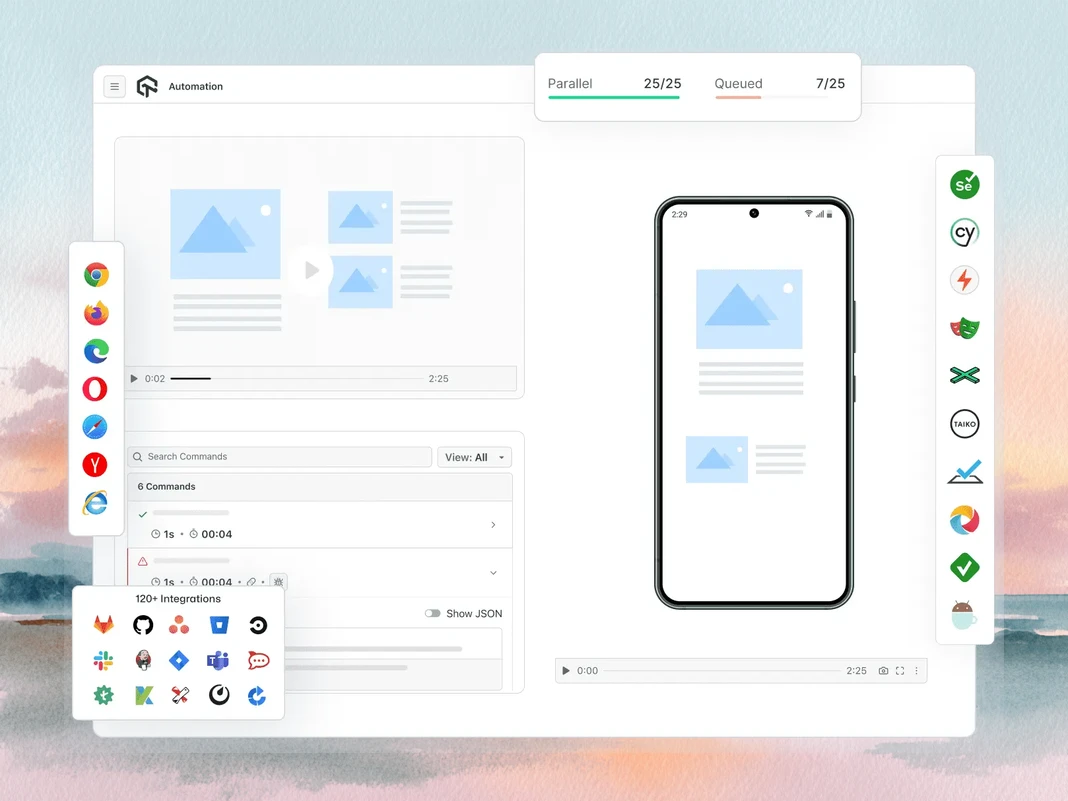
การจัดลำดับความล้มเหลวในการทดสอบด้วย Automation MCP
Automation MCP ของ TestMu AI เร่งการจัดลำดับความล้มเหลวในการทดสอบโดยดึงรายละเอียด TestID, command logs, network logs และ console errors มาไว้ในแชทเดียวเพื่อการวิเคราะห์สาเหตุที่แท้จริงได้ทันที
Automation Test Details: ดึงข้อมูลที่ครอบคลุมเกี่ยวกับการทดสอบเฉพาะ
Automation Command Logs: เข้าถึง logs การรันสำหรับคำสั่ง Selenium ทั้งหมด
Automation Network Logs: วิเคราะห์ traffic ของเบราว์เซอร์และพฤติกรรมเครือข่ายระหว่างการทดสอบ
Automation Console Logs: ตรวจสอบ output ของ console ในเบราว์เซอร์ รวมถึง errors และ warnings
upload_app Tool: อัปโหลดแอปพลิเคชันมือถือสำหรับการทดสอบ
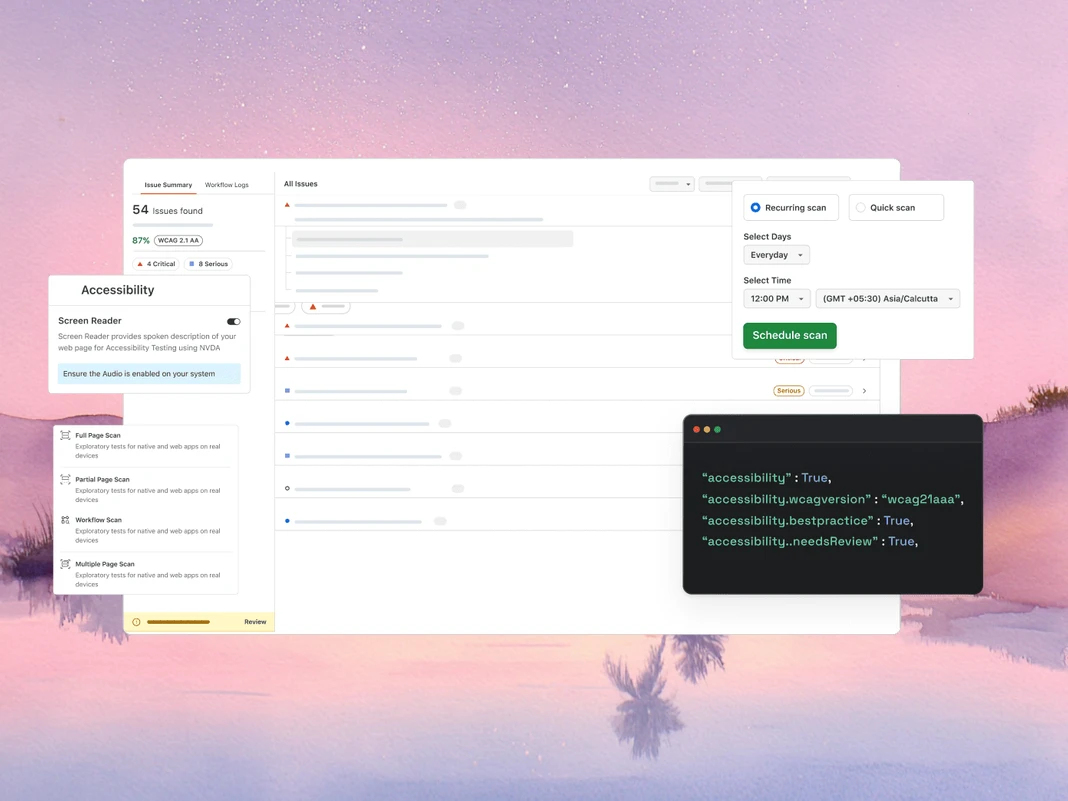
การตรวจสอบ WCAG และ a11y ด้วย Accessibility MCP
Accessibility MCP ของ TestMu AI จับการละเมิด WCAG และ a11y ก่อนที่จะถึง production โดยส่งคืนรายงานการตรวจสอบโดยละเอียดพร้อมคำแนะนำการแก้ไขที่พร้อมนำไปใช้
getAccessibilityReport: ดึงรายงานการเข้าถึงสำหรับ URL สาธารณะใดๆ
buildLocalAppForAnalysis: สร้างและให้บริการแอป React ในเครื่องเพื่อตรวจจับปัญหาการเข้าถึง
analyseAppViaTunnel: วิเคราะห์การทดสอบแอปในเครื่องสำหรับความล้มเหลวด้านการเข้าถึงผ่าน tunnel ของ TestMu AI
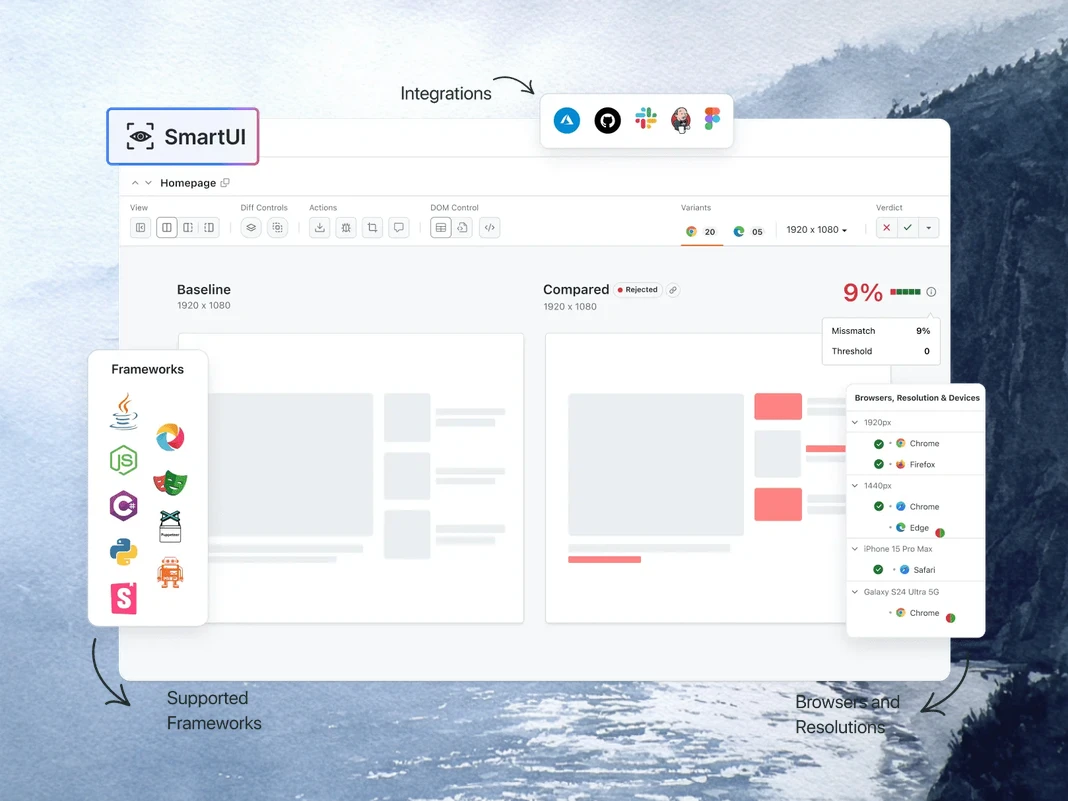
การดีบัก regression ทางภาพด้วย SmartUI MCP
SmartUI MCP ของ TestMu AI ลดการตรวจสอบ diff ด้วยตนเองจากการดีบัก regression ทางภาพโดยอธิบายการเปลี่ยนแปลงของ pixel, layout, DOM และการรับรู้ด้วยภาษาอังกฤษธรรมดาโดยตรงใน IDE ของคุณ
getSmartUIResources: ดึง assets ทางภาพทั้งหมดสำหรับการรันเปรียบเทียบ
summarizeSmartUIPixelDiff: ระบุและอธิบายความแตกต่างของ pixel ดิบระหว่างภาพหน้าจอ
summarizeSmartUILayoutDiff: ตรวจจับปัญหาการจัดวางที่เกี่ยวกับระยะห่าง การจัดตำแหน่ง และขนาด
summarizeSmartUIDomDiff: อธิบายการเปลี่ยนแปลงในโครงสร้าง DOM และ attributes
analyzeSmartUIHumanDiff: จำลองว่ามนุษย์จะรับรู้การเปลี่ยนแปลงทางภาพอย่างไร
analyzeSmartUIRun: ให้สรุปการดีบักที่สมบูรณ์ในทุกชั้นการวิเคราะห์
getSmartUIScreenshotInfo: ดึง metadata และรายละเอียดเกี่ยวกับภาพหน้าจอ SmartUI
downloadSmartUIDomFiles: ดาวน์โหลดไฟล์โครงสร้าง DOM สำหรับการวิเคราะห์เชิงลึก
วิศวกรรมคุณภาพแบบ AI-Agentic
เอเจนต์ที่ใช้ AI เป็นหลักซึ่งวางแผน สร้าง รัน และจัดลำดับการทดสอบบนเบราว์เซอร์ อุปกรณ์จริงมากกว่า 10,000 รายการ และ CI pipeline ของคุณจาก IDE
Agent Testing
KaneAI
Browser Testing
Real Device Cloud
App Automation
HyperExecute
Visual UI Testing
Accessibility Testing
Agent Testing
ทดสอบเอเจนต์ AI เช่น chatbots, voice assistants และอื่นๆ
เพิ่มเติมเกี่ยวกับ Agent Testing
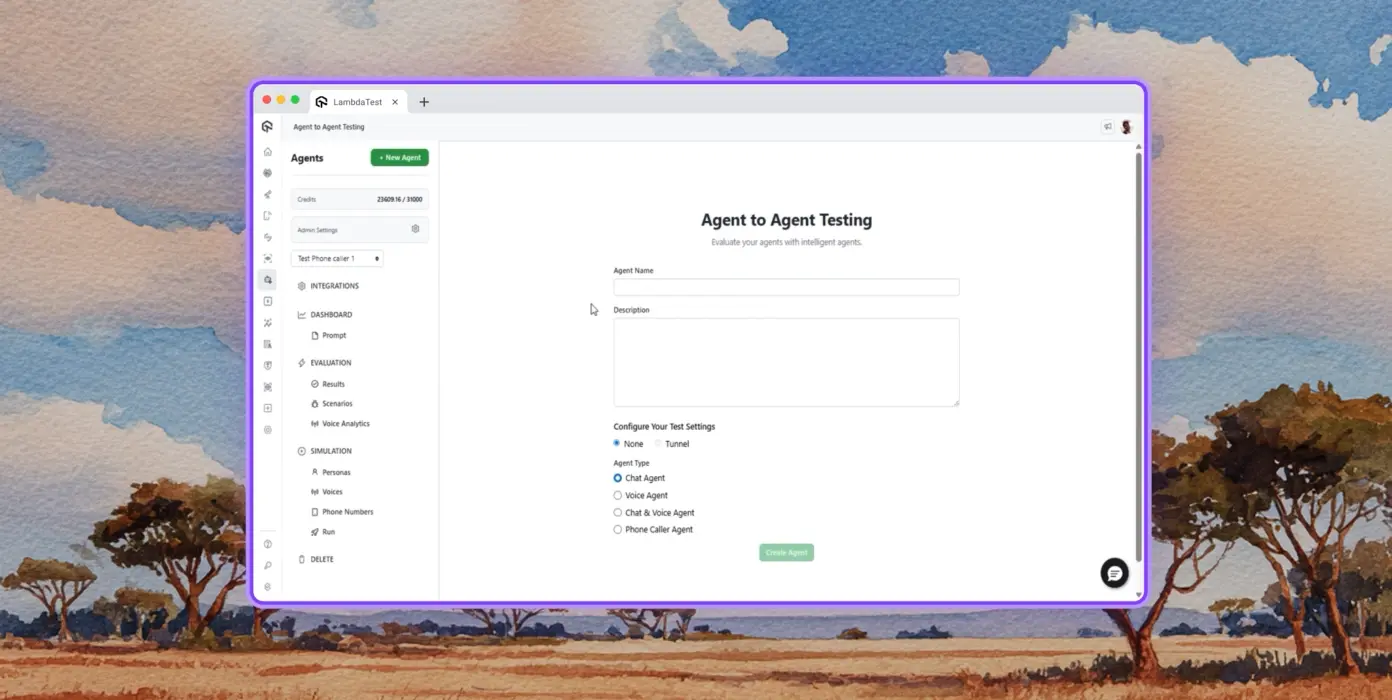
การทดสอบอัตโนมัติ
การวิเคราะห์เอเจนต์โดยละเอียดภายใต้การทดสอบ จากมุมมองของผู้ใช้ปลายทางสังเคราะห์
การจำลองหลายบุคลิก
บุคลิกผู้ใช้ที่หลากหลาย เช่น International Caller, Digital Novice และอื่นๆ
การให้คะแนนความเสี่ยงและการทดสอบ regression
การทดสอบ regression แบบ end-to-end สำหรับเอเจนต์ภายใต้การทดสอบพร้อมข้อมูลเชิงลึก
KaneAI by TestMu AI
วางแผน สร้าง และพัฒนาการทดสอบแบบ end-to-end โดยใช้ภาษาธรรมชาติ
ภาษาธรรมชาติ
สร้างการทดสอบโดยเพียงแค่อธิบาย ไม่ต้องมีสคริปต์ ไม่ต้องมีโค้ด แค่ภาษาอังกฤษธรรมดา
การสร้างสถานการณ์ทดสอบ
สร้างกรณีทดสอบที่มีโครงสร้างจากข้อความ, JIRA tickets, PRDs, รูปภาพ และสเปรดชีต
การสร้างการทดสอบ
สร้างการทดสอบเบราว์เซอร์สำหรับเว็บไซต์และเว็บแอปของคุณบนเดสก์ท็อปและอุปกรณ์มือถือด้วย KaneAI
Browser Testing
ตรวจสอบเว็บไซต์ของคุณอย่างรวดเร็วบนชุดค่าผสมเบราว์เซอร์-OS-อุปกรณ์มากกว่า 3000 รายการ
การทดสอบแบบ Responsive
ตรวจสอบว่าเว็บไซต์ของคุณแสดงผลอย่างไรบน viewport ต่างๆ บนเดสก์ท็อป แท็บเล็ต และอุปกรณ์มือถือ
การดีบักด้วย DevTools
ดีบักปัญหาข้ามเบราว์เซอร์ด้วย Chrome และ Safari DevTools ที่ติดตั้งไว้ล่วงหน้า
การทดสอบตำแหน่งทางภูมิศาสตร์
การทดสอบ geo IPs ที่แตกต่างกันเพื่อให้แน่ใจว่าผู้ใช้ทุกที่ได้รับประสบการณ์ที่ถูกต้อง
Real Device Cloud
ทดสอบเว็บและแอปพลิเคชันมือถือบนอุปกรณ์จริงมากกว่า 10,000 รายการ
การทดสอบท่าทาง
ทดสอบท่าทางธรรมชาติ เช่น การแตะ การเลื่อน การซูม และการปัด และอื่นๆ
สถานการณ์โลกจริง
ใช้ประโยชน์จากฟีเจอร์มากกว่า 40 รายการเพื่อทดสอบทุกกรณีขอบบนอุปกรณ์ฮาร์ดแวร์จริง
การดีบักขั้นสูง
ดีบักด้วย device logs, network logs และ UI inspector โดยตรงจากเซสชันการทดสอบของคุณ
App Automation
การทดสอบแอปมือถืออัตโนมัติบนมือถือและแท็บเล็ตจริงมากกว่า 10,000 รายการ
การรันแบบขนาน
รันการทดสอบอัตโนมัติพร้อมกันบนอุปกรณ์ Android และ iOS จริงหลายร้อยเครื่อง
การรองรับเฟรมเวิร์ก
Appium, XCUITest, Espresso และ Detox ตัวเลือกทั้งหมดสำหรับระบบอัตโนมัติบนมือถือ
การทดสอบในเครื่อง
ทดสอบแอปที่โฮสต์ในเครื่องและแบบส่วนตัวบนอุปกรณ์ Android และ iOS จริงต่างๆ
HyperExecute
คลาวด์การจัดการทดสอบแบบ AI native ที่เร็วขึ้นถึง 70%
การทดสอบที่ซ่อมแซมตัวเองได้
ซ่อมแซมสคริปต์ทดสอบอัตโนมัติ ลดความไม่เสถียรและการบำรุงรักษาด้วยตนเอง
การจัดการอัจฉริยะ
จัดลำดับการรันทดสอบใหม่โดยอัตโนมัติตามข้อมูลในอดีตเพื่อแสดงความล้มเหลวเร็วขึ้นและลดเวลาการตอบกลับ
การวิเคราะห์สาเหตุที่แท้จริง
จำแนกข้อผิดพลาดและรับข้อมูลเชิงลึกในการแก้ไขที่ขับเคลื่อนด้วย AI พร้อม logs แบบเรียลไทม์
Visual UI Testing
การทดสอบภาพแบบ AI native ที่จับ UI regressions บนเบราว์เซอร์และอุปกรณ์
การเปรียบเทียบพิกเซล
ตรวจจับความเบี่ยงเบนทางภาพในเลย์เอาต์ สี ฟอนต์ และตำแหน่งองค์ประกอบ
Design-to-Dev
เปรียบเทียบการออกแบบ Figma กับหน้าเว็บจริงและหน้าจอแอปเพื่อให้แน่ใจถึงความถูกต้อง
Smart Ignore
กรองการเลื่อนเลย์เอาต์ที่ไม่เกี่ยวข้องด้วยการตรวจจับแบบ AI native ลดผลบวกลวง
Accessibility Testing
การทดสอบการเข้าถึงสำหรับเว็บและแอปมือถือเพื่อประสบการณ์ผู้ใช้ที่ครอบคลุม
WCAG Compliance
สแกนเว็บและแอปมือถือตามมาตรฐาน WCAG, ADA และ Section 508
การสแกนตามกำหนดเวลา
ทำให้การตรวจสอบการเข้าถึงที่เกิดซ้ำเป็นอัตโนมัติรายวัน รายสัปดาห์ หรือรายเดือน
โปรแกรมอ่านหน้าจอ
ทดสอบความเข้ากันได้กับโปรแกรมอ่านหน้าจอและเครื่องมือช่วยเหลือบนอุปกรณ์จริง
 PLAY
PLAY
เรื่องราวความสำเร็จของ TestMu AI (เดิมคือ LambdaTest)

50%
การลดลงของเวลาการรันทดสอบ
“HyperExecute เป็นแพลตฟอร์มการรันทดสอบที่เชื่อถือได้สูงและมีการสนับสนุนลูกค้าที่ยอดเยี่ยม”
Sagar Uday Kumar
ผู้จัดการวิศวกรรมอาวุโส

Dashlane
Lereta
Dunelm
Trepp
Transavia
จองการสาธิต
เหตุผลเพิ่มเติมที่ควรชื่นชอบ TestMu AI (เดิมคือ LambdaTest)
ดูว่า TestMu AI เร่งการทดสอบของคุณด้วยการสร้างแบบ AI native การรันที่เร็วขึ้น และข้อมูลเชิงลึกในการทดสอบที่ลึกซึ้งยิ่งขึ้นบนเว็บ มือถือ และแอปพลิเคชัน AI
TestMu AI ได้รับการจัดอันดับเป็น Challenger ใน Gartner® Magic Quadrant™ ปี 2025
TestMu AI ได้รับการยอมรับใน The Forrester Wave™: Autonomous Testing Platforms, Q4 2025
Wall of Fame
TestMu AI เป็นตัวเลือกอันดับ 1 สำหรับ SMBs และองค์กรทั่วโลก
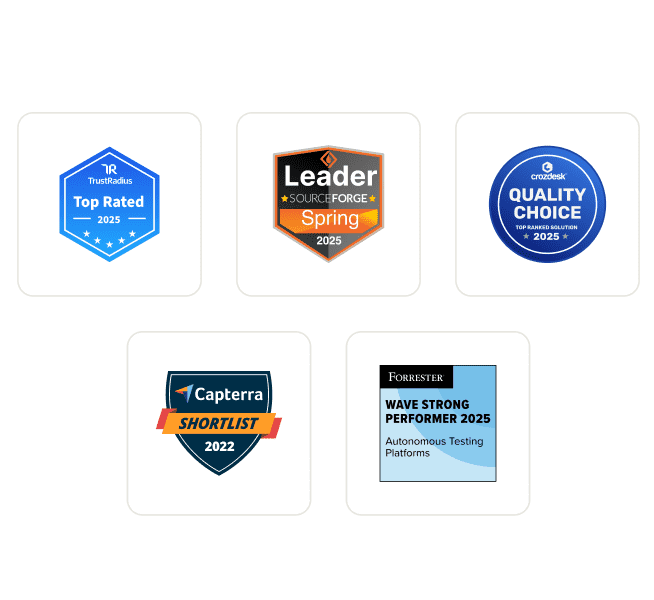
ความปลอดภัยระดับองค์กร
เราปกป้องข้อมูลและระบบ AI ของคุณด้วยมาตรฐานความปลอดภัย ความเป็นส่วนตัว AI ที่รับผิดชอบ และ ESG ระดับโลก
การผสานรวม
ทำงานในที่ที่คุณทำงาน มีการผสานรวมมากกว่า 120 รายการกับเครื่องมือที่ทีมของคุณพึ่งพา
ผู้ใช้
3M+
การทดสอบ
1.5B+
องค์กร
18K+
ประเทศ
132
ตามที่เห็นใน
คำถามที่พบบ่อย
MCP server คืออะไร?
MCP server คือโปรแกรมที่เปิดเผยเครื่องมือ ทรัพยากร และพรอมต์ให้กับ AI agents ผ่าน Model Context Protocol ซึ่งเป็นมาตรฐานเปิดที่เปิดตัวโดย Anthropic ในเดือนพฤศจิกายน 2024 เซิร์ฟเวอร์จะประกาศความสามารถของตนให้กับ client ที่เข้ากันได้กับ MCP ใดๆ และ client (AI agent) จะเรียกใช้เครื่องมือเหล่านั้นในขณะรันไทม์เพื่อดึงข้อมูลหรือดำเนินการนอกข้อมูลการฝึกของโมเดล
MCP ใช้ทำอะไรในการทดสอบซอฟต์แวร์?
ในการทดสอบซอฟต์แวร์ MCP ช่วยให้ AI agents ขับเคลื่อนขั้นตอนการทดสอบผ่านภาษาธรรมชาติ: การสร้าง configs การรันชุดทดสอบ การดึง logs การสรุปความล้มเหลว และการรันการตรวจสอบภาพหรือการเข้าถึง แทนที่จะสลับระหว่าง IDE แดชบอร์ด และเทอร์มินัล เอเจนต์จะเรียกใช้เครื่องมือ MCP ที่เหมาะสมแบบอินไลน์และส่งคืนผลลัพธ์ในแชท ซึ่งช่วยลดเวลาในการจัดการและดีบัก
MCP server ทำงานร่วมกับ AI agents อย่างไร?
Client (AI agent เช่น Claude Code หรือ Cursor) เชื่อมต่อกับเซิร์ฟเวอร์ผ่าน stdio หรือ HTTP/SSE และสอบถามความสามารถของเซิร์ฟเวอร์ เซิร์ฟเวอร์ส่งคืนรายการเครื่องมือพร้อมคำจำกัดความ JSON Schema เมื่อผู้ใช้สั่งให้เอเจนต์ทำงาน เอเจนต์จะเลือกเครื่องมือที่เกี่ยวข้อง ส่งคำขอที่มีโครงสร้าง และเซิร์ฟเวอร์จะดำเนินการกับระบบพื้นฐาน จากนั้นส่งคืนการตอบสนองแบบมีประเภทที่โมเดลสามารถใช้เหตุผลได้
AI clients ใดบ้างที่รองรับ MCP servers?
Claude Code, Claude Desktop, Cursor, Windsurf, GitHub Copilot Chat, Cline, Continue, Zed AI และ JetBrains AI Assistant รองรับ MCP servers ทั้งหมดในปัจจุบัน client ใดๆ ที่ใช้ข้อกำหนด Model Context Protocol (การขนส่งแบบ stdio หรือ HTTP/SSE) สามารถเชื่อมต่อได้ ซึ่งหมายความว่าเครื่องมือที่รองรับ MCP ใหม่ทำงานได้โดยไม่ต้องเขียนการผสานรวมเซิร์ฟเวอร์ใหม่
คุณตั้งค่า MCP server ใน Cursor หรือ Claude Code อย่างไร?
ใน Cursor ให้เปิด Settings → MCP → Add new MCP Server และชี้ไปที่คำสั่งหรือ HTTP endpoint ของเซิร์ฟเวอร์ ใน Claude Code ให้รัน "claude mcp add " หรือแก้ไข ~/.claude.json โดยตรง เมื่อลงทะเบียนแล้ว เอเจนต์จะค้นพบเครื่องมือที่มีอยู่โดยอัตโนมัติ และคุณสามารถเรียกใช้ในแชทได้ MCP เซิร์ฟเวอร์ระดับองค์กรส่วนใหญ่เพิ่มขั้นตอน OAuth ก่อนที่เครื่องมือจะสามารถเรียกใช้ได้
MCP กับ API ต่างกันอย่างไร?
API คือข้อตกลงของ endpoint แบบคงที่ที่สร้างขึ้นสำหรับการเรียกแบบ code-to-code ไคลเอนต์จำเป็นต้องมีการผสานรวมแบบกำหนดเองสำหรับทุก endpoint และการเปลี่ยนแปลงเวอร์ชัน MCP ถูกสร้างขึ้นสำหรับการเรียกแบบ AI-to-tool โดยทำให้การค้นพบความสามารถของเอเจนต์ในขณะรันไทม์ การรักษาสถานะเซสชันระหว่างการเรียก และการแยกวิเคราะห์การตอบสนองแบบมีชนิดเป็นมาตรฐาน เมื่อมีการเพิ่มเครื่องมือใหม่ลงใน MCP เซิร์ฟเวอร์ เอเจนต์ทุกตัวที่เชื่อมต่ออยู่จะรับมันไปใช้โดยไม่ต้องปรับใช้ใหม่
MCP เซิร์ฟเวอร์สามารถรันการทดสอบ Selenium, Playwright, Cypress หรือ Appium ได้หรือไม่?
ได้ MCP เซิร์ฟเวอร์ไม่ได้แทนที่เฟรมเวิร์กการทดสอบของคุณ แต่ห่อหุ้มมันไว้ TestMu AI MCP Server ตรวจจับ Selenium, Playwright, Cypress, Appium, TestNG, JUnit, PyTest, WebdriverIO และเฟรมเวิร์กที่คล้ายกันระหว่างการวิเคราะห์โปรเจกต์ จากนั้นสร้างการกำหนดค่าและคำสั่ง runner ที่ถูกต้องเพื่อให้เอเจนต์ AI ของคุณดำเนินการ การดำเนินการทดสอบยังคงเกิดขึ้นบน cloud grid ที่อยู่ภายใต้
MCP ช่วยดีบักการทดสอบที่ล้มเหลวได้อย่างไร?
MCP เซิร์ฟเวอร์สามารถดึงข้อมูลเมตาของการทดสอบ บันทึกคำสั่ง Selenium กิจกรรมเครือข่ายของเบราว์เซอร์ และข้อผิดพลาดของคอนโซลสำหรับการรันที่ล้มเหลวใดๆ จากนั้นส่งข้อมูลกลับไปยังเอเจนต์ AI ในแชท เอเจนต์จะใช้เหตุผลกับบันทึก เชื่อมโยงเหตุการณ์ และแนะนำสาเหตุที่แท้จริง ซึ่งเปลี่ยนสิ่งที่เคยเป็นการค้นหาแดชบอร์ดหลายแท็บให้กลายเป็นพรอมต์เดียว
โปรโตคอลบริบทโมเดล (Model Context Protocol) ปลอดภัยหรือไม่?
MCP กำหนดการขนส่งและรูปแบบข้อความเท่านั้น ไม่ได้กำหนดการรับรองความถูกต้อง ความปลอดภัยขึ้นอยู่กับการใช้งานของเซิร์ฟเวอร์ เซิร์ฟเวอร์ที่ใช้งานจริงโดยทั่วไปจะใช้ OAuth 2.1 โทเค็นแบบมีขอบเขต และการขนส่งที่เข้ารหัส TLS การปรับใช้ระดับองค์กรเพิ่มการอนุญาตตามบทบาท การบันทึกการตรวจสอบ และการควบคุมการเก็บข้อมูล ซึ่งมีความสำคัญเมื่อการรับส่งข้อมูล MCP นำพาบันทึกการผลิตหรือข้อมูลลูกค้า
MCP เซิร์ฟเวอร์ใช้งานฟรีหรือไม่?
โปรโตคอลเป็นโอเพนซอร์สและฟรี ราคาของเซิร์ฟเวอร์แตกต่างกันไป: เซิร์ฟเวอร์ชุมชนหลายแห่งฟรี ในขณะที่เซิร์ฟเวอร์ที่โฮสต์โดยผู้ขายจะเรียกเก็บเงินตามแพลตฟอร์มภายใต้ (การใช้งาน ที่นั่ง หรือการคำนวณ) มากกว่าตัวชั้น MCP เอง TestMu AI MCP Server รวมอยู่ในทุกบัญชี TestMu AI และใช้เฉพาะนาทีการดำเนินการทดสอบที่ทีมจ่ายอยู่แล้วเท่านั้น
มีเครื่องมืออะไรบ้างภายใน TestMu AI MCP Server?
เครื่องมือ MCP สี่รายการอยู่ในเซิร์ฟเวอร์ HyperExecute MCP จัดการการวิเคราะห์โปรเจกต์ การสร้าง YAML คำสั่ง runner ข้อมูลงาน และรายละเอียดเซสชัน Automation MCP ดึงรายละเอียดการทดสอบ บันทึกคำสั่ง Selenium บันทึกเครือข่าย และบันทึกคอนโซล SmartUI MCP สรุปความแตกต่างของภาพพิกเซล เลย์เอาต์ DOM และการรับรู้ของมนุษย์ Accessibility MCP รันการตรวจสอบ WCAG บน URL สาธารณะ React build ในเครื่อง และแอปที่เข้าถึงผ่าน tunnel
เอเจนต์ AI ใดบ้างที่รองรับ TestMu AI MCP Server?
TestMu AI MCP Server มีเส้นทางการตั้งค่าที่จัดทำเอกสารไว้สำหรับ Cursor, Claude Code, Claude Desktop, Claude.ai (เว็บ), GitHub Copilot ใน VS Code, Antigravity, OpenAI Codex CLI, Cline และ Continue ไคลเอนต์อื่นๆ ที่เข้ากันได้กับ MCP สามารถเชื่อมต่อผ่านการกำหนดค่า STDIO สากลโดยใช้ mcp-remote ดังนั้นผู้ช่วยรุ่นใหม่ที่นำโปรโตคอลมาใช้จะทำงานได้โดยไม่ต้องเปลี่ยนแปลงฝั่งเซิร์ฟเวอร์
TestMu AI MCP Server ใช้วิธีการขนส่งแบบใด?
เซิร์ฟเวอร์รองรับการขนส่งสองแบบ Streamable HTTP เป็นตัวเลือกที่แนะนำสำหรับไคลเอนต์ส่วนใหญ่ และใช้ endpoint กับการรับรองความถูกต้องแบบ OAuth STDIO มีให้ผ่าน mcp-remote สำหรับไคลเอนต์ที่ยังไม่รองรับ Streamable HTTP และใช้ endpoint ที่รับรองความถูกต้องแบบ OAuth เดียวกันเบื้องหลัง
ทำไมเครื่องมือ MCP ไม่แสดงในไคลเอนต์ AI ของฉันหลังการกำหนดค่า?
สามสิ่งมักเป็นสาเหตุของปัญหานี้ ประการแรก ปิดและเปิดไคลเอนต์ใหม่ทั้งหมด (การรีโหลดแบบเบามักไม่เพียงพอ) ประการที่สอง ตรวจสอบความถูกต้องของการกำหนดค่า JSON, TOML หรือ YAML สำหรับข้อผิดพลาดทางไวยากรณ์ โดยเฉพาะเครื่องหมายจุลภาคต่อท้ายและพาธที่ไม่ได้รับการ escape ประการที่สาม สำหรับไคลเอนต์เช่น Continue ยืนยันว่าคุณอยู่ในโหมด Agent ไม่ใช่โหมด Chat หาก OAuth เสร็จสมบูรณ์แต่เครื่องมือยังไม่ปรากฏ ให้รับรองความถูกต้องใหม่จากการตั้งค่า MCP ของไคลเอนต์
ดูคำถามเพิ่มเติม
TestMu AI (เดิมคือ LambdaTest)/MCP Server
[{"@context":"https://schema.org","@type":"BreadcrumbList","itemListElement":[{"@type":"ListItem","position":1,"name":"Home","item":"https://www.testmuai.com"},{"@type":"ListItem","position":2,"name":"TestMu AI MCP Server","item":"https://www.testmuai.com/mcp/"}]}]
{"@context":"https://schema.org","@type":"WebPage","name":"TestMu AI (Formerly LambdaTest) MCP Server For Agentic Testing","description":"TestMu AI (Formerly LambdaTest) MCP Server with four tools: HyperExecute, Automation, SmartUI, & Accessibility. Run, debug, and triage tests from your IDE using natural language.","url":"https://www.testmuai.com/mcp/","inLanguage":"en","isPartOf":{"@type":"WebSite","name":"TestMu AI (Formerly LambdaTest)","url":"https://www.testmuai.com"},"datePublished":"2025-01-01","dateModified":"2026-05-14","about":{"@type":"Organization","name":"TestMu AI (Formerly LambdaTest)","alternateName":["LambdaTest","LambdaTesting","lamda test","lambatest","Lambda Test"]}}
{"@context":"https://schema.org","@type":"FAQPage","mainEntity":[{"@type":"Question","name":"What is an MCP server?","acceptedAnswer":{"@type":"Answer","text":"An MCP server is a program that exposes tools, resources, and prompts to AI agents through the Model Context Protocol, an open standard introduced by Anthropic in November 2024. The server advertises its capabilities to any MCP-compatible client, and the client (an AI agent) calls those tools at runtime to fetch data or perform actions outside the model's training data."}},{"@type":"Question","name":"What is MCP used for in software testing?","acceptedAnswer":{"@type":"Answer","text":"In software testing, MCP lets AI agents drive the test workflow through natural language: generating configs, executing suites, pulling logs, summarizing failures, and running visual or accessibility checks. Instead of switching between an IDE, a dashboard, and a terminal, the agent calls the right MCP tool inline and returns results in chat, which compresses orchestration and debugging time."}},{"@type":"Question","name":"How does an MCP server work with AI agents?","acceptedAnswer":{"@type":"Answer","text":"The client (an AI agent like Claude Code or Cursor) connects to the server over stdio or HTTP/SSE and asks for its capabilities. The server returns a list of tools with JSON Schema definitions. When the user prompts the agent, it picks the relevant tool, sends a structured call, and the server executes it against the underlying system, then returns a typed response the model can reason over."}},{"@type":"Question","name":"Which AI clients support MCP servers?","acceptedAnswer":{"@type":"Answer","text":"Claude Code, Claude Desktop, Cursor, Windsurf, GitHub Copilot Chat, Cline, Continue, Zed AI, and JetBrains AI Assistant all support MCP servers today. Any client that implements the Model Context Protocol spec (stdio or HTTP/SSE transport) can connect, which means new MCP-aware tools work without rewriting the server integration."}},{"@type":"Question","name":"How do you set up an MCP server in Cursor or Claude Code?","acceptedAnswer":{"@type":"Answer","text":"In Cursor, open Settings → MCP → Add new MCP Server and point it at the server's command or HTTP endpoint. In Claude Code, run \"claude mcp add <name> <command>\" or edit ~/.claude.json directly. Once registered, the agent discovers the available tools automatically and you can invoke them in chat. Most enterprise MCP servers add an OAuth step before tools become callable."}},{"@type":"Question","name":"What is the difference between MCP and an API?","acceptedAnswer":{"@type":"Answer","text":"An API is a fixed endpoint contract built for code-to-code calls; clients need custom integration for every endpoint and version change. MCP is built for AI-to-tool calls: it standardizes how an agent discovers capabilities at runtime, maintains session state across calls, and parses typed responses. When a new tool is added to an MCP server, every connected agent picks it up without redeployment."}},{"@type":"Question","name":"Can MCP servers run Selenium, Playwright, Cypress, or Appium tests?","acceptedAnswer":{"@type":"Answer","text":"Yes. MCP servers don't replace your test framework; they wrap it. The TestMu AI MCP Server detects Selenium, Playwright, Cypress, Appium, TestNG, JUnit, PyTest, WebdriverIO, and similar frameworks during project analysis, then generates the right config and runner command for your AI agent to execute. Test execution still happens on the underlying cloud grid."}},{"@type":"Question","name":"How does MCP help debug failed tests?","acceptedAnswer":{"@type":"Answer","text":"An MCP server can pull test metadata, Selenium command logs, browser network activity, and console errors for any failed run, then hand the data back to the AI agent in chat. The agent reasons over the logs, correlates events, and suggests a root cause, turning what used to be a multi-tab dashboard hunt into a single prompt."}},{"@type":"Question","name":"Is the Model Context Protocol secure?","acceptedAnswer":{"@type":"Answer","text":"MCP itself defines transport and message format, not authentication; security depends on the server implementation. Production servers typically use OAuth 2.1, scoped tokens, and TLS-encrypted transport. Enterprise deployments add role-based permissions, audit logging, and data-residency controls, which become important when MCP traffic carries production logs or customer data."}},{"@type":"Question","name":"Are MCP servers free to use?","acceptedAnswer":{"@type":"Answer","text":"The protocol is open source and free. Server pricing varies: many community servers are free, while vendor-hosted servers bill against the underlying platform (usage, seats, or compute) rather than the MCP layer itself. The TestMu AI MCP Server is included with every TestMu AI account and only consumes the test execution minutes a team already pays for."}},{"@type":"Question","name":"What tools are inside the TestMu AI MCP Server?","acceptedAnswer":{"@type":"Answer","text":"Four MCP tools ship in the server. HyperExecute MCP handles project analysis, YAML generation, runner commands, job info, and session details. Automation MCP fetches test details, Selenium command logs, network logs, and console logs. SmartUI MCP summarizes pixel, layout, DOM, and human-perceived visual diffs. Accessibility MCP runs WCAG audits on public URLs, local React builds, and tunneled apps."}},{"@type":"Question","name":"What AI assistants does the TestMu AI MCP Server support?","acceptedAnswer":{"@type":"Answer","text":"The TestMu AI MCP Server has documented setup paths for Cursor, Claude Code, Claude Desktop, Claude.ai (Web), GitHub Copilot in VS Code, Antigravity, OpenAI Codex CLI, Cline, and Continue. Any other MCP-compatible client can connect through the universal STDIO configuration using mcp-remote, so newer assistants that adopt the protocol work without changes on the server side."}},{"@type":"Question","name":"What transport methods does the TestMu AI MCP Server use?","acceptedAnswer":{"@type":"Answer","text":"The server supports two transports. Streamable HTTP is the recommended option for most clients and uses the endpoint with OAuth authentication. STDIO is available through mcp-remote for clients that don't yet support Streamable HTTP, and uses the same OAuth-authenticated endpoint behind the scenes."}},{"@type":"Question","name":"Why aren't MCP tools showing up in my AI client after configuration?","acceptedAnswer":{"@type":"Answer","text":"Three things usually cause this. First, fully quit and relaunch the client (a soft reload often isn't enough). Second, validate the JSON, TOML, or YAML config for syntax errors, especially trailing commas and unescaped paths. Third, for clients like Continue, confirm you are in Agent Mode rather than Chat Mode. If OAuth completed but tools still don't appear, re-authenticate from the client's MCP settings."}}]}
{"@context":"https://schema.org","@type":"Organization","name":"TestMu AI (Formerly LambdaTest)","legalName":"LambdaTest, Inc.","alternateName":["LambdaTest","LambdaTesting","Lambda Test","TestMu AI"],"url":"https://www.testmuai.com","logo":"https://www.testmuai.com/logo.png","description":"TestMu AI (formerly LambdaTest) is an AI-native, agentic testing cloud for end-to-end software quality engineering across web, mobile, and AI applications. LambdaTest rebranded to TestMu AI on January 12, 2026.","foundingDate":"2017","founder":[{"@type":"Person","name":"Asad Khan","jobTitle":"Co-Founder & CEO"},{"@type":"Person","name":"Jay Singh","jobTitle":"Co-Founder & Chief Customer Officer"},{"@type":"Person","name":"Mayank Bhola","jobTitle":"Co-Founder & Head of Product"},{"@type":"Person","name":"Mudit Singh","jobTitle":"Co-Founder & Head of Growth"}],"address":[{"@type":"PostalAddress","addressLocality":"California","postalCode":"94102","streetAddress":"Suite 200, 1390 market Street San Francisco","addressCountry":"USA"},{"@type":"PostalAddress","streetAddress":"Noida One, Tower A, 2nd Floor, KLJ, Sector 62","addressLocality":"Noida","postalCode":"201309","addressCountry":"India"}],"sameAs":["https://www.lambdatest.com","https://www.linkedin.com/company/testmu-ai/","https://www.linkedin.com/company/lambdatest/","https://www.instagram.com/testmuai/","https://www.facebook.com/testmuai/","https://x.com/testmuai","https://x.com/lambdatesting","https://medium.com/lambdatest","https://testmuai.medium.com/","https://www.youtube.com/@TestMuAI","https://www.pinterest.com/testmuai/","https://github.com/lambdaTest","https://www.netlify.com/integrations/lambdatest/","https://newrelic.com/instant-observability/lambdatest"]}
{"@context":"https://schema.org","@type":"ItemList","name":"TestMu AI (Formerly LambdaTest) MCP Server Tools","description":"The four MCP tools included with the TestMu AI (Formerly LambdaTest) MCP Server: HyperExecute MCP, Automation MCP, SmartUI MCP, and Accessibility MCP.","url":"https://www.testmuai.com/mcp/","numberOfItems":4,"itemListOrder":"https://schema.org/ItemListOrderAscending","itemListElement":[{"@type":"ListItem","position":1,"item":{"@type":"SoftwareApplication","name":"HyperExecute MCP Tool","applicationCategory":"DeveloperApplication","operatingSystem":"Windows, macOS, Linux","url":"https://www.testmuai.com/support/docs/hyperexecute-mcp-server/","description":"An MCP tool that analyzes your test project, auto-detects the framework, and generates HyperExecute YAML configs and runner commands. Also fetches job and session details and answers documentation queries inline.","offers":{"@type":"Offer","price":"0","priceCurrency":"USD"},"aggregateRating":{"@type":"AggregateRating","ratingValue":"4.8","ratingCount":"451","bestRating":"5","worstRating":"1"},"provider":{"@type":"Organization","name":"TestMu AI (Formerly LambdaTest)","url":"https://www.testmuai.com"}}},{"@type":"ListItem","position":2,"item":{"@type":"SoftwareApplication","name":"Automation MCP Tool","applicationCategory":"DeveloperApplication","operatingSystem":"Windows, macOS, Linux","url":"https://www.testmuai.com/support/docs/automation-mcp-server/","description":"An MCP tool that retrieves test details, Selenium command logs, network logs, and browser console logs for any TestID, enabling AI agents to root-cause failed tests from the IDE.","offers":{"@type":"Offer","price":"0","priceCurrency":"USD"},"aggregateRating":{"@type":"AggregateRating","ratingValue":"4.8","ratingCount":"451","bestRating":"5","worstRating":"1"},"provider":{"@type":"Organization","name":"TestMu AI (Formerly LambdaTest)","url":"https://www.testmuai.com"}}},{"@type":"ListItem","position":3,"item":{"@type":"SoftwareApplication","name":"Accessibility MCP Tool","applicationCategory":"DeveloperApplication","operatingSystem":"Windows, macOS, Linux","url":"https://www.testmuai.com/support/docs/accessibility-mcp-server/","description":"An MCP tool that runs WCAG, ADA, and Section 508 accessibility audits on public URLs, locally-built React apps, or apps tunneled through TestMu AI.","offers":{"@type":"Offer","price":"0","priceCurrency":"USD"},"aggregateRating":{"@type":"AggregateRating","ratingValue":"4.8","ratingCount":"451","bestRating":"5","worstRating":"1"},"provider":{"@type":"Organization","name":"TestMu AI (Formerly LambdaTest)","url":"https://www.testmuai.com"}}},{"@type":"ListItem","position":4,"item":{"@type":"SoftwareApplication","name":"SmartUI MCP Tool","applicationCategory":"DeveloperApplication","operatingSystem":"Windows, macOS, Linux","url":"https://www.testmuai.com/support/docs/smartui-mcp-server/","description":"An MCP tool that turns raw visual diffs into natural-language summaries across pixel, layout, DOM, and human-perceived layers, with access to screenshots, DOM snapshots, and metadata.","offers":{"@type":"Offer","price":"0","priceCurrency":"USD"},"aggregateRating":{"@type":"AggregateRating","ratingValue":"4.8","ratingCount":"451","bestRating":"5","worstRating":"1"},"provider":{"@type":"Organization","name":"TestMu AI (Formerly LambdaTest)","url":"https://www.testmuai.com"}}}]}