Website Image Extractor (Apify Actor)
Extract and bulk-download all images from a list of website URLs, with alt text, size and type, optional ZIP, through an Apify Actor. Callable from MCP clients via the Apify MCP server (https://mcp.apify.com/?actors=pennydata/website-image-extractor). Pay per use, $0.002 per image found; failed or empty pages are not charged.
เซิร์ฟเวอร์ MCP แบบโฮสต์
npx add-mcp 'https://mcp.apify.com/?actors=pennydata/website-image-extractor'ติดตั้งลง Claude Code, Codex, Cursor และอื่นๆ
เอกสาร
Bulk Image Downloader & Website Image Extractor (pennydata/website-image-extractor) Actor
Bulk image downloader and website image extractor: get images from website pages and extract all images from a website with alt text, size and type, or get product images by CSS selector. Image URL lists, plus bulk file downloader from a URL list or CSV, with ZIP. $0.002 per image.
- URL: https://apify.com/pennydata/website-image-extractor.md
- Developed by: Penny Data (community)
- Categories: Automation, Developer tools, MCP servers
- Stats: 1 total users, 1 monthly users, 100.0% runs succeeded, 0 bookmarks
- User rating: No ratings yet
Pricing
from $1.40 / 1,000 image founds
This Actor is paid per event. You are not charged for the Apify platform usage, but only a fixed price for specific events. Since this Actor supports Apify Store discounts, the price gets lower the higher subscription plan you have.
Learn more: https://docs.apify.com/actors/running/actors-in-store.md#pay-per-event
What's an Apify Actor?
An Actor is a serverless cloud program that runs on the Apify platform. It has two run modes. In Batch mode, an Actor accepts a well-defined JSON input, performs an action which can take anything from a few seconds to a few hours, and optionally produces a well-defined JSON output, datasets with results, or files in key-value store. In Standby mode, an Actor provides a web server which can be used as a website, API, or an MCP server.
Apify vocabulary and the platform model are defined once, in the agent quickstart at https://apify.com/agents.md.
How to integrate an Actor?
If asked about integration, you help developers integrate Actors into their projects. You adapt to their stack and deliver integrations that are safe, well-documented, and production-ready.
Do not guess an integration path. Every one of them is in the agent quickstart at https://apify.com/agents.md: the Apify MCP server, Agent Skills with the Apify CLI, the JavaScript and Python clients, the REST API, and the account-free path for an agent with no human to sign in. It also carries the rule on stating cost before the first paid run.
For examples already wired to this Actor's own input schema, see the API section below.
Each client library has reference documentation the quickstart does not restate: JavaScript/TypeScript (npm install apify-client) and Python (pip install apify-client).
README
Agent/MCP quick call: input {"startUrls":[{"url":"https://books.toscrape.com/"}],"maxImages":100} returns one row per image (imageUrl, altText, width, height, contentType). Cost: $2.00 per 1,000 images; failed, blocked and empty pages are free.
Bulk Image Downloader & Website Image Extractor: Download Images from Website
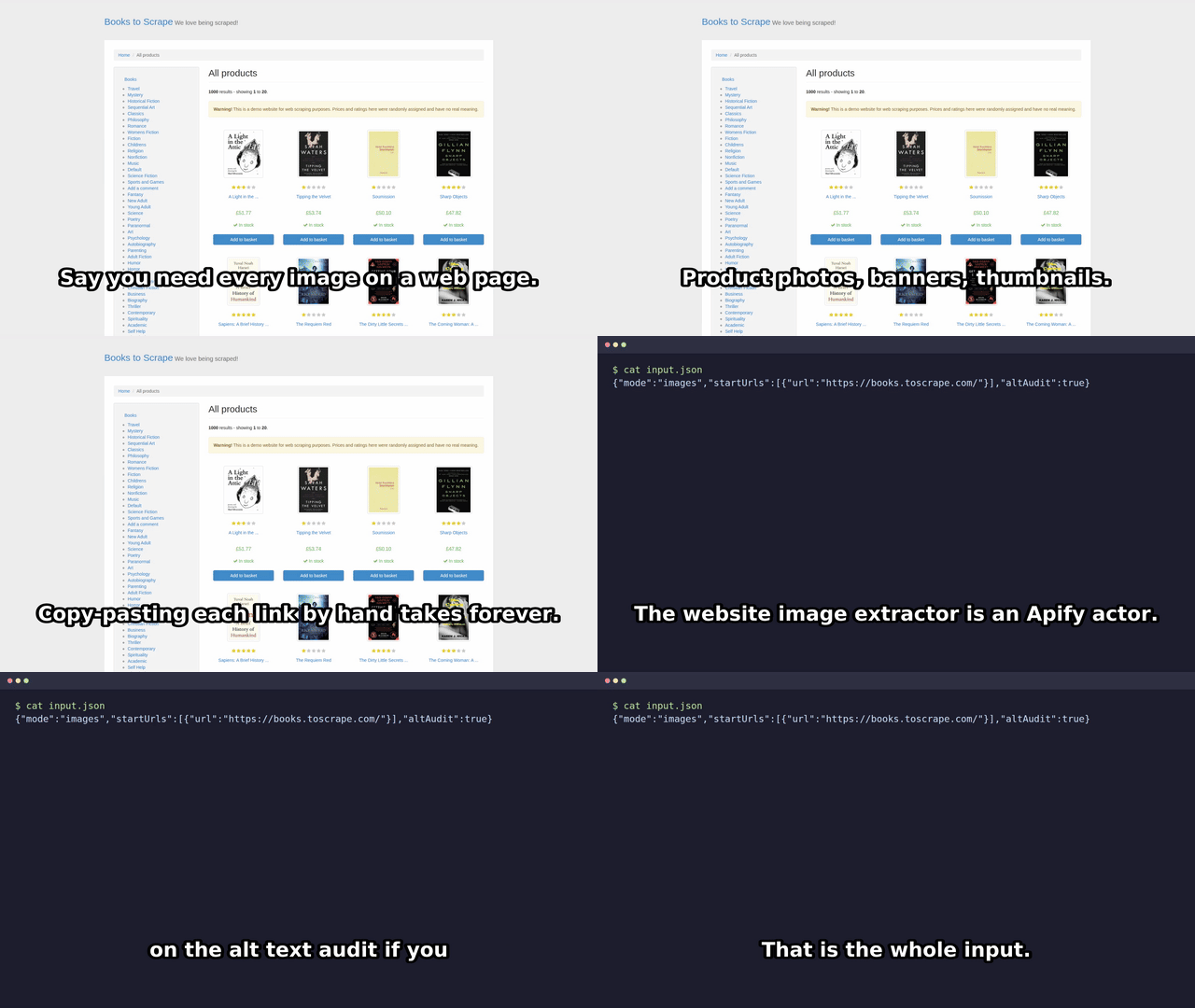
Bulk image downloader and website image extractor. Paste a web page URL, get one row per image: image URL, alt text, width, height and type. $0.002 per image row (about $2 per 1,000 images). Pages that fail, are blocked or have no images cost $0.
Click Start: the prefilled input runs as is. Or paste this and press Start:
{ "startUrls": [{ "url": "https://books.toscrape.com/" }], "maxImages": 3, "minWidth": 100 }
Real output (run of this build, 2026-10-26, 3 of the rows returned for that input, cost $0.006):
| pageUrl | imageUrl | altText | width x height | contentType |
|---|---|---|---|---|
| books.toscrape.com/ | .../media/cache/2c/da/2cdad67c...jpg | A Light in the Attic | 125 x 155 | image/jpeg |
| books.toscrape.com/ | .../media/cache/3e/ef/3eef99c9...jpg | Soumission | 101 x 155 | image/jpeg |
| books.toscrape.com/ | .../media/cache/32/51/3251cf3a...jpg | Sharp Objects | 116 x 155 | image/jpeg |
Need the files, not just links? Add "zipOutput": true for one ZIP of all images, or use the bulk file downloader at $0.001 per file (below). Set maxImages to cap spend (default 100 images, at most $0.20).
How it works: plain HTTP, no browser, no login. It reads <img src> and srcset (largest candidate), <picture><source>, og:image / twitter:image, and optionally CSS background-image: url(). Optional proxy input; large jobs (10,000+ images) are zipped in streamed parts, so memory stays low.
Prefer not to run it yourself?
If you would rather not set up a run, I also sell a done-for-you product image pack: send one public store or catalog URL (up to 300 product pages) and get a zip of the images plus a CSV within 24 hours, for a flat 12 USD, with a refund if it cannot be delivered. It is operated by AI, uses this same actor, and covers public pages only: https://buy.stripe.com/eVq6ozal37vqf2D6UQ7EQ04
One-click ZIP of all images (zipOutput)
Set "zipOutput": true and the actor downloads the images it finds (up to maxImages) into images.zip in the run's key-value store. The link is zipUrl in the OUTPUT and SUMMARY records and in every row. Big jobs are streamed out in parts of maxZipMb (up to 100 MB each): images-part-001.zip, images-part-002.zip, ... listed in zipUrls, so 10,000+ images do not run out of memory. Set proxyConfiguration to use Apify Proxy or your own proxies. No extra charge: you pay only the normal per-image price.
Bulk file downloader (mode files)
$0.001 per file successfully downloaded. Failed, timed-out, oversized and 4xx/5xx files are retried (timeouts, network errors, 429, 5xx; default 2 retries with backoff) and are never charged. Any file type: PDF, images, CSV, ZIP, video, audio.
Input example:
{
  "mode": "files",
  "fileUrls": [{ "url": "https://example.com/a.pdf" }, { "url": "https://example.com/photo.jpg" }],
  "filenameTemplate": "{index}-{basename}",
  "createZip": true,
  "maxCostUsd": 5
}
- URL sources (combined, deduplicated):
fileUrls(plain list),csvUrl(+csvColumnheader or 0-based index; a Google Sheet CSV export link works),datasetId(+datasetField). filenameTemplate:{index},{basename},{name},{ext},{host}. Default{index}-{basename}.createZip: also writes all files tofiles.zipin the key-value store. Big jobs are split intofiles-part-001.zip,files-part-002.zip, ... (250 MB each); theSUMMARYrecord lists them inzipParts.maxCostUsd: hard guard, at most floor(maxCostUsd / 0.001) files are downloaded. AlsomaxFiles,maxFileMb(default 50),retries,timeoutSecs,concurrency.- Output: one dataset row per URL (
statusok/error,error,fileName,kvsKey,kvsUrl,contentType,bytes,attempts). - Only public http(s) URLs are fetched; private and internal addresses are blocked. You are responsible for the right to download and store the files.
Image extraction mode (default, mode images)
Compared with per-URL pricing
| This actor | onescales/bulk-image-downloader (as listed 2026-10) | |
|---|---|---|
| Price | $0.002 per image found | $0.07 per URL processed |
| Page with 5 images | $0.010 | $0.07 |
| Page with 20 images | $0.040 | $0.07 |
| Page with 0 images | $0 | $0.07 |
| Break-even | about 35 images per page |
Pages with more than ~35 images cost more here than at a flat $0.07 per URL; use maxImages or minWidth to control spend. Prices of other actors may change; check their listing.
Input
startUrls: page URLs (prefilled with a Wikipedia article). AliasesinputUrls,urls,urlare merged in.cssSelector: only return images inside matching elements (e.g..product-gallery). Each row also has afilename.maxPagesPerStart(default 1): also follow same-site links, up to N pages per start URL.minWidth,minHeight,minBytes: drop small images using the measured size (unknown width/height/size is kept). Example:{"startUrls":[{"url":"https://books.toscrape.com/"}],"minWidth":200,"minHeight":200}skips icons and tracking pixels.formats: keep only some image types. Example:{"startUrls":[{"url":"https://en.wikipedia.org/wiki/Cat"}],"formats":["jpg","png","webp"]}(alsosvg,gif,avif). Format is read from the URL extension or the Content-Type; empty list (default) keeps all.excludeJunk(default on): drops tracking pixels (1x1 or 2 px or less, known tracker hosts), spacer/blank images and sprite/icon/favicon images under 100 px. Setfalseto keep everything.imageFormats: alias offormats(both lists are merged), e.g.["jpg","png","webp","gif","svg"].upgradeToOriginals(default off): swaps thumbnail URLs for the full-size original (WordPress-300x200, Shopify_300x300, Wikimedia/thumb/,?w=params) and follows<a href="full.jpg"><img></a>links. The original is only used if a HEAD request confirms it is an image, otherwise the thumbnail is kept. Rows carrythumbnailUrlwhen upgraded.includeVideo/includeAudio(both default off): also collect<video src>,<source src>inside video/audio,<audio src>,og:video/og:audioand the videoposterimage. Rows use the same schema plusmediaType(image,video,audio,poster; shown only when one of the two is on). Each delivered row is charged asimage-found; width/height and image filters are not applied to video/audio files.dedupeByContentHash(default off): downloads each image and skips files with identical bytes (SHA-1) even under different URLs; duplicates are not charged and counted inSUMMARY.duplicatesSkipped.dedupe(default on): URLs that differ only by size markers (?w=,?width=,-300x200filename suffixes) count as one image, so you are charged once. Setfalseto keep every size variant.altAudit(default off): SEO / accessibility alt-text audit. Every row always hasaltMissing(true=<img>with no alt, an empty alt or blank alt;false= has alt text;null= not an<img>, e.g. og:image or a CSS background). WithaltAuditon you also get one uncharged recordstatus: alt_audit_summarywith, per page,images,imgTagsandmissingAltcounts and the first 50missingAltUrls; the same totals are in theSUMMARYkey-value record. Example:{"startUrls":[{"url":"https://example.com/"}],"maxPagesPerStart":20,"altAudit":true,"fetchMetadata":false}. Note: a deliberately emptyalt=""on decorative images is valid HTML, so review before fixing; counts cover images delivered after your filters.includeLazyAndBackground(default on: every srcset candidate, CSS background images from inline, style blocks and up to 5 linked stylesheets; lazy data-src always read),includeCssBackgrounds(default off),sameDomainOnly(default off),fetchMetadata(default on: HEAD per image for type and size).downloadToKvs(default off): store each image (max 10 MB) in the key-value store; failed downloads are not delivered or charged.maxImages(default 100),respectRobotsTxt(default on),timeoutSecs.
Just the logo, favicon or share image (imageType)
Set imageType to ogImage (og:image / twitter:image), logo (images with "logo" in src, alt, class or id, plus apple-touch-icon) or favicon (<link rel="icon"> variants, falling back to /favicon.ico only when it really returns an image). Default all is the normal extraction. Same price per image; every row carries imageType (ogImage, logo, favicon or image). Example: {"startUrls":[{"url":"https://github.com"}],"imageType":"favicon"}. In these modes cssSelector and junk filtering are not applied.
Output (one row per image)
pageUrl, imageUrl, alt, altText, altMissing, missingAlt, fileSizeBytes, width, height, contentType, bytes, imageType, source (img, apple-touch-icon, link-icon, favicon-fallback, img-srcset, picture-source, og:image, twitter:image, css-background), plus kvsKey/kvsUrl when downloading. width/height are read from the image file header (PNG, JPEG, GIF, WebP, BMP, ICO; dimensionsMeasured: true), with no full decode; if the header cannot be read they fall back to what the page declares. Set measureDimensions: false to skip the extra request.
Image SEO audit: find missing alt text and heavy images
Every image row carries altText (the alt string, or null), missingAlt (true when an <img> has no alt, an empty alt or a blank alt) and fileSizeBytes plus contentType (read with a HEAD request by default; exact when downloading). Set onlyMissingAlt: true to get only the images that need alt text, and sort the dataset by fileSizeBytes to find heavy files. Example: {"startUrls":[{"url":"https://example.com/"}],"maxPagesPerStart":20,"onlyMissingAlt":true}. Add altAudit: true for a per-page summary. A deliberately empty alt="" on decorative images is valid HTML, so review before fixing. fileSizeBytes is null when the server does not report a size.
Limits
- Lazy-loaded images are found when their URL is in the HTML (
data-src,data-lazy-src,data-original,data-srcset,<picture>,<noscript>,data-bg). Images added by JavaScript after page load are not seen (no rendering). - A page with no images produces one row with
status: no_images_found, areasoncode (js_rendered,no_img_tagsorblocked) and adetailsentence. These rows are never charged. dedupeAcrossPages(default on) delivers and charges each image URL once per run, ignoring#fragments, trailing slashes and query-parameter order. Example:{"startUrls":[...],"maxPagesPerStart":10,"dedupeAcrossPages":true}; setfalseto get an image once per page it appears on. External stylesheets are not read.- Only the pages you supply (and, if enabled, same-site links) are fetched. No search-engine scraping. Private and internal addresses are blocked. You are responsible for respecting the copyright and license of the images you download.
- Not affiliated with any website you scan.
Next step: upscale the images
Each row of this Actor's output has an imageUrl. To make them larger, feed the imageUrl values into Image Upscaler (OpenCV, fast and cheap), which returns each image 2x, 3x or 4x larger. It is a separate Actor with its own pay-per-event price; you are charged for it only when you run it.
import { ApifyClient } from 'apify-client';
const client = new ApifyClient({ token: process.env.APIFY_TOKEN });

// 1. Run this Actor, then read its dataset.
const run = await client.actor('pennydata/website-image-extractor').call({ /* your input */ });
const { items } = await client.dataset(run.defaultDatasetId).listItems();

// 2. Send the image URLs to the upscaler.
const imageUrls = items.map((i) => i.imageUrl).filter(Boolean).slice(0, 500);
const up = await client.actor('pennydata/image-upscaler-fast').call({ imageUrls, scale: '2', outputFormat: 'png' });
const out = await client.dataset(up.defaultDatasetId).listItems();
console.log(out.items.map((r) => r.outputUrl));
The upscaler accepts up to 500 URLs per run and images up to 2 megapixels and 25 MB; larger images come back as an error row and are not charged. It uses small OpenCV networks, not generative AI, so expect cleaner edges at a larger size rather than new detail. Use minWidth here to skip tiny icons before upscaling.
Free bookmarklet: list images on any page
Need the image URLs of just one page you are looking at? Use this free bookmarklet instead of the Actor. It runs only in your browser, makes no network calls and sends nothing anywhere. Create a new browser bookmark and paste the line below as its URL, open any page, click the bookmark, then press Copy.
javascript:(function%20()%20{var%20seen%20=%20{},%20urls%20=%20[];function%20add(u)%20{if%20(!u)%20return;try%20{%20u%20=%20new%20URL(u,%20document.baseURI).href;%20}%20catch%20(e)%20{%20return;%20}if%20(/%5E(https?:|data:image)/.test(u)%20&&%20!seen[u])%20{%20seen[u]%20=%201;%20urls.push(u);%20}}function%20srcset(s)%20{%20(s%20||%20'').split(',').forEach(function%20(p)%20{%20add(p.trim().split(/%5Cs+/)[0]);%20});%20}function%20bg(v)%20{%20var%20re%20=%20/url%5C((['"]?)(.*?)%5C1%5C)/g,%20m;%20while%20((m%20=%20re.exec(v%20||%20'')))%20add(m[2]);%20}document.querySelectorAll('img').forEach(function%20(i)%20{%20add(i.currentSrc%20||%20i.src);%20add(i.getAttribute('data-src'));%20srcset(i.srcset);%20});document.querySelectorAll('source[srcset]').forEach(function%20(s)%20{%20srcset(s.srcset);%20});document.querySelectorAll('meta[property="og:image"],meta[name="twitter:image"]').forEach(function%20(m)%20{%20add(m.content);%20});document.querySelectorAll('link[rel~="icon"],link[rel="apple-touch-icon"]').forEach(function%20(l)%20{%20add(l.href);%20});document.querySelectorAll('*').forEach(function%20(e)%20{%20bg(getComputedStyle(e).backgroundImage);%20});var%20old%20=%20document.getElementById('wie-box');%20if%20(old)%20old.remove();var%20d%20=%20document.createElement('div');%20d.id%20=%20'wie-box';d.style.cssText%20=%20'position:fixed;z-index:2147483647;top:10px;right:10px;width:460px;max-width:95vw;background:%23fff;color:%23000;border:2px%20solid%20%23333;padding:10px;font:13px%20sans-serif;box-shadow:0%204px%2020px%20%230006';var%20h%20=%20document.createElement('div');%20h.textContent%20=%20urls.length%20+%20'%20image%20URLs%20found';%20h.style.fontWeight%20=%20'bold';var%20t%20=%20document.createElement('textarea');%20t.id%20=%20'wie-text';%20t.value%20=%20urls.join('%5Cn');%20t.style.cssText%20=%20'width:100%25;height:240px;margin:6px%200;box-sizing:border-box';var%20b%20=%20document.createElement('button');%20b.textContent%20=%20'Copy';%20b.onclick%20=%20function%20()%20{%20t.select();%20document.execCommand('copy');%20};var%20c%20=%20document.createElement('button');%20c.textContent%20=%20'Close';%20c.onclick%20=%20function%20()%20{%20d.remove();%20};var%20a%20=%20document.createElement('a');%20a.href%20=%20'https://apify.com/pennydata/website-image-extractor';%20a.target%20=%20'_blank';%20a.rel%20=%20'noopener';a.textContent%20=%20'Need%20many%20pages%20or%20bulk%20download?%20Website%20Image%20Extractor';%20a.style.cssText%20=%20'display:block;margin-top:8px;color:%2306c';d.append(h,%20t,%20b,%20c,%20a);%20document.body.appendChild(d);})();
It lists img src/srcset, source sets, lazy-load data-src, CSS backgrounds, og:image and icons, with duplicates removed. It only sees the page you are on. For many pages, whole sites, a CSS selector filter or downloading the files, run this Actor.
AI disclosure
Built with AI assistance (Claude); maintained by the publisher.
Related pennydata actors
Other Actors from the same publisher for website work. Each is a separate Actor with its own pay-per-event price; you are charged only for what you run.
- Sitemap Extractor Plus: list a site's page URLs from its sitemaps, then feed them here as start URLs.
- Screenshot & PDF (shot-pdf): capture full-page screenshots or PDFs of the same pages.
- Website Tech Stack Detector: detect the CMS, frameworks and analytics a site uses.
Common uses
- Download all images from a website: set
startUrls,maxPagesPerStartandzipOutput: true; you get oneimages.zipplus a row per image. - Find images missing alt text: set
altAudit: true(oronlyMissingAlt: true) and readaltMissingper image and the per-page summary row. - Image size audit: read
width,heightandbytesper image to find oversized or tiny files; addminWidth/minHeightto drop icons, anddedupeByContentHash: trueto count each distinct file once.
Actor input Schema
mode (type: string):
images = extract image URLs from web pages ($0.002 per image). files = bulk file downloader: download every file in a URL list, CSV or dataset ($0.001 per file).
zipOutput (type: boolean):
Images mode: download the images found (up to maxImages) into one images.zip in the key-value store. The link (zipUrl) is in each row, the SUMMARY record and the OUTPUT record. No extra charge: you pay only the normal per-image price. Same as downloadZip.
startUrls (type: array):
Public web pages to read. Each page is fetched with plain HTTP (no browser, no JavaScript rendering).
altAudit (type: boolean):
Add one extra uncharged dataset record (status alt_audit_summary) with, per page, how many images lack alt text. Every image row always has altMissing; the same counts are in the SUMMARY key-value record.
onlyMissingAlt (type: boolean):
Return only rows whose alt text is absent, empty or blank (missingAlt = true). Filtered-out images are not charged.
cssSelector (type: string):
Only return images inside elements matching this selector, e.g. .product-gallery or main. Empty = whole page (og:image/twitter:image meta tags are only included when empty).
inputUrls (type: array):
Alias of startUrls; both are merged.
urls (type: array):
Alias of startUrls; both are merged.
url (type: string):
Alias of startUrls for a single page.
maxPagesPerStart (type: integer):
1 = only the page you list. Higher values also follow same-site links, up to this many pages per start URL.
minWidth (type: integer):
Skip images narrower than this. Width is measured from the image file header (first 64 KB, no full download) when measureDimensions is on, else the declared width. Unknown width is kept. 0 = off.
minHeight (type: integer):
Skip images shorter than this. Height is measured from the image file header when measureDimensions is on, else the declared height. Unknown height is kept. 0 = off.
formats (type: array):
Only deliver these formats, e.g. ["jpg","png","webp","svg","gif"]. Format comes from the URL extension or the Content-Type; images of unknown format are kept. Empty = all formats.
imageFormats (type: array):
Alias of Image formats: e.g. ["jpg","png","webp","gif","svg"]. Merged with 'formats'. Empty = all formats.
imageType (type: string):
all = every image (default). ogImage = only og:image / twitter:image share images. logo = images whose src, alt, class or id contains logo, plus apple-touch-icon. favicon = link rel=icon variants, with /favicon.ico as fallback. Every row has an imageType field. Same price per image.
excludeJunk (type: boolean):
Drop tracking pixels (1x1, declared width/height of 2 px or less, known tracker hosts), spacer/blank images, and sprite/icon/favicon images under 100 px. Turn off to get everything.
dedupe (type: boolean):
Treat URLs that differ only by size markers (?w=, ?width=, -300x200 filename suffixes) as one image and deliver (and charge) it once. Turn off to keep every variant.
measureDimensions (type: boolean):
Read the real width and height of each image from its file header (PNG, JPEG, GIF, WebP, BMP, ICO) with a small range request, no full decode. Used by minWidth/minHeight and the width/height output fields. Turn off for the fastest run.
upgradeToOriginals (type: boolean):
Swap thumbnail URLs for the full-size original (WordPress -300x200, Shopify _300x300, Wikimedia /thumb/, ?w= resize params) and use the link target when a thumbnail is wrapped in . The original is only used when a HEAD request confirms it is an image; otherwise the thumbnail is kept. Output rows get thumbnailUrl. Default off.
includeVideo (type: boolean):
Also collect ,
includeAudio (type: boolean):
Also collect ,
dedupeByContentHash (type: boolean):
Download every image and skip files whose bytes are identical to one already delivered, even when the URLs differ. Skipped duplicates are not charged. Slower: needs a full download of each image. Default off.
minBytes (type: integer):
Skip images whose Content-Length (from a HEAD request) is smaller. Images with unknown size are kept. 0 = off.
includeCssBackgrounds (type: boolean):
Also collect url() images from inline style attributes and blocks (external stylesheets are not read).
includeLazyAndBackground (type: boolean):
Also collect every srcset/picture candidate (not only the largest) and url() images from inline styles, blocks and up to 5 linked stylesheets. Only adds rows; default output stays a superset. Turn off for the smaller legacy result.
dedupeAcrossPages (type: boolean):
Deliver (and charge) each image URL once per run, even when it appears on several pages. Turn off to get one row per page and image.
sameDomainOnly (type: boolean):
Keep only images hosted on the same site (or a subdomain) as the page; drops CDN and third-party images.
fetchMetadata (type: boolean):
Send one HEAD request per image to fill contentType and bytes. Turn off for faster runs.
downloadMode (type: boolean):
Image downloader: save every image to the run's key-value store and return a kvsUrl download link per row. Same as 'Download files to key-value store'.
downloadToKvs (type: boolean):
Also download each image (max 10 MB) into the run's key-value store and add kvsKey/kvsUrl to the row. Images that fail to download are not delivered or charged.
maxImages (type: integer):
Stop after this many image rows. Caps your cost: 100 rows cost about $0.20.
respectRobotsTxt (type: boolean):
Skip pages disallowed for all bots in robots.txt. Skipped pages cost nothing.
timeoutSecs (type: integer):
Per-request timeout in seconds (5-60).
pageBudgetSecs (type: integer):
Max seconds spent on one page (its stylesheets and images) before moving on, so one slow site cannot use up the run timeout. The run also stops cleanly about 20 s before its timeout and keeps all results found so far.
fileUrls (type: array):
Files mode only. Direct links to files of any type (PDF, images, CSV, ZIP...). Plain URL list.
csvUrl (type: string):
Files mode only. Public link to a CSV or Google Sheet CSV export containing file URLs.
csvColumn (type: string):
Header name or 0-based column number holding the URLs. Empty = first column that contains URLs.
datasetId (type: string):
Files mode only. ID or name of an Apify dataset whose items contain file URLs.
datasetField (type: string):
Field holding the URL in each dataset item. Empty = first URL-like value in the item.
filenameTemplate (type: string):
Name of each stored file. Placeholders: {index} (0001...), {basename} (name.ext from the URL), {name}, {ext}, {host}.
downloadZip (type: boolean):
Images mode: download every image and put them all into one images.zip record in the key-value store. The link is in each row (zipUrl) and in the OUTPUT record. No extra charge.
maxZipMb (type: integer):
Images mode with zipOutput: size of one ZIP part in MB (capped at 100). Bigger jobs are split into images-part-001.zip, images-part-002.zip, ... so memory stays low; every image is also saved individually.
createZip (type: boolean):
Also put all downloaded files into files.zip in the key-value store. Large jobs are split into files-part-001.zip, files-part-002.zip, ... (250 MB each); every file is also saved individually.
retries (type: integer):
Extra attempts for timeouts, network errors, HTTP 429 and 5xx, with backoff.
maxFileMb (type: integer):
Files larger than this are skipped and not charged.
maxFiles (type: integer):
Stop after this many files.
maxCostUsd (type: number):
Spending guard: at most floor(maxCostUsd / 0.001) files are downloaded. Empty = no extra cap.
concurrency (type: integer):
Parallel downloads.
proxyConfiguration (type: object):
Optional. Route page and image requests through Apify Proxy or your own proxies, for sites that block datacenter IPs. Default: direct requests.
Actor input object example
{
  "mode": "images",
  "zipOutput": true,
  "startUrls": [
    {
      "url": "https://en.wikipedia.org/wiki/Cat"
    },
    {
      "url": "https://books.toscrape.com/"
    }
  ],
  "altAudit": false,
  "onlyMissingAlt": false,
  "maxPagesPerStart": 1,
  "minWidth": 0,
  "minHeight": 0,
  "formats": [],
  "imageFormats": [],
  "imageType": "all",
  "excludeJunk": true,
  "dedupe": true,
  "measureDimensions": true,
  "upgradeToOriginals": false,
  "includeVideo": false,
  "includeAudio": false,
  "dedupeByContentHash": false,
  "minBytes": 0,
  "includeCssBackgrounds": false,
  "includeLazyAndBackground": true,
  "dedupeAcrossPages": true,
  "sameDomainOnly": false,
  "fetchMetadata": true,
  "downloadMode": false,
  "downloadToKvs": false,
  "maxImages": 10,
  "respectRobotsTxt": true,
  "timeoutSecs": 20,
  "pageBudgetSecs": 120,
  "filenameTemplate": "{index}-{basename}",
  "downloadZip": false,
  "maxZipMb": 200,
  "createZip": false,
  "retries": 2,
  "maxFileMb": 50,
  "maxFiles": 1000,
  "concurrency": 5,
  "proxyConfiguration": {
    "useApifyProxy": false
  }
}
Actor output Schema
results (type: string):
No description
API
You can run this Actor programmatically using our API. Below are code examples in JavaScript, Python, and CLI, as well as the OpenAPI specification and MCP server setup.
JavaScript example
import { ApifyClient } from 'apify-client';

// Initialize the ApifyClient with your Apify API token
// Replace the '<YOUR_API_TOKEN>' with your token
const client = new ApifyClient({
    token: '<YOUR_API_TOKEN>',
});

// Prepare Actor input
const input = {
    "zipOutput": true,
    "startUrls": [
        {
            "url": "https://en.wikipedia.org/wiki/Cat"
        },
        {
            "url": "https://books.toscrape.com/"
        }
    ],
    "maxImages": 10,
    "proxyConfiguration": {
        "useApifyProxy": false
    }
};

// Run the Actor and wait for it to finish
const run = await client.actor("pennydata/website-image-extractor").call(input);

// Fetch and print Actor results from the run's dataset (if any)
console.log('Results from dataset');
console.log(`💾 Check your data here: https://console.apify.com/storage/datasets/${run.defaultDatasetId}`);
const { items } = await client.dataset(run.defaultDatasetId).listItems();
items.forEach((item) => {
    console.dir(item);
});

// 📚 Want to learn more 📖? Go to → https://docs.apify.com/api/client/js/docs
Python example
from apify_client import ApifyClient

# Initialize the ApifyClient with your Apify API token
# Replace '<YOUR_API_TOKEN>' with your token.
client = ApifyClient("<YOUR_API_TOKEN>")

# Prepare the Actor input
run_input = {
    "zipOutput": True,
    "startUrls": [
        { "url": "https://en.wikipedia.org/wiki/Cat" },
        { "url": "https://books.toscrape.com/" },
    ],
    "maxImages": 10,
    "proxyConfiguration": { "useApifyProxy": False },
}

# Run the Actor and wait for it to finish
run = client.actor("pennydata/website-image-extractor").call(run_input=run_input)

# Fetch and print Actor results from the run's dataset (if there are any)
print(f"💾 Check your data here: https://console.apify.com/storage/datasets/{run.default_dataset_id}")
for item in client.dataset(run.default_dataset_id).iterate_items():
    print(item)

# 📚 Want to learn more 📖? Go to → https://docs.apify.com/api/client/python/docs/quick-start
CLI example
echo '{
  "zipOutput": true,
  "startUrls": [
    {
      "url": "https://en.wikipedia.org/wiki/Cat"
    },
    {
      "url": "https://books.toscrape.com/"
    }
  ],
  "maxImages": 10,
  "proxyConfiguration": {
    "useApifyProxy": false
  }
}' |
apify call pennydata/website-image-extractor --silent --output-dataset
MCP server setup
{
    "mcpServers": {
        "apify": {
            "type": "http",
            "url": "https://mcp.apify.com/?tools=fetch-actor-details,pennydata/website-image-extractor"
        }
    }
}
The hosted server signs you in with OAuth on first connect, so no API token belongs in this config. Clients without OAuth support can send an Authorization: Bearer <APIFY_API_TOKEN> header instead, using a token from API & Integrations in Apify Console (https://console.apify.com/settings/integrations).
OpenAPI specification
Download the OpenAPI definition: https://api.apify.com/v2/actors/c2yaNUJHPEXTTl8Aa/builds/J8xSJhyJDdT7VXQyR/openapi.json