Flexpa
Patient-authorized health records for AI agents: claims and coverage from health plans, clinical records from medical record systems, and TEFCA records, through one remote MCP server (https://api.flexpa.com/mcp/consent). Listed in Claude's connector directory.
Hosted MCP Server
npx add-mcp 'https://api.flexpa.com/mcp/consent'Installs into Claude Code, Codex, Cursor and more
Documentation
Beta — This feature is subject to change. The MCP specification and our implementation may evolve.
Setting this up for yourself? See Connect your health records to Claude or ChatGPT.
Flexpa enables agents and AI systems to access patient health data with consent and authorization. Try this for yourself with Claude or ChatGPT.
Patients who link their data to an agent can ask natural language questions about their health data, made possible by our 3-in-1 network of health record access:
- "What are my recent claims?"
- "Show me my insurance card"
- "Summarize my health records"
- "What medications am I currently taking?"
- "Show me my recent lab results"
- "Am I up to date on my vaccinations?"
- "Who is on my care team?"
- "Find anything in my record about metformin"
MCP ServerAdd-onSee pricing →
Flexpa exposes a Model Context Protocol (MCP) server that standardizes how AI applications connect to external data sources.
Note: We also support personal use in Claude and ChatGPT. See configurations below.
Use /mcp/consent for new patient connections. Existing connections with a patient access token at /mcp continue to work. For public endpoint discovery, use Health tools for agents at /mcp.
Patient access token required: /mcp/consent returns 401 for application access tokens. At /mcp, application access tokens expose only search_tools and execute_tool for public capabilities. They do not grant access to patient records tools or resources. If your integration uses an application token, obtain a patient access token through Flexpa Consent before using patient records tools.
How it works
- Patient authorizes access through Flexpa Consent
- Your application obtains a patient access token
- Configure the MCP client with the token
- AI assistant can now query health data through MCP tools and resources
Endpoint
POST https://api.flexpa.com/mcp/consent
Authentication
Authorization: Bearer <patient_access_token>
The MCP server uses the same patient access tokens as the FHIR API. No additional authentication setup required. Authentication uses OAuth 2.1 PKCE flow as described in the MCP authorization specification. Upstream FHIR authorization uses SMART on FHIR, a separate standard.
Configuration
Claude Desktop / Claude.ai
Flexpa is in Claude's connector directory, so no URL is needed.
- Open the Flexpa listing in Claude's connector directory
- Click "Connect" to authorize through Flexpa
- Complete the authorization flow on the Flexpa page
The listing works across Claude on the web, Claude Desktop, Claude mobile and Cowork. To add it by hand instead, go to Customize → Connectors, click Add, then Add custom connector, and enter https://api.flexpa.com/mcp/consent.
Once connected, Claude will have access to your health data through MCP tools and prompts.
For team/enterprise plans: Contact your administrator to have the Flexpa MCP server added to your organization.

The connector uses remote authentication via OAuth. When you click "Connect", you'll be redirected to Flexpa to authorize access to your health data.
ChatGPT
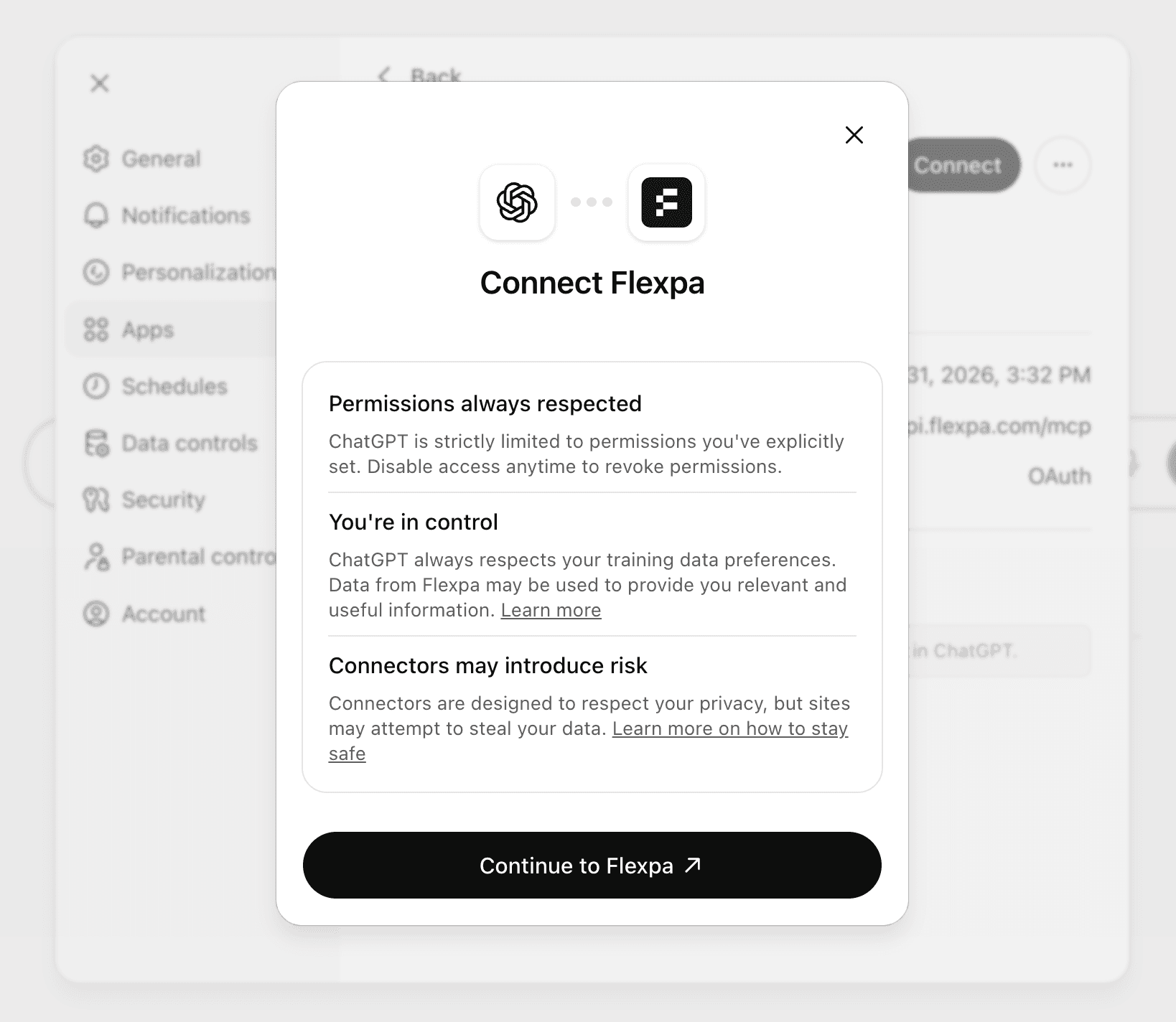
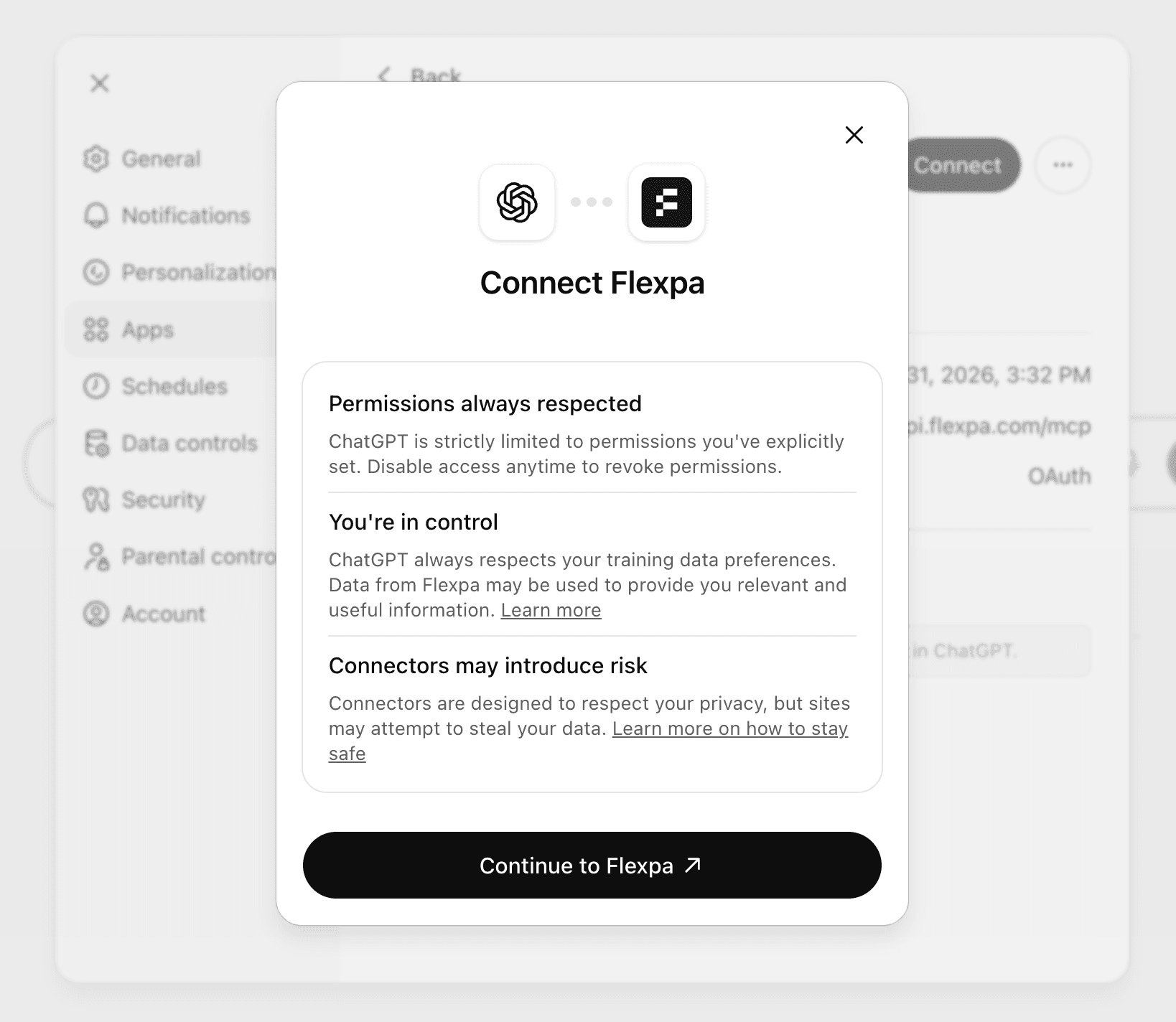
Add Flexpa to ChatGPT on the web as a custom MCP plugin. Developer mode is no longer required.
Add the plugin:
- Go to Plugins, click +, and choose Add custom MCP server
- Enter a name: "Flexpa"
- Enter the URL:
https://api.flexpa.com/mcp/consent - Set up sign-in, accept the risk warning, and create it as a plugin
- Install the plugin
Use in conversation:
- Start a new chat and @-mention Flexpa
- Complete Flexpa Consent and start asking questions about health data
Custom MCP plugins are added on ChatGPT on the web, and availability depends on your plan and workspace. OpenAI lists full custom MCP support for ChatGPT Business and Enterprise/Edu. In a Business workspace only admins and owners can create these plugins; in Enterprise or Edu an admin must grant the "Create plugins with MCPs" permission. See OpenAI's Connecting custom MCP servers in ChatGPT.
Claude Code
Add Flexpa in Claude Code using the CLI or MCP configuration file. Then start Claude Code, run /mcp, select Flexpa, and choose Authenticate to complete the Flexpa Consent flow in your browser. With .mcp.json, approve the project server when prompted, then authenticate through /mcp. Application access tokens do not grant access to patient records tools.
For public tools without a patient connection, use the registry setup.
The --transport http flag specifies the Streamable HTTP transport.
Claude Code
claude mcp add flexpa \
  --transport http \
  https://api.flexpa.com/mcp/consent
Codex
Add Flexpa to Codex in ~/.codex/config.toml, then run codex mcp login flexpa to complete the Flexpa Consent flow in your browser. The CLI and the IDE extension share this configuration.
For public tools without a patient connection, use the registry setup.
Codex
[mcp_servers.flexpa]
url = "https://api.flexpa.com/mcp/consent"
Gemini CLI
Add Flexpa to Gemini CLI in ~/.gemini/settings.json. Then start Gemini CLI and run /mcp auth flexpa to complete the Flexpa Consent flow in your browser.
The httpUrl field selects the Streamable HTTP transport.
Gemini CLI
{
  "mcpServers": {
    "flexpa": {
      "httpUrl": "https://api.flexpa.com/mcp/consent"
    }
  }
}
Resources
MCP resources provide direct access to data via URI. Resources are read-only and return data in a format optimized for AI consumption.
Simplified — flattened structures optimized for AI consumption:
flexpa://patient
Patient demographics
flexpa://insurance-card
Insurance card details (member ID, plan, payer)
flexpa://health-summary
Available health data summary
flexpa://problems
Problem list (Conditions)
flexpa://allergies
Allergy and intolerance records
flexpa://labs
Laboratory results (last 50)
flexpa://vitalsigns
Vital sign observations (last 50)
flexpa://documents
Clinical document metadata (last 50)
flexpa://medications
Prescriptions and pharmacy claims
flexpa://immunizations
Immunization records (last 50)
flexpa://procedures
Procedure records (last 50)
flexpa://visits
Encounter/visit records (last 50)
flexpa://care_team
Care team members merged across all sources
Raw FHIR — complete FHIR bundles:
flexpa://fhir/Patient
FHIR Patient bundle
flexpa://fhir/Coverage
FHIR Coverage bundle
flexpa://fhir/ExplanationOfBenefit
FHIR EOB bundle (claims)
Resource read
{
  "method": "resources/read",
  "params": {
    "uri": "flexpa://patient"
  }
}
Tools
MCP tools are functions that AI assistants can invoke to retrieve data. Each tool returns structured health data that the AI can interpret and present to users.
/mcp/consent exposes only the 18 patient records tools below; the public registry and endpoint directory tools are available at /mcp, described in Health tools for agents.
Records tools return records newest first and always leave out records marked entered-in-error or cancelled; the raw FHIR API returns every record. A limit counts only the rows returned. Each call reads a bounded number of rows and the tools do not paginate, so truncated: true means more rows may exist beyond the rows read.
get_health_summary
Retrieves a comprehensive clinical summary via the International Patient Summary (IPS). Returns structured rows for each clinical section — problems, medications, allergies, immunizations, vital signs, lab results, procedures, past illness, pregnancy history, devices, social history, functional status, plan of care, advance directives, alerts, and patient story.
Parameters
sectionsstring[]
Clinical sections to include. Accepts aliases (problems, medications, allergies, immunizations, vitalsigns, results, procedures, pastillness, pregnancy, devices, socialhistory, functionalstatus, planofcare, advancedirectives, alerts, patientstory) or LOINC codes. Defaults to all 16 sections.
limit_per_sectionnumber
Maximum number of rows to return per section (default: 20, max: 200)
This is the best starting point for a full clinical picture. Use the dedicated tools (get_problems, get_labs, etc.) when you need a larger limit, filtering, or deeper detail on a single resource type.
All sections
{
  "name": "get_health_summary",
  "arguments": {}
}
Selected sections
{
  "name": "get_health_summary",
  "arguments": {
    "sections": ["problems", "medications", "allergies"],
    "limit_per_section": 10
  }
}
get_patient
Retrieves patient demographic information including name, birth date, address, and contact details.
When a Consent links several sources, get_patient returns the identity-level Patient. Its id can differ from the source-specific Patient references in get_coverage, get_claims, and other per-source records. This is expected: Patient linking explains how each source Patient links to the identity-level Patient.
{
  "name": "get_patient",
  "arguments": {}
}
get_coverage
Retrieves insurance coverage details including plan information, member ID, and coverage period.
{
  "name": "get_coverage",
  "arguments": {}
}
get_claims
Retrieves recent health insurance claims (Explanation of Benefits), newest first. The limit parameter caps returned claims; this tool does not paginate. Check truncated and use the FHIR API for a complete paginated export.
Parameters
limitnumber
Maximum number of claims to return (default: 10)
typestring
Filter by claim type: pharmacy (prescriptions), professional (doctor visits), or institutional (hospital)
{
  "name": "get_claims",
  "arguments": { "limit": 5 }
}
get_financial_summary
Retrieves an aggregated financial summary of all healthcare costs, computed across up to the 200 most recent Explanation of Benefits. Returns top-level totals for amount submitted, amount paid by insurance, and patient responsibility, plus a per-claim-type breakdown.
Parameters
typestring
Filter by claim type: pharmacy (prescriptions), professional (doctor visits), or institutional (hospital). Omit to include all claim types.
The response includes totalClaims, totalSubmitted, totalPaidByInsurance, totalPaidByPatient, a byType object breaking the same figures down per claim type, and a truncated flag indicating whether the underlying claim set was capped (in which case the totals are a partial summary).
A claim's patient responsibility is its patient-paid total when the payer reports one. Otherwise it is the sum of the claim's copay, coinsurance, and deductible. patientPaidSources counts the claims that used each basis: patientPaidTotal, costSharing, and unavailable for claims that report neither.
{
  "name": "get_financial_summary",
  "arguments": { "type": "professional" }
}
get_problems
Retrieves the patient problem list (Conditions). Returns flattened rows including diagnosis code, display name, clinical status, and onset/abatement dates.
Parameters
statusstring
Filter by clinical status: active, resolved, or all (default)
{
  "name": "get_problems",
  "arguments": { "status": "active" }
}
get_allergies
Retrieves allergy and intolerance records. Returns substance code and display, criticality (low/high), clinical status, reaction description, and severity.
{
  "name": "get_allergies",
  "arguments": {}
}
get_labs
Retrieves laboratory Observations. Returns test name, result value with units, reference range, interpretation (High/Low/Normal), effective date, status, and performer. Most recent results first.
Parameters
limitnumber
Maximum number of lab results to return (default: 50)
{
  "name": "get_labs",
  "arguments": { "limit": 20 }
}
get_vitalsigns
Retrieves vital sign Observations. Returns measurement code, value with units, effective date, status, and performer. Most recent results first. For panel observations like blood pressure, component values are returned as parallel comma-joined strings.
Parameters
limitnumber
Maximum number of vital sign observations to return (default: 50)
{
  "name": "get_vitalsigns",
  "arguments": {}
}
get_documents
Retrieves DocumentReference metadata. Returns document type, category, date, description, and content MIME type. Use get_document_content to fetch the full text of a document.
Parameters
limitnumber
Maximum number of documents to return (default: 50)
{
  "name": "get_documents",
  "arguments": {}
}
get_medications
Retrieves medications from two parallel streams: prescriptions (MedicationRequest) and pharmacy claims (ExplanationOfBenefit with type=pharmacy). Returns separate arrays — prescriptions include dosage and refill info; pharmacy claims include cost and dispense date.
{
  "name": "get_medications",
  "arguments": {}
}
get_immunizations
Retrieves immunization records. Returns vaccine code and display name, occurrence date, lot number, dose quantity, administration site, route, and performer. Most recent records first.
Parameters
limitnumber
Maximum number of immunization records to return (default: 50)
{
  "name": "get_immunizations",
  "arguments": {}
}
get_procedures
Retrieves clinical procedure records. Returns procedure code and display name, status, performed date, performer, location, reason code, and outcome. Most recent records first.
Parameters
limitnumber
Maximum number of procedure records to return (default: 50)
{
  "name": "get_procedures",
  "arguments": {}
}
get_visits
Retrieves Encounter (visit) records. Returns encounter class (ambulatory, inpatient, emergency), type, period start/end, reason, discharge disposition, location, service provider, and first participant practitioner. Most recent visits first.
Parameters
limitnumber
Maximum number of visit records to return (default: 50)
{
  "name": "get_visits",
  "arguments": {}
}
get_care_team
Retrieves the patient's care team by merging practitioners and organizations across CareTeam resources, Encounter participants, claim providers, and prescription requesters. Deduplicates by reference URL. Each member includes their display name, role, and which data sources they appear in.
{
  "name": "get_care_team",
  "arguments": {}
}
find_in_record
Searches across all available health record data (conditions, allergies, labs, vitals, medications, immunizations, procedures, visits, documents, coverage, and claims) for the given query string. Claim matches include diagnosis, service, and procedure text, such as a vitamin D test or a vitamin deficiency diagnosis. Returns matching rows with their source and matched_fields, the columns that contain the query. Useful for natural-language lookups.
The response includes two flags that signal coverage gaps:
truncated— the matches list was cut off at thelimit; there may be more matching rows.incomplete_sources— one or more data sources were capped at 200 rows or returned an error, so results may not cover all records.
Parameters
querystringRequired
Search term to find across all health record data (e.g., "metformin", "hypertension", "2024 lab")
limitnumber
Maximum number of matches to return (default: 20)
{
  "name": "find_in_record",
  "arguments": { "query": "metformin" }
}
get_document_content
Fetches and extracts the text content of a specific clinical document by DocumentReference ID. For C-CDA XML documents, returns the narrative text. For plain text documents, returns the content as-is. For PDFs, returns a warning with the document URL.
Use get_documents to list available documents and find their IDs first.
Parameters
document_idstringRequired
The DocumentReference resource ID (from get_documents)
max_charsnumber
Maximum characters to return (default: 50,000)
{
  "name": "get_document_content",
  "arguments": {
    "document_id": "<document-id>",
    "max_chars": 10000
  }
}
fhir_read
Reads a specific FHIR resource by type and ID, returning the complete FHIR JSON. Supported resource types are constrained to CARIN Blue Button and US Core 6.1 profiles.
Parameters
resourceTypestringRequired
FHIR resource type (e.g., Patient, Coverage, ExplanationOfBenefit)
idstringRequired
The unique FHIR resource ID
{
  "name": "fhir_read",
  "arguments": { "resourceType": "Observation", "id": "<resource-id>" }
}
Prompts
MCP prompts are pre-defined conversation starters that guide the AI assistant. Select a prompt to have Claude automatically fetch and explain your health data.
Available prompts
summarize_health
Get a plain-language summary of your demographics, insurance, and available clinical records
explain_insurance
Explain your insurance coverage in plain language
healthcare_spending
Analyze your healthcare costs and spending breakdown
recent_claims
Review and explain your recent healthcare claims
what_conditions_do_i_have
Show and explain your active medical conditions
review_my_medications
Review your current medications and prescriptions
check_my_lab_results
Review your recent laboratory results
track_my_vitals
Review your recent vital sign measurements
am_i_up_to_date_on_shots
Check your vaccination history
who_is_on_my_care_team
See who is on your care team
find_in_my_record
Search your health record for specific information
recent_doctor_visits
Review your recent doctor visits and encounters
In Claude Desktop, prompts appear as suggestions you can select. Claude will then automatically call the appropriate tools and explain the results.
Prompt invocation
{
  "method": "prompts/get",
  "params": {
    "name": "summarize_health"
  }
}
Testing
Use the MCP Inspector for development and debugging. The inspector lets you connect to the MCP server, list available tools and resources, and test invocations.
You'll need a valid access token from a completed Flexpa Consent authorization.
MCP Inspector
npx @modelcontextprotocol/inspector
Connect to https://api.flexpa.com/mcp/consent and add your access token in the Authorization header.
Transport
The MCP server uses Streamable HTTP transport. This is the modern MCP transport that supports both request-response and streaming patterns over standard HTTP.
CORS is configured to allow requests from the claude.ai, console.anthropic.com, chatgpt.com, and chat.openai.com origins.