MCP Chaos Rig
A local MCP server that breaks on demand. Test your client against auth failures, disappearing tools, flaky responses, and token expiry, all from a web UI.
Documentation

MCP Chaos Rig
A local MCP server that breaks on demand. Test your client against auth failures, disappearing tools, flaky responses, and token expiry, all from a web UI.



The problem
You're building an MCP client. You need to test OAuth flows, token refresh, tool discovery, error handling, and session lifecycle. Production servers don't fail on command. You need a server that does.
What Chaos Rig does
Run a local MCP server where you control everything:
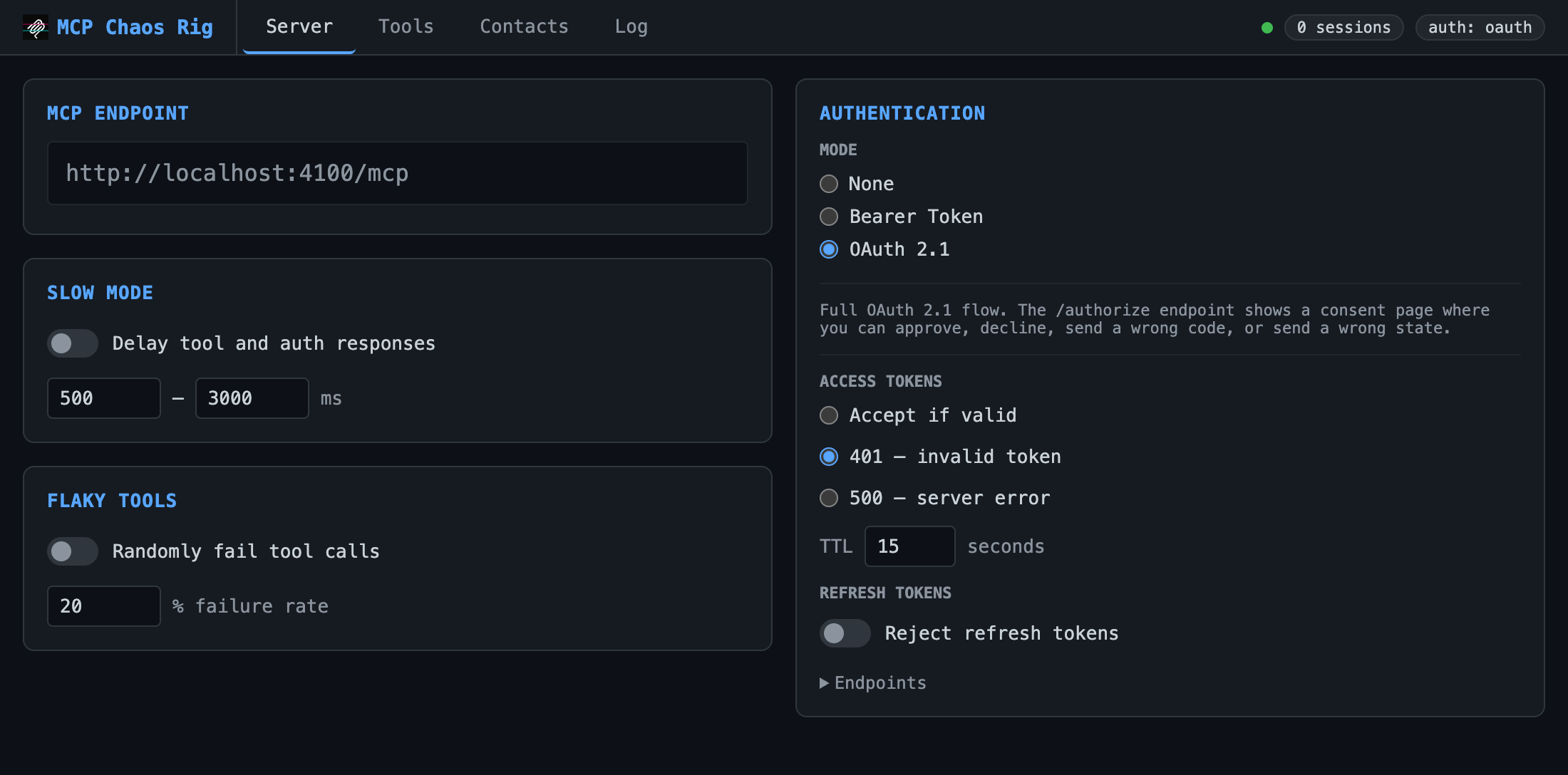
- Break authentication: force 401s and 500s mid-session, expire tokens on demand, reject refresh tokens
- Break tools: disable tools to trigger
tools/changed, switch schema versions live - Break reliability: add random latency, make tool calls fail at configurable rates
- See everything: live request log shows inbound JSON-RPC calls and outbound SSE responses, with click-to-expand bodies
Test scenarios
| Scenario | How to test it |
|---|---|
| OAuth 2.1 consent flow | Use the interactive consent page: approve, decline, invalid code, tampered state |
| Fixed header auth | Switch to Headers mode, configure key-value pairs, verify client sends them |
| Missing/wrong headers | Send requests with missing or mismatched headers — 401 with details |
| Token rejection mid-session | Toggle "Reject OAuth" to 401 or 500 while client is connected |
| Token expiry and refresh | Set access token TTL to a short value, watch the client refresh |
| Reject refresh tokens | Toggle "Reject refresh tokens" to force re-authentication |
| Wrong client refreshing | Enable "Enforce refresh token ownership" — catches clients that lose credentials and re-register |
| No dynamic registration | Switch to "Pre-registered client only" — /register 404s, only your client_id works |
| Rotated client credentials | Change the pre-registered client_id mid-session — the old one now fails with invalid_client |
| Scope discovery conflict | Set different scopes in metadata vs WWW-Authenticate header, test which the client trusts |
| Tool disappearing | Disable a tool in the Tools tab. Clients receive tools/changed |
| Tool schema changing | Switch echo or add between v1 and v2 schemas |
| Flaky tool calls | Set failure rate 0-100%. Failed calls return isError: true |
| Slow responses | Enable slow mode with configurable latency range |
| PKCE code exchange | OAuth consent page offers "Wrong Code" and "Wrong State" options |
| Database-backed tools | CRUD operations on a real SQLite contact database |
Quick start
npx mcp-chaos-rig
Control panel at localhost:4100/ui, MCP endpoint at http://localhost:4100/mcp. Requires Node 20+.
If you prefer a global install:
npm install -g mcp-chaos-rig
mcp-chaos-rig
Or run from source:
git clone https://github.com/Typewise/mcp-chaos-rig.git
cd mcp-chaos-rig
npm install
npm run dev
Remote access
If your production environment needs to reach Chaos Rig, expose it via a tunnel (ngrok, Cloudflare Tunnel, etc.) and set BASE_URL so OAuth redirects resolve correctly:
BASE_URL=https://your-tunnel.example.dev npx mcp-chaos-rig
Auth mode starts at Bearer, so a tunnel-facing rig usually wants AUTH_MODE too (none, bearer, headers, oauth). For OAuth with pre-registered credentials, see Client registration.
Auth state
All state is in-memory and resets on restart, back to whatever the environment seeds (AUTH_MODE, OAUTH_CLIENT_MODE, STATIC_*) or to the built-in defaults. Bearer starts with token test-token-123 (valid until changed). OAuth tokens expire per TTL. Refresh tokens track ownership per client when enabled. After restart, do one refresh with ownership off to re-seed, then turn it on.
Control panel tabs
Server
Configure auth mode, slow mode (random latency), and flaky tools (% failure rate).
| Auth mode | Behavior |
|---|---|
| None | All requests pass through |
| Bearer | Requires Authorization: Bearer test-token-123 |
| Fixed Headers | Requires configured key-value header pairs on every request |
| OAuth 2.1 | Full authorization flow with interactive consent page |
Bearer, Fixed Headers and OAuth modes support fault injection: force 401 or 500 responses to test error handling. The mode starts at Bearer unless AUTH_MODE says otherwise.
OAuth mode adds controls for client registration, access token TTL, refresh token rejection, and refresh token ownership enforcement. OAuth endpoints are listed in a collapsible section.
Client registration
| Mode | Behavior |
|---|---|
| Dynamic registration | Clients register themselves at /oauth/register and get fresh credentials (RFC 7591) |
| Pre-registered client only | Only the configured client_id / client_secret is accepted; registration is turned off |
Static mode reproduces authorization servers that issue credentials out of band (Google, Atlassian, most enterprise IdPs):
registration_endpointdisappears from the well-known metadataPOST /oauth/registerandPOST /registerreturn 404registration_not_supported- any other
client_idgetsinvalid_clientat/authorizeand/token - an empty
client_secretmakes it a public client, so the token endpoint accepts auth methodnone - redirect URIs must match a configured one exactly, except the port on loopback hosts (RFC 8252)
The shipped default redirect URI points at a local client. Testing against a deployed client means registering that client's callback instead, or /authorize returns 400 invalid_request — the response lists the URIs that are registered, since the port relaxation only applies to loopback hosts and https:// callbacks must match exactly.
Set the client at boot so a tunnel-facing rig starts ready:
AUTH_MODE=oauth \
OAUTH_CLIENT_MODE=static \
STATIC_CLIENT_ID=acme-client \
STATIC_CLIENT_SECRET=acme-secret \
STATIC_REDIRECT_URIS=https://platform-api.example.app/api/mcp/oauth/callback \
BASE_URL=https://your-tunnel.example.dev npx mcp-chaos-rig
AUTH_MODE is required here: it defaults to bearer, and the OAuth endpoints 404 until it is oauth (none, bearer, headers, oauth; anything else fails at startup). STATIC_REDIRECT_URIS is comma-separated. An empty STATIC_CLIENT_SECRET= boots a public client. Everything stays editable from the Server tab afterwards.
Changing the client_id drops the previous one, so you can test credential rotation against a live client. Set it from the API too:
curl -X POST localhost:4100/api/oauth-client -H 'Content-Type: application/json' \
  -d '{"mode":"static","clientId":"acme-client","clientSecret":"acme-secret","redirectUris":["http://localhost:3000/api/mcp/oauth/callback"]}'
Tools
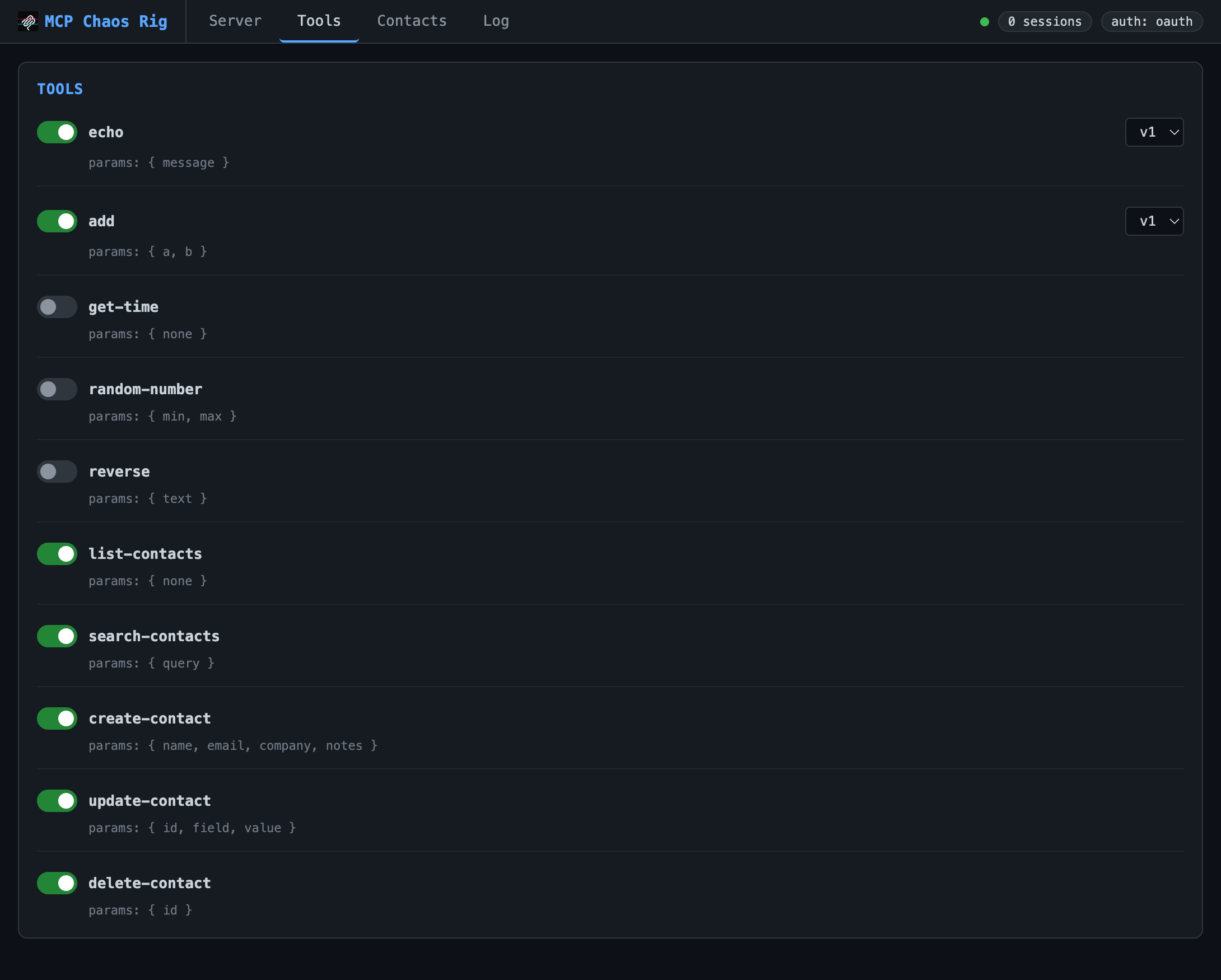
Toggle tools on/off. Disabling sends tools/changed to connected clients. Some tools (echo, add) support version switching.
Available tools:
echo: returns your message (v2 adds format options)add: sums two numbers (v2 accepts an array)get-time: current server time as ISO 8601random-number: random integer in a rangereverse: reverses a stringtypeEcho: echoes one optional parameter per JSON Schema primitive, to check a client round-trips every typedispute-charge: files a billing dispute, returns a JSON receiptlist-contacts,get-contact-by-id,get-contact-by-email,search-contacts,create-contact,update-contact,delete-contact: SQLite CRUD
Three large-schema tools start disabled, for testing how a client handles wide inputs: submit-customs-declaration (all fields required), create-product-listing (25 required, 25 optional), search-properties (50 optional filters).
Contacts
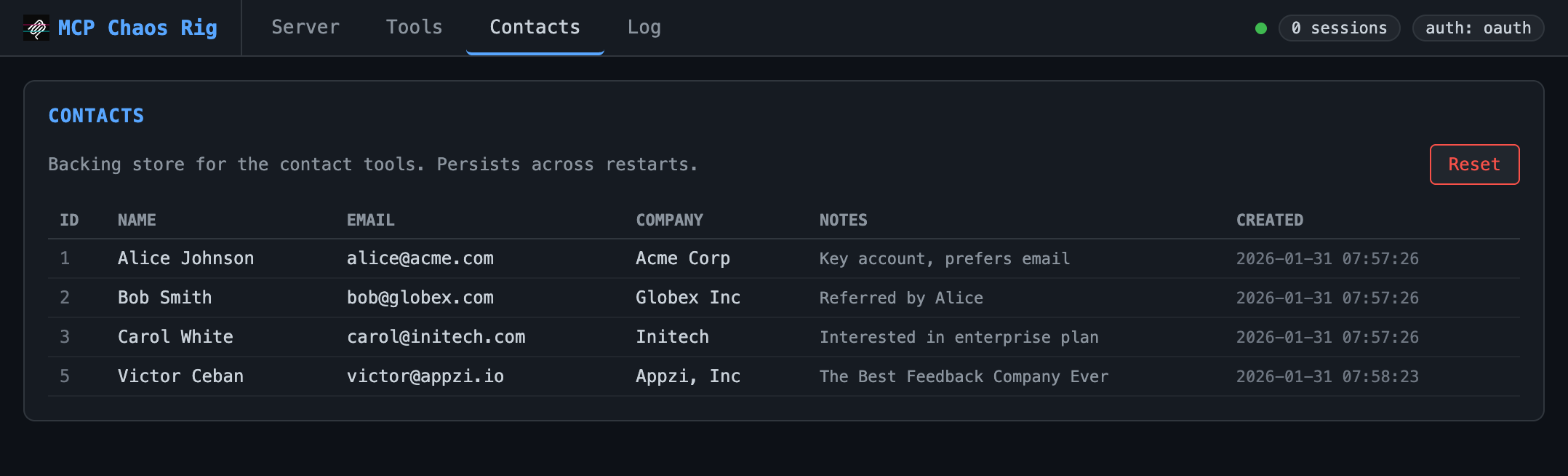
View and reset the SQLite database backing the contact tools. Starts with three seed records.
Log
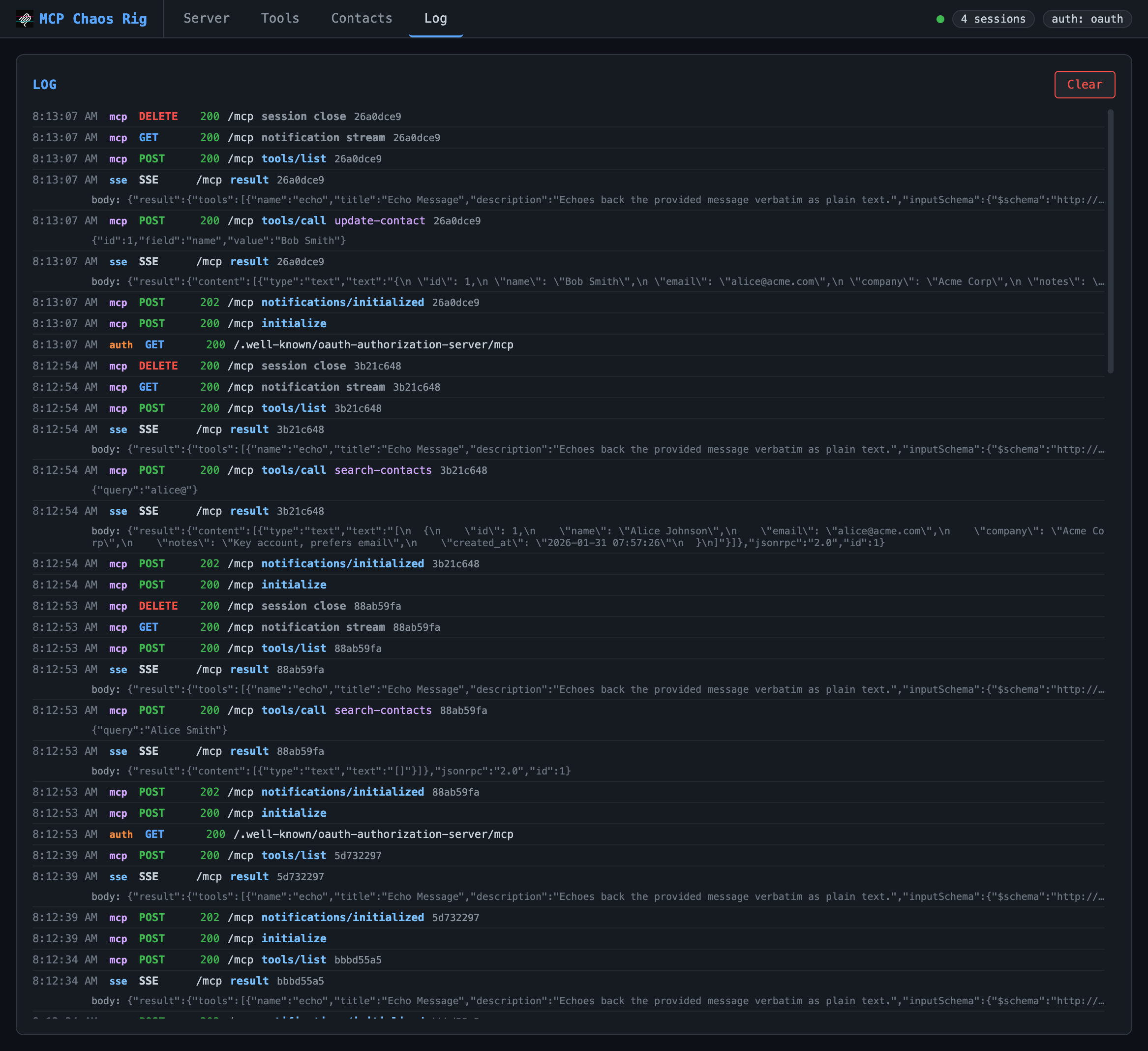
Live request log showing inbound requests and outbound SSE responses. Displays timestamp, source (mcp/auth/sse), method, status, JSON-RPC method, tool name, and arguments. Click any truncated body or args line to expand it. Keeps last 200 entries.
OAuth consent page
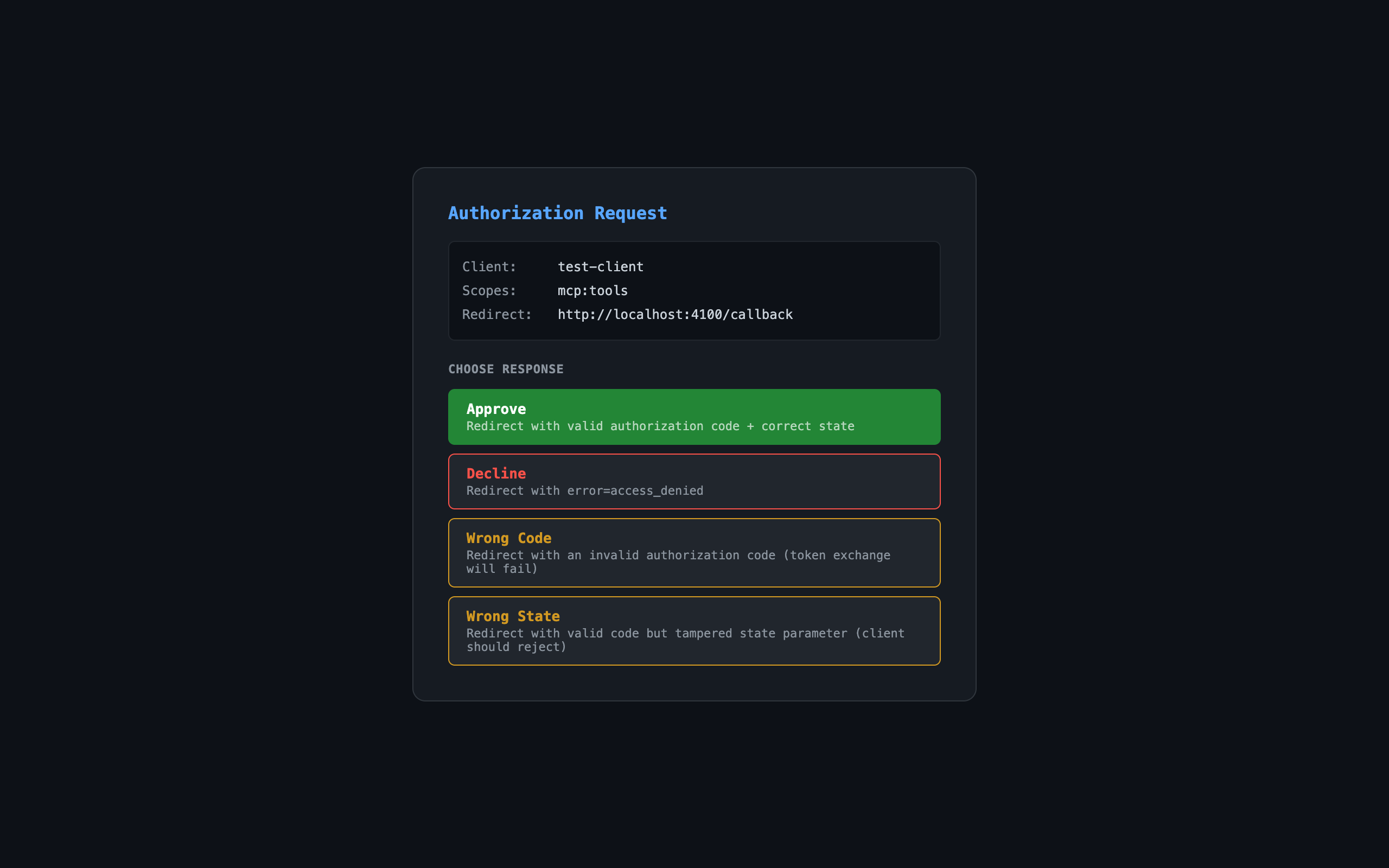
When auth mode is OAuth, the authorization endpoint shows an interactive consent page:
| Button | Result |
|---|---|
| Approve | Redirects with valid authorization code |
| Decline | Redirects with error=access_denied |
| Wrong Code | Redirects with invalid code (token exchange fails) |
| Wrong State | Redirects with tampered state parameter |