L2M
Self-hosted workflow builder and MCP-native agent runtime. MCP client for stdio and HTTP servers, plus a gateway that serves workflows and tools to other MCP clients with per-client tokens, tool policy and approvals.
Documentation
L2M
Put AI agents into production, on your own servers.
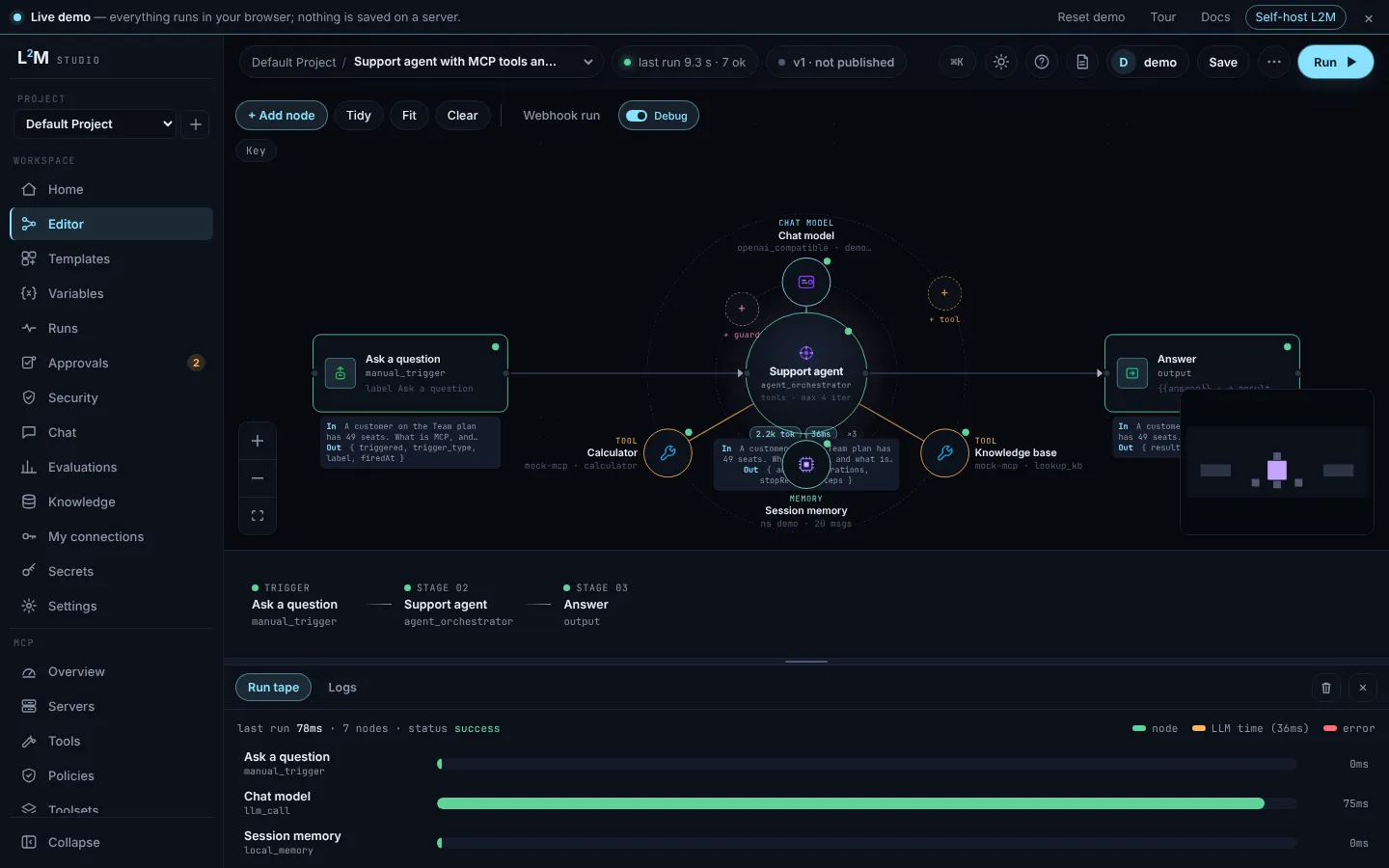
L2M (lsquarem) is an open-source, self-hosted orchestrator for AI agents and workflows. Build them visually, connect any MCP server, and control every tool call with approvals, budgets and replay tests.
Live demo in your browser · Docs · 5-minute tutorial · Templates
Run it
You need Docker with Compose. Then:
curl -fsSL https://lsquarem.com/install.sh | sh
Open http://localhost:8080 and sign in as admin@l2m.local with the password the installer prints.
Prefer not to pipe a script into a shell? Two commands do the same, in an empty folder:
curl -fsSL https://raw.githubusercontent.com/TensorGreed/l2m/v0.1.0/docker-compose.quickstart.yml -o docker-compose.yml
docker compose up -d
The generated password is printed once in docker compose logs api.
More (ports, keys, upgrades, Helm, Postgres): Install with Docker. To work on L2M itself you need Node.js 24+ and pnpm 10+: see Run from source.
Docker (amd64/arm64), Helm, SQLite or Postgres. Nothing is hosted by us, and L2M does not phone home.
What people use it for
- One MCP gateway for your team. Serve your MCP servers and workflows to any MCP client through one endpoint, with per-client tokens, allow/deny rules per tool and per-tool usage and cost.
- A human approves before the agent writes. Agents read freely, pause for approval before write tools, and stop at a budget.
- CI for agents. Record a run, change the prompt or model, replay, and block the release if the behaviour changes.
What's inside
Visual builder with ~140 node types · describe-a-workflow builder · import workflow exports from other visual builders · supervisor/worker agents · OpenAI-compatible AI gateway · RBAC, SSO, audit log · OpenTelemetry traces · VS Code extension. Full list in the docs.
Pre-1.0 and moving fast. MIT licensed. Questions and ideas: Discussions.
Learn MCP and AI agents
Free guides at lsquarem.com/docs/learn, useful whether or not you use L2M:
- What is MCP? and What is an AI agent?
- Prompt injection and MCP security risks
- Regression testing agents
- LLM gateway vs MCP gateway
Also the Glossary, ready-to-import Recipes and the Blog.
Docs map
| I want to | Read |
|---|---|
| Install, sign in, run a first workflow | Install with Docker, Quickstart |
| Set up the repo, run the tests, build | Run from source, CI pipeline |
| Configure environment variables | Environment, Postgres |
| Understand the architecture and layout | Architecture overview |
| Know the workflow file format and samples | Workflow JSON and samples |
| Call the HTTP API | API endpoints |
| Sign-in, roles and RBAC | Auth and RBAC |
| Secure and call webhooks (bearer, HMAC, Postman examples) | Secure webhooks |
| Store credentials | Secrets |
| Organize and debug workflows in the editor | Workflow editor |
| Triggers, integrations, chat models, Azure and Qdrant nodes | Triggers and integrations, Node reference |
| Agent loop, ports, memory, tool cache, output limits | Agent loop |
| Pass data between nodes | Templates and expressions |
| Connect an MCP server | MCP integration |
| Render PDFs, parse model output | Core nodes |
| Add a provider, connector or MCP adapter | Providers, Connectors, MCP |
| Ship a community node package | Community nodes, l2m-nodes-template |
| Use the VS Code extension | VS Code extension |
| Verify a release image | Verify a release |
Reference projects (helpdesk agent, support triage, VS Code repo reviewer) are in l2m-samples.
Repository layout
A pnpm and TypeScript monorepo.
apps/api: Fastify API, SQLite or Postgresapps/web: React and React Flow studioapps/docs: the VitePress docsapps/vscode-l2m-agent: the VS Code extensionpackages/:shared(schemas and node definitions),workflow-engine,agent-runtime,provider-sdk,mcp-sdk,connector-sdksamples/workflows: sample workflowsdocs/: the lsquarem.com landing page
The full layout is in the architecture overview.
Contributing, security, license
L2M is MIT licensed and welcomes adapters, MCP integrations, docs, bug reports and real-world patterns. Start with CONTRIBUTING.md; participation is governed by the Code of Conduct.
- Bug: file a bug report.
- Question or design discussion: GitHub Discussions.
- Security issue: a private advisory; see SECURITY.md.
- Changes: CHANGELOG.md. Plans: ROADMAP.md.
- License: MIT.