Spacepal MCP Server
Lets Claude, Cursor and other MCP clients work with macOS Spaces through the Spacepal app: list Spaces with their apps and notes, switch, rename, move the front window, apply profiles, save and restore window layouts. Local, stdio, no network calls.
Documentation
Spacepal MCP server
Lets Claude, Cursor and other MCP clients work with your macOS Spaces through Spacepal: "switch to my Mail Space", "what's on Desktop 3?", "name this desktop Research".
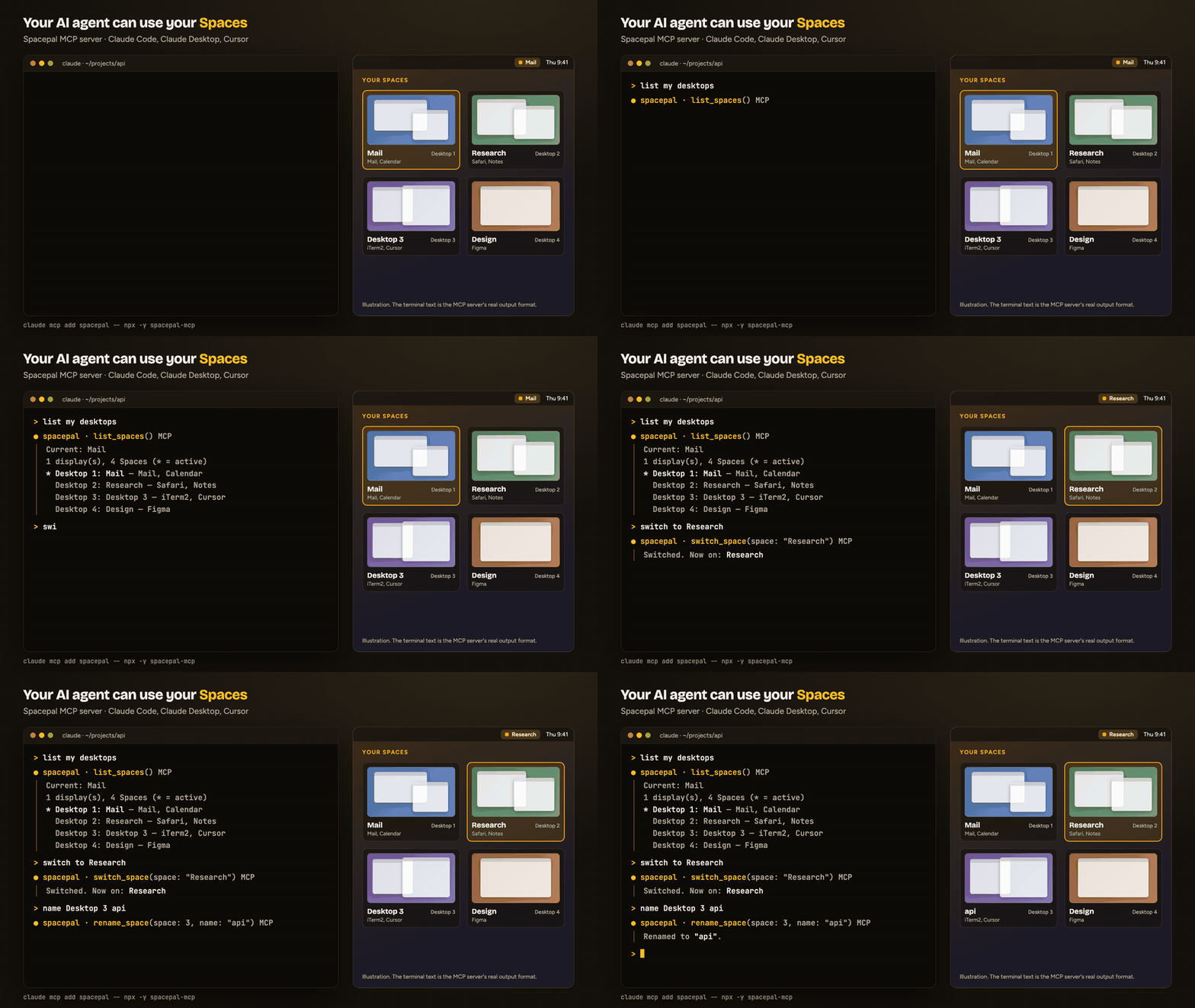
It runs locally over stdio. It reads the Space list Spacepal writes to
~/Library/Application Support/Spacepal/state.json and sends commands through the
spacepal:// URL scheme. It makes no network calls.
Requirements
- macOS 14 or later, with Spacepal running (direct or Mac App Store build)
- Node.js 18 or later
Tools
| Tool | What it does |
|---|---|
list_spaces | Every Space with its number, name, display, apps, note, and which one is active |
current_space | The Space you are on |
switch_space | Switch by number or name, or step with next, previous, back |
move_window_to_space | Send the frontmost window to a Space by number or name, or to next or previous |
rename_space | Name a Space; an empty name restores "Desktop N" |
set_space_note | Attach a short note to a Space |
open_overview | Open Spacepal's overview grid |
list_profiles | Names of your saved profiles |
apply_profile | Apply a saved profile (names, colours, notes and automations) |
apply_template | Name the Spaces from a starter template: Developer, Designer, Freelancer, Student, Streamer |
set_up_space | Switch to a Space and run its automations: open its apps, URLs and files |
save_window_layout | Save which Space and position every window is in |
restore_window_layout | Put windows back from the last saved layout |
save_sessions | Save terminal sessions and Chrome windows on one Space or all of them |
restore_sessions | Reopen saved sessions on their Spaces |
place_window | Put the front window in a half, a quarter, maximized, centred, or on the next display |
set_presentation_mode | Hide Space names, notes and previews for a screen share, or show them again |
add_desktop | Add a desktop on the current display |
remove_desktop | Remove a desktop; its windows move to another one |
Every tool is marked with MCP hints, so clients can tell the read-only tools apart and ask
before remove_desktop or apply_template, which change your setup.
move_window_to_space acts on the frontmost window. In Claude Desktop that is usually
Claude's own window. It moves the window directly on macOS 14.0–14.4 and 26.4+, and by
dragging it on other versions. restore_window_layout can only move windows between
Spaces on 14.0–14.4 and 26.4+.
The MCP server is free. The tools follow the app's own limits: after Spacepal's 14-day trial, names and notes stay free, while the overview, sessions and other Pro features need a license.
Install
Claude Code
claude mcp add spacepal -- npx -y spacepal-mcp
Claude Desktop
Add this to ~/Library/Application Support/Claude/claude_desktop_config.json, then restart
Claude:
{
  "mcpServers": {
    "spacepal": { "command": "npx", "args": ["-y", "spacepal-mcp"] }
  }
}
Cursor
Add the same block to ~/.cursor/mcp.json, or to .cursor/mcp.json in a project:
{
  "mcpServers": {
    "spacepal": { "command": "npx", "args": ["-y", "spacepal-mcp"] }
  }
}
From source
cd mcp && npm install
claude mcp add spacepal -- node "$PWD/index.js"
Troubleshooting
- "Spacepal is not running": open Spacepal from Applications.
- Names are out of date: Spacepal rewrites
state.jsonwhen Spaces change. Open its menu once to refresh it. - Switching does nothing: check Spacepal > Settings > Setup. It needs Accessibility permission.
MIT © Halberd LLC