mcp-osascript
Let Claude control your Mac — 12 typed tools for windows, menus, keyboard, clipboard, browser tabs
Documentation
Let Claude control your Mac. Move windows, click menus, type text, read clipboard, manage browser tabs, take screenshots, run Shortcuts — 18 typed tools with input validation and security guardrails.





Listed in the official MCP Registry as io.github.m0rvayne/mcp-osascript
Quick Start
Claude Desktop — one click. Download mcp-osascript-1.1.3.mcpb from the latest release and double-click it. Claude Desktop installs the extension itself.
Or add it to the config manually:
{
  "mcpServers": {
    "osascript": {
      "command": "npx",
      "args": ["-y", "mcp-osascript"]
    }
  }
}
Add this to your Claude Desktop config (Settings → Developer → Edit Config), restart Claude, and you're ready.
Config for other clients (Cursor, VS Code, Claude Code)
Cursor / VS Code (Copilot)
{
  "mcpServers": {
    "osascript": {
      "command": "npx",
      "args": ["-y", "mcp-osascript"]
    }
  }
}
Claude Code
claude mcp add osascript -- npx -y mcp-osascript
From source (development)
git clone https://github.com/m0rvayne/mcp-osascript.git
cd mcp-osascript && npm install
# then use: "command": "node", "args": ["/path/to/mcp-osascript/server/index.js"]
Try These Prompts
Once installed, ask Claude:
| Prompt | What happens |
|---|---|
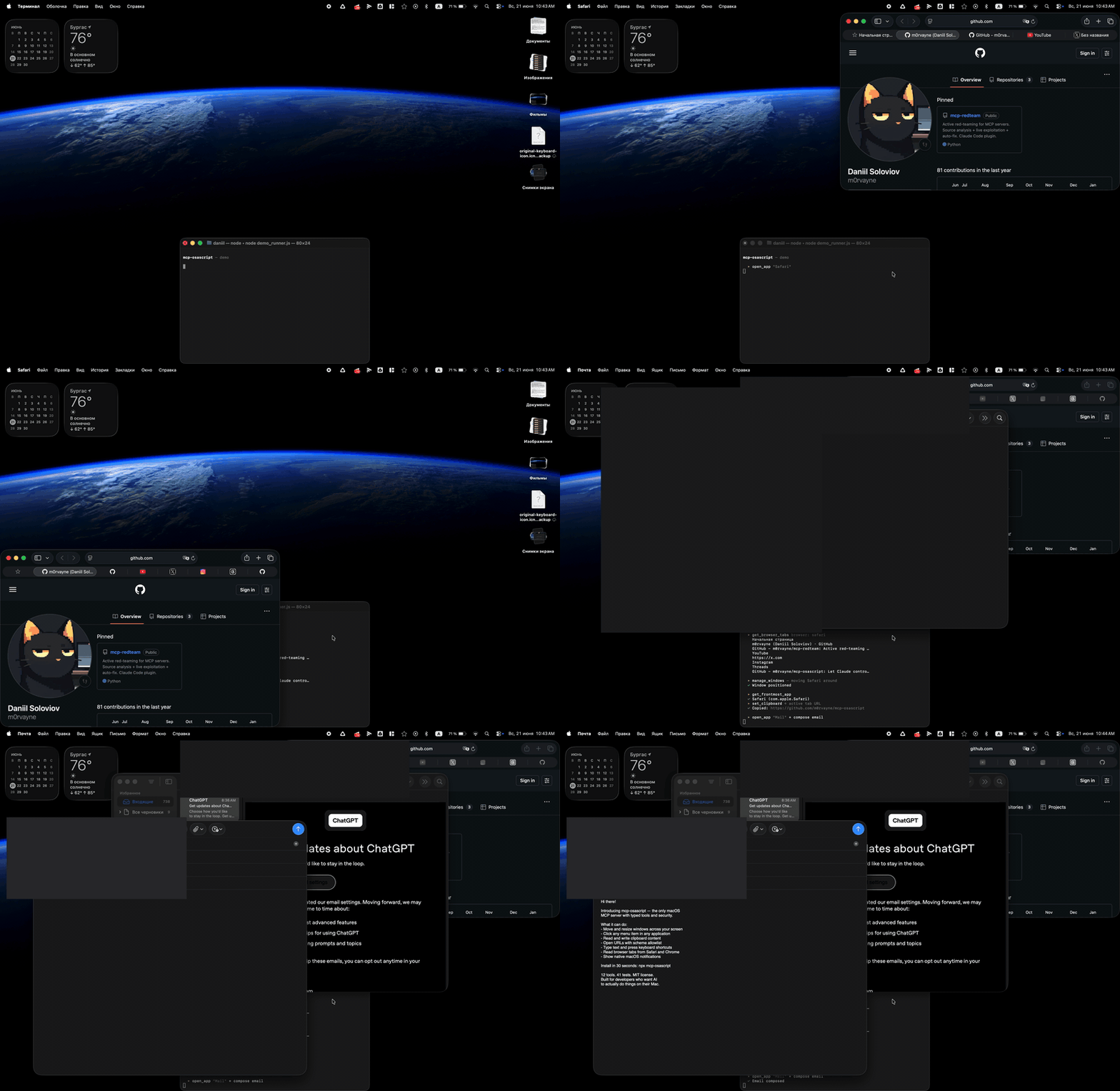
| "Open Safari and show me what tabs I have" | Launches Safari, reads all tab titles and URLs |
| "Move the Finder window to the left half of my screen" | Resizes and positions the window |
| "Click File → Export as PDF in Keynote" | Navigates the menu bar and clicks the item |
| "Copy the URL from my active Chrome tab" | Reads browser tabs, finds the active one |
| "Type 'Hello World' into the active text field" | Simulates keyboard input |
| "Show a notification when you're done" | Displays a native macOS banner |
| "What app am I using right now?" | Returns the frontmost app name and bundle ID |
| "Press Cmd+Shift+4" | Triggers the screenshot shortcut |
| "List all items in the Edit menu of VS Code" | Introspects the menu bar |
| "Close the second window of Terminal" | Targets a specific window by index |
| "Screenshot the Safari window and save it to my Desktop" | Captures just that window, not the whole screen |
| "Which monitor is my Slack window on?" | Reads display geometry and window positions |
| "Hide everything except my editor" | Hides apps without quitting them |
| "Run my 'Daily Standup' shortcut" | Invokes an Apple Shortcut by name |
Tools
18 typed tools, each with input validation, error classification, and permission-aware error messages.
| Tool | What it does | Permission |
|---|---|---|
check_permissions | Report which permissions are granted and what each unlocks | None |
run_osascript | Execute any AppleScript or JXA script | None |
get_clipboard | Read clipboard as text | None |
set_clipboard | Write text to clipboard | None |
send_notification | Show macOS notification banner | None |
open_url | Open URL in browser (http/https/mailto only) | None |
open_app | Launch or bring app to front | None |
get_frontmost_app | Get active app name + bundle ID | Automation |
get_browser_tabs | List tabs in Safari, Chrome, or Arc | Automation |
type_text | Type text into active app (max 500 chars) | Accessibility |
press_key | Press key with modifiers (cmd+c, return, f5) | Accessibility |
manage_windows | List / move / resize / minimize / fullscreen / close | Accessibility |
get_displays | List monitors — position, size, which is main | None |
app_menu | List or click menu items in any app | Accessibility |
screenshot | Capture full screen, a region, or an app window | Screen Recording |
app_visibility | Hide, unhide, or quit an application | Accessibility |
file_open | Open a file or folder, optionally in a given app | None |
run_shortcut | List or run Apple Shortcuts | None |
Self-Correcting Menus
When Claude tries to click a menu item that doesn't exist, the server automatically returns the list of available items at that level — so Claude can retry with the correct name. No other MCP server does this.
User:   "Click File → Export as PDF in Preview"
Claude: calls app_menu click ["File", "Export as PDF"]
Server: "Menu item 'Export as PDF' not found in 'File'.
         Available: ['New from Clipboard', 'Open...', 'Close', 'Save',
         'Duplicate', 'Rename...', 'Export...', 'Export as PDF...']"
Claude: calls app_menu click ["File", "Export as PDF..."]
Server: "Clicked: File > Export as PDF..."
Why mcp-osascript?
| mcp-osascript | steipete (880★) | peakmojo (464★) | |
|---|---|---|---|
| Typed tools with validation | 18 | 2 (generic) | 1 (generic) |
| URL scheme allowlist | http/https/mailto | No | No |
| Env isolation (child process) | PATH+HOME+LANG only | Full process.env | Full process.env |
| Process group kill (no orphans) | SIGTERM→SIGKILL | No | No |
| Error sanitization (paths, tokens) | Yes | No | No |
| Prototype pollution protection | Object.create(null) | No | No |
| Self-correcting menu click | Yes | No | No |
| Integration tests | 84 | 0 | 0 |
| Runs tests in CI | Yes | No | No |
| Red-team audit passes | 4 | 0 | 0 |
| Untrusted-output fencing | Yes | No | No |
| Stdin piping (no temp files) | Yes | Temp files | Temp files |
Star counts are a popularity measure, not a quality one — both alternatives predate this project by months. The rows above are the things that differ in practice.
Security audits
Four red-team audit passes (adversarial agents run against the source, commissioned by the author — not a third-party certification), the most recent against v1.1.2 with three parallel agents
covering the shell surface, AppleScript escaping, and information disclosure. It found six real
defects, including a tool that silently annulled another tool's scheme allowlist and a
concurrency slot that could leak until the server deadlocked. Every finding is fixed and carries
a regression test. escapeAS was verified against 13 string-breakout candidates through real
osascript — none escape.
Permissions
Tools work in three tiers:
- No permission needed — clipboard, notifications, URLs, apps, files, displays, Shortcuts. Works immediately.
- Automation — browser tabs, frontmost app. macOS prompts once per browser.
- Accessibility — keyboard, windows, menus, hide/unhide. Grant once in System Settings → Privacy & Security → Accessibility.
- Screen Recording — screenshots only. Grant in System Settings → Privacy & Security → Screen Recording.
Ask Claude to run check_permissions and it will tell you which of these are already
granted, which tools each one unlocks, and exactly which settings pane to open for the
rest. The probes are read-only and never trigger a permission prompt.
When a permission is missing, the server tells you exactly what to do:
"Accessibility permission required. Grant access to 'osascript'
in System Settings > Privacy & Security > Accessibility."
Testing
npm test
84 integration tests covering all 18 tools — input validation, security boundaries (URL scheme blocking, prototype pollution, script size limits), timeout enforcement, permission error handling, and regressions for every finding of the security audit.
Security & Architecture
Security
run_osascriptexecutes arbitrary code — this is by design. The MCP client (Claude) is the trust boundary.- Scripts piped via stdin to
/usr/bin/osascript— no temp files, no TOCTOU race conditions. - Script size: 50 KB max. Output: 50K chars max, truncated on a UTF-8 character boundary (no mojibake in non-Latin output).
- Error messages sanitized — filesystem paths, tokens, and passwords are stripped.
- Child processes get minimal env:
PATH,HOME,LANGonly — no API keys or secrets leak. - URL scheme allowlist —
file://,smb://,vnc://,javascript:all blocked. - Handler dispatch uses
Object.create(null)— no prototype pollution. - Externally-sourced text (browser tab titles, window titles, menu items, clipboard) is returned inside an explicit
<untrusted-data>envelope, so a web page that renames itself cannot smuggle instructions into the model's context. file_openrefuses anything that parses as a URL —open(1)resolves URLs as well as paths, so without that check it would quietly annulopen_url's scheme allowlist.screenshotnever overwrites an existing file unlessoverwrite: true, and the extension must match the format.- Every list-building tool strips
|, CR and LF from app-supplied names, so a crafted window or tab title cannot forge a record.
Reliability
- Process group kill on timeout — SIGTERM → 2s grace → SIGKILL. No orphaned processes.
- Concurrency semaphore — max 5 simultaneous osascript processes.
- Graceful shutdown —
server.close()with 10s force-exit safety net. - Error classification — parses macOS error codes (-1728, -1743, -25211) into actionable messages. Supports English and Russian locales.
Requirements
- macOS 13+ (Ventura or later)
- Node.js 18+
License
MIT