Simple Inventory Management
Read and update live small-business inventory: stock levels, items, suppliers, reorder suggestions and purchase orders.
Hosted MCP Server
npx add-mcp 'https://simpleinventorymanagement.com/mcp'Installs into Claude Code, Codex, Cursor and more
Documentation
The only inventory system your AI can actually run
Most tools bolt on a chatbot that talks about your data. Simple Inventory Management ships with a built-in MCP server, so assistants such as Claude, Grok, OpenAI, and Gemini can read your live stock and take real actions: check levels, record receipts, and build reorder lists, all in plain language.
Secured with OAuth 2.1 · Scoped per company · Revoke anytime
Watch the product video
A one-minute tour of the app, including an AI assistant restocking items while the inventory list updates live.
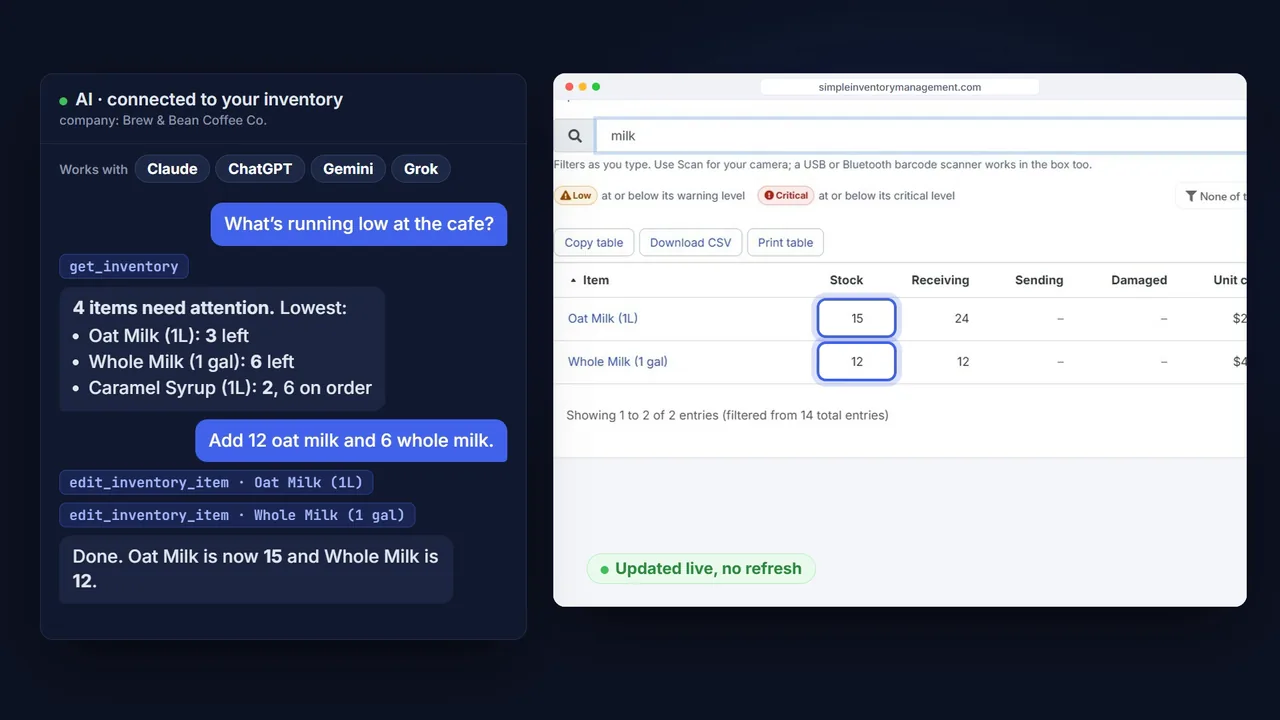
AI · connected to Simple Inventory Management company: Acme Warehouse
Which items are below their reorder point right now?
get_inventory
3 items are low:
- M4 bolts: 40 in stock (reorder at 120)
- Blue enclosures: 12 in stock (reorder at 50)
- USB-C cables: 18 in stock (reorder at 75)
Add 100 to the M4 bolts and tell me the new total.
edit_inventory_item · M4 bolts
Done. M4 bolts are now 140 in stock, back above the reorder point of 120.
A real conversation against live stock. No dashboards to navigate, no exports, no formulas.
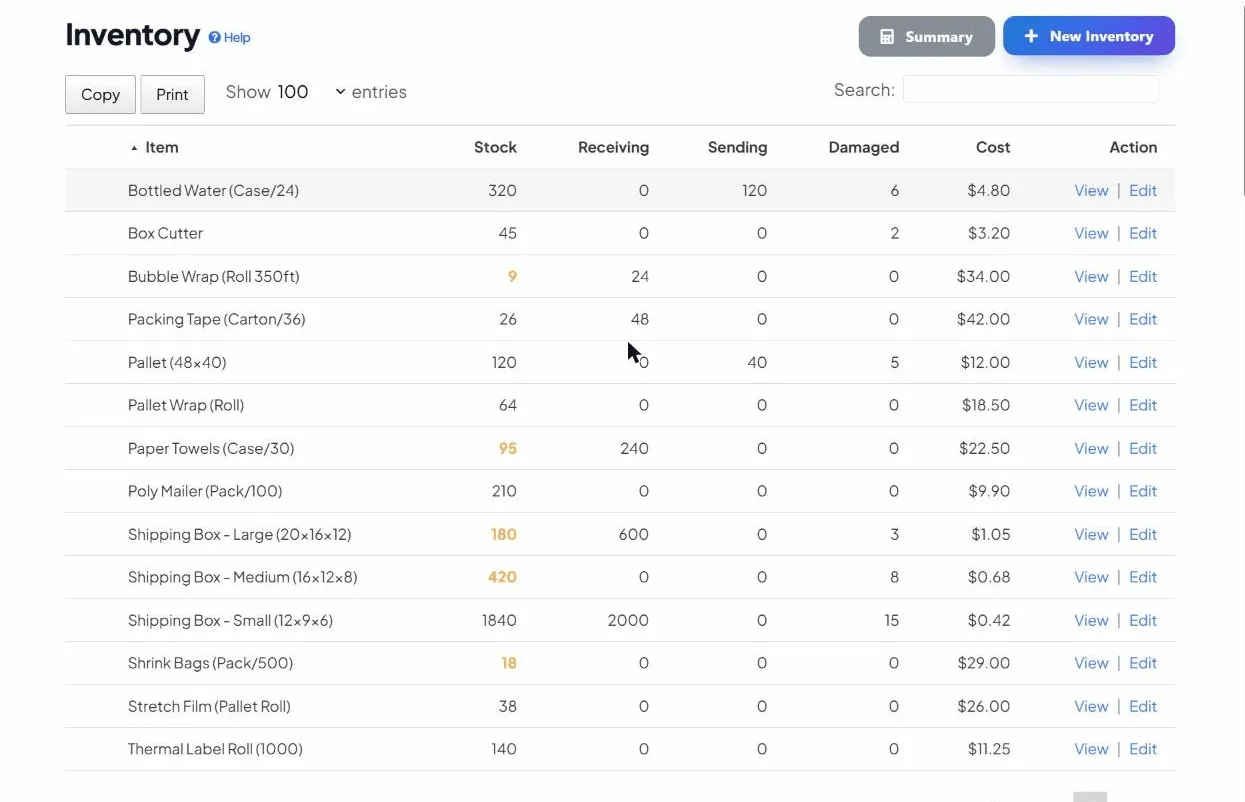
This is the live inventory AI works with: the same counts, costs and low-stock flags you see in the app, readable and updatable in plain language.
Not a chatbot. A connection that takes action.
Reads your live data
AI queries your real inventory, not a stale copy or a guess. Ask what’s low, what’s overstocked, or where an item lives across locations.
Takes real actions
Record receipts, adjust counts, rename items and draft reorder lists by chatting. The work happens in your account, not in a sandbox.
Stays scoped & secure
Every action runs as you and is limited to the one company you authorized. OAuth 2.1, no API keys, revocable in a click.
Your inventory, exposed as tools
The connector turns your inventory into a set of well-defined tools the assistant can call on your behalf. That’s why it acts reliably instead of hallucinating, and why it works with any MCP-compatible client.
get_inventory create_new_inventory_item edit_inventory_item edit_inventory_item_name set_inventory_item_custom_field set_unit_custom_field create_order take_inventory_snapshot list_inventory_units add_inventory_unit set_inventory_unit_status delete_inventory_item set_image_from_url get_image_upload_link
That includes your custom fields on items and on units: ask AI to set a lot number, expiry date or serial and it fills the field in for you. See how.
And your individually tracked units: ask which units are out or mark one damaged, and the change is logged per unit. See how.
It can add pictures too: give it an image’s web address, or paste a photo and it sets it as the item’s photo or your company logo (or hands you a one-time link to upload it from your phone).
# Add Simple Inventory Management to your AI client connector: "Simple Inventory Management" url: "https://your-domain.com/mcp" auth: "OAuth 2.1 (PKCE)"
Secured with OAuth 2.1, PKCE and per-company access, so your data stays yours.
Things to ask on day one
“What’s low this week?”
Get an instant reorder list from live counts, with no report to build. See more prompts to run against your stock.
Read the prompts
“Draft my reorders before I run out”
Let AI watch stock levels and prepare reorder lists for you. Set up a hands-off reorder workflow.
See the workflow
“Record what just arrived”
Update counts and log receipts in conversation, straight from the loading dock. See how managing by chat works with Claude.
How it works
“What should we buy this week?”
Connect Grok over MCP, pull live reorder suggestions, and log receipts from chat. Built for action, not just answers.
Manage stock with Grok
“Why does this need an MCP server?”
A plain-English explainer of the Model Context Protocol and why your inventory tool should have one built in.
Learn about MCP
Giving AI access shouldn’t mean giving up control
Connecting an assistant to operational data is a real decision, so we built the guardrails in from the start. You authorize once with a secure sign-in, pick exactly which company the connection can touch, and stay in control after that.
- No API keys. Authorization uses the OAuth 2.1 standard with PKCE, so there’s nothing to copy, paste or leak.
- Scoped to one company. A connection can only see and change the single company you chose when you authorized it.
- Acts as you. Every change is attributed to your account and shows up in the item’s history, just like any other edit.
- Revoke anytime. Remove the connector in your AI client or click Disconnect in the AI / MCP Access section, and it stops immediately.
Want the details? See the security page for how access is isolated and how tokens work.
Three steps to a chat-driven inventory
1
Add the connector
Paste your MCP URL into your AI client’s custom connector setup.
2
Sign in with OAuth
Log in securely and choose which company the session can use.
3
Chat to manage stock
Ask what’s low, record receipts, or build a reorder list.
AI & MCP, answered
Can AI actually change my inventory, or only read it?
Both. Once connected, AI can look up stock, record receipts and usage, rename items and build reorder lists. Every action runs as you and is scoped to the single company you authorized.
Is it safe to connect AI to my inventory?
Yes. The connection uses OAuth 2.1 with PKCE, so there are no API keys to copy or leak. Access is scoped to one company, every action is attributed to you, and you can revoke it at any time with Disconnect in the AI / MCP Access section.
Which AI assistants are supported?
Any client that supports custom (remote) MCP connectors, including Claude, Grok, OpenAI, and Gemini. Because it follows the open MCP standard, it isn’t locked to a single vendor.