swarm-rd-orchestrator
Append-only event log for cross-agent context/memory sharing via 3 MCP tools.
Documentation
swarm-rd-orchestrator-cli






Install • Quickstart • Command reference • MCP Server • Comparison • FAQ
Ray-native context and memory sharing for parallel research agents, with an agent-native CLI and MCP server.
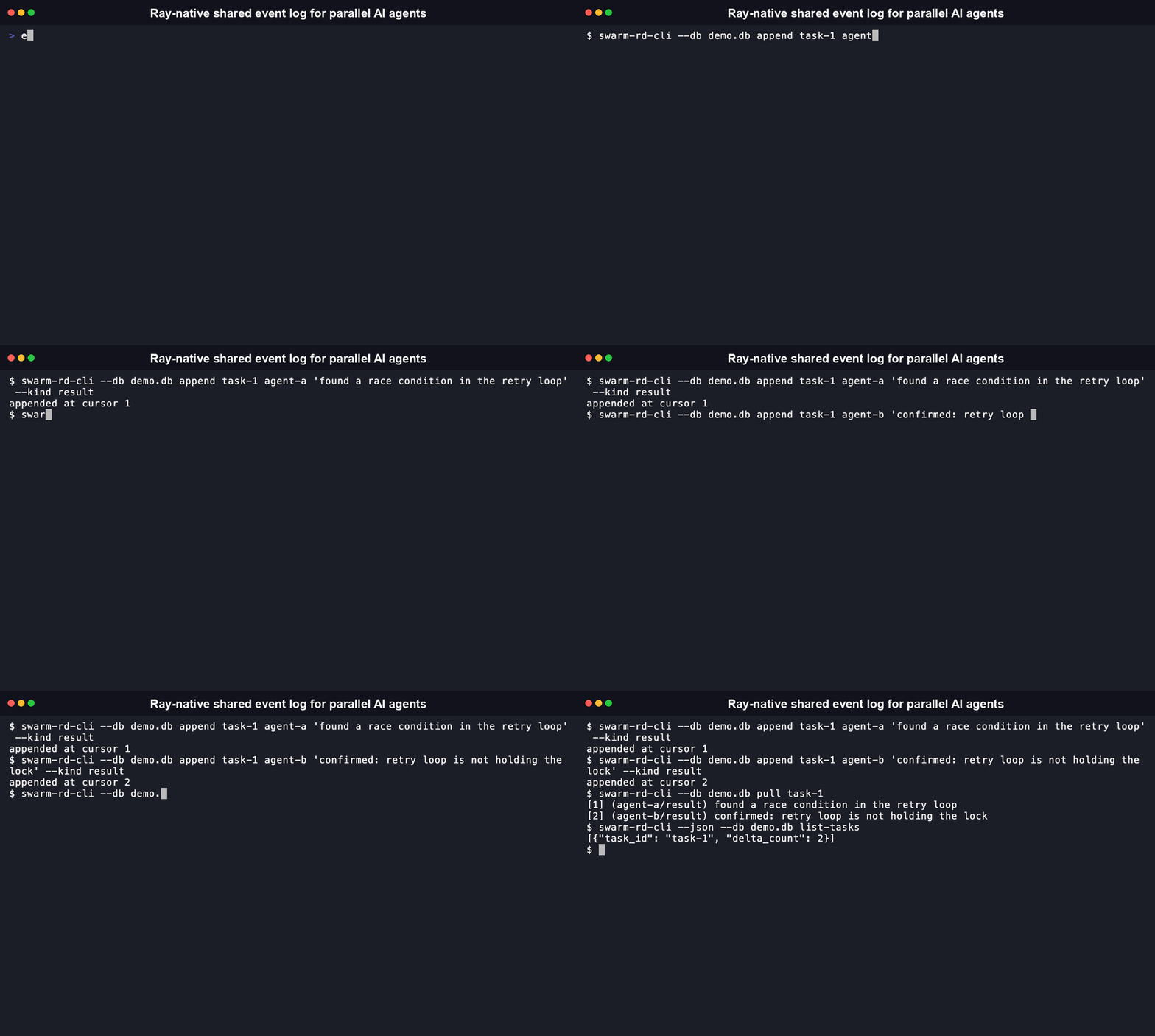
An append-only, SQLite-WAL-backed event log wrapped as a Ray actor, so parallel agents can write findings and pull each other's without a shared mutable store, plus a CLI and MCP server so both humans and other agents can drive it directly.
This is a Milestone 1 prototype (2026-08-03): validate the approach on a real task before building further. See Locked decisions below and spike.py for the actual validation harness.
Install
pip install swarm-rd-orchestrator-cli
# or
npm install -g swarm-rd-orchestrator-cli
Either gives you a swarm-rd-cli command on your PATH. The npm package is a thin wrapper around the Python CLI: it execs the real binary, it does not reimplement it. Install the Python package too if you use the npm one.
Status: live on both registries (PyPI published via GitHub Actions OIDC, no stored token). Both were verified with a real install and a real command run in a clean environment, not just a successful upload.
[!WARNING] This is a pre-validation Milestone 1 spike (
0.0.x), not yet a stable release. Tested on macOS only; Windows support is unverified since Ray's own Windows support is more limited than Linux/macOS upstream.
Quickstart
swarm-rd-cli append task-1 agent-a "found a race condition in the retry loop" --kind result
swarm-rd-cli append task-1 agent-b "confirmed: retry loop isn't holding the lock" --kind result
swarm-rd-cli pull task-1
# [1] (agent-a/result) found a race condition in the retry loop
# [2] (agent-b/result) confirmed: retry loop isn't holding the lock

swarm-rd-cli --json pull task-1     # structured output for scripts/agents
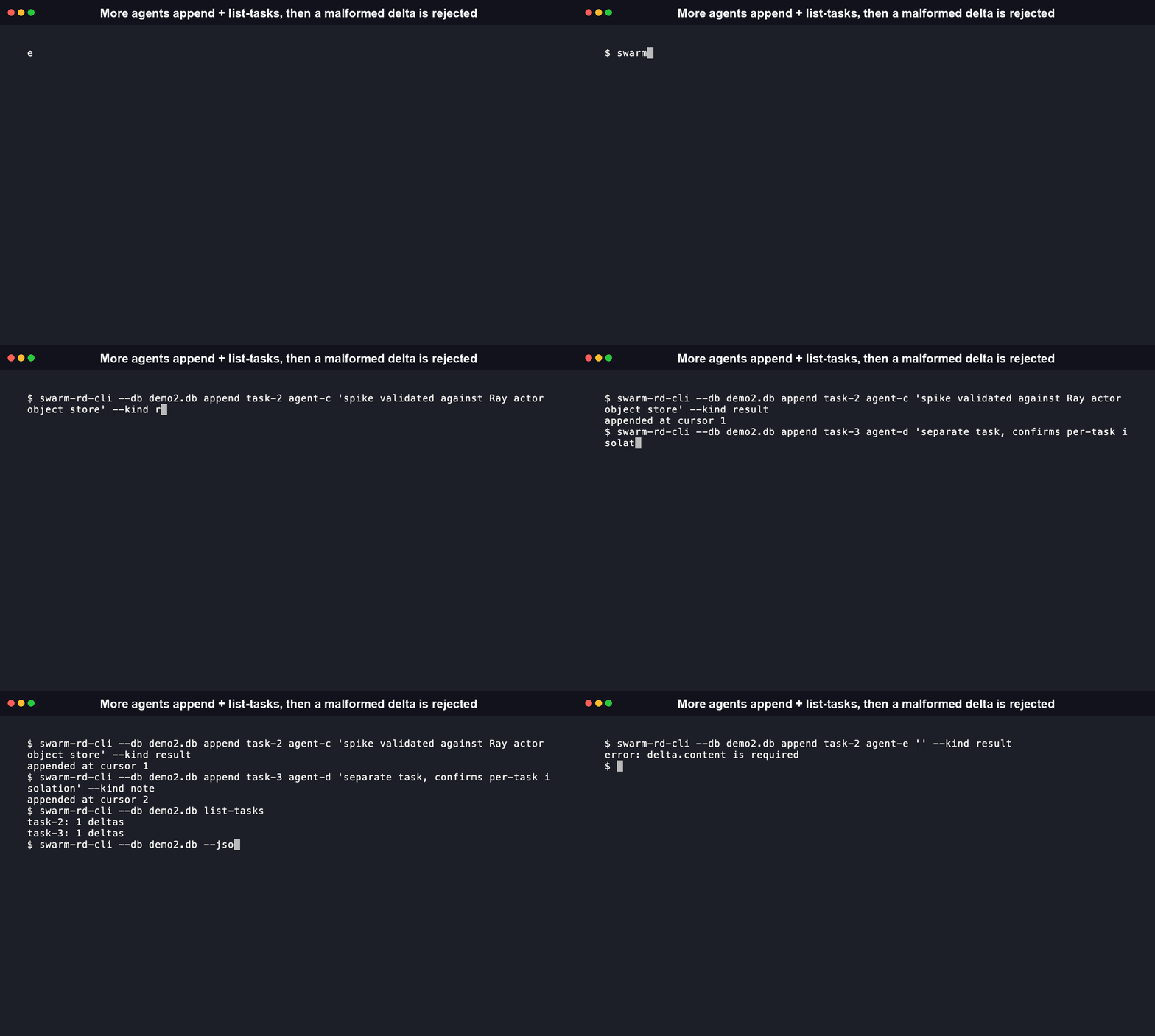
swarm-rd-cli list-tasks             # every task_id with a delta count
swarm-rd-cli mcp                    # run as an MCP server over stdio
Every data-returning command supports --json for agent and script consumption, no screen-scraping required. The mcp subcommand exposes append_delta, pull_deltas, and list_tasks as typed MCP tools over stdio, so an agent can call this programmatically instead of shelling out.
Features
- Atomic append, proven, not just claimed. A dedicated test simulates a crash mid-write and confirms the SQLite WAL layer leaves zero partial rows, not just a description of the guarantee.
- Structured output on every data command.
--jsononappend,pull, andlist-tasksmeans an agent shelling out to this CLI never has to screen-scrape human-formatted text. - An MCP server, not just a CLI.
swarm-rd-cli mcpexposes the same three operations as typed tools over stdio, so an agent can call this programmatically instead of spawning a subprocess. - Concurrency tested with real Ray actors, not mocked. The load-bearing test runs 3 actual Ray actors appending concurrently and reconciles the result, the same mechanism the real workload uses.
- Malformed input fails loudly. A delta missing
task_id,agent_id, orcontentraisesInvalidDeltaErrorbefore touching storage. No silent drops.
Command reference
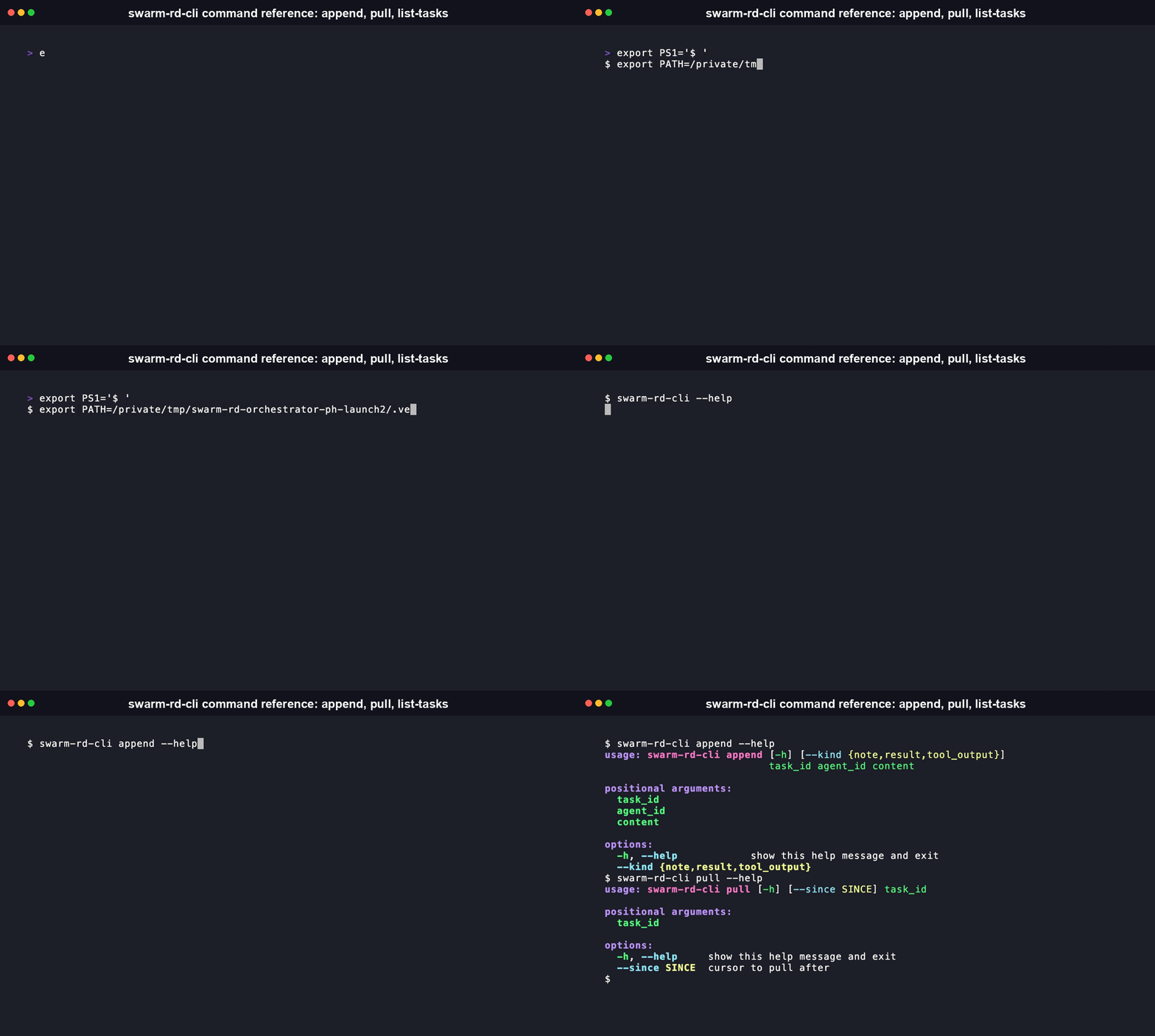
Generated from the CLI's own --help output:
usage: swarm-rd-cli [-h] [--db DB] [--json] {append,pull,list-tasks,mcp} ...

positional arguments:
  {append,pull,list-tasks,mcp}
    append              append a delta to the event log
    pull                pull deltas for a task
    list-tasks          list every task_id with a delta count
    mcp                 run as an MCP server over stdio

options:
  -h, --help            show this help message and exit
  --db DB               path to the event log (default: swarm-events.db)
  --json                structured JSON output (for agent/script use)
usage: swarm-rd-cli append [-h] [--kind {note,result,tool_output}]
                            task_id agent_id content

positional arguments:
  task_id
  agent_id
  content

options:
  -h, --help            show this help message and exit
  --kind {note,result,tool_output}
usage: swarm-rd-cli pull [-h] [--since SINCE] task_id

positional arguments:
  task_id

options:
  -h, --help     show this help message and exit
  --since SINCE  cursor to pull after
MCP Server
swarm-rd-orchestrator-cli ships a Model Context Protocol (MCP) server, so an agent can call the event log directly as typed tools over stdio instead of shelling out to the CLI and parsing text.
pip install "swarm-rd-orchestrator-cli[mcp]"
Run it with:
swarm-rd-cli mcp
Add it to Claude Desktop (or any other MCP client) by pointing it at that command in your config:
{
  "mcpServers": {
    "swarm-rd-orchestrator": {
      "command": "swarm-rd-cli",
      "args": ["mcp"]
    }
  }
}
Three tools are exposed:
append_delta(task_id, agent_id, content, kind="note")- append a finding/result/tool-output to the event log for a task. Example:append_delta(task_id="task-1", agent_id="agent-a", content="found a race condition in the retry loop", kind="result").pull_deltas(task_id, since_cursor=0)- pull every delta for a task with id greater thansince_cursor, oldest first. Example:pull_deltas(task_id="task-1")returns the full history;pull_deltas(task_id="task-1", since_cursor=2)returns only deltas written after cursor 2.list_tasks()- list everytask_idcurrently in the event log with its delta count. Example:list_tasks()returns[{"task_id": "task-1", "delta_count": 2}].
Comparison
swarmmesh is a sibling project in this author's portfolio, also published as swarmmesh-cli on PyPI and npm. It's the more complete option today on almost every dimension below. This project exists as a deliberately Ray-native alternative, not because swarmmesh falls short.
| swarm-rd-orchestrator-cli | swarmmesh-cli | |
|---|---|---|
| Transport | Ray actor (in-process / distributed) | HTTP server |
| Storage | SQLite, WAL mode | In-memory by default, or SQLite via --persist |
| Cross-language | Python only | Python and Node |
| Memory search/ranking | None (pull by task_id only) | BM25 keyword ranking on memory queries |
| MCP server | Yes | Yes |
| Published on PyPI/npm | Yes, live | Yes, live |
| CI | Yes | Yes |
If the Ray-native distributed-compute angle doesn't end up mattering for your use case, use swarmmesh instead. It's live, tested against real usage, and does more.
What is swarm-rd-orchestrator-cli, and why does it exist
swarm-rd-orchestrator-cli is a shared, durable event log for parallel AI research agents built on Ray's actor model. Each agent writes findings as structured deltas; any other agent can pull the full history for a task without a shared mutable store or a coordinating server process.
It exists to test a specific, narrow hypothesis: that Ray's actor and object-store model is a better fit for coordinating genuinely large numbers of parallel research agents than an HTTP-based coordination layer. That hypothesis is unproven. The project ships as a Milestone 1 spike specifically to test it against a real workload before any further investment, see Run the actual validation spike.
Build from source
git clone https://github.com/RudrenduPaul/swarm-rd-orchestrator.git
cd swarm-rd-orchestrator
python3 -m venv .venv
.venv/bin/pip install -e ".[dev,mcp]"
Requires Python 3.10 or newer (needed for the mcp SDK dependency).
Run the tests
.venv/bin/pytest test_event_log.py -v
9/9 passing, including the load-bearing test: 3 concurrent Ray actors appending to one shared event log, reconciled with zero lost or duplicated deltas.
Run the actual validation spike
Edit REAL_TASK_ID, REAL_TASK_DESCRIPTION, and the sample agent findings in spike.py to reflect a real research task, then:
.venv/bin/python3 spike.py
Read the printed rubric at the end. The decision rule: fewer than 3 qualifying architectural failure cases against raw Ray or LangGraph means falling back to a thin CLI wrapper instead of building this out further.
Locked decisions (2026-08-03)
- Primitive: Ray (actor model and object store), LangGraph as fallback
- Storage: SQLite, WAL mode
- Delta shape:
{task_id, agent_id, timestamp, content, kind} - Malformed delta raises
InvalidDeltaError, never silent - License: Apache 2.0
- Python: 3.10 or newer, required for the
mcpSDK - Publishing: live on PyPI (via GitHub Actions OIDC Trusted Publishing, no stored token) and npm, both verified with a real clean-environment install
FAQ
What does this actually do? It gives parallel AI agents, running as Ray actors, a shared and durable place to write findings and pull each other's, without stepping on each other's state. It's a transport and persistence layer, not an orchestration framework: it doesn't schedule agents or decide what they do.
How is this different from swarmmesh?
See Comparison above. Same core idea, different transport (Ray actors instead of HTTP), and swarmmesh is currently the more complete, already-published option.
Does this work on Windows, macOS, and Linux? Tested on macOS. Ray itself supports Linux and macOS natively; Windows support for Ray is more limited upstream, so treat Windows as unverified for this project specifically until someone confirms it.
Does this need my own API keys? No. This project makes no LLM calls of its own. It's a coordination layer that your own agents, whatever model or framework they use, write to and read from.
Is this safe to depend on?
No, not yet. This is a pre-validation Milestone 1 spike (versions 0.0.x), not a stable release. The event log's core guarantees (atomic append, no partial writes) are tested in test_event_log.py, but the project hasn't been validated against a real multi-agent workload beyond the spike script yet.
How do I use this from an agent, not just a human?
Either shell out to the CLI with --json on every command, or run swarm-rd-cli mcp and connect to it as an MCP server. Both give structured, parseable output.
Is this a library or just a CLI?
Both. event_log.py's EventLog and EventLogActor classes are directly importable if you're already in Python and don't need the CLI or MCP layer.
What license is this under, and can I use it commercially? Apache 2.0. Commercial use, modification, and redistribution are all permitted under its terms; see LICENSE for the full text.
Contributing
There's no CONTRIBUTING.md yet since this is a pre-validation spike, not an accepted-contributions project. Open an issue if you want to discuss a change before this exists formally.
License
Apache 2.0. See LICENSE for the full text.