AskMyEV
Ask your AI about your own Tesla: battery health, range, charging, tires, alerts and history. Read-only by default.
Hosted MCP Server
npx add-mcp 'https://askmyev.com/mcp'Installs into Claude Code, Codex, Cursor and more
Documentation
AI assistant for Tesla owners, in ChatGPT, Claude & GrokYour first month is free. $0 today.
Talk to your Tesla in ChatGPT, Claude, Grok or Cursor.
Connect your car's live data to ChatGPT, Claude or Grok. Ask about range, battery health, charging costs, tire pressure and trips, or troubleshoot an alert with Tesla's own Service Manual. Ask in plain English and get answers from your actual car. Paid plans also keep a long-term history of your car's data, so your AI can answer questions about the past.
$0 today · Card required · Cancel anytime · Then $4.99/mo for up to 3 cars. Your free month starts when you connect your Tesla. Already have an account? Sign in
First month free (card required, cancel anytime). Location, controls and remote start stay off unless you turn them on.
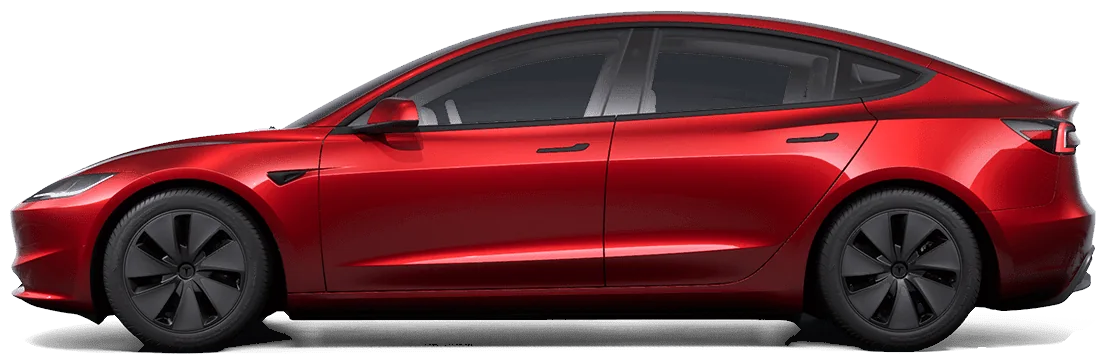
Sample data for illustration. Real render of a Tesla Model 3.
Works with Tesla vehicles via Tesla's official Fleet API
Model 3

Model Y

Model S

Model X

Cybertruck
How it works
Connect your Tesla to ChatGPT, Claude or Grok in about 3 minutes.
Three steps, about 3 minutes. No app to install, no Tesla developer setup.
01
Start your free trial
Pick a plan and add a card. $0 today: your free month starts when your Tesla is connected.
02
Connect your Tesla
Sign in on Tesla's own page. We never see your Tesla password. Commands are requested only if you turn on Controls later.
03
Connect your AI
Paste https://askmyev.com/mcp into ChatGPT, Claude, Grok or Cursor, then ask about your car.
Example prompts
Just ask.
Things you can say to Grok, ChatGPT or Claude once AskMyEV is connected. Car controls are optional and off until you turn them on.
- Grok, open my frunk
- Unlock my car
- Set my charge limit to 80%
- How's my battery health?
- Precondition the cabin to 70
- Where did I park?
Example prompts, not customer quotes. Tesla says connectors on your Grok account carry over to Grok in your car on supported vehicles (software 2026.26 or later, signed in to Grok). We haven't confirmed yet that custom connectors like AskMyEV work there. More in the prompt library.
Diagnose & fix
Diagnose your Tesla with AI.
Ask about any warning your car has shown. Your AI sees your car's active and recent Tesla alerts and low tires, explains what they mean, and walks you through safe checks with links to Tesla's public Service Manual.
Claude·AskMyEV connector
Example
My car said the 12V battery needs service. What does that mean and what should I do?
Claudeused AskMyEV
Your car logged “12V battery requires service” on Oct 3, and it's still active. The 12V (low-voltage) battery runs the computers, locks and windows. When it weakens, the car can't wake up reliably.
Safe owner checks: 1. Keep the car plugged in so the high-voltage pack can top up the 12V. 2. Watch for slow wake-ups or windows that won't drop. 3. Book a 12V replacement in the Tesla app (Service → Request Service). It's usually a quick mobile visit.
Tesla's Service Manual for your Model 3 covers the 12V/low-voltage battery: service.tesla.com → Model 3 → Low Voltage Battery. Leave anything near the orange high-voltage cables to Tesla Service.
Reads your car's alerts
Active and recent Tesla alerts with when they started (and when they cleared, on cars that stream updates), plus low-tire flags.
Explains them in plain English
What the alert means and how urgent it is.
Links the official manual
Every answer can point to Tesla's public Service Manual (service.tesla.com) for your model.
Knows when to stop
Owner-level checks only. It tells you when it's time to book Tesla Service.
Safety: high-voltage work (orange cables, the main battery, drive units) is for trained professionals only. Tesla shares alerts, not raw diagnostic codes, so some issues need a Tesla Service visit.
What you can ask
Ask your AI anything your Tesla knows.
Your AI gets read-only access (by default) to your car's live status and, on paid plans, its history.
Grok·AskMyEV connector
Example
Can I make it to Tahoe and back tonight without charging?
Grokused AskMyEV
You're at 78% (about 253 mi). The round trip from home is ~310 mi with 6,000 ft of climbing, and it's 38°F up there.
Plan one 15-minute Supercharger stop in Auburn on the way up. You'll arrive home with ~18%.
Range & trip planning
Real state of charge, real range and the car's outside temperature. Ask whether you'll make it and where to stop.

FL 36
FR 42
RL 42
RR 42
Tire pressure
All four pressures, plus how they've changed, so a slow leak shows up before a flat.
Full-charge range324 mi · −2.7%
Battery health
Track full-charge range over months and see whether degradation is normal.
Your car · located just now
Where's my car (opt-in)
Location is off by default. Turn it on and your AI can tell you where your car is right now. Location is fetched live when you ask. We don't save the coordinates.
Tire pressure low (FL)Today 7:42 AM
Charging stopped: cableSep 28, cleared
Software update installedSep 22
Alert history
See what your car reported and when. Cars that stream updates also show when each alert cleared.
Never moves the car on its ownControls off until you turn them onCommand limitsLocation off by defaultRevoke anytime in your Tesla account
Private by default
Reading is the default. Optional car controls (climate, charging, locks, trunk, frunk) stay off until you turn them on once. Then we limit how many commands can run and may pause a feature if use looks unusual.
Your car, over time
Battery health, charging costs and range, over time.
Paid plans keep a history log, so your AI can spot trends and answer “since spring” questions. Charts below show example data.
Battery health
Full-charge range estimate, last 18 months
Example data 320 324 328 332 336 May Jul Sep Nov Jan Mar May Jul Sep Oct
Charging cost by month
Home vs. Supercharger
Example data $0 $20 $40 $60 Nov Dec Jan Feb Mar Apr May Jun Jul Aug Sep
HomeSupercharger
Range vs. temperature
% of rated range by outside temp (°F)
Example data 60% 70% 80% 90% 100% 10° 20° 30° 40° 50° 60° 70° 80° 90° 100°
Claude·AskMyEV connector
Example
How's my battery holding up since I bought it?
Claudeused AskMyEV
Your full-charge range estimate is 324 mi, down from 333 mi at delivery 18 months ago. That's about 2.7% loss, which is normal for this age and mileage.
Most of the drop happened in the first year. It's been nearly flat since spring.
ChatGPT·AskMyEV connector
Example
What did charging cost me last month? Home is $0.12/kWh, and Sep 14 and 21 were Supercharger stops.
ChatGPTused AskMyEV
September: $43.10 total for 280 kWh added (about 1,050 miles).
Home: $29.50 (88% of energy, overnight at $0.12/kWh) Supercharger:
That's about 4.1¢ per mile, roughly a quarter of what a 30 mpg gas car would cost at $4.80/gal.
Grok·AskMyEV connector
Example
Is a tire low? I got a warning this morning.
Grokused AskMyEV
Yes. Front left is 36 psi; the other three are 42 psi (recommended is 42 cold). It dropped 5 psi over 3 days, so it's a slow leak, not just the cold.
Top it up today and have it checked for a nail.
Example conversation. Data and answers are illustrative. AI answers depend on the assistant you use.
Included in your free month
A Tesla health check for each car.
Start your free month, then ask your AI to “run my Tesla health check.” You get a report on battery, tires, charging and active Tesla alerts for each car.
Pricing
Simple pricing, less than one Supercharger stop.
Every plan starts with a free first month. $0 today. A card is required to start; cancel before it ends and you pay nothing. Paid plans keep a long-term history of your car's data, so your AI can answer questions about the past.
Most owners
Standard
$4.99/mo
Or $39/yr (about $3.25/mo). Up to 3 cars.
- Up to 3 cars on one Tesla account
- ChatGPT, Claude, Grok & Cursor
- Live updates and long-term history
- Health check for each car
- First month free, cancel anytime
Fleet
$9.99/mo
Or $89/yr. Up to 10 cars.
- Up to 10 cars on one Tesla account
- Bigger daily allowance for live checks and controls
- Faster charging updates
- Everything in Standard
- First month free, cancel anytime
Guarantee
Free first month. Fair refunds.
Your first month is free and you can cancel anytime. If we charge you by mistake, or AskMyEV didn't work because of a problem on our side, email support within 30 days of the charge and we'll refund it. Outages on Tesla's side or in your AI app aren't covered.
Full details in our terms.
- Your first month is free $0 today. Cancel before it ends and pay nothing.
- Health check for each car Battery, tires, charging and alerts, included in your free month.
- Prompt library 28 copy-and-paste prompts for road trips, battery health, charging costs and alerts.
- Private by default Read-only by default. Location and car controls stay off until you turn them on.
- Refer a friend You get a free month for every friend who signs up and pays. They get the same 30-day free trial as everyone.
Tap Start my free month: pick a plan, add a card ($0 today), then connect your Tesla and your AI. Your free month starts when your Tesla is connected. Fair use: live requests share a daily allowance per account; saved history always works.
Guides
Tesla guides worth reading.
Researched, plain-English guides for Tesla owners. Each one works on its own, with or without AskMyEV.
- Tesla battery health check How to check degradation and what's normal.
- Tesla alerts explained What common warnings mean and how urgent they are.
- Tesla tire pressure warning Cold weather or a slow leak? How to tell.
- Tesla phantom drain Why your car loses range while parked.
- Tesla charging cost What home and Supercharger charging really costs.
- Service Mode and Toolbox What owners can diagnose themselves.
- Tesla winter range How much range cold weather costs, and how to get it back.
- Road trip planning with AI Charging stops, weather and arrival charge.
- Prompt library 28 copy-and-paste questions to ask about your car.
Comparing options? See how AskMyEV compares with other Tesla apps, or browse all guides.
FAQ
Common questions about AskMyEV.
Does AskMyEV wake my car?
No. Newer Teslas with the AskMyEV key paired send updates on their own when something changes. Streaming needs Tesla software 2024.26 or later, the key paired and a paid plan. Other cars get a saved snapshot up to about 4 times a day when they are already awake, without waking them. AskMyEV only wakes your car when you ask, once a day per account (3 times on Fleet).
What is AskMyEV?
AskMyEV is a connector that links your Tesla to the AI assistant you already use: ChatGPT, Claude or Grok. Once it's connected, you can ask about battery health, range, charging costs, tire pressure, alerts and trips, and the answers come from your car's real data.
How do I connect my Tesla to ChatGPT?
On chatgpt.com, open Plugins and add https://askmyev.com/mcp as a custom MCP server, sign in with your Tesla account, and start asking. OpenAI lists this for ChatGPT Business, Enterprise and Edu; on Pro it can read your car but not run car controls. There are step-by-step guides for ChatGPT, Claude and Grok.
Does it work with Grok in my Tesla?
AskMyEV is a connector you add to your Grok account at grok.com or in the Grok app. Tesla says connectors on your Grok account carry over to Grok in your car on supported vehicles (software 2026.26 or later, signed in to Grok). We haven't confirmed yet that custom connectors like AskMyEV work there. AskMyEV also works in the ChatGPT and Claude apps. How to connect Grok.
How much does it cost?
Standard is $4.99/mo for up to 3 cars, or $39/yr (about $3.25/mo). Fleet is $9.99/mo for up to 10 cars, or $89/yr. Every plan starts with a free first month: $0 today, a card is required, and if you cancel before it ends you pay nothing.
Can it check my Tesla's battery health?
Yes. Your AI can read your current full-charge range estimate and, on paid plans, track it over months to show whether degradation looks normal for your car's age and mileage. The health check, included in every plan, covers battery, tires, charging and alerts. More in our battery health check guide.
Do I need another Tesla app or a developer account?
No. You sign in with your own Tesla account on Tesla's login page. You don't need a separate data-logging subscription, an API token or any Tesla developer setup.
Which Teslas work?
Model 3, Model Y, Model S, Model X and Cybertruck on your own Tesla account. Standard covers up to 3 cars on your Tesla account and Fleet up to 10, with daily limits shared across them.
What is an MCP connector?
MCP (Model Context Protocol) is the standard ChatGPT, Claude and Grok use to connect to outside tools. AskMyEV is a remote MCP server: you add its URL to your AI app once, and your assistant can then look up your car's data when you ask.
How does the free trial work?
Your first month is free and it's $0 today. A card is required to start, and the free month starts when you connect your Tesla. Cancel anytime during it and you won't be charged.
Can it control my car?
Only if you turn Controls on. They're off by default. Then your AI can control climate, charging, locks, trunk and frunk when you ask. You opt in once, then each command runs when you ask, with limits, and we may pause a feature if use looks unusual. AskMyEV never moves the car on its own. The frunk can't be closed remotely, and rear trunk close needs a power liftgate. Remote start is a separate switch that needs Controls on; it lets the car be driven without the key for about 2 minutes.
Does it track my location?
Not unless you turn it on. Location is off by default. Only you can turn it on, during setup or on your AskMyEV Account page. Then your AI can look up where your car is right now. We don't save the coordinates; we keep a log of when lookups happen. Turn it off anytime by asking your AI.
What's the guarantee?
Cancel during your free month and you're never charged. If we charge you by mistake, or AskMyEV didn't work because of a problem on our side, email support within 30 days of the charge and we'll refund it. Outages on Tesla's side or in your AI app aren't covered.
What does “your AI remembers your car” mean?
Paid plans save snapshots of things like battery level, range, charging, tire pressures and Tesla alerts, so your AI can answer questions about the past. We don't store location history. History is kept 30 days in the free month, 12 months on monthly plans, and for as long as you're subscribed on yearly plans; it's deleted 90 days after you cancel, and you can delete it anytime.
Can it help me diagnose a problem?
Yes, for the problems your car reports. Tesla shares its own vehicle alerts (not raw diagnostic trouble codes). AskMyEV gives your AI your active and recent alerts and low-tire flags, and links to Tesla’s public Service Manual for your model so it can walk you through safe owner checks. High-voltage work is for trained professionals, and some issues need Tesla Service.
How does it connect?
Through Tesla's official Fleet API, the approved way for third-party apps to access vehicle data. You sign in on Tesla's own page, and we never see your password. Any assistant that supports custom connectors (remote MCP servers) can use it.
Can I revoke access?
Anytime, from your Tesla account's third-party app settings. Removing the connector in your AI app also stops access.
Are you affiliated with Tesla?
No. AskMyEV is an independent product that works with Tesla vehicles. It is not made or endorsed by Tesla, Inc. Vehicle images are Tesla's own configurator renders, shown to indicate compatibility.
How do I cancel?
Go to askmyev.com/account for a secure billing link, ask your AI “Show my AskMyEV account”, or email support@askmyev.com.
Ask your car anything.
Your first month is free. $0 today, cancel anytime. Then $4.99/mo for up to 3 cars, or Fleet $9.99/mo for up to 10.
Want a quick one-time Tesla check? See RideRite's health check (separate company).