Approval Link
Управляйте утверждением клиентских коммерческих предложений и макетов, версиями ответов и ходом работ; требуется учетная запись и OAuth, бесплатный тариф предлагает 5 клиентских запросов в месяц для 1 места.
Размещённый MCP-сервер
npx add-mcp 'https://approval-link-account.kurodalab.com/mcp'Устанавливается в Claude Code, Codex, Cursor и другие
Документация
Prepare the work.Get a reply.Know what comes next.
For work that needs a client’s review of a quote or proof. When the version changes, keep the response connected to what they saw.
-
Prepare a quote or proof version
Draft the request and check the version you plan to send. If the client requests changes, prepare a new version while keeping the previous one. -
Send the client a review link
Check the recipient and content before sending. The client opens the link to review the quote or proof and respond. -
Keep the reply with its version
See approvals, requested changes, and the version each response refers to. Previous versions and replies remain part of the request. -
Follow progress after approval
Update work progress and notify the client. Export a completed approval record as a PDF to refer to later.
Reconfirm the quote when the job changes.
Put changes from email or messages into a revised quote. Keep the original work, add the agreed change, then review the recipient and version before sending. Keep the client’s reply with the version reviewed.
A synthetic demonstration with a fictional repair quote and no payment. Screens are in English. Quote amounts are examples, not product subscription prices.
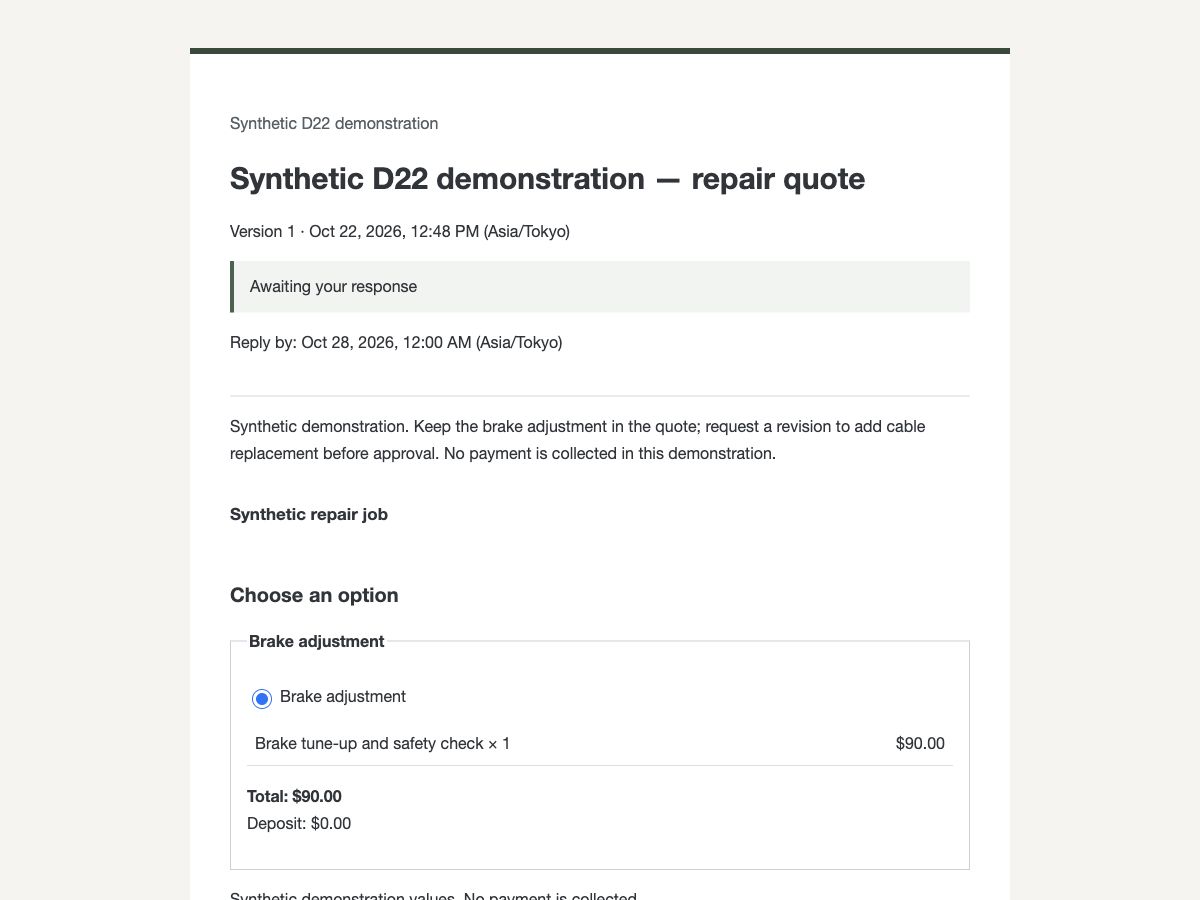
Send version 1 for review Send the $90 repair quote and wait for the client’s response.
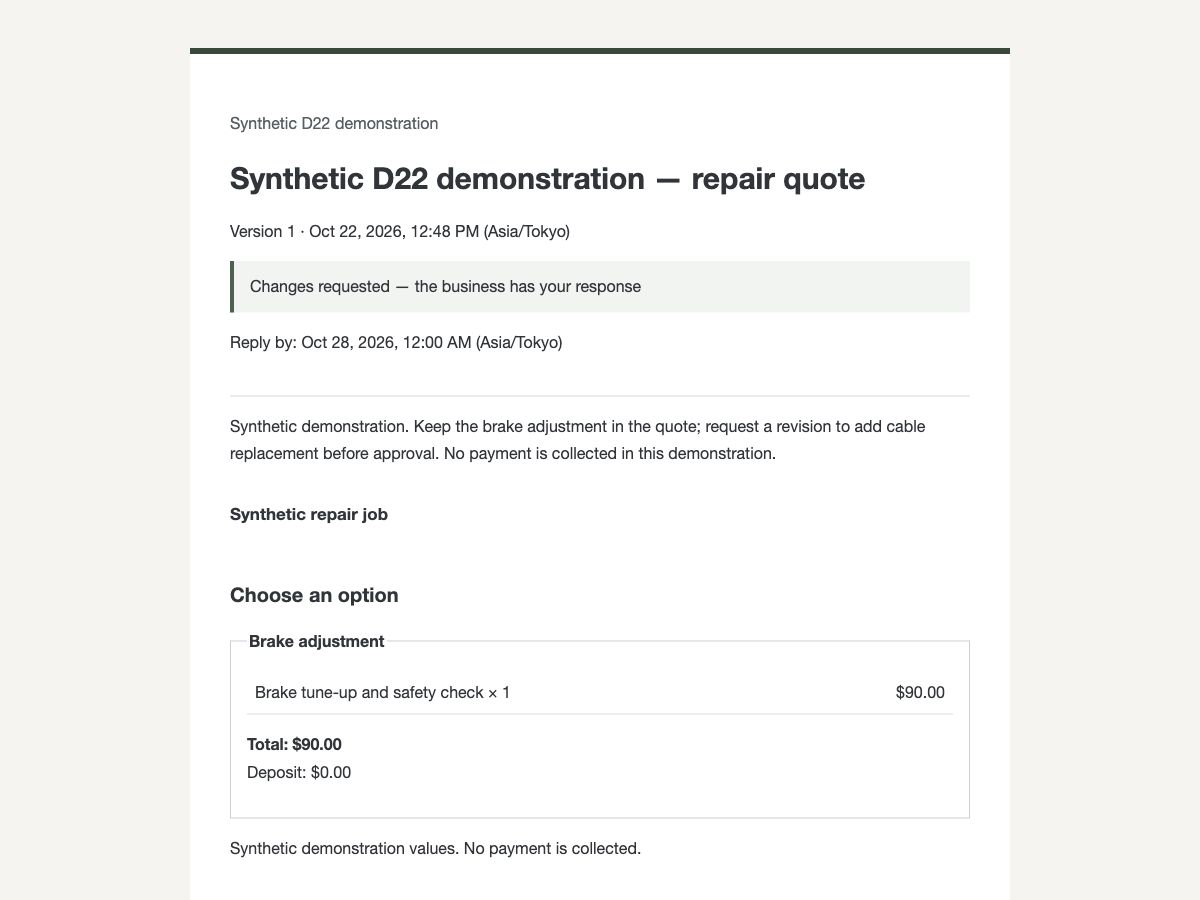
Receive a request for changes Keep the original work and put the requested addition into a revised quote.
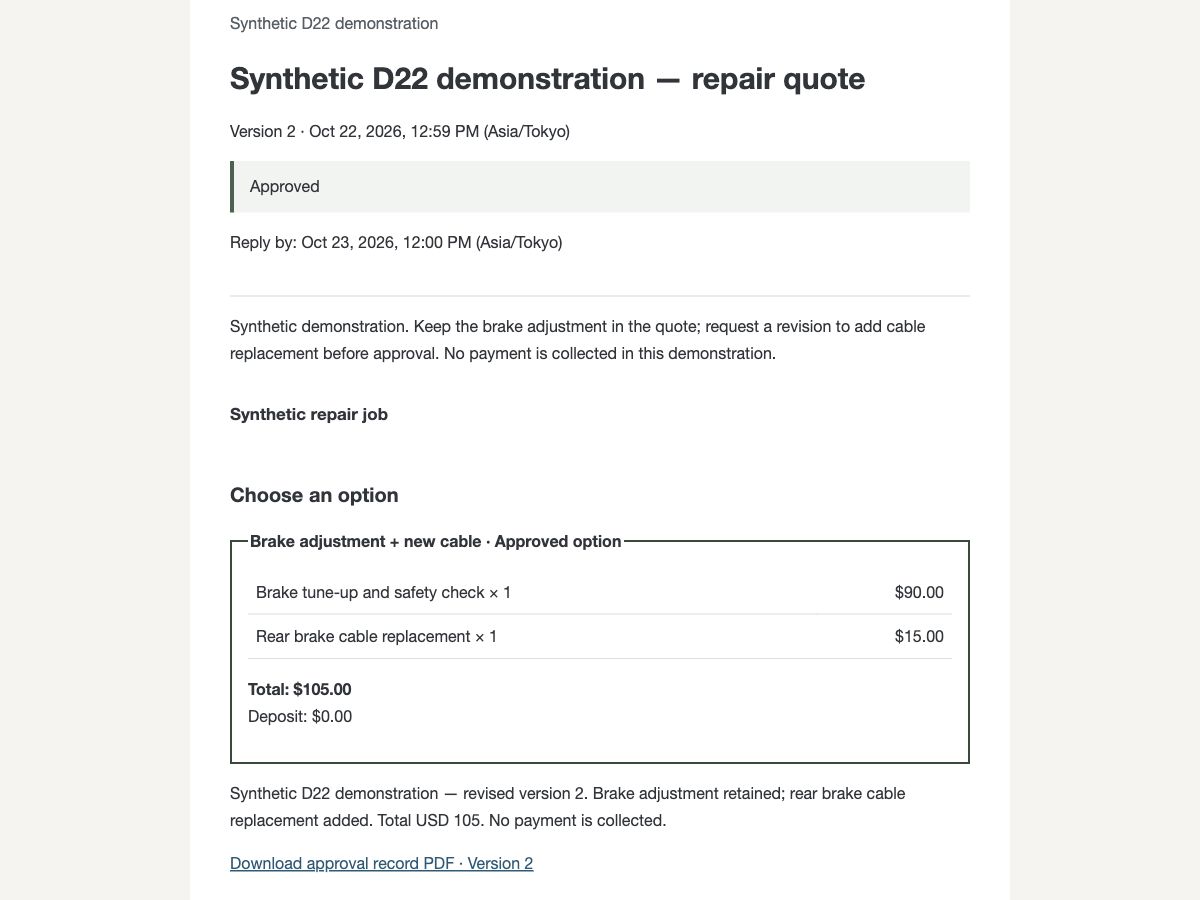
Keep the approval and PDF record Version 2 includes the addition for $105. The approved version has a PDF record to download.
Begin with one request.
Sign in by email, then set your business name and customer language. Create a request in your workspace, review it, and send it when it is ready.
An account is required. See the app for current plans, features, and prices.
Use your MCP client, too.
Connect an MCP-compatible client to create review requests, check responses, and retrieve PDF records. Public tool definitions can be viewed without signing in. Running tools requires signing in and granting access.