AutoCAD MCP Server
Integra o AutoCAD com modelos de linguagem de grande escala (LLMs) para interação em linguagem natural. Requer AutoCAD 2018+ no Windows.
Documentação
AutoCAD MCP Server
⚠️ Atualmente, este projeto não é mantido ativamente devido a restrições de tempo.
Ficaria muito feliz em colaborar com qualquer pessoa interessada em co-manter ou estender o projeto.
Um servidor de integração com AutoCAD baseado em Model Context Protocol (MCP), permitindo interação em linguagem natural com o AutoCAD por meio de grandes modelos de linguagem (LLM) como Claude.
🔗 Projeto exibido no MseeP.ai:
https://mseep.ai/app/zh19980811-easy-mcp-autocad
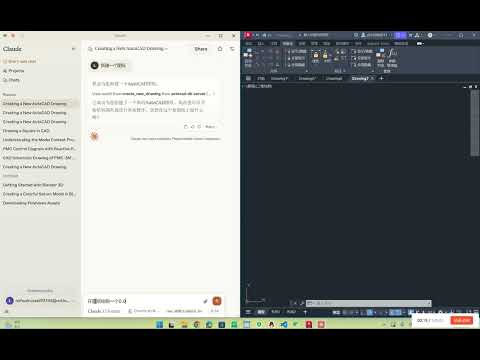
🎬 Vídeo de demonstração:
✨ Recursos
- 🗣️ Controle de desenhos do AutoCAD por linguagem natural
- ✏️ Ferramentas básicas de desenho (linha, círculo)
- 📚 Gerenciamento de camadas
- 🧠 Geração automática de diagramas de controle PMC
- 🔍 Análise de elementos do desenho
- 🔦 Realce de padrões de texto específicos
- 💾 Armazenamento integrado de elementos CAD em banco de dados SQLite
🖥️ Requisitos do Sistema
- Python 3.10+
- AutoCAD 2018+ (com suporte à interface COM)
- Windows
⚙️ Instalação
1. Clonar o repositório
git clone https://github.com/yourusername/autocad-mcp-server.git
cd autocad-mcp-server
2. Criar ambiente virtual
Windows:
python -m venv .venv
.venv\Scripts\activate
macOS / Linux:
python -m venv .venv
source .venv/bin/activate
3. Instalar dependências
pip install -r requirements.txt
4. (Opcional) Compilar como executável
pyinstaller --onefile server.py
🚀 Como Usar
Executar o servidor de forma independente
python server.py
Integrar com Claude Desktop
Editar arquivo de configuração:
Caminho no Windows:
%APPDATA%\Claude\claude_desktop_config.json
Configuração recomendada (executar a partir do código-fonte):
💡 Substitua
path/to/projectpelo caminho absoluto real do seu projeto.
💡 Substituapath/to/projectpelo caminho absoluto real do seu projeto.
{
  "mcpServers": {
    "easy-autocad": {
      "command": "C:/path/to/project/.venv/Scripts/python.exe",
      "args": [
        "C:/path/to/project/server.py"
      ]
    }
  }
}
Nota:
- Use barras normais
/ou barras invertidas duplas\\como separadores de caminho.python.exedeve apontar para o interpretador no ambiente virtual.venv.
🧰 Ferramentas da API
| Função | Descrição |
|---|---|
create_new_drawing | Criar um novo desenho |
draw_line | Desenhar uma linha |
draw_polyline | Desenhar uma polilinha |
draw_rectangle | Desenhar um retângulo |
draw_circle | Desenhar um círculo |
draw_text | Adicionar anotação de texto |
create_layer | Criar ou modificar camada |
move_entity | Mover entidade |
rotate_entity | Rotacionar entidade |
copy_entity | Copiar entidade |
highlight_entity | Realçar entidade |
highlight_text_matches | Realçar texto correspondente |
scan_all_entities | Escanear e salvar entidades |
count_text_patterns | Contar padrões de texto |
execute_query | Executar consulta SQL |
🙋♂️ Aviso de Manutenção
⚠️ Atualmente estou ocupado com outros projetos e não consigo manter ativamente este repositório. PRs e colaboradores são bem-vindos!
📬 Contato: 1062723732@qq.com
Feito com ❤️ para aprendizado de código aberto.