TradingView Backtest Assistant”
expõe um endpoint MCP remoto para que agentes possam: executar backtests de estratégia por símbolo/timeframe/intervalo de datas, passar entradas de estratégia programaticamente, receber resultados estruturados de backtest (trades, taxa de acerto, lucro, drawdown).
Documentação
Mecanismo de backtesting para seu Agente de IA com suporte a PineScript para uso no TradingView
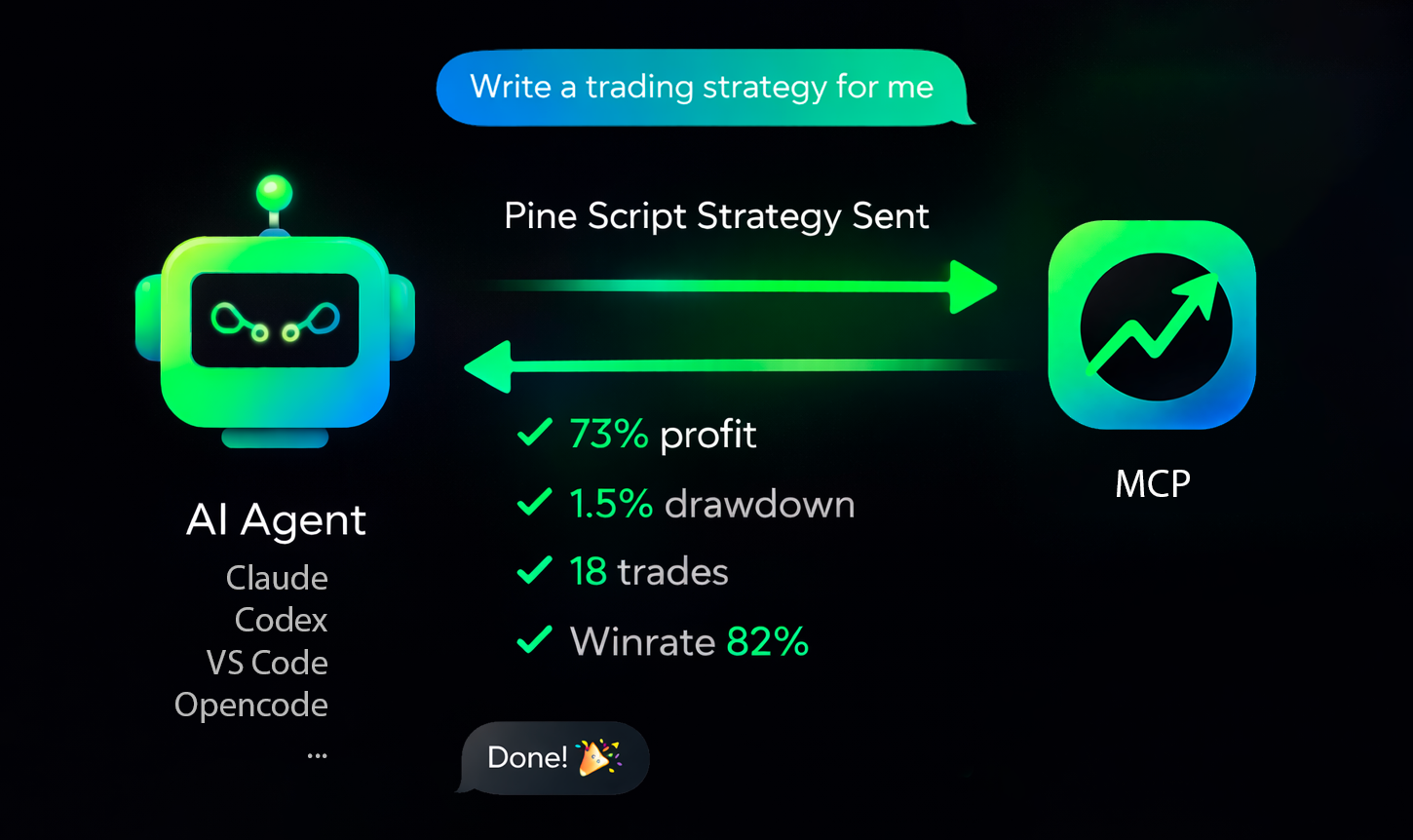



Servidor MCP pronto para produção, que executa backtests de estratégias Pine Script do TradingView (dados da Binance) a partir de agentes de IA.
Visão geral • Conectar • Agentes suportados • Solução de problemas • Obter chave de API • Site
Visão geral rápida
tv-pinescript-backtest-mcp expõe um endpoint MCP remoto para que agentes possam:
- executar backtests de estratégias por símbolo/período/intervalo de datas,
- passar entradas de estratégia programaticamente,
- receber resultados estruturados de backtest (trades, taxa de acerto, lucro, drawdown),
- manter execuções longas observáveis por meio de notificações de progresso,
- suportar apenas tickers de Futuros da Binance,
- aplicar um máximo de 1440 candles por backtest,
- aplicar um limite de taxa de 3 backtests por minuto por usuário,
- pedir ao seu agente para escrever uma estratégia e executar o backtest dela.
Conecte-se ao seu agente
Obtenha a chave de API: https://backtest-engine-mcp.click/dashboard
Você precisa de:
- A URL do seu servidor MCP (
https://backtest-engine-mcp.click/mcp/backtest) - Sua chave de API (token Bearer)
Use transporte HTTP e passe a chave de API em Authorization: Bearer <API_KEY>.
Agentes suportados
Claude Code
CLI:
claude mcp add --transport http tvmcp https://backtest-engine-mcp.click/mcp/backtest --header "Authorization: Bearer <API_KEY>"
Arquivo do projeto (.mcp.json):
{
  "mcpServers": {
    "tvmcp": {
      "type": "http",
      "url": "https://backtest-engine-mcp.click/mcp/backtest",
      "headers": {
        "Authorization": "Bearer <API_KEY>"
      }
    }
  }
}
OpenCode
opencode.json:
{
  "$schema": "https://opencode.ai/config.json",
  "mcp": {
    "tvmcp": {
      "type": "remote",
      "url": "https://backtest-engine-mcp.click/mcp/backtest",
      "oauth": false,
      "headers": {
        "Authorization": "Bearer <API_KEY>"
      }
    }
  }
}
Cursor
Adicione em .cursor/mcp.json (ou ~/.cursor/mcp.json globalmente):
{
  "mcpServers": {
    "tvmcp": {
      "url": "https://backtest-engine-mcp.click/mcp/backtest",
      "headers": {
        "Authorization": "Bearer <API_KEY>"
      }
    }
  }
}
Observação: a mesma configuração MCP é usada pelo CLI cursor-agent.
Codex
Adicione em ~/.codex/config.toml (ou .codex/config.toml em um projeto confiável):
[mcp_servers.tvmcp]
url = "https://backtest-engine-mcp.click/mcp/backtest"
http_headers = { Authorization = "Bearer <API_KEY>" }
Observação: o CLI Codex e a extensão do IDE compartilham o mesmo config.toml.
VS Code
Abra a configuração MCP (.vscode/mcp.json ou usuário mcp.json) e adicione:
{
  "servers": {
    "tvmcp": {
      "type": "http",
      "url": "https://backtest-engine-mcp.click/mcp/backtest",
      "headers": {
        "Authorization": "Bearer <API_KEY>"
      }
    }
  }
}
Se necessário, use a Paleta de Comandos: MCP: Open User Configuration.
Prompt de teste mínimo
Experimente estes prompts com seu agente:
Optimize my strategy: <pinescript code>
Optimize my strategy from file: sma20.pine
Find a strategy on the internet and backtest it using the tvmcp backtest tool.
Backtest my strategy on BTCUSDT 1h from 2026-03-01 to 2026-03-10, Pine code:
//@version...
Solução de problemas
O servidor de backtesting foi testado em 30 estratégias e ajustado para corresponder aos backtests do TradingView o mais próximo possível de 1:1. Alguns operadores ainda podem não ser suportados.
Se você encontrar esse caso, crie uma estratégia mínima que reproduza o problema e envie-a em Issues. Faremos o possível para adicionar suporte rapidamente.