LambdaTest MCP Server
공식LambdaTest MCP 서버는 접근성, SmartUI, 자동화, HyperExecute에 이르기까지 AI 어시스턴트를 테스트 워크플로우에 연결하여 설정을 간소화하고, 실패를 분석하며, 수정 사항을 생성하여 테스트 속도를 높이고 효율성을 개선할 수 있도록 합니다.
LambdaTest MCP(으)로 무엇을 할 수 있나요?
- HyperExecute YAML 구성 생성 — YAML을 수동으로 작성하지 않고
generateHyperExecuteYAML을 통해 테스트 실행 구성을 생성하도록 어시스턴트에게 요청하세요. - 로그로 테스트 실패 분류 — Automation MCP 도구를 사용하여 테스트 세부 정보, Selenium 명령 로그, 네트워크 로그, 콘솔 오류를 가져와 근본 원인을 분석하세요.
- 접근성 감사 실행 —
getAccessibilityReport로 공개 URL에 대한 WCAG 준수 보고서를 받거나, 터널을 통해 로컬 앱을 분석하세요. - 시각적 회귀 차이 요약 —
summarizeSmartUIPixelDiff및analyzeSmartUIRun같은 SmartUI MCP 도구를 사용하여 픽셀, 레이아웃, DOM 변경 사항을 설명하세요. - HyperExecute 작업 세부 정보 가져오기 —
getHyperExecuteJobInfo및getHyperExecuteJobSessions로 작업 수준 정보와 세션 세부 정보를 검색하세요.
문서
TestMu Conf '26을 놓치지 마세요. 에이전트 전환에 참여하세요. 무료 등록

TestMu AI MCP 서버 for Agentic Testing
TestMu AI의 MCP 서버로 HyperExecute, Automation, SmartUI, Accessibility 도구를 지원하는 테스트를 실행, 디버그, 분류하세요. Cursor, Claude, Copilot 및 기타 MCP 클라이언트에서 자연어를 사용해 IDE에서 직접 수행할 수 있습니다.
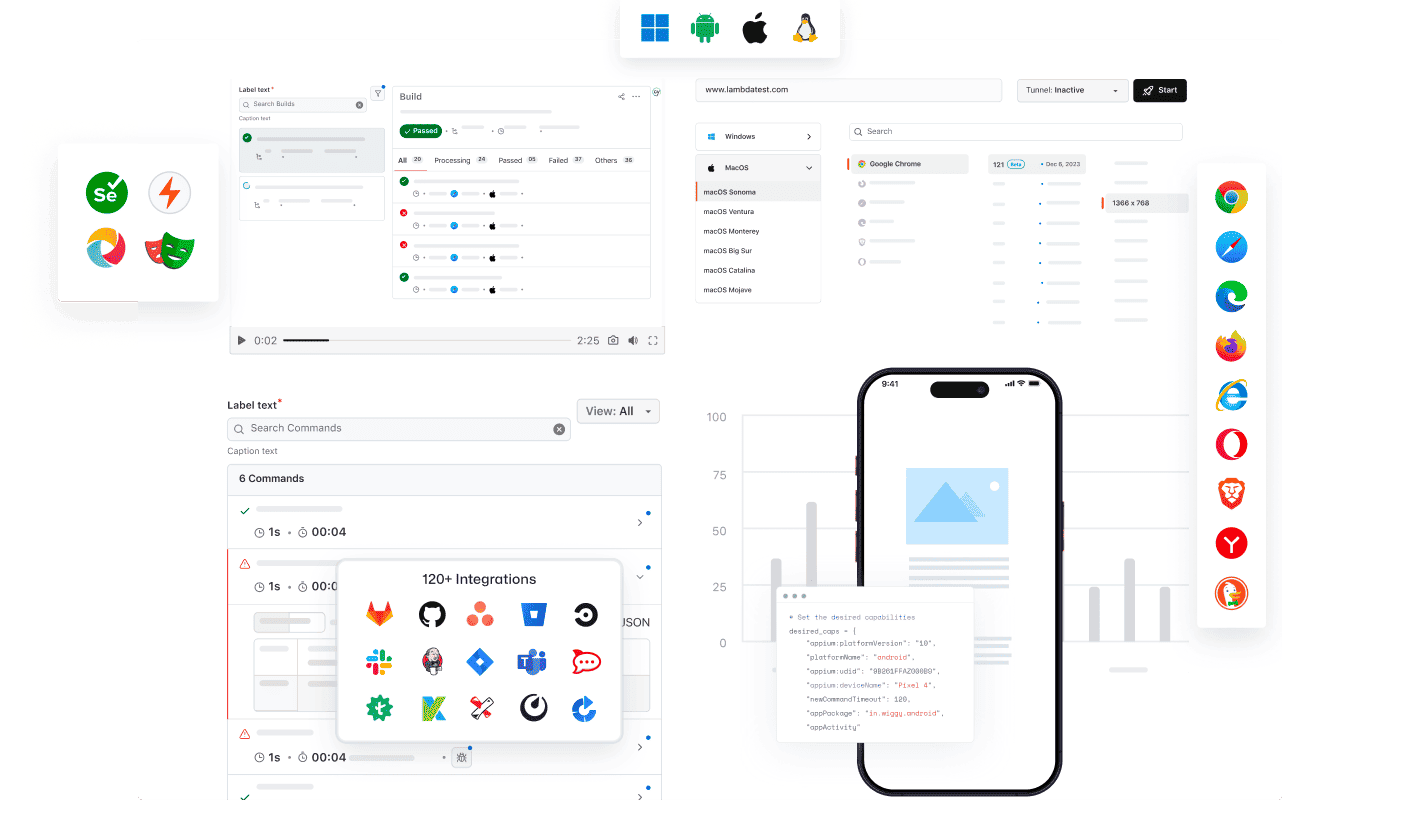
모든 AI 클라이언트가 TestMu AI의 MCP를 사용할 수 있습니다
TestMu AI MCP 서버를 사용하여 모든 AI 어시스턴트와 함께 테스트를 실행, 디버그, 분류하세요.
AI 클라이언트를 선택하여 몇 분 안에 설정하세요.

Cursor
에디터 안에서 일반 영어로 구성 파일 생성, 스위트 실행, 실패 디버그, 결과 분류를 수행하세요.

Claude Code
터미널 안에서 일반 영어로 구성 파일 생성, 스위트 실행, 실패 디버그, 결과 분류를 수행하세요.

GitHub Copilot
VS Code 채팅 안에서 일반 영어로 구성 파일 생성, 스위트 실행, 실패 디버그, 결과 분류를 수행하세요.

OpenAI Codex
명령줄에서 일반 영어로 구성 파일 생성, 스위트 실행, 실패 디버그, 결과 분류를 수행하세요.

Antigravity
에이전트 패널에서 일반 영어로 구성 파일 생성, 스위트 실행, 실패 디버그, 결과 분류를 수행하세요.
TestMu AI(구 LambdaTest)의 내장 MCP 서버
HyperExecute, Automation, Accessibility, SmartUI MCP 도구를 사용하여 자연어로 IDE에서 테스트를 실행, 디버그, 분류하세요.
HyperExecute MCP 도구Automation MCP 도구Accessibility MCP 도구SmartUI MCP 도구
HyperExecute MCP로 테스트 오케스트레이션
TestMu AI의 HyperExecute MCP는 수동 YAML 작성과 대시보드 전환을 없애줍니다. IDE에서 자연어로 YAML 구성, 러너 명령을 생성하고 작업을 모니터링하세요.
generateHyperExecuteYAML: 테스트 프로젝트 실행을 위한 YAML 구성을 생성합니다.
answerHyperExecuteQuery: HyperExecute 문서에서 즉시 답변을 얻습니다.
getHyperExecuteJobInfo: 주어진 테스트 실행에 대한 상세 작업 수준 정보를 검색합니다.
getHyperExecuteJobSessions: HyperExecute 작업에 연결된 모든 세션 세부 정보를 가져옵니다.
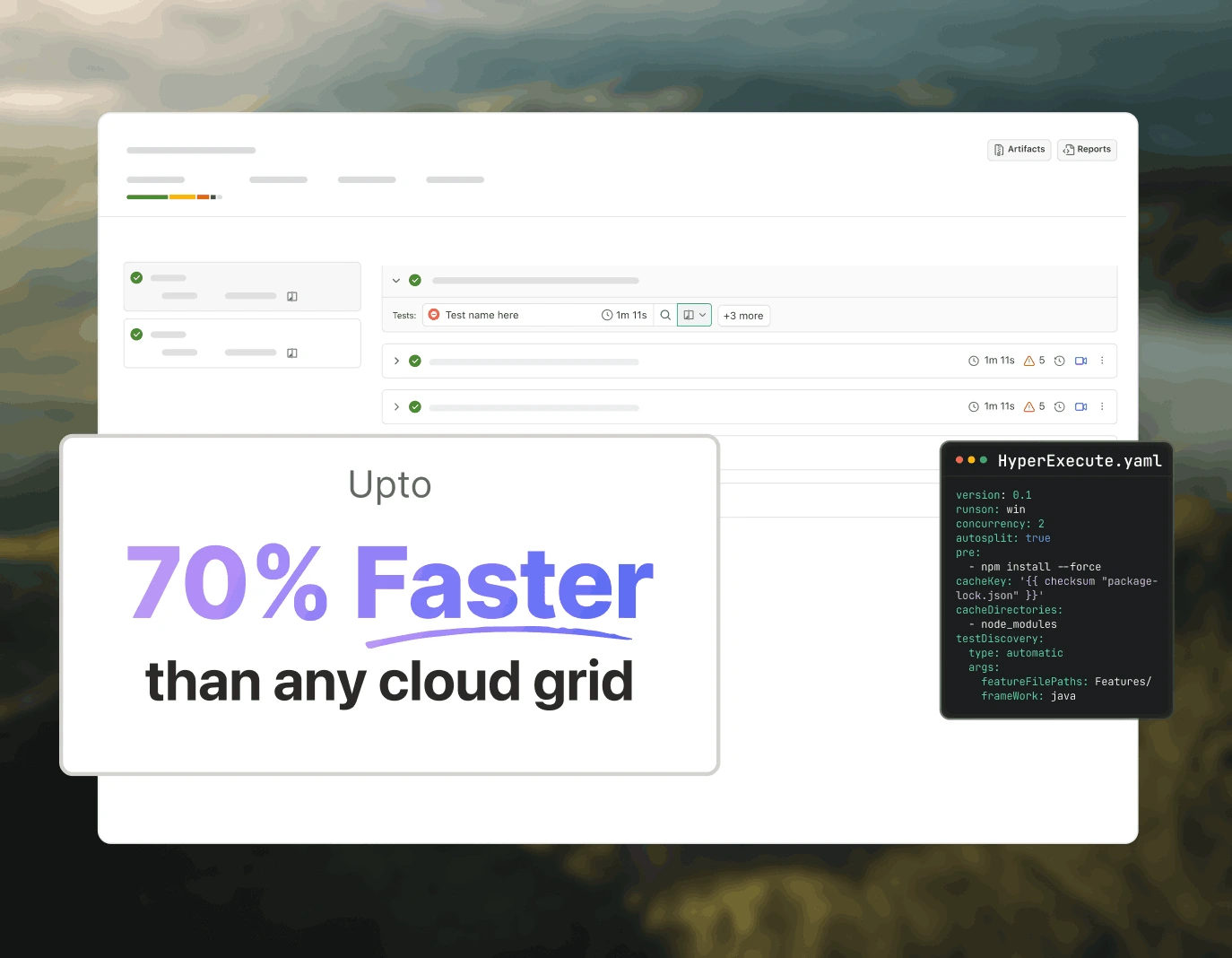
Automation MCP로 테스트 실패 분류
TestMu AI의 Automation MCP는 TestID 세부 정보, 명령 로그, 네트워크 로그, 콘솔 오류를 하나의 채팅으로 가져와 즉각적인 근본 원인 분석을 지원하여 테스트 실패 분류를 가속화합니다.
Automation 테스트 세부 정보: 특정 테스트에 대한 포괄적인 정보를 검색합니다.
Automation 명령 로그: 모든 Selenium 명령의 실행 로그에 접근합니다.
Automation 네트워크 로그: 테스트 중 브라우저 트래픽과 네트워크 동작을 분석합니다.
Automation 콘솔 로그: 오류 및 경고를 포함한 브라우저 콘솔 출력을 검토합니다.
upload_app 도구: 테스트용 모바일 애플리케이션을 업로드합니다.
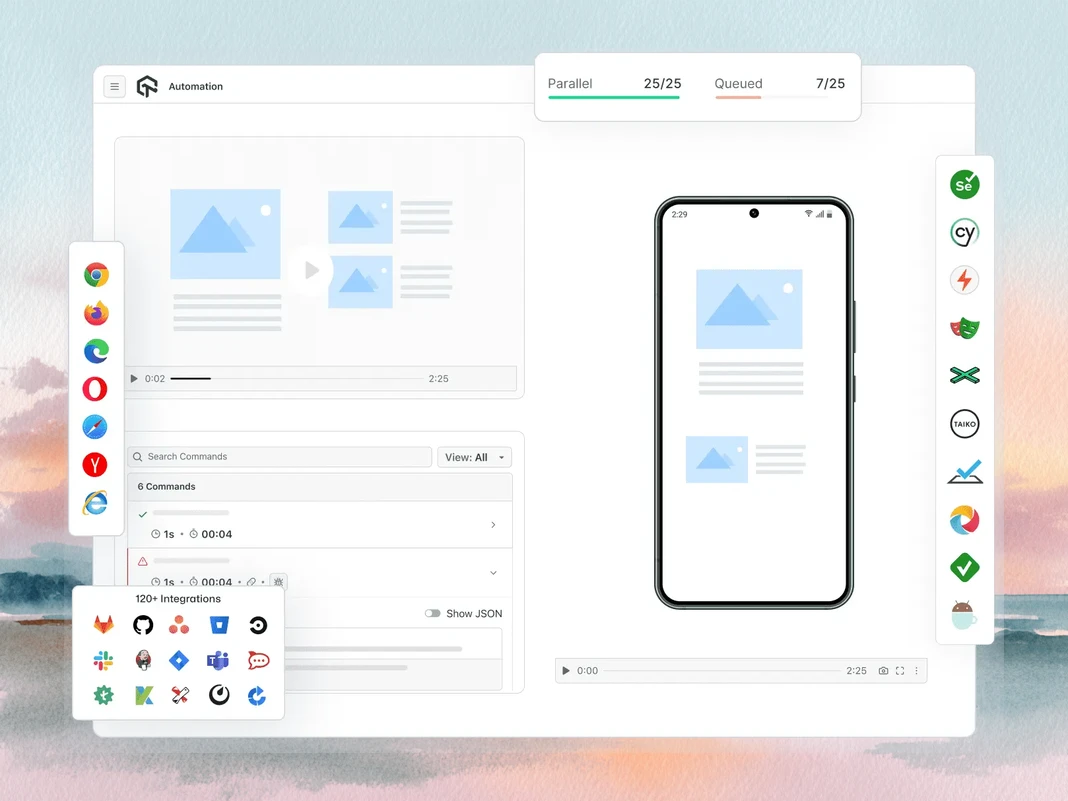
Accessibility MCP로 WCAG 및 a11y 감사
TestMu AI의 Accessibility MCP는 적용 가능한 수정 지침이 포함된 상세 감사 보고서를 반환하여 WCAG 및 a11y 위반이 프로덕션에 도달하기 전에 포착합니다.
getAccessibilityReport: 모든 공개 URL에 대한 접근성 보고서를 가져옵니다.
buildLocalAppForAnalysis: 접근성 문제를 감지하기 위해 로컬 React 앱을 빌드하고 서비스합니다.
analyseAppViaTunnel: TestMu AI 터널을 통해 로컬 앱 테스트의 접근성 실패를 분석합니다.
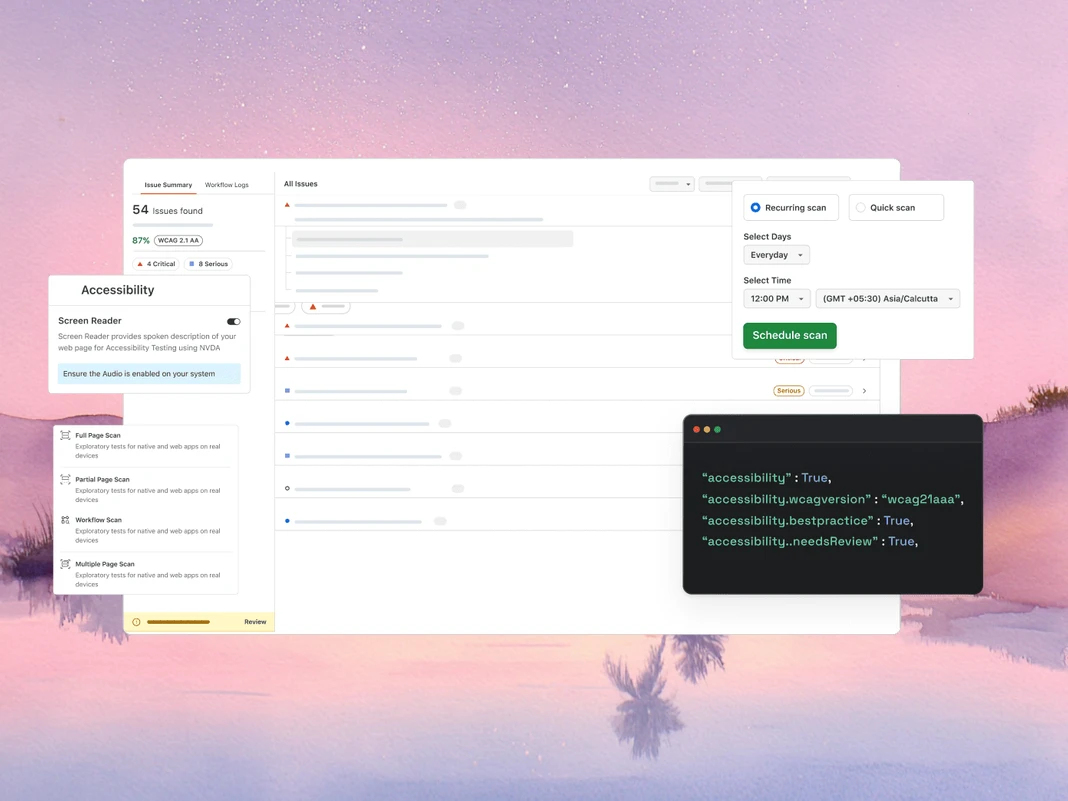
SmartUI MCP로 시각적 회귀 디버깅
TestMu AI의 SmartUI MCP는 픽셀, 레이아웃, DOM, 지각 변화를 IDE에서 직접 일반 영어로 설명하여 시각적 회귀 디버깅에서 수동 diff 조사를 줄여줍니다.
getSmartUIResources: 비교 실행을 위한 모든 시각적 자산을 가져옵니다.
summarizeSmartUIPixelDiff: 스크린샷 간의 원시 픽셀 차이를 식별하고 설명합니다.
summarizeSmartUILayoutDiff: 간격, 정렬, 크기 관련 레이아웃 문제를 감지합니다.
summarizeSmartUIDomDiff: DOM 구조와 속성의 변경 사항을 설명합니다.
analyzeSmartUIHumanDiff: 사람이 시각적 변화를 어떻게 인지할지 시뮬레이션합니다.
analyzeSmartUIRun: 모든 분석 레이어에 걸친 전체 디버깅 요약을 제공합니다.
getSmartUIScreenshotInfo: SmartUI 스크린샷에 대한 메타데이터와 세부 정보를 검색합니다.
downloadSmartUIDomFiles: 심층 분석을 위해 DOM 구조 파일을 다운로드합니다.
AI 에이전트 기반 품질 엔지니어링
브라우저, 10,000개 이상의 실제 디바이스, CI 파이프라인에서 IDE로부터 테스트를 계획, 작성, 실행, 분류하는 AI 네이티브 에이전트입니다.
Agent Testing
KaneAI
Browser Testing
Real Device Cloud
App Automation
HyperExecute
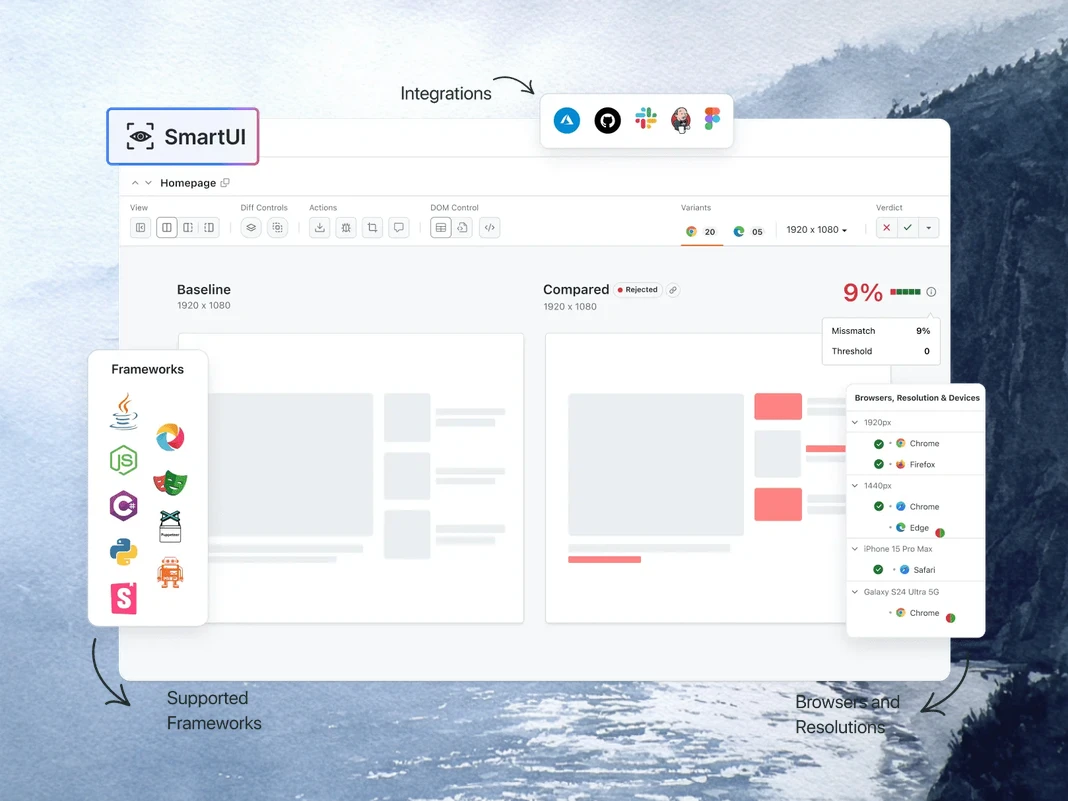
Visual UI Testing
Accessibility Testing
Agent Testing
챗봇, 음성 어시스턴트 등의 AI 에이전트를 테스트합니다.
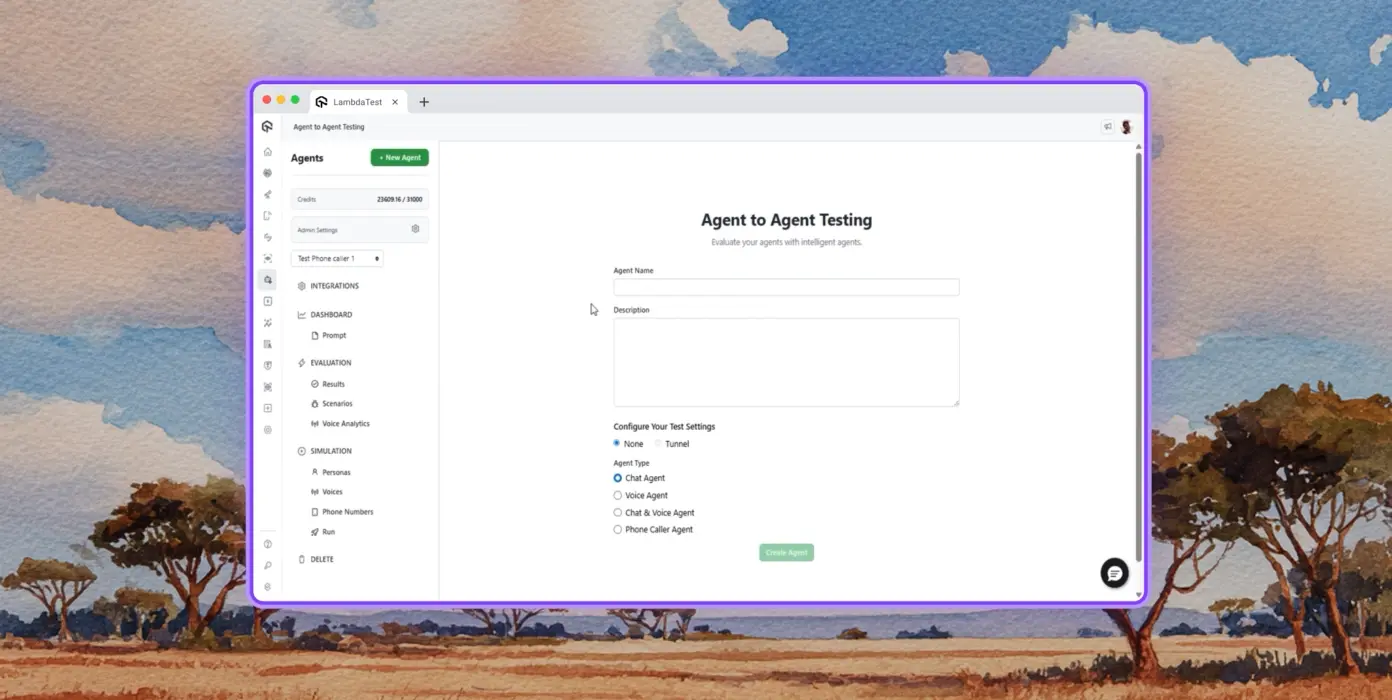
자율 테스트
합성 최종 사용자의 관점에서 테스트 중인 에이전트에 대한 상세 분석을 제공합니다.
다중 페르소나 시뮬레이션
국제 발신자, 디지털 초보자 등 다양한 사용자 페르소나를 지원합니다.
위험 점수 및 회귀
인사이트를 포함한 테스트 중인 에이전트의 종단 간 회귀 테스트를 수행합니다.
TestMu AI의 KaneAI
자연어를 사용하여 종단 간 테스트를 계획, 작성, 발전시킵니다.
자연어
스크립트나 코드 없이 일반 영어로만 설명하여 테스트를 작성합니다.
테스트 시나리오 생성
텍스트, JIRA 티켓, PRD, 이미지, 스프레드시트에서 구조화된 테스트 케이스를 생성합니다.
테스트 작성
KaneAI로 데스크톱 및 모바일 디바이스의 웹사이트와 웹 앱에 대한 브라우저 테스트를 작성합니다.
Browser Testing
3000개 이상의 브라우저-OS-디바이스 조합에서 웹사이트를 빠르게 검증합니다.
반응형 테스트
데스크톱, 태블릿, 모바일 디바이스의 다양한 뷰포트에서 웹사이트 렌더링을 확인합니다.
DevTools 디버깅
사전 설치된 Chrome 및 Safari DevTools로 크로스 브라우저 문제를 디버깅합니다.
지리적 위치 테스트
모든 사용자에게 올바른 경험을 보장하기 위한 다양한 지리적 IP 테스트를 수행합니다.
Real Device Cloud
10000개 이상의 실제 디바이스에서 웹 및 모바일 애플리케이션을 테스트합니다.
제스처 테스트
탭, 스크롤, 확대/축소, 스와이프 등 자연스러운 제스처를 테스트합니다.
실제 시나리오
실제 하드웨어 디바이스에서 모든 엣지 케이스를 테스트할 수 있는 40개 이상의 기능을 활용합니다.
고급 디버깅
테스트 세션에서 디바이스 로그, 네트워크 로그, UI 인스펙터로 직접 디버깅합니다.
App Automation
10000개 이상의 실제 모바일 및 태블릿에서 자동화된 모바일 앱 테스트를 수행합니다.
병렬 실행
수백 대의 실제 Android 및 iOS 디바이스에서 자동화된 테스트를 동시에 실행합니다.
프레임워크 지원
Appium, XCUITest, Espresso, Detox 등 모바일 자동화를 위한 모든 옵션을 지원합니다.
로컬 테스트
다양한 실제 Android 및 iOS 디바이스에서 로컬 및 비공개 호스팅 앱을 테스트합니다.
HyperExecute
최대 70% 더 빠른 AI 네이티브 테스트 오케스트레이션 클라우드입니다.
자기 치유 테스트
테스트 스크립트를 자동으로 치유하여 불안정성과 수동 유지보수를 줄입니다.
스마트 오케스트레이션
과거 데이터를 기반으로 테스트 실행을 자동으로 재정렬하여 실패를 더 빠르게 표면화하고 피드백 시간을 단축합니다.
근본 원인 분석
실시간 로그로 오류를 분류하고 AI 기반 교정 인사이트를 얻습니다.
Visual UI Testing
브라우저와 디바이스에서 UI 회귀를 포착하는 AI 네이티브 시각적 테스트입니다.
픽셀 비교
레이아웃, 색상, 글꼴, 요소 위치의 시각적 편차를 감지합니다.
Design-to-Dev
Figma 디자인을 라이브 웹 페이지 및 앱 화면과 비교하여 정확성을 보장합니다.
스마트 무시
AI 네이티브 감지로 관련 없는 레이아웃 변화를 필터링하여 오탐지를 줄입니다.
Accessibility Testing
포괄적인 사용자 경험을 위한 웹 및 모바일 앱 접근성 테스트입니다.
WCAG 준수
WCAG, ADA, Section 508 표준에 대해 웹 및 모바일 앱을 스캔합니다.
예약 스캔
일일, 주간, 월간 단위로 반복 접근성 감사를 자동화합니다.
스크린 리더
실제 디바이스에서 스크린 리더 및 보조 도구와의 호환성을 테스트합니다.
 PLAY
PLAY
TestMu AI(구 LambdaTest)의 성공 사례

50%
테스트 실행 시간 단축
"HyperExecute는 매우 신뢰할 수 있는 테스트 실행 플랫폼이며 훌륭한 고객 지원을 제공합니다."
Sagar Uday Kumar
수석 엔지니어링 매니저

Dashlane
Lereta
Dunelm
Trepp
Transavia
데모 예약하기
TestMu AI(구 LambdaTest)를 사랑해야 할 더 많은 이유
AI 네이티브 작성, 더 빠른 실행, 웹·모바일·AI 애플리케이션 전반의 더 깊은 테스트 인사이트로 TestMu AI가 테스트를 어떻게 가속화하는지 확인하세요.
TestMu AI, 2025 Gartner® Magic Quadrant™에서 Challenger로 선정
TestMu AI, The Forrester Wave™: Autonomous Testing Platforms, Q4 2025에서 인정받음
Wall of Fame
TestMu AI는 전 세계 중소기업과 기업의 1순위 선택입니다.
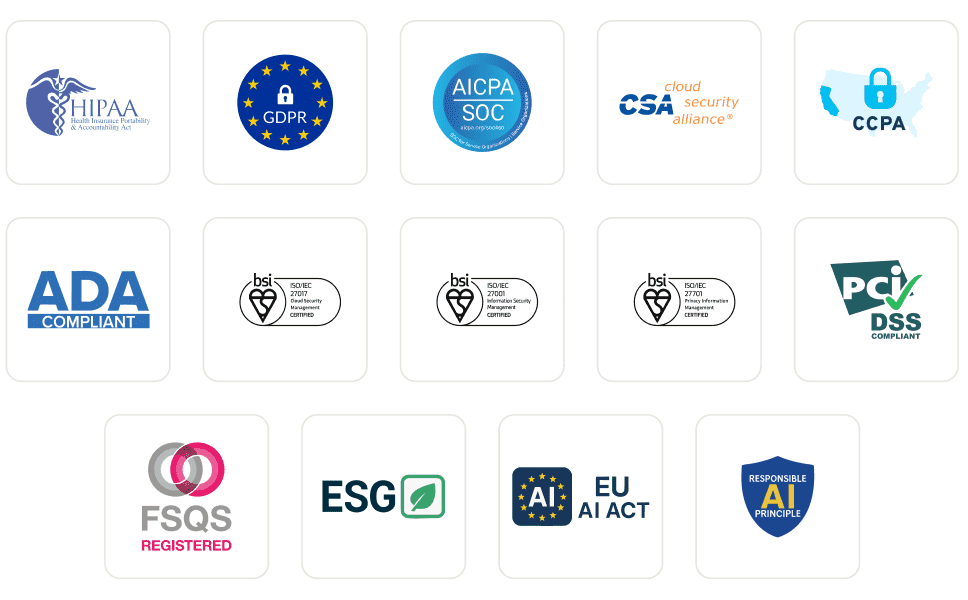
엔터프라이즈급 보안
글로벌 보안, 개인정보 보호, 책임 있는 AI, ESG 표준으로 데이터와 AI 시스템을 보호합니다.
통합
팀이 의존하는 도구와 함께 작동하는 120개 이상의 통합을 지원합니다.
사용자
3M+
테스트
1.5B+
기업
18K+
국가
132
언론 보도
자주 묻는 질문
MCP 서버란 무엇인가요?
MCP 서버는 Anthropic이 2024년 11월에 도입한 개방형 표준인 Model Context Protocol을 통해 AI 에이전트에 도구, 리소스, 프롬프트를 노출하는 프로그램입니다. 서버는 모든 MCP 호환 클라이언트에 자신의 기능을 광고하며, 클라이언트(AI 에이전트)는 런타임에 해당 도구를 호출하여 모델의 훈련 데이터 외부에서 데이터를 가져오거나 작업을 수행합니다.
소프트웨어 테스트에서 MCP는 무엇에 사용되나요?
소프트웨어 테스트에서 MCP는 AI 에이전트가 자연어로 테스트 워크플로를 구동할 수 있게 합니다: 구성 생성, 스위트 실행, 로그 수집, 실패 요약, 시각적 또는 접근성 검사 실행. IDE, 대시보드, 터미널 사이를 전환하는 대신 에이전트가 적절한 MCP 도구를 인라인으로 호출하고 채팅에서 결과를 반환하여 오케스트레이션 및 디버깅 시간을 단축합니다.
MCP 서버는 AI 에이전트와 어떻게 작동하나요?
클라이언트(Claude Code 또는 Cursor 같은 AI 에이전트)는 stdio 또는 HTTP/SSE를 통해 서버에 연결하고 기능을 요청합니다. 서버는 JSON Schema 정의가 포함된 도구 목록을 반환합니다. 사용자가 에이전트에 프롬프트하면 에이전트는 관련 도구를 선택하고 구조화된 호출을 보내며, 서버는 기본 시스템에 대해 이를 실행한 후 모델이 추론할 수 있는 타입화된 응답을 반환합니다.
어떤 AI 클라이언트가 MCP 서버를 지원하나요?
Claude Code, Claude Desktop, Cursor, Windsurf, GitHub Copilot Chat, Cline, Continue, Zed AI, JetBrains AI Assistant는 모두 현재 MCP 서버를 지원합니다. Model Context Protocol 사양(stdio 또는 HTTP/SSE 전송)을 구현하는 모든 클라이언트는 연결할 수 있으며, 이는 서버 통합을 다시 작성하지 않고도 새로운 MCP 인식 도구가 작동한다는 것을 의미합니다.
Cursor 또는 Claude Code에서 MCP 서버를 어떻게 설정하나요?
In Cursor에서 설정 → MCP → 새 MCP 서버 추가로 이동하여 서버의 명령 또는 HTTP 엔드포인트를 지정하세요. Claude Code에서는 "claude mcp add "을 실행하거나 ~/.claude.json을 직접 편집하세요. 등록이 완료되면 에이전트가 사용 가능한 도구를 자동으로 발견하며 채팅에서 호출할 수 있습니다. 대부분의 엔터프라이즈 MCP 서버는 도구를 호출하기 전에 OAuth 단계를 추가합니다.
MCP와 API의 차이점은 무엇인가요?
API는 코드 간 호출을 위해 구축된 고정 엔드포인트 계약으로, 클라이언트는 모든 엔드포인트와 버전 변경에 대해 맞춤 통합이 필요합니다. MCP는 AI-도구 호출을 위해 구축되었습니다. 런타임에서 에이전트가 기능을 발견하는 방식, 호출 간 세션 상태 유지, 타입화된 응답 파싱을 표준화합니다. MCP 서버에 새 도구가 추가되면 연결된 모든 에이전트가 재배포 없이 이를 인식합니다.
MCP 서버가 Selenium, Playwright, Cypress 또는 Appium 테스트를 실행할 수 있나요?
네. MCP 서버는 테스트 프레임워크를 대체하지 않고 이를 감쌉니다. TestMu AI MCP Server는 프로젝트 분석 중 Selenium, Playwright, Cypress, Appium, TestNG, JUnit, PyTest, WebdriverIO 및 유사한 프레임워크를 감지한 다음 AI 에이전트가 실행할 올바른 구성과 러너 명령을 생성합니다. 테스트 실행은 여전히 기본 클라우드 그리드에서 이루어집니다.
MCP가 실패한 테스트 디버깅에 어떻게 도움이 되나요?
MCP 서버는 실패한 실행에 대한 테스트 메타데이터, Selenium 명령 로그, 브라우저 네트워크 활동 및 콘솔 오류를 가져온 다음 데이터를 채팅에서 AI 에이전트에 전달할 수 있습니다. 에이전트는 로그를 분석하고 이벤트 간의 상관관계를 파악하여 근본 원인을 제안하므로, 여러 탭의 대시보드를 탐색하던 작업이 단일 프롬프트로 전환됩니다.
Model Context Protocol은 안전한가요?
MCP 자체는 전송 및 메시지 형식을 정의할 뿐 인증은 정의하지 않습니다. 보안은 서버 구현에 따라 달라집니다. 프로덕션 서버는 일반적으로 OAuth 2.1, 범위 제한 토큰 및 TLS 암호화 전송을 사용합니다. 엔터프라이즈 배포는 역할 기반 권한, 감사 로깅 및 데이터 상주 제어를 추가하며, MCP 트래픽이 프로덕션 로그나 고객 데이터를 전달할 때 중요해집니다.
MCP 서버는 무료로 사용할 수 있나요?
프로토콜은 오픈 소스이며 무료입니다. 서버 가격은 다양합니다. 많은 커뮤니티 서버는 무료이지만, 공급업체 호스팅 서버는 MCP 계층 자체가 아닌 기본 플랫폼(사용량, 좌석 또는 컴퓨팅)에 대해 청구합니다. TestMu AI MCP Server는 모든 TestMu AI 계정에 포함되어 있으며 팀이 이미 지불하는 테스트 실행 시간만 소비합니다.
TestMu AI MCP Server에는 어떤 도구가 포함되어 있나요?
서버에는 4개의 MCP 도구가 포함되어 있습니다. HyperExecute MCP는 프로젝트 분석, YAML 생성, 러너 명령, 작업 정보 및 세션 세부 정보를 처리합니다. Automation MCP는 테스트 세부 정보, Selenium 명령 로그, 네트워크 로그 및 콘솔 로그를 가져옵니다. SmartUI MCP는 픽셀, 레이아웃, DOM 및 인간 인지 시각적 차이를 요약합니다. Accessibility MCP는 공개 URL, 로컬 React 빌드 및 터널링된 앱에서 WCAG 감사를 실행합니다.
TestMu AI MCP Server는 어떤 AI 어시스턴트를 지원하나요?
TestMu AI MCP Server는 Cursor, Claude Code, Claude Desktop, Claude.ai(웹), VS Code의 GitHub Copilot, Antigravity, OpenAI Codex CLI, Cline 및 Continue에 대한 문서화된 설정 경로를 제공합니다. 다른 MCP 호환 클라이언트는 mcp-remote를 사용하는 범용 STDIO 구성을 통해 연결할 수 있으므로, 프로토콜을 채택하는 최신 어시스턴트는 서버 측 변경 없이 작동합니다.
TestMu AI MCP Server는 어떤 전송 방법을 사용하나요?
서버는 두 가지 전송을 지원합니다. Streamable HTTP는 대부분의 클라이언트에 권장되는 옵션으로 OAuth 인증과 함께 엔드포인트를 사용합니다. STDIO는 아직 Streamable HTTP를 지원하지 않는 클라이언트를 위해 mcp-remote를 통해 사용할 수 있으며, 내부적으로 동일한 OAuth 인증 엔드포인트를 사용합니다.
구성 후 MCP 도구가 AI 클라이언트에 표시되지 않는 이유는 무엇인가요?
일반적으로 세 가지 원인이 있습니다. 첫째, 클라이언트를 완전히 종료하고 다시 시작하세요(부드러운 새로고침으로는 충분하지 않은 경우가 많습니다). 둘째, JSON, TOML 또는 YAML 구성의 구문 오류(특히 후행 쉼표와 이스케이프되지 않은 경로)를 검증하세요. 셋째, Continue와 같은 클라이언트의 경우 채팅 모드가 아닌 에이전트 모드인지 확인하세요. OAuth가 완료되었지만 도구가 여전히 표시되지 않으면 클라이언트의 MCP 설정에서 다시 인증하세요.
더 많은 질문 보기
TestMu AI (이전 LambdaTest)/MCP Server
[{"@context":"https://schema.org","@type":"BreadcrumbList","itemListElement":[{"@type":"ListItem","position":1,"name":"Home","item":"https://www.testmuai.com"},{"@type":"ListItem","position":2,"name":"TestMu AI MCP Server","item":"https://www.testmuai.com/mcp/"}]}]
{"@context":"https://schema.org","@type":"WebPage","name":"TestMu AI (Formerly LambdaTest) MCP Server For Agentic Testing","description":"TestMu AI (Formerly LambdaTest) MCP Server with four tools: HyperExecute, Automation, SmartUI, & Accessibility. Run, debug, and triage tests from your IDE using natural language.","url":"https://www.testmuai.com/mcp/","inLanguage":"en","isPartOf":{"@type":"WebSite","name":"TestMu AI (Formerly LambdaTest)","url":"https://www.testmuai.com"},"datePublished":"2025-01-01","dateModified":"2026-05-14","about":{"@type":"Organization","name":"TestMu AI (Formerly LambdaTest)","alternateName":["LambdaTest","LambdaTesting","lamda test","lambatest","Lambda Test"]}}
{"@context":"https://schema.org","@type":"FAQPage","mainEntity":[{"@type":"Question","name":"What is an MCP server?","acceptedAnswer":{"@type":"Answer","text":"An MCP server is a program that exposes tools, resources, and prompts to AI agents through the Model Context Protocol, an open standard introduced by Anthropic in November 2024. The server advertises its capabilities to any MCP-compatible client, and the client (an AI agent) calls those tools at runtime to fetch data or perform actions outside the model's training data."}},{"@type":"Question","name":"What is MCP used for in software testing?","acceptedAnswer":{"@type":"Answer","text":"In software testing, MCP lets AI agents drive the test workflow through natural language: generating configs, executing suites, pulling logs, summarizing failures, and running visual or accessibility checks. Instead of switching between an IDE, a dashboard, and a terminal, the agent calls the right MCP tool inline and returns results in chat, which compresses orchestration and debugging time."}},{"@type":"Question","name":"How does an MCP server work with AI agents?","acceptedAnswer":{"@type":"Answer","text":"The client (an AI agent like Claude Code or Cursor) connects to the server over stdio or HTTP/SSE and asks for its capabilities. The server returns a list of tools with JSON Schema definitions. When the user prompts the agent, it picks the relevant tool, sends a structured call, and the server executes it against the underlying system, then returns a typed response the model can reason over."}},{"@type":"Question","name":"Which AI clients support MCP servers?","acceptedAnswer":{"@type":"Answer","text":"Claude Code, Claude Desktop, Cursor, Windsurf, GitHub Copilot Chat, Cline, Continue, Zed AI, and JetBrains AI Assistant all support MCP servers today. Any client that implements the Model Context Protocol spec (stdio or HTTP/SSE transport) can connect, which means new MCP-aware tools work without rewriting the server integration."}},{"@type":"Question","name":"How do you set up an MCP server in Cursor or Claude Code?","acceptedAnswer":{"@type":"Answer","text":"In Cursor, open Settings → MCP → Add new MCP Server and point it at the server's command or HTTP endpoint. In Claude Code, run \"claude mcp add <name> <command>\" or edit ~/.claude.json directly. Once registered, the agent discovers the available tools automatically and you can invoke them in chat. Most enterprise MCP servers add an OAuth step before tools become callable."}},{"@type":"Question","name":"What is the difference between MCP and an API?","acceptedAnswer":{"@type":"Answer","text":"An API is a fixed endpoint contract built for code-to-code calls; clients need custom integration for every endpoint and version change. MCP is built for AI-to-tool calls: it standardizes how an agent discovers capabilities at runtime, maintains session state across calls, and parses typed responses. When a new tool is added to an MCP server, every connected agent picks it up without redeployment."}},{"@type":"Question","name":"Can MCP servers run Selenium, Playwright, Cypress, or Appium tests?","acceptedAnswer":{"@type":"Answer","text":"Yes. MCP servers don't replace your test framework; they wrap it. The TestMu AI MCP Server detects Selenium, Playwright, Cypress, Appium, TestNG, JUnit, PyTest, WebdriverIO, and similar frameworks during project analysis, then generates the right config and runner command for your AI agent to execute. Test execution still happens on the underlying cloud grid."}},{"@type":"Question","name":"How does MCP help debug failed tests?","acceptedAnswer":{"@type":"Answer","text":"An MCP server can pull test metadata, Selenium command logs, browser network activity, and console errors for any failed run, then hand the data back to the AI agent in chat. The agent reasons over the logs, correlates events, and suggests a root cause, turning what used to be a multi-tab dashboard hunt into a single prompt."}},{"@type":"Question","name":"Is the Model Context Protocol secure?","acceptedAnswer":{"@type":"Answer","text":"MCP itself defines transport and message format, not authentication; security depends on the server implementation. Production servers typically use OAuth 2.1, scoped tokens, and TLS-encrypted transport. Enterprise deployments add role-based permissions, audit logging, and data-residency controls, which become important when MCP traffic carries production logs or customer data."}},{"@type":"Question","name":"Are MCP servers free to use?","acceptedAnswer":{"@type":"Answer","text":"The protocol is open source and free. Server pricing varies: many community servers are free, while vendor-hosted servers bill against the underlying platform (usage, seats, or compute) rather than the MCP layer itself. The TestMu AI MCP Server is included with every TestMu AI account and only consumes the test execution minutes a team already pays for."}},{"@type":"Question","name":"What tools are inside the TestMu AI MCP Server?","acceptedAnswer":{"@type":"Answer","text":"Four MCP tools ship in the server. HyperExecute MCP handles project analysis, YAML generation, runner commands, job info, and session details. Automation MCP fetches test details, Selenium command logs, network logs, and console logs. SmartUI MCP summarizes pixel, layout, DOM, and human-perceived visual diffs. Accessibility MCP runs WCAG audits on public URLs, local React builds, and tunneled apps."}},{"@type":"Question","name":"What AI assistants does the TestMu AI MCP Server support?","acceptedAnswer":{"@type":"Answer","text":"The TestMu AI MCP Server has documented setup paths for Cursor, Claude Code, Claude Desktop, Claude.ai (Web), GitHub Copilot in VS Code, Antigravity, OpenAI Codex CLI, Cline, and Continue. Any other MCP-compatible client can connect through the universal STDIO configuration using mcp-remote, so newer assistants that adopt the protocol work without changes on the server side."}},{"@type":"Question","name":"What transport methods does the TestMu AI MCP Server use?","acceptedAnswer":{"@type":"Answer","text":"The server supports two transports. Streamable HTTP is the recommended option for most clients and uses the endpoint with OAuth authentication. STDIO is available through mcp-remote for clients that don't yet support Streamable HTTP, and uses the same OAuth-authenticated endpoint behind the scenes."}},{"@type":"Question","name":"Why aren't MCP tools showing up in my AI client after configuration?","acceptedAnswer":{"@type":"Answer","text":"Three things usually cause this. First, fully quit and relaunch the client (a soft reload often isn't enough). Second, validate the JSON, TOML, or YAML config for syntax errors, especially trailing commas and unescaped paths. Third, for clients like Continue, confirm you are in Agent Mode rather than Chat Mode. If OAuth completed but tools still don't appear, re-authenticate from the client's MCP settings."}}]}
{"@context":"https://schema.org","@type":"Organization","name":"TestMu AI (Formerly LambdaTest)","legalName":"LambdaTest, Inc.","alternateName":["LambdaTest","LambdaTesting","Lambda Test","TestMu AI"],"url":"https://www.testmuai.com","logo":"https://www.testmuai.com/logo.png","description":"TestMu AI (formerly LambdaTest) is an AI-native, agentic testing cloud for end-to-end software quality engineering across web, mobile, and AI applications. LambdaTest rebranded to TestMu AI on January 12, 2026.","foundingDate":"2017","founder":[{"@type":"Person","name":"Asad Khan","jobTitle":"Co-Founder & CEO"},{"@type":"Person","name":"Jay Singh","jobTitle":"Co-Founder & Chief Customer Officer"},{"@type":"Person","name":"Mayank Bhola","jobTitle":"Co-Founder & Head of Product"},{"@type":"Person","name":"Mudit Singh","jobTitle":"Co-Founder & Head of Growth"}],"address":[{"@type":"PostalAddress","addressLocality":"California","postalCode":"94102","streetAddress":"Suite 200, 1390 market Street San Francisco","addressCountry":"USA"},{"@type":"PostalAddress","streetAddress":"Noida One, Tower A, 2nd Floor, KLJ, Sector 62","addressLocality":"Noida","postalCode":"201309","addressCountry":"India"}],"sameAs":["https://www.lambdatest.com","https://www.linkedin.com/company/testmu-ai/","https://www.linkedin.com/company/lambdatest/","https://www.instagram.com/testmuai/","https://www.facebook.com/testmuai/","https://x.com/testmuai","https://x.com/lambdatesting","https://medium.com/lambdatest","https://testmuai.medium.com/","https://www.youtube.com/@TestMuAI","https://www.pinterest.com/testmuai/","https://github.com/lambdaTest","https://www.netlify.com/integrations/lambdatest/","https://newrelic.com/instant-observability/lambdatest"]}
{"@context":"https://schema.org","@type":"ItemList","name":"TestMu AI (Formerly LambdaTest) MCP Server Tools","description":"The four MCP tools included with the TestMu AI (Formerly LambdaTest) MCP Server: HyperExecute MCP, Automation MCP, SmartUI MCP, and Accessibility MCP.","url":"https://www.testmuai.com/mcp/","numberOfItems":4,"itemListOrder":"https://schema.org/ItemListOrderAscending","itemListElement":[{"@type":"ListItem","position":1,"item":{"@type":"SoftwareApplication","name":"HyperExecute MCP Tool","applicationCategory":"DeveloperApplication","operatingSystem":"Windows, macOS, Linux","url":"https://www.testmuai.com/support/docs/hyperexecute-mcp-server/","description":"An MCP tool that analyzes your test project, auto-detects the framework, and generates HyperExecute YAML configs and runner commands. Also fetches job and session details and answers documentation queries inline.","offers":{"@type":"Offer","price":"0","priceCurrency":"USD"},"aggregateRating":{"@type":"AggregateRating","ratingValue":"4.8","ratingCount":"451","bestRating":"5","worstRating":"1"},"provider":{"@type":"Organization","name":"TestMu AI (Formerly LambdaTest)","url":"https://www.testmuai.com"}}},{"@type":"ListItem","position":2,"item":{"@type":"SoftwareApplication","name":"Automation MCP Tool","applicationCategory":"DeveloperApplication","operatingSystem":"Windows, macOS, Linux","url":"https://www.testmuai.com/support/docs/automation-mcp-server/","description":"An MCP tool that retrieves test details, Selenium command logs, network logs, and browser console logs for any TestID, enabling AI agents to root-cause failed tests from the IDE.","offers":{"@type":"Offer","price":"0","priceCurrency":"USD"},"aggregateRating":{"@type":"AggregateRating","ratingValue":"4.8","ratingCount":"451","bestRating":"5","worstRating":"1"},"provider":{"@type":"Organization","name":"TestMu AI (Formerly LambdaTest)","url":"https://www.testmuai.com"}}},{"@type":"ListItem","position":3,"item":{"@type":"SoftwareApplication","name":"Accessibility MCP Tool","applicationCategory":"DeveloperApplication","operatingSystem":"Windows, macOS, Linux","url":"https://www.testmuai.com/support/docs/accessibility-mcp-server/","description":"An MCP tool that runs WCAG, ADA, and Section 508 accessibility audits on public URLs, locally-built React apps, or apps tunneled through TestMu AI.","offers":{"@type":"Offer","price":"0","priceCurrency":"USD"},"aggregateRating":{"@type":"AggregateRating","ratingValue":"4.8","ratingCount":"451","bestRating":"5","worstRating":"1"},"provider":{"@type":"Organization","name":"TestMu AI (Formerly LambdaTest)","url":"https://www.testmuai.com"}}},{"@type":"ListItem","position":4,"item":{"@type":"SoftwareApplication","name":"SmartUI MCP Tool","applicationCategory":"DeveloperApplication","operatingSystem":"Windows, macOS, Linux","url":"https://www.testmuai.com/support/docs/smartui-mcp-server/","description":"An MCP tool that turns raw visual diffs into natural-language summaries across pixel, layout, DOM, and human-perceived layers, with access to screenshots, DOM snapshots, and metadata.","offers":{"@type":"Offer","price":"0","priceCurrency":"USD"},"aggregateRating":{"@type":"AggregateRating","ratingValue":"4.8","ratingCount":"451","bestRating":"5","worstRating":"1"},"provider":{"@type":"Organization","name":"TestMu AI (Formerly LambdaTest)","url":"https://www.testmuai.com"}}}]}