Klass Personal OS
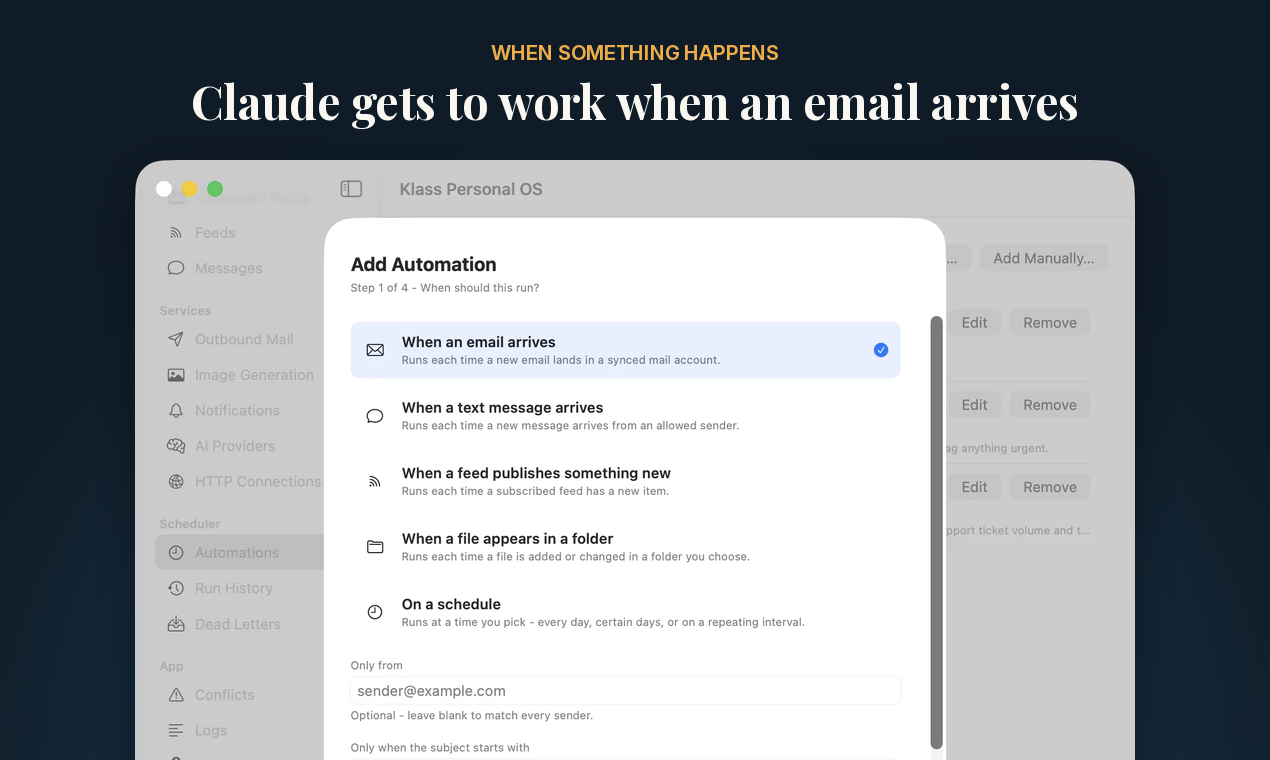
macOS 네이티브 앱으로, 예약된 시간이나 이메일, 문자, 피드 항목, 파일이 도착하는 순간 Claude 또는 Codex를 실행하여 채팅이 열려 있지 않아도 작업이 진행됩니다. 각 어시스턴트는 고유한 API 키를 가지며, 선택한 메일 계정, 폴더, 캘린더, 작업에 범위가 제한됩니다. 일반적인 macOS 설정 창에서 설정하며, JSON 파일, Node, Python이 필요 없습니다. Claude Desktop(원클릭 설치), Claude Code, Codex 및 모든 MCP 클라이언트와 호환됩니다. 동기화된 데이터는 Mac에 유지됩니다. 시간 제한 없는 무료 티어가 제공됩니다.
문서
Klass Personal OS
A native Mac app that runs Claude or Codex on a schedule, or the moment an email, text message, feed item, or file arrives, so the work happens whether or not a chat is open. Each assistant gets its own API key, scoped to the mail accounts, folders, calendars, and actions you choose.
Website and download: https://coreyklass.com/personal-os
mcp-name: io.github.KlassyCoder/klass-personal-os
What this repository is
This is the public distribution point for Klass Personal OS's MCP connector. The app itself is closed source and is downloaded from the website above. This repository holds:
- Releases: the Claude Desktop extension (
.mcpb), a small signed and notarized bridge that connects Claude Desktop to the app's local MCP server. server.json: the listing for the official MCP Registry.
The extension does nothing without the app. Install the app first.
Getting started
- Download Klass Personal OS from https://coreyklass.com/personal-os and drag it to Applications. It needs macOS 14 Sonoma or later. No account, Node, or Python is required.
- Connect your mail, calendar, and the folders it may use in the app's settings window.
- Connect an AI client:
- Claude Desktop: the app's Claude Desktop settings have an Install Extension button. You can also download the
.mcpbfrom this repository's Releases and open it. Claude Desktop asks for an API key (issue one under API Keys in the app) and the app's MCP port. - Claude Code and other MCP clients: issue a key under API Keys and use Copy Claude Config to get a config to paste.
- Codex: the app's Codex settings have a Copy Manual MCP Template button.
- Claude Desktop: the app's Claude Desktop settings have an Install Extension button. You can also download the
Automations run the Claude Code or Codex CLI already installed on your Mac, with its own sign-in.
Security model
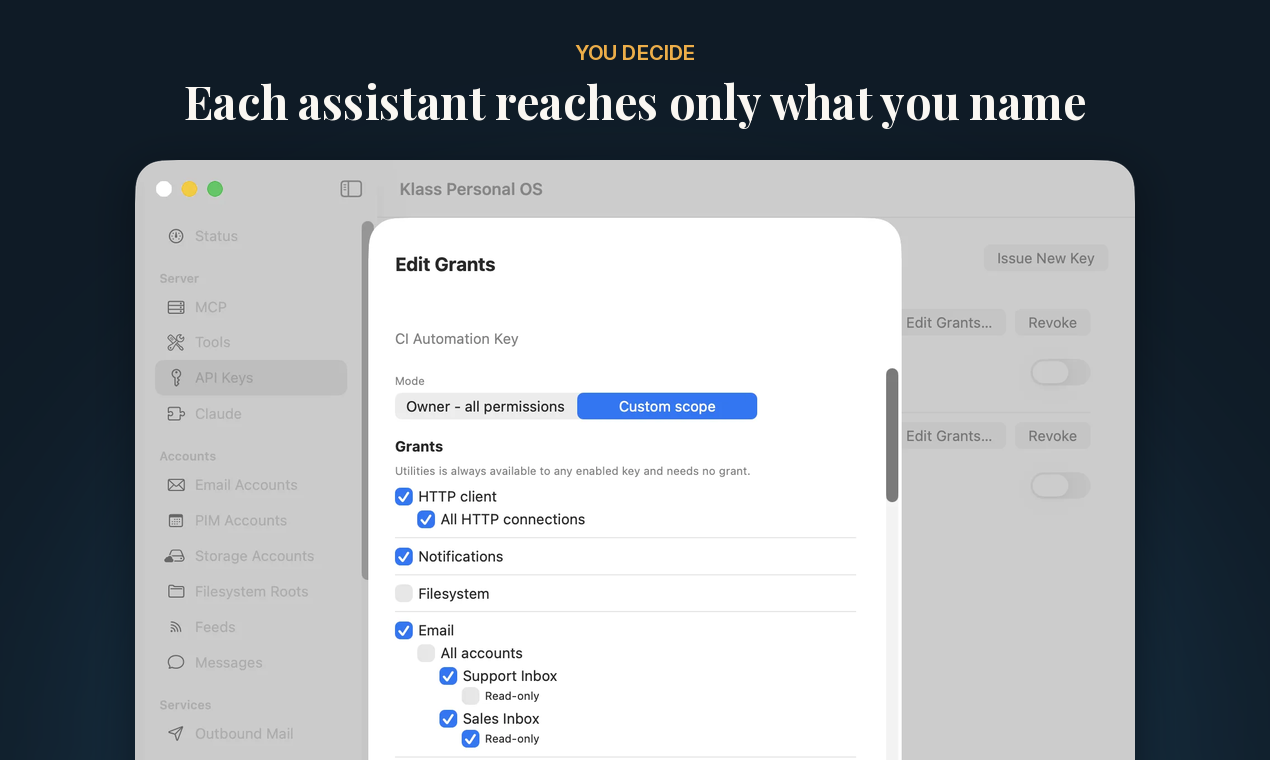
- Each assistant gets its own key, limited to the accounts, folders, and actions you name. Revoking one key never touches the others.
- Writing to mail, permanent deletes, and remote commands are each off until you turn them on, and an outbound mail account can hold every send for your approval.
- Synced mail and calendar data stay on your Mac, and passwords stay in the macOS Keychain.
- The MCP server listens only on your Mac unless you change that setting.
- No telemetry or analytics. The only call the app makes on its own is a once-daily update check you can turn off.
- The App Sandbox is off, because a sandboxed app can't launch the Claude or Codex CLI, and launching them on a schedule is the point of the app.
Full details: https://coreyklass.com/personal-os/security.html
Pricing
The free tier works against your real accounts, includes three automations, and has no time limit. Pro is a one-time license that raises the limits and adds a few tools. See https://coreyklass.com/personal-os for current pricing.
Support
Email info@coreyklass.com. Release notes: https://coreyklass.com/personal-os/release-notes.html
Copyright Klass Concepts LLC. All rights reserved.