Yourware MCP
프로젝트 파일이나 디렉토리를 Yourware 플랫폼에 업로드합니다.
문서




Yourware MCP
MCP server to upload your project to yourware. Support single file or directory.
Showcase
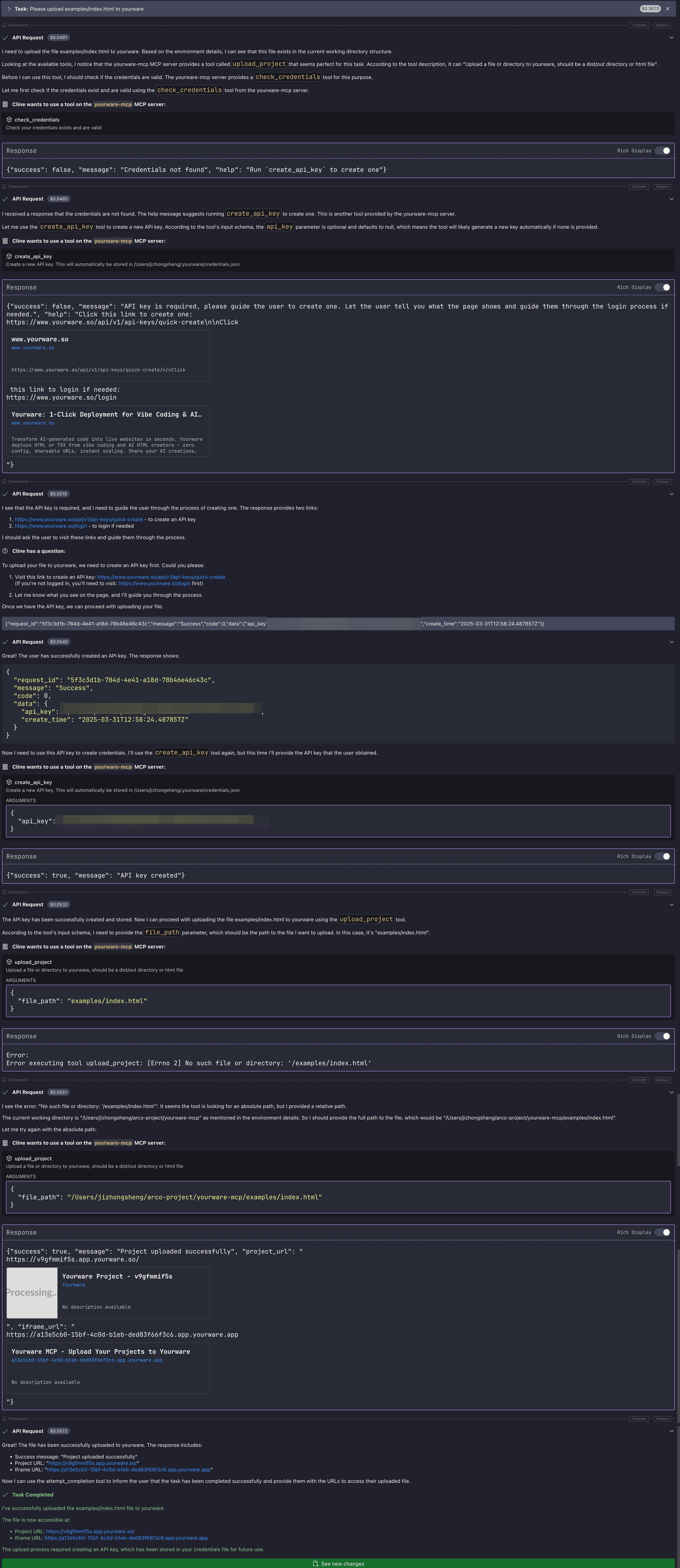
Visit on yourware: https://v9gfmmif5s.app.yourware.so/
Pre-requisites
- You need to login to yourware
- Then you can create a new API key, and set the
YOURWARE_API_KEYenvironment variable. Don't worry, you chat with LLM to create and store the API key.
Configuration
General configuration
You can use the following configuration for cline/cursor/windsurf...
{
  "mcpServers": {
    "yourware-mcp": {
      "command": "uvx",
      "args": ["yourware-mcp@latest", "stdio"],
      "env": {}
    }
  }
}
Cursor config guide
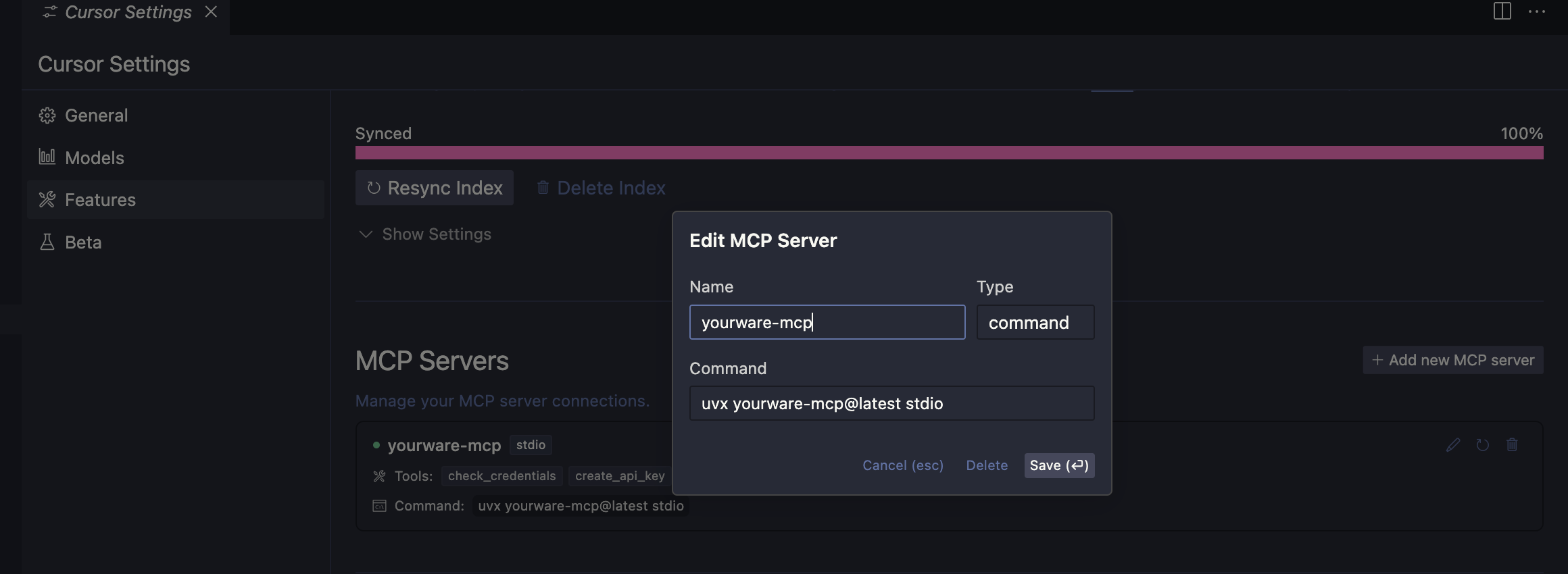
In cursor settings -> features -> MCP Servers, Add a new MCP Server, name it yourware-mcp and set the command to uvx yourware-mcp@latest stdio
Config claude code
claude mcp add yourware-mcp -s user -- uvx yourware-mcp@latest stdio
Available environments variables
YOURWARE_API_KEY for the API key, you can also let llm config it for you.