Urlbox Full Page Screenshots
公式Urlbox Screenshot API用のMCPサーバーです。クライアントがウェブサイトからスクリーンショットの撮影、PDFの生成、HTML/マークダウンの抽出などを行うことを可能にします。
Urlbox Full Page Screenshots MCPで何ができますか?
- ウェブサイトのスクリーンショットをキャプチャ —
renderツールを使用して、任意のURLのPNG、PDF、またはMP4スクリーンショットを取得します。 - ページコンテンツをHTMLまたはMarkdownとして抽出 — ページの完全なHTMLを取得するか、Markdownに変換してさらに処理します。
- アウトライン付きのタグ付きPDFを生成 — アクセシビリティタグとドキュメントアウトラインを含む全ページPDFをレンダリングします。
- 広告とクッキーバナーをブロック —
renderツールを設定して、スクリーンショット内の広告を非表示にし、クッキー同意バナーを閉じます。 - レンダリングをローカルに保存 —
store_renders: trueを設定して、スクリーンショット、PDF、または抽出されたコンテンツを直接コンピュータにダウンロードします。
ドキュメント
Urlbox MCP サーバー
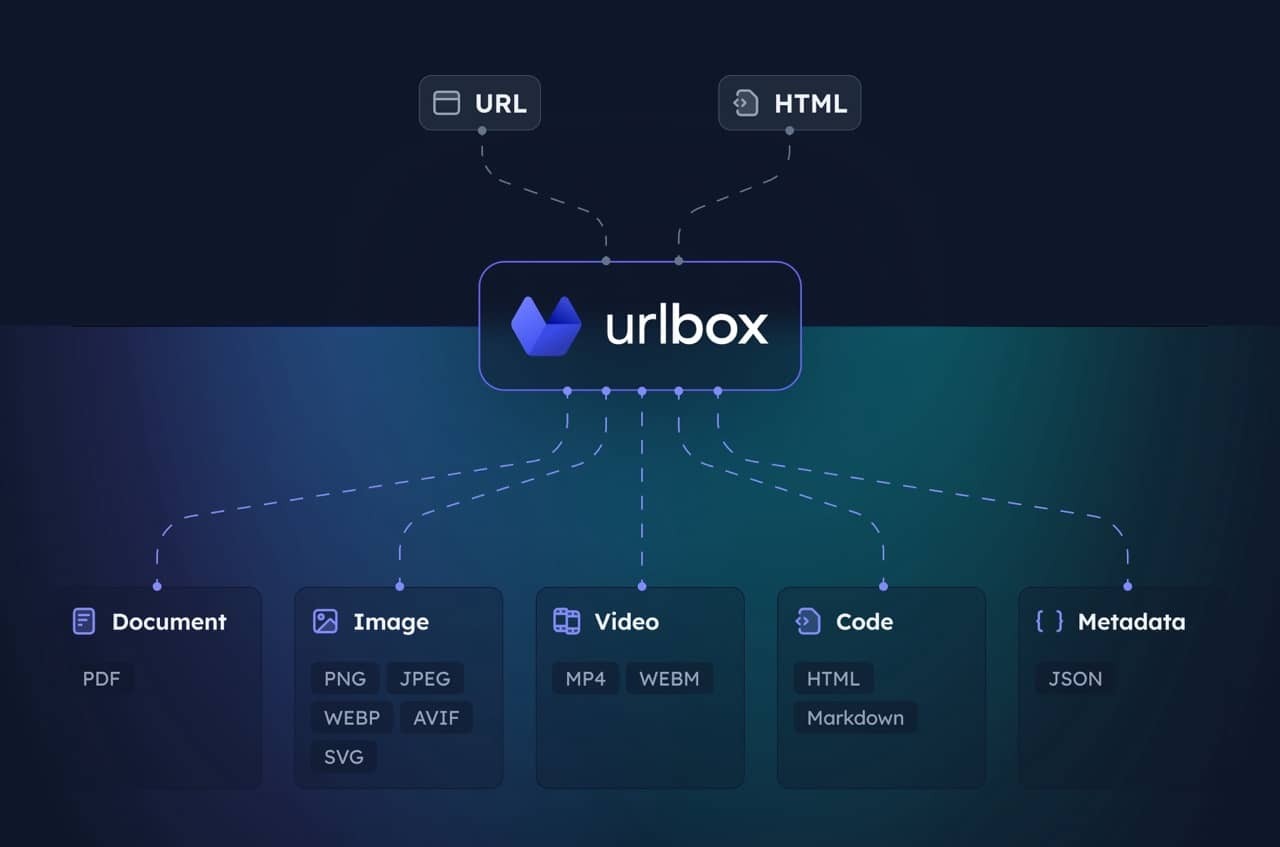
Urlbox スクリーンショット API 用の MCP サーバーです。クライアントが Web サイトのスクリーンショット取得、PDF 生成、HTML/Markdown 抽出などを行えるようにします。
詳細については Urlbox をご覧いただき、ドキュメント を読むか、インストール後に LLM とチャットして、そのオプションと機能をよく理解してください。
セットアップ
-
依存関係のインストールとビルド:
npm install npm run build -
Urlbox API 認証情報の取得:
- urlbox.com でサインアップ
- ダッシュボード から API シークレットを取得
-
環境変数の設定:
claude_desktop_config.json
{
  "mcpServers": {
    "screenshot": {
      "command": "npx",
      "args": ["-y", "@urlbox/screenshot-mcp"],
      "env": {
        "SECRET_KEY": "your_api_key_here"
      }
    }
  }
}
使用方法
サーバーは render ツールを提供し、以下が可能です:
- 複数形式 (PNG、PDF、MP4 など) でのスクリーンショット取得
- ページの HTML、Markdown への変換
- メタデータと Cookie の抽出
store_renders: trueを使用したローカルのダウンロードフォルダへのファイル保存
Web サイトのスクリーンショットや Web コンテンツの変換を依頼すると、Claude が自動的にこれを使用します。
便利なプロンプト
広告や Cookie バナーなしのクリーンなスクリーンショットを取得:
Take a screenshot of https://example.com but block ads and hide cookie banners
スクリーンショットを取得し、HTML/Markdown などのサイドレンダリングを保存:
Take a screenshot of https://example.com and also save it as HTML and markdown. Download the result to my computer.
ページ全体の PDF を生成:
Convert https://urlbox.com to a PDF and save it to my computer. Make sure to generate a PDF that has an outline and is tagged.