MCP OAuth Sample
Next.jsを使用したMCP OAuthサーバーのサンプル実装で、GoogleとPostgreSQLによるOAuth 2.1認証を提供します。
ドキュメント
MCP OAuth Sample on Vercel and Analytics
A production-ready MCP (Model Context Protocol) OAuth 2.1 server implementation built with Next.js 15, providing secure authentication and analytics for MCP clients.
Overview
This project was built using run-llama/mcp-nextjs as a reference implementation and significantly enhanced to be fully compliant with the MCP Authorization Specification or here.
Key Enhancements
✅ OAuth 2.1 Compliance - Full implementation of MCP authorization specification
✅ OAuth Refresh Tokens - Automatic token refresh for seamless user experience
✅ DIY Analytics Dashboard - Real-time analytics with security monitoring
✅ Enhanced Security - Comprehensive threat detection and monitoring
Quick Start
# Install dependencies
pnpm install

# Setup environment variables (see docs/setup.md)
cp .env.example .env

# Setup database
pnpm prisma generate
pnpm prisma db push

# Start development server
pnpm dev
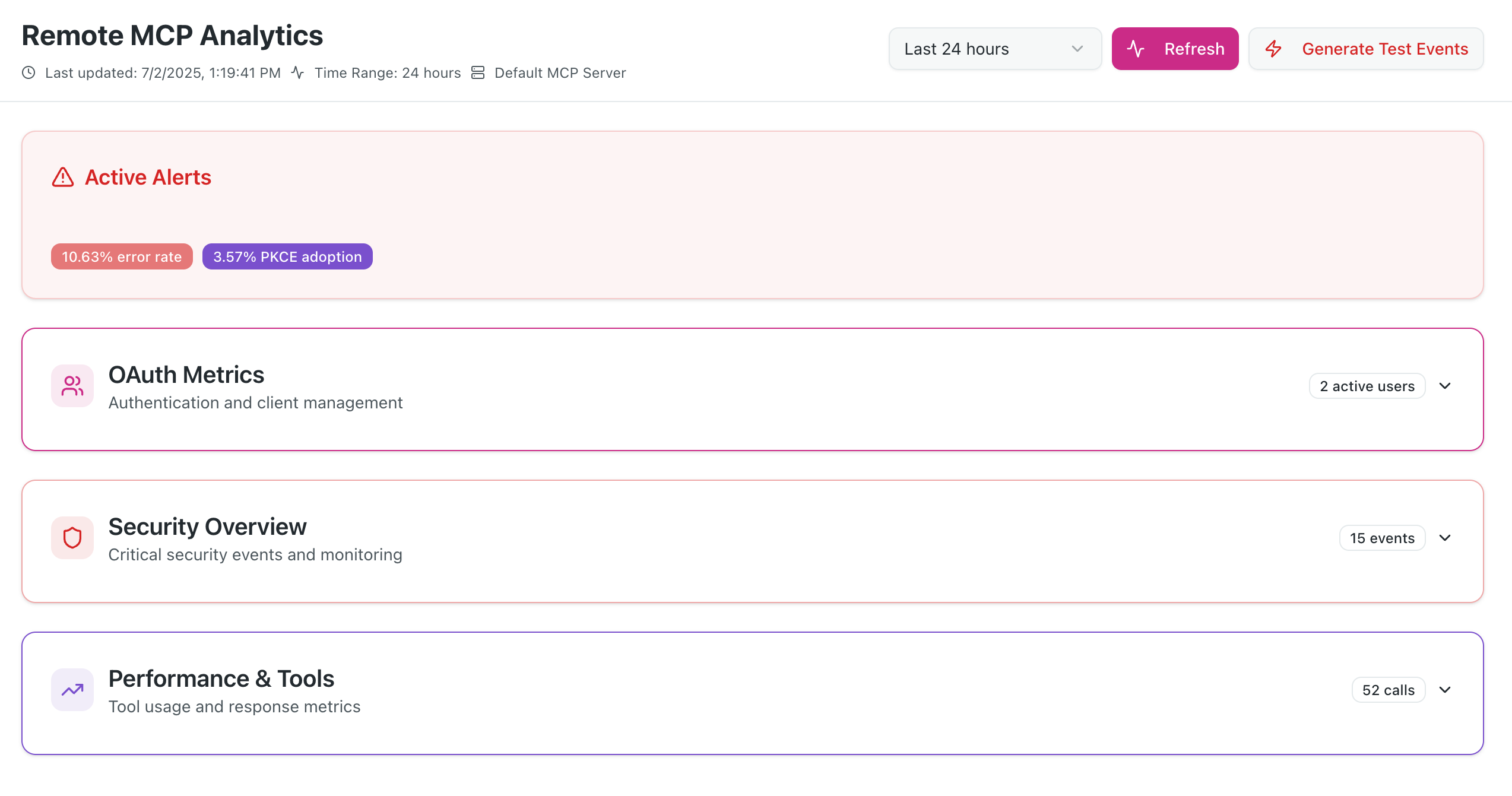
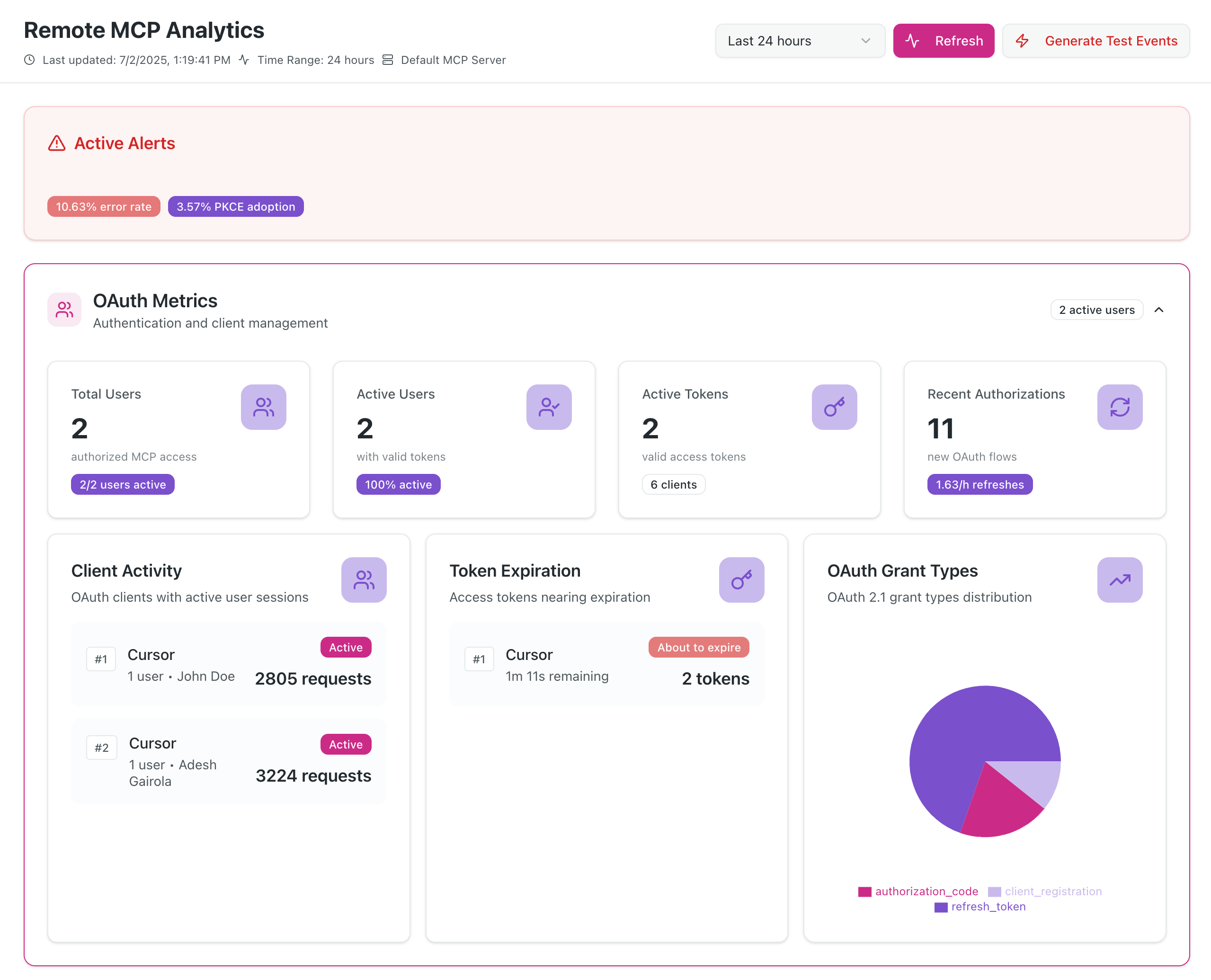
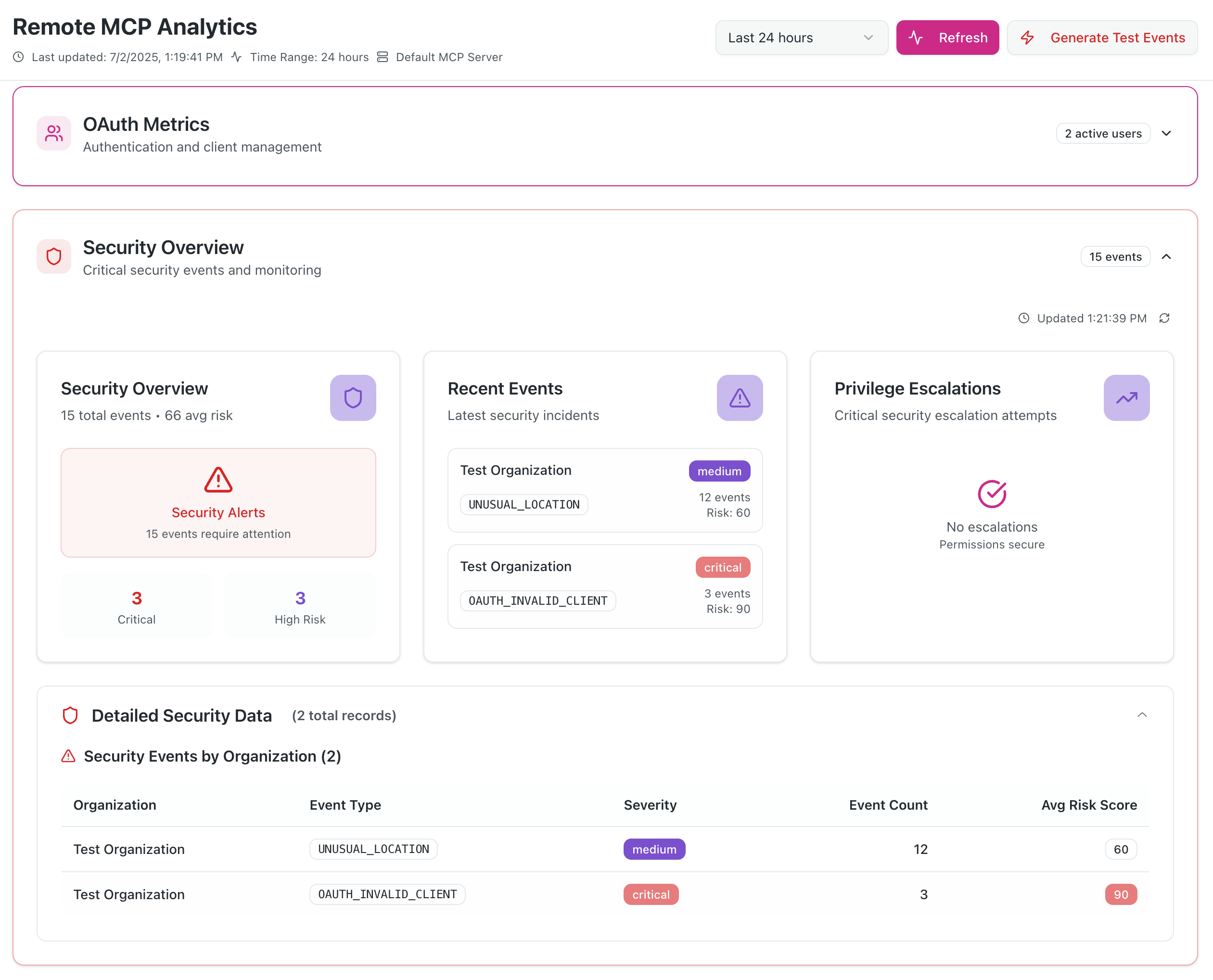
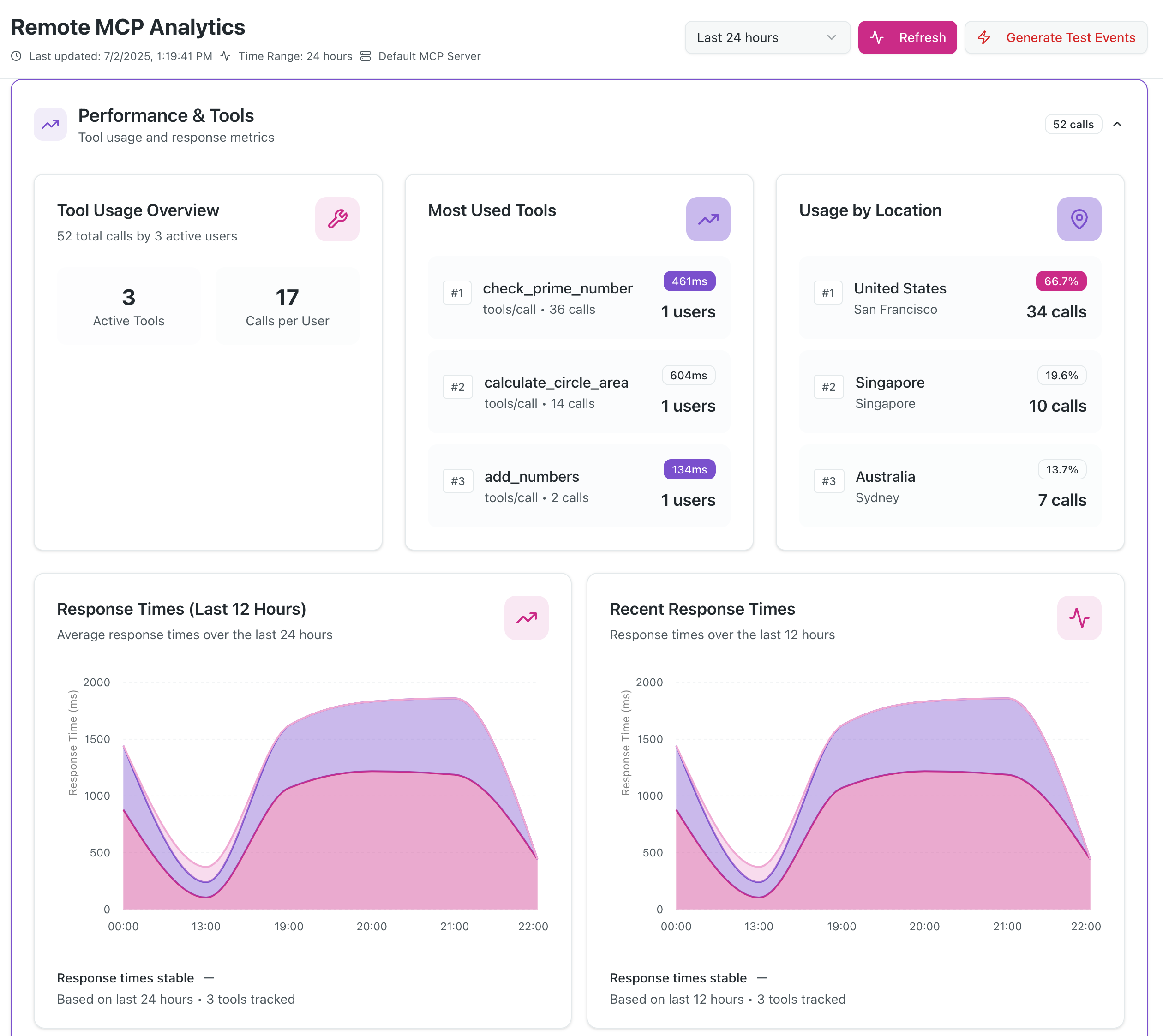
Screenshots
Dashboard
OAuth Usage Metrics
DIY Security Monitoring
MCP Clients Tools Usage
Features
- Complete OAuth 2.1 Server with PKCE and refresh token support
- MCP Authorization Flow compliant with latest MCP specification
- Analytics Dashboard with real-time security monitoring
- Google Authentication integration via NextAuth.js
- Dynamic Client Registration for seamless MCP client onboarding
- Security Monitoring with threat detection and alerting
- PostgreSQL Database with automated cleanup and TTL management
Documentation
📚 View Full Documentation - Interactive Material for MkDocs site
Local Documentation Development
# Serve documentation locally with hot reload
./docs-serve.sh

# Or on Windows
docs-serve.bat

# Manual setup
pip install -r requirements.txt
mkdocs serve
MCP Specification Compliance
We have attempted to implement all the mandatory requirements specified in the MCP Authorization Specification.
What Makes This Different
- Discovery Endpoints - Proper RFC 8414 and RFC 9728 implementation
- Resource Parameter Support - RFC 8707 Resource Indicators implementation
- Token Audience Validation - Strict security boundary enforcement
- Refresh Token Flow - OAuth 2.1 compliant token refresh
- WWW-Authenticate Headers - Proper 401 response handling
- Dynamic Client Registration - RFC 7591 support for MCP clients
Quick Links
- Live Demo: mcp-oauth-sample.vercel.app (Analytics dashboard requires Gmail address allowlist)
- Analytics Dashboard:
/analytics(supports multiple Gmail addresses) - MCP Endpoints:
- SSE:
/mcp/sse - HTTP:
/mcp/mcp
- SSE:
- OAuth Discovery:
/.well-known/oauth-authorization-server
MCP Client Integration
For Claude Desktop/Web
{
  "mcpServers": {
    "raxIT-oauth": {
      "url": "https://your-domain.com/mcp/sse",
      "transport": "sse"
    }
  }
}
For Cursor
{
  "mcpServers": {
    "raxIT-oauth": {
      "url": "https://your-domain.com/mcp/mcp",
      "transport": "http-stream"
    }
  }
}
Contributing
We warmly welcome contributions from the community! This project is open source and we encourage developers to help make it even better.
Ways to Contribute
🐛 Report Bugs - Found an issue? Open a bug report
✨ Request Features - Have an idea? Submit a feature request
📝 Improve Documentation - Help make our docs clearer and more comprehensive
🔧 Submit Code - Fix bugs, add features, or improve performance
🧪 Add Tests - Help us increase test coverage and reliability
🎨 Enhance UI/UX - Make the analytics dashboard even better
Getting Started
- Fork the repository to your GitHub account
- Clone your fork:
git clone https://github.com/your-username/mcp-oauth-sample.git - Install dependencies:
pnpm install - Set up environment: Follow our Setup Guide
- Create a branch:
git checkout -b feature/your-feature-name - Make your changes and test thoroughly
- Commit: Use Conventional Commits format
- Push and create a Pull Request
Development Guidelines
- Code Style: Follow existing patterns and use ESLint/Prettier
- Testing: Add tests for new features and ensure existing tests pass
- Documentation: Update relevant docs for any changes
- Security: Follow security best practices, especially for OAuth flows
- Performance: Consider analytics and monitoring impact
Community
- 💬 Discussions: Join conversations in GitHub Discussions
- 💼 LinkedIn: Follow us on LinkedIn
- 🐦 X (Twitter): Follow @raxit_ai for updates
- 🦋 Bluesky: Connect on Bluesky
All contributors are welcome! Whether you're fixing typos, adding major features, or helping with docs - every contribution matters. 🙏
License
This project is licensed under the Apache License 2.0 - see the LICENSE file for details.
Support
- Issues: GitHub Issues
- Documentation: docs/
Built with ❤️ by raxIT AI
Based on run-llama/mcp-nextjs with enhancements to learn MCP authz.