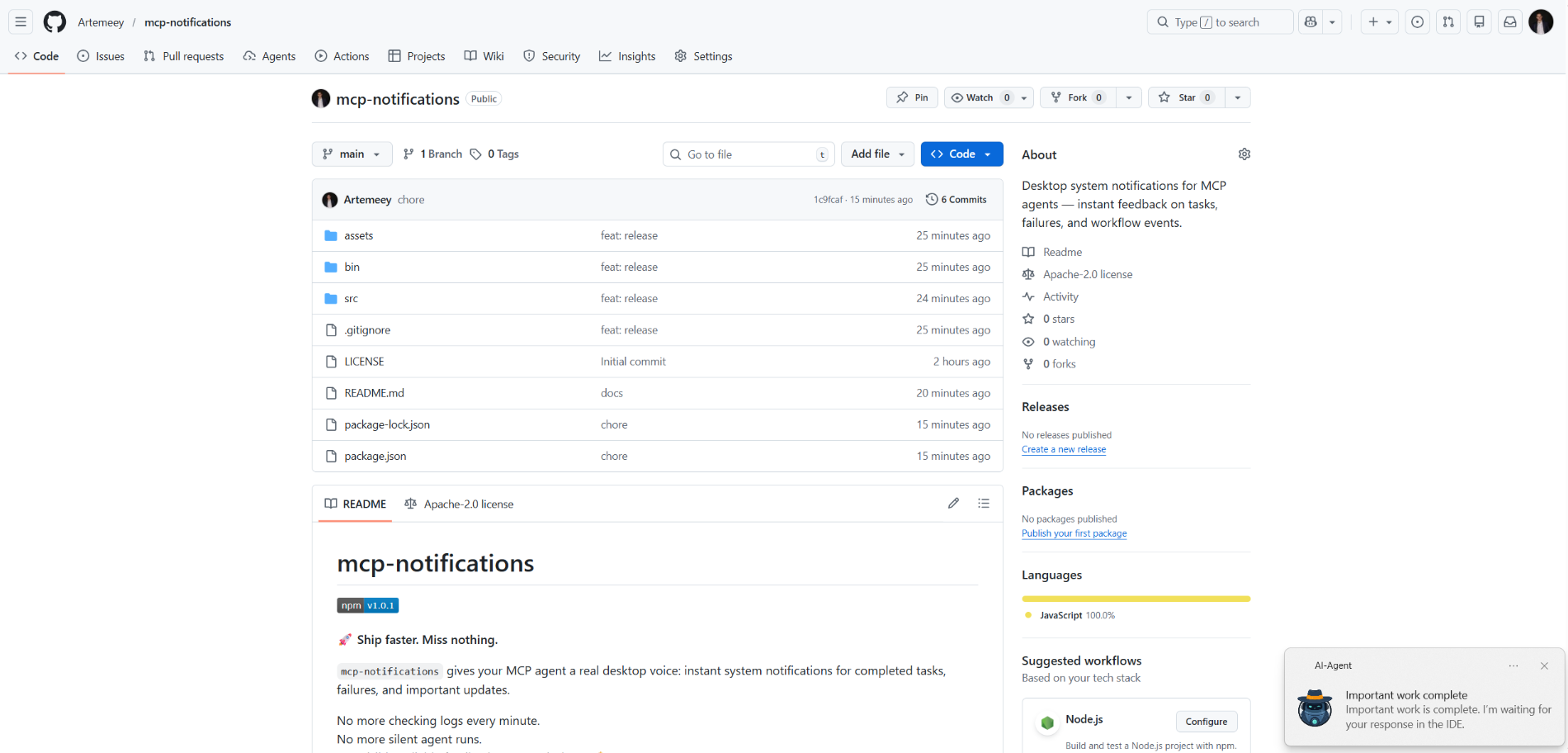
mcp-notifications
公式MCPエージェント向けのデスクトップシステム通知 — タスク、障害、ワークフローイベントに関する即時フィードバック。
Notifications MCPで何ができますか?
- Send a desktop notification — エージェントにタスク完了時にカスタムタイトルとメッセージを指定して
send_notificationを呼び出すよう依頼します。 - Include an audible alert —
play_sound: trueを設定すると、通知配信時にシステムサウンドが再生されます。 - Customize the notification source on Windows —
app_idを渡してトースト通知に表示されるアプリ名を制御するか、環境変数MCP_NOTIFICATIONS_APP_IDでグローバルに設定します。 - Use a custom icon —
iconパスを指定して、通知内のデフォルト画像を置き換えます。
ドキュメント
mcp-notifications

🚀 より速くリリース。見逃しゼロ。
mcp-notifications を使用すると、MCPエージェントがタスク完了、失敗、重要な更新をデスクトップ通知で送信できます。
これは特にコンソールAIエージェントに便利です。通常、デフォルトでは通知機能が組み込まれていないためです。
チャットを毎分チェックする必要はもうありません。
エージェントの応答を見逃すこともありません。
デスクトップ上で、目に見える信頼性の高いフィードバックを。🔔
これが解決する一般的な問題
複数のAIエージェントにタスクを与え、誰が既に返信したかを待ちながらチェックし続ける。
mcp-notifications を使えば、これがよりシンプルになります。エージェントは、あなたの入力が必要な時や作業が完了した時に、デスクトップで通知できます。
チームがインストールする理由
- ⚡ MCPワークフローからの即時フィードバック。
- 🧠 集中力の向上: エージェントに作業させながら、メインタスクに集中できます。
- 🖥️
node-notifier経由のネイティブOS通知。 - 🧵 ノンブロッキング動作: 通知送信はバックグラウンドでキューイングされます。
グローバルインストール
要件:
- Node.js
>=20 - npm
>=10
npm i -g @topvisor/mcp-notifications
実行可能ファイル名 (MCP設定でこれを使用):
mcp-notifications
mcp-notifications はMCPサーバーのエントリポイント(stdio)であり、単発の通知コマンドではありません。
セットアップ: Codex
これを ~/.codex/config.toml に追加:
[mcp_servers.notifications]
enabled = true
command = "mcp-notifications"
args = []
設定更新後にCodexを再起動してください。
セットアップ: Claude Agent
Claudeクライアント設定ファイルにMCPサーバー設定を追加:
{
  "mcpServers": {
    "notifications": {
      "command": "mcp-notifications",
      "args": []
    }
  }
}
その後、Claudeクライアントを再起動してください。
AIエージェント通知手順
通知には手動と自動の2つのアプローチがあります。
ワークフローに適した方を選択してください。
手動
通知を受け取りたいタスクでは、エージェントに明示的に依頼します。例:
Count files in the project; after the task is fully complete, notify me with sound.
特定のチャット内で、サウンド、トピック、頻度ルールを定義することもできます。例:
Notify me about your replies without sound, include the reply text, and use title: "Large Refactoring"
自動
自動通知は、グローバルまたはプロジェクトごとに設定できます。
エージェントの返信に対する自動通知を有効にする手順の例:
Send `send_notification` after your replies (actual task time >5 seconds or many steps); `play_sound: false`; `app_id: '{put your chat name here}'`
時間は大まかな閾値であり、モデルの動作に依存するため、この手順は自身の好みに合わせて調整してください。
スキル内
特定のスキルで通知を有効にすることもできます。レビュースキルの例:
After the review, run `send_notification` with a short summary; `play_sound: true`; `app_id: 'Reviewer {put task id here}'`
ツール
send_notification
入力:
titlestring(必須)messagestring(必須)play_soundboolean(オプション、デフォルト:false)iconstring(オプション、画像ファイルへの絶対パスまたは相対パス)app_idstring(オプション、トーストソースのWindows App User Model ID)
例:
{
  "title": "Codex",
  "message": "Deployment completed successfully",
  "play_sound": true,
  "icon": "/opt/mcp-notifications/icons/custom.png",
  "app_id": "Topvisor.Codex"
}
app_id (Windows)
app_idは、Windowsトースト通知に表示されるソースを制御します。app_idが設定されていない場合、WindowsはソースとしてSnoreToastを表示する場合があります。- 各ツール呼び出しで
app_idを渡すか、サーバーの環境変数としてMCP_NOTIFICATIONS_APP_IDを設定できます。
バックエンド選択
環境変数 MCP_NOTIFICATIONS_BACKEND で通知トランスポートを選択できます:
auto(デフォルト): WSLで利用可能な場合はpowershellを使用し、それ以外はnode-notifierを使用powershell:powershell.exeWindowsトーストトランスポートを強制 (WSLで推奨)node-notifier:node-notifierパッケージを強制
Codexでテストするチャットプロンプト
これらのメッセージをチャットで直接使用してください:
Check send_notification
Send a notification without sound: title "Test", message "Check"
Send a notification with sound: title "Test", message "Check"
Send a notification with app_id "Topvisor.Codex": title "Test", message "Check"
Send 3 test notifications in a row without sound
ログ/レスポンスで期待されるツール結果:
Notification queued
動作
- ✅ 標準のシステム通知チャネルを使用します。
- 🔊
play_sound: trueの場合、標準のシステム通知音を使用します。 - 🤖 デフォルトの通知アイコンとして、バンドルされたTopvisorロボット画像を使用します。
- 🧰 通知がバックグラウンドキューで配信されている間、迅速に戻ります。
例
AIエージェントがあなたを待っています: