TIDAL MCP: My Custom Picks
Recommandations musicales personnalisées et gestion de playlists pour TIDAL, propulsées par son API et le filtrage par LLM.
Documentation
TIDAL MCP: My Custom Picks 🌟🎧
Most music platforms offer recommendations — Daily Discovery, Top Artists, New Arrivals, etc. — but even with the state-of-the-art system, they often feel too "aggregated". I wanted something more custom and context-aware.
With TIDAL MCP, you can ask for things like:
"Based on my last 10 favorites, find similar tracks — but only ones from recent years."
"Find me tracks like those in this playlist, but slower and more acoustic."
The LLM filters and curates results using your input, finds similar tracks via TIDAL’s API, and builds new playlists directly in your account.
Features
- 🌟 Music Recommendations: Get personalized track recommendations based on your listening history plus your custom criteria.
- ၊၊||၊ Playlist Management: Create, view, and manage your TIDAL playlists
Quick Start
Prerequisites
- Python 3.10+
- uv (Python package manager)
- TIDAL subscription
Installation
-
Clone this repository:
git clone https://github.com/yuhuacheng/tidal-mcp.git cd tidal-mcp -
Create a virtual environment and install dependencies using uv:
uv venv source .venv/bin/activate # On Windows: .venv\Scripts\activate -
Install the package with all dependencies from the pyproject.toml file:
uv pip install --editable .This will install all dependencies defined in the pyproject.toml file and set up the project in development mode.
MCP Client Configuration
Claude Desktop Configuration
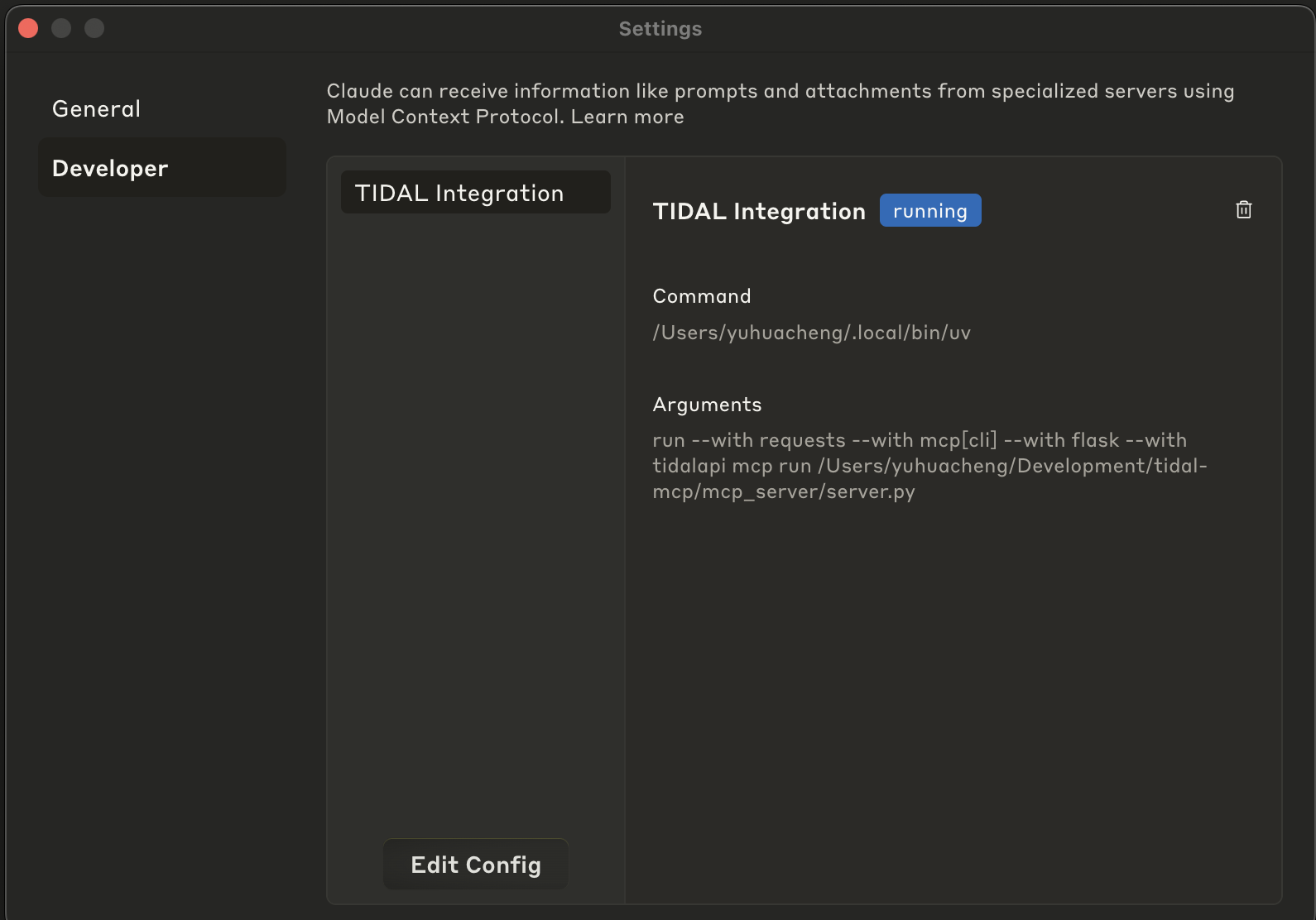
To add this MCP server to Claude Desktop, you need to update the MCP configuration file. Here's an example configuration:
(you can specify the port by adding an optional env section with the TIDAL_MCP_PORT environment variable)
{
  "mcpServers": {
    "TIDAL Integration": {
      "command": "/path/to/your/uv",
      "env": {
        "TIDAL_MCP_PORT": "5100"
      },
      "args": [
        "run",
        "--with",
        "requests",
        "--with",
        "mcp[cli]",
        "--with",
        "flask",
        "--with",
        "tidalapi",
        "mcp",
        "run",
        "/path/to/your/project/tidal-mcp/mcp_server/server.py"
      ]
    }
  }
}
Example scrrenshot of the MCP configuration in Claude Desktop:
Steps to Install MCP Configuration
- Open Claude Desktop
- Go to Settings > Developer
- Click on "Edit Config"
- Paste the modified JSON configuration
- Save the configuration
- Restart Claude Desktop
Suggested Prompt Starters
Once configured, you can interact with your TIDAL account through a LLM by asking questions like:
- “Recommend songs like those in this playlist, but slower and more acoustic.”
- “Create a playlist based on my top tracks, but focused on chill, late-night vibes.”
- “Find songs like these in playlist XYZ but in languages other than English.”
💡 You can also ask the model to:
- Use more tracks as seeds to broaden the inspiration.
- Return more recommendations if you want a longer playlist.
- Or delete a playlist if you’re not into it — no pressure!
Available Tools
The TIDAL MCP integration provides the following tools:
tidal_login: Authenticate with TIDAL through browser login flowget_favorite_tracks: Retrieve your favorite tracks from TIDALrecommend_tracks: Get personalized music recommendationscreate_tidal_playlist: Create a new playlist in your TIDAL accountget_user_playlists: List all your playlists on TIDALget_playlist_tracks: Retrieve all tracks from a specific playlistdelete_tidal_playlist: Delete a playlist from your TIDAL account