MCP Server Template
Un modèle de démarrage pour construire un serveur Model Context Protocol (MCP) utilisant TypeScript et Node.js.
Documentation
@iranimij/magento-mcp-remote-server
A remote Model Context Protocol (MCP) server for integrating with the Magento 2 MCP server module. This library provides a CLI server that exposes tools for demonstration and for fetching product details from a Magento backend. It is intended to be used in conjunction with the Magento 2 module to enable AI and remote automation features for your Magento store.
Installation
npm install -g @iranimij/magento-mcp-remote-server
Or, for local development:
git clone <this-repo-url>
cd mcp
npm install
npm run build && npm run bundle
Usage
Add the following to your cursor MCP settings:
"testServer": {
  "command": "npx",
  "args": ["@iranimij/magento-mcp-remote-server"],
  "env": {
    "MAGENTO_API_URL": "https://app.magento.test/",
    "MAGENTO_ADMIN_USERNAME": "admin",
    "MAGENTO_ADMIN_PASSWORD": "admin1234"
  }
},
As a CLI
npx magento-mcp-remote-server
Or, if running locally after build:
node dist/bundle.cjs
Environment Variables
MAGENTO_API_URL(required): The base URL of your Magento API (e.g.,https://your-magento-site.com).- (Optional) You may add authentication headers in
index.tsif your Magento API requires a token.
Tools
This server exposes the following tools. Click each tool for detailed documentation:
- get-product-details: Fetch product details for a given product ID from the Magento API.
- get-todays-orders: Fetch all orders placed today from the Magento API.
- create-customer: Create a new customer in Magento.
- create-simple-product: Create a new simple product in Magento.
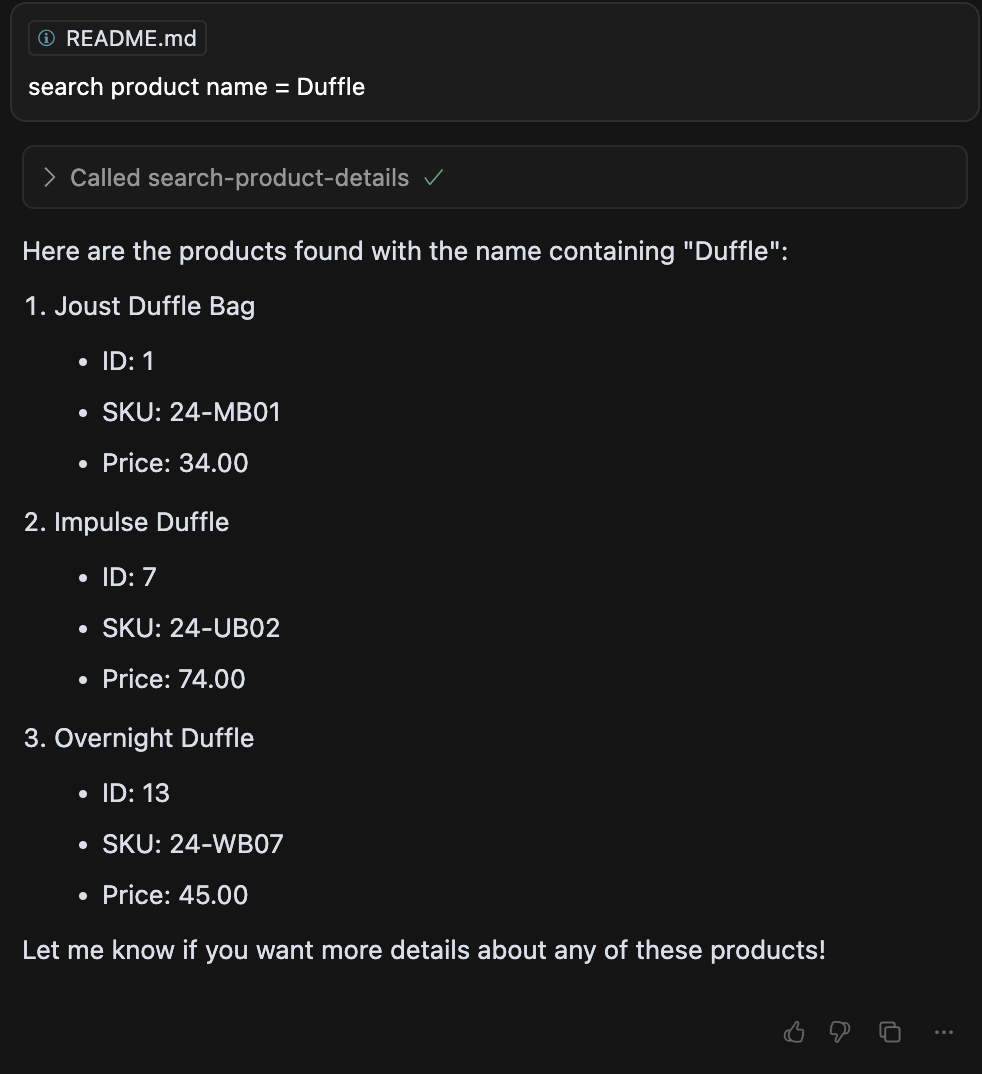
- search-product-details: Search for product details by SKU, name, or ID from the Magento API.
Example Output
Below is an example output for a product search using the search-product-details tool:
Development
- Written in TypeScript. Source in
src/. - Easily extensible with custom tools.