youtube-summarize
Servidor MCP que obtiene transcripciones de videos de YouTube y las resume usando tu cliente LLM
Documentación
youtube-summarize
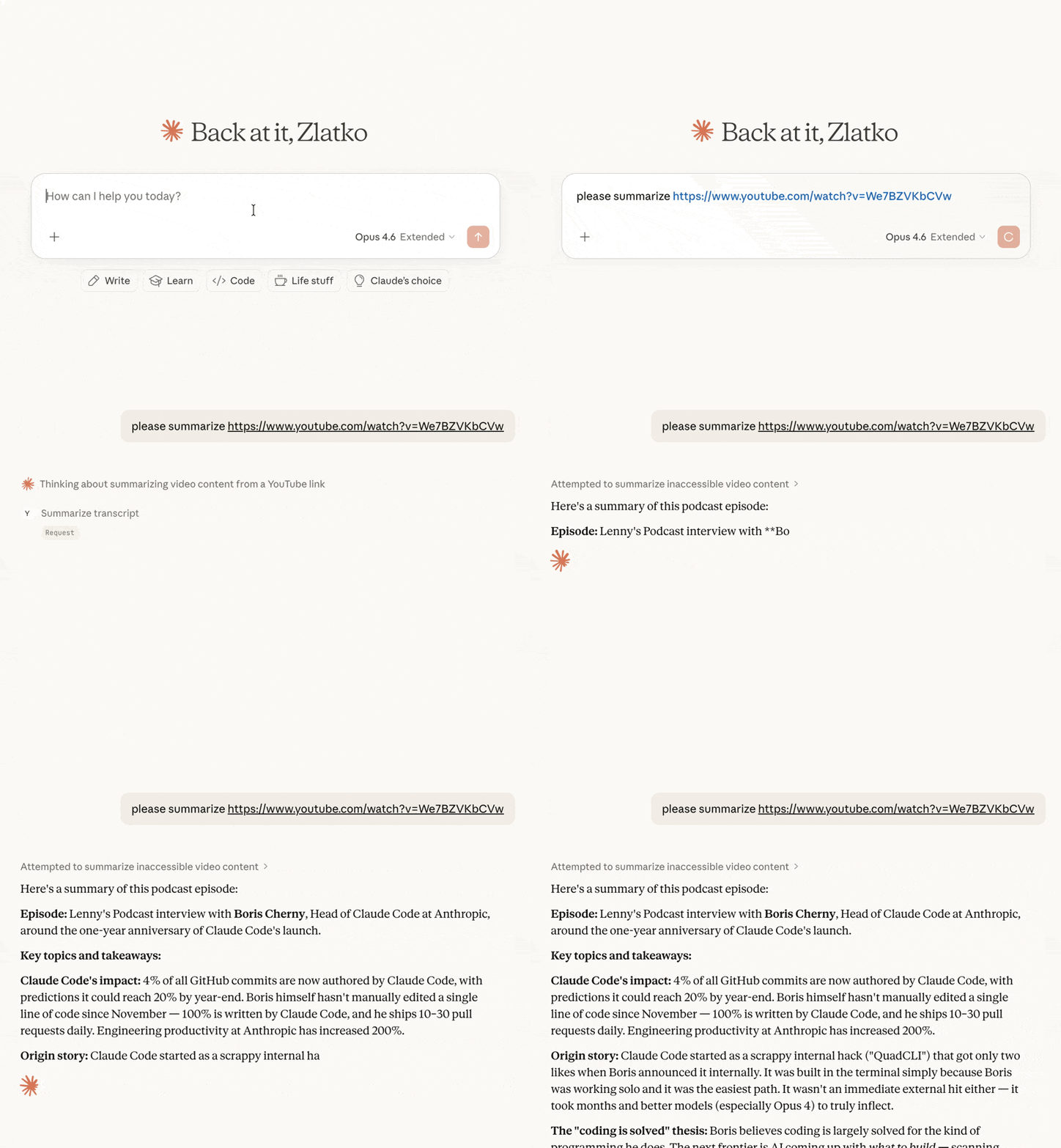
Servidor MCP que obtiene transcripciones de videos de YouTube y opcionalmente las resume.
Características
- Obtener transcripciones en múltiples formatos (texto, JSON, SRT, WebVTT, impresión legible)
- Metadatos del video — título, descripción, canal, fecha de publicación, duración, vistas, capítulos (a través de yt-dlp)
- Marcas de tiempo opcionales en transcripciones de texto plano
- Resumir videos — devuelve la transcripción con el prompt claramente separado para revisión humana antes de que el LLM actúe sobre él
- Listar videos de listas de reproducción — enumeración rápida de cualquier lista pública con ordenamiento opcional
- Buscar videos — resultados limpios y clasificados con opciones de orden y filtro, sin anuncios, secciones de Shorts ni recomendaciones personalizadas del sitio de YouTube
- Listar idiomas disponibles para las transcripciones de cualquier video
- Análisis flexible de URL — acepta URLs completas de YouTube (
youtube.com/watch?v=,youtu.be/,youtube.com/embed/,youtube.com/shorts/) o IDs de video simples - Soporte multilingüe — solicita transcripciones en idiomas específicos con prioridad de respaldo
Herramientas
get_transcript
Obtiene la transcripción de un video de YouTube. Por defecto, la respuesta se prefija con un bloque [METADATA] (título, canal, fecha de publicación, duración, vistas, descripción); pasa include_metadata=false para obtener solo la transcripción.
| Parámetro | Tipo | Predeterminado | Descripción |
|---|---|---|---|
url | string | obligatorio | URL del video de YouTube o ID del video |
languages | string[] | ["en"] | Idiomas preferidos en orden de prioridad |
format | string | "text" | Formato de salida: text, json, pretty, webvtt, srt |
preserve_formatting | boolean | false | Mantener las etiquetas de formato HTML en la transcripción |
include_timestamps | boolean | false | Cuando true con format="text", prefija cada línea con [HH:MM:SS]. Se ignora para otros formatos (ya incluyen marcas de tiempo). |
include_metadata | boolean | true | Anteponer un bloque [METADATA] antes de la transcripción. Pasa false para obtener solo la transcripción. |
summarize_transcript
Obtiene una transcripción y la devuelve con instrucciones de resumen. La respuesta se estructura en secciones claramente etiquetadas ([INSTRUCTIONS], [PROMPT_SOURCE], [VIDEO], [METADATA], [TRANSCRIPT]) para que un humano pueda revisar el prompt antes de dejar que el LLM actúe sobre él.
| Parámetro | Tipo | Predeterminado | Descripción |
|---|---|---|---|
url | string | obligatorio | URL del video de YouTube o ID del video |
prompt | string | (prompt predeterminado) | Instrucciones personalizadas de resumen |
languages | string[] | ["en"] | Idiomas preferidos en orden de prioridad |
include_timestamps | boolean | false | Prefija cada línea de la transcripción con [HH:MM:SS]. |
include_metadata | boolean | true | Incluir un bloque [VIDEO] con título, canal, fecha de publicación, duración, vistas y descripción. |
get_video_metadata
Obtiene metadatos (título, descripción, canal, fecha de publicación, duración, vistas, etiquetas, capítulos, etc.) de un video de YouTube. Respaldado por yt-dlp.
| Parámetro | Tipo | Predeterminado | Descripción |
|---|---|---|---|
url | string | obligatorio | URL del video de YouTube o ID del video |
list_playlist_videos
Lista los videos de una lista de reproducción de YouTube (título, ID, canal, duración, vistas, URL). Los metadatos por video son intencionalmente reducidos para que la llamada siga siendo rápida incluso con listas grandes; llama a get_video_metadata con un ID de video específico para obtener detalles completos.
| Parámetro | Tipo | Predeterminado | Descripción |
|---|---|---|---|
url | string | obligatorio | URL de la lista de reproducción de YouTube (con ?list=...) o ID de lista simple |
limit | integer | 500 | Máximo de videos a devolver |
sort_by | string | "index" | Uno de: index (orden de la lista), title, duration, views. upload_date no es compatible. |
order | string | "asc" | asc o desc |
search_videos
Busca videos en YouTube y devuelve una lista limpia y clasificada (título, ID, canal, duración, vistas, URL) — solo videos reales, sin anuncios, estantes de recomendaciones ni personalización. El orden de relevancia aún proviene del backend de YouTube. Combínalo con get_transcript o summarize_transcript en el ID o URL de un resultado.
| Parámetro | Tipo | Predeterminado | Descripción |
|---|---|---|---|
query | string | obligatorio | Términos de búsqueda |
limit | integer | 10 | Máximo de resultados a devolver |
sort_by | string | "relevance" | Uno de: relevance, date (más recientes primero), views, rating |
uploaded | string | "any" | Filtrar por tiempo de publicación: any, hour, today, week, month, year |
duration | string | "any" | Filtrar por duración: any, short (<4 min), medium (4–20 min), long (>20 min) |
list_transcripts
Lista los idiomas de transcripción disponibles para un video.
| Parámetro | Tipo | Predeterminado | Descripción |
|---|---|---|---|
url | string | obligatorio | URL del video de YouTube o ID del video |
Instalación
Inicio rápido (recomendado)
uvx youtube-summarize
Claude Desktop
Agrega a tu claude_desktop_config.json:
- macOS:
~/Library/Application Support/Claude/claude_desktop_config.json - Windows:
%APPDATA%\Claude\claude_desktop_config.json
{
  "mcpServers": {
    "youtube-summarize": {
      "command": "uvx",
      "args": ["youtube-summarize"]
    }
  }
}
Claude Code
claude mcp add youtube-summarize -- uvx youtube-summarize
Otros clientes MCP
Ejecuta el servidor sobre stdio:
uvx youtube-summarize
Requisitos previos
- Python 3.13+
- Administrador de paquetes uv
Desarrollo
# Install dependencies
uv sync

# Launch the MCP inspector (web UI for testing tools)
uv run mcp dev main.py
Licencia
MIT
mcp-name: io.github.zlatkoc/youtube-summarize