Pomera AI Commander
Convierte texto desordenado en resultados limpios rápidamente—GUI para humanos, herramientas MCP para IDEs de IA (Cursor/Claude). 33 utilidades de texto deterministas.
Documentación
Pomera AI Commander (PAC)


Un "banco de trabajo" de texto de escritorio + servidor MCP: limpia, transforma, extrae y analiza texto rápidamente, ya sea manualmente en una interfaz gráfica o programáticamente desde asistentes de IA (Cursor / Claude Desktop / clientes MCP).
Deja de pegar texto en 10 sitios web al azar. Pomera (GUI + MCP): realiza búsquedas web con MCP y guarda tu trabajo como Notas de Pomera en caso de corrupción de texto en el IDE. Tus claves de API de búsqueda se almacenan cifradas en la base de datos local en lugar de un archivo de configuración JSON.
📊 ¡Por qué la IA necesita Pomera! - Las herramientas MCP de Pomera reducen el uso de tokens hasta en un 70-80% para operaciones deterministas.
Descargar la última versión · Documentación: Herramientas · Guía MCP · Integración CrewAI · Solución de problemas
Demo de 60 segundos (qué esperar)
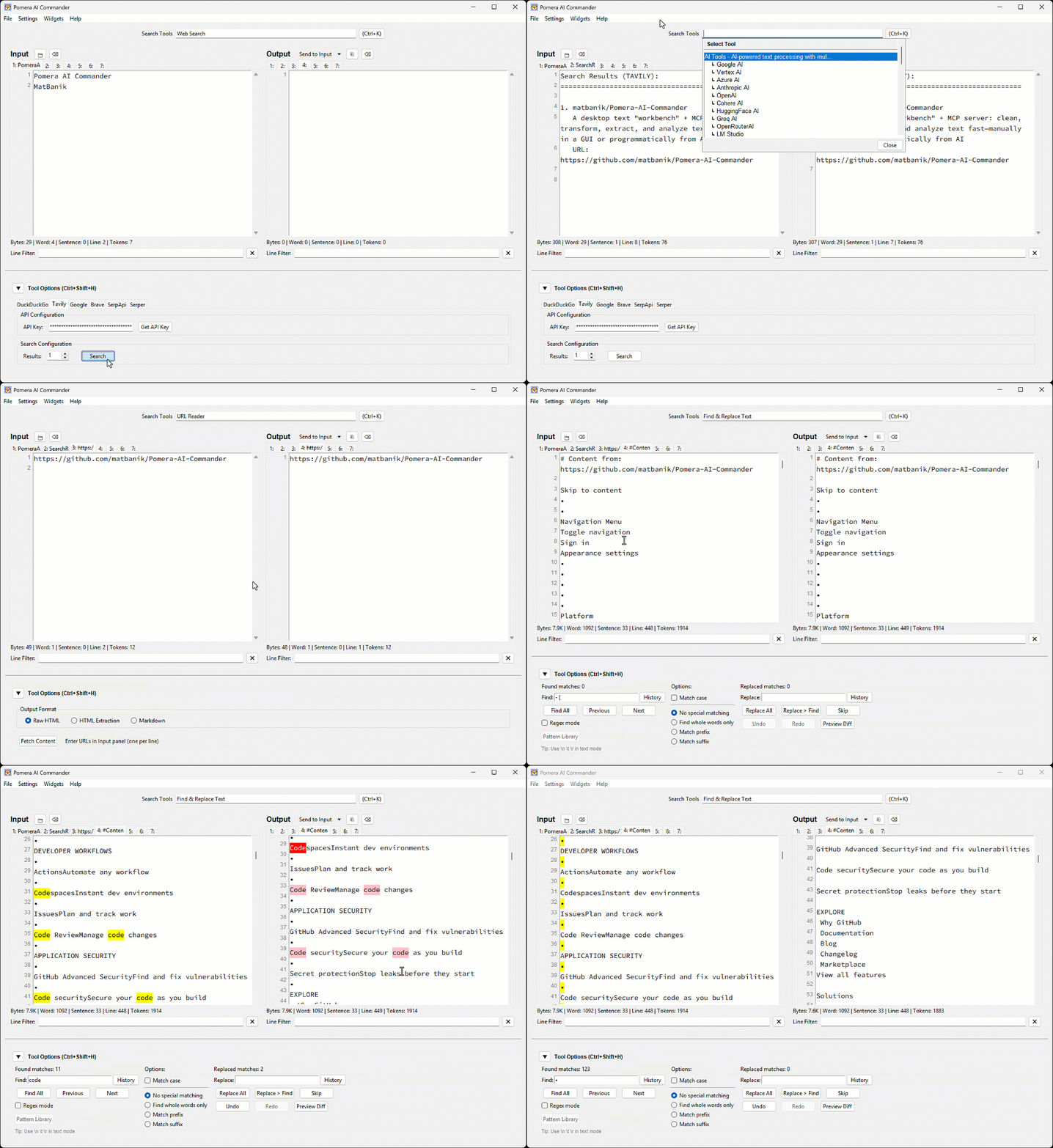
Flujos de trabajo ideales
- Limpieza de registros/PDFs pegados (espacios en blanco, ajuste de línea, estadísticas)
- Extracción de correos electrónicos/URLs/IDs mediante regex
- Normalización de mayúsculas/minúsculas, ordenamiento, columnas
- Utilidades de hash/codificación
- Permitir que Cursor/Claude llamen estas herramientas MCP en un pipeline repetible
Requisitos previos
Python 3.8+ es necesario para todos los métodos de instalación.
macOS (Homebrew)
# Tkinter support (replace @3.14 with your Python version)
brew install python-tk@3.14
pip3 install requests reportlab python-docx
Ubuntu/Debian
sudo apt-get install python3-tk
pip3 install requests reportlab python-docx
Windows
Tkinter está incluido con Python desde python.org.
pip install requests reportlab python-docx
Nota: Para entornos protegidos por PEP 668, usa
pip3 install --usero un entorno virtual.
Instalar / Ejecutar
Opción A — Ejecutable precompilado (recomendado)
Descargar desde Releases y ejecutar.
Opción B — Python (PyPI)
pip install pomera-ai-commander
# then run:
pomera-ai-commander --help
Opción C — Node.js (npm)
npm install -g pomera-ai-commander
# then run:
pomera-mcp --help
Crear acceso directo en el escritorio
Después de instalar mediante pip o npm, crea un acceso directo en el escritorio para acceso rápido:
# For pip install:
pomera-create-shortcut

# For npm install (from package directory):
python create_shortcut.py
Servidor MCP para asistentes de IA
Pomera expone 22 herramientas de procesamiento de texto mediante MCP. Configura tu asistente de IA:
Cursor (.cursor/mcp.json):
{
  "mcpServers": {
    "pomera": {
      "command": "pomera-ai-commander",
      "timeout": 3600
    }
  }
}
Claude Desktop (claude_desktop_config.json):
{
  "mcpServers": {
    "pomera": {
      "command": "pomera-ai-commander",
      "timeout": 3600
    }
  }
}
💡 Consejo: Si el comando simple no funciona, usa la ruta completa. Encuéntrala con:
# Para instalación con npm:
npm root -g
# Luego usa: <result>/pomera-ai-commander/pomera_mcp_server.py

# Para instalación con pip:
pip show pomera-ai-commander | grep Location
⏱️ Tiempo de espera: El ajuste
"timeout": 3600(en segundos) previene tiempos de espera de solicitudes MCP durante operaciones de IA de larga duración comoresearchydeepreasoning. Cline, Cursor y Claude Desktop tienen un tiempo de espera predeterminado de 60 segundos, que es demasiado corto para llamadas de IA que involucran búsqueda web + razonamiento profundo (60-300s). Consulta Cline #1306.
Consulta la Guía completa del servidor MCP para Antigravity, configuraciones ejecutables y solución de problemas.
Licencia
Licencia MIT: consulta LICENSE para más detalles.