Spendlog
Seguimiento de gastos, ingresos, presupuestos y facturas directamente en Claude con exportación a PDF e informes fiscales.
Documentación
Spendlog
Seguimiento de costos y gastos para emprendedores individuales, directamente dentro de Claude Code. Sin aplicaciones. Sin hojas de cálculo. Sin cuenta.
Registra lo que tu negocio gasta, gestiona presupuestos, redacta facturas — todo en lenguaje natural. Tus datos permanecen 100% locales en SQLite. Nada sale de tu máquina.




Compatible con
Claude Code | Claude Desktop | VS Code | Cursor
Inicio rápido
npx spendlog
O instalación con un clic:


El instalador configura automáticamente Claude Desktop y Claude Code. Reinicia Claude y luego prueba:
"Registra 50€ por hosting"
Eso es todo. Requiere Node.js 20+.
¿Por qué Spendlog?
- Cero cambios de contexto — registra costos mientras construyes, justo donde ya trabajas
- Primero local — todos los datos en
~/.spendlog/spendlog.db, sin cuenta, sin nube - Lenguaje natural — sin formularios, sin menús, solo dile a Claude cuánto gastaste
- 38 herramientas — facturación, presupuestos, gastos recurrentes, exportación CSV, seguimiento multi-proyecto
- Multilingüe — inglés y alemán (EN/DE), con i18n listo para más idiomas
Ejemplos
Seguimiento:
You: "29€ for ChatGPT subscription"
Claude: Expense saved: 29.00 € — Category: IT & Software

You: "Export 2025 for my accountant"
Claude: 247 transactions written to ~/spendlog-export-2025.csv
Facturas:
You: "Create invoice for TechCorp, web development, 8h at 95€/h"
Claude: Invoice #2026-004 created — 760.00 €

You: "Mark it as paid"
Claude: Invoice #2026-004 marked as paid, income recorded.
Análisis:
You: "How much did I spend on software this quarter?"
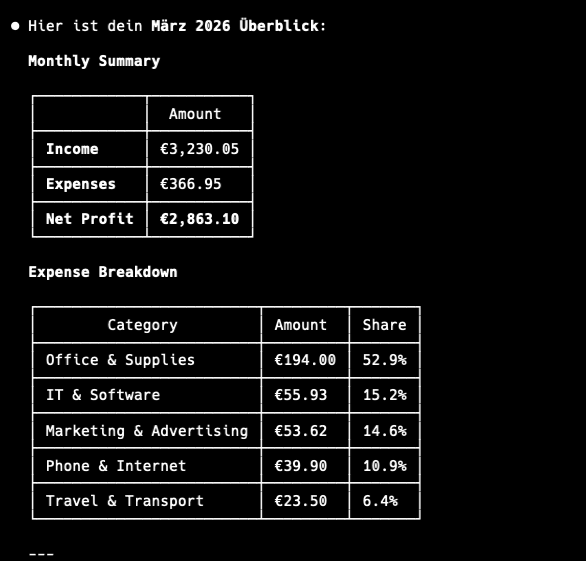
Claude: IT & Software: 287.00 € (12 transactions) — 23% of total expenses

You: "Compare January vs February"
Claude: Expenses up 15%. Biggest increase: Marketing (+120€)
Herramientas
38 herramientas en 9 categorías:
| Categoría | Herramientas |
|---|---|
| Transacciones | add_expense add_income list_transactions update_transaction delete_transaction |
| Análisis | get_summary get_category_breakdown compare_periods get_tax_summary |
| Facturas | create_invoice list_invoices get_invoice mark_invoice_sent mark_invoice_paid delete_invoice duplicate_invoice |
| Presupuestos | set_budget get_budget_status list_budgets update_budget delete_budget |
| Recurrentes | create_recurring list_recurring delete_recurring process_recurring |
| Proyectos | create_project list_projects rename_project delete_project |
| Categorías | list_categories add_category delete_category |
| Exportación | export_transactions export_invoices export_for_tax_advisor |
| Configuración | get_profile set_profile get_notifications |
Configuración
Configuración manual (si el instalador no funcionó)
Claude Desktop — edita tu archivo de configuración:
{
  "mcpServers": {
    "spendlog": {
      "command": "npx",
      "args": ["-y", "--package=spendlog", "spendlog-mcp"]
    }
  }
}
Claude Code:
claude mcp add spendlog -- npx -y --package=spendlog spendlog-mcp
Variables de entorno
| Variable | Descripción | Predeterminado |
|---|---|---|
SPENDLOG_LANGUAGE | en o de | en |
SPENDLOG_DATA_DIR | Ruta del directorio de datos | ~/.spendlog |
DATABASE_PATH | Ruta completa a la base de datos SQLite | $SPENDLOG_DATA_DIR/spendlog.db |
SPENDLOG_PROJECT | Proyecto predeterminado para todas las transacciones | ninguno |
Privacidad
Todos los datos permanecen en tu máquina, en un archivo SQLite local. Sin cuenta, sin nube, sin telemetría — nada se envía a ningún lugar.
Nota: Spendlog es un rastreador de costos, no software de contabilidad. Úsalo para tus propios conocimientos, no para contabilidad oficial o declaración de impuestos.
Desarrollo
TypeScript (estricto), Vitest para pruebas, TypeORM + SQLite para almacenamiento.
git clone https://github.com/makz81/spendlog.git
cd spendlog
npm install
npm run dev       # MCP server with watch mode
npm run test      # 382 tests
npm run typecheck # type check (no emit)
Consulta CONTRIBUTING.md para detalles de arquitectura y cómo agregar nuevas herramientas.