Invoice MCP
Crea facturas PDF profesionales usando lenguaje natural.
Documentación
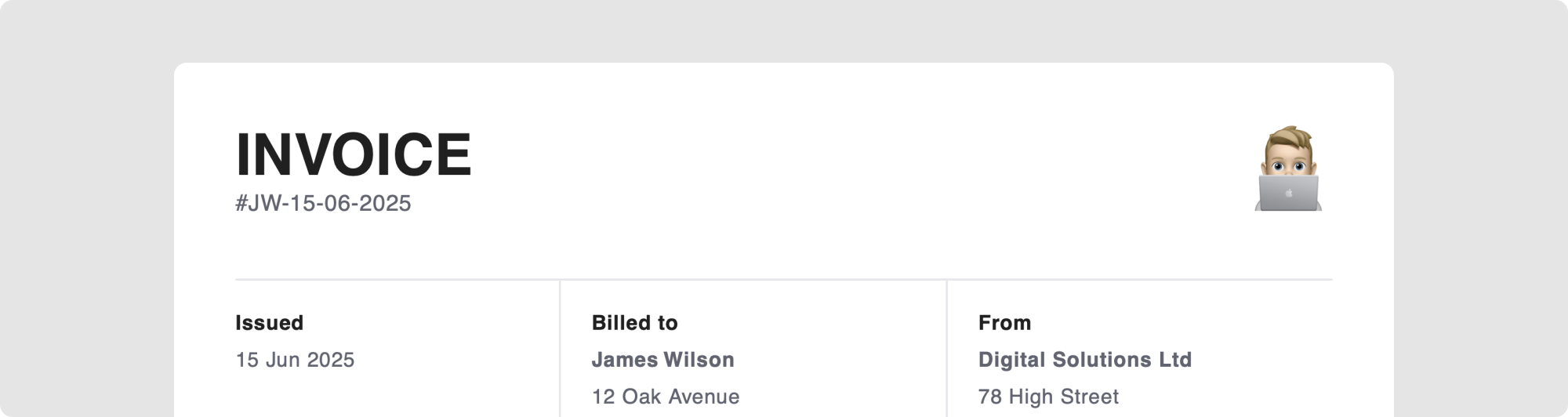
Invoice MCP
Un servidor de Model Context Protocol para crear facturas PDF profesionales usando lenguaje natural.
Primeros Pasos
Requisitos Previos
- Node v18 o superior
1. Instalación
git clone https://github.com/markslorach/invoice-mcp.git
cd invoice-mcp/server
npm install
npm run build
2. Configuración de Claude Desktop
Agrega el siguiente JSON a tu archivo de configuración de Claude Desktop:
macOS: ~/Library/Application Support/Claude/claude_desktop_config.json
Esto se puede acceder en la configuración de Claude Desktop en la pestaña de Desarrollador.
{
  "mcpServers": {
    "Invoice MCP Server": {
      "command": "node",
      "args": ["/path/to/your/invoice-mcp/server/build/index.js"]
    }
  }
}
Ejemplo de ruta:
{
  "mcpServers": {
    "Invoice MCP Server": {
      "command": "node",
      "args": ["/Users/markslorach/Desktop/invoice-mcp/server/build/index.js"]
    }
  }
}
Asegúrate de reiniciar Claude Desktop para que el servidor MCP aparezca en las herramientas de chat.
Uso
Ejemplos de Prompts
Puedes ser breve:
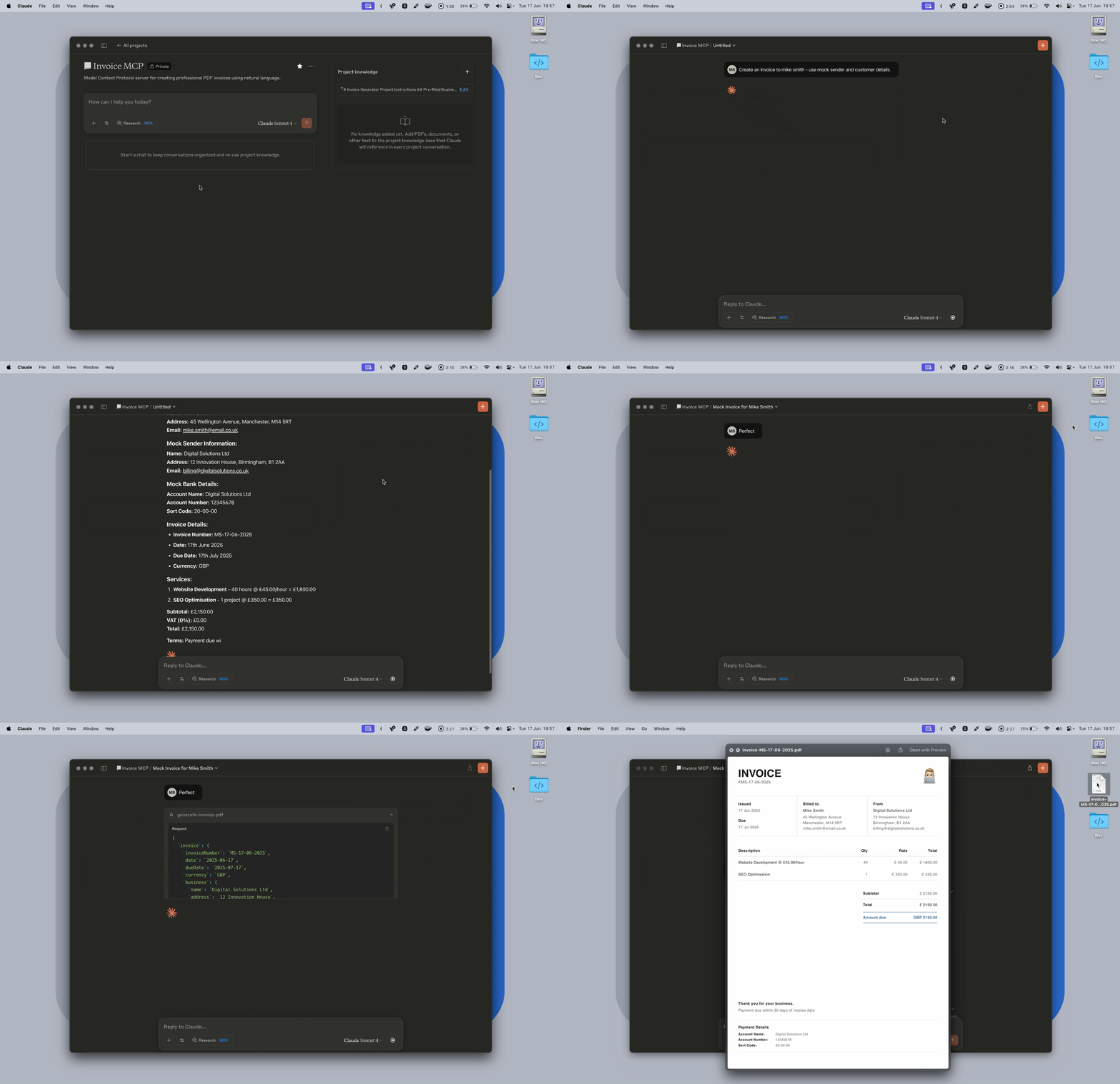
Create an invoice to Mike Smith for web development work
O detallado:
Create an invoice to Mike Smith for:
- Logo design (5 hours @ £75/hour)
- Website updates (3 hours @ £60/hour)
- Due in 14 days

123 Business Street, London, SW1A 1AA
mike@business.com
Al usar las instrucciones a continuación, se te pedirá confirmar o agregar cualquier detalle faltante. Luego puedes confirmar y crear la factura sin todos los datos del cliente si es necesario.
Demo
Requisitos del Logotipo
Un logotipo es opcional; si se proporciona, debe ser una URL directa a un archivo de imagen JPG, PNG o WebP. La URL debe terminar con la extensión del archivo (.jpg, .png) y enlazar directamente a la imagen, no a una página web. Los archivos SVG no son compatibles.
Recomiendo usar una imagen sin relleno alrededor del logotipo para obtener mejores resultados.
✅ Bueno: https://example.com/logo.png
❌ Malo: https://example.com/logo-page o https://example.com/logo.svg


Instrucciones de Prompt
Para una generación de facturas consistente, recomiendo completar y agregar estas instrucciones a un proyecto de Claude Desktop. Si usas otra plataforma sin soporte de proyectos, puedes pegar estas instrucciones al inicio de tu conversación antes de crear una factura.
# Invoice MCP Project Instructions

## Pre-filled Business Information

### Logo

[Your logo URL here]

### Sender Details:

**Name:** [Your Business Name]
**Address:** [Your Business Address]
**Email:** [Your Business Email]

### Payment Information:

**Account Name:** [Your Account Name]
**Account Number:** [Your Account Number]
**Sort Code:** [Your Sort Code]

### Default Terms:

- Payment due within 30 days of invoice date
- **VAT Rate:** 0% (no VAT unless explicitly requested)
- **Currency:** GBP (supported currencies: GBP, USD, CAD, EUR)

### Default Notes:

"Thank you for your business."

## Processing Rules

### Confirmation Required

**ALWAYS** ask the user to confirm all invoice details before running the MCP tool and exporting the PDF - even for mock/test invoices. Present the confirmation in a clear, readable format.

### Invoice Detection

Watch for invoice-related keywords: "invoice", "bill", "charge", "billing" - users may say "invoice Joe Bloggs for..." instead of "create an invoice for..."

### Service Descriptions

- Enter services exactly as mentioned by the user
- Do NOT modify or rephrase service descriptions apart from correcting obvious spelling mistakes
- Preserve the user's original wording and terminology
- Never include the price in the title or description
- For hourly work, include the hourly rate in the description (e.g., "Web development @ £50.00/hour") so the quantity field represents hours worked

### Invoice Numbering

Create unique invoice numbers using format: `[Customer Initials]-[DD-MM-YYYY]`
Examples:

- "John Smith" on 15th January 2024 = `JS-15-01-2024`
- "ABC Limited" on 3rd March 2024 = `AL-03-03-2024`

### Date Handling

- Default invoice date to today's date
- Default due date to 30 days from invoice date
- Accept natural language dates ("next Friday", "in 2 weeks")

### Missing Information Handling

- If customer details are incomplete, ask for what's missing
- For mock invoices, create realistic but fictional details
- Always prioritise user-provided information over defaults

### Error Prevention

- Validate that all monetary amounts are positive numbers
- Ensure dates are logical (due date after invoice date)
- Check that invoice numbers are unique within the conversation

### Mock Invoices

When asked for mock/test invoices:

- Create realistic but fictional customer details
- Use varied service types (consulting, design, development, etc.)
- Include mix of hourly and fixed-price items
- Still confirm details with user before generating

### File Output

- Default output path: Desktop
- Filename format: `invoice-{invoiceNumber}.pdf`
- Inform user of exact save location after generation

## User Experience Guidelines

### Conversation Flow

1. Gather invoice requirements
2. Present complete invoice details for confirmation
3. Generate PDF using MCP tool
4. Confirm successful creation and file location

### Error Handling

- If PDF generation fails, explain the issue clearly
- Offer to retry with corrected information
- Never expose technical error details to users
Desarrollo
Servidor
Compila el servidor MCP:
cd server
npm run build
Prueba el servidor MCP usando el inspector:
npm run inspector
Aplicación de Vista Previa
Vista previa de la plantilla de factura en http://localhost:5173/:
cd preview
npm run dev
La plantilla de factura se puede editar a través de invoice-template.tsx y styles.ts en la carpeta del servidor; los cambios se transferirán automáticamente a la vista previa.
Pila Tecnológica
Servidor
- Model Context Protocol SDK
- TypeScript
- React PDF
Vista Previa
- React 19
- TypeScript
- React PDF
- Vite
Soporte de Modelos Locales
Actualmente probando compatibilidad con modelos de IA locales a través de LM Studio. Aunque el servidor MCP funciona, los modelos locales son menos confiables que Claude y pueden devolver errores. Estoy buscando formas de mejorar el código para ayudar con esto.
Privacidad
Al usar servicios de IA en línea como Claude Desktop, solo incluye información con la que te sientas cómodo compartiendo, ya que los datos pueden procesarse para el entrenamiento de modelos.
En Progreso
- Soporte para generar cotizaciones
- Refinamientos de la plantilla de factura
Contribuciones
¡Las contribuciones son bienvenidas! Si deseas mejorar el servidor Invoice MCP:
- Haz un fork del repositorio
- Crea una rama de características (
git checkout -b feature/amazing-feature) - Haz commit de tus cambios (
git commit -m 'Add some amazing feature') - Haz push a la rama (
git push origin feature/amazing-feature) - Abre una Pull Request
Para cambios importantes, abre primero un issue para discutir lo que te gustaría cambiar.
Licencia
Este proyecto está licenciado bajo la Licencia MIT; consulta el archivo LICENSE para más detalles.
Agradecimientos
- Plantillas de Facturas de la Comunidad Figma - Inspiración para el diseño de facturas