Jira MCP
El MCP de Jira más robusto y seguro para uso corporativo interno.
Documentación
Jira MCP - El Mejor Servidor MCP para la Integración con Jira
El servidor MCP más potente y completo para Jira. Controla Jira mediante clientes LLM impulsados por IA como Cursor, Claude y Windsurf usando el Protocolo de Contexto de Modelo.
Nota
Seguro para entornos corporativos. Este servidor MCP se ejecuta completamente en local en tu máquina usando la herramienta de línea de comandos jira-cli. No se envían datos a servicios de terceros. Si tu organización aprueba el uso de jira-cli, a nivel técnico este servidor MCP es seguro de usar. Si tienes dudas, consulta con tu departamento de TI.
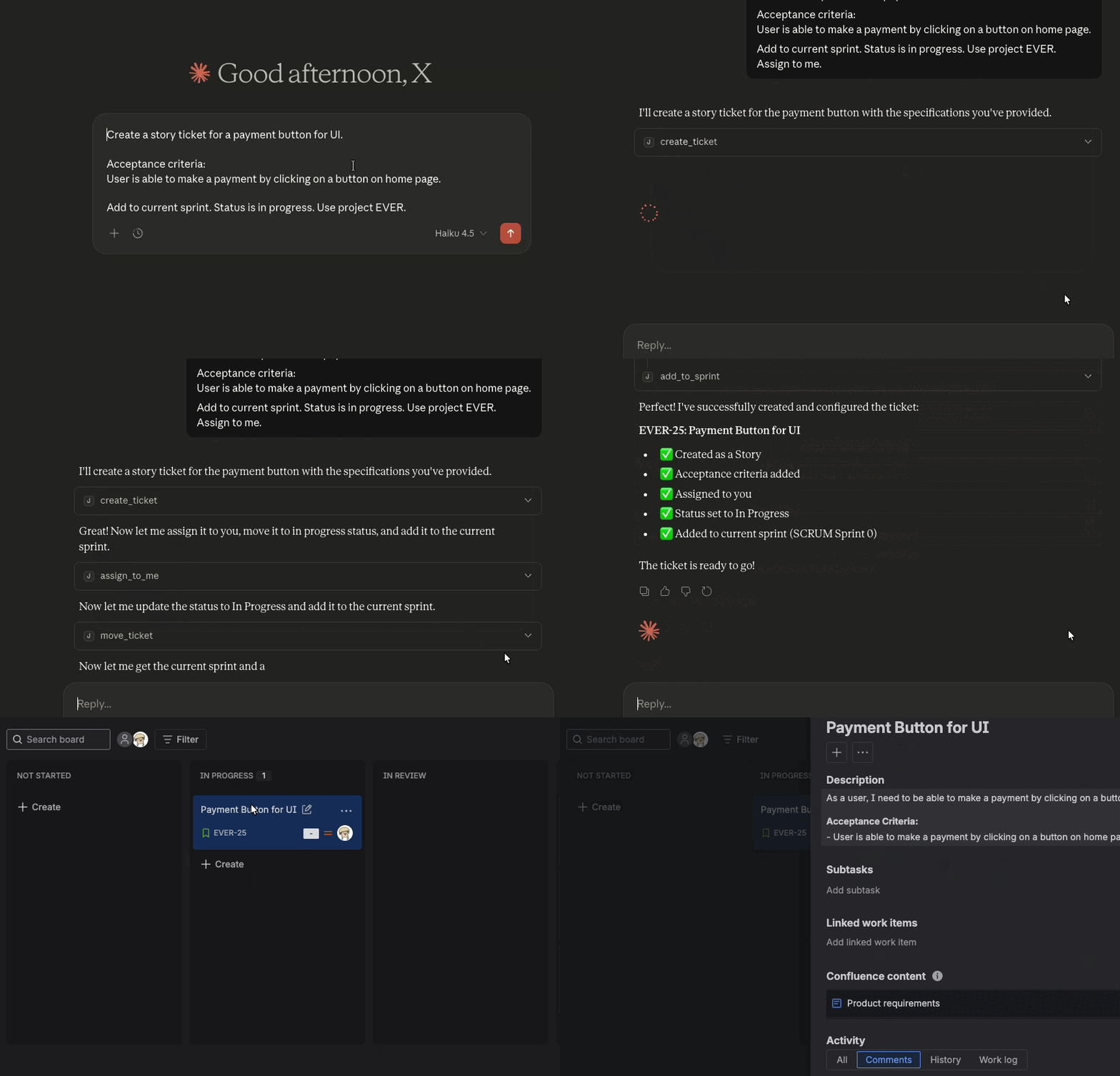
Jira MCP es el mejor servidor MCP para la integración con Jira, permitiendo que asistentes de IA como Cursor, Claude Desktop, Windsurf o ChatGPT hagan preguntas y realicen acciones con tu instancia de Jira.
¿Por qué Jira MCP?
Se ejecuta en local sin compartir datos con terceros. Seguro para entornos corporativos. Control completo de Jira: crea, actualiza, busca y gestiona tickets con lenguaje natural. Binarios precompilados para todas las plataformas. Comienza en minutos, no en horas. Con licencia MIT y mantenimiento activo. Contribuye o personaliza según sea necesario.Ejemplos de prompts
Comienza
Instala y configura Jira MCP en minutos.Configura tu herramienta de IA
Configura Jira MCP con tu asistente de IA preferido.
Configura Cursor IDE con Jira MCP. Configura Claude Code CLI con Jira MCP. Configura Windsurf con Jira MCP.Cómo funciona
Ingresas preguntas o comandos a un cliente LLM como Claude Desktop, Cursor, Windsurf o ChatGPT. El LLM analiza las herramientas MCP disponibles y decide cuál(es) usar. El LLM tiene contexto de cada herramienta y para qué sirve en lenguaje humano. El cliente ejecuta la(s) herramienta(s) elegida(s) a través del servidor MCP. El servidor MCP se ejecuta en local en tu máquina o de forma remota mediante un endpoint. Los resultados se envían de vuelta al LLM, que formula una respuesta en lenguaje natural y muestra datos o realiza acciones usando el servidor MCP.Arquitectura
MCP sigue una arquitectura cliente-servidor donde un host MCP (una aplicación de IA como Cursor o Claude Desktop) establece conexiones con uno o más servidores MCP. El host MCP logra esto creando un cliente MCP para cada servidor MCP. Cada cliente MCP mantiene una conexión dedicada con su servidor MCP correspondiente.
Lee la documentación oficial de MCP para obtener detalles sobre la arquitectura.Esta documentación está construida y alojada en Mintlify, una plataforma de documentación para desarrolladores.