MiniMax MCP
oficialInteractúa con las potentes APIs de MiniMax para generación de texto a voz, imágenes y video.
¿Qué puedes hacer con Mini Max MCP?
- Convertir texto a voz — Pídele a tu asistente que genere audio hablado a partir de cualquier texto usando
text_to_audiocon una voz elegida. - Clonar una voz a partir de una muestra — Proporciona un archivo de audio y usa
voice_clonepara crear una voz personalizada que imite al hablante original. - Diseñar una voz a partir de una descripción — Describe una cualidad vocal deseada y usa
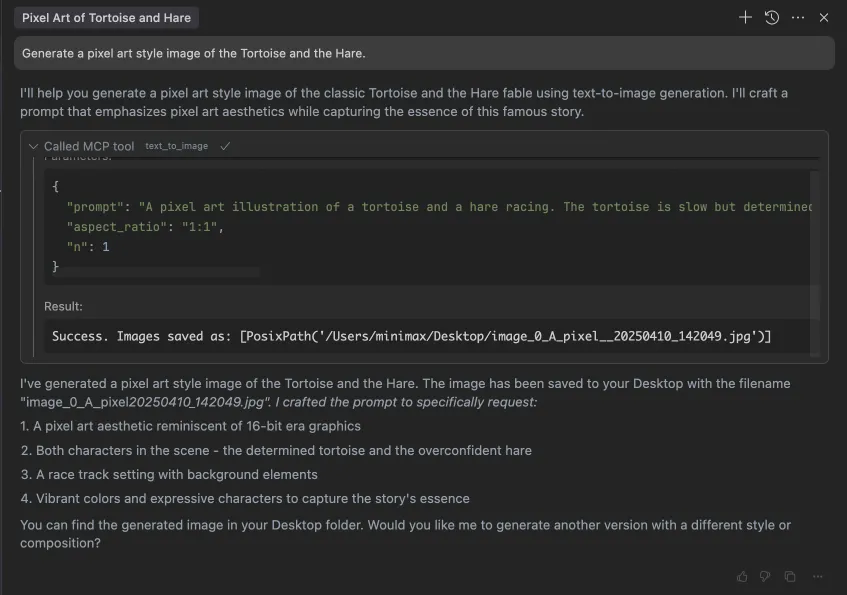
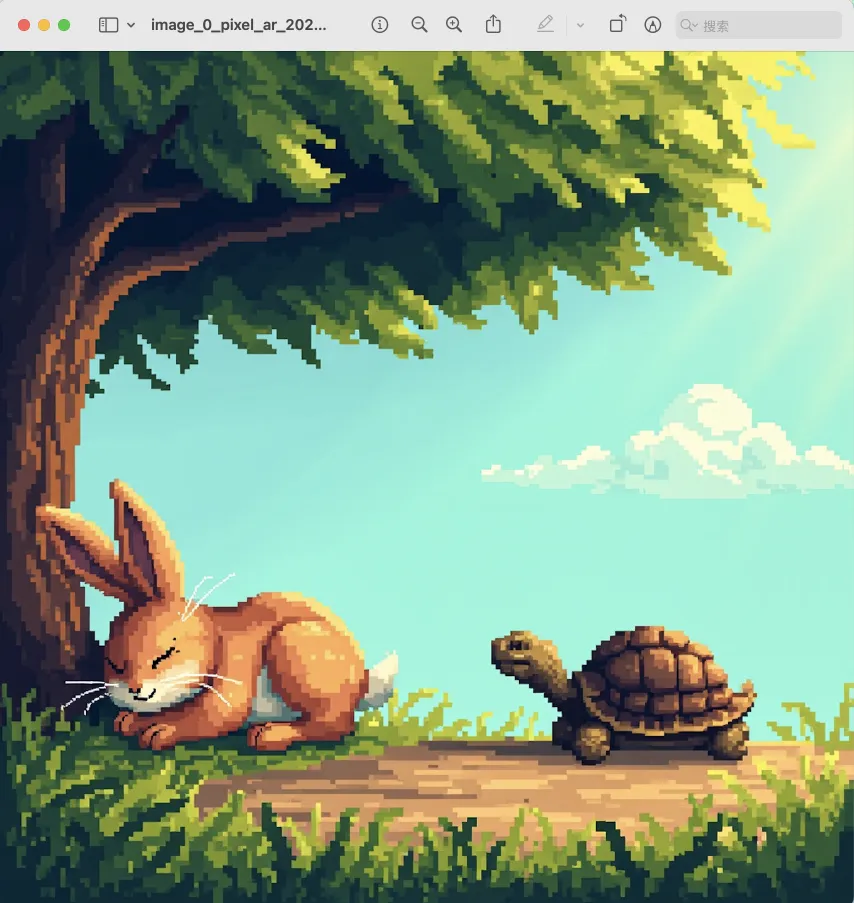
voice_designpara generar una vista previa de esa voz personalizada. - Generar una imagen a partir de un prompt — Crea una imagen describiendo lo que quieres con
text_to_image. - Generar un video a partir de un prompt — Produce un clip de video describiendo la escena, con controles opcionales de duración y resolución mediante
generate_video. - Crear música a partir de un prompt y letra — Compón una pista musical proporcionando un prompt de estilo y una letra a
music_generation.
Documentación









Servidor oficial del Protocolo de Contexto de Modelo (MCP) de MiniMax que permite la interacción con potentes APIs de Texto a Voz y generación de video/imagen. Este servidor permite a clientes MCP como Claude Desktop, Cursor, Windsurf, OpenAI Agents y otros generar voz, clonar voces, generar video, generar imagen y más.
💡 Recomendado: MiniMax CLI (mmx-cli) — nuestra herramienta oficial de línea de comandos con los últimos modelos y funciones adicionales que incluyen texto, visión, búsqueda y covers musicales. Funciona como una habilidad de agente de IA para Claude Code, Cursor, OpenClaw, etc.
Documentación
- 中文文档
- MiniMax-MCP-JS - Implementación oficial en JavaScript de MiniMax MCP
Inicio rápido con cliente MCP
- Obtén tu clave API desde MiniMax.
- Instala
uv(gestor de paquetes de Python), instala concurl -LsSf https://astral.sh/uv/install.sh | sho consulta el repositorio deuvpara métodos de instalación adicionales. - Importante: El host y la clave de la API varían según la región y deben coincidir; de lo contrario, encontrarás un error
Invalid API key.
| Región | Global | China continental |
|---|---|---|
| MINIMAX_API_KEY | obténla desde MiniMax Global | obténla desde MiniMax |
| MINIMAX_API_HOST | https://api.minimax.io | https://api.minimaxi.com |
Claude Desktop
Ve a Claude > Settings > Developer > Edit Config > claude_desktop_config.json para incluir lo siguiente:
{
  "mcpServers": {
    "MiniMax": {
      "command": "uvx",
      "args": [
        "minimax-mcp",
        "-y"
      ],
      "env": {
        "MINIMAX_API_KEY": "insert-your-api-key-here",
        "MINIMAX_MCP_BASE_PATH": "local-output-dir-path, such as /User/xxx/Desktop",
        "MINIMAX_API_HOST": "api host, https://api.minimax.io | https://api.minimaxi.com",
        "MINIMAX_API_RESOURCE_MODE": "optional, [url|local], url is default, audio/image/video are downloaded locally or provided in URL format"
      }
    }
  }
}
⚠️ Advertencia: La clave API debe coincidir con el host. Si aparece un error "API Error: invalid api key", verifica tu host de API:
- Host Global:
https://api.minimax.io - Host China continental:
https://api.minimaxi.com
Si usas Windows, deberás habilitar el "Modo Desarrollador" en Claude Desktop para usar el servidor MCP. Haz clic en "Ayuda" en el menú hamburguesa de la esquina superior izquierda y selecciona "Habilitar Modo Desarrollador".
Cursor
Ve a Cursor -> Preferences -> Cursor Settings -> MCP -> Add new global MCP Server para añadir la configuración anterior.
Eso es todo. Tu cliente MCP ahora puede interactuar con MiniMax a través de estas herramientas:
Transporte
Soportamos dos tipos de transporte: stdio y sse.
| stdio | SSE |
|---|---|
| Se ejecuta localmente | Puede desplegarse localmente o en la nube |
Comunicación a través de stdout | Comunicación a través de network |
Entrada: Soporta el procesamiento de local files o recursos URL válidos | Entrada: Cuando se despliega en la nube, se recomienda usar URL para la entrada |
Herramientas disponibles
| herramienta | descripción |
|---|---|
text_to_audio | Convertir texto a audio con una voz determinada |
list_voices | Listar todas las voces disponibles |
voice_clone | Clonar una voz usando archivos de audio proporcionados |
generate_video | Generar un video a partir de un prompt |
text_to_image | Generar una imagen a partir de un prompt |
query_video_generation | Consultar el resultado de una tarea de generación de video |
music_generation | Generar una pista de música a partir de un prompt y letra |
voice_design | Generar una voz a partir de un prompt usando texto de vista previa |
Notas de la versión
2 de julio de 2025
🆕 Novedades
- Diseño de Voz: Nueva herramienta
voice_design- crea voces personalizadas a partir de prompts descriptivos con vista previa de audio - Mejora de Video: Se añadió el modelo
MiniMax-Hailuo-02con calidad ultra nítida y controles de duración/resolución - Generación de Música: Herramienta
music_generationmejorada con el modelomusic-1.5
📈 Herramientas mejoradas
voice_design- Genera voces personalizadas a partir de descripciones de textogenerate_video- Ahora soporta MiniMax-Hailuo-02 con opciones de duración de 6s/10s y resolución de 768P/1080Pmusic_generation- Creación de música de alta calidad con el modelo music-1.5
Preguntas frecuentes
1. invalid api key
Asegúrate de que tu clave API y tu host de API estén alineados regionalmente
| Región | Global | China continental |
|---|---|---|
| MINIMAX_API_KEY | obténla desde MiniMax Global | obténla desde MiniMax |
| MINIMAX_API_HOST | https://api.minimax.io | https://api.minimaxi.com |
2. spawn uvx ENOENT
Confirma su ruta absoluta ejecutando este comando en tu terminal:
which uvx
Una vez que obtengas la ruta absoluta (ej., /usr/local/bin/uvx), actualiza tu configuración para usar esa ruta (ej., "command": "/usr/local/bin/uvx").
3. Cómo usar generate_video en modo asíncrono
Define las reglas de finalización antes de empezar:
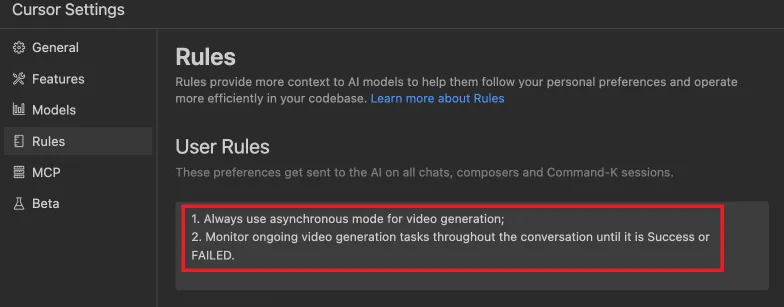
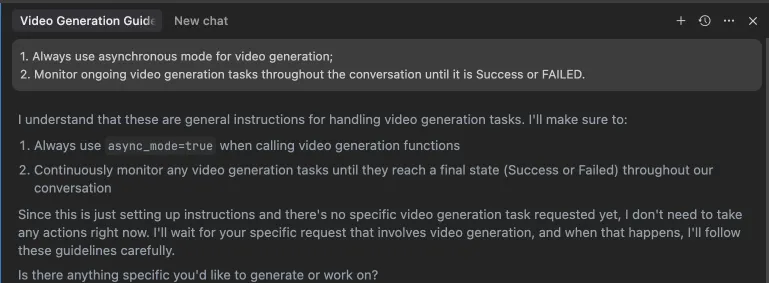 Alternativamente, estas reglas se pueden configurar en los ajustes de tu IDE (ej., Cursor):
Ejemplos de uso
⚠️ Advertencia: Usar estas herramientas puede generar costos.
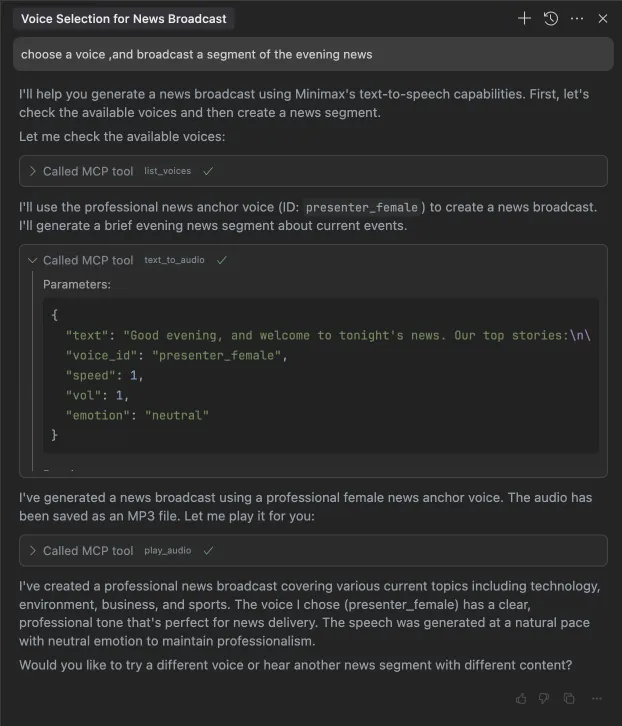
1. transmitir un segmento de las noticias de la tarde
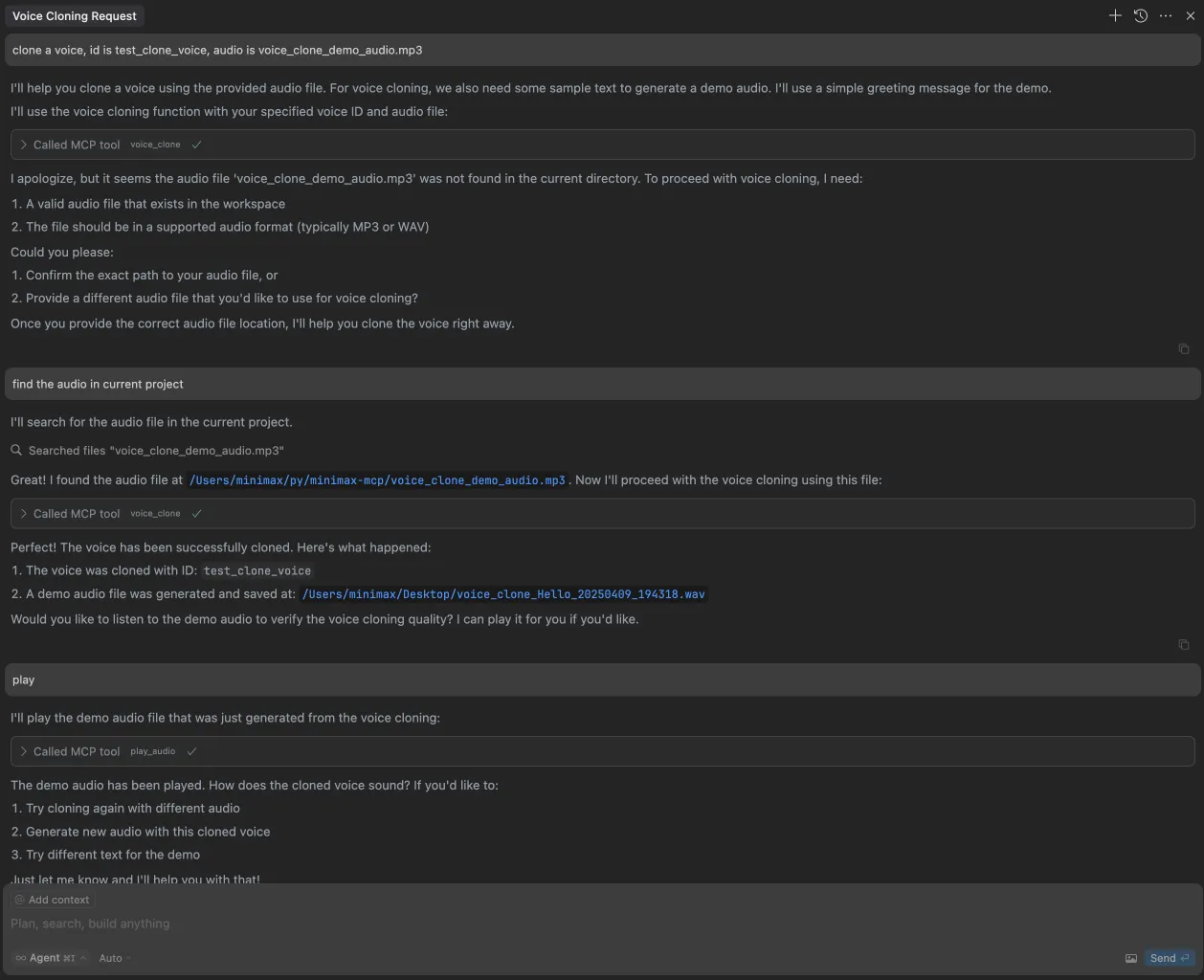
2. clonar una voz
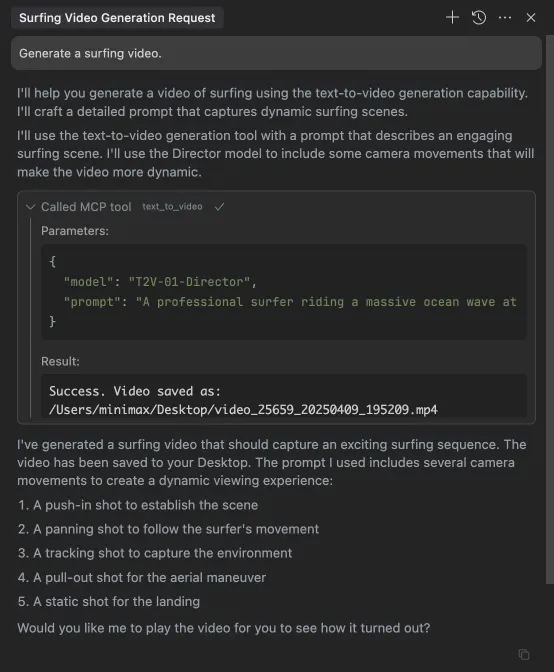
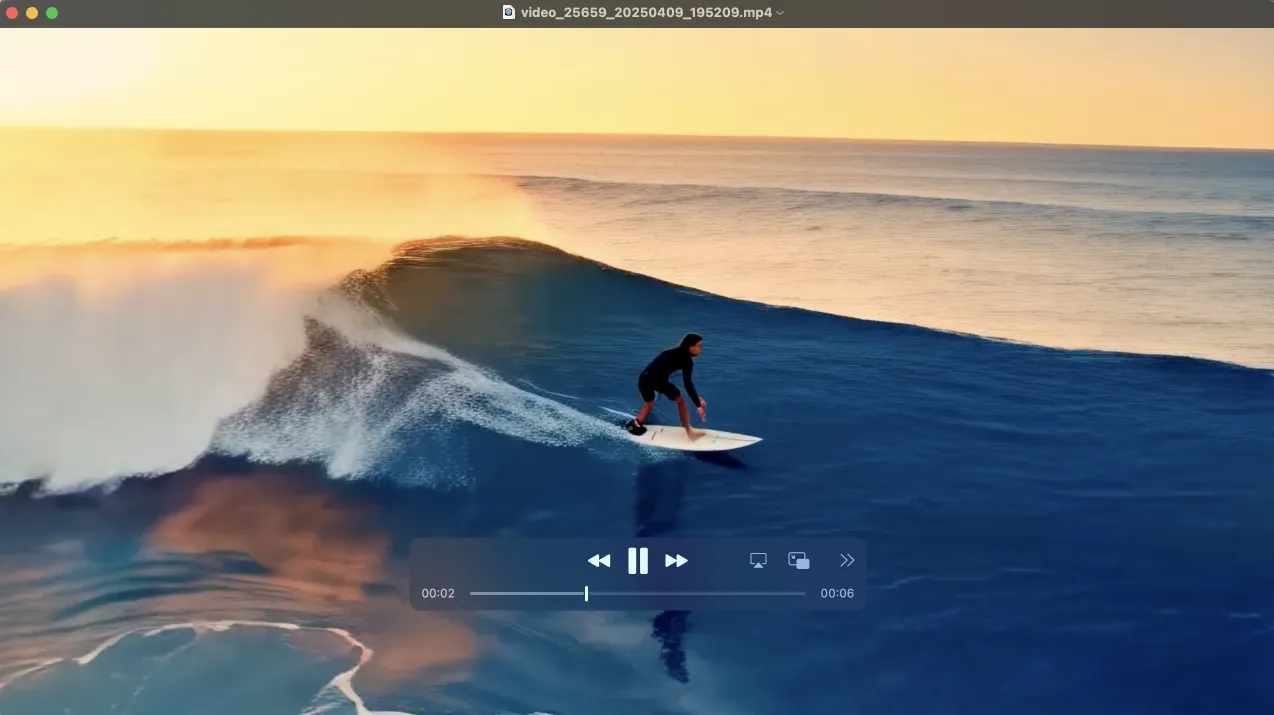
3. generar un video
4. generar imágenes