Yonote
Proporciona herramientas API para interactuar con documentos y colecciones de Yonote.
Documentación
Prototipo de servidor MCP de Yonote
Este es un proyecto MVP de un servidor MCP para el servicio Yonote, una alternativa a Notion. El servidor proporciona herramientas API para interactuar con documentos y colecciones de Yonote.
Características
- Listar documentos y colecciones de Yonote
- Obtener información detallada sobre un documento
- Expone herramientas a través del framework FastMCP
Requisitos
- Python 3.13+
- Credenciales de la API de Yonote
- Los siguientes paquetes de Python (consulta
pyproject.toml):fast-agent-mcp>=0.2.23requests>=2.32.3python-dotenv(para cargar variables de entorno)
- uv para la gestión de dependencias
Configuración
Instalación mediante Smithery
Para instalar Yonote Document Interaction Server para Claude Desktop automáticamente mediante Smithery:
npx -y @smithery/cli install @cutalion/yonote-mcp --client claude
Instalación manual
-
Clona el repositorio:
git clone <your-repo-url> cd yonote-mcp -
Instala las dependencias con uv:
uv pip install -r requirements.txt # or, using pyproject.toml: uv pip install . -
Configura las variables de entorno:
Crea un archivo
.enven la raíz del proyecto con el siguiente contenido:API_TOKEN=your_yonote_api_token API_BASE_URL=https://app.yonote.ru/api # Optional, defaults to this value
Uso
Ejecuta el servidor MCP:
python main.py
El servidor expone las siguientes herramientas:
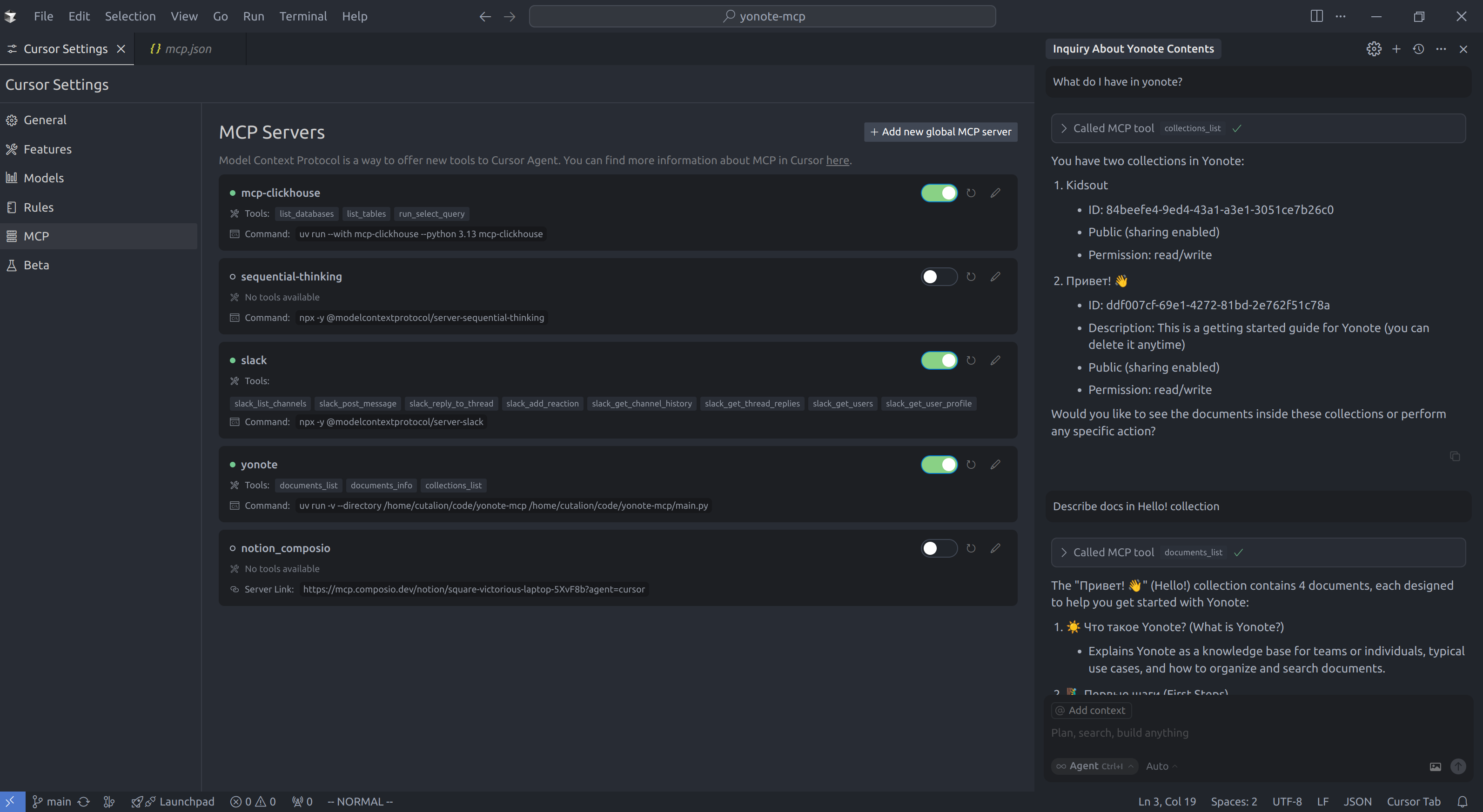
documents_list: Obtener una lista de documentos (con límite, desplazamiento y collectionId opcionales)documents_info: Obtener información sobre un documento por IDcollections_list: Obtener una lista de colecciones (con límite y desplazamiento opcionales)
Estructura del proyecto
main.py— Código principal del servidor y definiciones de herramientaspyproject.toml— Metadatos del proyecto y dependencias
Licencia
MIT (o especifica tu licencia)
Ejemplo de configuración de Cursor
Para usar este servidor MCP con Cursor, añade lo siguiente a tu archivo de configuración ~/.cursor/mcp.json:
{
  "mcpServers": {
    "yonote": {
      "command": "uv",
      "args": [
        "run",
        "-v",
        "--directory",
        "/path/to/yonote-mcp",
        "/path/to/yonote-mcp/main.py"
      ]
    }
  }
}
Reemplaza /path/to/yonote-mcp con la ruta real a tu directorio del proyecto.