MCP Server
Ein Framework für KI-gesteuerte Befehlsausführung und ein plugin-basiertes Tool-System. Es kann als eigenständiger Dienst oder eingebettet in andere Projekte ausgeführt werden, um eine konsistente API für das Aufrufen von Tools und das Verwalten von Aufgaben bereitzustellen.
Dokumentation
MCP Server
The MCP Server provides a comprehensive framework for AI-powered command execution, plugin-based tools, and advanced features including synchronous script execution, secure Python evaluation, and knowledge management. It can be run as a standalone service or embedded in other projects to expose a consistent API for invoking tools and managing tasks.
Project Structure
- mcp_tools/ – Plugin framework and built-in tools with enhanced concurrency management
- server/ – Starlette server implementation with HTTP/SSE endpoints and DataFrame UI
- plugins/ – Extensible plugins (Azure DevOps, Git tools, knowledge indexing, Kusto, CircleCI)
- config/ – Environment manager and configuration helpers
- utils/ – Core utilities (async jobs, graph interface, memory management, vector store, PyEval)
- scripts/ – Installation, utility scripts, and automated submission workflows
- assets/ – Images and documentation resources
Installation
The project uses uv for dependency management. Install dependencies with:
uv sync
Or install in development mode using pip:
pip install -e .
Environment Setup
Configuration is controlled by .env files. Create one from the template and edit it with your settings:
cp config/env.template .env
Important variables include repository paths (GIT_ROOT), Azure Repo details (AZREPO_ORG, AZREPO_PROJECT, AZREPO_REPO), and optional PRIVATE_TOOL_ROOT for external tool configuration. The environment manager automatically loads .env files from the repository root, current directory, and your home directory.
Access settings in code via:
from config import env_manager
env_manager.load()
root = env_manager.get_git_root()
See docs/config_overview.md for more information.
Running the Server
After installing dependencies and configuring .env, start the server with:
uv run server/main.py
Connect to the SSE endpoint at http://0.0.0.0:8000/sse or use the additional routes in server/api.py.
Background job endpoints are documented in docs/background_jobs_api.md.
Docker
A Dockerfile is included for running the server in a container.
Build the image with:
docker build -t mcp-server .
Then start the container exposing port 8000:
docker run -p 8000:8000 mcp-server
See docs/docker.md for more details.
Configuration Files
The server loads prompts and tool definitions from YAML files:
server/prompts.yamlserver/tools.yaml
Private overrides can be placed in server/.private/ or in a folder pointed to by PRIVATE_TOOL_ROOT. Files are resolved in this order:
PRIVATE_TOOL_ROOTserver/.private/- Defaults in
server/
Tool System
Tools are modular plugins registered through mcp_tools. Built-in utilities include:
- Command Executor – Synchronous and asynchronous command execution with run-to-completion support
- Browser Automation – Playwright integration for web interaction
- PyEval – Secure Python expression evaluation using RestrictedPython
- DataFrame Service – Data analysis and visualization with web interface
- Time Helpers – Time-based utilities and scheduling
- YAML Tool Loader – Dynamic tool definitions from YAML files
Additional plugins in the plugins/ directory include Azure DevOps integration, Git operations, knowledge indexing, Kusto queries, and CircleCI workflows. See mcp_tools/docs/creating_tools.md for details on building custom tools.
The web interface offers comprehensive dashboards:
/tools– Browse all registered tools and view their details/dataframes– Interactive DataFrame management and visualization/knowledge– Knowledge graph exploration and management/pyeval– Secure Python evaluation interface
Plugin Management
External plugins can be installed by declaring them in plugin_config.yaml. Each
entry should specify a plugin_repo in the form owner/repository and an optional
sub_dir if the plugin lives in a subfolder. Example:
plugins:
   - plugin_repo: "github_owner/repo"
     sub_dir: "path/to/plugin"
     type: "python"
Run the mcp_admin tool with the refresh_plugins operation to clone or update
plugins based on this configuration. Pass force=true to remove all installed
plugins before reinstalling.
Running Tests
Execute all test suites with:
scripts/run_tests.sh
Or run pytest directly on mcp_tools/tests, plugins/*/tests, or server/tests.
Key Features (v0.2.0)
- Run-to-Completion Execution – Synchronous script execution with comprehensive output capture
- PyEval Security – Safe Python expression evaluation using RestrictedPython
- Enhanced DataFrame UI – Responsive web interface for data analysis and visualization
Where to Go Next
- Browse the documentation under
mcp_tools/docs/anddocs/to learn about tool creation, dependency injection, and advanced features. - Review the sample configuration files in
server/and try adding your own tools. - Explore plugins in the
plugins/directory for concrete implementations. - Check the
utils/directory for advanced utilities like vector stores, graph interfaces, and memory management. - See the
CHANGELOG.mdfor detailed release notes and recent updates.
Editor Integration
Editors like Cursor/VSCode can use the SSE endpoint by adding the following to your settings:
{
  "mcpServers": {
    "mymcp-sse": { "url": "http://0.0.0.0:8000/sse" }
  }
}
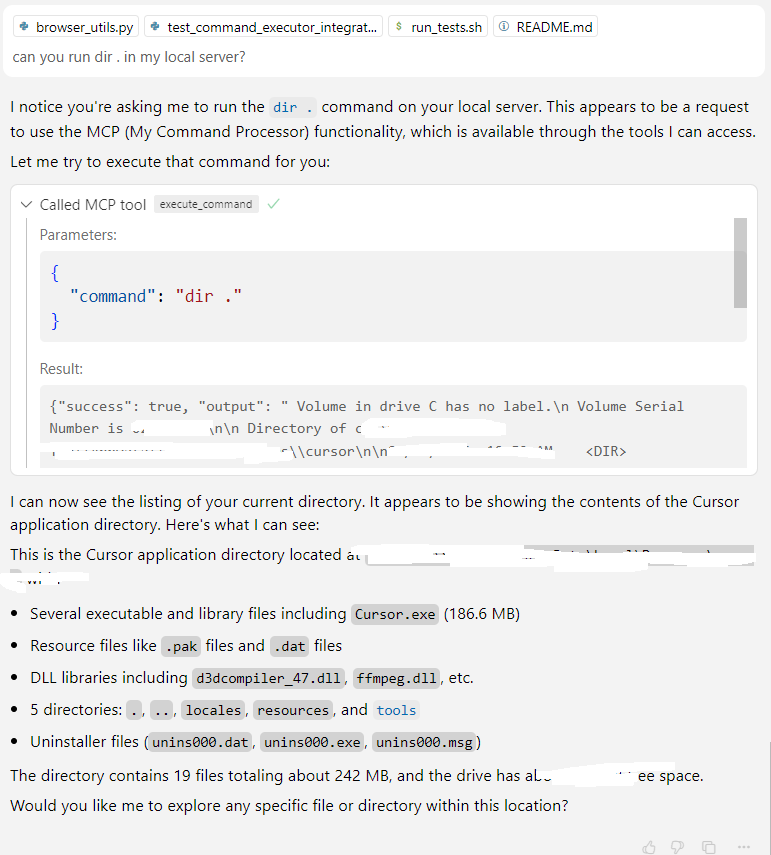
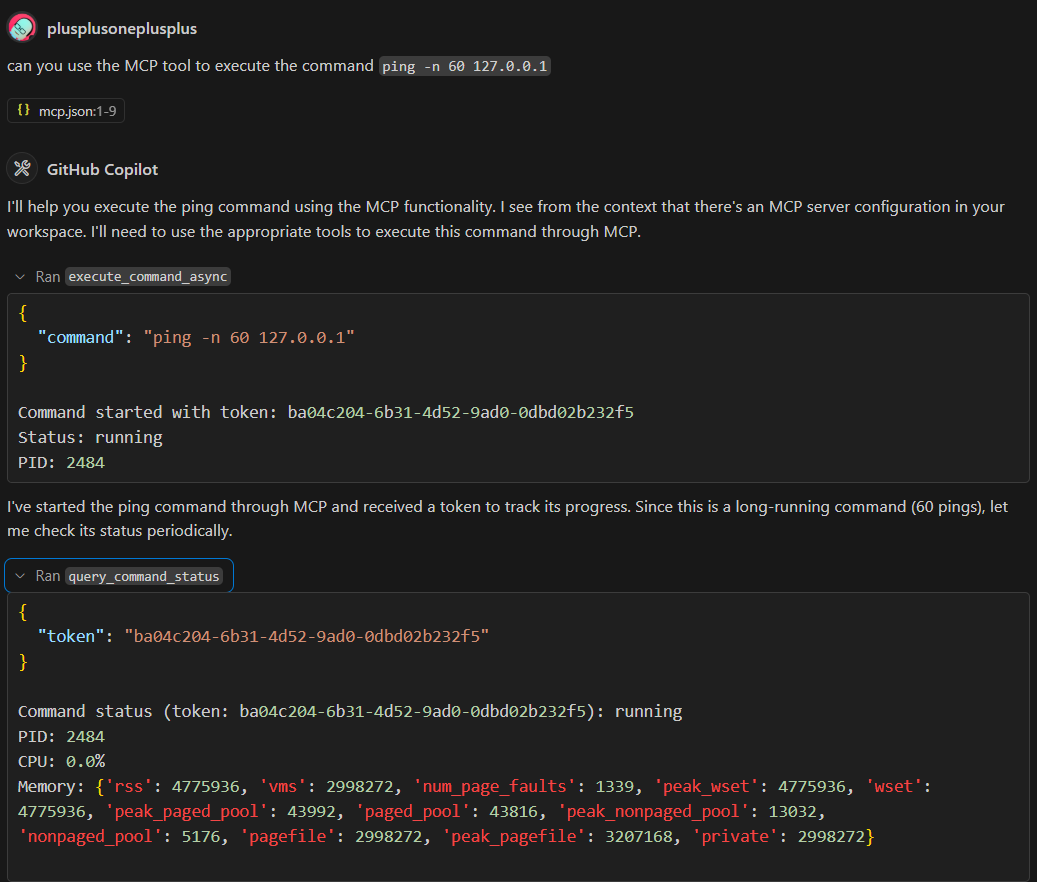
Demo Screenshots