Devopness
offiziellDevopness MCP-Server für DevOps-Glück! Befähigt KI-Agenten, Apps und Infrastruktur in jede Cloud bereitzustellen.
Was kann man mit Devopness MCP machen?
- Cloud-Infrastruktur bereitstellen — Bitten Sie Ihre KI, Netzwerke, Subnetze und Server zu erstellen sowie Linux auf AWS, Azure, GCP, DigitalOcean oder Hetzner zu konfigurieren.
- Anwendungen bereitstellen — Lösen Sie unterbrechungsfreie Deployments über verschiedene Umgebungen hinweg aus, wobei der Deployment-Verlauf ohne SSH- oder Cloud-Konsolenzugriff einsehbar ist.
- Zwischen Clouds migrieren — Verschieben Sie eine App mithilfe von Anweisungen in natürlicher Sprache von einem Cloud-Anbieter zu einem anderen.
- Rollenbasierte Berechtigungen verwalten — Konfigurieren Sie fein abgestufte Zugriffsrechte pro Umgebung, sodass Teammitglieder ohne direkte Cloud-Konsolen-Anmeldedaten bereitstellen können.
Dokumentation

Hören Sie auf, DevOps zu verwalten. Liefern Sie mehr aus, stressen Sie weniger.
DevOps-Glück für KI-Agenten und Menschen.
Eine Plattform · Jede Cloud · Jeder Stack · Kostenloser Plan
Devopness
Stellen Sie Apps bereit und richten Sie Cloud-Infrastruktur von Grund auf ein auf AWS, Azure, GCP, DigitalOcean und Hetzner – in Konten, die Sie kontrollieren.
Eine Plattform, die viele Tools ersetzt: Terraform + Ansible + Jenkins + PaaS (Vercel, Heroku usw.) und stackspezifische Server-Panels.
Verwalten Sie Apps, Linux-Server und Cloud-Infrastruktur von überall: Web, Mobilgerät, API oder in natürlicher Sprache in Ihrem KI-Agenten über MCP. Kein SSH oder Cloud-Konsole für Routineaufgaben.





Für KI-Agenten (MCP)
Bitten Sie Ihren KI-Agenten, Server bereitzustellen, Apps zu deployen, zwischen Clouds zu migrieren und Infrastruktur über einen MCP-Server zu verwalten – keine separate Integration pro Cloud oder Stack.
Ein-Klick-Installation


Beispiel-Prompt:
Migriere meine App von AWS zu Hetzner.
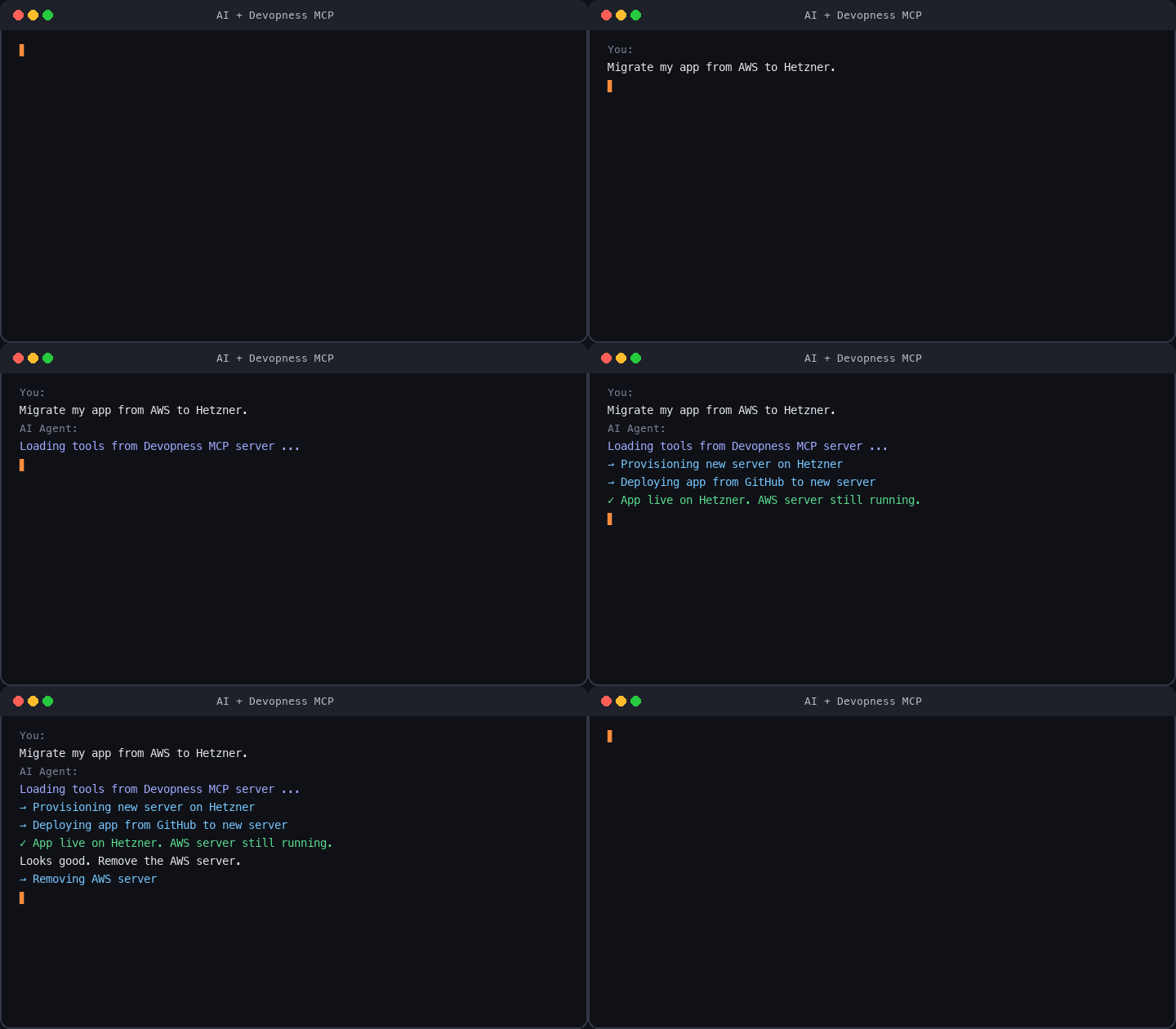
Beim Start des MCP-Servers werden Sie aufgefordert, sich mit Ihrem Devopness-Konto anzumelden.
MCP-kompatible Clients: Cursor, VS Code, Claude Code, Codex CLI, Gemini CLI, Windsurf, Zed, Warp, JetBrains AI und mehr. Schritt-für-Schritt-Anleitungen finden Sie in der MCP-Dokumentation.
Was Devopness ersetzt
Viele selbst gehostete Deploy-Tools (Coolify, Dokploy und ähnliche) setzen voraus, dass Sie bereits einen Server bereitgestellt haben und sich per SSH verbinden können. Devopness richtet Infrastruktur in Ihrer Cloud von Grund auf ein, konfiguriert Linux und deployt Ihre Apps. Routineaufgaben werden über die Web-App, API oder MCP erledigt: kein SSH und keine Cloud-Konsole für alltägliche Aufgaben.
Devopness vereint, was Teams normalerweise auf mehrere Tools verteilen, in einer Plattform:
Cloud-Infrastruktur von Grund auf
- Netzwerke, Subnetze, statische IPs, Server und Linux-Konfiguration in Ihren Cloud-Konten (anstelle von Terraform, Ansible und manueller Cloud-Konsolen-Arbeit)
CI/CD und gehostetes PaaS
- Deployment-Pipelines und gehostete Plattformen (anstelle von Jenkins, GitHub Actions, GitLab CI, Vercel, Heroku, Netlify, Railway, Render und ähnlichen PaaS)
Server- und App-Verwaltungspanels
Anstelle separater Panels pro Stack nutzen Sie eine Plattform für alle Stacks. Devopness ersetzt:
- PHP: cPanel, Laravel Forge/Envoyer, Plesk, RunCloud, ServerPanel.app
- Python: FastAPI Cloud und ähnliche stackfokussierte Tools
- Ruby: Cloud 66, Hatchbox, Kamal (beliebt bei Rails, funktioniert für jeden Stack)
- Selbst gehostet (eigener Server): Coolify, Dokploy
Was Sie bekommen
- Lösen Sie Zero-Downtime-Deployments automatisch aus, wenn Sie auf Git pushen
- Sehen Sie Deployment-Verlauf und Infrastrukturänderungen an einem Ort, sogar vom Mobilgerät, ohne SSH- oder Cloud-Konsolen-Zugriff
- Feingranulare, rollenbasierte Berechtigungen pro Umgebung, damit Teammitglieder ohne direkten Cloud-Konsolen-Zugriff deployen können
- Führen Sie DevOps-Operationen in natürlicher Sprache über MCP aus, wenn Sie mit Ihren KI-Agenten verbunden sind
Schnellstart
- Konto erstellen: kostenlos, keine Kreditkarte erforderlich
- Erste Schritte befolgen: Organisation -> Projekt -> Umgebung -> erstes Deployment
- MCP verbinden: optional; Ein-Klick in Cursor oder VS Code oben
Für Entwickler, Teamleiter, Gründer und Agenturen, die auf Cloud-Infrastruktur ausliefern, die sie kontrollieren.

Dieses Repository
Open-Source-Pakete und Dokumentation für Devopness:
| Pfad | Paket | Beschreibung |
|---|---|---|
| /docs | Dokumentation | Produktdokumentation |
| /packages/sdks/javascript | @devopness/sdk-js | JavaScript/TypeScript API SDK |
| /packages/sdks/python | devopness | Python API SDK |
| /packages/ui/react | @devopness/ui-react | React Design System |
| /examples/applications | Beispiele | Beispiel-App-Integrationen (Rails, Express, Laravel und mehr) |
Community
Mitwirken
Beiträge sind willkommen. Siehe CONTRIBUTING.md. Wenn Sie KI-Tools verwenden, lesen Sie auch AGENTS.md. Alle Beiträge unterliegen dem Verhaltenskodex.
Gefällt Ihnen das Projekt? Dieses Repo mit Stern markieren: Es hilft anderen, Devopness zu entdecken.
Versionshinweise: GitHub Releases. Lizenziert unter Apache License 2.0.