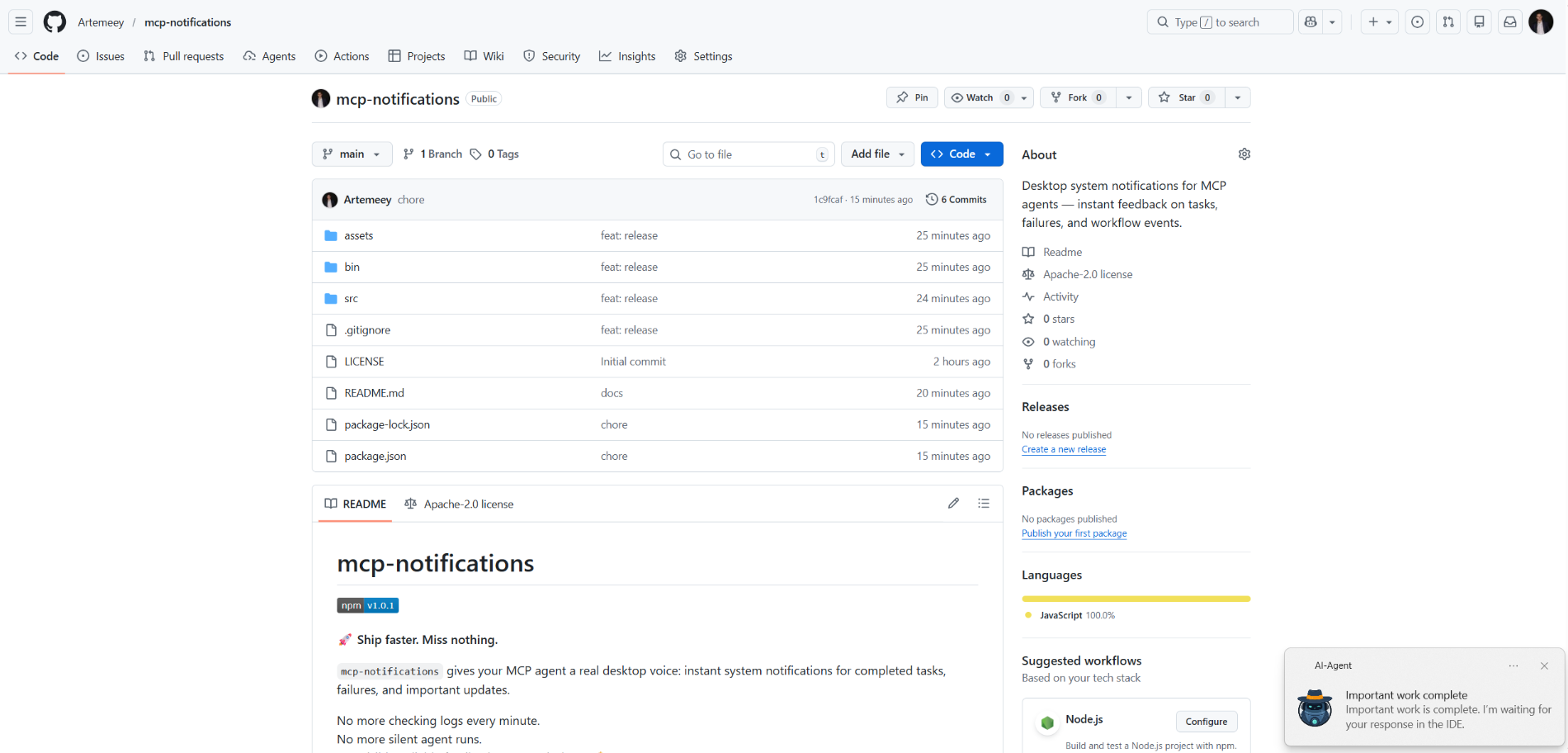
mcp-notifications
offiziellDesktop-Systembenachrichtigungen für MCP-Agenten — sofortiges Feedback zu Aufgaben, Fehlern und Workflow-Ereignissen.
Was kann man mit Notifications MCP machen?
- Desktop-Benachrichtigung senden — Bitten Sie den Agenten,
send_notificationmit einem benutzerdefinierten Titel und einer Nachricht aufzurufen, wenn eine Aufgabe abgeschlossen ist. - Akustischen Alarm einfügen — Setzen Sie
play_sound: true, damit die Benachrichtigung beim Zustellen den Systemton abspielt. - Benachrichtigungsquelle unter Windows anpassen — Übergeben Sie eine
app_id, um den in der Toast-Benachrichtigung angezeigten App-Namen zu steuern, oder legen Sie ihn global über die UmgebungsvariableMCP_NOTIFICATIONS_APP_IDfest. - Benutzerdefiniertes Symbol verwenden — Geben Sie einen
icon-Pfad an, um das Standardbild in der Benachrichtigung zu ersetzen.
Dokumentation
mcp-notifications

🚀 Schneller ausliefern. Nichts verpassen.
mcp-notifications ermöglicht es Ihrem MCP-Agenten, Desktop-Benachrichtigungen für abgeschlossene Aufgaben, Fehler und wichtige Updates zu senden.
Dies ist besonders nützlich für Konsolen-KI-Agenten, da diese standardmäßig meist keine integrierten Benachrichtigungen haben.
Kein minütliches Überprüfen der Chats mehr.
Keine stillen Agentenantworten mehr.
Einfach sichtbares, zuverlässiges Feedback auf Ihrem Desktop. 🔔
Häufiges Problem, das hiermit gelöst wird
Sie geben mehreren KI-Agenten Aufgaben, warten dann und prüfen ständig, wer bereits geantwortet hat.
Mit mcp-notifications wird das einfacher: Der Agent kann Sie auf dem Desktop benachrichtigen, wenn er Ihre Eingabe benötigt oder wenn die Arbeit erledigt ist.
Warum Teams dies installieren
- ⚡ Sofortiges Feedback aus Ihren MCP-Workflows.
- 🧠 Bessere Konzentration: Lassen Sie den Agenten arbeiten, während Sie bei Ihrer Hauptaufgabe bleiben.
- 🖥️ Native Betriebssystem-Benachrichtigungen über
node-notifier. - 🧵 Nicht-blockierendes Verhalten: Das Senden von Benachrichtigungen wird im Hintergrund in eine Warteschlange gestellt.
Global installieren
Voraussetzungen:
- Node.js
>=20 - npm
>=10
npm i -g @topvisor/mcp-notifications
Ausführbarer Name (diesen in der MCP-Konfiguration verwenden):
mcp-notifications
mcp-notifications ist ein MCP-Server-Einstiegspunkt (stdio), kein einmaliger Benachrichtigungsbefehl.
Einrichtung: Codex
Fügen Sie dies zu ~/.codex/config.toml hinzu:
[mcp_servers.notifications]
enabled = true
command = "mcp-notifications"
args = []
Starten Sie Codex nach der Konfigurationsaktualisierung neu.
Einrichtung: Claude Agent
Fügen Sie die MCP-Serverkonfiguration zu Ihrer Claude-Client-Konfigurationsdatei hinzu:
{
  "mcpServers": {
    "notifications": {
      "command": "mcp-notifications",
      "args": []
    }
  }
}
Starten Sie dann den Claude-Client neu.
Anweisungen für KI-Agenten-Benachrichtigungen
Es gibt zwei Ansätze für Benachrichtigungen: manuell und automatisch.
Wählen Sie den, der besser zu Ihrem Workflow passt.
Manuell
Bitten Sie den Agenten bei einer Aufgabe, bei der Sie benachrichtigt werden möchten, explizit darum. Beispiel:
Count files in the project; after the task is fully complete, notify me with sound.
Sie können auch Ton, Thema und Häufigkeitsregeln innerhalb eines bestimmten Chats definieren. Beispiel:
Notify me about your replies without sound, include the reply text, and use title: "Large Refactoring"
Automatisch
Automatische Benachrichtigungen können global oder pro Projekt konfiguriert werden.
Beispielanweisung zum Aktivieren automatischer Benachrichtigungen für Agentenantworten:
Send `send_notification` after your replies (actual task time >5 seconds or many steps); `play_sound: false`; `app_id: '{put your chat name here}'`
Die Zeit ist ein grober Schwellenwert und hängt vom Modellverhalten ab. Passen Sie diese Anweisung daher an Ihre eigenen Vorlieben an.
In Skills
Sie können Benachrichtigungen auch in bestimmten Skills aktivieren. Beispiel für einen Review-Skill:
After the review, run `send_notification` with a short summary; `play_sound: true`; `app_id: 'Reviewer {put task id here}'`
Werkzeug
send_notification
Eingabe:
titlestring(erforderlich)messagestring(erforderlich)play_soundboolean(optional, Standard:false)iconstring(optional, absoluter oder relativer Pfad zur Bilddatei)app_idstring(optional, Windows App User Model ID für die Toast-Quelle)
Beispiel:
{
  "title": "Codex",
  "message": "Deployment completed successfully",
  "play_sound": true,
  "icon": "/opt/mcp-notifications/icons/custom.png",
  "app_id": "Topvisor.Codex"
}
app_id (Windows)
app_idsteuert die Quelle, die in Windows-Toast-Benachrichtigungen angezeigt wird.- Wenn
app_idnicht gesetzt ist, zeigt Windows möglicherweiseSnoreToastals Quelle an. - Sie können
app_idbei jedem Werkzeugaufruf übergeben oderMCP_NOTIFICATIONS_APP_IDals Umgebungsvariable für den Server setzen.
Backend-Auswahl
Sie können den Benachrichtigungstransport über die Umgebungsvariable MCP_NOTIFICATIONS_BACKEND auswählen:
auto(Standard): verwendetpowershellin WSL, falls verfügbar, ansonstennode-notifierpowershell: erzwingtpowershell.exeWindows-Toast-Transport (empfohlen für WSL)node-notifier: erzwingtnode-notifierPaket
Chat-Prompts zum Testen in Codex
Verwenden Sie diese Nachrichten direkt im Chat:
Check send_notification
Send a notification without sound: title "Test", message "Check"
Send a notification with sound: title "Test", message "Check"
Send a notification with app_id "Topvisor.Codex": title "Test", message "Check"
Send 3 test notifications in a row without sound
Erwartetes Werkzeugergebnis in Logs/Antwort:
Notification queued
Verhalten
- ✅ Verwendet standardmäßige Systembenachrichtigungskanäle.
- 🔊 Verwendet den standardmäßigen Systembenachrichtigungston, wenn
play_sound: true. - 🤖 Verwendet das gebündelte Topvisor-Roboterbild als Standard-Benachrichtigungssymbol.
- 🧰 Kehrt schnell zurück, während Benachrichtigungen in einer Hintergrundwarteschlange zugestellt werden.
Beispiel
Der KI-Agent wartet auf Sie: