LambdaTest MCP Server
官方LambdaTest MCP 伺服器涵蓋無障礙測試、SmartUI、自動化及 HyperExecute,讓您將 AI 助手與測試工作流程連接,簡化設定、分析失敗原因並生成修復方案,以加速測試並提升效率。
你可以用 LambdaTest MCP 做什麼?
- 生成 HyperExecute YAML 設定 — 請助理透過
generateHyperExecuteYAML建立測試執行設定,無需手動撰寫 YAML。 - 使用日誌分類測試失敗 — 透過 Automation MCP 工具擷取測試詳細資訊、Selenium 指令日誌、網路日誌及主控台錯誤,進行根本原因分析。
- 執行無障礙稽核 — 使用
getAccessibilityReport取得公開 URL 的 WCAG 合規報告,或透過 tunnel 分析本機應用程式。 - 彙總視覺回歸差異 — 使用 SmartUI MCP 工具(如
summarizeSmartUIPixelDiff和analyzeSmartUIRun)說明像素、版面及 DOM 變更。 - 取得 HyperExecute 工作詳細資訊 — 使用
getHyperExecuteJobInfo和getHyperExecuteJobSessions擷取工作層級資訊與工作階段詳細資料。
文件
別錯過 TestMu Conf '26. 加入智慧代理轉型浪潮。免費註冊

TestMu AI MCP Server 用於代理式測試
使用 TestMu AI 的 MCP server 執行、偵錯和分類測試,其技術支援 HyperExecute、Automation、SmartUI 和 Accessibility 工具,可直接在 Cursor、Claude、Copilot 及其他 MCP 用戶端中透過自然語言操作。
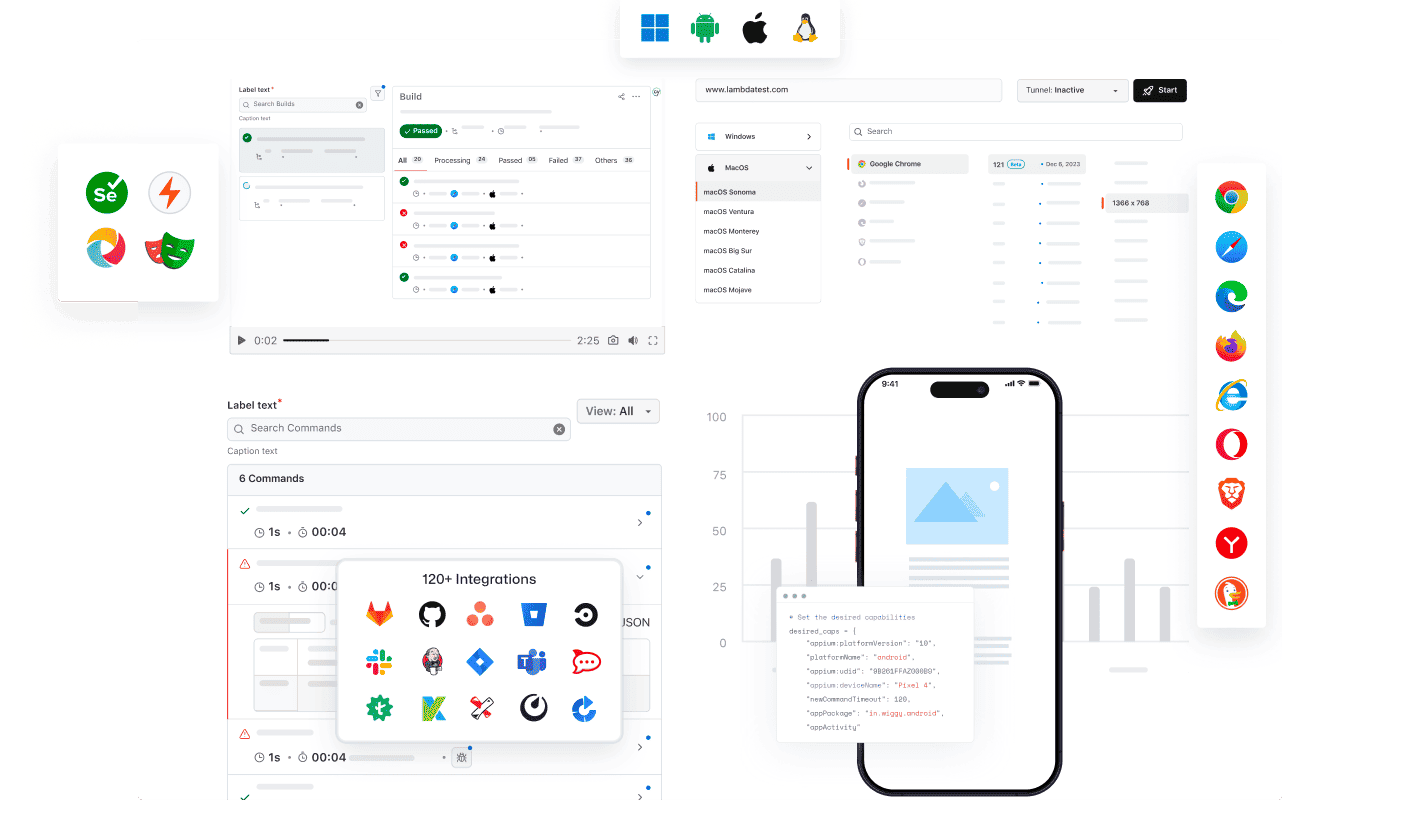
任何 AI 用戶端都可以使用 TestMu AI 的 MCP
使用 TestMu AI MCP Server,搭配任何 AI 助理,即可執行、偵錯和分類測試。
選擇您的 AI 用戶端,幾分鐘內即可完成設定。

Cursor
在您的編輯器內,用簡單英文產生設定檔、執行測試套件、偵錯失敗並分類測試結果。

Claude Code
在您的終端機內,用簡單英文產生設定檔、執行測試套件、偵錯失敗並分類測試結果。

GitHub Copilot
在 VS Code 聊天視窗內,用簡單英文產生設定檔、執行測試套件、偵錯失敗並分類測試結果。

OpenAI Codex
在命令列中,用簡單英文產生設定檔、執行測試套件、偵錯失敗並分類測試結果。

Antigravity
在代理面板中,用簡單英文產生設定檔、執行測試套件、偵錯失敗並分類測試結果。
TestMu AI(前身為 LambdaTest)提供的內建 MCP Server
使用 HyperExecute、Automation、Accessibility 和 SmartUI MCP 工具,透過自然語言直接在 IDE 中執行、偵錯和分類測試。
HyperExecute MCP 工具Automation MCP 工具Accessibility MCP 工具SmartUI MCP 工具
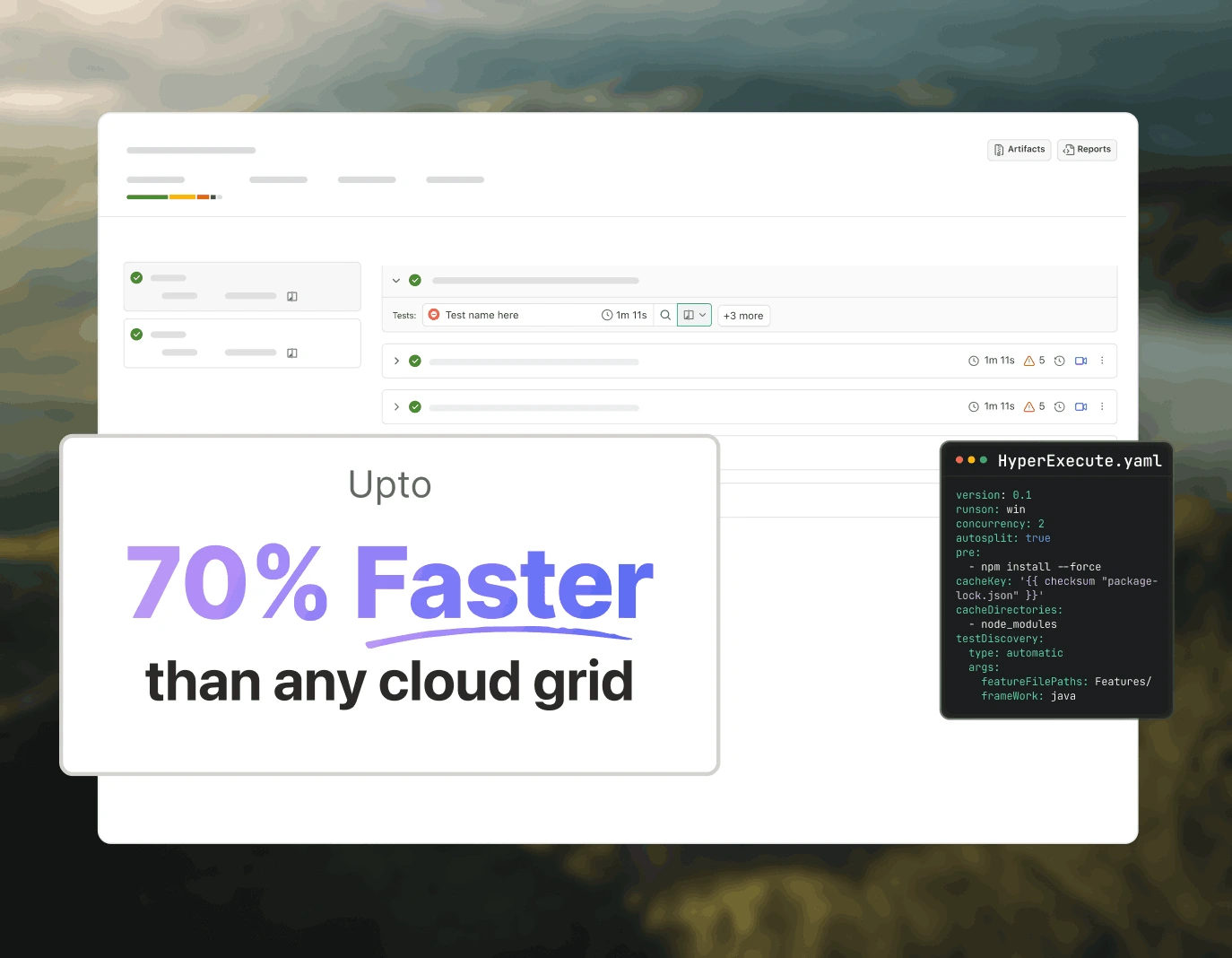
使用 HyperExecute MCP 進行測試編排
TestMu AI 的 HyperExecute MCP 省去了手動編寫 YAML 和切換儀表板的操作。您可以透過自然語言,直接在 IDE 中產生 YAML 設定檔、執行器指令並監控任務。
generateHyperExecuteYAML: 為測試專案執行產生 YAML 設定檔。
answerHyperExecuteQuery: 從 HyperExecute 文件中快速獲得解答。
getHyperExecuteJobInfo: 擷取指定測試執行的詳細任務層級資訊。
getHyperExecuteJobSessions: 取得與 HyperExecute 任務相關的所有工作階段詳細資料。
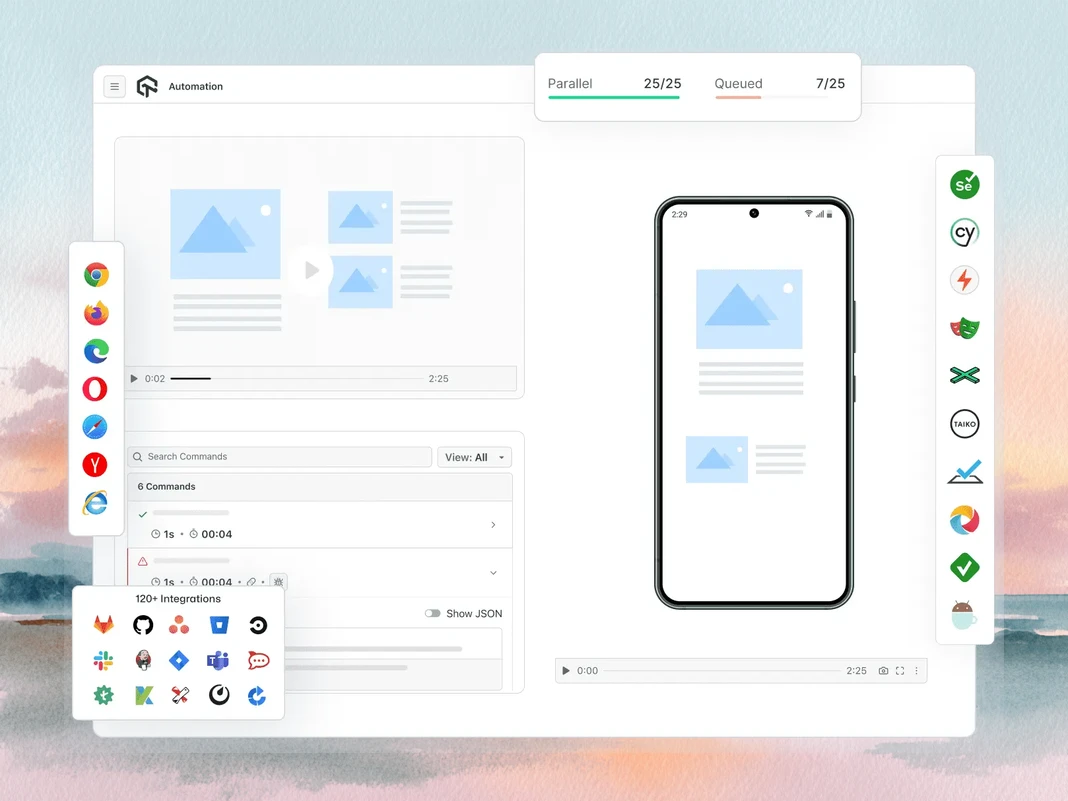
使用 Automation MCP 進行測試失敗分類
TestMu AI 的 Automation MCP 透過將 TestID 詳細資料、指令日誌、網路日誌和主控台錯誤匯整到同一個聊天視窗中,加速測試失敗分類,以便即時進行根本原因分析。
Automation 測試詳細資料: 擷取特定測試的全面資訊。
Automation 指令日誌: 存取所有 Selenium 指令的執行日誌。
Automation 網路日誌: 分析測試期間的瀏覽器流量和網路行為。
Automation 主控台日誌: 檢視瀏覽器主控台輸出,包括錯誤和警告。
upload_app 工具: 上傳行動應用程式以進行測試。
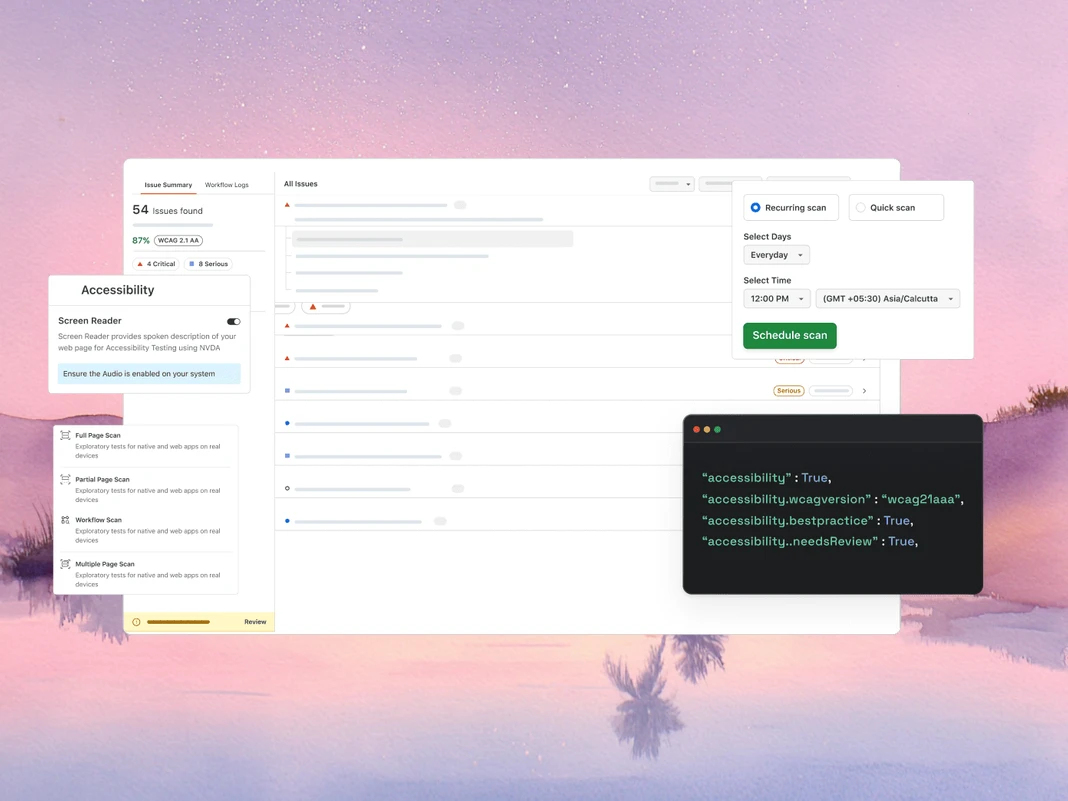
使用 Accessibility MCP 進行 WCAG 和無障礙稽核
TestMu AI 的 Accessibility MCP 可傳回詳細的稽核報告,並附上可直接套用的修正建議,在 WCAG 和無障礙違規進入生產環境前即予以攔截。
getAccessibilityReport: 為任何公開 URL 取得無障礙報告。
buildLocalAppForAnalysis: 建置並提供本機 React 應用程式以偵測無障礙問題。
analyseAppViaTunnel: 透過 TestMu AI 隧道分析本機應用程式測試中的無障礙失敗。
使用 SmartUI MCP 進行視覺回歸偵錯
TestMu AI 的 SmartUI MCP 透過直接以簡單英文在 IDE 中說明像素、版面、DOM 和感知變化,減少視覺回歸偵錯中的人工差異比對工作。
getSmartUIResources: 取得比較執行的所有視覺資產。
summarizeSmartUIPixelDiff: 識別並說明螢幕截圖之間的原始像素差異。
summarizeSmartUILayoutDiff: 偵測與間距、對齊和尺寸相關的版面問題。
summarizeSmartUIDomDiff: 說明 DOM 結構和屬性的變化。
analyzeSmartUIHumanDiff: 模擬人類如何感知視覺變化。
analyzeSmartUIRun: 提供跨所有分析層的完整偵錯摘要。
getSmartUIScreenshotInfo: 擷取 SmartUI 螢幕截圖的中繼資料和詳細資訊。
downloadSmartUIDomFiles: 下載 DOM 結構檔案以進行更深入的分析。
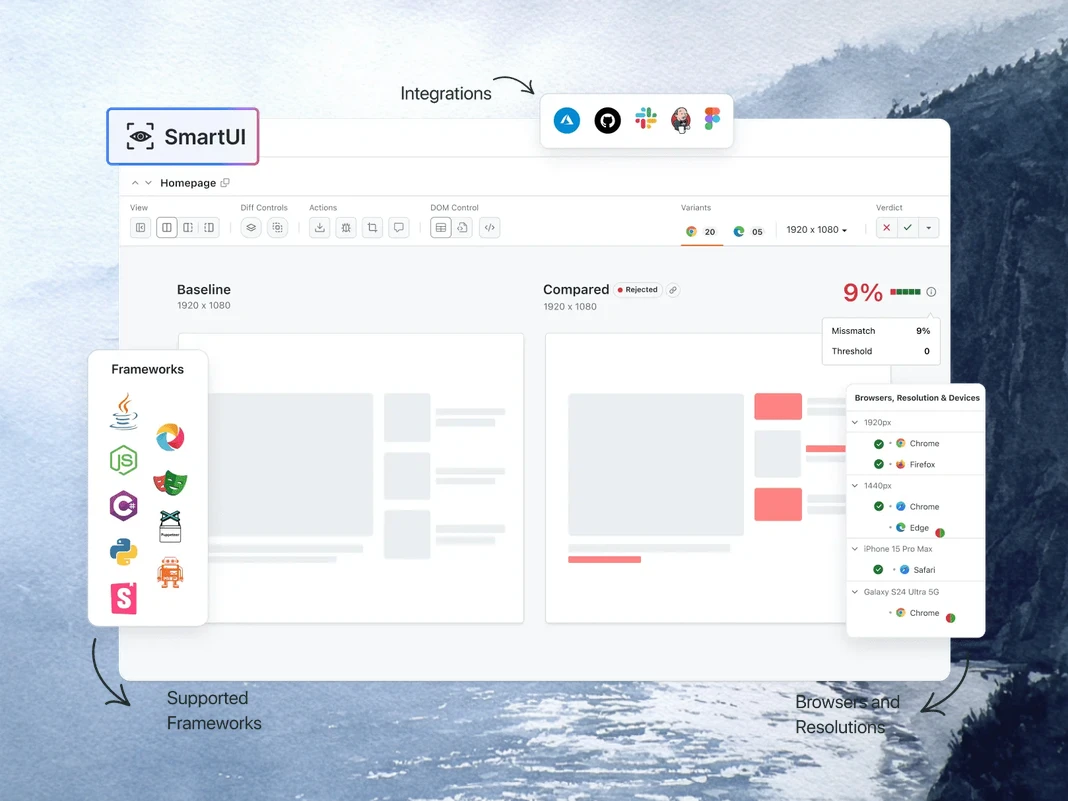
AI 代理式品質工程
AI 原生代理可跨瀏覽器、超過 10,000 台真實裝置以及您的 CI 管道,直接從 IDE 規劃、編寫、執行和分類測試。
Agent Testing
KaneAI
Browser Testing
Real Device Cloud
App Automation
HyperExecute
Visual UI Testing
Accessibility Testing
Agent Testing
測試 AI 代理,例如聊天機器人、語音助理等。
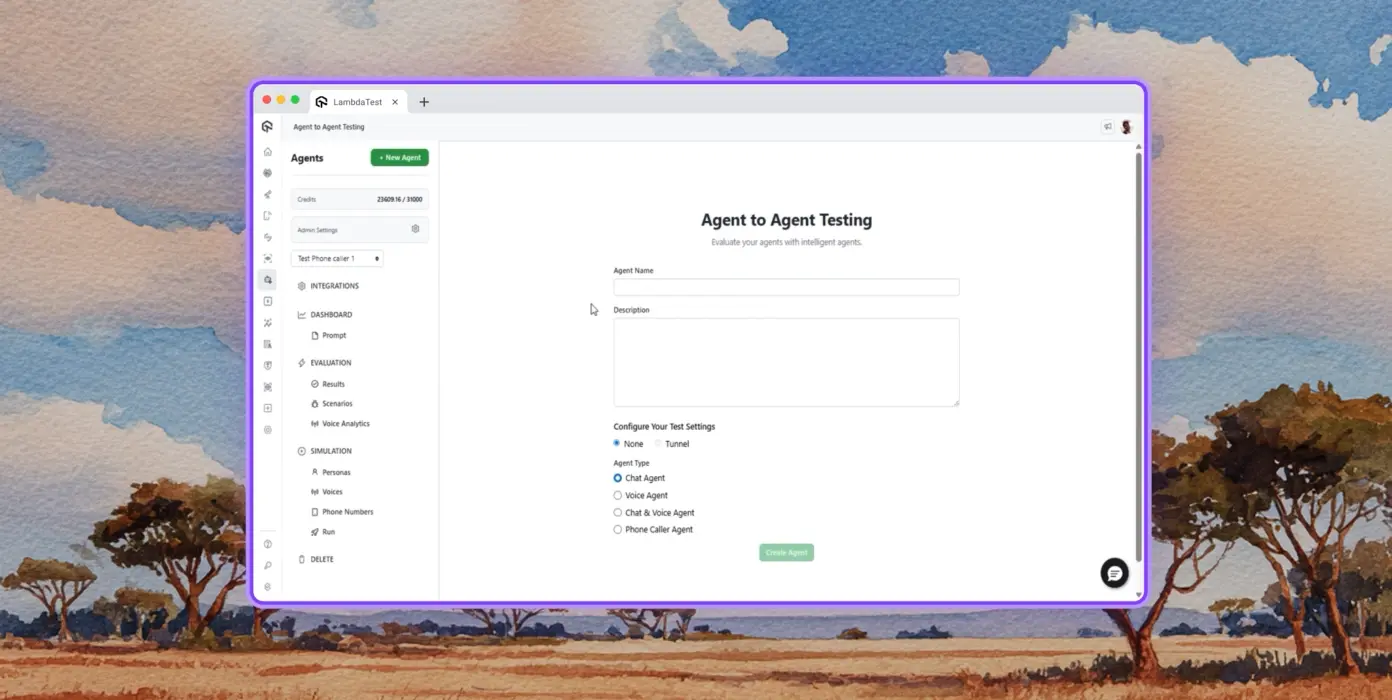
自主測試
從合成終端使用者的角度,對受測代理進行詳細分析。
多角色模擬
多樣化的使用者角色,例如國際來電者、數位新手等。
風險評分與回歸
對受測代理進行端到端回歸測試,並提供深入分析。
TestMu AI 的 KaneAI
使用自然語言規劃、編寫和演進端到端測試。
自然語言
只需描述即可編寫測試,無需腳本、無需程式碼,只要簡單英文。
測試情境產生
從文字、JIRA 工單、PRD、圖片和試算表產生結構化測試案例。
測試編寫
使用 KaneAI 為您的網站和網頁應用程式編寫跨桌面和行動裝置的瀏覽器測試。
Browser Testing
在超過 3,000 種瀏覽器、作業系統和裝置組合上快速驗證您的網站。
響應式測試
檢查您的網站在桌面、平板和行動裝置上跨不同視口的呈現效果。
DevTools 偵錯
使用預先安裝的 Chrome 和 Safari DevTools 偵錯跨瀏覽器問題。
地理位置測試
測試不同的地理 IP,確保為所有地區的使用者提供正確體驗。
Real Device Cloud
在超過 10,000 台真實裝置上測試網頁和行動應用程式。
手勢測試
測試點按、捲動、縮放、滑動等自然手勢。
真實世界情境
利用 40+ 項功能,在真實硬體裝置上測試各種邊緣情況。
進階偵錯
直接從您的測試工作階段使用裝置日誌、網路日誌和 UI 檢查器進行偵錯。
App Automation
在超過 10,000 台真實手機和平板上執行自動化行動應用程式測試。
平行執行
同時在數百台真實 Android 和 iOS 裝置上執行自動化測試。
框架支援
Appium、XCUITest、Espresso 和 Detox,所有行動自動化選項一應俱全。
本機測試
在各種真實 Android 和 iOS 裝置上測試本機和私人託管的應用程式。
HyperExecute
速度提升高達 70% 的 AI 原生測試編排雲端。
自癒測試
自動修復測試腳本,減少不穩定性和人工維護。
智慧編排
根據歷史資料自動重新排序測試執行,更快呈現失敗並縮短回饋時間。
根本原因分析
分類錯誤,並透過即時日誌取得 AI 驅動的修正見解。
Visual UI Testing
AI 原生視覺測試,可跨瀏覽器和裝置攔截 UI 回歸。
像素比對
偵測版面、顏色、字型和元素位置上的視覺偏差。
設計對開發
比較 Figma 設計與即時網頁和應用程式畫面,確保準確性。
智慧忽略
透過 AI 原生偵測過濾不相關的版面位移,減少誤判。
Accessibility Testing
網頁和行動應用程式無障礙測試,打造包容的使用者體驗。
WCAG 合規
針對 WCAG、ADA 和 Section 508 標準掃描網頁和行動應用程式。
排定掃描
自動化每日、每週或每月的定期無障礙稽核。
螢幕閱讀器
在真實裝置上測試與螢幕閱讀器和輔助工具的相容性。
 PLAY
PLAY
TestMu AI(前身為 LambdaTest)的成功案例

50%
測試執行時間縮短
「HyperExecute 是一個高度可靠的測試執行平台,而且客戶支援非常出色。」
Sagar Uday Kumar
資深工程經理

Dashlane
Lereta
Dunelm
Trepp
Transavia
預約示範
更多愛上 TestMu AI(前身為 LambdaTest)的理由
了解 TestMu AI 如何透過 AI 原生編寫、更快的執行速度,以及跨網頁、行動和 AI 應用程式的更深層測試洞察,加速您的測試流程。
TestMu AI 獲評為 2025 年 Gartner® Magic Quadrant™ 挑戰者
TestMu AI 獲認可於 The Forrester Wave™:自主測試平台,2025 年第四季
榮譽榜
TestMu AI 是全球中小企業和大型企業的首選。
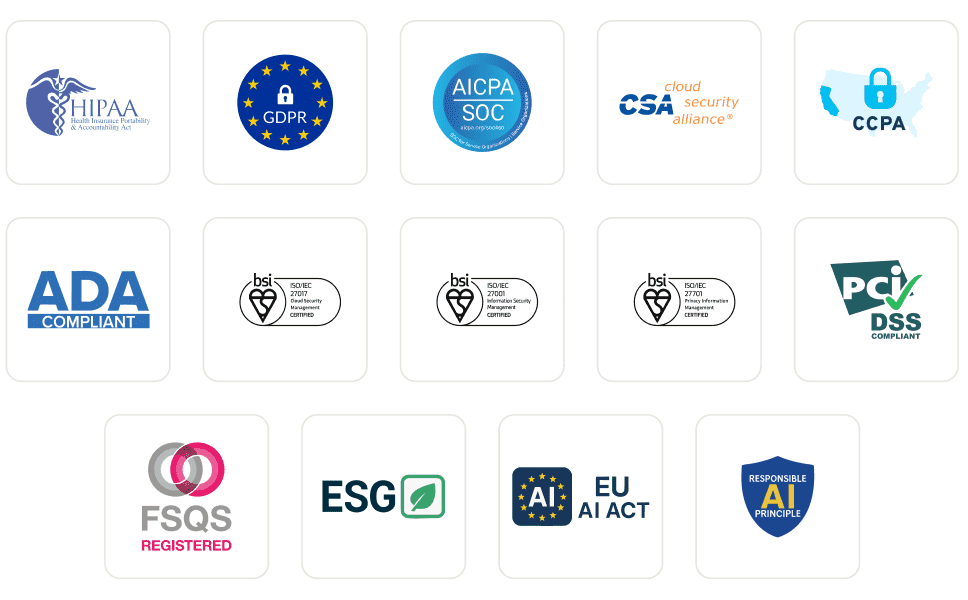
企業級安全
我們透過全球安全、隱私、負責任 AI 和 ESG 標準來保護您的資料和 AI 系統。
整合
在任何您工作的地方都能運作,提供超過 120 種與您的團隊所依賴工具的整合。
使用者
3M+
測試
1.5B+
企業
18K+
國家/地區
132
媒體報導
常見問題
什麼是 MCP server?
MCP server 是一種透過 Model Context Protocol(由 Anthropic 於 2024 年 11 月推出的開放標準)向 AI 代理暴露工具、資源和提示的程式。該 server 會向任何相容 MCP 的用戶端廣播其能力,而用戶端(AI 代理)會在執行時期呼叫這些工具,以取得模型訓練資料之外的資料或執行操作。
MCP 在軟體測試中有什麼用途?
在軟體測試中,MCP 讓 AI 代理能夠透過自然語言驅動測試工作流程:產生設定檔、執行測試套件、擷取日誌、彙總失敗摘要,以及執行視覺或無障礙檢查。代理無需在 IDE、儀表板和終端機之間切換,而是直接內嵌呼叫正確的 MCP 工具,並在聊天中回傳結果,從而壓縮編排和偵錯時間。
MCP server 如何與 AI 代理協作?
用戶端(例如 Claude Code 或 Cursor 等 AI 代理)透過 stdio 或 HTTP/SSE 連接到 server,並詢問其能力。Server 回傳一份包含 JSON Schema 定義的工具清單。當使用者提示代理時,代理會選擇相關工具、發送結構化呼叫,server 則對底層系統執行該呼叫,然後回傳模型可進行推理的型別化回應。
哪些 AI 用戶端支援 MCP servers?
Claude Code、Claude Desktop、Cursor、Windsurf、GitHub Copilot Chat、Cline、Continue、Zed AI 和 JetBrains AI Assistant 目前都支援 MCP servers。任何實作 Model Context Protocol 規範(stdio 或 HTTP/SSE 傳輸)的用戶端都可以連線,這意味著新的 MCP 感知工具無需重寫 server 整合即可使用。
如何在 Cursor 或 Claude Code 中設定 MCP server?
在 Cursor 中,開啟「Settings → MCP → Add new MCP Server」,然後指向伺服器的命令或 HTTP 端點。在 Claude Code 中,執行 claude mcp add <name> <command>,或直接編輯 ~/.claude.json。註冊完成後,代理程式會自動探索可用的工具,你就能在聊天中呼叫它們。大多數企業級 MCP 伺服器會在工具可呼叫前增加一個 OAuth 步驟。
MCP 與 API 之間有何差異?
API 是為程式對程式呼叫設計的固定端點合約;用戶端需要針對每個端點和版本變更進行自訂整合。MCP 則專為 AI 對工具的呼叫而建:它標準化了代理程式在執行階段探索功能的方式、在多次呼叫之間維持工作階段狀態,以及剖析型別化回應。當 MCP 伺服器新增工具時,所有已連線的代理程式無需重新部署即可直接使用。
MCP 伺服器能執行 Selenium、Playwright、Cypress 或 Appium 測試嗎?
可以。MCP 伺服器不會取代你的測試框架,而是包覆它。TestMu AI MCP Server 會在專案分析期間偵測 Selenium、Playwright、Cypress、Appium、TestNG、JUnit、PyTest、WebdriverIO 等類似框架,然後為你的 AI 代理程式產生正確的設定和執行命令。測試執行仍發生在底層的雲端格狀架構上。
MCP 如何協助除錯失敗的測試?
MCP 伺服器可以擷取測試中繼資料、Selenium 命令記錄、瀏覽器網路活動,以及任何失敗執行的主控台錯誤,然後將這些資料回傳給聊天中的 AI 代理程式。代理程式會分析記錄、關聯事件,並提出根因建議,將過去需要切換多個儀表板頁面逐一搜尋的過程,轉變為單一提示即可完成。
Model Context Protocol 安全嗎?
MCP 本身定義的是傳輸層和訊息格式,而非驗證機制;安全性取決於伺服器實作。正式環境的伺服器通常使用 OAuth 2.1、限定範圍權杖和 TLS 加密傳輸。企業部署會加入角色型權限、稽核記錄和資料落地控制,這些在 MCP 流量承載正式環境記錄或客戶資料時尤其重要。
MCP 伺服器可以免費使用嗎?
此協定是開放原始碼且免費的。伺服器的定價各不相同:許多社群伺服器免費,而廠商代管的伺服器會根據底層平台收費(使用量、席位或運算資源),而非針對 MCP 層本身。TestMu AI MCP Server 隨附於每個 TestMu AI 帳戶,只會消耗團隊已付費的測試執行分鐘數。
TestMu AI MCP Server 內部有哪些工具?
此伺服器內建四個 MCP 工具。HyperExecute MCP 負責專案分析、YAML 產生、執行器命令、任務資訊和工作階段詳細資料。Automation MCP 擷取測試詳細資料、Selenium 命令記錄、網路記錄和主控台記錄。SmartUI MCP 彙總像素、版面配置、DOM 和人工感知的視覺差異。Accessibility MCP 對公開 URL、本機 React 建置和隧道化應用程式執行 WCAG 稽核。
TestMu AI MCP Server 支援哪些 AI 助手?
TestMu AI MCP Server 已提供 Cursor、Claude Code、Claude Desktop、Claude.ai(網頁版)、VS Code 中的 GitHub Copilot、Antigravity、OpenAI Codex CLI、Cline 和 Continue 的設定路徑文件。任何其他相容 MCP 的用戶端都可以透過通用的 STDIO 組態搭配 mcp-remote 連線,因此採用此協定的較新助手可以在伺服器端不做任何變更的情況下直接運作。
TestMu AI MCP Server 使用哪些傳輸方式?
此伺服器支援兩種傳輸方式。Streamable HTTP 是大多數用戶端推薦的選項,使用帶有 OAuth 驗證的端點。STDIO 可透過 mcp-remote 提供給尚未支援 Streamable HTTP 的用戶端,並在背後使用相同的 OAuth 驗證端點。
為什麼配置後 MCP 工具沒有出現在我的 AI 用戶端中?
通常有三個原因。首先,完整結束並重新啟動用戶端(僅重新載入通常不夠)。其次,檢查 JSON、TOML 或 YAML 組態是否有語法錯誤,尤其是尾隨逗號和未跳脫的路徑。第三,對於 Continue 這類用戶端,請確認你處於 Agent Mode 而非 Chat Mode。如果 OAuth 已完成但工具仍未出現,請從用戶端的 MCP 設定中重新驗證。
檢視更多問題
TestMu AI (Formerly LambdaTest)/MCP Server
[{"@context":"https://schema.org","@type":"BreadcrumbList","itemListElement":[{"@type":"ListItem","position":1,"name":"Home","item":"https://www.testmuai.com"},{"@type":"ListItem","position":2,"name":"TestMu AI MCP Server","item":"https://www.testmuai.com/mcp/"}]}]
{"@context":"https://schema.org","@type":"WebPage","name":"TestMu AI (Formerly LambdaTest) MCP Server For Agentic Testing","description":"TestMu AI (Formerly LambdaTest) MCP Server with four tools: HyperExecute, Automation, SmartUI, & Accessibility. Run, debug, and triage tests from your IDE using natural language.","url":"https://www.testmuai.com/mcp/","inLanguage":"en","isPartOf":{"@type":"WebSite","name":"TestMu AI (Formerly LambdaTest)","url":"https://www.testmuai.com"},"datePublished":"2025-01-01","dateModified":"2026-05-14","about":{"@type":"Organization","name":"TestMu AI (Formerly LambdaTest)","alternateName":["LambdaTest","LambdaTesting","lamda test","lambatest","Lambda Test"]}}
{"@context":"https://schema.org","@type":"FAQPage","mainEntity":[{"@type":"Question","name":"What is an MCP server?","acceptedAnswer":{"@type":"Answer","text":"An MCP server is a program that exposes tools, resources, and prompts to AI agents through the Model Context Protocol, an open standard introduced by Anthropic in November 2024. The server advertises its capabilities to any MCP-compatible client, and the client (an AI agent) calls those tools at runtime to fetch data or perform actions outside the model's training data."}},{"@type":"Question","name":"What is MCP used for in software testing?","acceptedAnswer":{"@type":"Answer","text":"In software testing, MCP lets AI agents drive the test workflow through natural language: generating configs, executing suites, pulling logs, summarizing failures, and running visual or accessibility checks. Instead of switching between an IDE, a dashboard, and a terminal, the agent calls the right MCP tool inline and returns results in chat, which compresses orchestration and debugging time."}},{"@type":"Question","name":"How does an MCP server work with AI agents?","acceptedAnswer":{"@type":"Answer","text":"The client (an AI agent like Claude Code or Cursor) connects to the server over stdio or HTTP/SSE and asks for its capabilities. The server returns a list of tools with JSON Schema definitions. When the user prompts the agent, it picks the relevant tool, sends a structured call, and the server executes it against the underlying system, then returns a typed response the model can reason over."}},{"@type":"Question","name":"Which AI clients support MCP servers?","acceptedAnswer":{"@type":"Answer","text":"Claude Code, Claude Desktop, Cursor, Windsurf, GitHub Copilot Chat, Cline, Continue, Zed AI, and JetBrains AI Assistant all support MCP servers today. Any client that implements the Model Context Protocol spec (stdio or HTTP/SSE transport) can connect, which means new MCP-aware tools work without rewriting the server integration."}},{"@type":"Question","name":"How do you set up an MCP server in Cursor or Claude Code?","acceptedAnswer":{"@type":"Answer","text":"In Cursor, open Settings → MCP → Add new MCP Server and point it at the server's command or HTTP endpoint. In Claude Code, run \"claude mcp add <name> <command>\" or edit ~/.claude.json directly. Once registered, the agent discovers the available tools automatically and you can invoke them in chat. Most enterprise MCP servers add an OAuth step before tools become callable."}},{"@type":"Question","name":"What is the difference between MCP and an API?","acceptedAnswer":{"@type":"Answer","text":"An API is a fixed endpoint contract built for code-to-code calls; clients need custom integration for every endpoint and version change. MCP is built for AI-to-tool calls: it standardizes how an agent discovers capabilities at runtime, maintains session state across calls, and parses typed responses. When a new tool is added to an MCP server, every connected agent picks it up without redeployment."}},{"@type":"Question","name":"Can MCP servers run Selenium, Playwright, Cypress, or Appium tests?","acceptedAnswer":{"@type":"Answer","text":"Yes. MCP servers don't replace your test framework; they wrap it. The TestMu AI MCP Server detects Selenium, Playwright, Cypress, Appium, TestNG, JUnit, PyTest, WebdriverIO, and similar frameworks during project analysis, then generates the right config and runner command for your AI agent to execute. Test execution still happens on the underlying cloud grid."}},{"@type":"Question","name":"How does MCP help debug failed tests?","acceptedAnswer":{"@type":"Answer","text":"An MCP server can pull test metadata, Selenium command logs, browser network activity, and console errors for any failed run, then hand the data back to the AI agent in chat. The agent reasons over the logs, correlates events, and suggests a root cause, turning what used to be a multi-tab dashboard hunt into a single prompt."}},{"@type":"Question","name":"Is the Model Context Protocol secure?","acceptedAnswer":{"@type":"Answer","text":"MCP itself defines transport and message format, not authentication; security depends on the server implementation. Production servers typically use OAuth 2.1, scoped tokens, and TLS-encrypted transport. Enterprise deployments add role-based permissions, audit logging, and data-residency controls, which become important when MCP traffic carries production logs or customer data."}},{"@type":"Question","name":"Are MCP servers free to use?","acceptedAnswer":{"@type":"Answer","text":"The protocol is open source and free. Server pricing varies: many community servers are free, while vendor-hosted servers bill against the underlying platform (usage, seats, or compute) rather than the MCP layer itself. The TestMu AI MCP Server is included with every TestMu AI account and only consumes the test execution minutes a team already pays for."}},{"@type":"Question","name":"What tools are inside the TestMu AI MCP Server?","acceptedAnswer":{"@type":"Answer","text":"Four MCP tools ship in the server. HyperExecute MCP handles project analysis, YAML generation, runner commands, job info, and session details. Automation MCP fetches test details, Selenium command logs, network logs, and console logs. SmartUI MCP summarizes pixel, layout, DOM, and human-perceived visual diffs. Accessibility MCP runs WCAG audits on public URLs, local React builds, and tunneled apps."}},{"@type":"Question","name":"What AI assistants does the TestMu AI MCP Server support?","acceptedAnswer":{"@type":"Answer","text":"The TestMu AI MCP Server has documented setup paths for Cursor, Claude Code, Claude Desktop, Claude.ai (Web), GitHub Copilot in VS Code, Antigravity, OpenAI Codex CLI, Cline, and Continue. Any other MCP-compatible client can connect through the universal STDIO configuration using mcp-remote, so newer assistants that adopt the protocol work without changes on the server side."}},{"@type":"Question","name":"What transport methods does the TestMu AI MCP Server use?","acceptedAnswer":{"@type":"Answer","text":"The server supports two transports. Streamable HTTP is the recommended option for most clients and uses the endpoint with OAuth authentication. STDIO is available through mcp-remote for clients that don't yet support Streamable HTTP, and uses the same OAuth-authenticated endpoint behind the scenes."}},{"@type":"Question","name":"Why aren't MCP tools showing up in my AI client after configuration?","acceptedAnswer":{"@type":"Answer","text":"Three things usually cause this. First, fully quit and relaunch the client (a soft reload often isn't enough). Second, validate the JSON, TOML, or YAML config for syntax errors, especially trailing commas and unescaped paths. Third, for clients like Continue, confirm you are in Agent Mode rather than Chat Mode. If OAuth completed but tools still don't appear, re-authenticate from the client's MCP settings."}}]}
{"@context":"https://schema.org","@type":"Organization","name":"TestMu AI (Formerly LambdaTest)","legalName":"LambdaTest, Inc.","alternateName":["LambdaTest","LambdaTesting","Lambda Test","TestMu AI"],"url":"https://www.testmuai.com","logo":"https://www.testmuai.com/logo.png","description":"TestMu AI (formerly LambdaTest) is an AI-native, agentic testing cloud for end-to-end software quality engineering across web, mobile, and AI applications. LambdaTest rebranded to TestMu AI on January 12, 2026.","foundingDate":"2017","founder":[{"@type":"Person","name":"Asad Khan","jobTitle":"Co-Founder & CEO"},{"@type":"Person","name":"Jay Singh","jobTitle":"Co-Founder & Chief Customer Officer"},{"@type":"Person","name":"Mayank Bhola","jobTitle":"Co-Founder & Head of Product"},{"@type":"Person","name":"Mudit Singh","jobTitle":"Co-Founder & Head of Growth"}],"address":[{"@type":"PostalAddress","addressLocality":"California","postalCode":"94102","streetAddress":"Suite 200, 1390 market Street San Francisco","addressCountry":"USA"},{"@type":"PostalAddress","streetAddress":"Noida One, Tower A, 2nd Floor, KLJ, Sector 62","addressLocality":"Noida","postalCode":"201309","addressCountry":"India"}],"sameAs":["https://www.lambdatest.com","https://www.linkedin.com/company/testmu-ai/","https://www.linkedin.com/company/lambdatest/","https://www.instagram.com/testmuai/","https://www.facebook.com/testmuai/","https://x.com/testmuai","https://x.com/lambdatesting","https://medium.com/lambdatest","https://testmuai.medium.com/","https://www.youtube.com/@TestMuAI","https://www.pinterest.com/testmuai/","https://github.com/lambdaTest","https://www.netlify.com/integrations/lambdatest/","https://newrelic.com/instant-observability/lambdatest"]}
{"@context":"https://schema.org","@type":"ItemList","name":"TestMu AI (Formerly LambdaTest) MCP Server Tools","description":"The four MCP tools included with the TestMu AI (Formerly LambdaTest) MCP Server: HyperExecute MCP, Automation MCP, SmartUI MCP, and Accessibility MCP.","url":"https://www.testmuai.com/mcp/","numberOfItems":4,"itemListOrder":"https://schema.org/ItemListOrderAscending","itemListElement":[{"@type":"ListItem","position":1,"item":{"@type":"SoftwareApplication","name":"HyperExecute MCP Tool","applicationCategory":"DeveloperApplication","operatingSystem":"Windows, macOS, Linux","url":"https://www.testmuai.com/support/docs/hyperexecute-mcp-server/","description":"An MCP tool that analyzes your test project, auto-detects the framework, and generates HyperExecute YAML configs and runner commands. Also fetches job and session details and answers documentation queries inline.","offers":{"@type":"Offer","price":"0","priceCurrency":"USD"},"aggregateRating":{"@type":"AggregateRating","ratingValue":"4.8","ratingCount":"451","bestRating":"5","worstRating":"1"},"provider":{"@type":"Organization","name":"TestMu AI (Formerly LambdaTest)","url":"https://www.testmuai.com"}}},{"@type":"ListItem","position":2,"item":{"@type":"SoftwareApplication","name":"Automation MCP Tool","applicationCategory":"DeveloperApplication","operatingSystem":"Windows, macOS, Linux","url":"https://www.testmuai.com/support/docs/automation-mcp-server/","description":"An MCP tool that retrieves test details, Selenium command logs, network logs, and browser console logs for any TestID, enabling AI agents to root-cause failed tests from the IDE.","offers":{"@type":"Offer","price":"0","priceCurrency":"USD"},"aggregateRating":{"@type":"AggregateRating","ratingValue":"4.8","ratingCount":"451","bestRating":"5","worstRating":"1"},"provider":{"@type":"Organization","name":"TestMu AI (Formerly LambdaTest)","url":"https://www.testmuai.com"}}},{"@type":"ListItem","position":3,"item":{"@type":"SoftwareApplication","name":"Accessibility MCP Tool","applicationCategory":"DeveloperApplication","operatingSystem":"Windows, macOS, Linux","url":"https://www.testmuai.com/support/docs/accessibility-mcp-server/","description":"An MCP tool that runs WCAG, ADA, and Section 508 accessibility audits on public URLs, locally-built React apps, or apps tunneled through TestMu AI.","offers":{"@type":"Offer","price":"0","priceCurrency":"USD"},"aggregateRating":{"@type":"AggregateRating","ratingValue":"4.8","ratingCount":"451","bestRating":"5","worstRating":"1"},"provider":{"@type":"Organization","name":"TestMu AI (Formerly LambdaTest)","url":"https://www.testmuai.com"}}},{"@type":"ListItem","position":4,"item":{"@type":"SoftwareApplication","name":"SmartUI MCP Tool","applicationCategory":"DeveloperApplication","operatingSystem":"Windows, macOS, Linux","url":"https://www.testmuai.com/support/docs/smartui-mcp-server/","description":"An MCP tool that turns raw visual diffs into natural-language summaries across pixel, layout, DOM, and human-perceived layers, with access to screenshots, DOM snapshots, and metadata.","offers":{"@type":"Offer","price":"0","priceCurrency":"USD"},"aggregateRating":{"@type":"AggregateRating","ratingValue":"4.8","ratingCount":"451","bestRating":"5","worstRating":"1"},"provider":{"@type":"Organization","name":"TestMu AI (Formerly LambdaTest)","url":"https://www.testmuai.com"}}}]}