Urlbox Full Page Screenshots
官方一個用於 Urlbox 螢幕截圖 API 的 MCP 伺服器。它讓您的客戶端能夠從網站擷取螢幕截圖、生成 PDF、提取 HTML/Markdown 等。
你可以用 Urlbox Full Page Screenshots MCP 做什麼?
- 擷取網站截圖 — 使用
render工具為任何網址拍攝 PNG、PDF 或 MP4 格式的截圖。 - 將頁面內容提取為 HTML 或 Markdown — 擷取頁面的完整 HTML,或將其轉換為 Markdown 以便進一步處理。
- 生成帶有大綱的標籤化 PDF — 渲染包含無障礙標籤與文件大綱的完整頁面 PDF。
- 封鎖廣告與 Cookie 橫幅 — 設定
render工具以在截圖中隱藏廣告並關閉 Cookie 同意橫幅。 - 將渲染結果儲存在本地 — 設定
store_renders: true,將截圖、PDF 或提取的內容直接下載至您的電腦。
文件
Urlbox MCP 伺服器
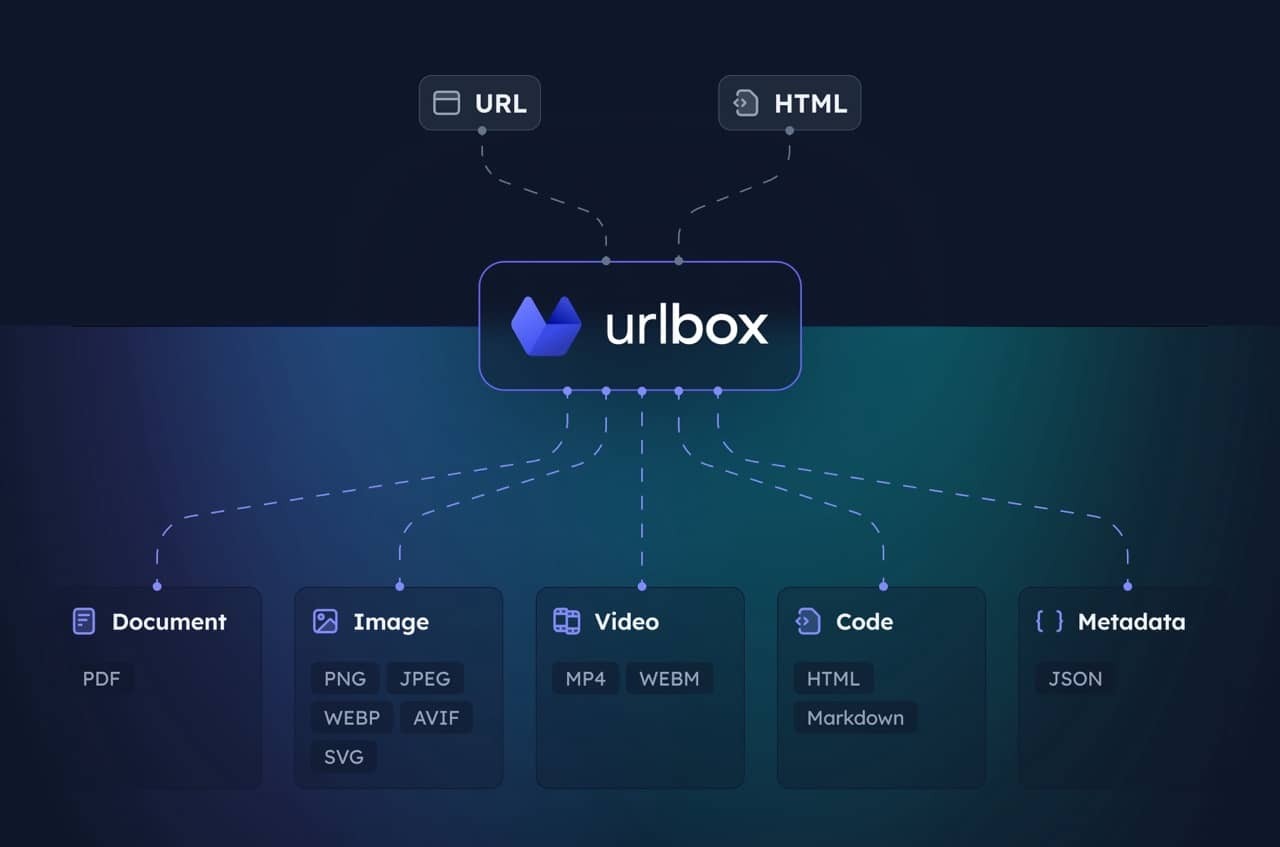
適用於 Urlbox 螢幕截圖 API 的 MCP 伺服器。讓您的客戶端能夠從網站擷取螢幕截圖、產生 PDF、提取 HTML/Markdown 等內容。
請造訪 Urlbox 以取得更多資訊,並閱讀我們的文件,或在安裝後與您的 LLM 對話,以充分了解其選項和功能。
設定
-
安裝相依套件並建置:
npm install npm run build -
取得 Urlbox API 憑證:
- 在 urlbox.com 註冊
- 從儀表板取得您的 API 密鑰
-
設定環境變數:
claude_desktop_config.json
{
  "mcpServers": {
    "screenshot": {
      "command": "npx",
      "args": ["-y", "@urlbox/screenshot-mcp"],
      "env": {
        "SECRET_KEY": "your_api_key_here"
      }
    }
  }
}
使用方式
伺服器提供一個 render 工具,可以:
- 以多種格式擷取螢幕截圖(PNG、PDF、MP4 等)
- 將頁面轉換為 HTML、Markdown
- 提取中繼資料和 Cookie
- 使用
store_renders: true將檔案儲存到您的本機下載資料夾
當您要求 Claude 對網站進行螢幕截圖或轉換網頁內容時,它會自動使用此工具。
實用提示
擷取不含廣告或 Cookie 橫幅的乾淨螢幕截圖:
Take a screenshot of https://example.com but block ads and hide cookie banners
螢幕截圖並儲存側面渲染,如 HTML/Markdown:
Take a screenshot of https://example.com and also save it as HTML and markdown. Download the result to my computer.
產生整個頁面的 PDF:
Convert https://urlbox.com to a PDF and save it to my computer. Make sure to generate a PDF that has an outline and is tagged.